How to Create Instagram Ads with AI? [Static & Video Ads] | Promer AI
How to Create Instagram Ads with AI? [Static & Video Ads]
Category
Blogs
Date
Authored by
Promer Team
Summary
Create Instagram ads with AI in 5 steps: pull product context, pick the format, generate static or video creatives, then publish - all from 1 product URL.
Most advertisers who want to create Instagram ads with AI already run ads and know that ideas aren't the bottleneck. The real bottleneck is producing enough tested creative before the current batch goes flat, and manually briefing a designer for every angle, ratio, and Reel variation is what actually slows that down.
The fastest way to create Instagram ads with AI is to start from your product context, not a blank canvas. A tool that reads your product page, extracts what actually matters to a buyer, and turns that into structured ad concepts gets you to a testable set of creatives faster than prompting an image generator line by line.
This article walks through the workflow: turning a product into ad concepts, choosing the right format for feed versus Reels, generating static and video creatives, and publishing. Each step names the Promer AI feature used, so you can follow along in your own account.
Key Takeaways
Start from a product URL or image, not a blank prompt - AI works better with product context than with a text description alone.
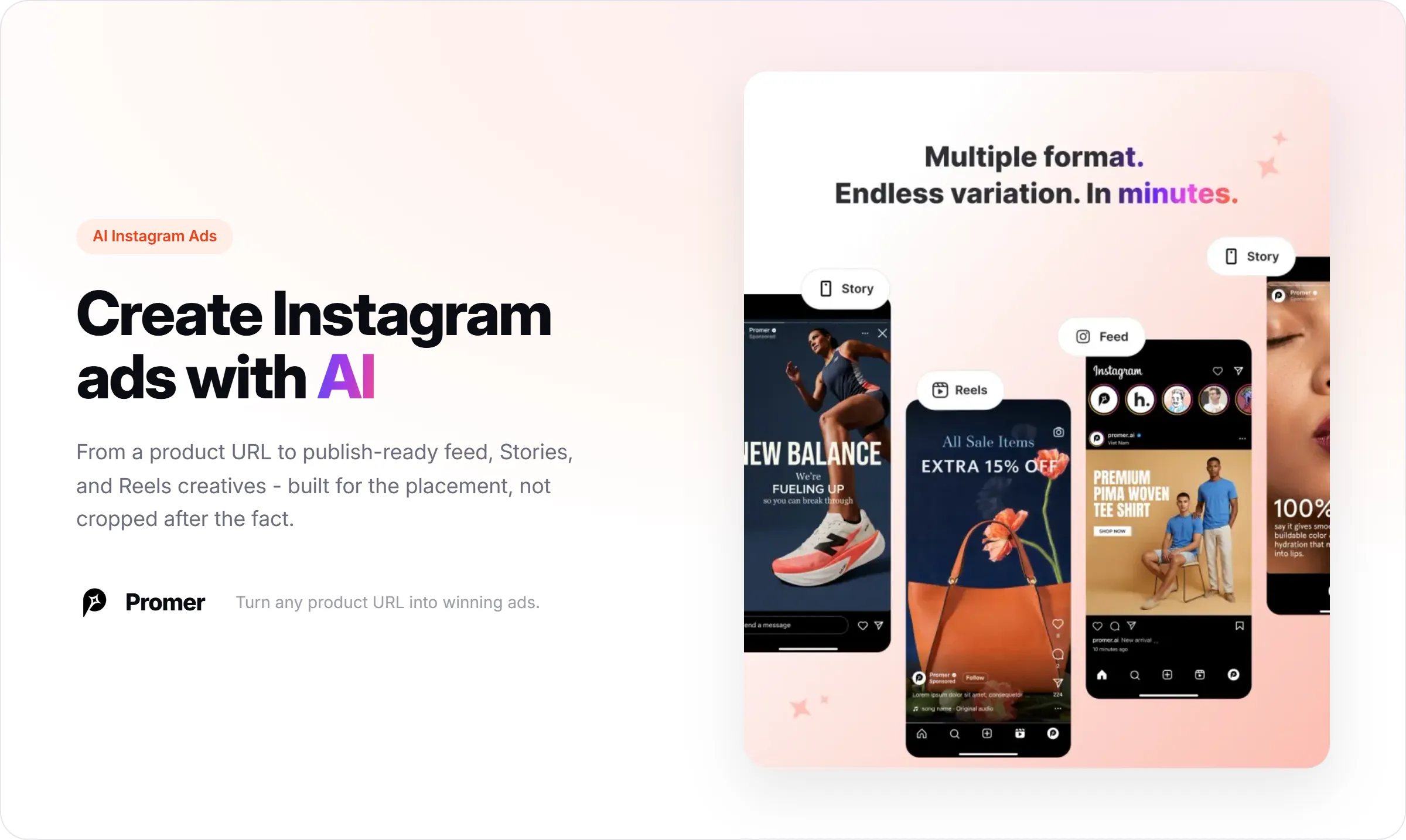
Instagram feed (1:1, 4:5) and Reels/Stories (9:16) need different aspect ratios generated on purpose, not cropped after the fact.
Static Instagram ads and Reels-style video ads come from different Promer AI tools: AI Ad Concept or AI Ad Clone for static, AI Ad Animation or AI UGC Ads for video.
AI-generated static and video creatives can be downloaded and uploaded to Instagram directly; scheduled publishing from inside Promer AI currently covers Facebook, with Instagram and TikTok publishing rolling out.
Review every AI output before publishing - AI-generated ad copy and visuals can contain mistakes.
What You Need Before Creating Instagram Ads with AI?
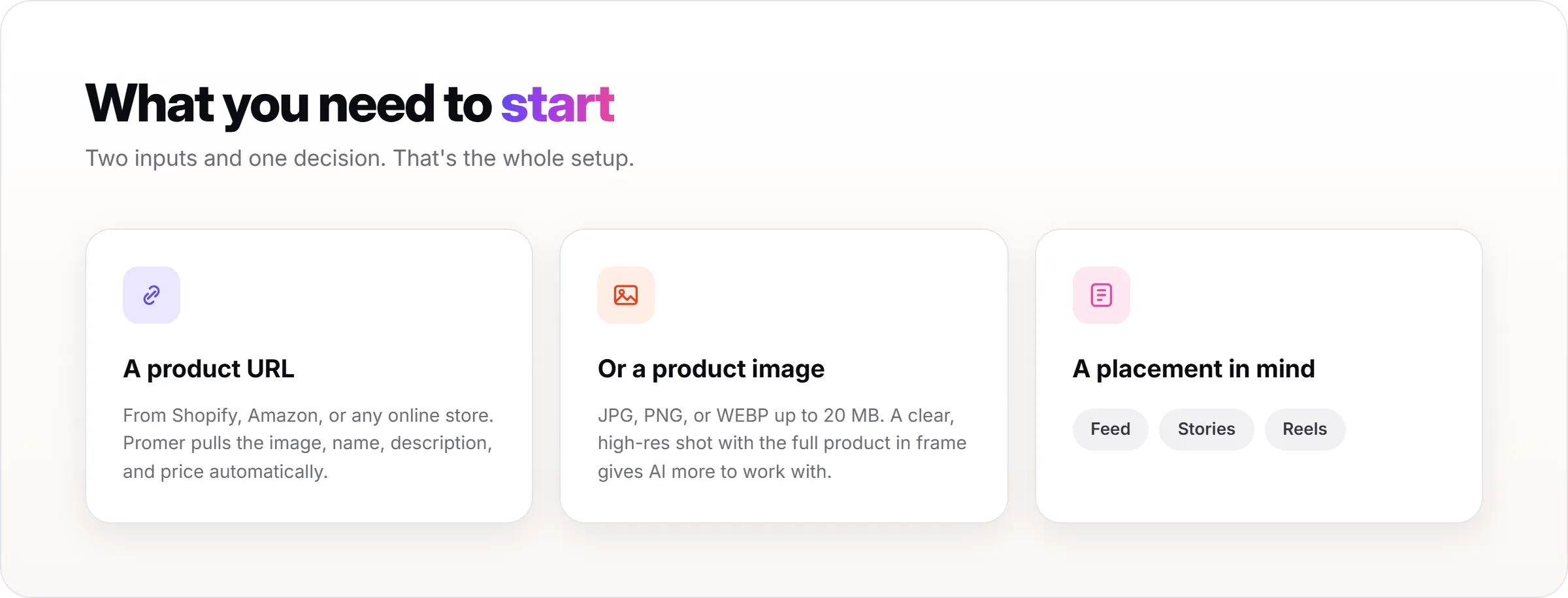
You need a product URL from Shopify, Amazon, or any online store, or a product image if the product isn't listed online yet. Promer AI accepts JPG, PNG, or WEBP files up to 20 MB.
Output quality depends on input quality. A clear, high-resolution image with the full product in frame and a clean background gives the AI more to work with than a blurry photo with glare or a watermark.
You'll also want to know which Instagram placement you're building for first: feed, Stories, or Reels. The workflow below covers all three, but picking one to start keeps your first batch of creatives focused.
Step 1: Turn Your Product into Instagram-Ready Ad Concepts
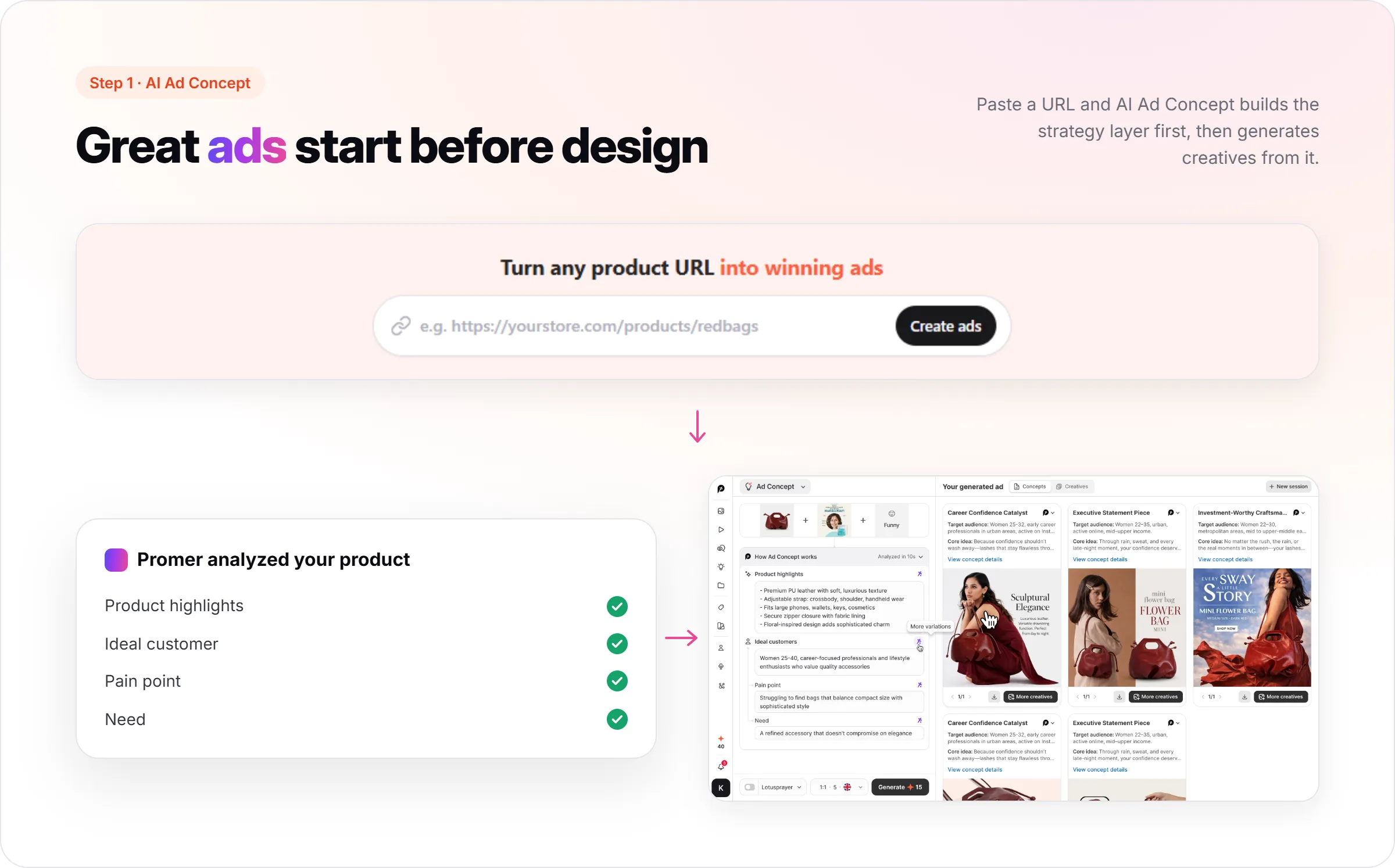
Paste your product URL into Promer AI. It extracts the product image, name, description, and price automatically, so you're not retyping product details by hand.
From there, AI Ad Concept analyzes the product and generates four fields: product highlights, ideal customer, pain point, and need. These are editable - if the AI's read on your ideal customer is off, correct it before generating creatives.
This is the step that separates a real product-to-ad workflow from a generic image tool. Instead of asking you to describe your audience and angle from scratch, AI Ad Concept builds that strategy layer first, then generates creatives from it.
Step 2: Pick the Right Format for Feed, Stories, or Reels
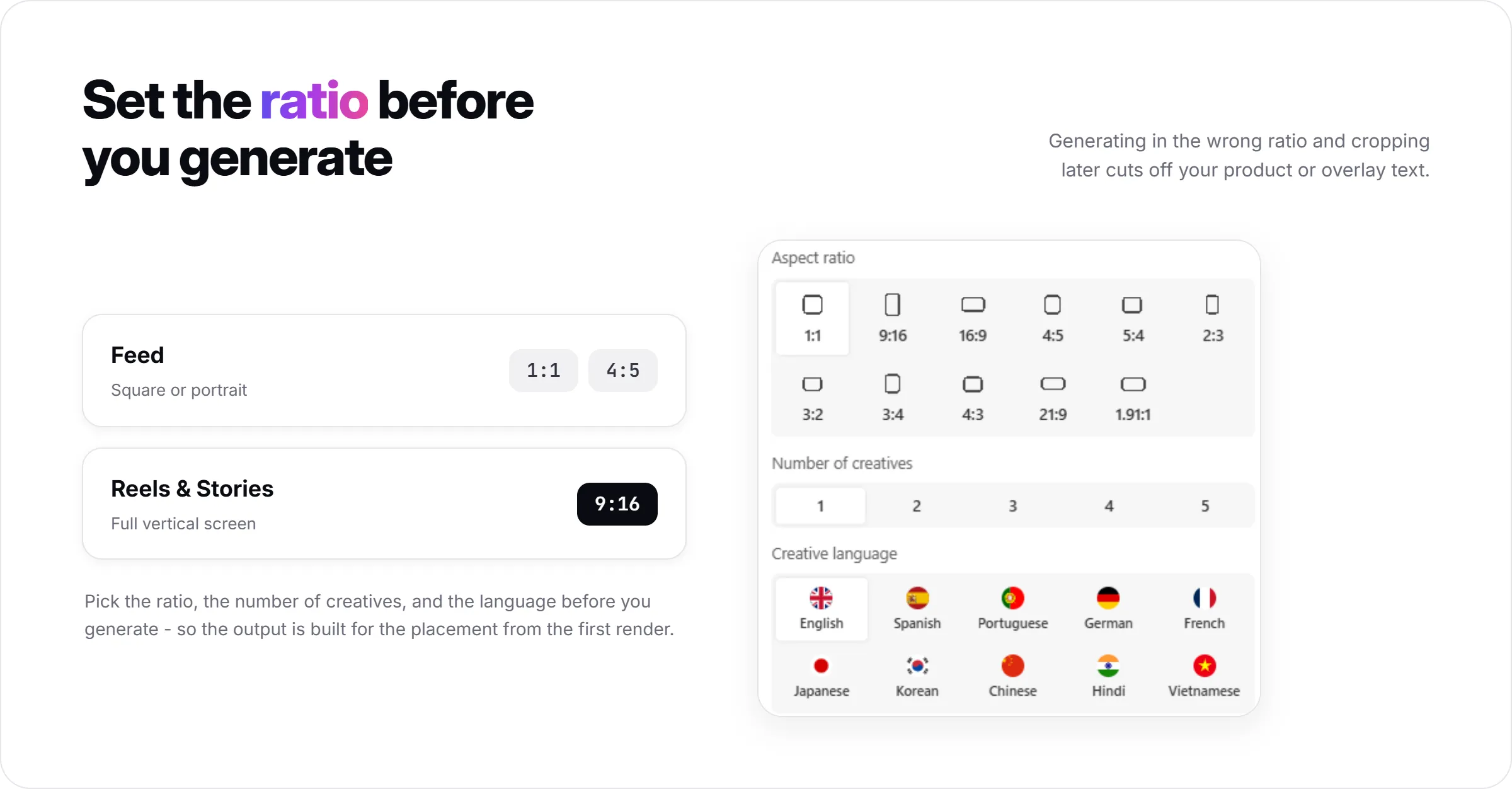
Instagram feed ads perform best at 1:1 or 4:5. Stories and Reels need 9:16. Generating in the wrong ratio and cropping later usually cuts off part of your product shot or your overlay text.
Set your aspect ratio before generating, not after. The aspect ratio selector applies to static creatives from AI Ad Concept and AI Ad Clone, and to AI Ad Animation video, so the creative is built for the placement from the first output.
If you're building for Reels specifically, plan for 9:16 from the start. Static creatives generated at 1:1 or 4:5 can show black bars when animated into a 9:16 video later.
Step 3: Generate Static Instagram Ads with AI
For a first batch of static Instagram ads, use AI Ad Concept.
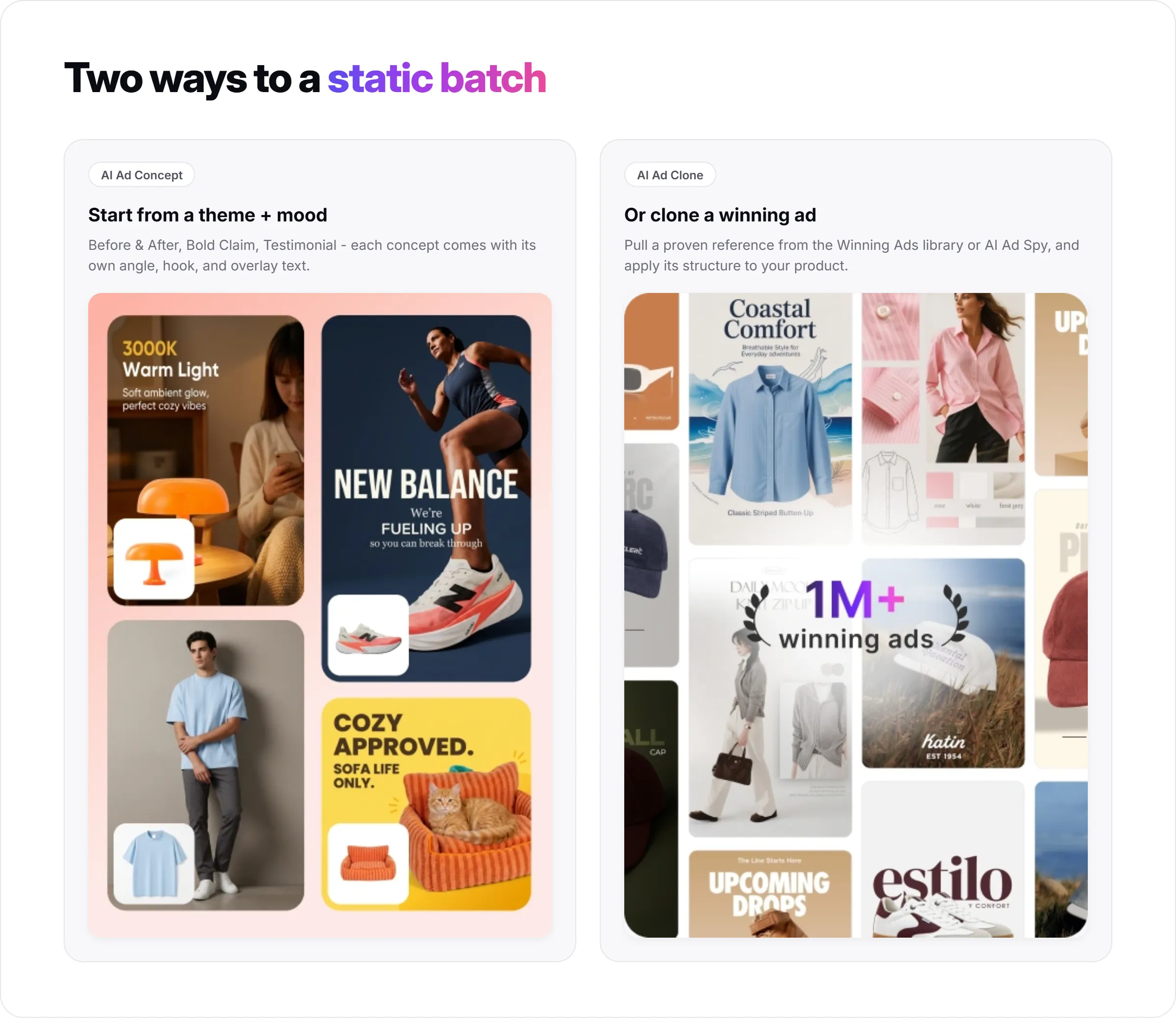
Choose a creative theme - Before & After, Bold Claim, Problem & Solution, or Testimonial are common starting points for ecommerce - and a creative mood, such as Eye-catching for a new launch or Urgency for a time-limited offer.
Promer AI generates multiple concepts from that combination, each with its own target audience, core idea, ad angle, key hook, and overlay text. You can regenerate the headline, body text, or CTA individually if one field misses the mark.
If you already have a competitor or reference ad performing well on Instagram, AI Ad Clone applies that ad's structure to your product instead of starting from a theme and mood. Pull the reference from Promer AI's Winning Ads library, from AI Ad Spy, or upload your own.
Step 4: Turn a Static Instagram Ad into a Reel with AI
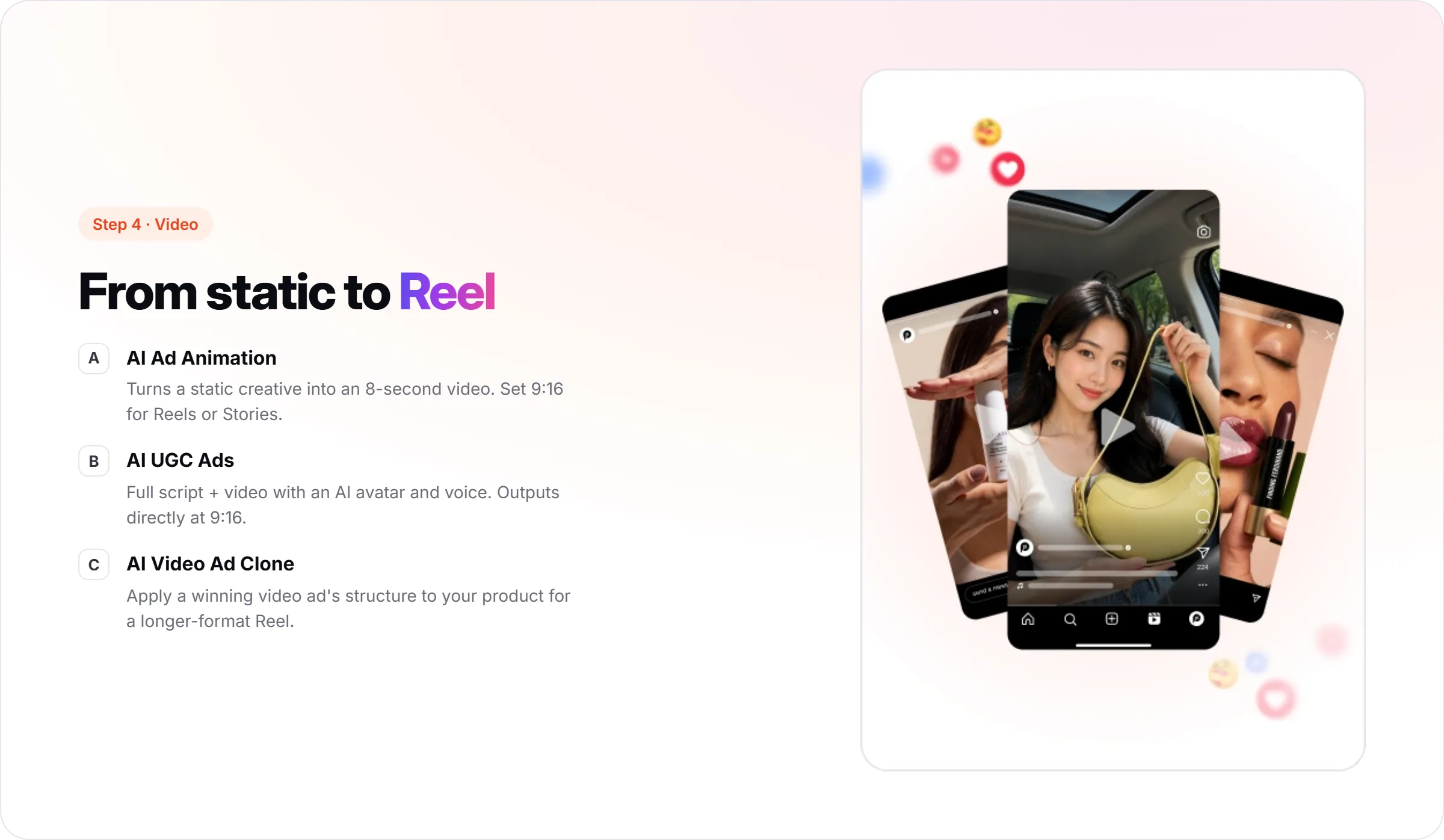
Once you have a static creative you like, AI Ad Animation turns it into an 8-second video ad. Set the aspect ratio to 9:16 for Reels or Stories, and Promer AI suggests animation scripts with a brief and an effect for each option.
For a more built-out video ad, AI UGC Ads generates a full script and video from your product, not just motion on a static image. Pick a format - Direct Testimonial, POV Product Demo, and Problem and Solution are common choices for Instagram - then select an AI avatar and voice from Promer AI's library, filterable by region, age, and shooting style.
Video generation with AI UGC Ads can take up to 20 minutes, so start this step while you're reviewing static creatives from Step 3, not as the last thing before you publish.
Step 5: Get Your Instagram Ads Live
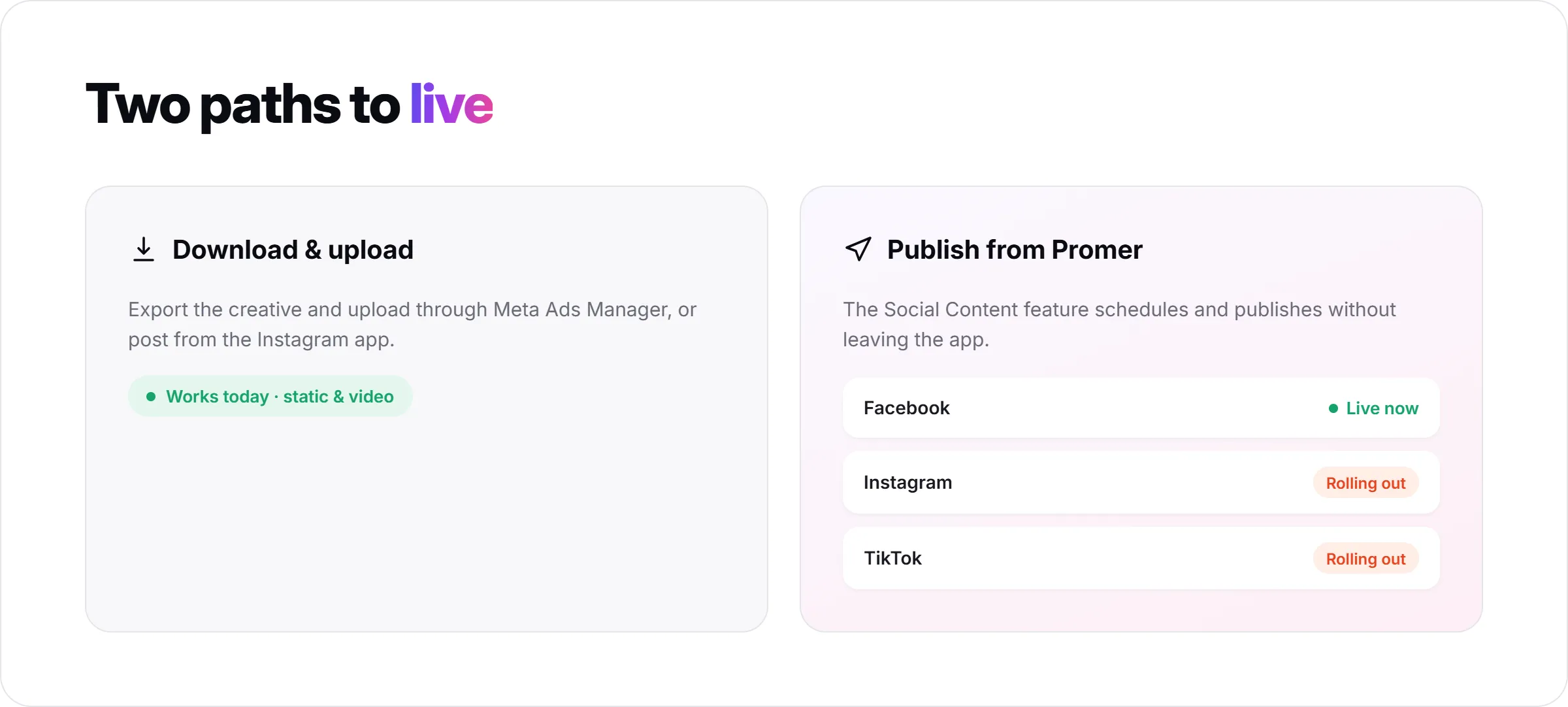
Once a creative is ready, download it and upload it to Instagram through Meta Ads Manager, or post it organically from the Instagram app - this works today for both static and video creatives.
Promer AI's Social Content feature can also schedule and publish posts directly from inside the app. Facebook publishing is confirmed live now; Instagram and TikTok publishing are rolling out, so check current availability under Integrations before planning a workflow around in-app Instagram publishing.
Either path gets the same creative live - direct publishing just removes a download-and-re-upload step once it's available for your account.
What a Good AI-Made Instagram Ad Looks Like?
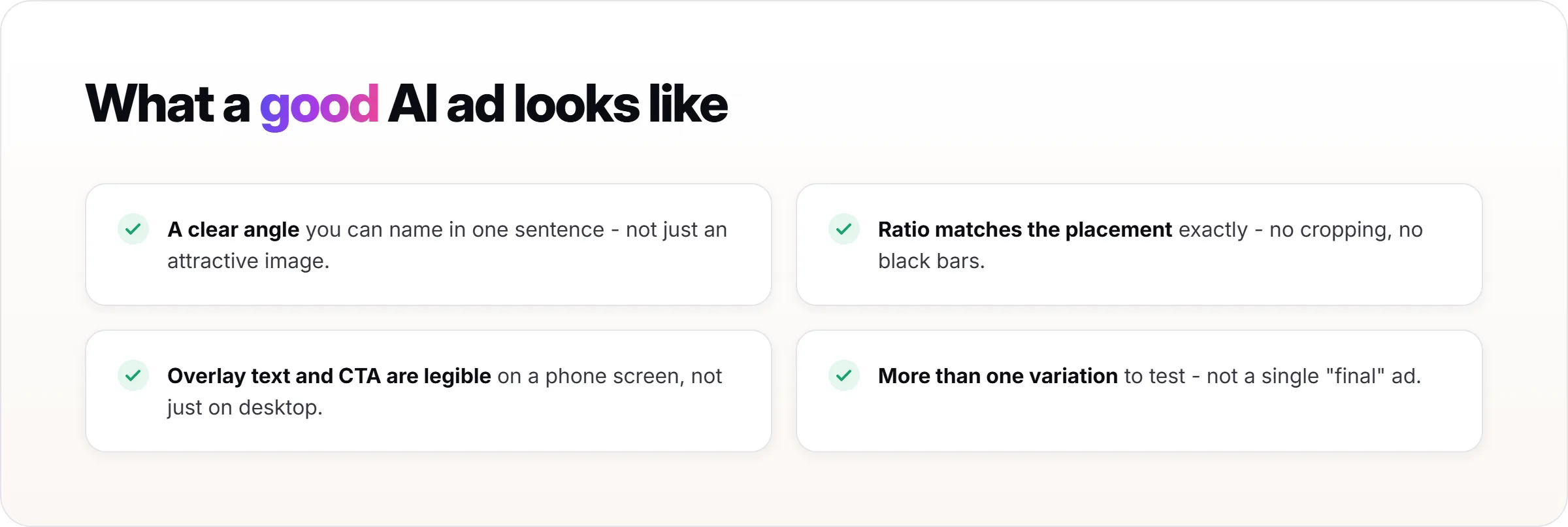
A good output has a clear angle you can name in one sentence, not just an attractive image. If you can't say what pain point or hook the ad is built around, it's not ready to test yet.
The ratio matches the placement exactly - 1:1 or 4:5 for feed, 9:16 for Reels and Stories - with no visible cropping or black bars. Overlay text and CTA are legible on a phone screen, not just on a desktop preview.
You have more than one variation to test, not a single "final" ad. Promer AI's "more ad creatives" and "more scripts" options exist because the first output is rarely the only one worth running.
Common Mistakes When Creating Instagram Ads with AI
Some advertisers generate creatives before defining the ideal customer and pain point. Skipping straight from product photo to visuals skips the strategy layer that makes an ad testable instead of just decorative.
Using the wrong aspect ratio for the placement is another common one. A 1:1 static creative animated for Reels can show black bars, and a 9:16 video cropped down to 1:1 for feed often loses the product from frame.
It also helps to review AI output before publishing it. AI-generated headlines, body text, and video scripts typically need a quick edit for tone or accuracy, in most cases a one-line fix rather than a rewrite.
A single concept is rarely a full test. One winning-looking ad tells you less than three or four variations of the same angle run against each other.
Summary
Creating Instagram ads with AI works best as a workflow, not a one-off prompt: product context first, then format and ratio, then static and video creatives, then getting the ad live. Skipping the strategy step to jump straight to visuals is the most common way this goes wrong.
If you're running Instagram ads and the bottleneck is producing enough tested creative, not finding ideas, Promer AI's Instagram ad workflow walks you through this exact process on your own product.
FAQs about Creating Instagram Ads with AI
Can AI actually create Instagram ads that convert?
AI can generate ad creatives built on a defined angle, hook, and audience, which gives them a stronger starting point than a template with no strategy behind it. It typically increases the probability that a creative is testable and scalable, but it doesn't guarantee performance - conversion still depends on your product, offer, and audience. Review every AI output before running it as a live ad.
What ad formats can I create for Instagram with AI?
You can generate static feed ads (1:1, 4:5), Stories and Reels creatives (9:16), and short video ads through AI Ad Animation or AI UGC Ads. Each format is generated at the correct ratio from the start rather than cropped afterward. Promer AI supports all of these from a single product input.
Do I need design skills to create Instagram ads with AI?
No - the workflow is guided, from picking a creative theme and mood to editing suggested overlay text. You're making creative and strategic choices, not manipulating layers in a design tool. Some review and light editing of AI suggestions is still expected.
Can I turn a static Instagram ad into a video or Reel with AI?
Yes, AI Ad Animation converts an existing static creative into an 8-second video ad, and AI Video Ad Clone can apply a winning video ad's structure to your product for a longer format. Set the aspect ratio to 9:16 before generating so the output fits Reels or Stories without black bars.
Can I publish AI-generated Instagram ads directly to Instagram?
You can always download a creative and upload it to Instagram yourself. In-app publishing from Promer AI's Social Content feature is confirmed live for Facebook today, with Instagram and TikTok publishing rolling out. Check current availability under Integrations before relying on direct Instagram publishing for your workflow - the download-and-upload path works regardless of that status.
Is there a free way to try an AI Instagram ad generator?
Promer AI lets you create your first ad free, with no credit card required, so you can test the workflow on one of your own products before committing. Video ads typically use more credits than static creatives, so free credits are more likely to cover a first static ad than a full video. Exact credit costs and usage limits are best checked in-app since they can change.