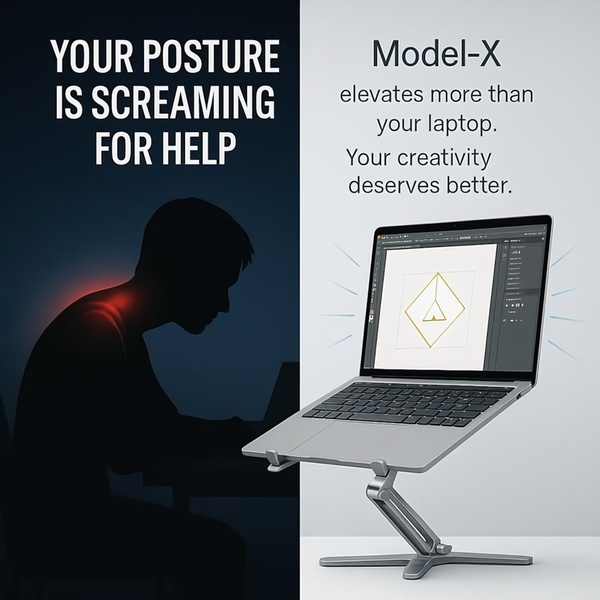
This split-screen ad uses a silhouette of a person with neck pain on one side and the ergonomic laptop stand on the other to contrast the problem and solution.

Laptop Stand Posture Pain Point

This split-screen ad uses a silhouette of a person with neck pain on one side and the ergonomic laptop stand on the other to contrast the problem and solution.

Ad Details
Style
Problem & Solution
Format
1:1
Industry
Electronics
Platforms
Facebook · Instagram
Language
English
Clone this ad with AI

Free credits included. No card required

Why this ad works

This ad targets the specific discomfort associated with daily computer work by using a high-contrast split-screen layout to highlight a laptop stand. By placing the physical pain of a hunched posture directly next to the clean, professional product solution, the viewer instantly understands the value proposition. The strategy succeeds because it leverages a relatable emotional pain point to anchor the product's functional benefits.

For most ecommerce brands selling ergonomic gear, this visual dichotomy effectively bridges the gap between feeling and feature. By using Promer AI to maintain this structural clarity, you can quickly test different product angles or color palettes while keeping the high-converting problem-solution format intact.

The winning ingredients

  • High-Contrast Split Layout The dark blue and light gray split design clearly separates the user's pain from the product's solution.
  • Emotional Hook Text The headline directly addresses the viewer's posture problems, creating an immediate psychological trigger.
  • Direct Benefit Messaging The sub-headline shifts from pain to productivity, framing the product as a tool for better creativity.
Effective product ads rely on framing the customer's problem as something that can be solved, not just a feature to be purchased.

How to make it yours

  1. Start a new project in AI Ad Clone and upload your product image to mirror this split-screen layout.
  2. Paste your product URL into the system so the platform can automatically extract your branding and logo specifications.
  3. Refine the headline and body text to speak directly to your customer's specific pain points, then generate multiple variations to test performance.

Pro tip

When using a split-screen design, ensure the high-contrast elements do not overwhelm the product itself. Keep the 'problem' side slightly desaturated to guide the viewer's eye toward the 'solution' side where the product details are clearest.


Vantrue N4S Feature Showcase
Adjustable Tripod Stand Feature Highlight
Digitek DTR-525 SS Tripod Offer
Sigma fp Deconstruction
Minimalist Camera Filter Reveal
Capture Every Moment Phone Tripod Ad
Capture Every Moment Phone Tripod Creative
Compact Tripod Feature Breakdown
High-Definition Baby Monitor Close-Up
Sleep Peacefully with Nanit
EOS R6 V Product Hero Shot
Camera Spotlight Hero
Enhance Your Travel Photography
Digitek Tripod Offer Creative
X-GO Carbon E Professional Tripod Spec Sheet
Everyday Filter Product Showcase
Baby Monitor Battery Comparison
CCTV Surveillance Direct Benefit Ad
Split View Baby Monitor Feature Showcase
K&F Concept Lens Filter Product Display

Your next winning adis already out there.

Promer helps you find the pattern, adapt it to your product, and create your own version in minutes.


Free credits included
No credit card required
Ship in minutes.




















