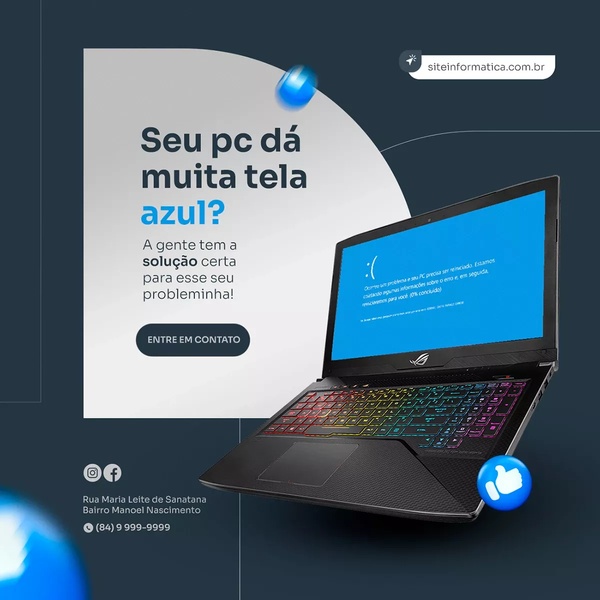
This ad identifies a common technical pain point with a laptop to drive engagement toward a repair service.

Laptop Blue Screen Diagnostic Ad

This ad identifies a common technical pain point with a laptop to drive engagement toward a repair service.

Ad Details
Style
Problem & Solution
Format
1:1
Industry
Electronics
Platforms
Instagram · Facebook
Language
English
Clone this ad with AI

Free credits included. No card required

Why this ad works

This ad utilizes a recognizable pain point regarding a laptop screen error to immediately grab the attention of a frustrated user. By pairing the iconic blue error message with a direct, conversational question, the brand effectively validates the user's frustration while simultaneously offering a clear path to a solution.

This problem-first strategy is a repeatable pattern for service-based businesses using Promer AI to scale their outreach. In most cases, identifying a specific, high-friction technical issue establishes authority faster than generic brand messaging, as it demonstrates a clear understanding of the customer's current reality.

The winning ingredients

  • Recognizable Pain Point The ad uses a universally recognized blue screen error on a laptop to trigger an immediate emotional response.
  • Direct Conversational Hook The headline asks a simple, relatable question that frames the technical failure as a small, solvable problem.
  • High Contrast Design The use of bold light blue against a dark background ensures the core message and the error screen remain the primary visual focus.
A powerful ad focuses on the friction your customer feels right now, turning that frustration into a signal for your service.

How to make it yours

  1. Start by initiating an AI Ad Clone to mirror the layout of this problem-solving template.
  2. Paste your product or service URL into the platform so it can automatically swap in your brand elements, colors, and specific service offerings.
  3. Rewrite the headline and body copy to reflect the specific pain point your customers face, then generate variations for different ad placements.

Pro tip

When using a negative visual like an error screen, ensure your call to action is warm and solution-oriented to counterbalance the frustration. This contrast helps move the viewer from a state of annoyance to a state of relief by clicking through your ad.


Vantrue N4S Feature Showcase
Adjustable Tripod Stand Feature Highlight
Digitek DTR-525 SS Tripod Offer
Sigma fp Deconstruction
Minimalist Camera Filter Reveal
Capture Every Moment Phone Tripod Ad
Capture Every Moment Phone Tripod Creative
Compact Tripod Feature Breakdown
High-Definition Baby Monitor Close-Up
Sleep Peacefully with Nanit
EOS R6 V Product Hero Shot
Camera Spotlight Hero
Enhance Your Travel Photography
Digitek Tripod Offer Creative
X-GO Carbon E Professional Tripod Spec Sheet
Everyday Filter Product Showcase
Baby Monitor Battery Comparison
CCTV Surveillance Direct Benefit Ad
Split View Baby Monitor Feature Showcase
K&F Concept Lens Filter Product Display

Your next winning adis already out there.

Promer helps you find the pattern, adapt it to your product, and create your own version in minutes.


Free credits included
No credit card required
Ship in minutes.




















