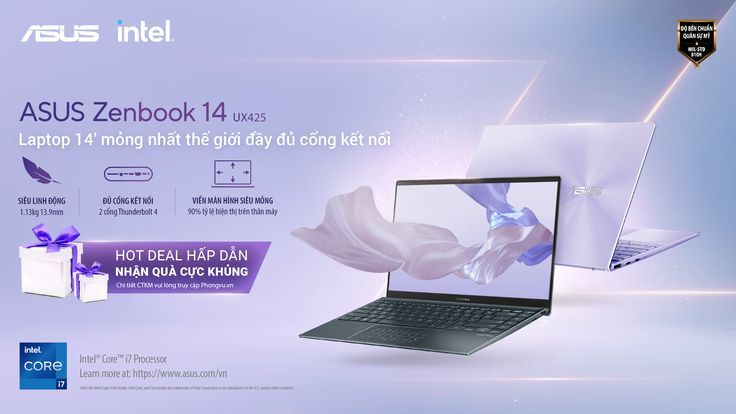
A clean, studio-lit hero shot of a laptop in a light purple color palette, focusing on portability and hardware features.

Zenbook 14 Minimalist Product Launch

A clean, studio-lit hero shot of a laptop in a light purple color palette, focusing on portability and hardware features.

Ad Details
Style
Feature & Benefit
Format
3:4
Industry
Electronics
Platforms
Facebook · Display Network
Language
English
Clone this ad with AI

Free credits included. No card required

Why this ad works

The ad for this high-performance laptop utilizes a sophisticated color palette and minimalist layout to anchor the product as a premium, lightweight device. By isolating the product on a clean background, the design ensures that every feature label—from the ultrathin profile to the port specifications—remains the immediate focal point for the viewer.

This structural approach helps maintain visual clarity, which is crucial for tech products where clutter can lead to lower click-through rates. With Promer AI, you can replicate this clean, feature-driven framing by analyzing the layout architecture of successful tech ads and adapting it to your own brand identity without the need for manual design iteration.

The winning ingredients

  • Minimalist Color Palette The soft violet and light purple gradients create a modern, premium look that differentiates the product from standard black-and-silver tech ads.
  • Feature Iconography Using simplified icons for weight, ports, and display ratios provides a quick-read experience that explains complex specs at a glance.
  • Strategic Hero Positioning The laptop is angled to show both the chassis thickness and the screen, which effectively communicates the 'ultrathin' value proposition immediately.
A truly effective ad focuses on translating technical specifications into a single, intuitive visual narrative that the viewer can process in seconds.

How to make it yours

  1. Start by initiating an AI Ad Clone to import the layout structure and feature-highlight architecture of this high-performing template.
  2. Input your product URL so that the software can intelligently swap the visual assets, brand colors, and logo while retaining the professional composition.
  3. Fine-tune the copy to reflect your specific value propositions, select your preferred aspect ratio for your target platform, and generate high-fidelity variations.

Pro tip

When highlighting hardware features, always pair your iconography with a specific benefit rather than a generic spec. For example, instead of just stating '13.9mm,' label it 'Portable design' to ensure the user feels the value of the measurement immediately.


Vantrue N4S Feature Showcase
Adjustable Tripod Stand Feature Highlight
Digitek DTR-525 SS Tripod Offer
Sigma fp Deconstruction
Minimalist Camera Filter Reveal
Capture Every Moment Phone Tripod Ad
Capture Every Moment Phone Tripod Creative
Compact Tripod Feature Breakdown
High-Definition Baby Monitor Close-Up
Sleep Peacefully with Nanit
EOS R6 V Product Hero Shot
Camera Spotlight Hero
Enhance Your Travel Photography
Digitek Tripod Offer Creative
X-GO Carbon E Professional Tripod Spec Sheet
Everyday Filter Product Showcase
Baby Monitor Battery Comparison
CCTV Surveillance Direct Benefit Ad
Split View Baby Monitor Feature Showcase
K&F Concept Lens Filter Product Display

Your next winning adis already out there.

Promer helps you find the pattern, adapt it to your product, and create your own version in minutes.


Free credits included
No credit card required
Ship in minutes.




















