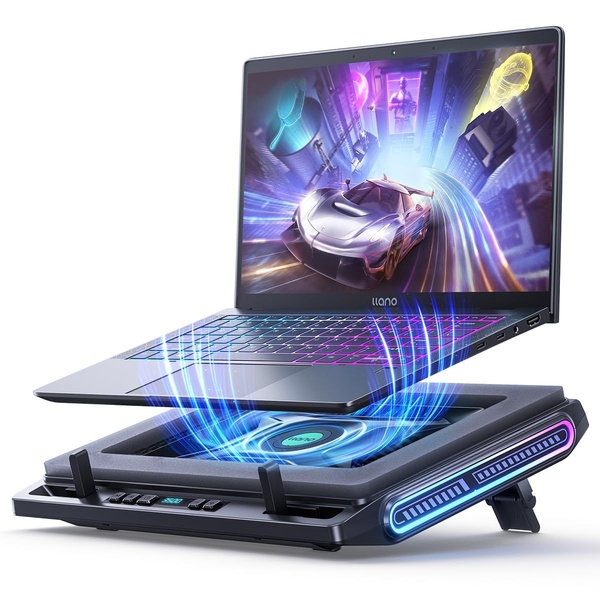
A high-contrast, technical product shot displaying a laptop hovering over a glowing cooling pad to emphasize airflow and thermal efficiency.

Exploded View Laptop Cooling Pad

A high-contrast, technical product shot displaying a laptop hovering over a glowing cooling pad to emphasize airflow and thermal efficiency.

Ad Details
Style
Product Hero
Format
1:1
Industry
Electronics
Platforms
Facebook · Instagram
Language
English
Clone this ad with AI

Free credits included. No card required

Why this ad works

This laptop cooling pad creative relies on an exploded product view to physically represent performance, using vibrant neon blue airflow visualizations to imply thermal reduction. The core strategy uses high-contrast 3D rendering to make a functional utility item appear as a high-performance gaming accessory. By separating the laptop from the cooling surface, the design instantly communicates the concept of heat dissipation without requiring any supporting text copy to explain the benefit. Using Promer AI allows you to adopt this same high-tech visual language for your own tech hardware assets. For most ecommerce teams, focusing on the visual output of an accessory rather than just the physical build helps differentiate products in crowded marketplaces where technical specs often look identical.

The winning ingredients

  • Exploded Product View The vertical separation between the laptop and cooling base creates an immediate sense of mechanical function and airflow.
  • Neon Airflow Graphics The blue glowing light lines suggest active cooling movement, which helps consumers quickly grasp the utility of the product.
  • High-Tech Gaming Aesthetic The dark background contrasted with neon lighting shifts the product perception from a simple desk accessory to a gaming powerhouse component.
Visual communication is most effective when your product's core utility is demonstrated as a physical phenomenon rather than a list of features.

How to make it yours

  1. Use the AI Ad Clone flow to analyze the composition and lighting of this high-performance technical creative.
  2. Paste your product URL so that the system automatically swaps your product and adapts the brand color palette to match your identity.
  3. Rewrite the ad copy to focus on your specific performance metrics, then generate multiple variations to test different visual angles.

Pro tip

When focusing on technical hardware, always ensure the lighting accentuates the cooling or air intake points. This draws the viewer's eye directly to the product's functional heart, mimicking the 'airflow' visual hook seen here.


Vantrue N4S Feature Showcase
Adjustable Tripod Stand Feature Highlight
Digitek DTR-525 SS Tripod Offer
Sigma fp Deconstruction
Minimalist Camera Filter Reveal
Capture Every Moment Phone Tripod Ad
Capture Every Moment Phone Tripod Creative
Compact Tripod Feature Breakdown
High-Definition Baby Monitor Close-Up
Sleep Peacefully with Nanit
EOS R6 V Product Hero Shot
Camera Spotlight Hero
Enhance Your Travel Photography
Digitek Tripod Offer Creative
X-GO Carbon E Professional Tripod Spec Sheet
Everyday Filter Product Showcase
Baby Monitor Battery Comparison
CCTV Surveillance Direct Benefit Ad
Split View Baby Monitor Feature Showcase
K&F Concept Lens Filter Product Display

Your next winning adis already out there.

Promer helps you find the pattern, adapt it to your product, and create your own version in minutes.


Free credits included
No credit card required
Ship in minutes.




















