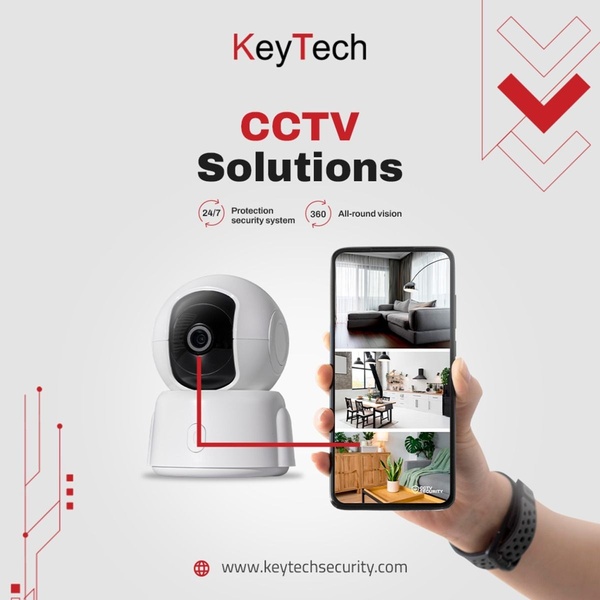
A split-screen composition connecting a security camera hardware unit to its mobile application interface to demonstrate 360-degree monitoring capabilities.

CCTV Camera Feature Layout

A split-screen composition connecting a security camera hardware unit to its mobile application interface to demonstrate 360-degree monitoring capabilities.

Ad Details
Style
Feature & Benefit
Format
1:1
Industry
Electronics
Platforms
Facebook · Instagram
Language
English
Clone this ad with AI

Free credits included. No card required

Why this ad works

This ad creative effectively uses a direct visual connection between a physical security camera and its software interface to illustrate product utility. By pairing the hardware with the 360-degree app view, the viewer instantly understands the value of 24/7 protection. The minimalist layout avoids visual clutter, allowing the high-contrast red accents to draw the eye toward the connection between the camera and the mobile phone screen.

This functional approach is a reliable pattern for most ecommerce teams promoting technical home products. Promer AI enables marketers to replicate this structural clarity by automatically aligning your specific product imagery with its core benefit proposition, helping to reduce consumer hesitation and improve overall conversion rates in most cases.

The winning ingredients

  • Hardware-App Connection The red line visually bridges the gap between the camera hardware and the app interface, demonstrating how the product functions in real-time.
  • Minimalist Color Palette The use of white, dark gray, and red accents keeps the composition clean and emphasizes the professional nature of the security system.
  • Benefit Icons Small 24/7 and 360 indicators provide immediate clarity on key selling points without requiring long-form text blocks.
Great ads start from an idea, a feeling, or a structure, not a blank design.

How to make it yours

  1. Start an AI Ad Clone session and input your product details to define the core security features you want to showcase.
  2. Paste your product URL so that the software can intelligently extract your brand assets, logo, and product images into the existing layout.
  3. Edit the benefit text to match your specific camera specifications, choose a 1:1 ratio for mobile feeds, and generate multiple high-performing variations.

Pro tip

When focusing on technical hardware, always ensure the secondary screen shows high-resolution UI elements that clearly communicate the app's ease of use. If your product is for indoor use, match the app screenshot to a relatable home setting to boost emotional resonance.


Vantrue N4S Feature Showcase
Adjustable Tripod Stand Feature Highlight
Digitek DTR-525 SS Tripod Offer
Sigma fp Deconstruction
Minimalist Camera Filter Reveal
Capture Every Moment Phone Tripod Ad
Capture Every Moment Phone Tripod Creative
Compact Tripod Feature Breakdown
High-Definition Baby Monitor Close-Up
Sleep Peacefully with Nanit
EOS R6 V Product Hero Shot
Camera Spotlight Hero
Enhance Your Travel Photography
Digitek Tripod Offer Creative
X-GO Carbon E Professional Tripod Spec Sheet
Everyday Filter Product Showcase
Baby Monitor Battery Comparison
CCTV Surveillance Direct Benefit Ad
Split View Baby Monitor Feature Showcase
K&F Concept Lens Filter Product Display

Your next winning adis already out there.

Promer helps you find the pattern, adapt it to your product, and create your own version in minutes.


Free credits included
No credit card required
Ship in minutes.




















