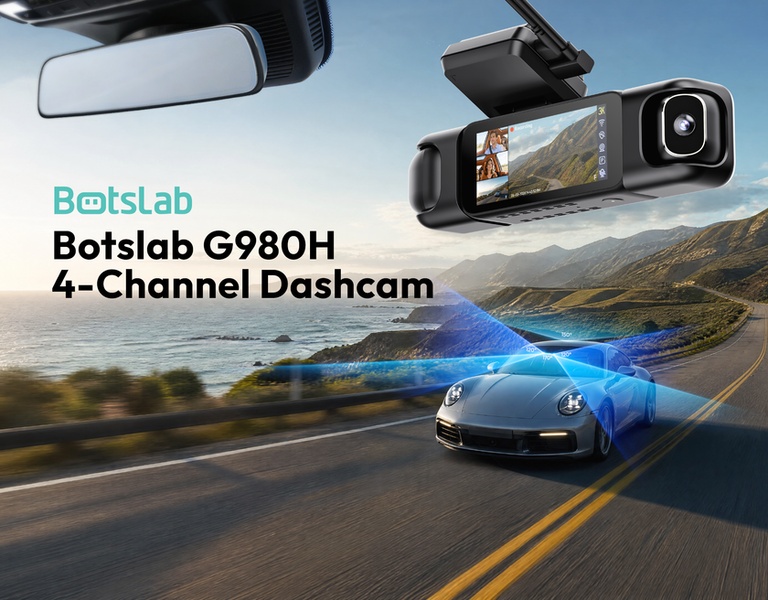
This creative displays a detailed view of the 4-channel dashcam mounted in a car with a 3D visualization overlay showing its wide-angle coverage on a scenic road.

Botslab G980H 4-Channel Dashcam

This creative displays a detailed view of the 4-channel dashcam mounted in a car with a 3D visualization overlay showing its wide-angle coverage on a scenic road.

Ad Details
Style
Feature & Benefit
Format
3:4
Industry
Electronics
Platforms
Meta Ads · Instagram Feed
Language
English
Clone this ad with AI

Free credits included. No card required

Why this ad works

This dashcam creative leverages a technical visualization hook that instantly communicates the product's primary value—comprehensive field of view—without needing heavy text. By blending a high-fidelity product render with an overlay that maps the camera's coverage onto an active driving scene, it provides immediate visual proof of the device's utility in a real-world environment.

Effective ad design for hardware often depends on showing rather than telling, which is why Promer AI is used by performance teams to rapidly prototype these visual compositions. This pattern works well for complex electronics because it simplifies the user's understanding of technical specs into a singular, intuitive image that captures attention in a busy social feed.

The winning ingredients

  • Technical Coverage Overlay The blue 3D cone overlay visually explains the 4-channel coverage and wide field of view in a way that static text cannot.
  • 5:4 Aspect Ratio The vertical orientation maximizes the usable screen real estate on mobile feeds, ensuring the product and the illustrative overlay remain legible.
  • Contextual Integration The dashcam is shown in its natural environment of a car interior with a road scene outside, grounding the tech in a relatable, high-quality user experience.
A winning technical product ad translates complex specifications into an immediate visual story about capability.

How to make it yours

  1. Begin by selecting AI Ad Clone to import your product image and mirror this technical visualization structure.
  2. Upload your product assets so the system can intelligently swap your dashcam model while preserving the professional lighting and composition.
  3. Fine-tune the copy to focus on the specific benefits of your sensor or lens technology, then generate multiple visual variations to test against your audience.

Pro tip

When using technical overlays, keep the color palette limited to high-contrast colors like bright blue or white to ensure the tech visualization pops against the background. For a more sophisticated look, use soft, cinematic backgrounds that represent your product's typical use case to prevent the ad from feeling like a sterile catalog photo.


Vantrue N4S Feature Showcase
Adjustable Tripod Stand Feature Highlight
Digitek DTR-525 SS Tripod Offer
Sigma fp Deconstruction
Minimalist Camera Filter Reveal
Capture Every Moment Phone Tripod Ad
Capture Every Moment Phone Tripod Creative
Compact Tripod Feature Breakdown
High-Definition Baby Monitor Close-Up
Sleep Peacefully with Nanit
EOS R6 V Product Hero Shot
Camera Spotlight Hero
Enhance Your Travel Photography
Digitek Tripod Offer Creative
X-GO Carbon E Professional Tripod Spec Sheet
Everyday Filter Product Showcase
Baby Monitor Battery Comparison
CCTV Surveillance Direct Benefit Ad
Split View Baby Monitor Feature Showcase
K&F Concept Lens Filter Product Display

Your next winning adis already out there.

Promer helps you find the pattern, adapt it to your product, and create your own version in minutes.


Free credits included
No credit card required
Ship in minutes.




















