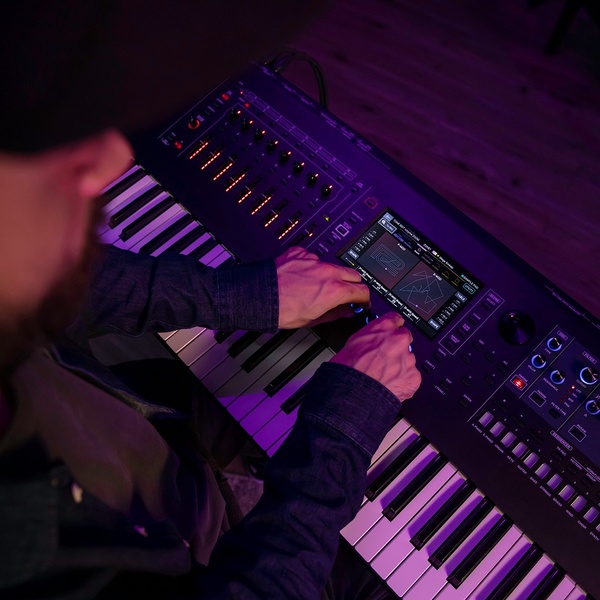
A close-up, high-contrast POV shot of a musician adjusting a professional synthesizer keyboard in a dimly lit studio environment.

Professional Synth Keyboard Setup

A close-up, high-contrast POV shot of a musician adjusting a professional synthesizer keyboard in a dimly lit studio environment.

Ad Details
Style
Product Hero
Format
1:1
Industry
Electronics
Platforms
Instagram Feed · Facebook Feed
Language
English
  • Electronics
  • Synthesizer Keyboard
  • High-Contrast Lighting
  • Macro Perspective
  • 1:1
Clone this ad with AI

Free credits included. No card required

Why this ad works

This synth keyboard creative leverages a POV perspective to place the viewer directly into the studio, establishing immediate technical authority. By focusing on the tactile interaction between the user and the professional interface, the creative builds instant credibility with niche audiences.

This aesthetic works well for high-end gear because it shifts the focus from a flat product display to an experiential moment, which is a core strategy offered by Promer AI. In most cases, showing a user engaged with the product reduces friction and invites the viewer to imagine themselves utilizing the equipment for their own music production.

The winning ingredients

  • POV Visual Perspective The close-up, first-person view makes the technical interface of the synthesizer the immediate point of interest.
  • High-Contrast Palette The combination of deep purple mood lighting and orange indicator lights creates a vibrant, professional studio aesthetic.
  • Tactile Engagement The presence of hands adjusting the controls signals functionality and encourages viewer curiosity regarding the instrument features.
Effective product imagery should transport the viewer into the workspace where the magic happens, rather than just listing features.

How to make it yours

  1. Start by initiating an AI Ad Clone to mirror the structure of this POV-style creative.
  2. Paste your product URL into the platform so that it intelligently swaps your synthesizer for the target product while maintaining the original mood and lighting.
  3. Customize the overlay copy to highlight your unique value proposition, select your preferred aspect ratio, and generate high-fidelity variations for your next campaign.

Pro tip

To increase scroll-stop potential, experiment with varying the intensity of your ambient lighting while keeping the product UI as the sharpest point in the frame. Using high-contrast color shifts helps separate your hero product from the background, making it pop even on smaller mobile screens.


Vantrue N4S Feature Showcase
Adjustable Tripod Stand Feature Highlight
Digitek DTR-525 SS Tripod Offer
Sigma fp Deconstruction
Minimalist Camera Filter Reveal
Capture Every Moment Phone Tripod Ad
Capture Every Moment Phone Tripod Creative
Compact Tripod Feature Breakdown
High-Definition Baby Monitor Close-Up
Sleep Peacefully with Nanit
EOS R6 V Product Hero Shot
Camera Spotlight Hero
Enhance Your Travel Photography
Digitek Tripod Offer Creative
X-GO Carbon E Professional Tripod Spec Sheet
Everyday Filter Product Showcase
Baby Monitor Battery Comparison
CCTV Surveillance Direct Benefit Ad
Split View Baby Monitor Feature Showcase
K&F Concept Lens Filter Product Display

Your next winning adis already out there.

Promer helps you find the pattern, adapt it to your product, and create your own version in minutes.


Free credits included
No credit card required
Ship in minutes.




















