How to Turn an Amazon Product into Ads? | Promer AI
How to Turn an Amazon Product into Ads?
Category
Blogs
Date
Authored by
Promer Team
Summary
How to turn an Amazon product link into ads: extract your listing data, fix the photos, find the angle, and choose where the ad sends traffic.
Amazon listings are built to sell inside Amazon's search results, not to stop someone scrolling through Instagram or TikTok. Turning an Amazon product link into ads means pulling the real material out of that listing (images, price, selling points) and rebuilding it around an angle, instead of copying the listing as-is.
An Amazon listing already has the raw material for a winning ad: images, price, and real selling points. It just isn't built to work as one yet.
This guide covers extracting your listing's data, fixing what the photos and bullet points don't give you for a paid ad, building the creative, and deciding where the ad should actually send traffic.
Key Takeaways
Pasting an Amazon product link extracts your images, name, description, and price - it does not produce a finished ad on its own
Amazon's catalog-style photos and SEO bullet points need reworking before they function as an ad
Reviews and star ratings are proof most sellers forget to carry over into the ad itself
Whether the ad sends traffic to your Amazon listing or your own landing page changes what tracking and retargeting you get
A good ad built from an Amazon listing still needs a real angle, not just the product photo and price
What Happens When You Paste an Amazon Product Link into Promer AI?
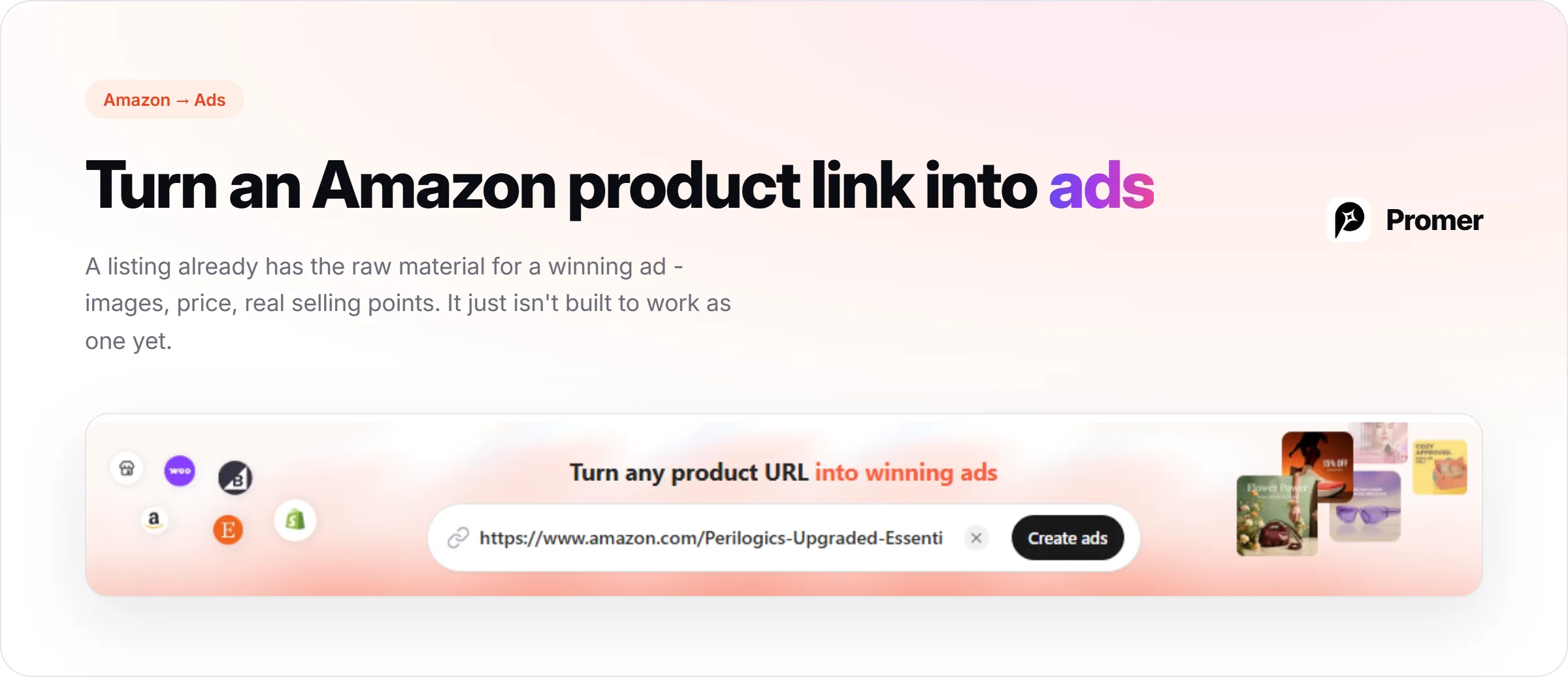
Pasting a product URL into Promer AI extracts the product image, name, description, and price directly from that page. That's the starting material, not a finished ad.
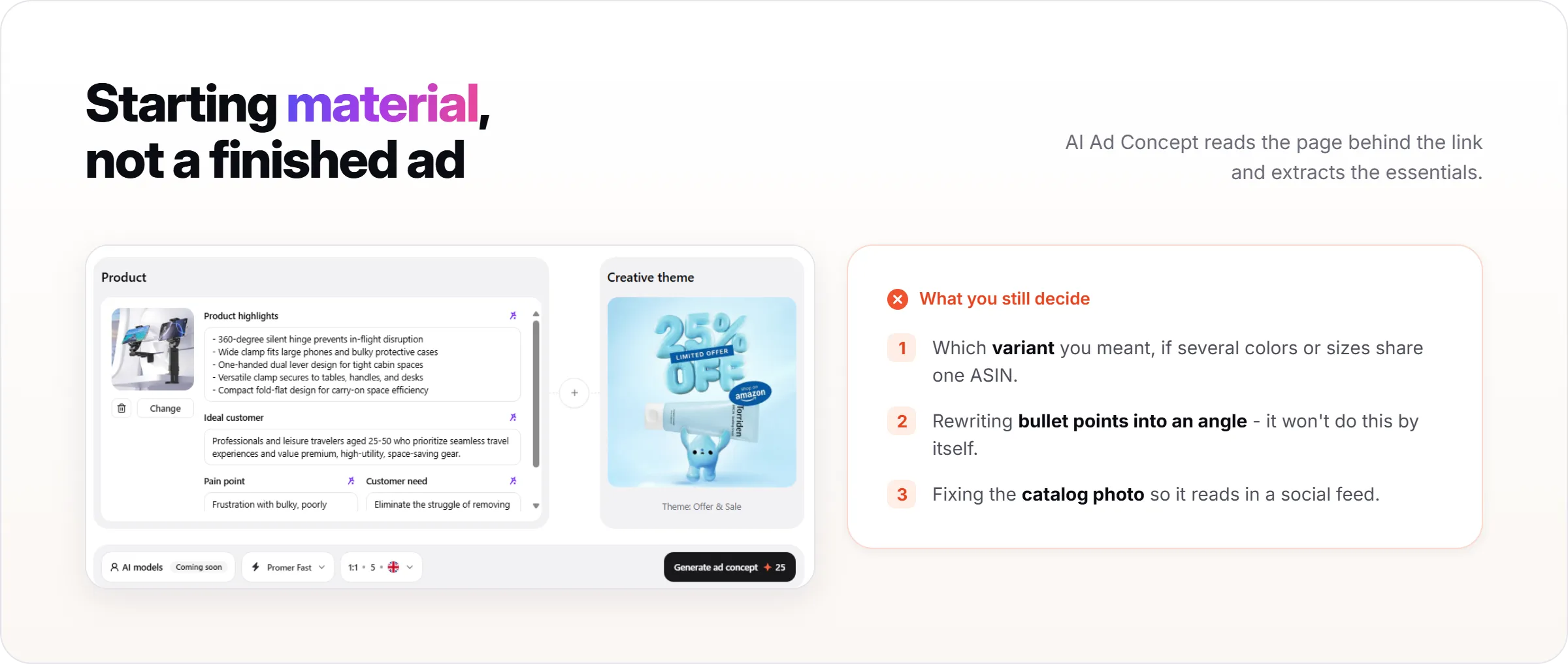
It doesn't know which variant you meant if the listing has several colors or sizes under one ASIN, and it doesn't rewrite Amazon's bullet points into an ad angle by itself. Those are decisions you still make in the steps below.
Step 1: Extract Your Product Data From the Amazon Link
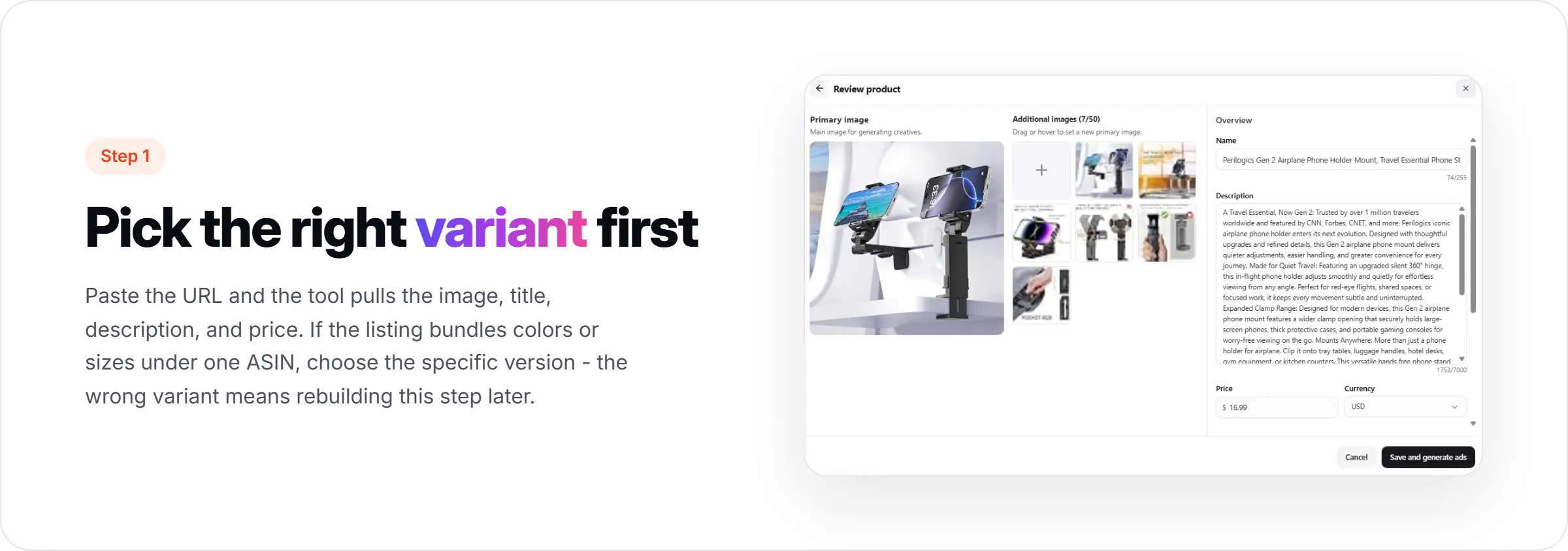
Paste the product URL and Promer AI pulls the image, title, description, and current price from that page.
If the listing bundles multiple colors or sizes under one ASIN, pick the specific variant before generating anything. The image and price that get extracted will match whichever version the link points to, so the wrong variant means rebuilding this step later.
Step 2: Fix What Amazon's Catalog Photos Don't Give You for Ads
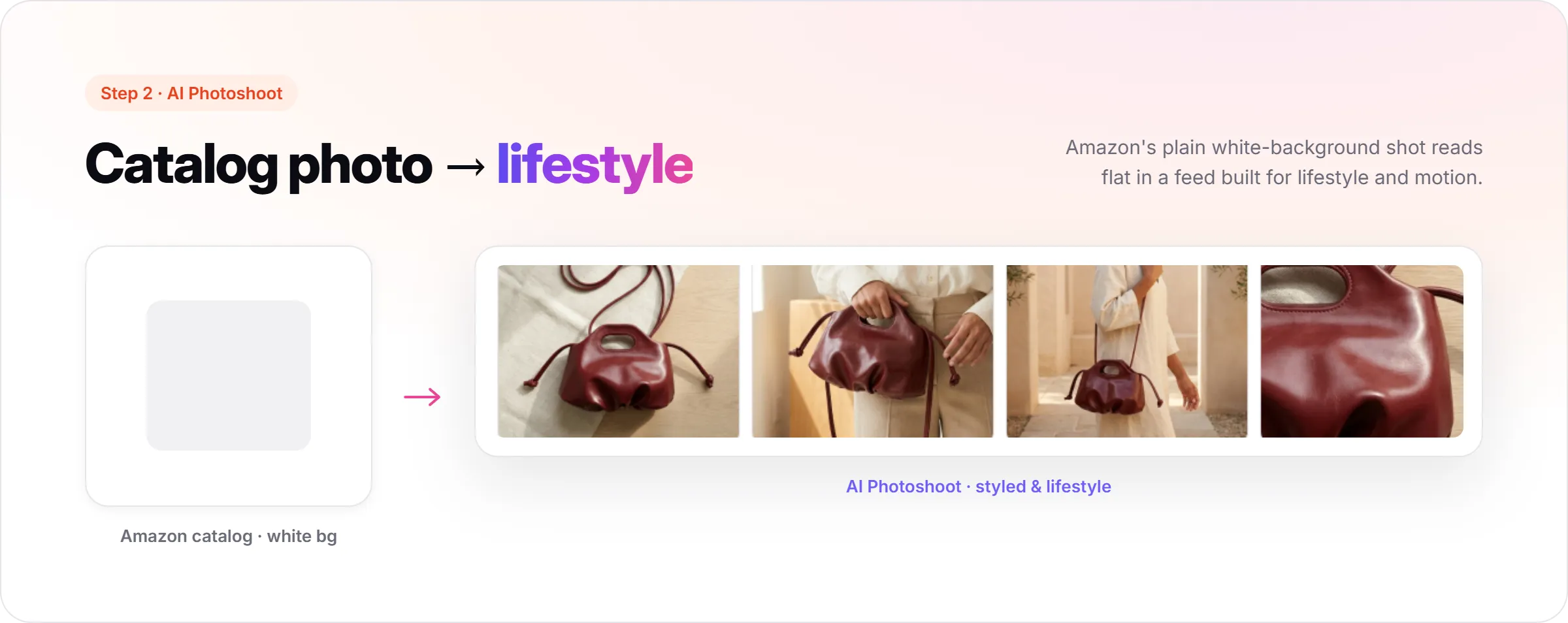
Amazon requires plain white-background photos for the main listing image, which reads fine on a product page but flat in a social feed built for lifestyle and motion.
Promer AI's AI Photoshoot turns that same catalog photo into styled or lifestyle images without a new photo shoot, using the product image already pulled from the listing.
Step 3: Turn Amazon Bullet Points into a Real Ad Angle
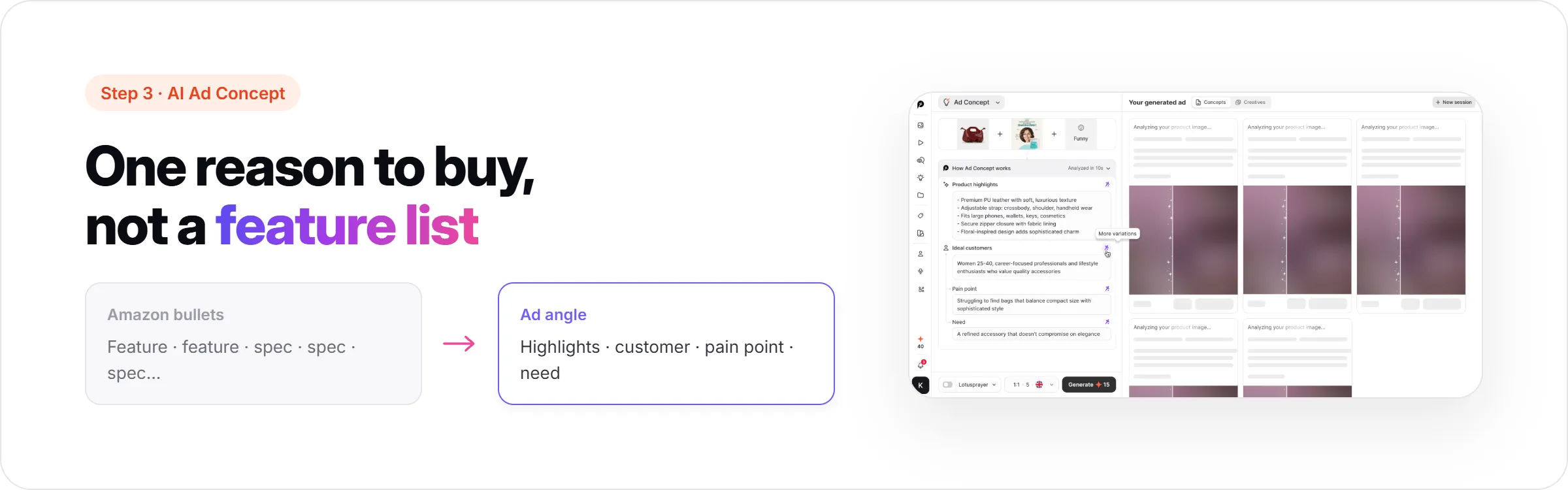
Amazon bullet points are written for the search algorithm and comparison shoppers: they list every feature so a buyer can scan and compare. An ad works differently, since it needs one clear reason to buy in a few seconds, not a full feature list.
Promer AI's AI Ad Concept analyzes the product and surfaces the product highlights, ideal customer, pain point, and need behind it, which is closer to an actual angle than restating the bullet points would be. You pick a creative theme and mood first, and AI Ad Concept builds the analysis and concept directions from there.
The angle and concept that come out of this step, not the bullet list, are what the next step builds the creative around.
Step 4: Build the Ad Creative From That Angle
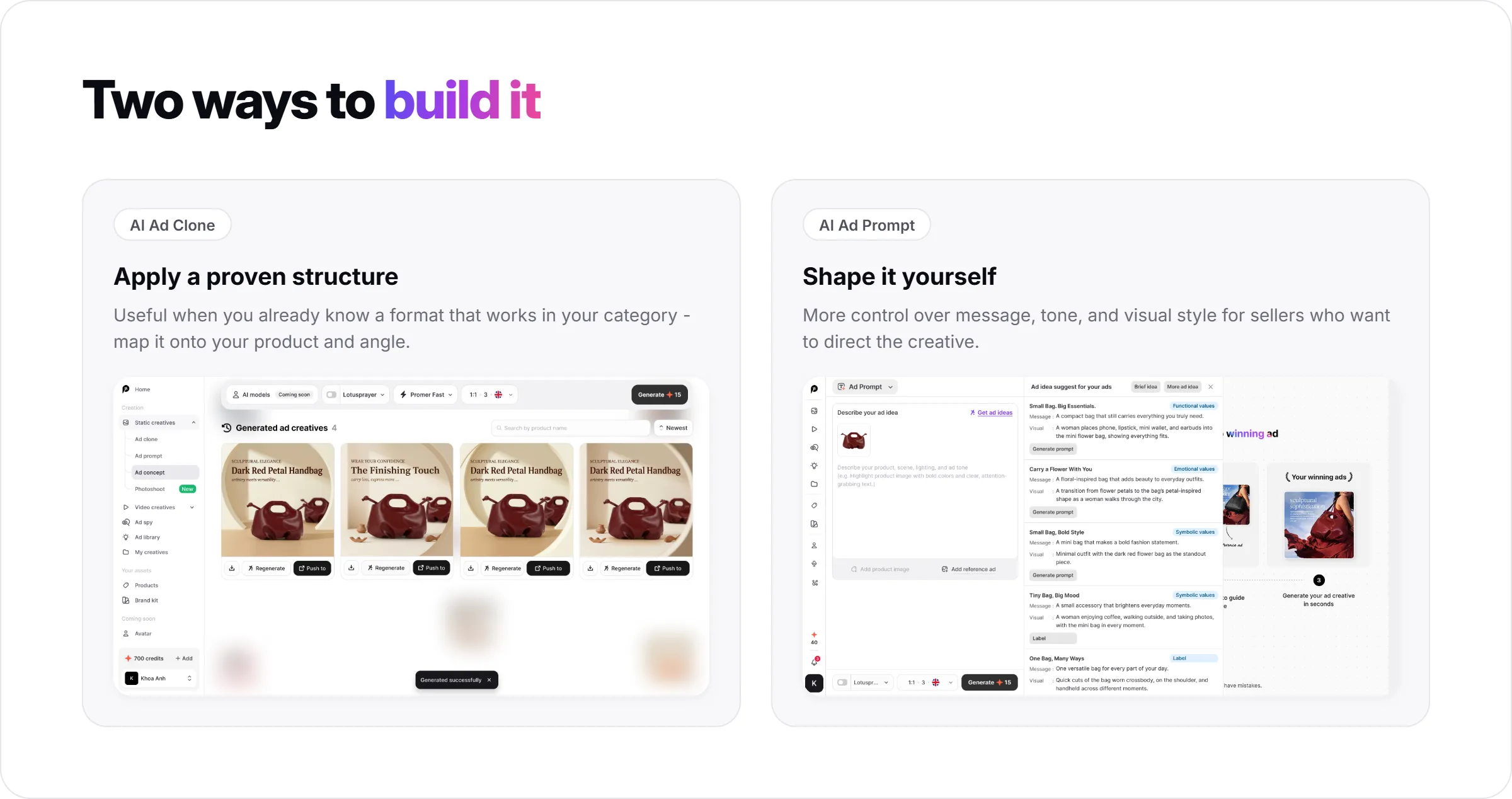
The angle from AI Ad Concept can go two directions, depending on whether you already have a reference ad structure you want to reuse.
Promer AI's AI Ad Clone applies a proven ad structure, pulled from the Winning ads library, Ad Spy, or your own saved ads, to your product. This is useful once you know a format that works in your category and just need it rebuilt around your product and angle.
Promer AI's AI Ad Prompt works from your product image directly and gives more control over the message, tone, and visual style, for sellers who want to shape the creative themselves instead of starting from a reference ad.
Step 5: Decide Where the Ad Sends Traffic - Your Amazon Listing or Your Own Landing Page
This choice changes what data you get back from the campaign, and it's worth deciding before the ad goes live rather than after.
You Lose Pixel and Retargeting Data If Traffic Stays on Amazon
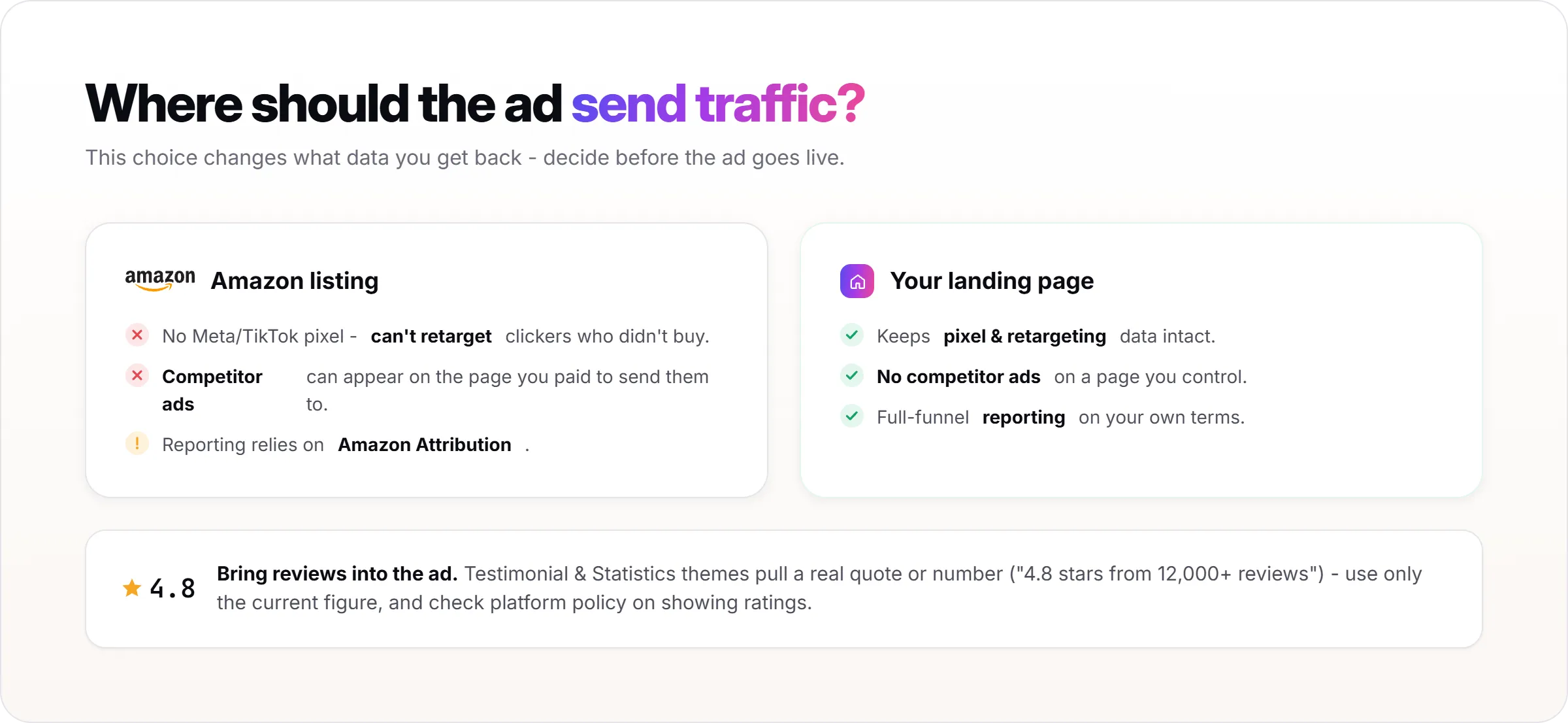
Amazon doesn't allow the Meta or TikTok pixel to run on its own listing pages. If the ad sends people straight to your Amazon listing, you can't retarget the ones who clicked but didn't buy, since the pixel never fires. Sending traffic to your own landing page keeps that tracking intact; sending it to Amazon means relying on Amazon Attribution for on-platform reporting instead.
Competitor Ads Can Still Appear on Your Own Amazon Listing
Amazon shows sponsored placements from competing products on listing pages, including yours. Someone who clicked your paid ad can still see a competitor's product before they buy, on the page you paid to send them to. A landing page you control doesn't carry that risk.
Bring Your Amazon Reviews and Rating Into the Ad
A star rating and review count are strong trust signals on the Amazon listing, and they don't carry over automatically once the product is pulled into an ad.
AI Ad Concept's Testimonial and Statistics creative themes are built for this: pulling a real review quote or a specific number ("4.8 stars from 12,000+ reviews") into the ad instead of leaving the product to stand on the photo alone.
Use only the real, current numbers from the listing. A review count changes over time, and some ad platforms restrict how star ratings can be shown in creative, so check the current figure and the platform's policy before publishing.
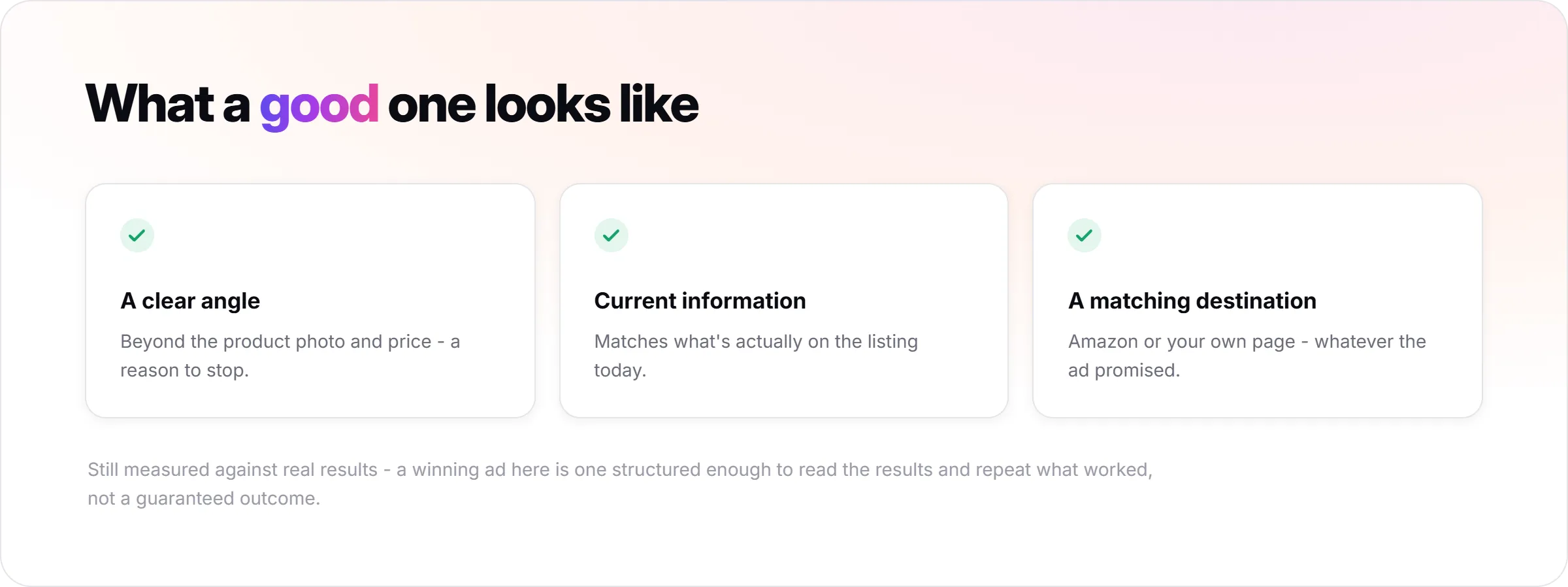
What a Good Ad Built From an Amazon Listing Looks Like?
A good ad has a clear angle beyond the product photo and price, current information that matches what's actually on the listing today, and a destination (Amazon or your own landing page) that matches what the ad promised.
It should still be measured against real results, not assumed to work because it started from a real listing. A winning ad here means one that's structured enough to read the results and repeat what worked, typically, not a guaranteed outcome.
Common Mistakes When Turning an Amazon Listing Into Ads
Reusing the plain listing photo with no angle or context is the most common one: it looks like an Amazon screenshot, not an ad someone was meant to stop for.
Overlaying a price or deal directly onto a static creative can go stale fast, since Amazon prices and Lightning Deals change more often than most sellers refresh their ad creative.
Copying bullet points into ad copy word for word carries over Amazon's search-focused phrasing instead of a reason to buy.
Some categories, like supplements or electronics, have ad claim policies on Meta or Google that are stricter than what's allowed in an Amazon listing. A claim that's fine on the product page can still get an ad rejected elsewhere.
FAQs About Turning an Amazon Product Link Into Ads
Can I Paste Any Amazon Product Link and Get a Finished Ad?
Not directly. Pasting the link extracts the image, name, description, and price, but turning that into a finished ad still takes choosing a variant, fixing the photo for a social feed, and finding the actual angle, as covered in the steps above.
Do I Need Amazon Brand Registry to Advertise Off-Amazon?
No. Brand Registry is required for Amazon's own ad products like Sponsored Brands, but running ads on Meta, TikTok, or Google using your Amazon listing as the source product doesn't require it.
Should My Ad Send Traffic to My Amazon Listing or My Own Site?
It depends on whether retargeting matters more to you than staying inside the Amazon buying flow. Sending traffic to your own landing page keeps pixel and retargeting data intact; sending it to Amazon means relying on Amazon Attribution instead, and accepting that competitor ads can still appear on that page.
What Happens to My Amazon Reviews When I Make an Ad?
Nothing automatically. The rating and review count stay on the Amazon listing and don't transfer into the ad unless you deliberately add them, typically through a Testimonial or Statistics-style creative that states the real, current number.
Can I Use Amazon's Product Photos Directly in a Meta or TikTok Ad?
Yes, but they typically underperform on their own, since Amazon's plain-background catalog style doesn't read as native content in a social feed. In most cases, a styled or lifestyle version of the same photo performs better than the untouched listing image.
Are There Restrictions on What Claims I Can Make in an Ad for an Amazon Product?
Yes, and they can differ from Amazon's own listing policies. Categories like supplements and electronics often face stricter ad-claim rules on Meta or Google than on Amazon, so a claim that's fine on the listing can still get an ad rejected. Check the ad platform's policy for your category before publishing, not just Amazon's.
If you want to try this workflow, Promer AI's AI ad maker lets you paste a product link and generate your first ad free, no credit card required.






![How to Create Instagram Ads with AI? [Static & Video Ads]](https://static.promer.ai/blogs/how-to-create-instagram-ads-with-ai-723-x-423-thumbnail-20260916T033026Z-3c56f1.webp)