You added a new SKU this morning, the supplier sent one photo on a white background, and your Facebook ad set needs fresh creative by Friday. This Flair AI review asks whether that one plain shot can become ad scenes without a studio day. It also asks what you still have to add before a scene can sell.
Flair AI is worth paying for when the product photo is your bottleneck and you can write the ad around it yourself. Flair stages the scene. The hook, the headline and the call to action stay with you.
This article is for you if you sell physical products, run Meta or TikTok ads, and need new image creative without booking a photographer. Most Flair AI reviews stop at the scene gallery. This one follows the scene into an ad: what it costs, who owns it, and which prompts to run first. If you only need the numbers, skip to the pricing section.
Key takeaways
- Budget by ad generation, not by image. Instant and ad generations cost 4 images of quota each, so Pro+ (80 images) covers about 20, roughly $1.30 apiece.
- Free is for testing only. Flair's terms of July 19, 2024 say Free-tier images belong to Flair AI, and commercial use needs a paid plan matched to your team size.
- Write the claim before you generate the scene. Flair's ad flow covers formats, templates and variations. The hook, headline and CTA come from your offer.
- Test a different angle, not a different backdrop. Four backgrounds behind one claim still test one message.
- Check the product before the picture. Run every image through a fidelity gate (shape, label, color) before you judge style.
What Flair AI is in 2026 and who it is built for?
Flair AI is an AI product photography tool: you place your product into a generated scene, then edit, upscale or vary it. Flair AI runs 9 category pages, from beauty and CPG to furniture, footwear and food.
The workspace is a staging canvas. Flair's tutorials page describes it as "Stage scenes digitally with drag & drop props," with templates you mix with your product and reuse at scale.
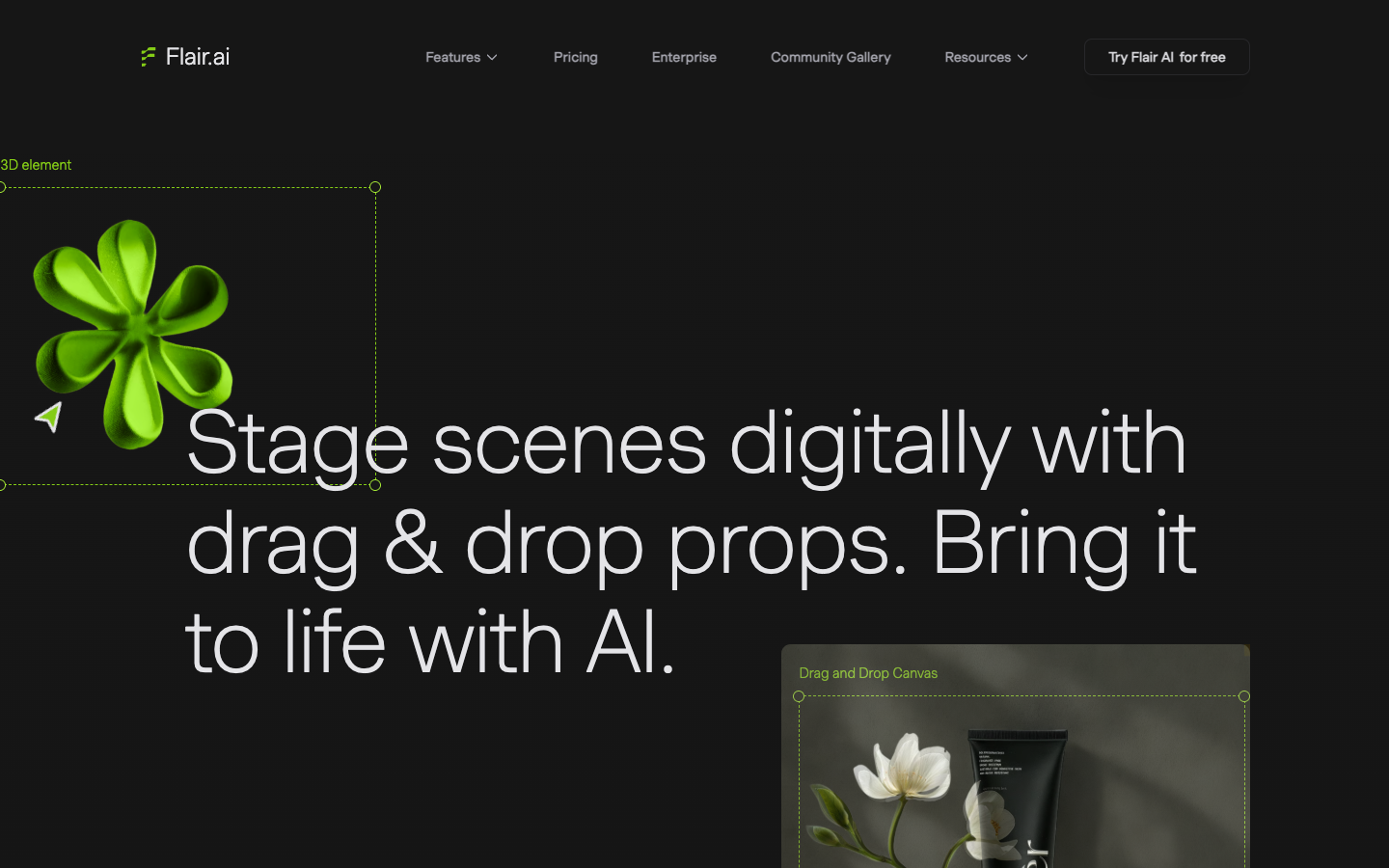
Custom models are the part to notice. Flair's own comparison table describes them as "models trained on your products," and the Free plan includes 1. Instant generation skips the training for a faster draft, at 4 times the quota cost.
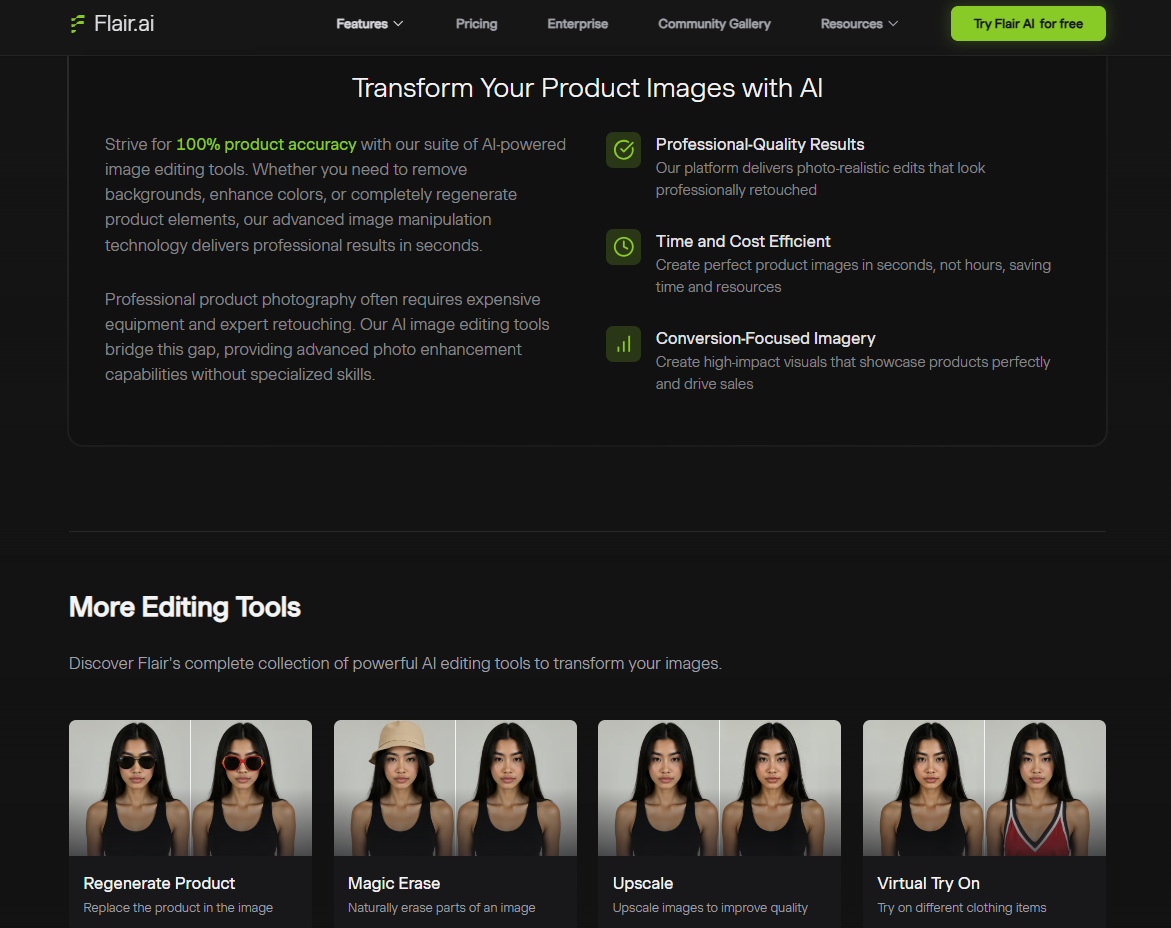
Around the canvas sit 13 named editing tools. They include Regenerate Product, Change Camera Angle, Change Color, Magic Erase, Virtual Try On and Extend Image Dimensions. Flair's Enterprise page names its buyers as retailers, agencies and distributors.
That means you are buying a studio replacement priced per image, with an ad template layer on top.
Flair AI review: 4 ad scenes to try from one plain product shot
A useful first test starts from an ad job, not a backdrop. Scenario: you sell a pink satin drawstring bag with embroidered flowers and green vine ties, and your only asset is the supplier's front photo on white. Each scene below carries one buying reason a shopper scrolling past would recognize.
Read literally, Flair's Free card gives 5 generated images and charges 4 of them for each instant or ad generation. Assuming a custom-model scene counts as 1 image, a free test fits 4 scenes or 1 ad generation, not both. Run the 4 scenes below first.
The input Flair AI asks for
Flair's On Model Photography page asks for "clean product images" and says they "can be simple product-only shots against a neutral background." Check your photo against this list before you upload:
- The full product sits in frame, with nothing cropped at the ties or base.
- Embroidery and any logo face the camera and read cleanly at 100% zoom.
- No hard glare crosses the fabric or label.
- The file is the largest one the supplier sent, not a screenshot of their listing.
A single front photo tells the model nothing about the back or the base, so keep your first scenes front-facing.
The 4 scenes to generate, with prompts to copy
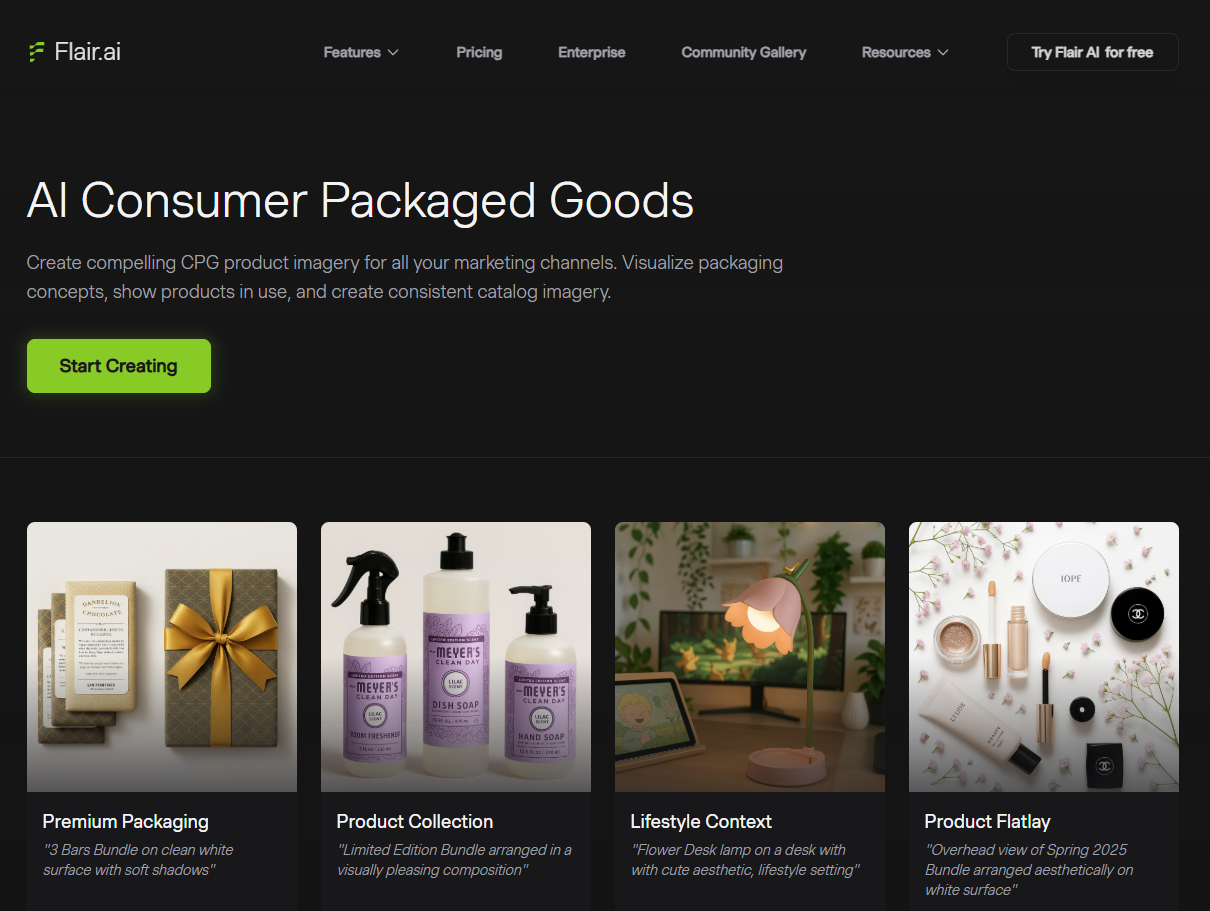
Flair's CPG page writes its sample prompts in one pattern: product name, surface, then light or arrangement. "3 Bars Bundle on clean white surface with soft shadows" is one of them. The prompts below follow that pattern and add a prop that explains the ad angle. Swap in your own product.
| Ad angle | Shopper job | Prompt to copy | Example overlay (6 words max) | What to check |
|---|---|---|---|---|
| Gift season | Find a gift that looks wrapped already | Pink satin drawstring bag with embroidered flowers and green vine ties on cream linen beside a gift box and dried flowers, soft window light, front view | Gift wrapped before you wrap | Embroidery placement, tie color |
| Problem and solution | Stop small items getting lost | Pink satin drawstring bag with embroidered flowers and green vine ties open on a bathroom vanity holding earrings and a lipstick, warm morning light, 45-degree view | Lost earrings? Not anymore | Bag shape when open, tie count |
| Travel packing | Pack light for a weekend trip | Pink satin drawstring bag with embroidered flowers and green vine ties on a folded white shirt in an open suitcase beside a passport, bright daylight | Packs your small things | Scale against the suitcase |
| Scroll-stopper | Notice the product in a busy feed | Pink satin drawstring bag with embroidered flowers and green vine ties centered on a deep green seamless backdrop, hard sunlight shadow, empty space above for a headline | Your new gift pouch | Space for text, satin highlight |
Only write an overlay claim your product can back up. The overlays above are examples for a bag; replace them with a line from your own offer.
Prompting rules that save quota
- One surface, one light. Flair's sample prompts name a single surface and a single light, so copy that restraint.
- Name the details that must not change. "Green vine ties" in the prompt reminds you what to check in the result.
- Leave empty space on purpose. Ask for room above or beside the product, since your headline and CTA need it.
- Change one variable per attempt. Swap only the prop or only the light, so you know what moved the result.
- Front-facing first, new angles last. Overhead and 45-degree views are angles your photo never showed.
- Repair, don't restart. When the scene is right and the product is off, use Regenerate Product before spending 4 images on a new ad generation.
What holds and what drifts: product shape, label, and lighting
Flair AI's pages set targets for all 3, and its tool list shows where to repair them. Every claim below is Flair's own, so score your results yourself.
The editing tool pages carry one line: "Strive for 100% product accuracy." Strive is the honest word in it, because it names a target. Flair's beauty FAQ goes further and calls its images "indistinguishable from professional photography."
Product shape
Custom models are Flair's main answer to shape drift, since they learn your product instead of guessing from 1 photo. Change Camera Angle is the riskiest tool for shape, because it renders a view your upload may never have shown. Check every new angle against the bag in your hand, not the supplier photo.
Label, embroidery and small text
Flair's tutorials page says patterns and logos are "preserved" on its AI fashion models. Regenerate Product exists to "replace the product in the image with a new product," which is the repair path when the scene is right and the product is off. If the embroidery or logo still misdraws, keep the scene and composite your original photo into it.
Lighting and reflections
The beauty FAQ claims Flair "accurately renders textures, reflections, and lighting." Satin and glossy packaging are where that claim gets tested, since a highlight that ignores the scene's light source gives away a pasted product. Check shadow direction and the highlight against the window or lamp in the scene.
Clean vs converting: What a Flair scene still needs to run as a Facebook ad?
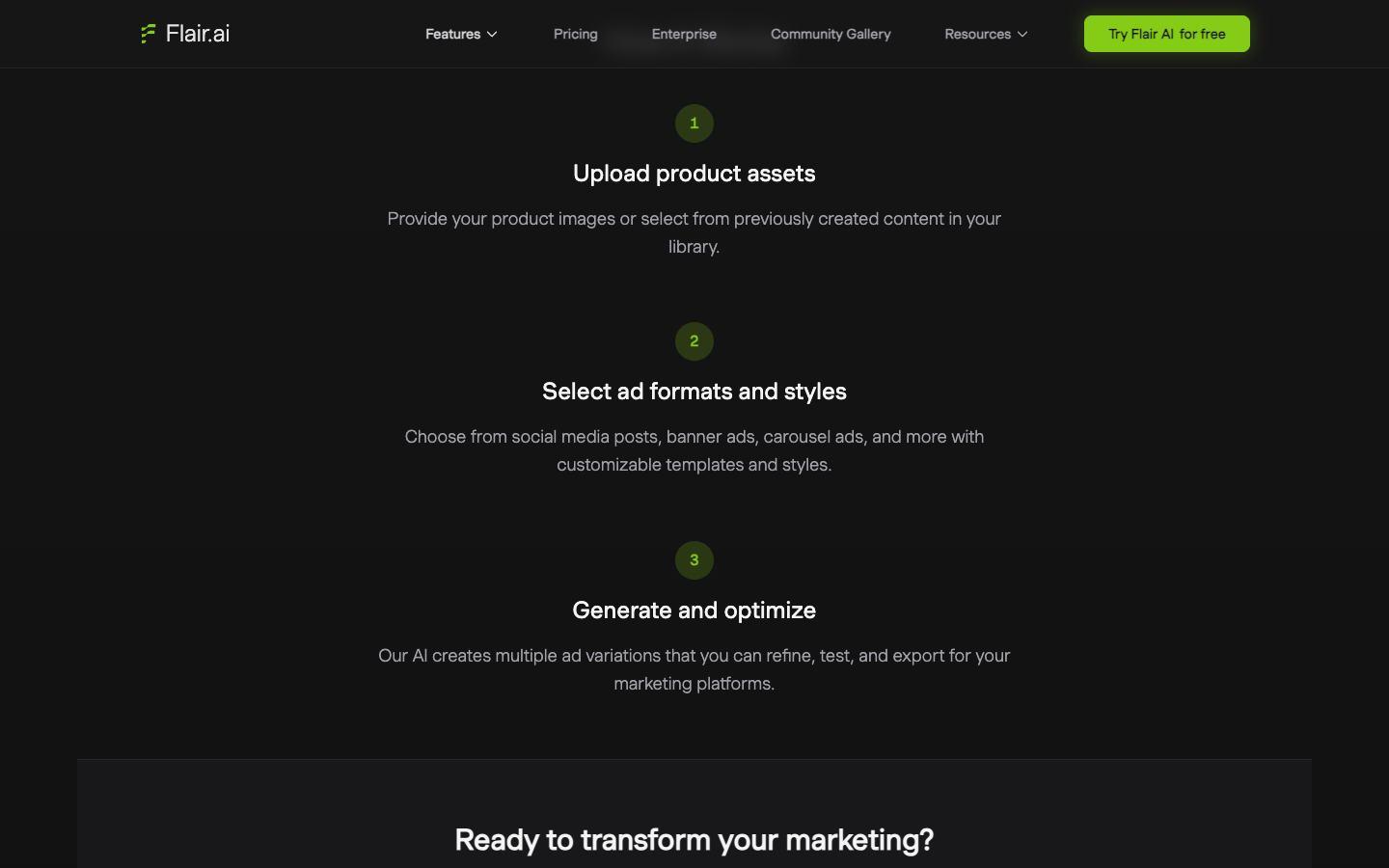
A Flair AI scene is the image layer of a Facebook ad. Flair's AI Marketing & Ads page lists 3 steps: upload product assets, select formats and styles, then generate variations you can "refine, test, and export."
The formats it names are "social media posts, banner ads, carousel ads, and more," with customizable templates.
What can be listed is the gap between a clean scene and an ad you can launch:
- A hook: one visual or line a thumb stops for, such as the open bag with earrings tumbling in.
- A text overlay: 1 claim of 6 words or fewer that never covers the product.
- A CTA tied to the offer shown, such as a 2-bag scene paired with a 2-bag bundle price.
- Frames: 1:1 and 4:5 for feed, 9:16 for Stories and Reels. Confirm Meta's current specs before export.
- Primary text and a headline in Ads Manager, written for the same angle as the scene.
- Variants that change the claim, not only the backdrop.
Four backgrounds behind one claim still test one message. If you want a real creative test, change what the ad says.
Scenario: your best bag ad fatigued in week 2 and you need 4 new variants by Monday. Use the 4 angles in the prompt table, one scene each, and write a different first line for each. Flair supplies the scenes; the 4 claims come from you.
Flair AI pricing: What each plan buys in usable ad images?
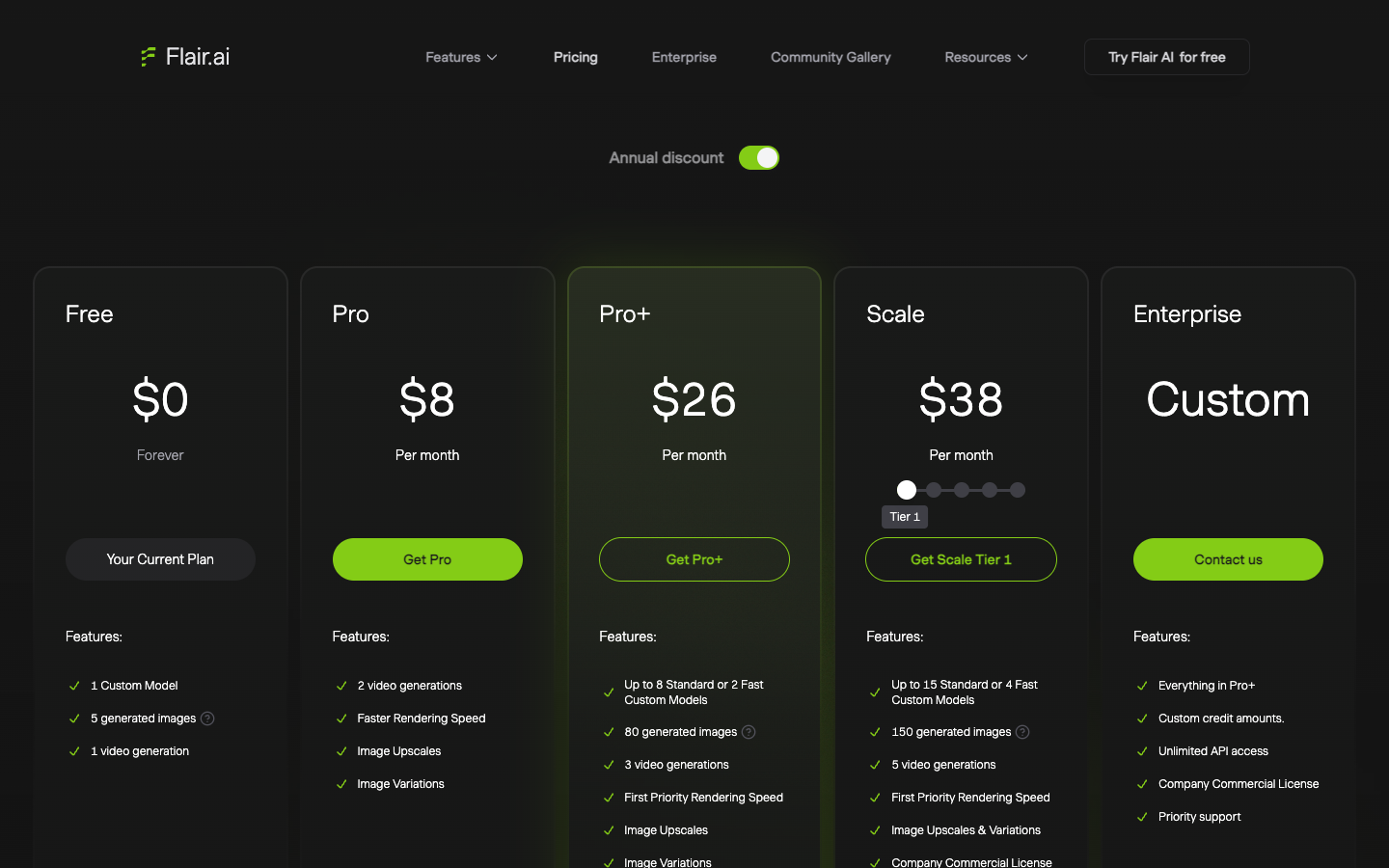
Flair AI pricing runs from $0 to $38 a month before Enterprise, as displayed on October 8, 2026.
| Flair plan | Price shown | Generated images | Ad generations at 4x | Commercial rights |
|---|---|---|---|---|
| Free | $0 | 5 | 1 | No, Free images belong to Flair |
| Pro | $8/mo | See plan card | See plan card | Individual creator |
| Pro+ | $26/mo | 80 | 20 | Company license, teams of 2+ |
| Scale Tier 1 | $38/mo | 150 | 37 | Company license |
| Enterprise | Custom | Custom | Custom | Yes, plus API and SSO |
Watch the fourth column: ad generations eat the image quota 4 at a time.
What a Flair ad generation costs?
$26 for 20 ad generations on Pro+ is about $1.30 each, and $38 for 37 on Scale Tier 1 is about $1.03. Flair does not say how many images one ad generation returns, so these are costs per attempt.
If 1 in 3 attempts passes your scorecard (a planning assumption, not a measured rate), Pro+ costs about $3.90 per usable ad image.
The Flair license trap: Who owns images made on Free?
Flair's Terms of Service, last updated July 19, 2024, say images made on the Free tier are owned by Flair AI. The same terms say "You must have a paid Flair plan to use Flair images commercially," and count "video with advertising" as commercial use.
The Terms give Pro to individual creators and Pro+ to teams of 2 or more. Flair's License page agrees that companies need Pro+, then says in its next line that Pro covers "companies of 2+ people." It also says upgrading licenses images made on Free, which the Terms assign to Flair.
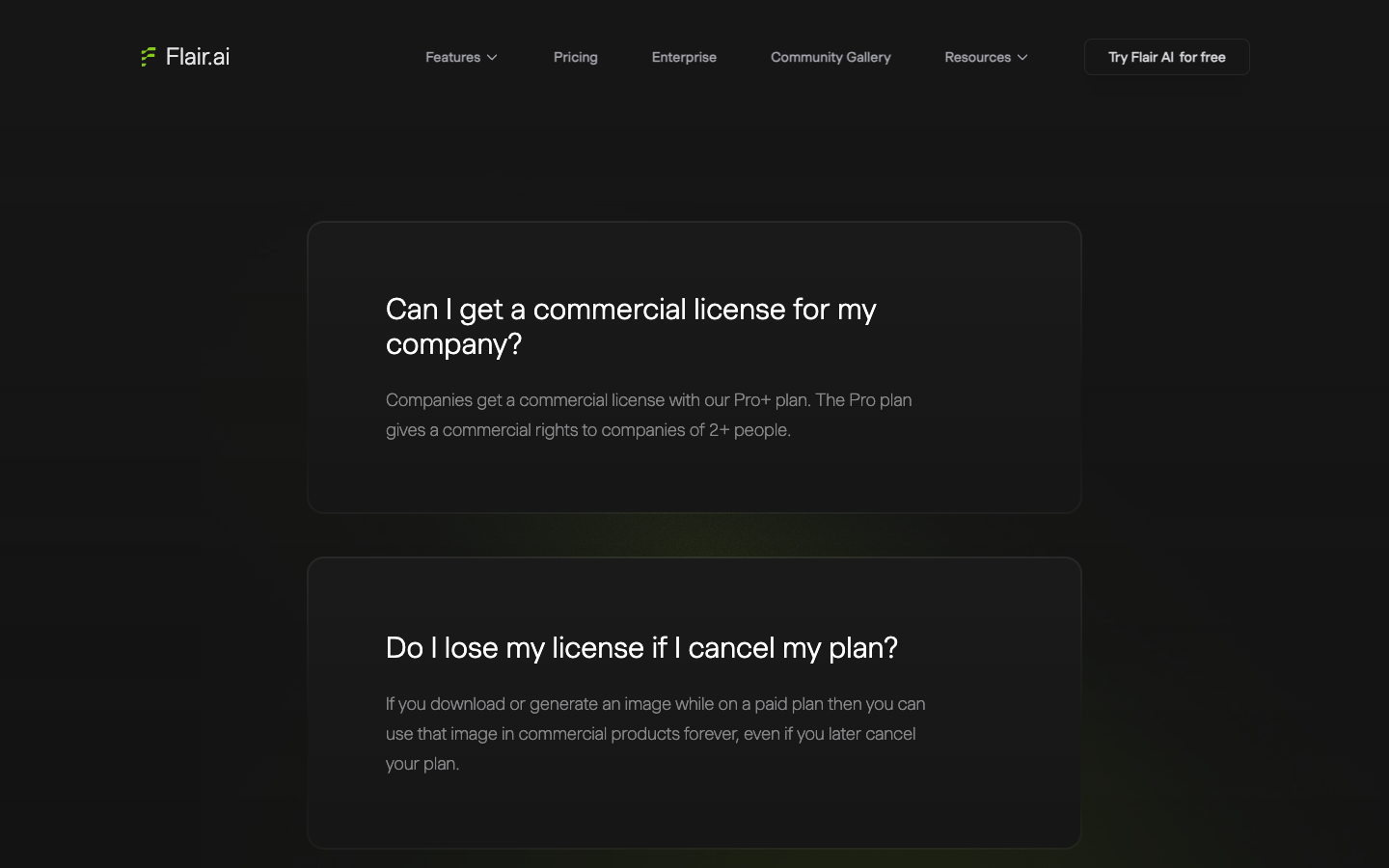
If 2 or more people touch your ads, budget for Pro+, and get written confirmation from [email protected] before running any image made on Free. On cancellation, the Terms say plans auto-renew and billed amounts are not refunded, while paid-plan images stay licensed "forever, even if you later cancel," per the License page.
Flair AI pros and cons for ecommerce ads
Flair AI's strengths, all from its own pricing, tools and license pages:
- Custom models trained on your product: 1 on Free, up to 8 Standard on Pro+ and 15 Standard on Scale Tier 1.
- 13 named editing tools, including Regenerate Product and Change Camera Angle, for repairing a scene without starting over.
- A drag-and-drop canvas with reusable templates, which suits catalogs that need the same set across SKUs.
- A low entry price, with Pro listed at $8 a month.
- Paid-plan images stay licensed after you cancel.
The weaknesses come from the same pages, read against what a Facebook advertiser needs:
- Ad and instant generations cost 4 images of quota each.
- Free-tier images belong to Flair AI under the July 19, 2024 terms.
- Commercial rights depend on team size, and the License page and Terms disagree on Pro.
- No refunds for amounts already billed.
- The ad copy, hook and CTA are your job.
The lesson for any AI product photo tool: Fidelity is a gate, not a score
Judge any AI product photo tool, Flair AI included, in a fixed order: product truth, then ad structure, then looks. A beautiful scene with a misdrawn logo shows the shopper something you do not ship.
Run 3 gates on every image, whatever tool made it:
- Fidelity gate: shape, label and color match the product in your hand. One fail discards the image.
- Ad gate: the frame leaves room for one claim and a CTA without covering the product.
- Taste gate: light, props and mood fit your brand. Only now compare scenes against each other.
Vendor galleries are judged on gate 3. Your ad account judges gate 2, and your customers judge gate 1 when the box arrives.
Flair AI review verdict: Who it fits and who should skip it?
Buy Flair AI Pro+ if you launch SKUs faster than a photographer can shoot them, 2 or more people touch your ads, and someone writes the copy. As displayed, $26 a month buys 80 images and a company license.
Skip Flair AI if what you lack is the angle and the copy, since its pages describe scenes, formats and templates. Wait if you run ads alone and hope Pro covers you, until Flair confirms in writing which plan licenses a 1-person store.
Your next 30 minutes: open the Free plan, upload your plainest product photo, run the 4 scenes above and fill in the scorecard. Do not run those free images as ads. In month 1, watch how fast ad generations drain the quota at 4 images each.
Flair AI alternatives for product ad creatives
Three routes, from the one Flair AI replaces to the one that also drafts the ad. Each fits a different gap.
| Option | Best for | Entry price | Product accuracy | Writes the ad copy? |
|---|---|---|---|---|
| Studio shoot | Exact label, color and shape | Per-SKU quote | Exact by definition | No |
| Flair AI | Staged scenes from one photo | $8/mo (Pro) | Custom models, Regenerate Product | No |
| Recraft AI | A locked visual style | $12/mo (Basic, 1,000 credits) | No dedicated character tracking | No |
| Promer AI | Photo plus ad structure | Free plan | Up to 4 reference angles | Yes, AI suggests Headline, Body Text and CTA (AI Ad Clone) |
A studio shoot, the baseline Flair AI is priced against
A studio day is the honest comparison, because it is the cost Flair asks you to replace. It gets the label, color and shape right by definition, and it gives you real angles to feed any AI tool later.
Ask your photographer for a per-SKU quote and divide it by the usable images you get. Compare that with the $1.30 per Pro+ attempt above, adjusted for your hit rate.
Recraft AI, the style-first image generator
Recraft AI fits when the ad sells a look more than an exact product. Its pricing page listed Basic at $12 a month, or $10 billed annually, for 1,000 credits on October 5, 2026, and a V4.1 image costs 2 credits per its credits doc.
The trade-off is product fidelity. Recraft's own help doc says it "doesn't offer a dedicated character-tracking feature," and it counts products as characters.
Promer AI, for the ad built around the product
Promer AI is an AI ad creative performance platform for ecommerce advertisers. It covers both layers this review separates: the product photo and the ad built on top of it.
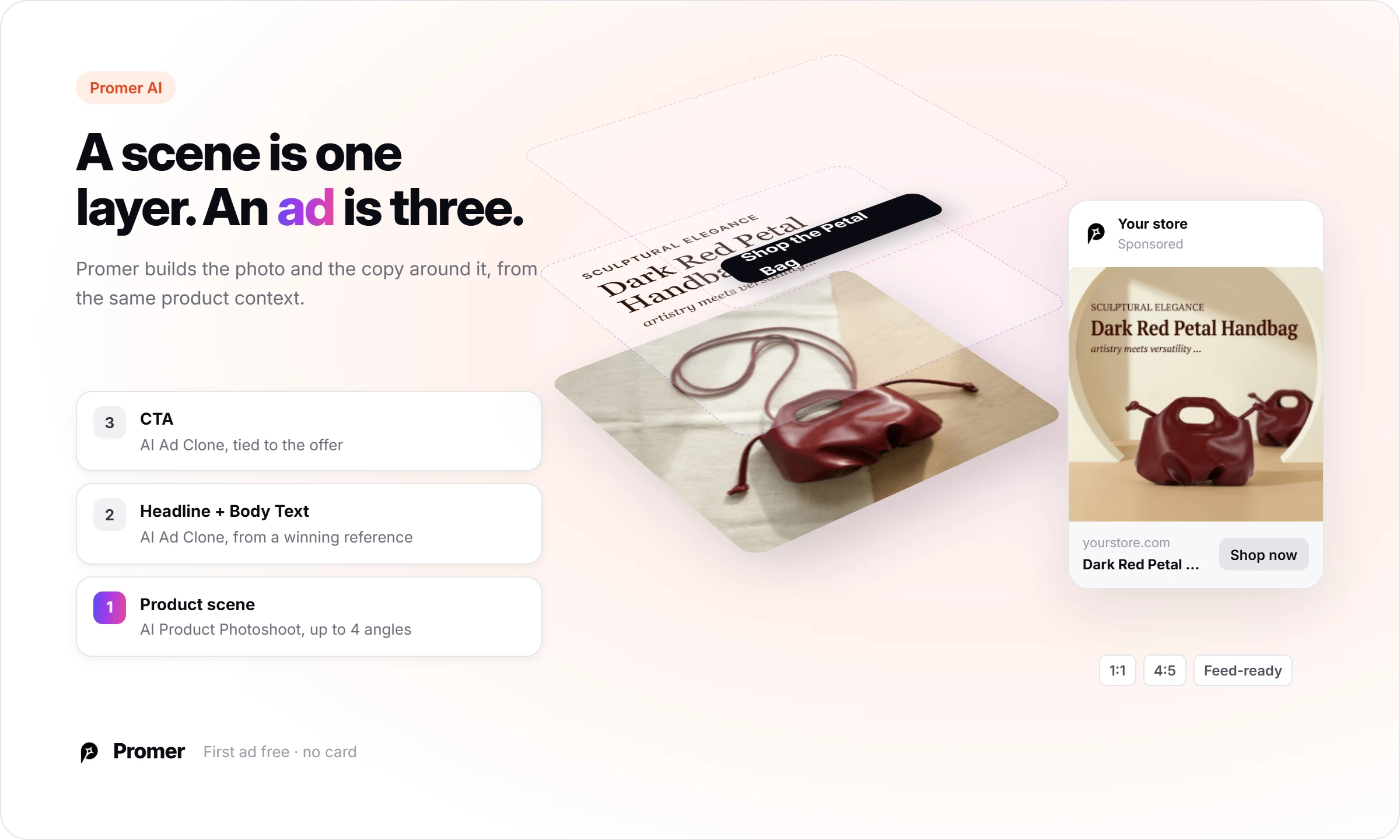
For the photo, Promer AI's AI Photoshoot is a guided flow with no prompt writing: upload the product, pick from AI-recommended styles and compositions (150+ of each), then generate. It takes up to 4 reference angles so output matches the real product, with or without a model, in channel-ready ratios such as 1:1 and 4:5.
For the ad, Promer AI's AI Ad Clone rebuilds a winning reference ad's structure with your product, and AI suggests the Headline, Body Text and CTA, each editable. AI Ad Concept starts earlier: it reads your product page and drafts Product highlights, Ideal customer, Pain point and Need before generating concepts.
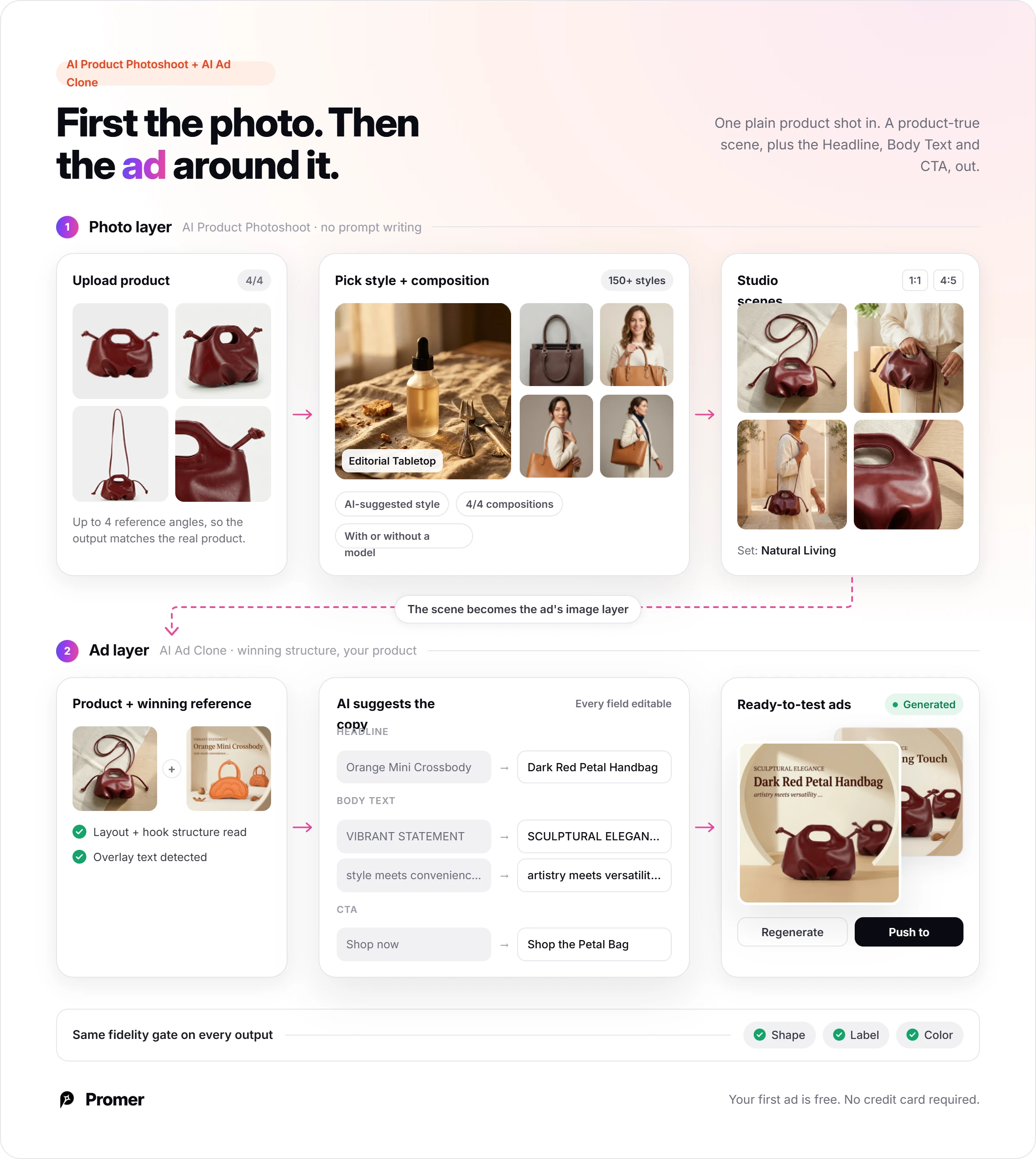
AI-generated creatives can contain mistakes, so run the same fidelity gate on every Promer AI output. Flair AI does more on the photo side: a custom model trained on your product and a 13-tool editor are not part of AI Photoshoot as Promer AI describes it.
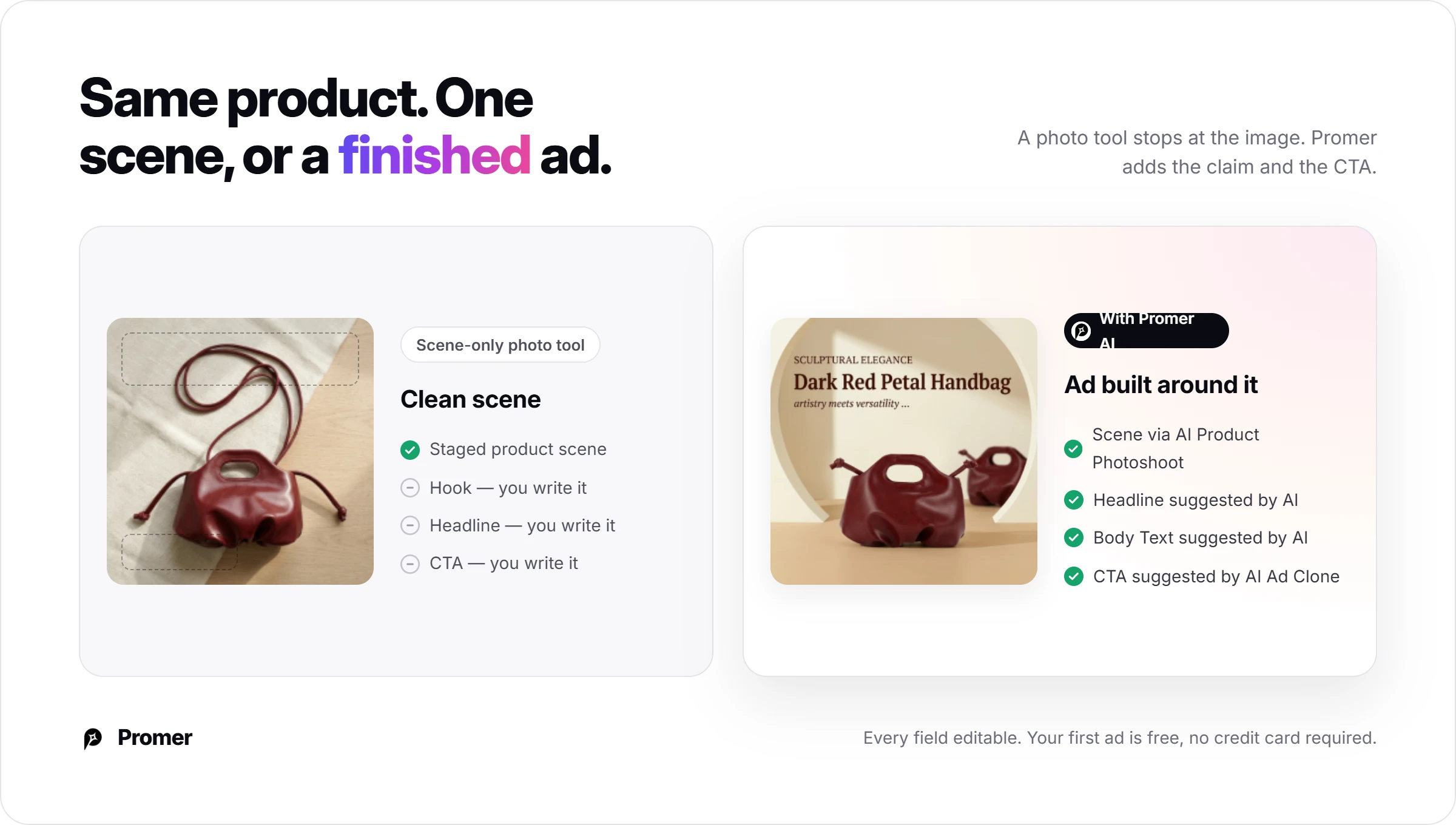
If the scene is your only gap, Flair AI fits. If you also need the claim and the CTA, try an AI ad maker built around product context, starting on the free plan.
FAQ
Is Flair AI free?
Yes, Flair AI has a Free plan at $0 with 1 custom model, 5 generated images and 1 video generation. Instant and ad generations each count as 4 images, so Free covers about 1 ad generation. Flair's Terms of Service say images made on the Free tier are owned by Flair AI. Treat Free as a test bench and upgrade before any image goes into a paid ad.
How much does Flair AI cost?
Flair AI lists Pro at $8, Pro+ at $26 and Scale Tier 1 at $38 a month, with Enterprise priced on request. Pro+ includes 80 generated images and Scale Tier 1 includes 150, both with a company commercial license. Prices were checked on October 8, 2026.
Can I use Flair AI images in Facebook ads?
Yes, on a paid Flair AI plan that matches your team size. Flair's Terms count "video with advertising" as commercial use and require a paid plan for it. The Terms give Pro to individual creators and Pro+ to teams of 2 or more, while the License page words the Pro rule differently. Ask [email protected] to confirm your plan in writing before you spend on ads.
Does Flair AI keep my product accurate?
Flair AI says it strives for 100% product accuracy, and publishes no accuracy rate. Its main fidelity tools are custom models trained on your product and Regenerate Product, which swaps the product back into a scene. Check shape, label, color, light and scale on every image, and treat new camera angles as the highest-risk outputs.
Can Flair AI make a Facebook ad by itself?
Flair AI makes the ad visuals; the hook, headline and call to action are yours to write. Its AI Marketing & Ads flow covers social posts, banner ads and carousel ads with templates and variations. Write the claim for each variant before you generate, then check in the app whether a template adds overlay text for you.
Does Flair AI offer refunds?
No, Flair AI's Terms say billed amounts are not refunded when you cancel. Subscriptions renew automatically, monthly or yearly, and your cancellation must arrive before the renewal date. You can cancel from the billing menu or by emailing [email protected]. Images made on a paid plan stay licensed for commercial use after you cancel, per Flair's License page.
What is a good Flair AI alternative for ecommerce ads?
It depends on the gap: a studio shoot for exact products, Recraft AI for a locked visual style, Promer AI for the ad built around the product. Recraft's Basic plan listed $12 a month for 1,000 credits on October 5, 2026. Promer AI pairs AI Photoshoot with AI Ad Clone, where AI suggests the Headline, Body Text and CTA. AI output from any of them can contain mistakes, so keep the label check.
Where does the information in this Flair AI review come from?
This Flair AI review is built from Flair's public pricing, Terms of Service, License, tools and category pages, read on October 8, 2026. The scene prompts are templates written in the pattern of Flair's own sample prompts, for you to run on the Free plan. Results will vary with your product photo, so score every image with the 3 gates above. Not sponsored by Flair AI.
Related reviews and ecommerce guides
Two guides on the same job, product images for ads:
- Recraft AI review: what a locked brand style does to product images, priced in credits.
- AI prompts for photoshoot: a prompt formula and 20 copy-paste examples for product scenes.
Reference Sources
- Flair AI. (n.d.). Pricing Plans. https://flair.ai/pricing
- Flair AI. (2024). Terms of Service for Flair AI. https://flair.ai/terms-of-service