Are you spending hours tweaking generic video templates, or burning ad budget on creative formats that look like everyone else on Meta? If you run an ecommerce store, test weekly creatives on paid social, and wonder whether an all-in-one branding studio can solve your video pipeline, this Renderforest review is written for you.
This Renderforest review finds the platform an affordable studio for branding assets, logo stings, and product explainers, but an untested bet for paid Meta ads until you validate it against native footage. The $39 monthly Pro plan unlocks clean 1080p exports, yet its 58 social video templates require structured testing before scaling.
Why you can trust this review: We evaluate creative platforms through the lens of active ecommerce media buyers managing real ad spend. We do not accept sponsored placements from software vendors. When an editing workflow saves hours or an AI credit model drains budgets unexpectedly, we highlight the exact numbers so you can protect your cash flow.
Key takeaways
- Renderforest pricing starts at $15 monthly for Lite ($108 billed annually), $39 for Pro ($288 annually), and $79 for Business ($588 annually).
- Template export resolutions scale strictly by plan: HD 720 on Lite, HD 1080 on Pro, and 4K on Business, while the free tier carries a visible watermark.
- A single 15-second commercial generated with premium models like Google Veo 3.1 costs around 480 to 533 credits, limiting monthly volume on lower plans.
- The template library focuses heavily on brand intros and explainer animations (over 860 templates), compared to just 58 dedicated social media video layouts.
- The mobile app holds a 4.3-star rating from 22,600 verified reviews on Google Play, serving as a reliable benchmark for rendering stability and usability.
What Renderforest is in 2026: a branding suite with a video maker
Renderforest is a cloud-based branding platform founded in 2013 in Yerevan, Armenia. While it began as an automated template video editor, it has expanded into a complete branding hub combining a logo maker, graphic mockups, a website builder, and an AI video generator under one roof.
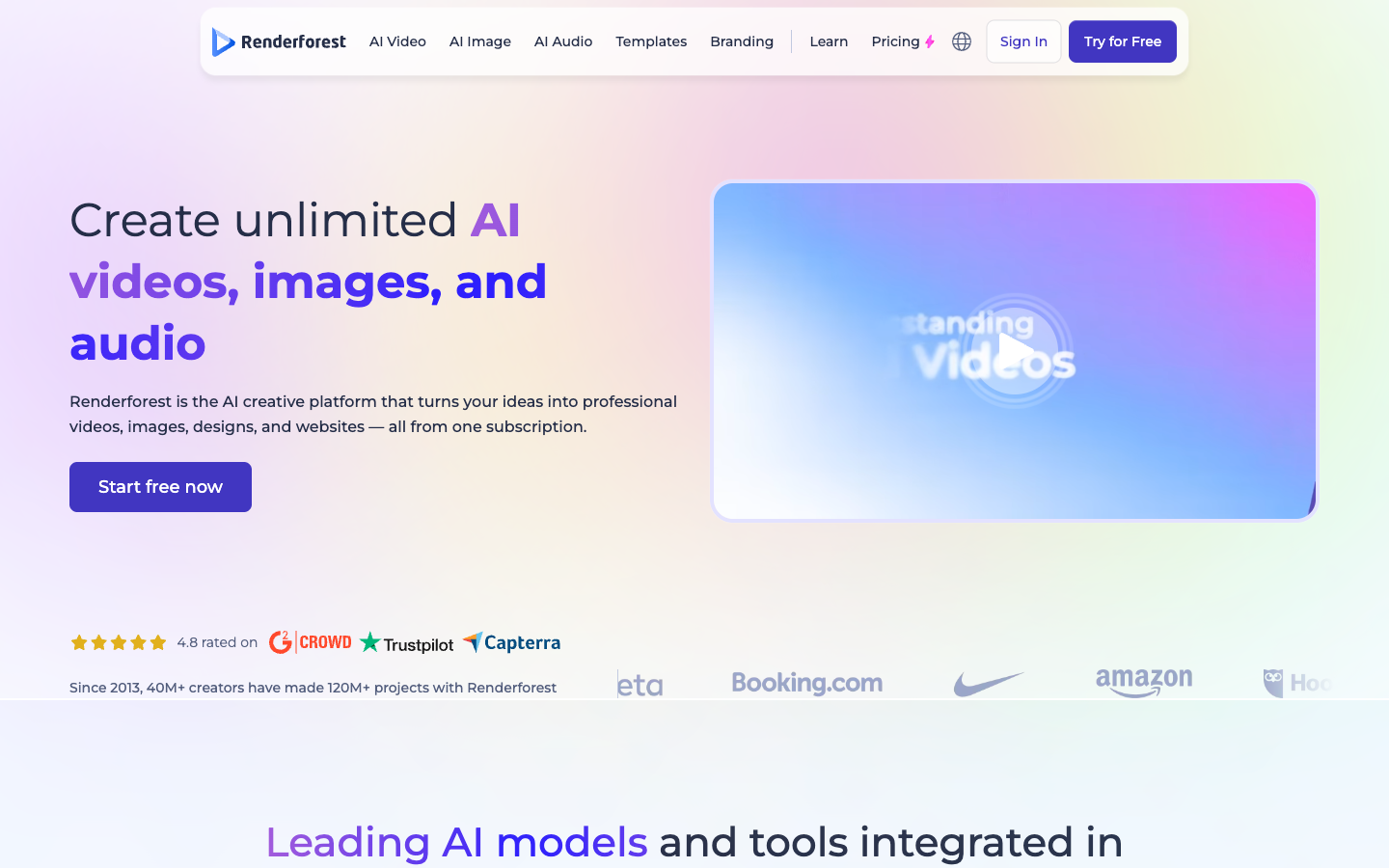
For an online store, Renderforest functions primarily as an external asset studio rather than a dedicated performance ad generator. It integrates prominent third-party generative models, including Google Veo 3.1, Kling 3.0 Omni, Seedance 2.5, Pixverse V6, and MiniMax H3, alongside its proprietary rendering engine. The model you select directly determines how quickly your monthly credit allotment drains.

The branding assets deliver strong value for a store launch. You can generate vector logos in SVG and PNG formats, place products inside photorealistic 3D mockups, and set up landing pages with custom domain support. If your catalog already runs on Shopify or WooCommerce, the built-in website builder is redundant, but the visual mockup studio remains a practical everyday tool.
Renderforest templates: 860 intros against 58 social videos
Renderforest provides a deep collection of motion graphics, but its catalog distribution reveals its original design priorities: corporate presentations and brand animations outweigh direct-response social video ads.
Having 860 logo reveal templates gives you endless polish for your store's branding assets. However, having only 58 dedicated social media video layouts means direct-response advertisers will quickly exhaust the native library when rotating weekly creatives on Meta and TikTok.
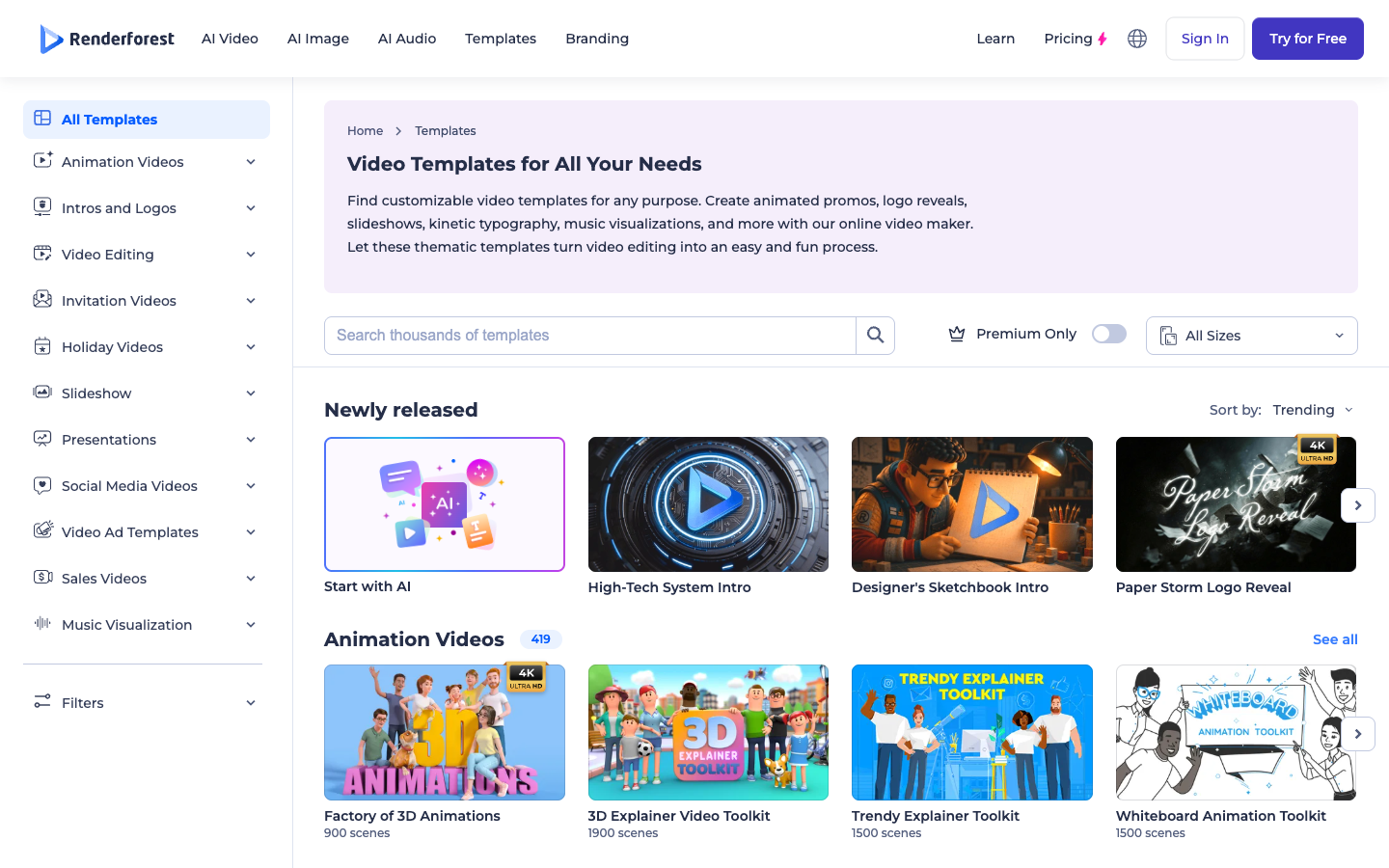
Aspect ratio support covers widescreen (16:9), portrait (9:16), and square (1:1). The platform does not offer dedicated 4:5 feed crops, which media buyers frequently favor for Meta mobile feeds. You can customize text overlays, brand color palettes, background audio, and uploaded product stills, while core motion design and scene pacing remain locked to the original template.
Template familiarity on Meta: what Renderforest cannot measure
Renderforest advertises that its templates boost conversion rates with professional visuals. However, no template platform can guarantee ad engagement without account-specific creative testing.
When millions of creators use the same animation packs, viewers on Instagram and TikTok quickly develop template fatigue. A slick 3D animation can inadvertently trigger ad blindness if prospective customers recognize the graphic framework as sponsored promotion. Treating template familiarity as an experimental testing variable helps protect your media investment.
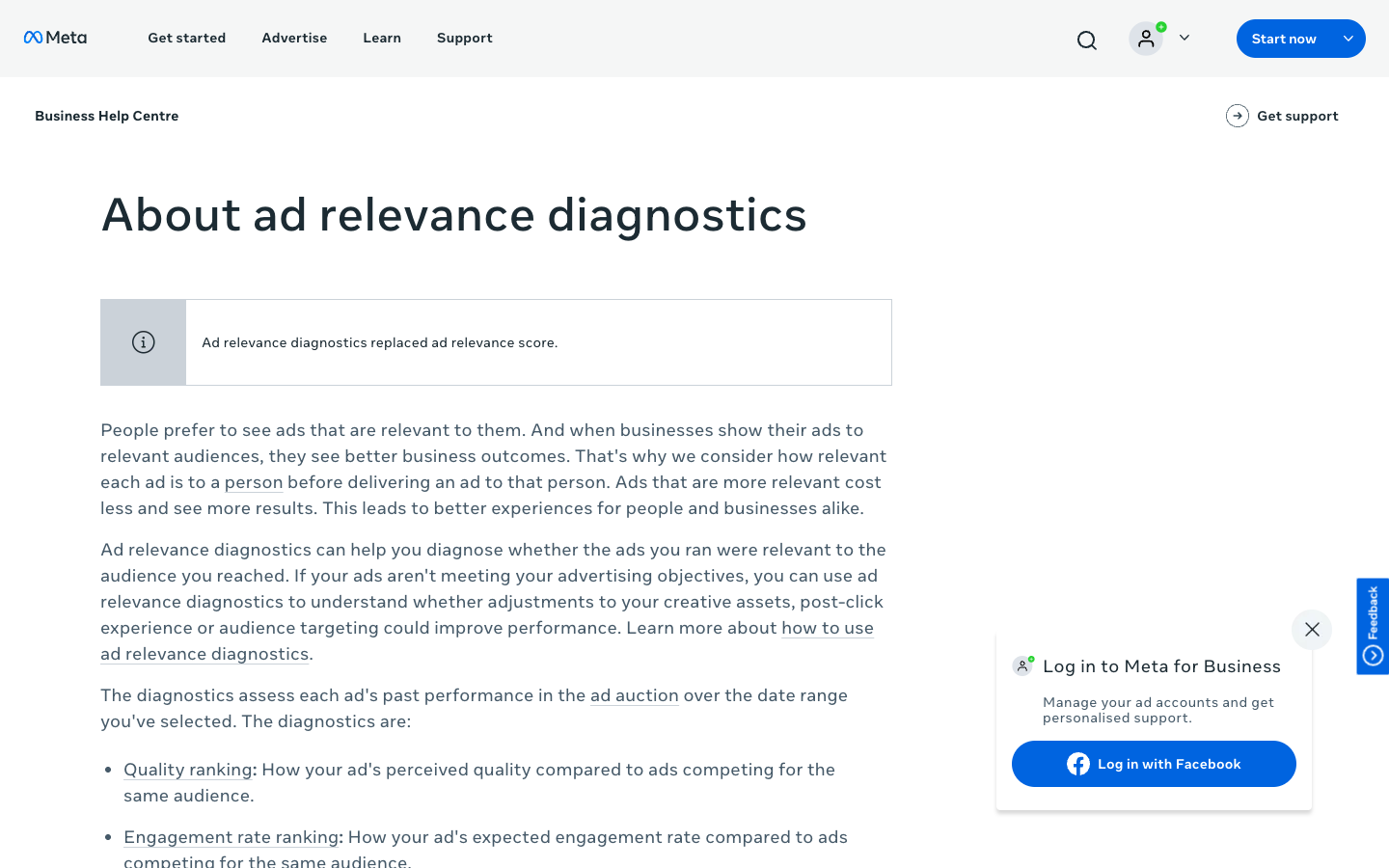
Inside Meta Ads Manager, monitor ad relevance diagnostics across three core signals: Quality ranking, Engagement rate ranking, and Conversion rate ranking. These metrics compare your creative performance against advertisers targeting the identical target demographic once an ad reaches 500 impressions.
A Renderforest template test you can copy into Ads Manager
Before allocating an entire monthly budget to template videos, execute this disciplined creative split test inside Meta Ads Manager. Because standard template renders do not consume AI credits on paid plans, this test costs only your baseline ad spend:
- Define one explicit customer pain point, one promotional offer, and one hook script. Keep these verbal elements identical across all variants.
- Build Creative Variant A using a Renderforest social video template, modifying only the product images, hex colors, and typography.
- Build Creative Variant B using raw phone footage of your product, incorporating the exact same hook copy and on-screen text overlays.
- Build Creative Variant C by replacing only the initial two seconds of the Renderforest template with your raw phone hook to isolate visual recognition drop-off.
- Launch a controlled Meta A/B test with creative as the sole variable, allocating equal daily budgets across all ad sets.
- Allow each creative to accumulate at least 500 impressions, then evaluate your cost per acquisition alongside the three relevance diagnostic rankings.
The Renderforest AI Commercial Generator: prompt to ad in 3 steps
The AI Commercial Generator offers a conversational entry point to video creation: submit your product concept, pick voiceover tone, and refine the generated timeline. Because the tool does not read live product URLs, store owners must supply comprehensive creative briefs directly in the prompt input field.
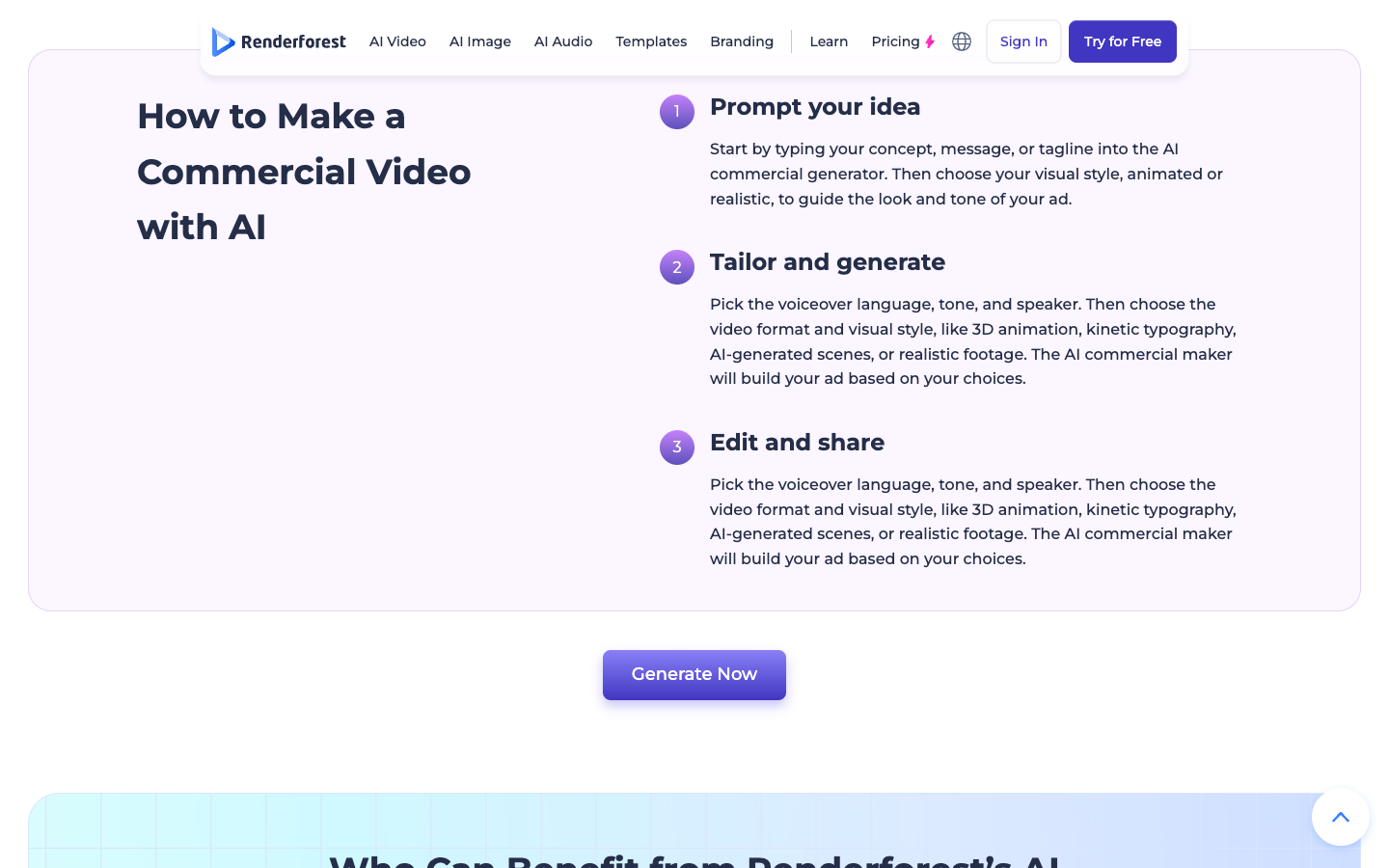
To produce a direct-response ad that drives purchases rather than an abstract cinematic clip, use a structured prompt that outlines exact scene transitions, camera angles, and text placements:
Create a 15-second vertical video ad (9:16) for a portable espresso maker, designed for outdoor commuters. 0 to 3s (Hook): Split screen showing a frustrated commuter waiting in a 20-minute coffee shop line next to a hiker brewing fresh espresso on a mountain peak. Text overlay: "Stop waiting in coffee lines." 3 to 9s (Problem and Solution): Close-up shot of the device pumping rich crema into a glass mug in 30 seconds. On-screen badge: "Rich crema, zero electricity." 9 to 12s (Social Proof and Offer): Customer unboxing reaction smiling taking a sip. Text overlay: "Over 15,000 mornings saved." 12 to 15s (Call to Action): Clean product display with travel pouch. Voiceover: "Claim 20% off your first brewer with free travel case. Shop today at our link." Upbeat acoustic guitar background, confident American female voiceover.
Step two lets you assign synthetic voiceover speakers across 50+ languages, select text-to-speech timing, and choose motion styles including 3D animation, kinetic typography, and realistic footage packs. Step three loads the project into the multi-track timeline editor, where you can swap out background music, adjust scene durations, and download the finished render.
Renderforest pricing: annual plans are paid upfront
Renderforest features discounted rates when paid upfront annually, alongside flexible month-to-month billing. Understanding export resolution limitations is essential for paid media deployments:
Exporting ads at 720p on the Lite tier is problematic for modern paid media campaigns, as Meta and TikTok algorithms noticeably favor crisp 1080p creative assets. For serious ecommerce advertising, the Pro plan at $39 monthly serves as the practical entry baseline.
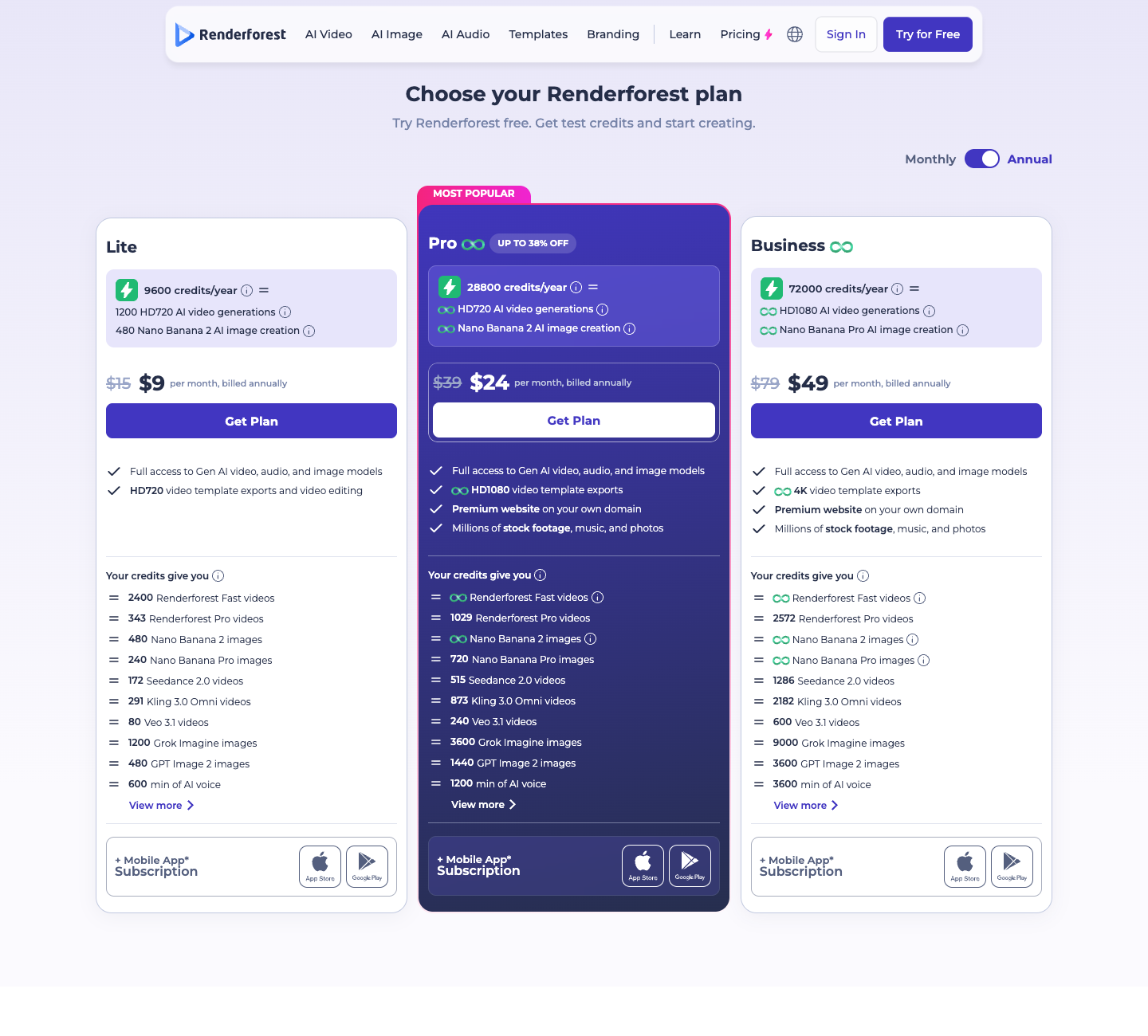
The platform also sells single-use exports without subscriptions: $24 for one HD 1080p video, $29 for a premium vector logo, and $5 for high-resolution mockups. Purchasing a single $24 export equals the monthly cost of an annual Pro plan, making standalone purchases economical only for one-off brand launches.
Renderforest credits: what a 15-second AI ad costs
Generating AI video clips consumes credits based on model complexity and frame resolution. Standard templates remain unlimited on paid plans, meaning credits apply strictly to generative video rendering:
Building a 15-second commercial out of four 4-second Google Veo 3.1 clips consumes roughly 480 credits on the Pro tier. With an annual Pro allowance of 28,800 credits, you can render approximately 60 raw video drafts per year, or roughly five completed tests per month.
Because creative testing always requires multiple iterations to fix artifact distortions, prudent media buyers should storyboard concepts using the Renderforest Fast engine before committing credits to high-cost models like Google Veo or Seedance.
Renderforest reviews: what user ratings and feedback confirm
Public marketplace ratings offer valuable perspective on software reliability across different operating systems. On Google Play, Renderforest's Android application holds a solid 4.3-star rating based on over 22,600 verified customer reviews and more than 1 million downloads.
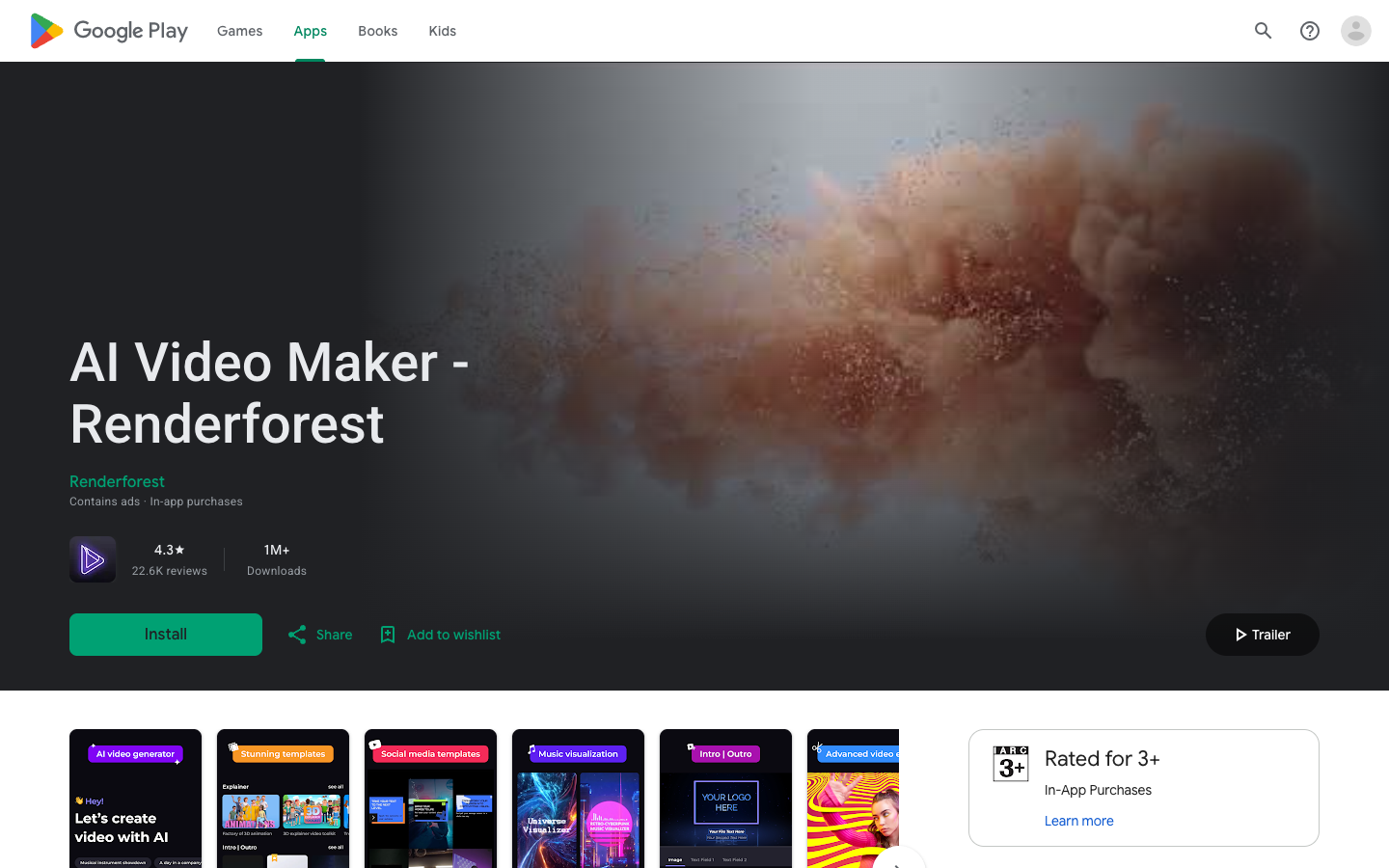
Analysis of verified user feedback highlights two consistent operational realities: creators praise the speed of rendering pre-animated logo reveals and explainer sequences, while complaints frequently mention longer queue times during peak hours on generative video models and strict subscription auto-renewal terms. Always confirm that your chosen subscription tier matches your active production schedule to avoid paying for unneeded render queues.
Renderforest alternatives: CapCut, Creatify, and Promer AI
Depending on your current production bottleneck, three alternative platforms address specific ecommerce workflows:
CapCut, the free mobile template baseline
CapCut delivers a comprehensive multi-track timeline, rich text overlays, trending music integrations, and 1080p exports on its free tier. It serves solo sellers who capture their own product b-roll on mobile phones and need fast editing without monthly subscription commitments.
Creatify, the avatar video specialist
Creatify focuses entirely on turning product URLs into talking-head presenter ads with AI avatars. Its Starter plan costs $39 per month for 100 credits, offering a specialized alternative when you need presenter-led TikTok videos rather than animated logo stingers.
Promer AI, for ad creative built from product context
Promer AI is an AI creative performance platform engineered specifically for ecommerce advertisers. Instead of starting from generic graphic templates, you simply import a product link from Shopify, Amazon, or your storefront.
The platform extracts product specifications, images, and pricing to establish genuine creative context. The AI Ad Clone workflow analyzes top-performing ad architectures and maps your product assets into proven conversion layouts, complete with editable headlines and calls to action.
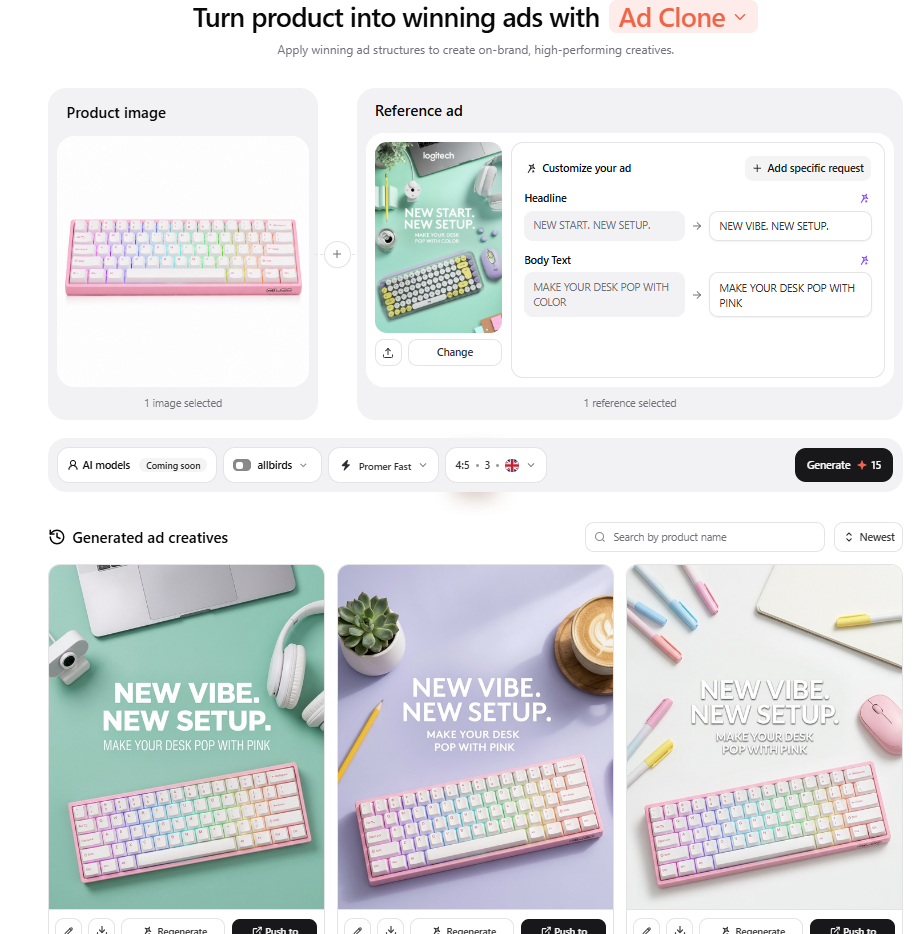
For presenter-led social creative, Promer AI provides direct-response AI UGC Ads built around conversion-tested structures like Problem-and-Solution and Direct Testimonial. While Renderforest excels at graphic branding suites and logo animations, Promer AI addresses the weekly testing demands of performance advertisers. You can create your first ad free with no credit card required.
Renderforest verdict: buy it for brand assets, test it on Meta
Choose Renderforest if you are launching a brand, need polished logo animations, and produce educational product explainers with 3D graphic packs. Its unified branding suite saves substantial design costs during company setup.
If your primary operational goal is scaling weekly direct
FAQ
Is Renderforest good for Facebook and Instagram ads?
Renderforest can make Facebook and Instagram ads, but its strength is brand animation. Its Social Media Videos category held 58 templates on October 5, 2026, against 860 in Intros and Logos. The AI Commercial Generator builds an ad from a typed prompt, with no product URL field. Run any Renderforest ad as a Meta A/B test against your own footage before you scale it.
How much does Renderforest cost per month?
Renderforest costs $9, $24, or $49 a month on annual billing for Lite, Pro, and Business. Billed monthly, the same plans cost $15, $39, or $79. Annual plans are paid upfront, so the first charge is $108, $288, or $588. The plans carry 9,600, 28,800, or 72,000 AI credits a year, as checked October 5, 2026.
Does Renderforest have a free plan, and does it add a watermark?
Yes, Renderforest has a free plan, and its videos carry a Renderforest watermark at limited resolution. The pricing page says Free includes test credits and needs no credit card. Paid plans remove the watermark and raise template exports to HD 720 on Lite, HD 1080 on Pro, and 4K on Business. No time-limited free trial is described.
Can I use Renderforest videos in paid ads?
Renderforest's homepage FAQ says paid plans include full commercial usage rights. The plan cards describe Lite as "a test drive" and Pro as the plan "for commercial use," so confirm Lite's rights with support before running ads from it. Free exports carry a Renderforest watermark, which rules them out for most paid placements.
Is Renderforest legit?
Yes, Renderforest has operated since 2013, with published terms and a public pricing page. Its terms name Renderforest LLC in Yerevan, Armenia. The Android app holds 4.3 stars from 22.6K Google Play reviews as of October 5, 2026. Web review platforms blocked access and no refund policy was found, so get refund terms in writing before buying annually.
Do Renderforest templates hurt ad performance because other brands use them?
No public data answers this for Renderforest templates, so measure it in your own ad account. Renderforest does not publish how many advertisers use each template. A Meta A/B test can compare a template ad with the same words over your own footage, and Meta's relevance rankings appear after 500 impressions per ad.
Reference Sources
All sources accessed October 5, 2026.
BIGVU. (2026). CapCut pricing (2026): Free vs Pro, what's included, and alternatives. https://www.bigvu.tv/blog/capcut-pricing-2026-free-vs-pro-whats-included-alternatives/
CapCut. (n.d.). CapCut AI video editor: Smart online video editing with advanced AI tools. https://www.capcut.com/
Creatify. (n.d.). Pricing plans. https://creatify.ai/pricing
Google Play. (2026). AI Video Maker, Renderforest. https://play.google.com/store/apps/details?id=com.renderforest.videomaker
Meta. (n.d.). About A/B testing. Meta Business Help Centre. https://www.facebook.com/business/help/1738164643098669
Meta. (n.d.). About ad relevance diagnostics. Meta Business Help Centre. https://www.facebook.com/business/help/403110480493160
Renderforest. (n.d.). About us. https://www.renderforest.com/about
Renderforest. (n.d.). AI commercial generator. https://www.renderforest.com/ai-commercial-generator
Renderforest. (2026). AI video generator. https://www.renderforest.com/ai-video-generator
Renderforest. (n.d.). Create videos, designs, and websites with AI. https://www.renderforest.com/
Renderforest. (n.d.). Renderforest pricing plans. https://www.renderforest.com/subscription
Renderforest. (2022). Terms and conditions. https://www.renderforest.com/terms-of-service
Renderforest. (n.d.). Video templates for all your needs. https://www.renderforest.com/templates