Your supplier clips look soft on a phone, a TikTok Shop listing needs fresh video this week, and a $9.99 plan claims to cover both. Vmake Plus does cover the cleaning, at up to 10 files a day per tool. Generating new video is a separate meter, billed in credits.
Vmake is worth $9.99 a month if your footage needs cleaning, upscaling or translating, and worth a cautious first month if you are buying it to generate UGC ads.
This Vmake review is built from Vmake's pricing page, product pages and terms, plus 969 Trustpilot reviews, all read October 12, 2026. If you only came for the price, skip to the Vmake pricing section. If cancelling worries you, go straight to the reviews section.
Key takeaways
- Rescue the product photos and clips you already have. Plus costs $9.99 a month for up to 10 files a day per cleanup tool, about 3 cents a file at full use.
- New ad videos draw from credits. Plus includes 1,000 credits a month, valid 30 days. Pro costs $29.99 for 4,500.
- Free is for testing, not for running ads. It adds a watermark and excludes commercial use.
- Know where the license stops. Paid output covers online ads and social media, not packaging, labels or print.
- Find the cancel button before you subscribe. Trustpilot shows 4.2 from 969 reviews, and most one-star reviews are about cancelling and renewal billing.
What Vmake Labs is in 2026: From AI enhancer to social video studio
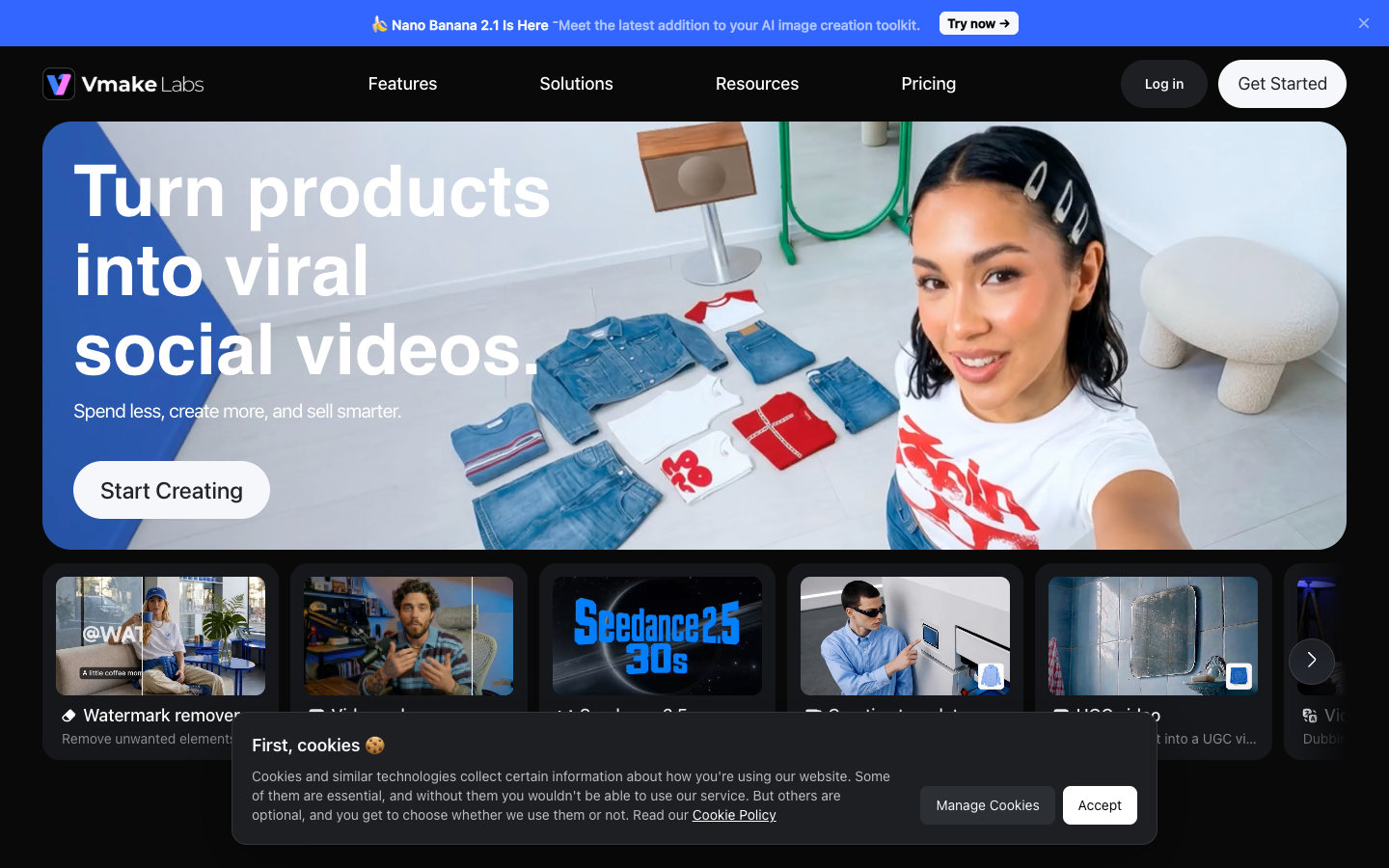
Vmake Labs is the current name of Vmake AI, a video and image studio run by Starii Tech Pty Ltd, the company named in its terms. The homepage pitch is "Turn products into viral social videos," built for TikTok, Instagram Reels, YouTube Shorts, Shopify and Amazon Inspire.
The homepage names 4 audiences: local business owners, ecommerce sellers, affiliate marketers and social media managers. In practice, that is a seller who posts product video every day.
Two halves in one subscription: A cleanup kit and a generation agent
Vmake sells 2 products under one login. The first is a cleanup kit for video you already have: enhancer, upscaler, watermark and text remover, background remover, noise reducer, captions, transcription and a video translator.
The second half generates new video from a product image. Vmake names 4 routes into it (Product Showcase, AI Avatar Video, Recreate Video and creative templates), plus a chat-style AI video generator it calls an agent.
The 2 halves run on 2 separate meters. Generation spends credits. The cleanup tools spend a daily allowance of files. That split decides which plan fits you.
Vmake's cleanup kit: Video enhancer, upscaler and watermark remover
The cleanup kit is the strongest reason to pay for Vmake, because it works on footage you already own. Supplier clips, old ads and phone video go in, and Vmake's pages promise sharper, cleaner versions out.
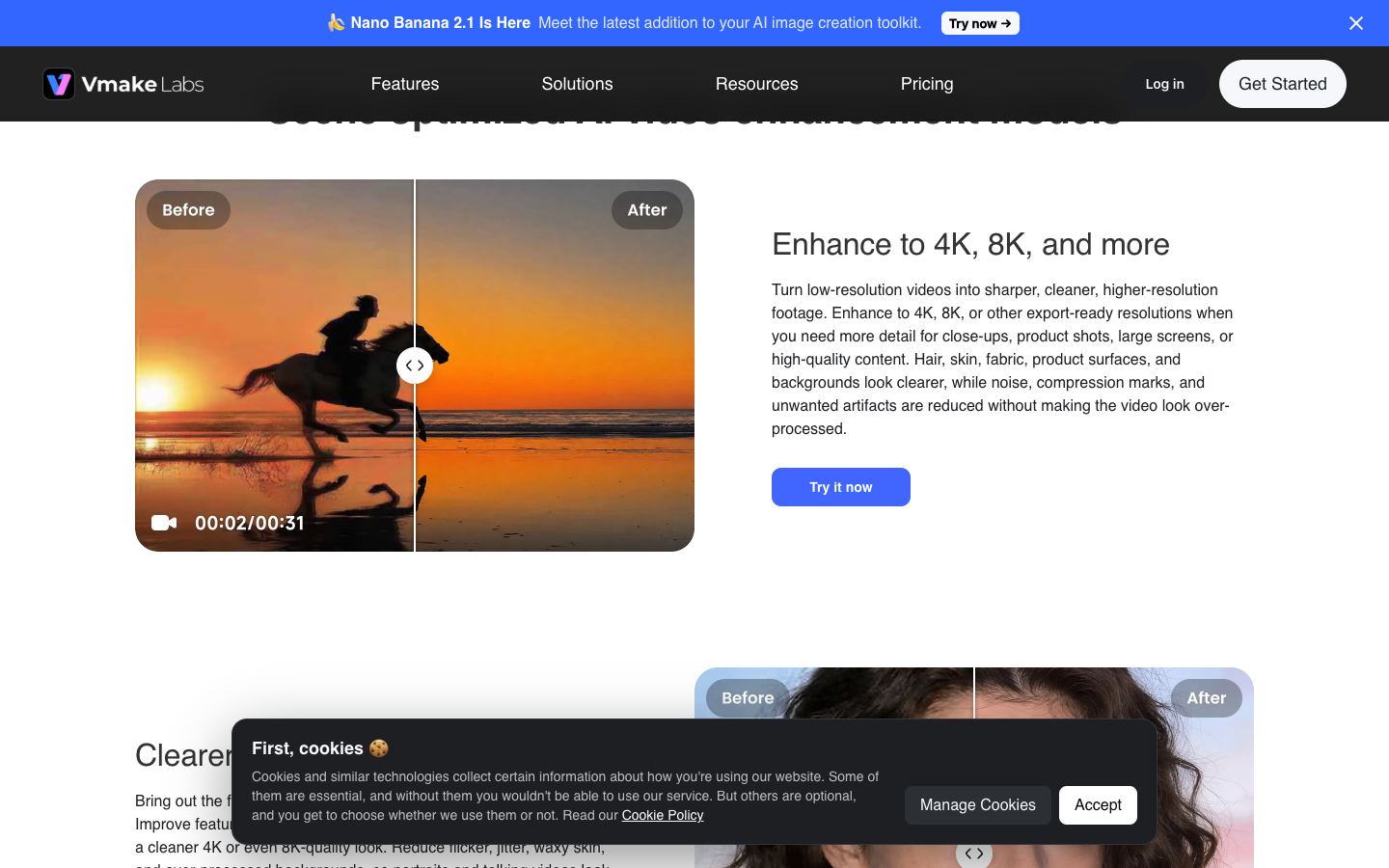
Vmake AI video enhancer: 2K to 8K, with a Product model for labels
The Vmake AI video enhancer takes MP4, MOV, M4V, 3GP and AVI files. You either let it pick a model or choose 2K, 4K or 8K by hand. Vmake lists 5 specialized models: Portrait, Product, Low-Light, Gaming and Anime.
The Product model is the one that matters for your store. Vmake says it sharpens "labels, text, graphics, and small surface details," which is where supplier footage usually looks worst. If your hero product has a printed label, that is the first before and after check to run.
Vmake also sells a "De-AI" cleanup that it says reduces over-smoothing and texture repetition in AI-generated clips. Use it on a generated video that looks too glossy before it goes into an ad. Vmake's enhancer page says uploaded and enhanced files are deleted automatically after 7 days, so download what you want to keep.
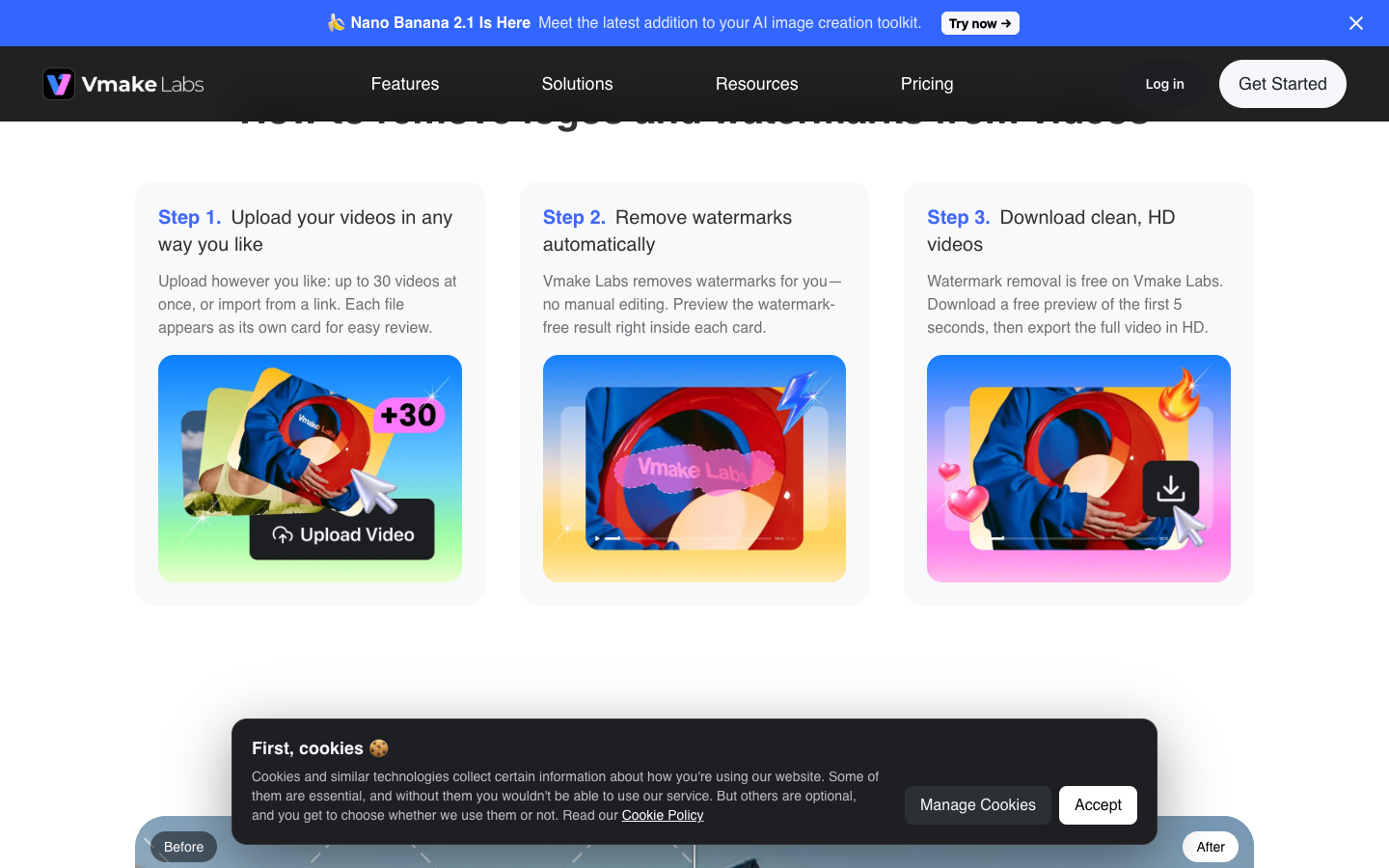
Watermark remover: 30 videos a batch and a 5-second preview
Vmake's watermark remover takes up to 30 videos at once, or a link. Vmake says it tracks moving watermarks across frames and also removes subtitles, text, objects and people. A "Smart Pro" mode targets large text over busy backgrounds.
The watermark page says removal is free and offers a free preview of the first 5 seconds. The pricing table lists Watermark & Text Remover as not available on Free and 10 files a day on Plus.
Use the 5-second preview to judge the result, and plan on a paid plan for full HD exports. On Plus, a batch of 30 may also run into the 10-files-a-day cap.
Background, noise, captions and the video translator
The rest of the kit covers jobs you might otherwise split across separate apps:
- Video background remover, noise reducer and upscaler: 10 videos a day each on Plus, 50 on Pro.
- Video and audio to text: up to 3 files on Free, then 10 or 50 a day.
- Auto captions: limited styles on Free, all styles plus custom templates on paid plans.
- Video translator: translated subtitles, dubbing, voice cloning from the original speaker and lip sync, with output up to 4K.
Scenario: your best TikTok ad runs in English and you want a Spanish version live for a Mexico test this week. The translator is the Vmake route for that job without a reshoot.
From one product photo to a UGC ad: Vmake's 4 ad workflows
Vmake's generation side starts from a product image and a form, not a blank prompt. The UGC video page says "a single generation gives you the visuals, spoken script, and background music together." Each of the 4 workflows below has a different job, so give each one a role before spending credits.
| Vmake workflow | What you put in | What Vmake says comes out | Role |
|---|---|---|---|
| Product Showcase | 1 product image | A short product video, several tasks at once | Catalog filler |
| AI Avatar Video | Product image or product URL, plus a form | A presenter video in your chosen language | Spokesperson |
| Recreate Video | Optional reference video, product image, product details | "A full 30-second video" | Format copier |
| Creative templates | A template and a product image | A trend-effect clip, "no prompts" | Feed content |
Only the AI Avatar Video page says it accepts a product URL. For the other 3, your product knowledge reaches the video through the form fields, so the brief you write matters most.
Product Showcase, the catalog filler
Product Showcase turns 1 product image into a short video clip, with several tasks running at once. Vmake pitches it for "new arrivals, campaign prep, product testing". Treat it as the tool for SKUs that have no video yet, and not for the ad you plan to scale.
AI Avatar Video, the spokesperson
AI Avatar Video adds a talking presenter. The form sets 3 things: speaking language, avatar style and background scene. Vmake's own ad generator FAQ calls the result "reasonably realistic AI avatars."
Check lip sync on 1 clip before you batch, because a presenter that drifts out of sync is the first thing a cold audience notices.
Recreate Video, the format copier
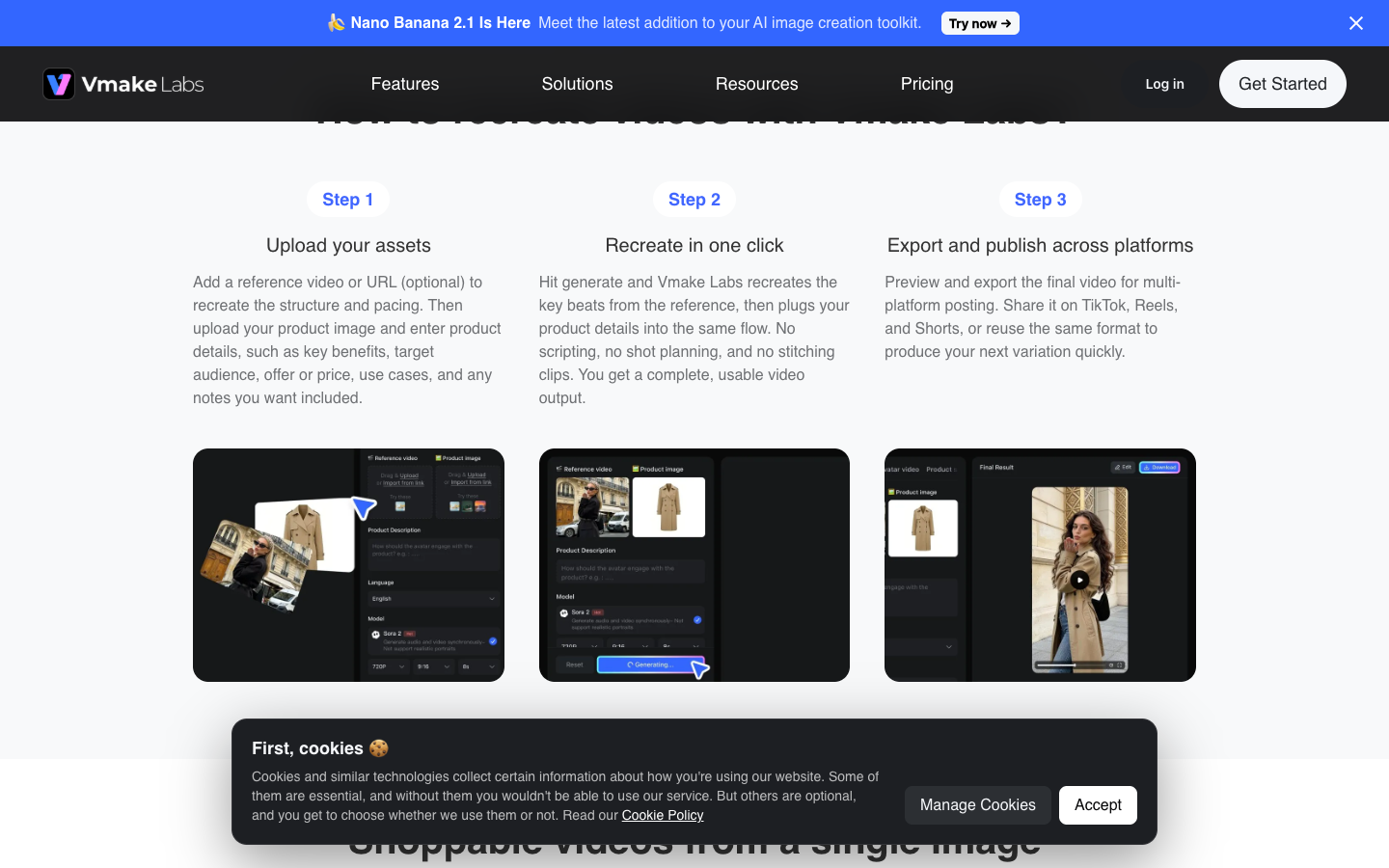
Recreate Video copies the structure of a viral video for your product. You add a reference video or link (optional), a product image and product details. Vmake says the output is "a full 30-second video with a strong hook, clear product story, and a clean close."
That 30-second length is the detail to plan around. If your account runs 15-second cuts, you will trim every output. Vmake says you can also lock a model or character, which matters if you run a series of ad variations with one face.
Creative templates, the trend effect
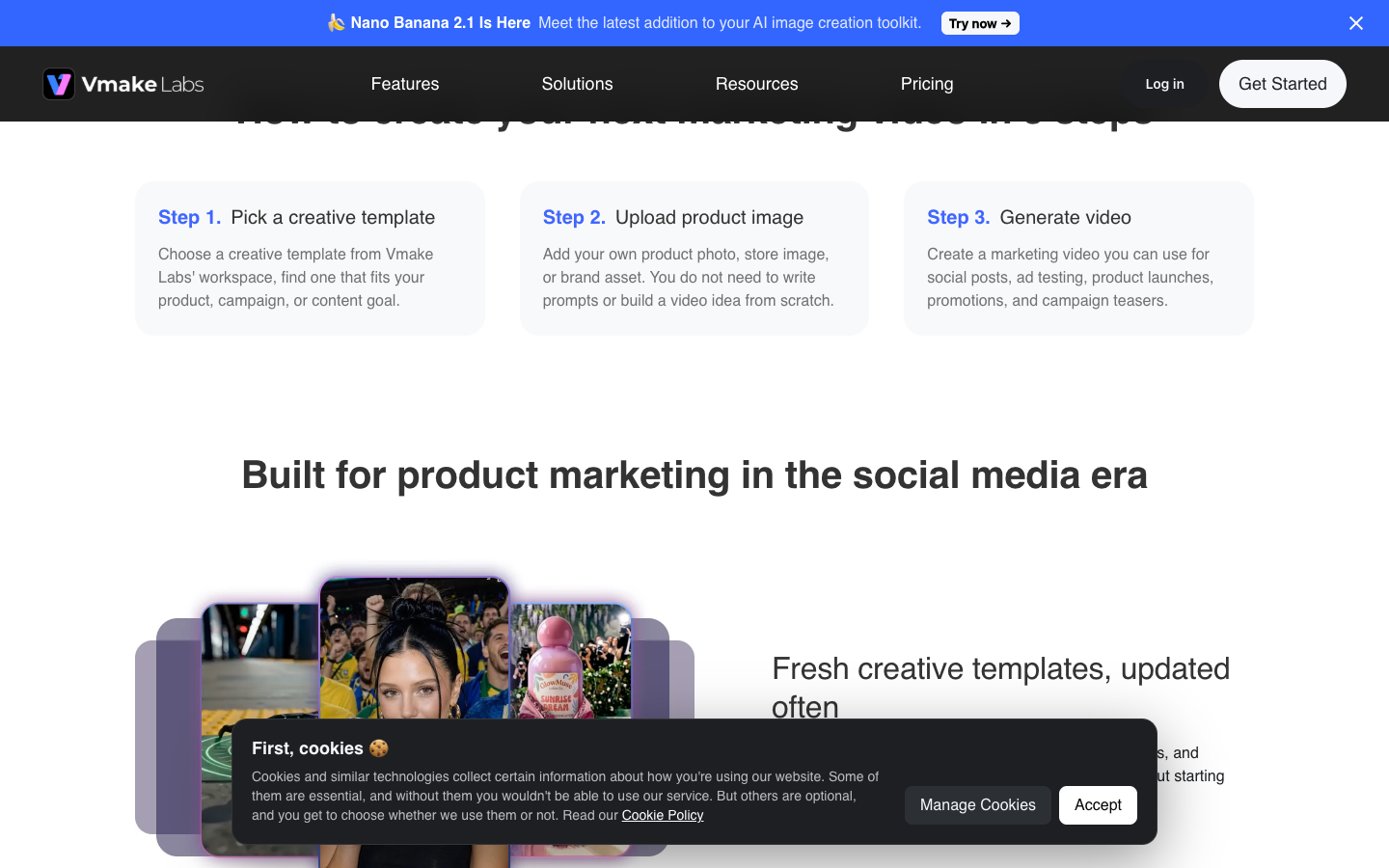
Creative templates (Vmake also calls the tool Viral Lab) skip the form entirely. You pick a template, upload a product image and generate, with no prompt to write. The template names tell you the style: World Cup, Fruit story, Fashion lookbook, Appliance ad, 360 spin and FPV drone.
Vmake pitches them for "discovery, product seeding, and conversion testing." A World Cup parachute effect can get attention in the feed. Whether it sells a blender is a test you pay for in credits.
How to brief Vmake Recreate Video for a product ad: 2 templates
Recreate Video is the workflow where your brief decides the ad, because Vmake fills your product details into the reference's pacing. The form asks for 5 kinds of product detail. The table below turns them into 2 ad concepts you can copy. Both use a plain black leather tote as the example product, so swap in your own.
| Form field | Template A: problem first | Template B: style moment |
|---|---|---|
| Reference video | A creator clip that opens on a problem, shows the fix, ends on the offer | A get-ready-with-me or outfit-check clip with fast cuts |
| Benefits | One benefit a buyer sees in 3 seconds, such as "fits a 13-inch laptop and a water bottle" | One look benefit, such as "a bold shape that carries a plain outfit" |
| Target audience | One line, such as "people who carry a laptop to work every day" | One line, such as "shoppers who build outfits around one statement piece" |
| Offer or price | Your real offer, such as "free shipping over $50" | Your real offer, written the same way |
| Use cases | 2 scenes: commute, campus | 2 scenes: night out, street style |
| Notes | Keep the product shape and label unchanged. Add no claim that is not in the fields above. | Keep the product shape and color unchanged. Show no price on screen. |
Fill the brief as an ad brief, not a product description, because the generator can only sell what you tell it. Run Template A and Template B on the same product, and change only the reference video between them. Then you learn which concept the product carries, not which template looked better.
You should see one generated video per task. If a claim appears in the video that is not in your brief, it came from the model. Cut it before the ad goes into Meta ads review.
Vmake lets you run several tasks at once on Product Showcase, Recreate Video and the UGC page. Change one thing per batch, the hook or the offer, never both. Vmake's pricing page lists credits per plan, not per video, so note your balance before and after the first batch and divide the drop by the number of tasks. That figure is your cost per ad.
When the clip passes your check, run it through the video enhancer's Product model if the label looks soft. Then export and upload it in your own ad account, since the AI ad generator page says videos "can be exported for" TikTok, Instagram, Facebook and YouTube.
Vmake pricing: What Free, Plus and Pro buy in credits and daily caps?
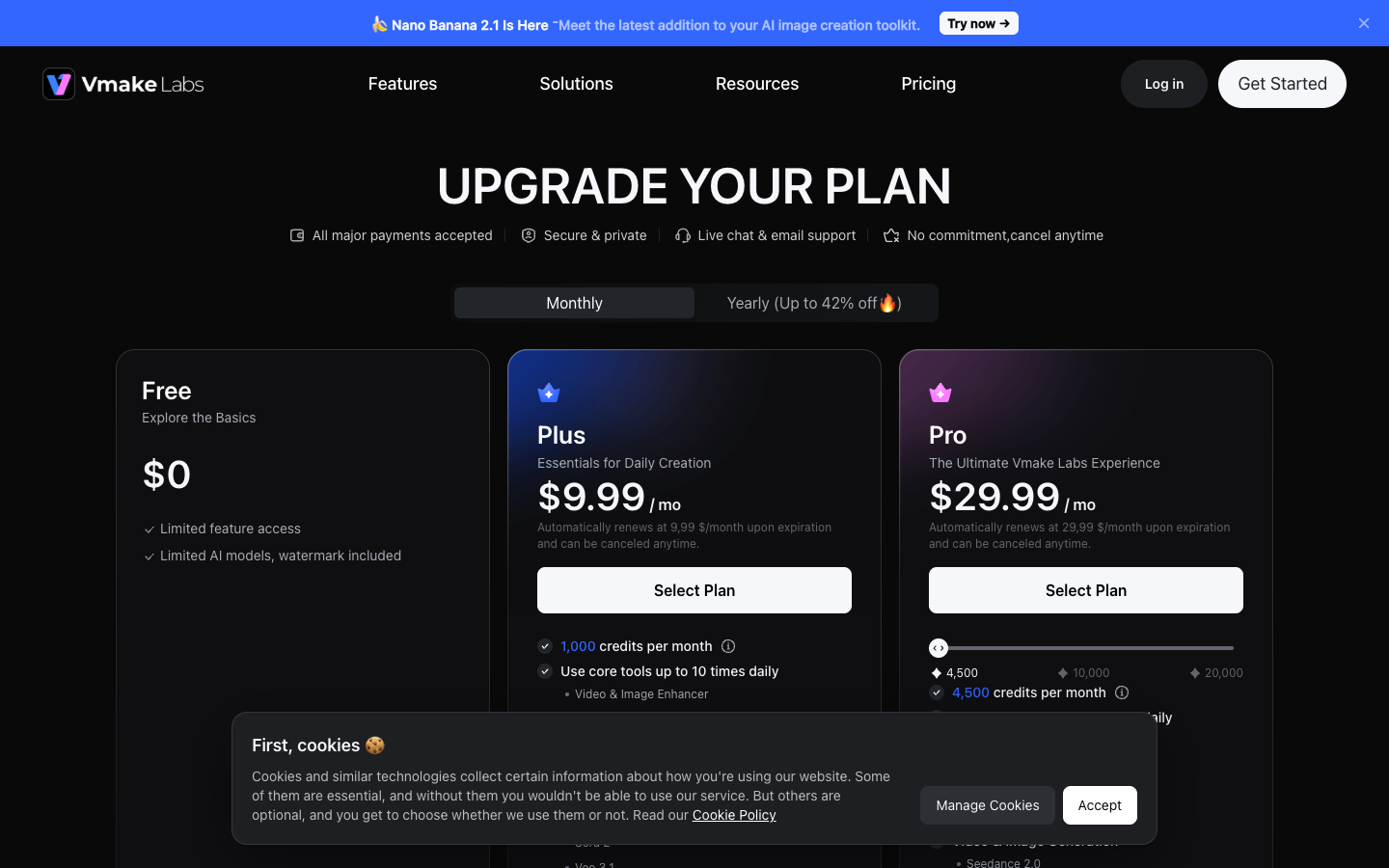
Vmake pricing has 3 public tiers, a monthly or yearly toggle ("Up to 42% off" on yearly) and 2 meters. The table below comes from the pricing page. Read the cleanup tools row first.
| Vmake plan | Free | Plus | Pro |
|---|---|---|---|
| Price, billed monthly | $0 | $9.99, renews at $9.99 | $29.99, renews at $29.99 |
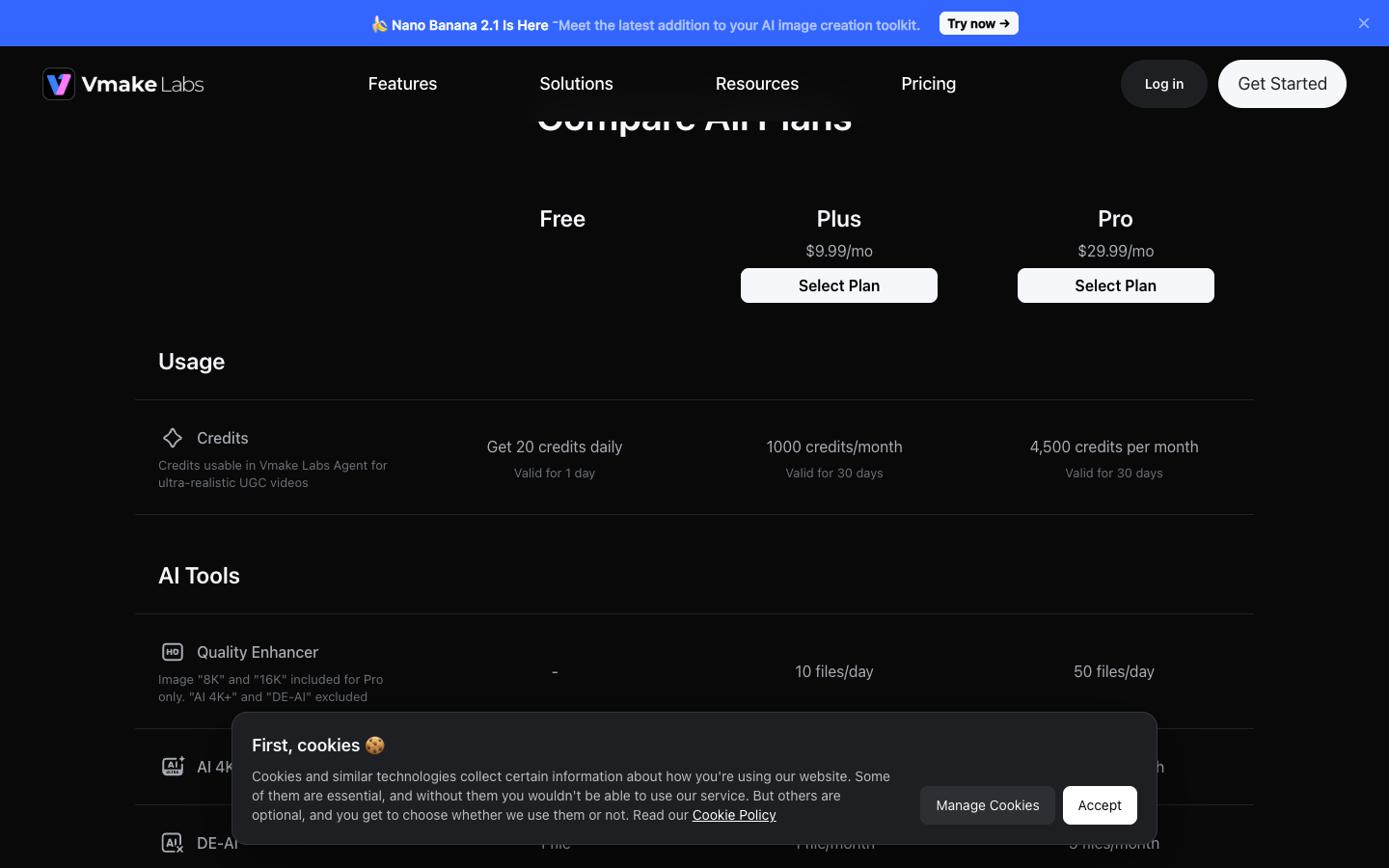
| Credits | 20 a day, valid 1 day | 1,000 a month, valid 30 days | 4,500 a month |
| Cleanup tools | Not included | Up to 10 files a day each | Up to 50 files a day each |
| Video editing export | Up to 720p | 1080p | 1080p, 2K |
| Generated video export | 1080p with watermark | 1080p | 2K, 4K |
| Commercial use | Not included | Included | Included |
Plus is a cleanup plan with a generation allowance attached. Pro buys 4.5 times the credits and 5 times the daily cap for 3 times the price, so it makes sense only once you hit the Plus caps.
What a Vmake credit buys: Measure it on the free 20 credits
The compare table describes credits as "usable in Vmake Labs Agent for ultra-realistic UGC videos." The plan cards list credits per month, not credits per video or per model. So the cost of 1 ad is something you measure.
Free's 20 daily credits expire each day, so they work as a free sample, not as savings. Spend them on 1 generation, read the balance drop and multiply it by the videos you plan to make. If a Plus month of 1,000 credits covers fewer ads than you test in a month, price Pro before you start.
The daily cap math: What 10 or 50 files a day cost per file
The cleanup side is easy to price. Plus allows up to 10 files a day per tool, so a 30-day month holds up to 300 enhancer runs for $9.99, about 3 cents each at full use. Pro's 50 a day works out to 1,500 runs, about 2 cents each. That arithmetic is ours, built from Vmake's published caps.
Scenario: you list 40 new SKUs on Monday, each with a supplier clip that needs cleaning before it can run as a product demo video.
On Plus, the cap clears 10 clips that day and the other 30 wait 3 more days. Pro clears all 40 the same day. For a launch week, the cap decides the plan, not the credits.
Renewal, yearly billing and cancelling Vmake
Both paid cards say the plan "automatically renews" at the same monthly price "and can be canceled anytime." The page header adds "No commitment, cancel anytime." The yearly toggle advertises up to 42% off.
Where you buy decides where you cancel. Vmake's terms say an iOS purchase is cancelled through your Apple ID account settings and an Android purchase through the Google Play subscriptions page. A plan bought in one app store is not recognized in the same app downloaded from the other, so buy on the platform you will keep using.
Cancellation is also the most common complaint in Vmake's reviews. The reviews section below shows what that looks like, and how to protect yourself.
Vmake terms for ads: Commercial rights, packaging and watermarks
Vmake's terms of service, last modified June 1, 2026, decide whether a Vmake video can run as a paid social ad. Two parts matter for your store: what the license covers, and what the terms say about removing ownership marks.
What the paid license covers, and what it leaves out
Without a subscription, the terms limit you to "personal and non-commercial purposes." The pricing table also shows commercial use as not included on Free. Free videos are for testing, not for paid social.
A paid plan grants a commercial license for "websites, online advertisements, social media" and similar digital uses. The same section excludes product packaging and labelling, merchandise, and print media such as magazines and newspapers. If a Vmake visual might end up on a box insert or a printed flyer, it isn't covered.
The terms also say AI-generated content "may not always be accurate" and that any use is "at your risk." Check every claim and label in an output before it runs.
The watermark remover and section 4 of the terms
Section 4 of the same terms bars content "with ownership/intellectual property rights markings that have been tampered with, added, deleted or removed." Vmake's watermark remover strips watermarks and logos, including TikTok, Sora and Kling marks. Both are true at once, and the legal risk sits with you.
The safe use is your own footage: old ads, phone video and supplier clips you have written permission to use. Removing another creator's TikTok watermark to run their video as your ad is the case the clause describes.
Check first: if you didn't make the video or license it, removing the watermark doesn't make it yours to run.
What Vmake AI reviews say: 4.2 on Trustpilot from 969 reviews
Vmake holds 4.2 out of 5 on Trustpilot across 969 reviews as of October 12, 2026, with 75% at five stars and 11% at one star. Praise centers on watermark removal and enhancement quality. The one-star reviews center on cancelling and renewal billing, not on the tools failing to run.
| Trustpilot rating | Share of 969 reviews |
|---|---|
| 5 stars | 75% |
| 4 stars | 9% |
| 3 stars | 3% |
| 2 stars | 2% |
| 1 star | 11% |
3 in 4 reviewers are happy, and about 1 in 9 is not. Vmake's own UGC video page quotes 4.5 from over 800 Trustpilot reviews, which differs from the live profile, so check Trustpilot directly before you decide.
The praise: Watermark removal, enhancement and an easy interface
Reviewers most often mention an intuitive interface, watermark removal, video enhancement and sharp output. Some say it speeds up their editing work. That matches the cleanup kit being the strongest reason to pay.
The complaint cluster: Cancelling and renewals
The one-star reviews cluster around cancelling. Viktor SK (August 16, 2026) writes, "you are not able to cancel it even you try it multiple times." Vasilii Chugunkov (September 13, 2026) calls keeping funds after zero usage "an unfair business practice."
Other reviewers report refund requests that were denied, download failures and results that needed several attempts. Vmake replies to 63% of negative reviews, typically within 48 hours, according to its Trustpilot profile. Trustpilot does not fact-check reviewers' claims, so read these as reports, not findings.
Treat cancelling as part of the purchase. Before you pay, do these 3 things:
- Screenshot the plan page and the renewal date right after purchase.
- Set a calendar reminder 2 days before the renewal date.
- If the cancel option does not appear, email [email protected] the same day and keep the reply.
Who Vmake fits for ecommerce video, and who should skip it?
Vmake fits you if you already make short-form video and need it cleaner, sharper and in more languages. It fits worse as your main source of new AI ad creative until you have measured what a generated ad costs. The table sticks to what Vmake's pages, terms and Trustpilot reviews show.
| Vmake pros | Vmake cons |
|---|---|
| One $9.99 plan covers the enhancer, upscaler, background, noise and watermark tools | Credits are listed per plan, not per generated video |
| Watermark removal in batches of up to 30 videos | Free plan has a watermark and no commercial use |
| Translator with dubbing, voice cloning and lip sync | License excludes packaging, labels and print |
| Commercial use included on Plus and Pro | Cancelling and renewal billing are the top Trustpilot complaints |
| 4.2 on Trustpilot from 969 reviews, 75% at five stars | Recreate Video is described as a 30-second output |
Buy Vmake if these describe your Shopify store or TikTok Shop:
- You post product video daily on TikTok, Reels or Shorts and spend time fixing blurry clips.
- You need translated versions of ads that already work, with dubbing and lip sync in one pass.
- You would use 10 cleanup runs a day often enough that $9.99 beats paying for separate tools.
- You want UGC-style AI video as an extra, not as the reason you are paying.
Skip Vmake, or stay on Free, if one of these is true:
- You need to know the cost per ad creative before you commit a testing budget.
- Your creative also goes on packaging, inserts or print, which the license excludes.
- Your testing plan breaks if a clip needs 3 or 4 regenerations, which some reviewers describe.
The Vmake lesson for AI video tools: Price the ad, not the plan
Credit-based AI video tools sell a plan price. Working out the price of 1 usable ad is your job, and some vendors make it easier than others.
Topview, for example, publishes a credit rate per 4 seconds for each model: Seedance 2.5 at 720p costs 6 credits per 4 seconds on its Plus plan, and Topview says it can update credit costs "at any time, without prior notice." With a rate like that, you can do the division before paying.
None of this tells you anything about ROAS or click-through rate. It tells you how many attempts your testing budget buys, which is the part you control before launch.
Run this check on any tool before the card goes in:
- Find the credit cost of one video at the length you run.
- Multiply it by 3 to allow for regenerations.
- Divide the plan's monthly credits by that number.
- Check whether unused credits expire. Vmake's expire after 30 days.
- Divide the plan price by the result. That is your cost per usable ad.
If step 1 has no published answer, spend the free credits on 1 generation and measure the drop before paying anything.
Vmake alternatives for ecommerce video ads
Three other routes, from free to paid. Each covers one job Vmake does, and none copies its mix of cleanup tools and generation in one plan.
| Tool | Role | Entry point (source, date) | Best for |
|---|---|---|---|
| CapCut | Free editing baseline | Free; Pro $7.99 to $19.99 a month (BIGVU, July 2, 2026) | Cutting and captioning your own footage |
| Vmake | Cleanup kit plus UGC generation | Plus $9.99 a month (vmake.ai, October 9, 2026) | Fixing, upscaling and translating existing clips |
| Topview AI | Product link and avatar video | Plus plan with 100 credits a month (topview.ai, October 12, 2026) | Pricing a generated clip before you buy |
| Promer AI | Ad creative from product context | First ad free, no credit card | A steady supply of product ads to test |
CapCut, the free editing baseline
Check CapCut's free plan before paying for any cleanup tool. BIGVU's CapCut pricing guide (Jessica Becker, July 2, 2026) lists a multi-track timeline, basic AI voiceover and 1080p export on the free plan. Templates and effects marked Pro add a watermark unless you pay.
Pro costs $7.99 to $19.99 a month depending on region and where you buy, and adds 4K export, per the same guide.
Pick CapCut if you film your own video and need to cut and caption it. Skip it if the job is restoring a blurry supplier clip or translating an ad, which is where Vmake fits.
Promer AI, for ad creative built from product context
Promer AI is an AI ad creative performance platform for ecommerce advertisers. Paste a product URL and it pulls the product image, name, description and price.
For UGC ads, Promer AI's AI UGC Ads asks you to pick 1 of 5 formats. They are Direct Testimonial, Voiceover Product Review, POV Product Demo, Problem and Solution, and Routine or Day in the Life.
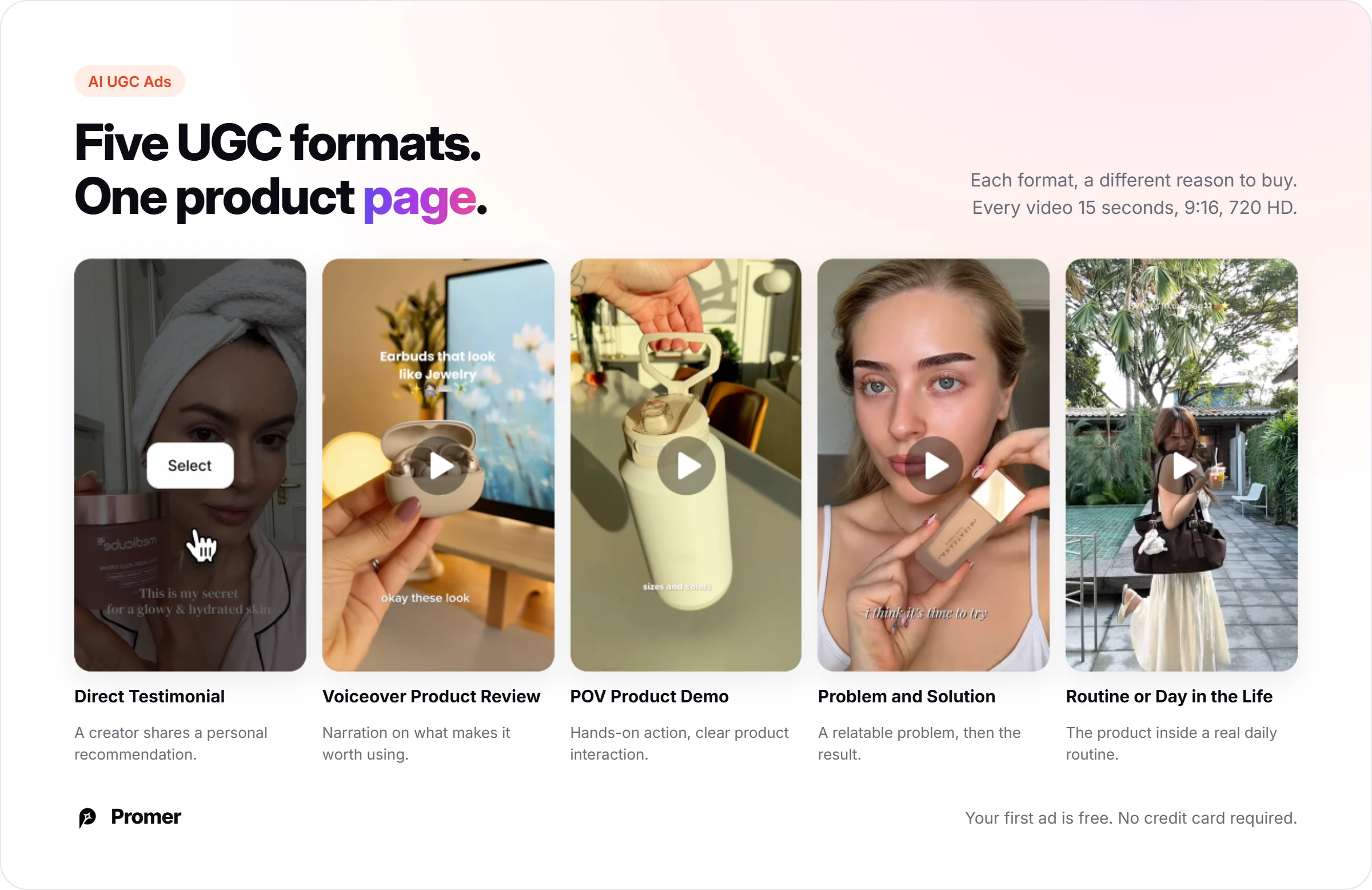
AI UGC Ads suggests a hook, message, visual and CTA, and you pick an AI avatar and an AI voice from filterable libraries. It renders a 15-second 9:16 video in 720 HD.
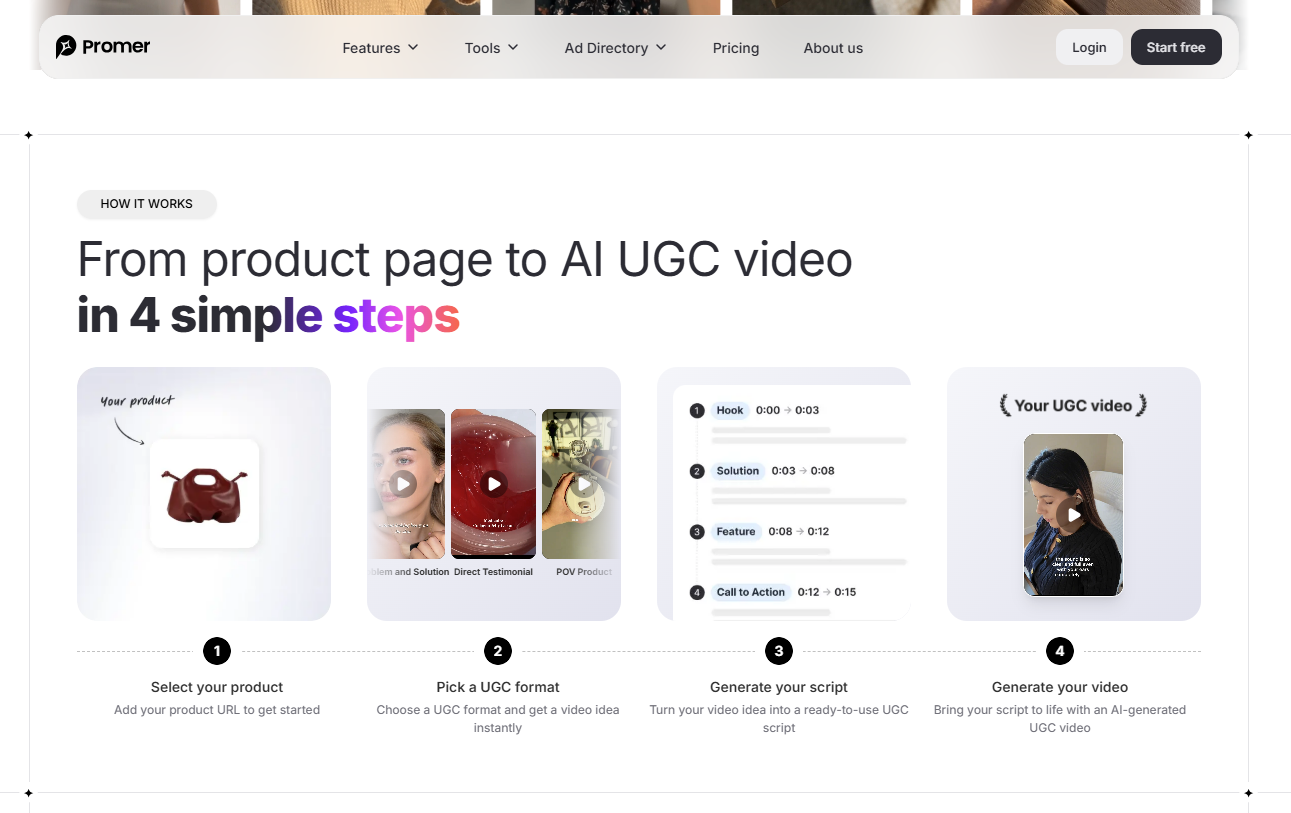
The closest match to Vmake's Recreate Video is Promer AI's AI Video Ad Clone, which applies a winning video ad's structure to your product. Before generating, it shows a product-fit assessment. Output is 720 or 1080 HD, in 9:16 or 16:9, in 7 languages.
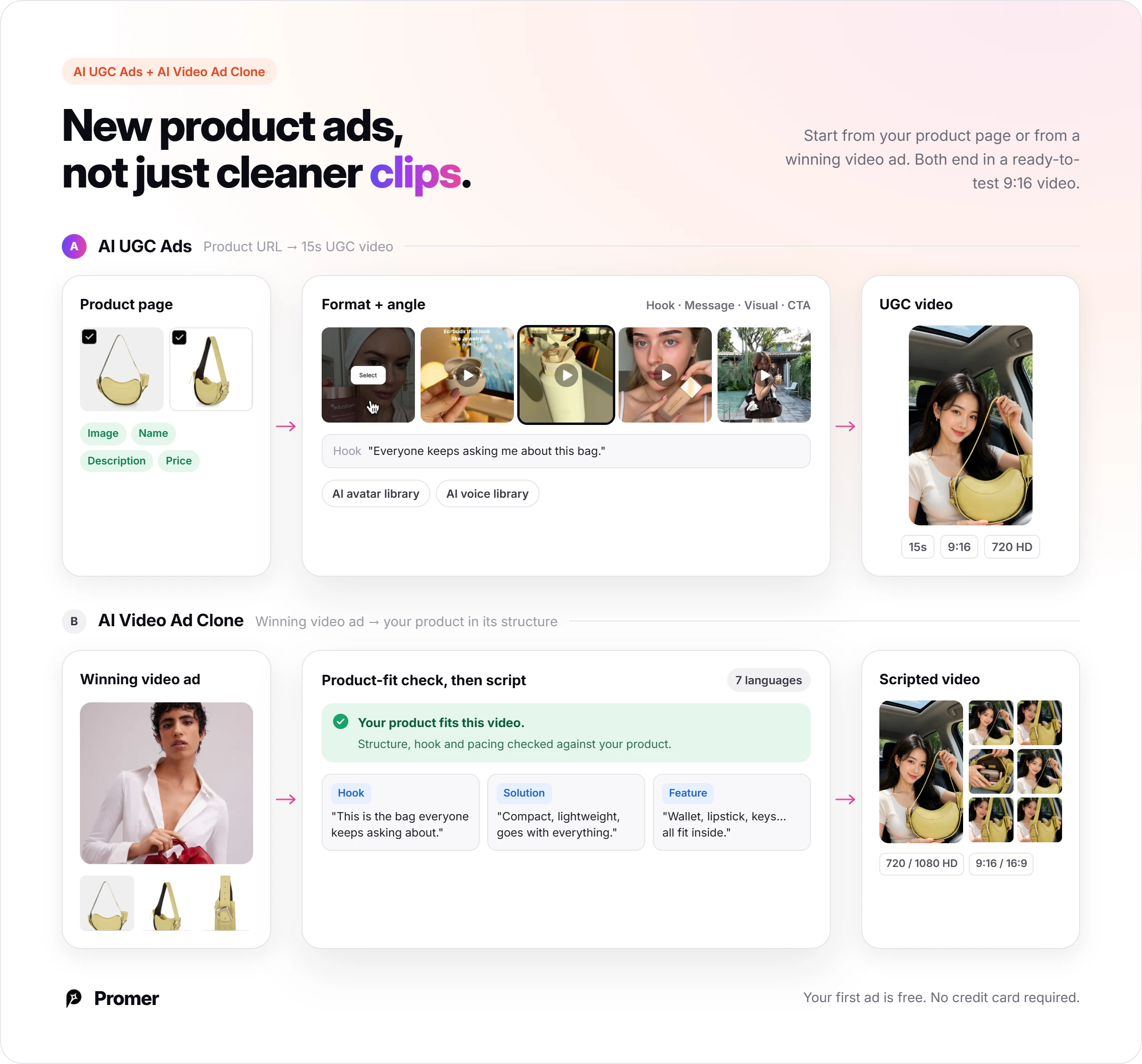
Promer AI doesn't do what Vmake's cleanup kit does: video enhancement, upscaling, watermark removal and video translation aren't in its feature list. If fixing footage you already have is the bottleneck, Vmake covers ground Promer AI doesn't attempt.
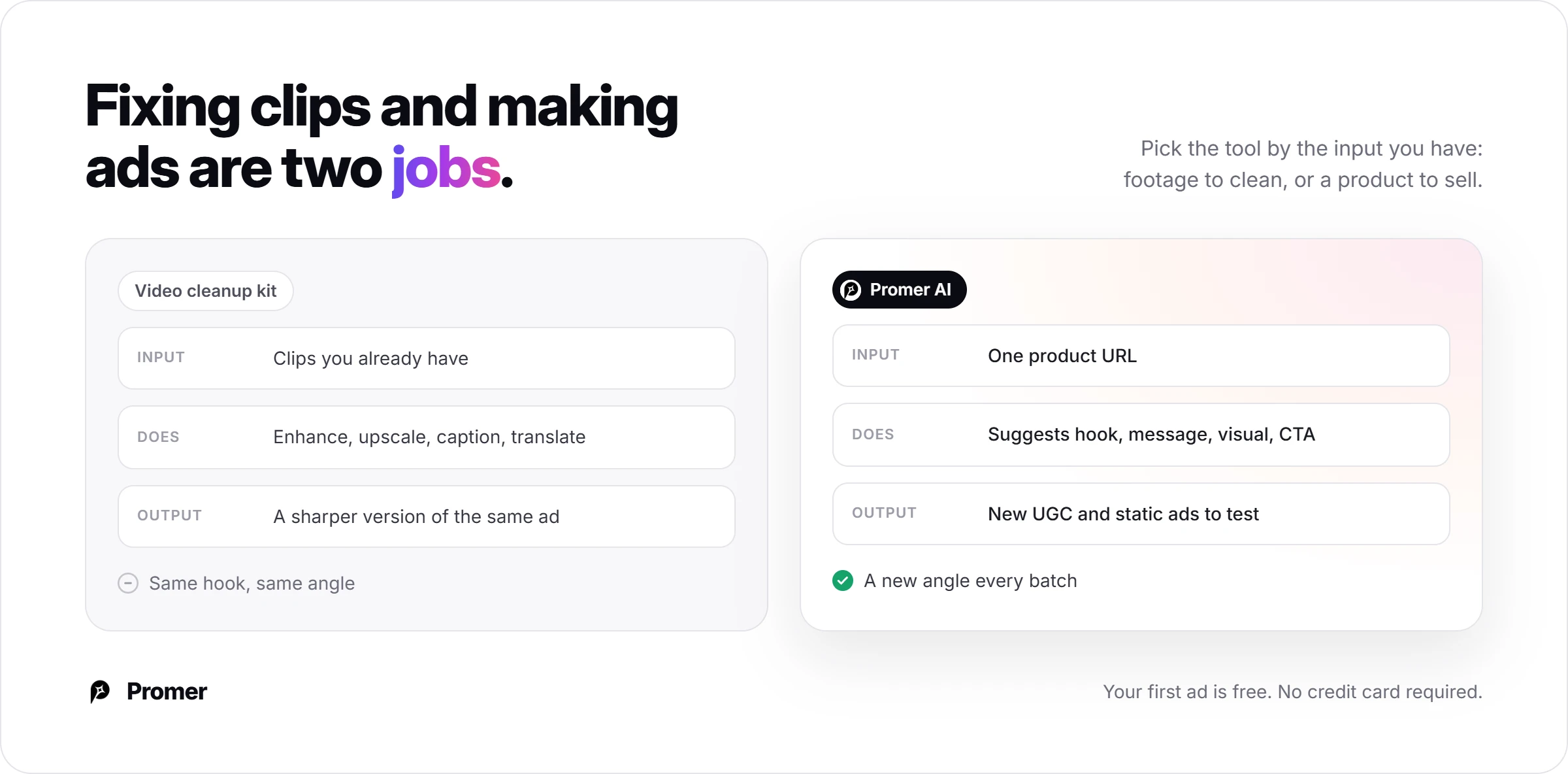
If the job is a steady supply of product ads to test, an AI advertisement generator built around product context is the closer fit. You can create your first ad free, with no credit card. Like any AI output, Promer AI's creatives can contain mistakes, so review each one before it runs.
Vmake review verdict: A cleanup kit now, not yet an ad engine
Buy Vmake Plus if you have footage to fix: blurry supplier clips, ads to translate and phone video that needs captions. Skip it if you need to know what each generated UGC ad costs before you commit. Wait on Pro until you have hit the 10-files-a-day cap more than once.
Your next 30 minutes: sign up free, spend the 20 daily credits on 1 generation in whichever workflow Free allows, and write down the balance before and after. That number tells you whether the generation side is worth $9.99 to you.
In month 1, screenshot your renewal date and check that every video you run came from your own footage or a paid plan.
FAQ
Is Vmake legit?
Yes, Vmake Labs is a real product from Starii Tech Pty Ltd, with a public pricing page and terms last modified June 1, 2026. Trustpilot shows 4.2 out of 5 from 969 reviews as of October 12, 2026. The recurring complaints are about cancelling and renewal billing, so confirm the cancel path before you pay. Vmake was formerly called Vmake AI and lists [email protected] for customer support.
What do Vmake reviews say?
Vmake reviews are mostly positive: 75% of 969 Trustpilot reviews give five stars and 11% give one. Reviewers praise watermark removal, video enhancement and an easy interface. One-star reviewers mostly describe trouble cancelling, unexpected renewals and refused refunds. Vmake replies to 63% of negative reviews, typically within 48 hours.
How much does Vmake cost?
Vmake costs $0 on Free, $9.99 a month on Plus and $29.99 a month on Pro. Plus includes 1,000 credits a month and 10 cleanup files a day per tool. Pro includes 4,500 credits and 50 files a day. Yearly billing advertises up to 42% off. Credits are listed per plan, so measure the cost of 1 generated video on the free credits.
Is Vmake free?
Vmake has a free plan with 20 credits a day that expire daily, but output carries a watermark and commercial use isn't included. Vmake's pricing table also caps video editing export at 720p on Free and leaves out tools such as the background remover and upscaler. Use the free plan to sample 1 generation, not to make ads you will run.
Can I use Vmake videos in paid ads?
Yes, on a paid plan: Vmake's terms license subscriber output for online advertisements and social media. Without a subscription, the terms limit use to personal and non-commercial purposes. The paid license excludes product packaging, labeling, merchandise and print media. You are also responsible for not running content whose ownership markings were removed.
Is it legal to remove watermarks with Vmake?
Removing someone else's ownership marks breaks Vmake's own terms, so use the watermark remover only on footage you own or license. Section 4 of the terms, last modified June 1, 2026, bars content with intellectual property markings that were "deleted or removed." Vmake says the tool can strip TikTok, Sora and Kling marks, so the responsibility for what you remove sits with you.
Does Vmake use my videos to train AI?
Vmake's UGC video page says it doesn't use your content to train public models. Its exact words are "We don't use your content to train public models." If your footage is under a supplier's confidentiality terms, confirm the training terms with [email protected] before you upload.
How do I cancel Vmake?
Cancel where you bought: Vmake's terms point iOS purchases to Apple ID settings and Android purchases to the Google Play subscriptions page. Several Trustpilot reviewers say they could not find a working cancel option for web plans. Screenshot your renewal date, set a reminder 2 days before it, and email [email protected] if the option does not appear.
Is there a Vmake alternative built for ad creative?
Promer AI is an alternative if your goal is ad creative built from a product page instead of footage cleanup. Promer AI reads the product URL, then generates static and video ads, including AI UGC Ads in 5 formats. It doesn't offer video enhancement or translation, so pair it with an editor if you need those.
Reference Sources
- Trustpilot. (2026). Vmake.ai reviews. https://www.trustpilot.com/review/vmake.ai
- Vmake Labs. (n.d.). Vmake Labs: Ultimate viral AI social video studio. https://vmake.ai/