Promo.com Review: Is Template Video Still Worth It in 2026?
Category
Blogs
Date
Authored by
Huy Tran Quoc
Summary
Promo.com review: Basic at $29 can't download PromoAI videos, Standard costs $708 upfront. What templates, stock and the 7-day refund mean for your ads.
This Promo.com review is for you if you sell products online, want social videos without a shoot, and are about to pay for a plan.
Promo.com's $29 Basic plan cannot download a single PromoAI video. The first plan that can is Standard, at $708 paid upfront for a year or $119 month to month.
Promo.com is worth paying for as a licensed-stock social calendar, and a poor fit as the place you build and test product ad hooks.
I checked Promo.com's pricing page, FAQ, PromoAI page, Terms and review profiles between October 9 and 12, 2026. Skip to the pricing section for the numbers, or to the disagreements section to see which Promo.com page to believe.
Why you can trust this Promo.com review
This review rests on public sources: Promo.com's pricing page, FAQ, PromoAI page, About page, templates page and Terms of Service, plus Trustpilot and the Shopify App Store. I read each between October 9 and 12, 2026.
Where a figure comes from Promo.com, I say so. The cost per PromoAI video is my own arithmetic from its published prices.
Key takeaways
Basic is a template plan. It costs $29 a month billed yearly or $59 monthly, and PromoAI downloads start on Standard.
Unused PromoAI videos reset. Standard includes 30 a month and Pro includes 300, and the pricing FAQ says unused ones do not carry over.
Your first download ends the refund. The 7-day money-back guarantee stops once you download, publish or schedule a video.
Promo.com's own pages disagree on Basic resolution, premium clip counts, library size and rollover. Screenshot your checkout before paying.
Reviewers split on billing, not on the editor. Trustpilot shows 4.0 from 1,064 reviews (October 12), and low ratings center on renewals and refunds.
What Promo.com is in 2026: a 2016 template platform with AI on top
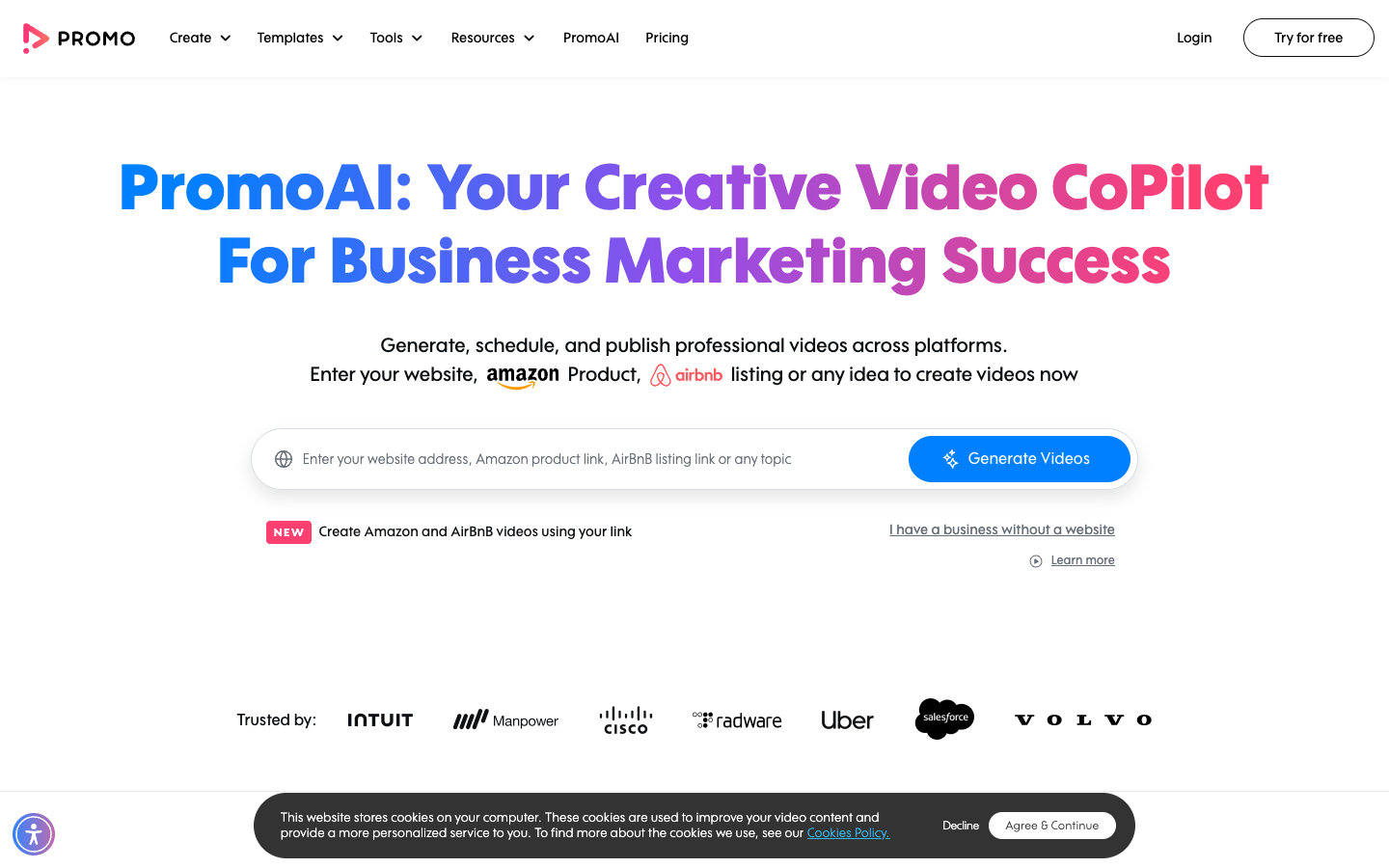
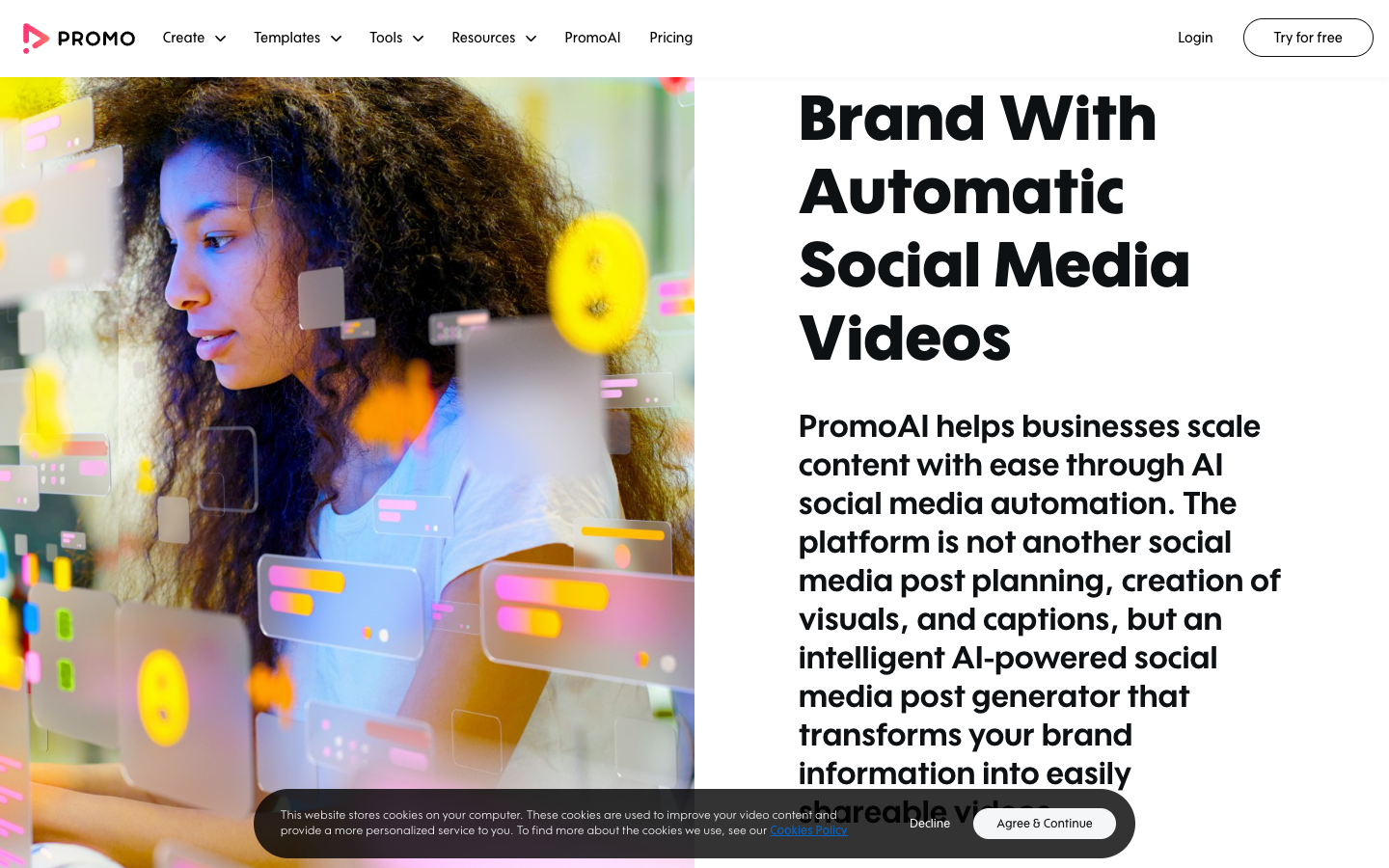
Promo.com is a browser video maker built on ready-made templates, a licensed Getty Images and iStock stock library, and a social publishing calendar. Its AI layer, PromoAI, sits on top: you give it a website, and it returns up to 30 branded social videos.
From Slidely slideshows to PromoAI
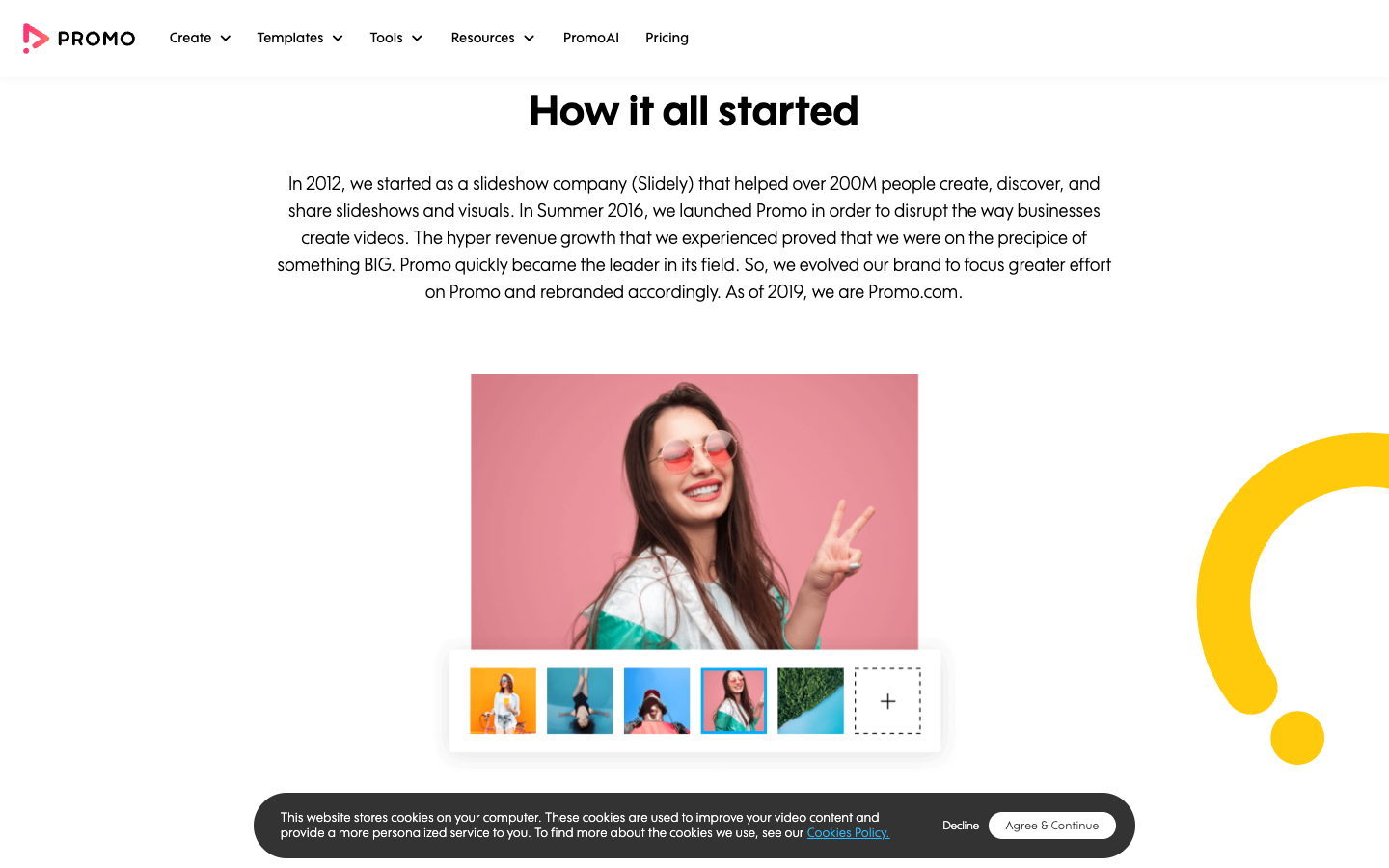
The company started in 2012 as Slidely, a slideshow tool, and launched Promo in summer 2016. The brand became Promo.com in 2019. Its About page counts 1M businesses, 60M videos created and 209 countries, figures Promo.com publishes with no method attached.
That history explains the pricing: Promo.com added AI to a template business, and its plans still follow the template job. The Terms of Service name Promo AI Marketing Ltd. as the operator, but none of its pages claim, with a measured number, that Promo.com videos sell more product.
Inside PromoAI: how 30 videos come out of one website address
PromoAI is the part of Promo.com that generates videos instead of waiting for you to fill a template. The steps below follow its page, which promises up to 30 branded videos in one click and describes a 4-step flow.
Step 1: Give PromoAI a website address
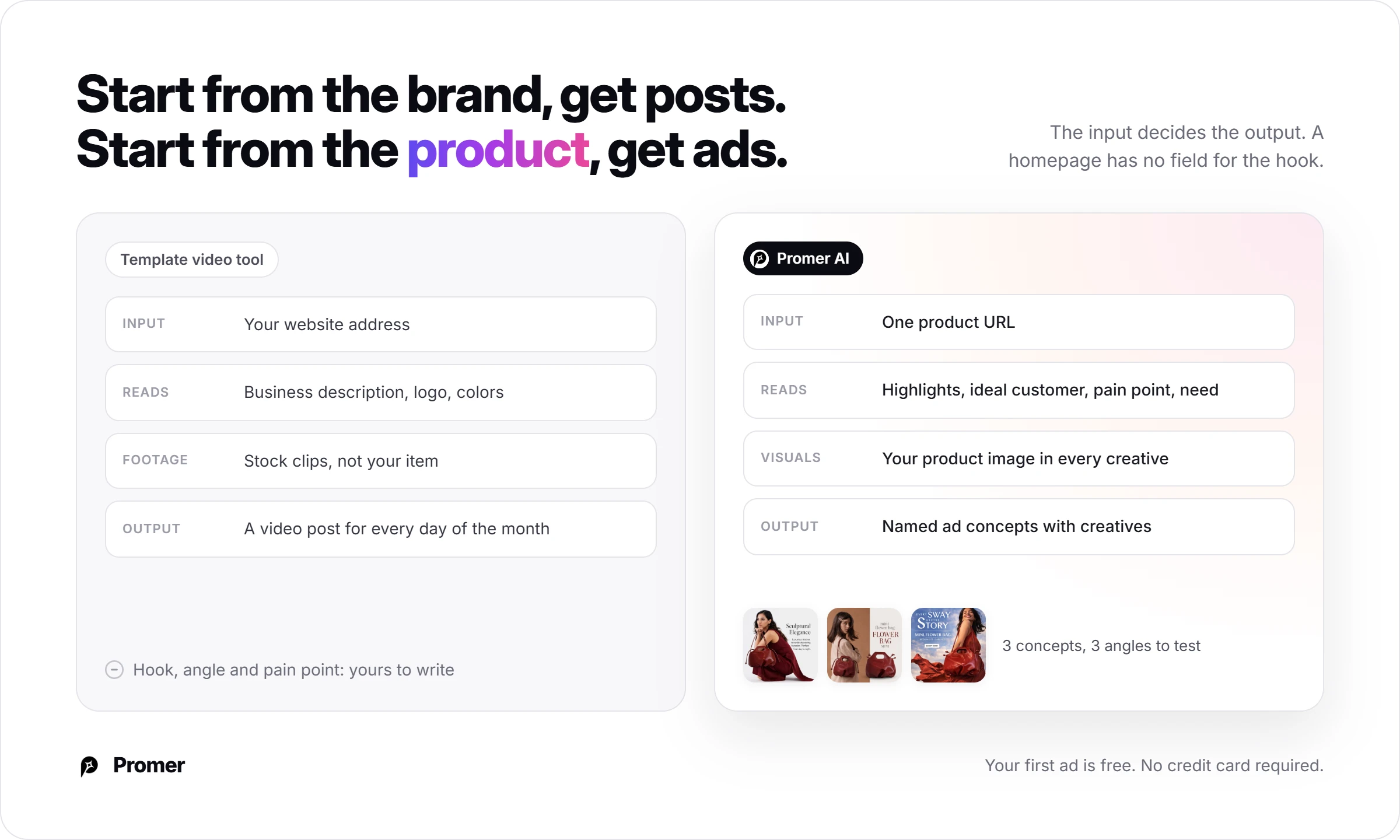
PromoAI starts from your website. It retrieves your business description, logo and brand colors automatically, according to Promo.com. The homepage adds 2 other entry points: an Amazon or Airbnb link, and a button for a business without a website.
For a store owner, the input describes your brand as a whole, and the item you want to sell this week gets no field of its own. A homepage that leads with an old sale banner may carry that into every video.
Step 2: Edit the business description
At this step, PromoAI asks you to review, edit and confirm the description. Promo.com's pages describe no separate product, offer, audience or hook field in the flow.
The page says more detail gives better output, which makes this text box your brief. Cover 4 points, which is my suggestion and not Promo.com's. Name the one product you want videos about this month, the offer with its end date, who buys it, and one claim you can prove.
Scenario: you sell soy candles, Black Friday falls on November 27, 2026, and you want videos for one product. A description written to those 4 points looks like this:
We sell hand-poured soy candles. This month: the 3-wick Cedar Night candle. Offer: 25% off until November 30. Buyers: people shopping for a host or coworker gift. Proof: 45-hour burn time, poured in batches of 40.
PromoAI's homepage describes chat edits, so the first round of changes is where you steer the hook. Change one thing at a time, such as the gift angle, the offer line or the proof claim.
Because the footage is stock, none of it will show your actual candle, so swap in your own product clips before a video goes into your ad account.
Step 3: Let PromoAI generate up to 30 videos
Promo.com says each video combines copy, footage, music and branding, with footage drawn from Getty Images and iStock. The page shows 5 video types: Inspirational Videos, Sales Videos, Listicles, Holiday Greetings and Social Media Holidays.
Only 1 of those 5 types is a sales format, so PromoAI is a posting tool first and an ad tool second. The FAQ confirms it: PromoAI produces a video post for every day of the month.
Step 4: Edit, then publish or schedule
Promo.com says you can edit texts, replace footage or music, and adjust colors in its editor, and the homepage adds chat edits. Posts go out with auto-generated titles, descriptions and tags.
Publishing is Promo.com's strongest listed feature. The pricing page lists direct publishing to Facebook (including an ad account), Instagram, YouTube, TikTok and X, so one video reaches 5 networks without a re-upload.
Its pages describe no way to pull ad results, click-through rate or ROAS back into the tool, so you read results in Ads Manager.
Promo.com templates and stock: What 5,000 layouts and 275M clips buy?
The template library and the stock catalog are what Promo.com sold before PromoAI existed, and they are what the Basic plan buys today.
The Promo.com template library: 5,000+ layouts, labeled by season
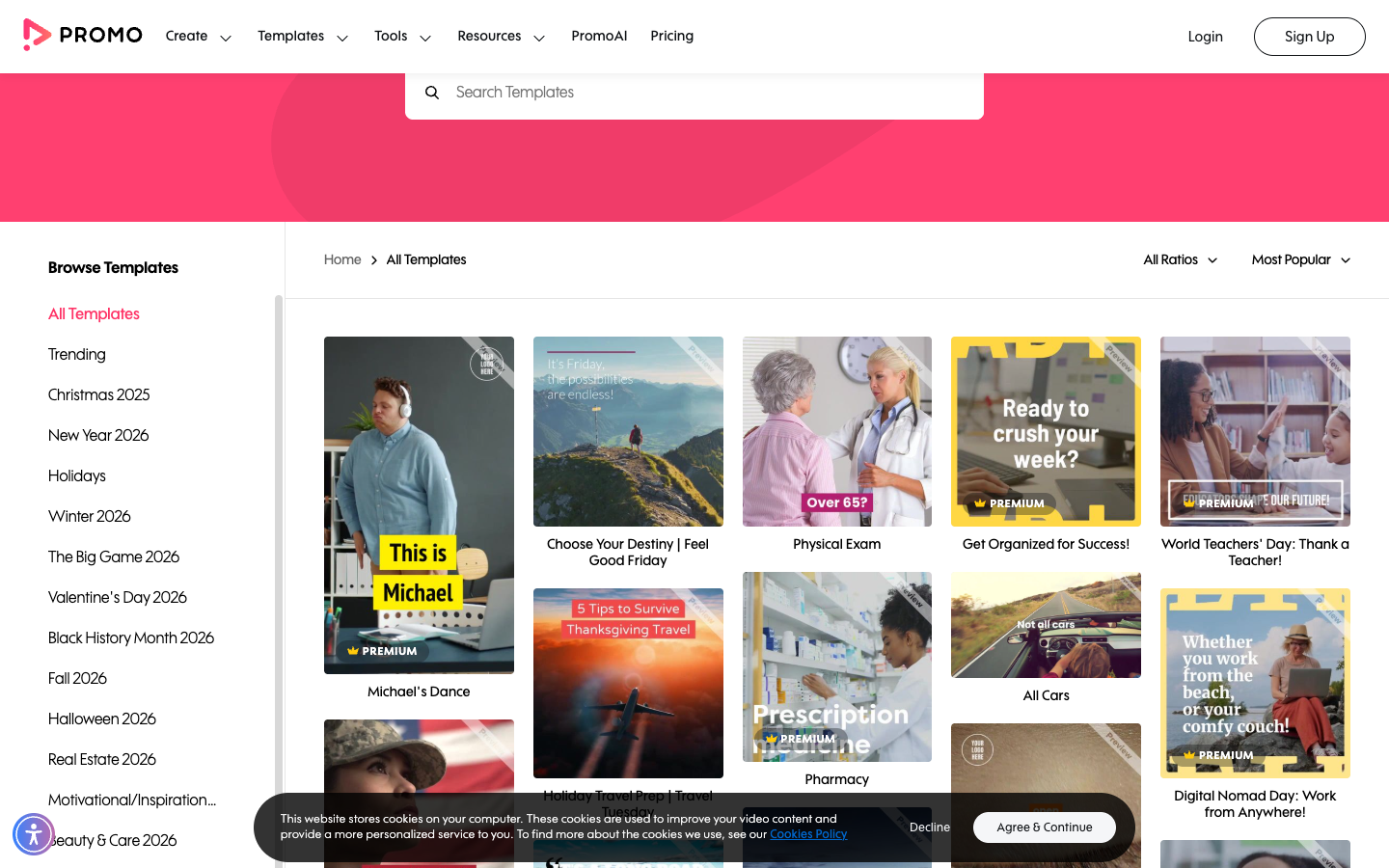
The pricing page promises weekly template updates, with 3,000+ templates on Basic and 5,000+ on Standard, Pro and Business. On October 9, 2026, the templates page listed sets such as "Christmas 2025" and "Black History Month 2026" next to "Fall 2026" and "Halloween 2026."
Check the year on a seasonal set before you build a campaign on it. The Black Friday & Cyber Monday set carried a 2025 label on that date, and a layout labeled for a past season can feel dated.
The limit is that a template is shared: any other Promo.com account can publish the same layout, and Promo.com publishes no data on how its templates perform as ads.
Promo.com stock footage licensing and the editorial catch
Promo.com's pricing table lists 275M+ premium stock clips from Getty Images and iStock, then rations them. Premium clips run 10 a month on Basic, 300 on Standard and 3,000 on Pro, per the same table. Free media adds 140K videos and 1.4M photos.
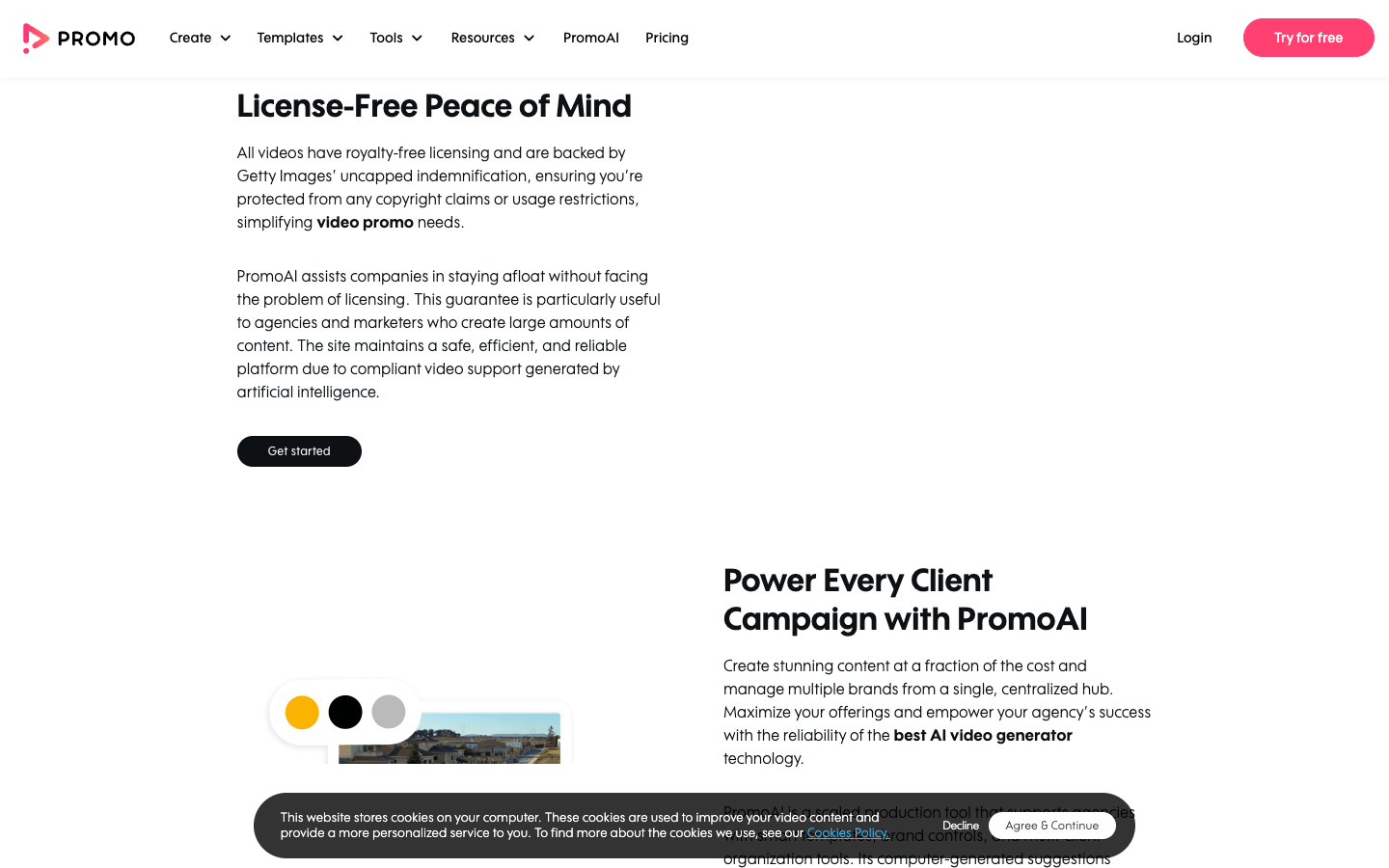
The homepage says all videos are backed by Getty Images' uncapped indemnification. That is Promo.com's description of its license cover, so read the Terms before you rely on it for a paid campaign.
The catch is editorial content. Promo.com's FAQ says editorial footage covers sports, celebrities and major news events, "cannot be used to sell or promote something," and can appear inside ready-made templates. For an ad, run the library's editorial filter on any template you plan to put spend behind.
Stock footage and generated footage share one problem for product ads: neither shows your exact item. Promo.com lets you upload your own videos, photos and music, with 2 GB of storage on Basic, 10 GB on Standard and 50 GB on Pro.
Promo.com pricing: what Basic, Standard and Pro buy in PromoAI videos
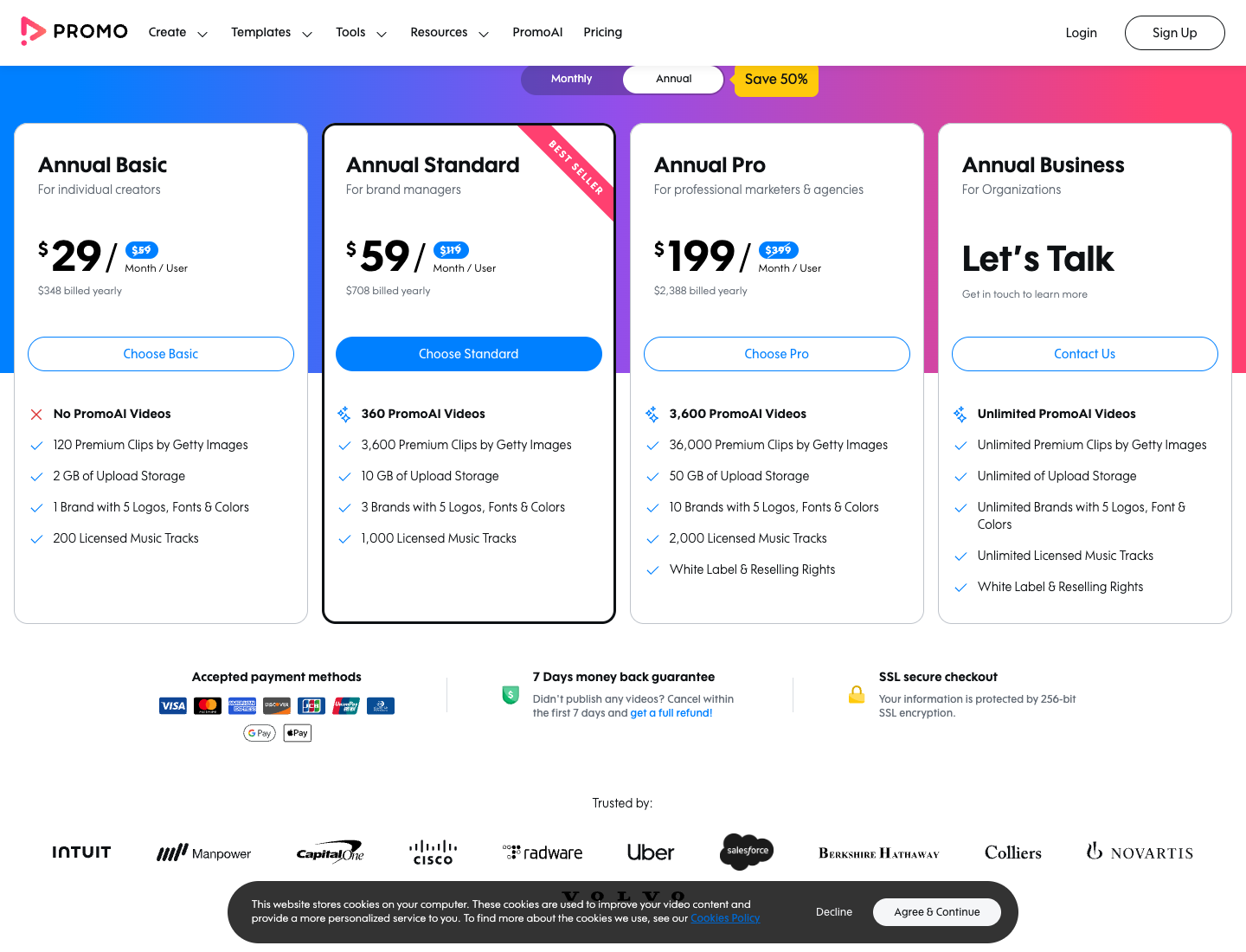
Promo.com pricing has 4 tiers, sold per user, and the annual price is about half the monthly one. Notice the PromoAI column first, because it decides which plan you need. On October 12, 2026, the pricing page listed:
Promo.com plan
Billed yearly
Billed monthly
PromoAI videos a month
Premium clips a month
Brands
Basic
$29 a month ($348 a year)
$59
Preview only
10
1
Standard
$59 a month ($708 a year)
$119
30
300
3
Pro
$199 a month ($2,388 a year)
$399
300
3,000
10
Business
Contact sales
Contact sales
Unlimited
Unlimited
Unlimited
On Basic you can explore PromoAI and preview the generated videos, the FAQ says, but downloading or publishing them takes Standard or Pro. So the cheapest plan that puts a PromoAI video in your ad account is $708 upfront, or $119 for one month.
What one PromoAI video costs on each Promo.com plan
The table below divides each plan price by its PromoAI quota. The arithmetic is mine, from the pricing page:
Plan and billing
Price
PromoAI videos
Cost per video if all are used
Standard, yearly
$708
360
$1.97
Standard, monthly
$119
30
$3.97
Those figures assume you download every video. The pricing FAQ says unused PromoAI videos do not carry forward to the next billing cycle, unless you upgrade.
Say you keep 10 of Standard's 30 monthly videos, each one costs $11.90 on monthly billing.
The pricing table marks unlimited video downloads on every paid plan, with a note that PromoAI videos are not included. Videos run up to 5 minutes on every plan and export in wide, square or vertical formats, according to the pricing table.
For template work, that makes Basic the cheapest unlimited plan: $348 a year for as many template exports as you can edit. The trade is 10 premium clips a month, 2 GB of storage and 1 brand.
Free accounts can build as many video drafts as you want, the FAQ says, with no credit card required. You are sent to a plan only when you download, and no time-limited free trial appears on the pages I read. Downloaded videos carry no Promo.com watermark, per the FAQ.
Promo.com billing rules: annual lock, renewal and the 7-day refund
Annual plans are paid upfront in one installment. The FAQ says they run on a 1-year cycle with cancellation available for the following year, so cancelling stops the next renewal while the current year runs to its end.
The money-back guarantee lasts 7 days. You get a refund only if you "did not download, publish or schedule videos," so downloading one test video ends it.
Monthly plans can be cancelled at any time on the Billing page, or by email to [email protected] before renewal. Build drafts on a free account, then pay monthly for the first cycle before you commit $708.
5 places Promo.com's own pages disagree, and which to trust
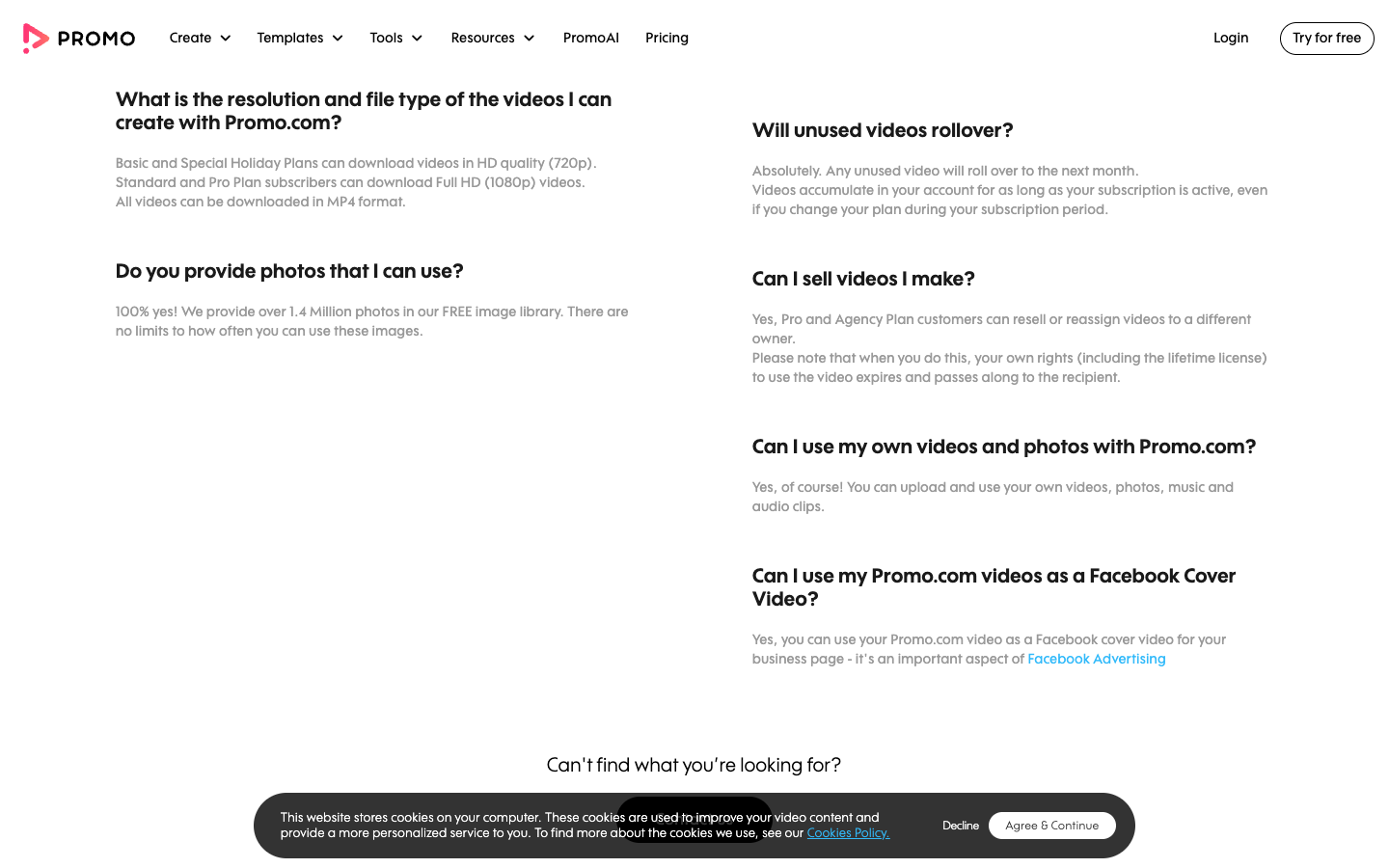
Promo.com's pricing page, FAQ and Terms of Service give different answers on at least 5 points that change what you pay for. The pricing page is the one your checkout follows, so treat it as the default and confirm the rest in writing. The rows below compare it with the other documents:
Question
Pricing page
Other Promo.com page
Basic export resolution
1080p on every plan
FAQ: Basic downloads in HD 720p
Basic premium clips
10 a month
FAQ: 3 a month; Standard and Pro unlimited
Stock library size
275M+ from Getty and iStock
FAQ: 15M+ and over 100 million
Unused videos
PromoAI videos reset each cycle
FAQ and Terms: unused videos or credits roll over
Starting price
Basic at $29 a month billed yearly
Pricing FAQ: PromoAI begins at $59 per month
The resolution row is the one that costs money: a 720p export on a 9:16 Reel shows less detail than 1080p, and Basic is the template plan. Checking the file means downloading it, and downloading ends the 7-day refund. Ask [email protected] in writing before you pay.
When you cancel, or Promo.com cancels your plan, "you lose all video credits you amassed in your account," per the Terms. Download what you need before the last billing date.
Promo.com for ecommerce ads: Where template video fits and stops?
Promo.com fits a store's posting calendar better than its ad testing loop. The difference shows in what each part of Promo.com asks you for: a website, a template, a season.
Where Promo.com fits an online store?
Scenario: Black Friday is 7 weeks out, and every post, story and short ad for the sale has to exist before the week starts.
That job suits Promo.com. Dated templates, licensed music and direct publishing to Facebook, Instagram, TikTok, YouTube and X cover the volume. PromoAI fills the days between campaigns with holiday greetings and listicles.
The same holds for small business video ads made without an in-house marketing team. Promo.com's Shopify app, Promo Video Maker, is listed as free and holds 4.8 out of 5 from 229 reviews on the Shopify App Store (checked October 12, 2026). The homepage also shows an Amazon link option.
Where Promo.com stops for paid social testing?
Scenario: your best Meta ad fatigued in week 2, and you need 5 new hooks for the same product by Friday.
Promo.com's inputs are a website, a business description and a template. The pages I read show no field for the hook, the angle or the buyer's pain point.
None mentions 4:5 for the Meta feed, AI avatars, UGC ads or AI voiceover. Promo.com changes how an ad looks, and leaves the creative testing plan (which claim, which hook, which offer) to you.
Promo.com pros and cons, from its pricing page and terms
Getty Images and iStock footage, with commercial use for online advertising on paid plans
Direct publishing to a Facebook ad account, Instagram, YouTube, TikTok and X
A lifetime license: downloaded videos stay yours after you cancel, per the FAQ
Quick to learn: Trustpilot reviewers call it "easy to use as well as quick" and praise support
PromoAI downloads start at $708 a year or $119 a month
Annual plans run their full year; cancelling stops only the next one
Editorial footage sits inside templates but cannot be used to sell
Reviewers report limited footage for technical industries, and say clips are not easy to adjust
Promo.com reviews: What Trustpilot and Shopify reviewers say?
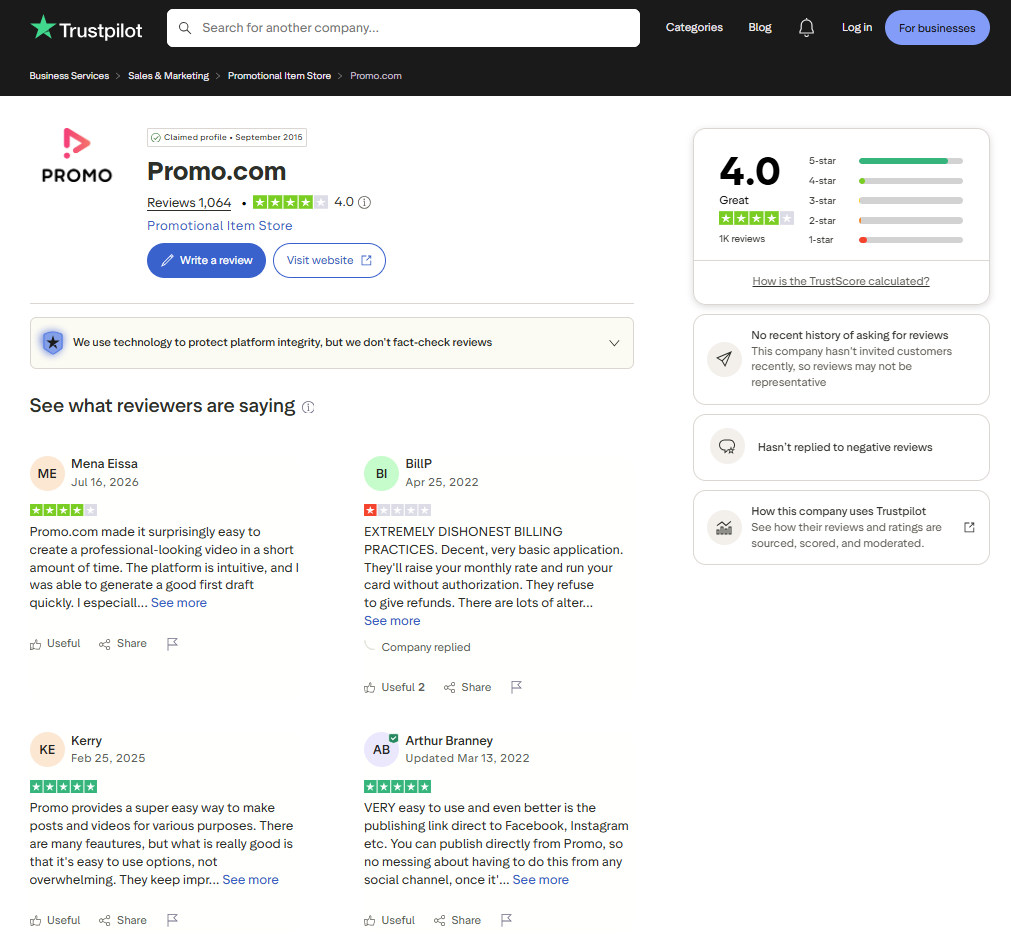
Promo.com holds a 4.0 TrustScore from 1,064 reviews on Trustpilot, with 86% at 5 stars and 7% at 1 star (checked October 12, 2026). Trustpilot notes the company has not recently invited customers to review, so the mix may not represent every user.
The praise is about speed and support. Reviewers call Promo.com quick to learn, say the footage is real Getty Images clips, and one small business owner calls it affordable.
The complaints match the billing rules above. Recent and older 1-star reviews describe an annual renewal with no notification, charges after a cancellation, and refused refunds. A 3-star reviewer from 2026 wanted more technically credible footage for a technical industry, and a 4-star reviewer wanted the AI to follow the prompt more closely.
On the Shopify App Store, Promo Video Maker holds 4.8 out of 5 from 229 reviews, with 81% at 5 stars and 4 one-star reviews (checked October 12, 2026). Visible reviews praise templates and an intuitive interface, and one asks for links back to the store from the video.
Read both ratings together: the editor earns good scores, and the risk sits in how you buy. Set a calendar reminder before an annual renewal date, and keep your checkout screenshot.
Who Promo.com fits, and who should skip it
Promo.com fits a store whose bottleneck is posting volume. Buy Promo.com when these four describe you:
You post to 3 or more social networks every week and want one place to schedule them
You need licensed stock and music without booking a shoot
Your calendar runs on dated moments: holidays, sales, seasonal drops
You will keep using templates after month 1, so unlimited downloads earn back the subscription
The reasons to skip it are about product ads more than social posts. Skip Promo.com, or wait, when any of these is true:
You need new hooks for the same product every week for Meta ads
You want UGC-style video with an AI avatar or AI voiceover
You run most spend on 4:5 feed placements
You want to test PromoAI before paying, but Basic cannot download it and monthly Standard costs $119
The template lesson: a Promo.com layout is a format, not a test
A Promo.com template decides how a video looks, while the claim, the first line and the offer come from you.
When 10 videos share one claim and differ only in template, your ad account is testing 10 looks of one idea. Before you export a template video for paid social, write down its 4 variables, then change one per test while the template stays fixed:
Hook: the first line or first 3 seconds
Claim: the one benefit the video sells
Offer: the discount or reason to act now, with its end date
Format: 9:16, 1:1 or 4:5, matched to the placement
Promo.com alternatives for ecommerce video ads
Each route below covers a different part of what Promo.com does, and none matches its Getty library plus publishing to 5 networks in one bill. Prices were checked on the dates shown:
Tool
Starts from
Input
Best for
Checked
Promo.com
$29 a month billed yearly
Website and templates
Licensed-stock social calendar
Oct 12, 2026
CapCut
Free; Pro $19.99 a month (US page)
Your own clips
Cuts, captions and resizing
Oct 12, 2026
Renderforest
Lite $8 a month billed yearly
Templates plus AI models
Template video on a small budget
Oct 9, 2026
invideo AI
Starter $20 a month ($10 billed yearly)
A prompt
Prompt-to-video with timeline edits
Oct 12, 2026
Promer AI
Free first ad, no card
A product URL
Product ad creative to test
Oct 12, 2026
CapCut, the free editor baseline
CapCut's free plan fits cuts, captions and resizing on your own product clips.
Its US pricing page, checked October 12, 2026, lists Pro at $19.99 a month, with free templates and basic editing available without it. Pick CapCut over Promo.com when your footage is your own. Skip it if you need licensed stock and a ready calendar of seasonal posts.
Renderforest, the cheaper template library with AI models
Renderforest is the closest like-for-like swap: templates first, with AI models such as Seedance, Kling and Veo added. On October 9, 2026 its subscription page listed Lite at $8 a month and Pro at $15 a month, both billed annually. That puts Lite under a third of Promo.com Basic.
Pick it for templates plus generated clips on a small budget. Skip it if Getty stock matters more, or if you need direct publishing to an ad account, which Renderforest's pages do not describe. My Renderforest review covers its plans in full.
invideo AI, the prompt-to-video route
invideo AI starts from a prompt instead of a template: it writes the script and adds visuals, voiceover and subtitles.
On October 12, 2026, its pricing page listed Starter at $20 a seat monthly or $10 billed yearly, with 400 credits. Pick it to write each ad as a prompt and finish it on a timeline. Skip it if you want fixed monthly video counts and Getty stock.
Promer AI, for ad creative built from product context
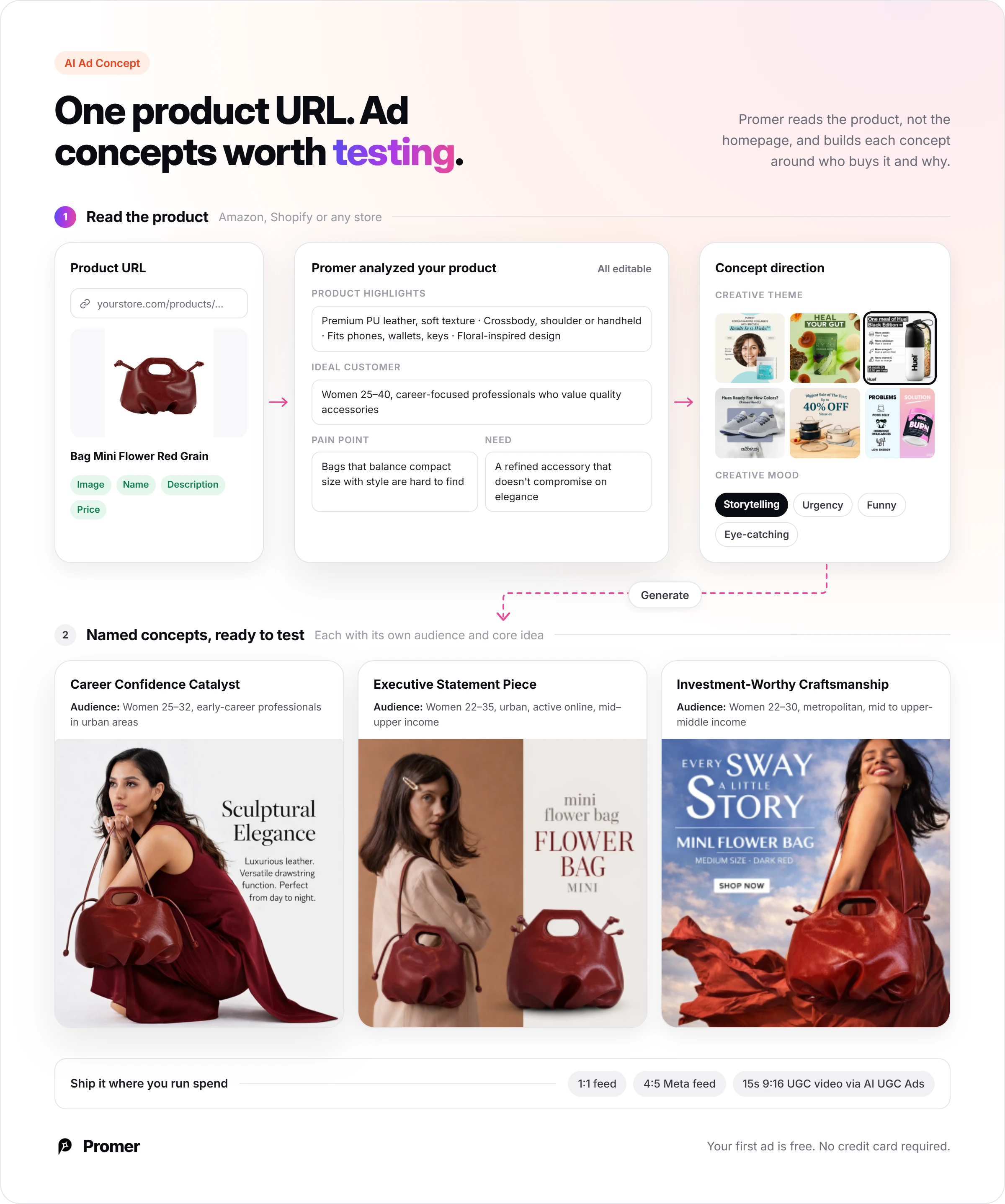
Promer AI is an AI ad creative performance platform for ecommerce advertisers, and it starts from a different input than PromoAI. You paste a product URL from Amazon, Shopify or any store, and Promer AI extracts the product image, name, description and price.
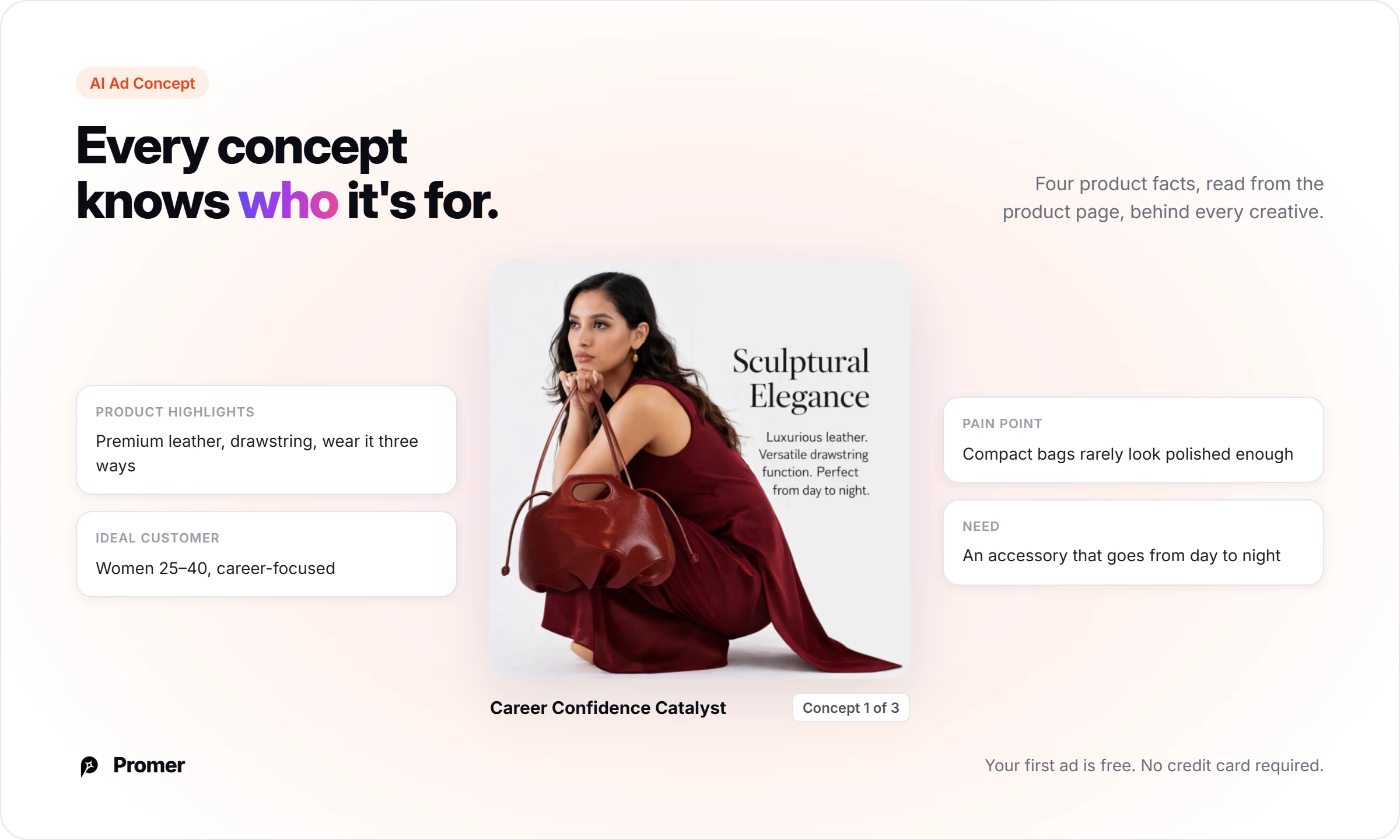
Promer AI's AI Ad Concept reads that product and drafts Product highlights, Ideal customer, Pain point and Need, all editable. You pick a creative theme and mood, and it generates several named concepts with creatives.
For video, AI UGC Ads makes 15-second 9:16 videos with an AI avatar and AI voice, and static output includes 4:5 for the Meta feed.
Promo.com does what Promer AI does not attempt: 5-minute videos and a 275M+ Getty library. Like any AI output, Promer AI creatives can contain mistakes, so review each one before spend goes behind it.
If the job is a steady supply of product ads to test, an AI ad generator built around product context is the closer fit. You can create your first ad free, with no credit card required.
Promo.com review verdict: a social calendar, priced like one
Buy Promo.com if you post to several networks every week, want licensed stock without a shoot, and will use the templates past month 1. Skip it if your bottleneck is new hooks for one product every week, because PromoAI starts from your website and templates change how an ad looks.
Next step: open a free Promo.com account and build 3 drafts from the eCommerce & Online Stores templates with your own product clips. Run the editorial filter on each, and download nothing until you decide, since a download ends the refund.
FAQ
How much does Promo.com cost per month?
Promo.com costs $29, $59 or $199 per user a month on annual billing, and $59, $119 or $399 on monthly billing.
Those are Basic, Standard and Pro on the pricing page, checked October 12, 2026, and Business is priced on request. Annual plans are paid upfront at $348, $708 or $2,388. PromoAI downloads start on Standard, so the cheapest plan with AI videos is $708 a year or $119 a month.
Can I cancel Promo.com and get a refund?
Promo.com refunds within 7 days only if you did not download, publish or schedule any video.
Monthly plans cancel any time from the Billing page, or by email to [email protected] before renewal. Annual plans run their full year, with cancellation applying to the following year. Videos you already downloaded keep a lifetime license after you cancel, according to the Promo.com FAQ.
What is PromoAI?
PromoAI is Promo.com's AI tool that turns your website into up to 30 branded social videos.
PromoAI pulls your business description, logo and brand colors, then assembles copy, Getty and iStock footage, music and branding. On Basic you can only preview the results. Standard includes 30 PromoAI downloads a month and Pro includes 300, and unused ones reset each billing cycle, according to the pricing page FAQ.
Is Promo.com legit?
Yes, Promo.com is an established company with published terms, selling video tools since 2016.
Promo.com began in 2012 as Slidely, and its Terms of Service name Promo AI Marketing Ltd. as the operator. Trustpilot shows 4.0 from 1,064 reviews (October 12, 2026), with 7% at 1 star, mostly about renewals, cancellation and refunds. Read those reviews before an annual purchase.
Is Promo.com or Promer AI better for product ads?
Promer AI fits product ad testing better, and Promo.com fits a licensed-stock social calendar better.
Promer AI starts from a product URL and builds concepts from the product's highlights, ideal customer, pain point and need. Promo.com starts from your website and its templates, and its strengths are Getty stock, 5-minute videos and publishing to 5 networks. If your store needs both jobs done, the two tools barely overlap.
Reference Sources
Promo.com. (n.d.). About Us. https://promo.com/about
Promo.com. (n.d.). AI Video Maker for Business. https://promo.com/
Huy Tran Quoc is the Head of Product Management at Promer AI, part of FireGroup Technology, where he leads product strategy and execution across a cross-functional team spanning product, engineering, design, QC, customer success, and prompt engineering.
Over the past decade, Huy has progressed from Product Manager to Senior Product Manager to product leadership, working at EngineThemes, Zalo, TIKI Corporation, and now FireGroup Technology, across ecommerce SaaS, social networking, marketplace, supply chain, and fintech.
At TIKI, Huy owned the strategic roadmap and P&L alignment for a multi-vertical portfolio and partnered directly with the C-suite to translate company vision into executable plans.