Do you film product videos on your iPhone at the kitchen table? Do you want 10 short ads a week without opening a desktop editor? Would an AI actor help on the days you can't face the camera?
Then this one is for you. Captions is built for a seller who works from a phone, and the plan you pick decides whether you get AI actors or a paywall.
This Captions AI review finds the app worth paying for if you edit on an iPhone and start on Max at $24.99 a month, since AI actors and AI Edit sit behind that plan. Max's 500 monthly credits cover about 1 week of 10 ads of 15 seconds. Below are the 5 lessons I would want before paying, then the details behind each one.
Why you can trust this Captions review?
I test ad tools the way a store owner would: one real product, one real campaign idea, and the free plan before any card goes in. Nobody paid for this review, and Captions did not see it before it went live.
On October 7, 2026, I signed in to captions.ai on a free account. I attached a photo of white over-ear headphones, picked an AI actor, and wrote a 15-second back-to-office ad brief. Everything after the paywall comes from Captions' own pricing page, help center, and App Store listing, checked the same day.
5 lessons from my Captions AI test
Here is what I would want to know before paying, in the order it hits your wallet:
- Free is a rehearsal room, not a studio. My avatar ad stopped at an "Unlock Mirage video" screen the moment I pressed generate. Use Free to pick an actor and polish the brief, then reuse that brief on day 1 of Max.
- You pay by the second, so script tight. Prompt to Video costs 16 credits per 6 seconds, about 40 credits or $2 on Max for one 15-second hook. A 30-second script doubles the bill, so count seconds before you write.
- The iPhone app is the product. AI Ads, the teleprompter, and eye contact correction run on iOS only. The web app lacks AI Ads and Android gets Captions Lite, so check who on your team owns an iPhone.
- Slow months can pay for launch week. Unused credits roll over up to 3 times your allowance, so Max can bank 1,500. Cancelling forfeits them all, so spend before you leave.
- Fixes cost credits too. Captions holds 4.7 out of 5 from 38K App Store ratings, and the paid complaint is credits spent fixing AI edits. Budget a second run for 1 in 2 avatar hooks.
What Captions AI is in 2026: An iPhone editor plus an avatar model
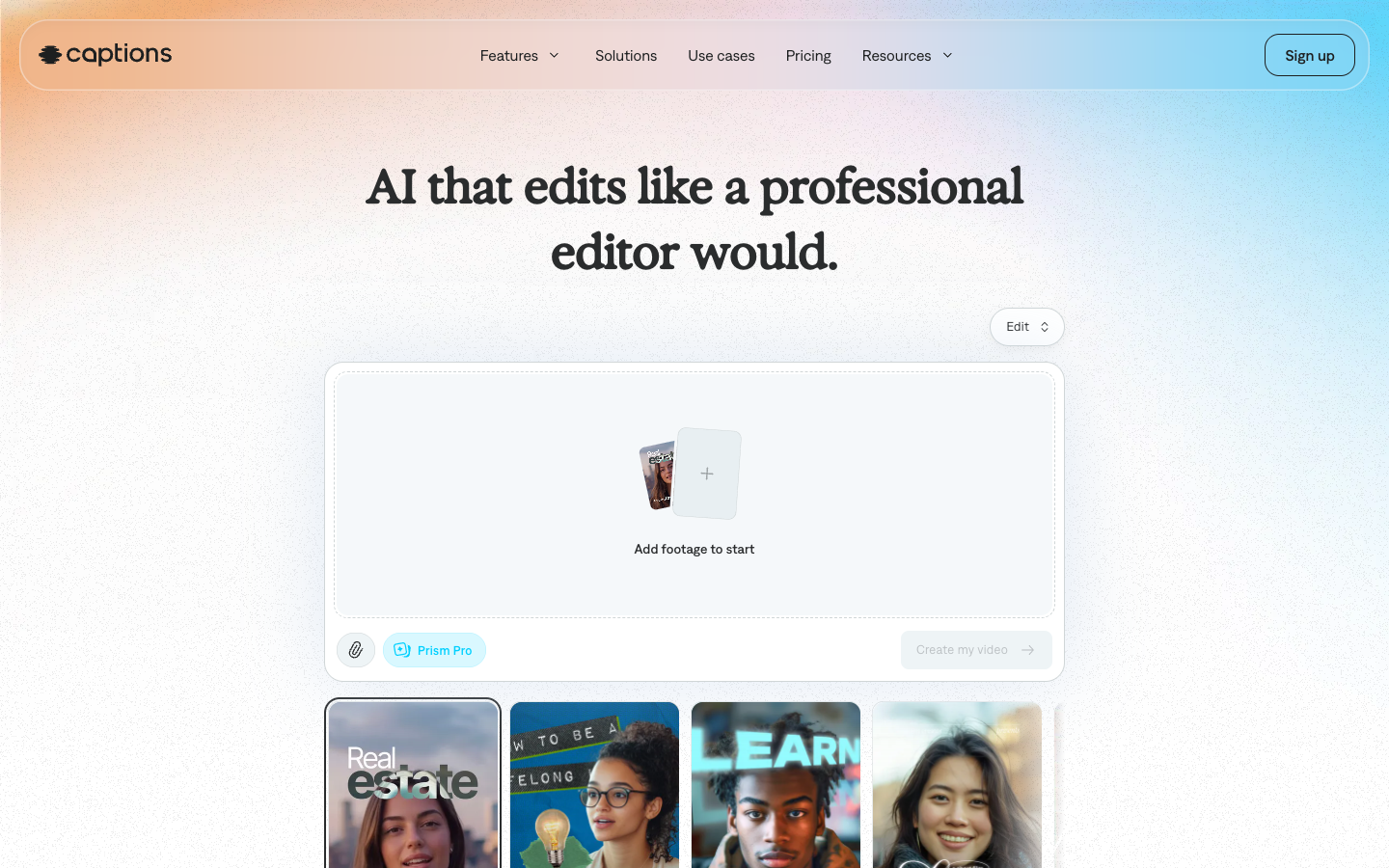
Captions AI is an iPhone-first video editor that now also generates talking avatar videos. The homepage calls it "an AI video generator and editor" and says over 20 million creators use it.
The footer of the Captions homepage names NOCAP, Inc. as the company doing business as Captions. The App Store listing says the app is "Built by Mirage," the video model behind Prompt to Video. Captions' blog announced Mirage Avatar X on July 28, 2026.
The editor half: AI Edit, trim, and eye contact correction
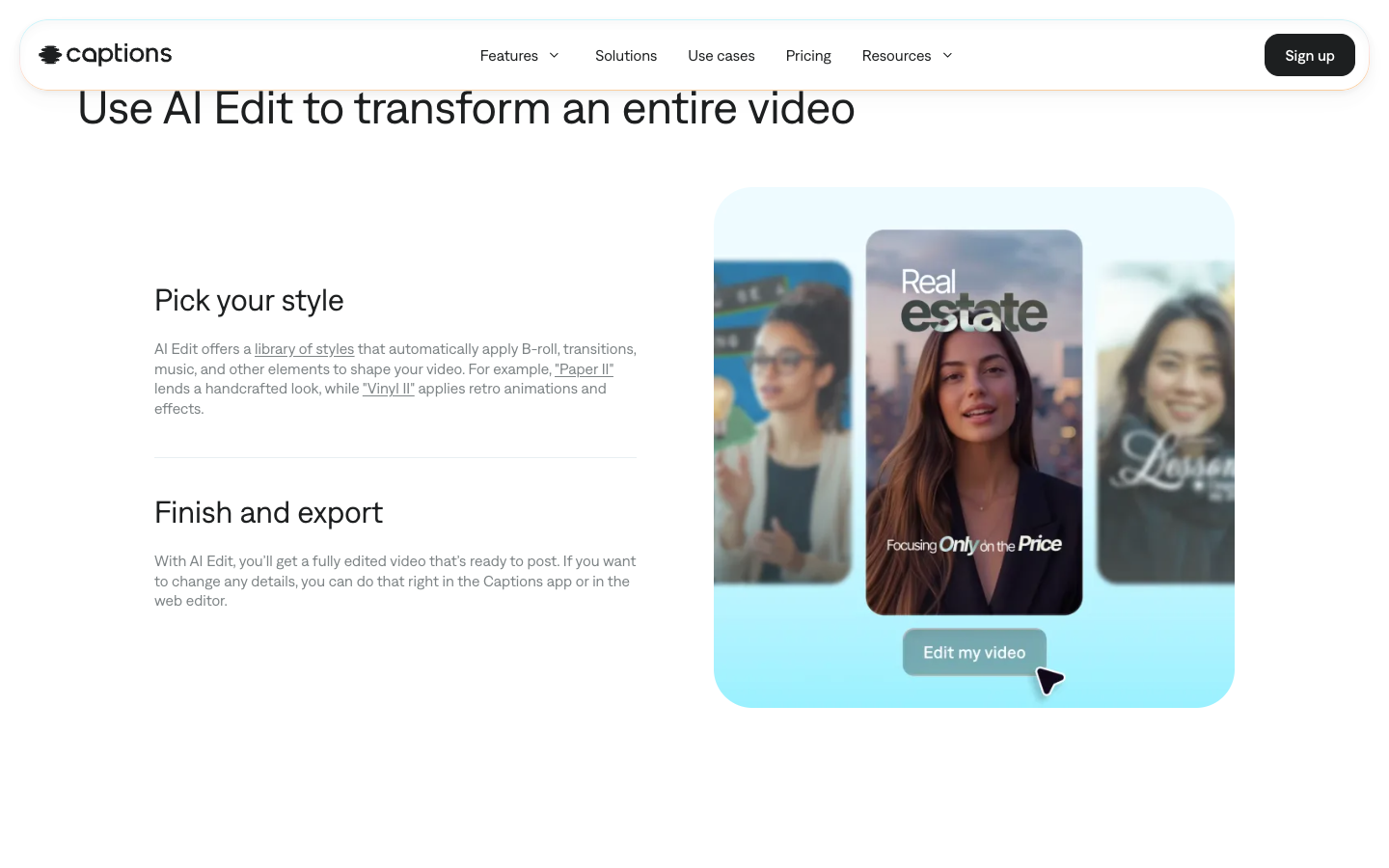
The editor half saves the footage you already shot. AI Edit applies one named style to the whole video, adding B-roll, transitions, and music. Captions' own examples are "Paper II" and "Vinyl II."
Around it sit the repair tools: Trim cuts pauses and filler words, Denoise strips background noise, and eye contact correction fixes a speaker who glances at notes. A chat editor takes typed instructions such as adding zooms or sound effects.
Subtitles cover 100+ languages on the site and 91+ on the App Store, and AI dubbing covers about 30. Test your target language in the app before you plan a second-market ad around it.
The generator half: Prompt to Video, AI Creator, and AI Ads
The generator half makes video without a camera. In Prompt to Video, "a Mirage-generated actor addresses the camera directly," per the help center. AI Creator turns a script of 10 to 800 characters into a talking video of up to 1 minute.
AI Ads is listed in the help center as "Generate UGC-style ads with ease for your product." AI Twin builds a digital version of you from a single selfie, per the App Store. The homepage says you can prompt an avatar's outfit, background, "or even product inserts."
Captions' ecommerce page shows the brief it expects: a sample prompt asks for a 30-second skincare serum ad that opens on "a bold hook about skin clarity." The angle and the claim come from you, so the brief is where your ad gets won or lost.
Captions AI review test: One product photo, one avatar, one paywall
Captions' web app lets you write the whole avatar brief for free, then asks for Max at the moment you press generate. Here is what I set up, so you can reuse the brief on day 1 of a paid plan instead of figuring it out while the credits run.
Scenario: you sell white noise cancelling headphones and want a back-to-office ad for commuters, 15% off in launch week.
The steps I took on captions.ai, signed in on the free plan:
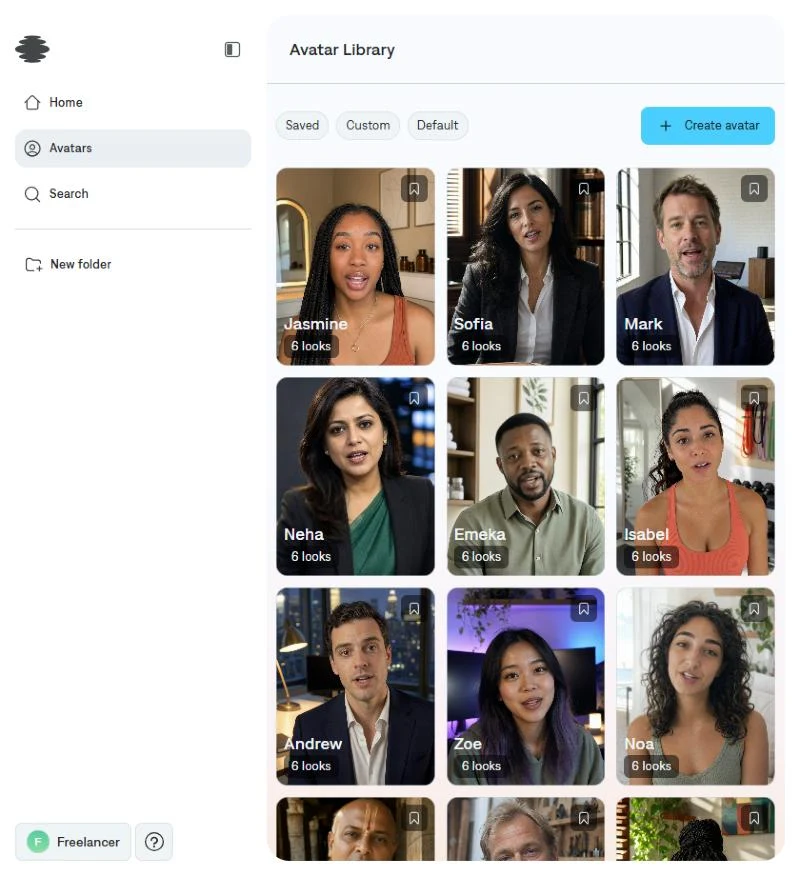
- Open Home and click Add avatar. You should see the actor grid with filters for Female, Male, Twin, and Saved.
- Pick an actor. I chose Jasmine, one of about 40 default actors, each with 6 looks. The prompt box changes to "What should your video be about?"
- Attach the product photo with the paperclip. The image sits above the prompt as the product insert.
- Type the brief below and click Create my video. On Free, an "Unlock Mirage video" screen opens with Max and Frontier plans.
The brief I wrote, split into the parts Captions needs to hear:
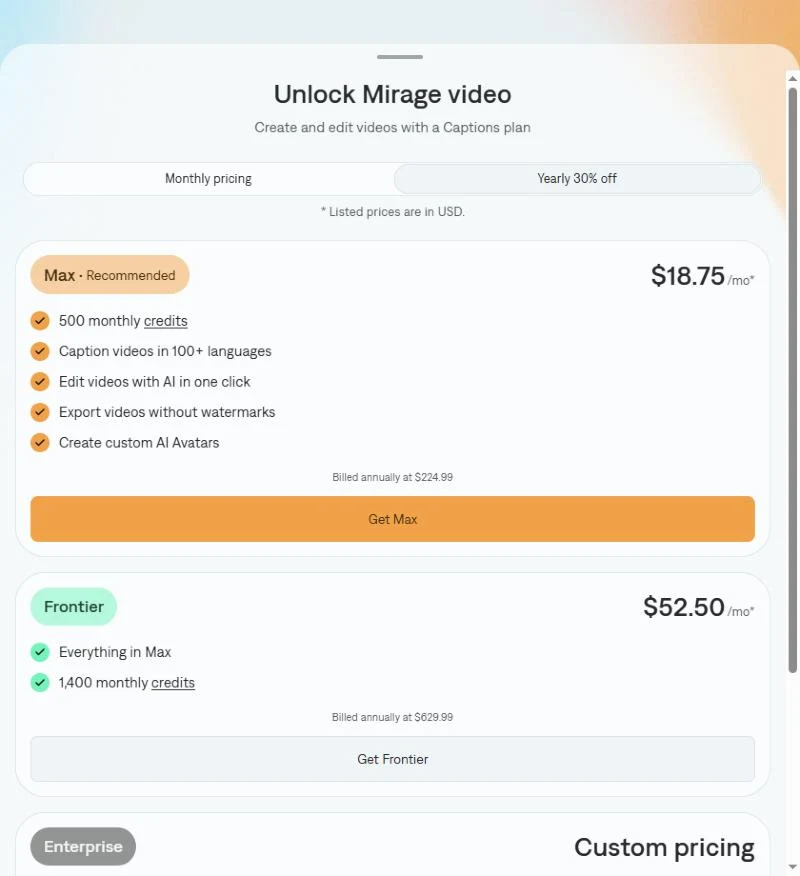
That means the free plan is a rehearsal room. You can learn the avatar picker and test which brief reads well, but the first AI actor costs a Max subscription.
Three more hook templates for the same product, built to the same 15-second shape:
Prompting habits that save credits once you pay:
- Keep one claim per ad and change only the hook. Five hooks on one claim is a clean test; five claims is five half-tests.
- Write the spoken line in quotes, so the actor says your words, not a paraphrase.
- Name the features you allow. Anything you leave open, the model may fill with a feature you don't sell.
- Ask for the product in the last 2 seconds, then compare that frame with your real packshot.
Captions AI app review: Why the iPhone version is the one to buy?
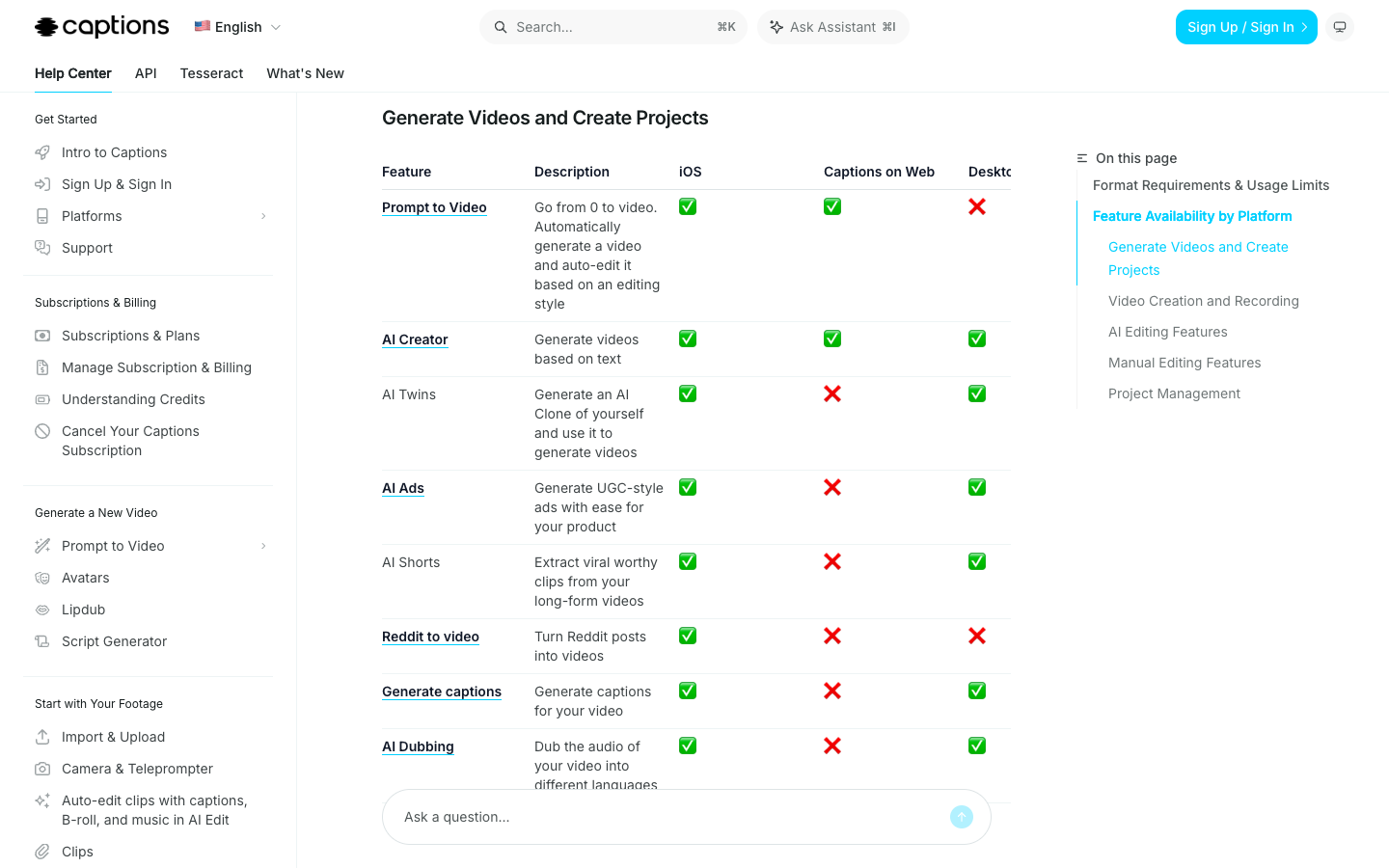
Only the iPhone app runs every Captions feature. The help center page on feature availability by platform, last modified August 19, 2026, marks these features as follows:
That means a browser-only week loses 7 of the 9 rows, including AI Ads. On Android you get Captions Lite, which the help center calls "essential manual video editing," and a Lite subscription works only on Android.
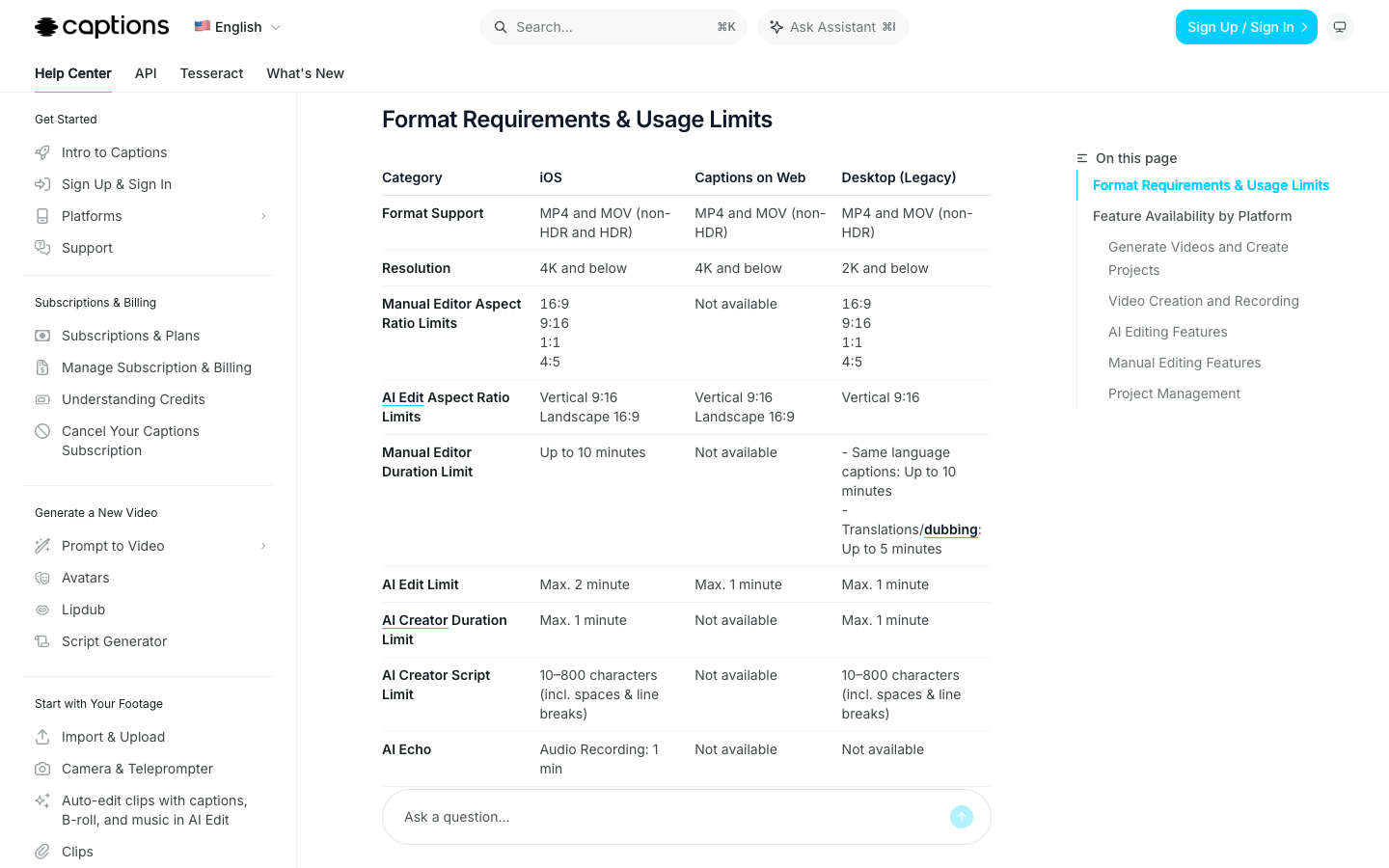
The same page sets 3 limits for ad work. AI Edit accepts up to 2 minutes of footage on iOS and 1 minute on the web, and outputs only 9:16 or 16:9. The iOS manual editor adds 1:1 and 4:5, so a feed version is a second, manual step.
Scenario: half your team edits on Android, and the only iPhone belongs to the person who packs orders. Captions fits that team only if the iPhone owner makes the AI ads.
A phone-only week of Captions ads in 6 steps
The plan below assumes 1 product, 1 iPhone, and 10 ads of 15 seconds: 5 you film and 5 avatar hooks you cannot film. It uses the brief shape from the test above and the rates from Captions' help center.
Scenario: you sell a 2-in-1 lint remover and want 5 openings for one claim, "One pass and the lint is in the chamber, not on you." The 5 hooks:
- Problem: "Your black coat is gray by lunchtime."
- Before and after: "Same coat. Ten seconds apart."
- Objection: "Sticky rollers run out. This one empties."
- Price: "I paid $40 for dry cleaning to fix what this fixes."
- Routine: "The last thing I do before I leave the house."
The 6 steps, in order:
- Write each hook into the same 15-second script: hook, one proof line, one offer and CTA. That is 35 to 40 words, well under AI Creator's 800-character cap.
- Film all 5 hooks in one session with Captions Camera and the teleprompter, in the same light and shirt. Both tools are iOS-only.
- Clean each take with Trim, Denoise, and eye contact correction. Then open your credit history, which iOS breaks down by use.
- Run AI Edit once on your best take, at 10 to 40 credits per run. Try other looks with the style change at 1 credit, then keep one look for all 5 ads.
- Generate the 5 avatar hooks with Prompt to Video at 16 credits per 6 seconds. Compare any product insert against your real packshot before spend goes behind it.
- Resize feed versions to 1:1 or 4:5 in the manual editor, keep captions on, and export each file with its SRT caption file.
Limit: Captions publishes to TikTok, Instagram, and YouTube profiles. The paid ad still gets uploaded in Meta Ads Manager or TikTok Ads Manager by you.
Captions AI pricing: Max is the real starting plan
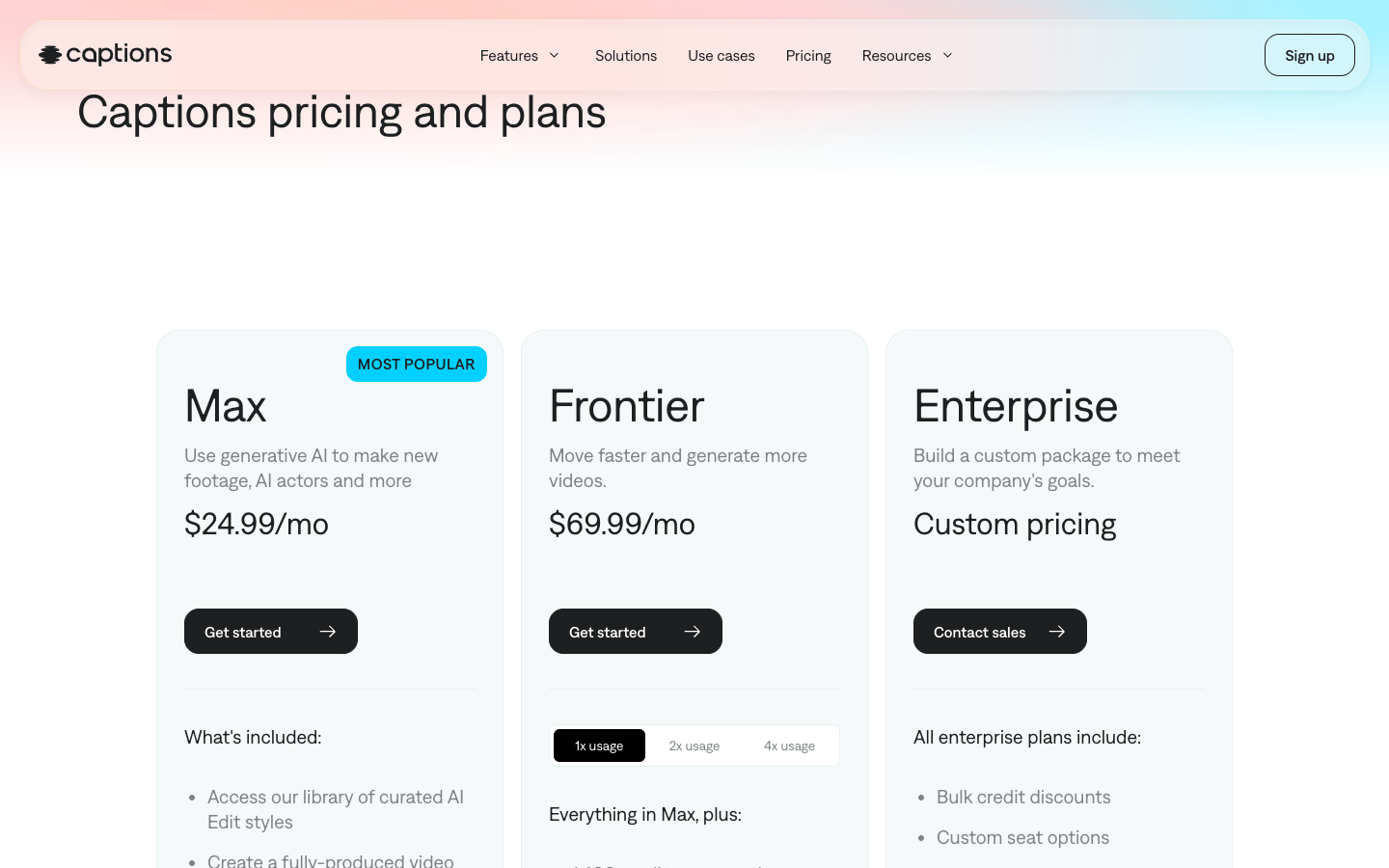
Captions AI pricing on the public pricing page now starts at Max, $24.99 a month for 500 credits. The page says "Features and prices reflect iOS plans only," and checkout may show local currency above or below the USD price.
That makes $24.99 the entry price for AI ad work, or $18.75 a month if you commit to a year. Captions' help center still lists a $9.99 Basic plan with 200 credits, built for captions, the teleprompter, and cleanup tools. It does not include AI Edit or AI actors.
Generated product images follow the same line. The help center's model table lists Flux 1.1 Pro, Imagen 3, and GPT-4o on Max and Frontier only.
Basic "was formerly called Pro" and Frontier "was formerly called Scale," per the help center. Older reviews of a Captions Pro plan describe today's Basic, not Max.
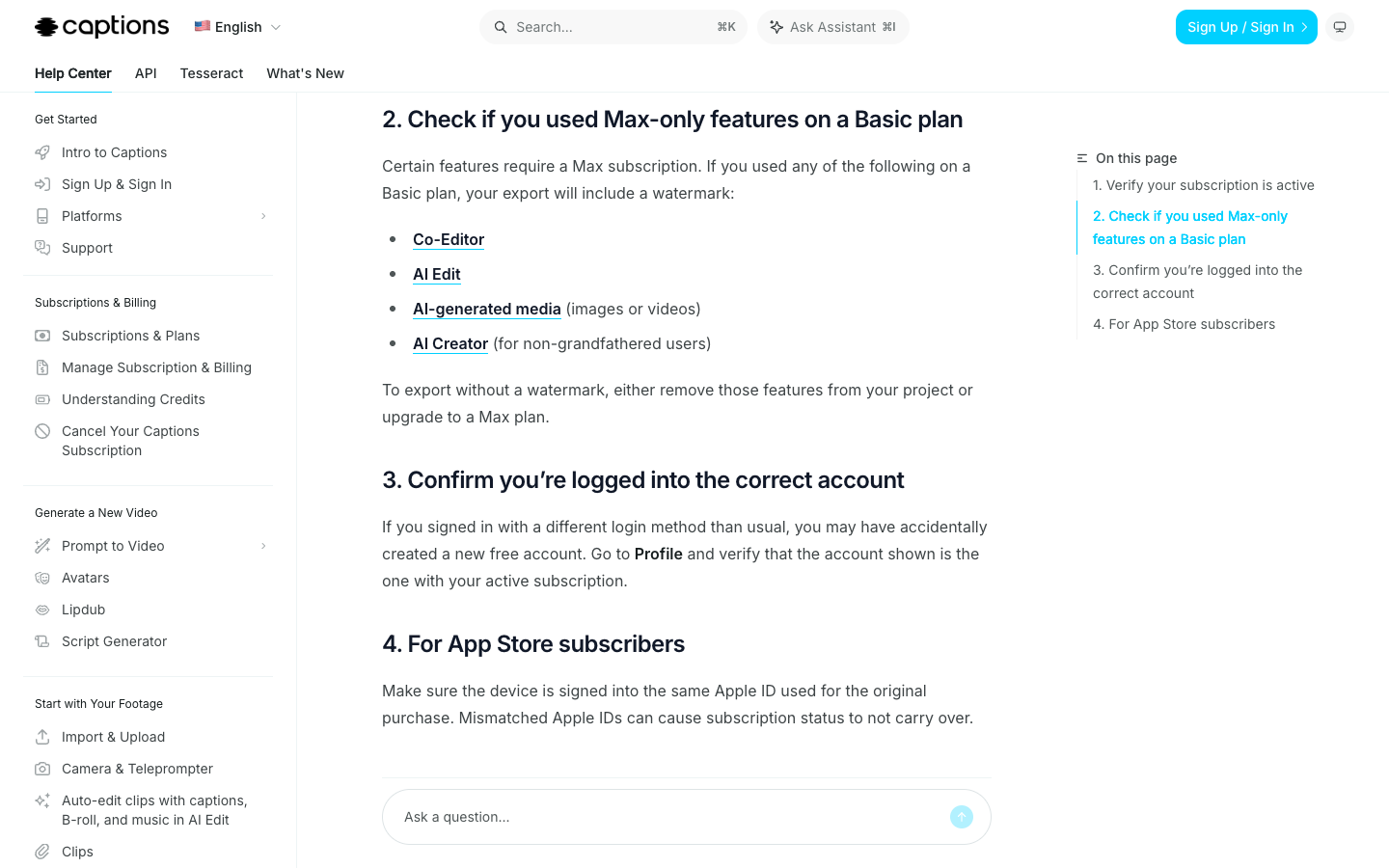
Limit: a Basic project that uses Co-Editor, AI Edit, AI-generated media, or AI Creator exports with a watermark, per the watermark help page.
Captions credits: What 10 ads a week cost?
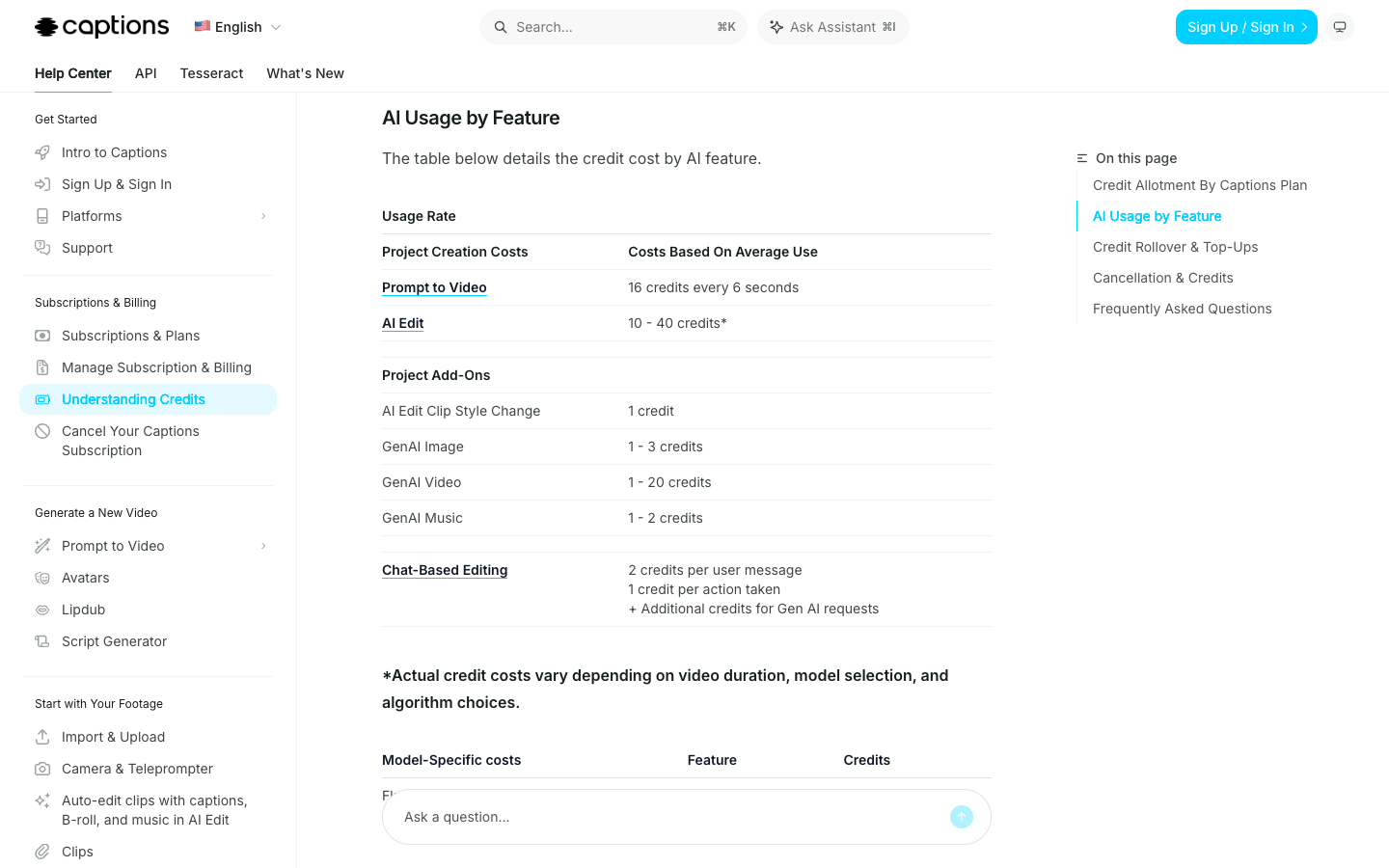
A week of 10 ads of 15 seconds costs about 290 to 480 Captions credits by our arithmetic, so Max's 500 credits cover 1 week. The help center says video count "will depend on what generative AI features are added into each video." The week above, at published rates:
Four weeks need about 1,160 to 1,920 credits. That puts a weekly cadence on Frontier at the low end and Frontier 2x at the high end. On Max, a credit costs about 5 cents, so a 40-credit avatar hook costs about $2 before fixes.
The B-roll model moves the bill most. Captions lists Kling 2.1 at 140 credits per clip against 8 for Hailuo 2.3 Fast.
Budget the redos before the ads. If 1 in 2 avatar hooks needs a second run, the avatar line grows from 200 to 240 credits to 300 to 360.
Captions credit rules: Rollover, downgrades, and cancellation
Captions rolls unused credits forward but forfeits them when you cancel. The rules, per the help center:
- Basic and higher plans carry credits forward up to 3 times the monthly allowance, which is 1,500 on Max.
- Downgrading cuts your balance "immediately" to the new plan's cap, and the excess is forfeited.
- Cancelling keeps credits until the paid period ends, then "all remaining credits are forfeited."
- Top-ups are listed only for Teams and Business customers and Frontier 4x, so a Max user who runs out upgrades or waits.
- Plans renew unless canceled at least 24 hours before the end of the billing period.
Rollover is the rule that helps you. On Max, a slow month can bank credits for a launch week, up to the 1,500 cap.
Billing runs through the app store or payment method you used at purchase, so cancel in the same place you subscribed.
Captions projects and output: Device storage and the Mirage license
Captions keeps each project on the device that made it. The iPhone help page says projects "are not synced between devices," and the web and Android pages warn that "all projects will be deleted as soon as you log out."
Captions Cloud backs up clips recorded with Captions Camera, not edited projects. Export every finished ad and its SRT file the day you make it, then move them where a teammate can reach them.
Ownership comes with a license. Captions' terms, effective September 4, 2025, say "you own all rights in and to your Input and Output." In the same clause, you license Mirage to use both "to improve the Services, and to develop new services and products."
That matters if your ad uses a founder's face or a customer's voice. The pricing page lists "Training data exclusion" only under Enterprise.
What Captions AI reviews say: 4.7 from 38K App Store ratings
Captions held 4.7 out of 5 from 38K ratings on Apple's US App Store on October 5, 2026, ranked #47 in Photo & Video.
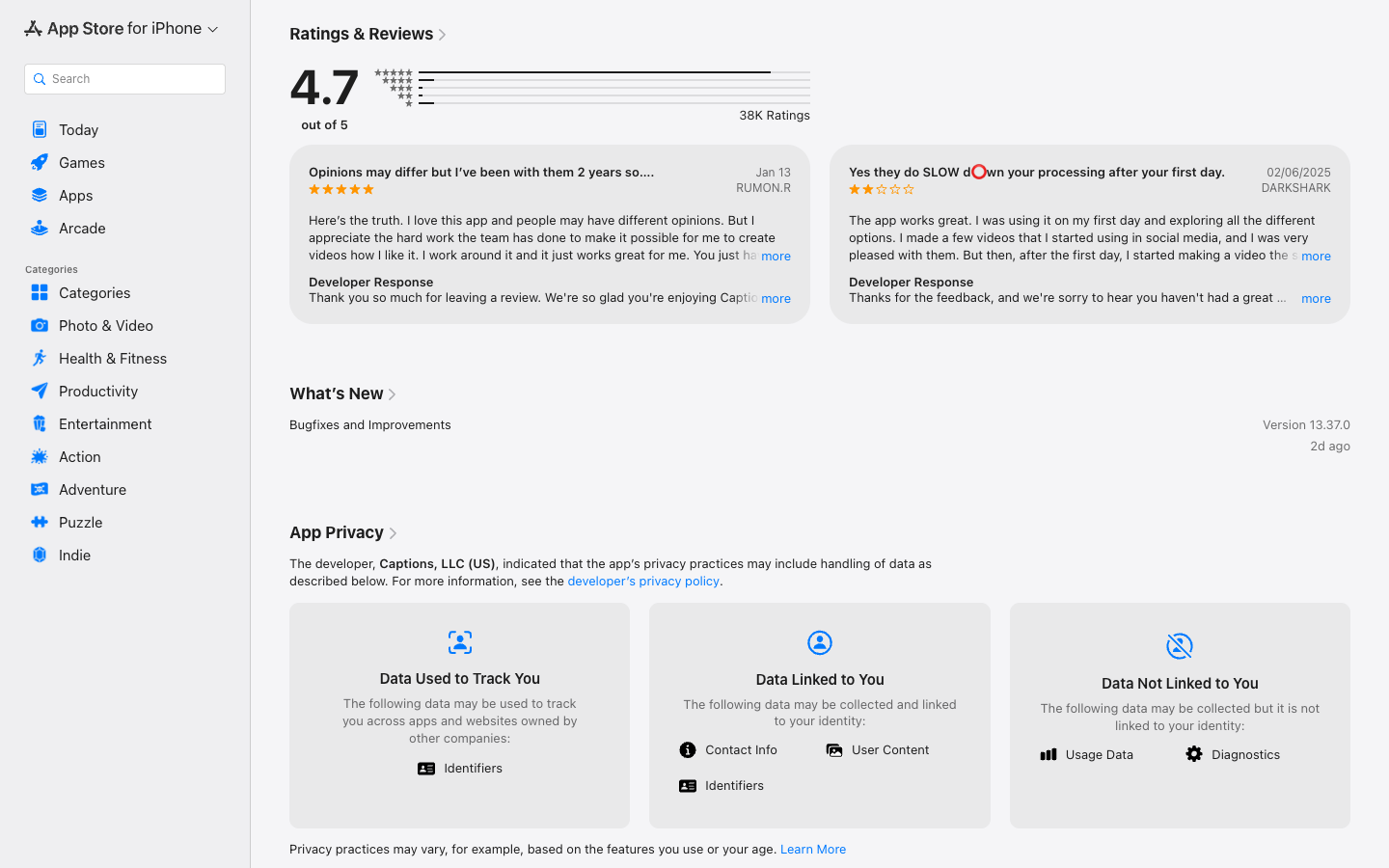
The complaint pattern is credits spent fixing AI edits. A paid subscriber's July 8 review, titled "Not worth paying for," says the credits "were used to correct the inaccuracies." Captions replied that the feedback was "completely valid."
The praise pattern is support. A 2-year subscriber's January 13 review says "the best part is the support team," while calling the frequent changes annoying at first.
My own caption ai review notes add one line to each column, from the free-plan test:
| Pros | Cons |
|---|---|
| Every feature runs on iPhone, including AI Ads | AI actors and AI Edit start at Max, $24.99 |
| Credit costs published per feature and model | A paid user reports credits spent fixing AI edits |
| Credits roll over up to 3x on paid plans | Web lacks AI Ads; Android gets Captions Lite |
| Avatar brief and product photo can be prepared free | Projects stay on one device |
The left column is about the product. The right column is about cost and access, which is where you lose money.
Captions AI alternatives: CapCut, Creatify, and Promer AI
Three other routes cover different parts of a phone-first ad week. None copies Captions' mix of an iPhone camera, a teleprompter, and an avatar generator in one app. Cheapest first:
CapCut, the free phone editor
CapCut fits if you film your own ads and only need to cut, caption, and resize. Its App Store listing showed 4.6 out of 5 from 1.1M ratings and the #1 spot in Photo & Video on October 5, 2026.
CapCut is free with in-app purchases and lists auto captions, keyframes, and 4K 60fps export. Limit: a September 2024 review titled "STOP MAKING EVERYTHING PRO!" complains that basic tools keep moving behind the paid tier.
Creatify, the browser avatar library
Creatify turns a product URL into avatar-led video ads. Its pricing page on October 5, 2026 listed a free plan with 10 monthly credits and Starter at $39 a month for 100 credits.
Pro raises the library to 1,500 AI actors, and the plan table lists an Ad Launcher for Meta, TikTok, and AppLovin. It runs in the browser rather than as a phone app. Our Creatify AI review walks through its URL-to-video flow.
Promer AI, for ads that start from the product page
Promer AI is an AI ad creative performance platform for ecommerce advertisers, and it starts from the product, not your face. Paste a product URL or upload a photo and it extracts the image, name, description, and price, then builds ads from that product context.
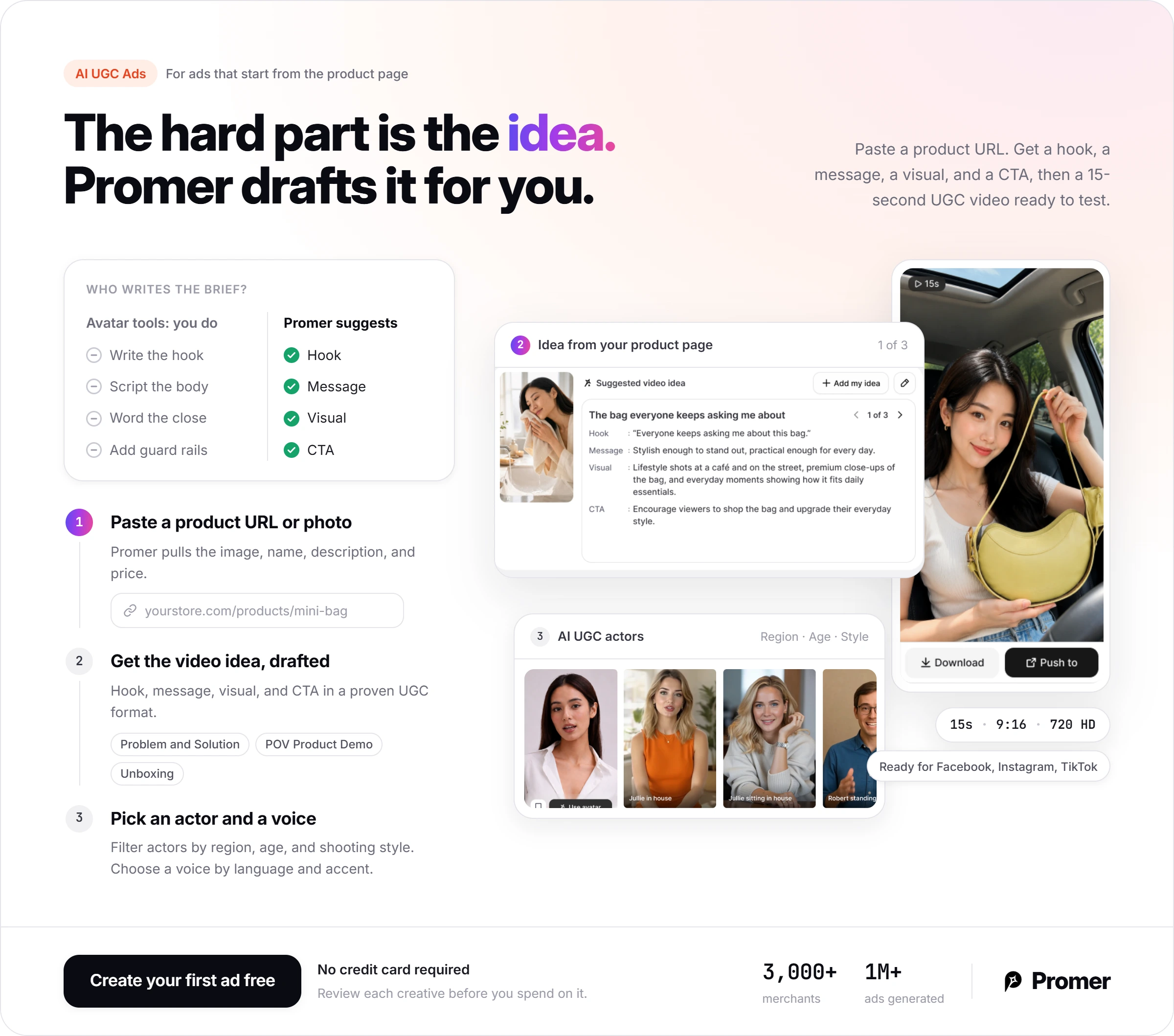
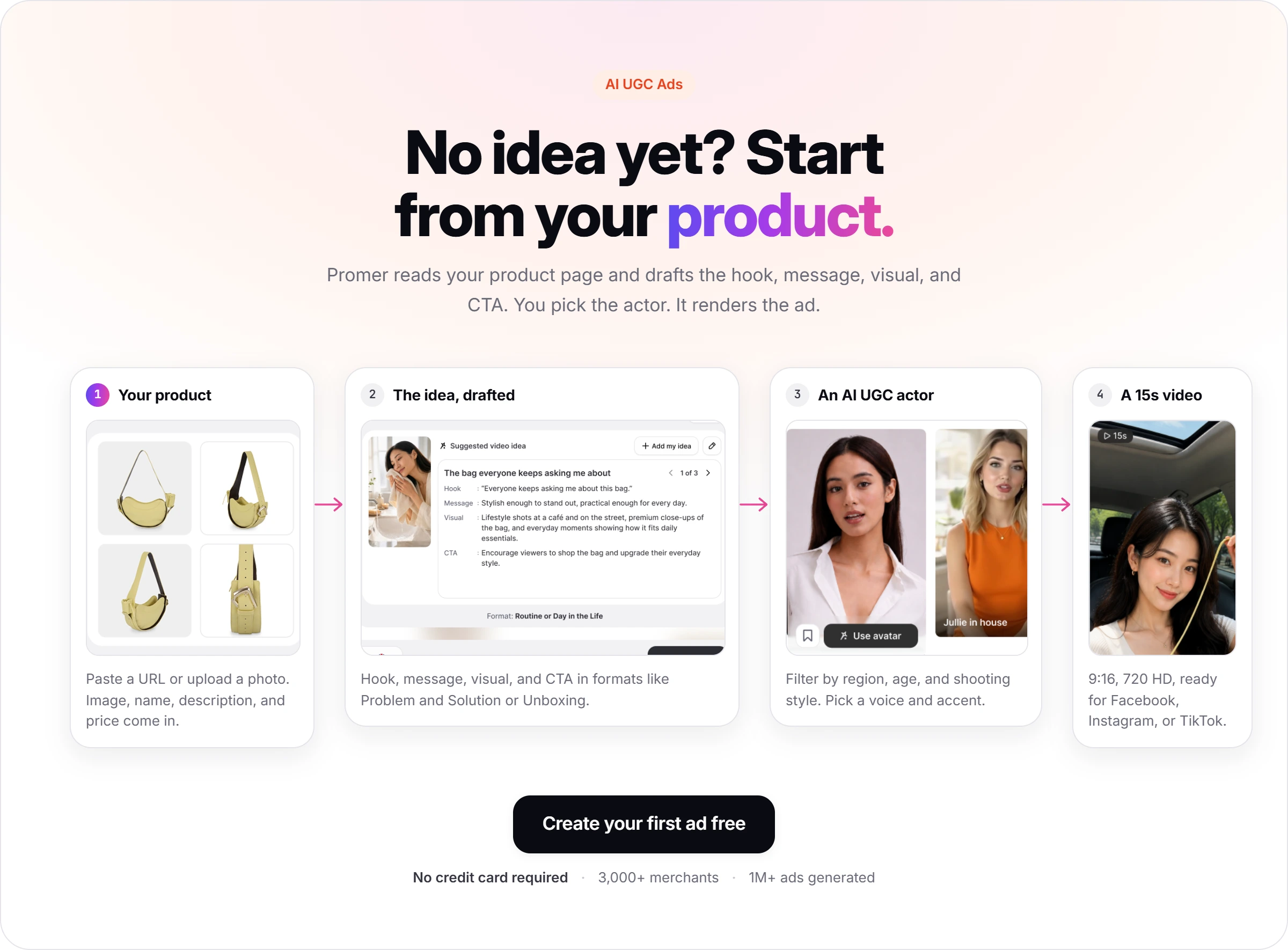
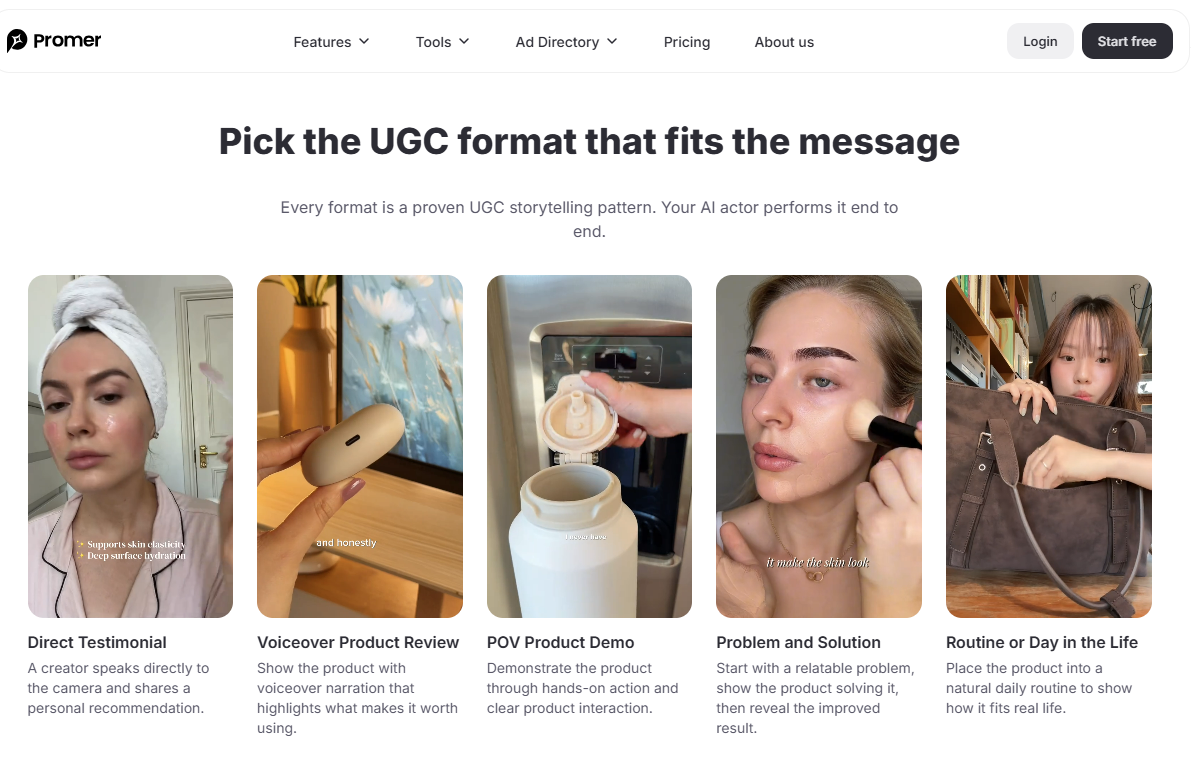
The part that maps to my Captions test is the brief. In Captions I wrote every line of the hook, body, and close myself. Promer AI's AI UGC Ads suggests the video idea for you: a hook, a message, a visual, and a CTA, in popular formats such as Problem and Solution, POV Product Demo, or Unboxing.
You then pick an AI UGC actor by region, age, and shooting style, plus a voice by language and accent. The output is a 15-second 9:16 video in 720 HD, ready to publish to Facebook, Instagram, or TikTok.
Captions does one thing better: its iPhone camera, teleprompter, and eye contact fix have no match in Promer AI's feature list. Promer AI reports 3,000+ merchants and 1M+ ads generated, and its AI creatives can contain mistakes, so check each one before you spend on it.
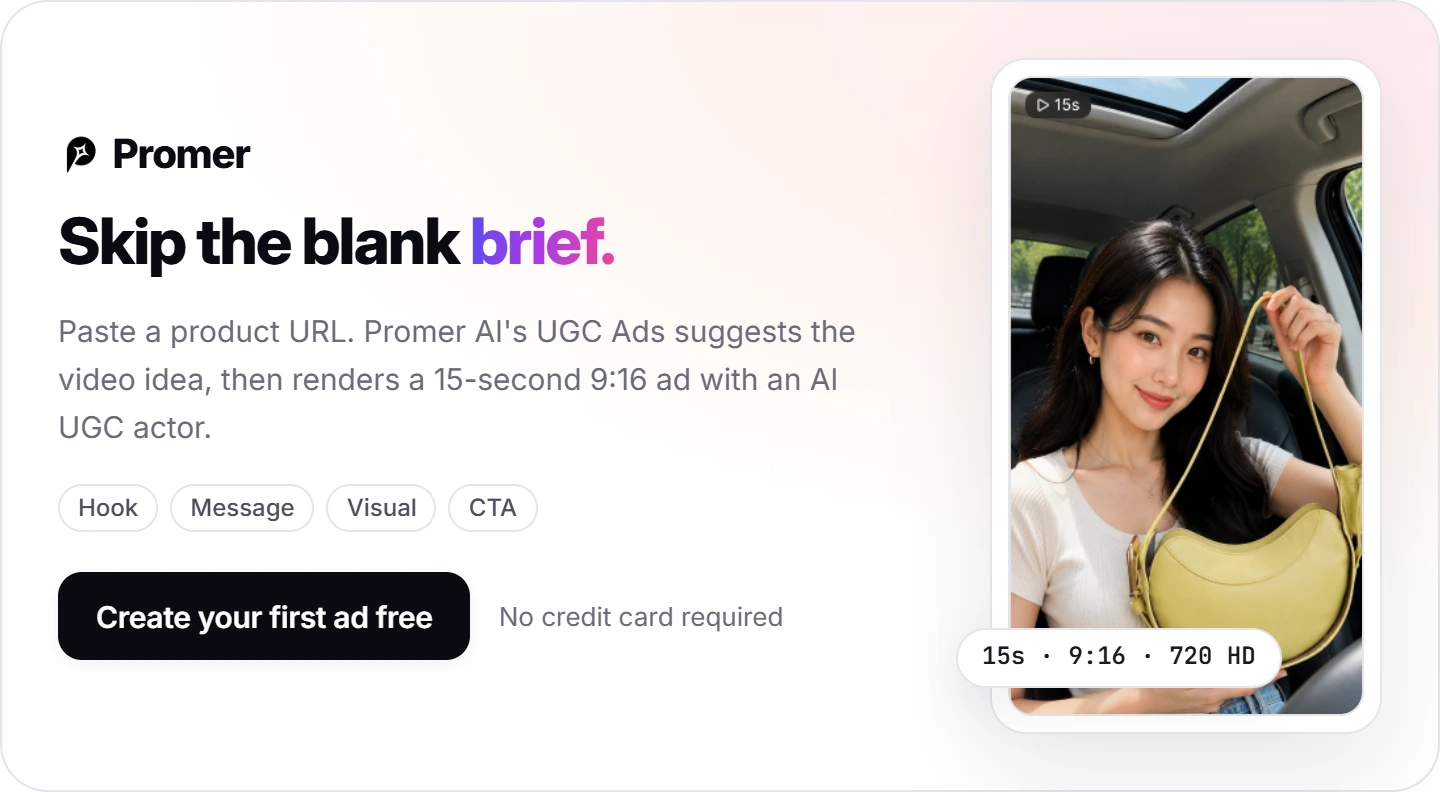
If your job is a steady supply of product ads to test, you can create your first ad free on Promer AI, with no credit card required.
Captions AI verdict: Buy Max on an iPhone, skip it on Android
Buy Captions AI if you film on an iPhone and can write a 15-second script to a fixed structure. Skip it if your team edits on Android or Windows, or your account runs on static and carousel ads. Wait if several people need to edit the same project.
Next action, about 20 minutes: open the free plan, pick an actor, attach your product photo, and write next week's 5 hooks into the brief table above. Count the avatar seconds and multiply by 16 credits per 6 seconds.
The 5 lessons come down to one rule: treat Free as rehearsal and every paid second as ad budget.
Under 500 credits a month, start on Max. Over 500, start on Frontier, since Max has no top-up. In month 1, check the credit history after each AI Edit run, because fixes are where the July 8 reviewer lost credits.
FAQ
Is Captions AI worth it for ecommerce ads?
Captions AI is worth it if you make short talking-head ads on an iPhone and pay for Max or above. The iPhone app holds every feature, including AI Ads, AI Twins, and eye contact correction. AI actors and AI Edit start at Max, $24.99 a month, so the free plan cannot produce an avatar ad. Captions does not make static or carousel ads.
How much does Captions AI cost?
Captions AI costs $24.99 a month for Max and $69.99 for Frontier on iOS, with 500 and 1,400 credits. Yearly billing drops Max to $224.99 a year, about $18.75 a month, as of October 7, 2026. Frontier 2x and 4x cost $139.99 and $279.99. The help center also lists a $9.99 Basic plan without AI actors.
Is Captions AI free?
Captions AI has a free plan, but its 60 to 200 credits do not refresh and AI actors are locked. Free includes 1 caption template against 100+ on paid plans. In a test on October 7, 2026, pressing Create my video on an avatar ad opened an "Unlock Mirage video" plan screen. Use Free to learn the editor and prepare your brief.
Does Captions AI work on Android or a computer?
Captions AI runs on iOS, the web, and Android, but only the iPhone app has every feature. The web version lacks AI Ads, AI Twins, the teleprompter, and the cleanup tools, per the help center. Android gets Captions Lite, a separate manual editing app whose subscription works only on Android. Projects do not sync between devices.
Why does my Captions video have a watermark?
A Captions video gets a watermark when a Basic plan project uses Max features such as AI Edit or AI Creator. The help center also lists Co-Editor and AI-generated images or videos as triggers. If you pay for Max and still see one, sign in with the same login method and Apple ID you subscribed with.
Can Captions AI make UGC-style ads for a product?
Yes, Captions AI makes UGC-style product ads with AI actors, and AI Ads runs on the iPhone app. On the web, avatar mode accepts a product photo attachment, and you write the script and claims yourself. Promer AI's AI UGC Ads starts from a product URL or photo and suggests the hook, message, visual, and CTA for you.
Reference Sources
- Captions. (n.d.). Captions AI pricing and subscription plans. https://captions.ai/pricing
- Captions. (n.d.). Captions: AI that edits like a professional editor. https://captions.ai/