Deevid AI Review: I Turned One Product Photo Into a Video Ad
Category
Blogs
Date
Authored by
Huy Tran Quoc
Summary
Deevid AI review from a real seller test: one 15-second 720p clip costs 120 of Lite's 200 monthly credits. Output, prompts, pricing, refunds.
This review is for you if you sell a physical product, you have one clean product photo or a static ad that already works, and you want short video versions for Reels and TikTok without booking a shoot.
Deevid AI's Lite plan gives you 200 credits a month for $14. In the app on October 5, 2026, one 15-second, 720p clip on the Master V4.0 model cost 120 of them.
The verdict of this Deevid AI review: it's a good fit for cheap motion drafts from a product photo, as long as you draft on the 5-credit setting and pay for the expensive models only once a hook has earned it.
Want the numbers first? Jump to the credit cost table. Already sold on it? Read the refund rules before you pay, because they decide how you should run your trial.
Why you can trust this Deevid AI review?
No one paid for this review, and there's no affiliate link in it. I run my own Deevid account on the free plan and used its starter credits to animate a static keychain ad, so the clip you'll see below is mine, watermark included.
On October 5, 2026, I went back into the same account and priced every model and setting for that keychain ad, up to the Create button. Every credit number here is what the counter showed for that exact setting, not a figure copied from the pricing page.
One clip can't speak for months of use, so I also read through DeeVid AI's 698 reviews on Trustpilot, written by people who pay for it.
Key takeaways
Read the credit counter, not the plan card. Lite's "up to 40 videos" holds only at the cheapest setting: Quality V4.0, 480p, 5 seconds, 5 credits a clip.
Draft cheap, render once. A 5-second 720p clip on Master V4.0 costs 40 credits. The same shot at 15 seconds costs 120.
Keep ad copy out of the video. In my clip, the headline lost a letter and the smaller text melted as the product moved.
Start on monthly billing. Lite is $14 a month or $10 billed yearly, and Deevid's terms rule out refunds once you've generated anything.
Reviews split down the middle. Trustpilot shows 3.3 from 698 reviews: 31% five-star, 32% one-star, with credit cost the top complaint.
What Deevid AI gives you for a product video ad?
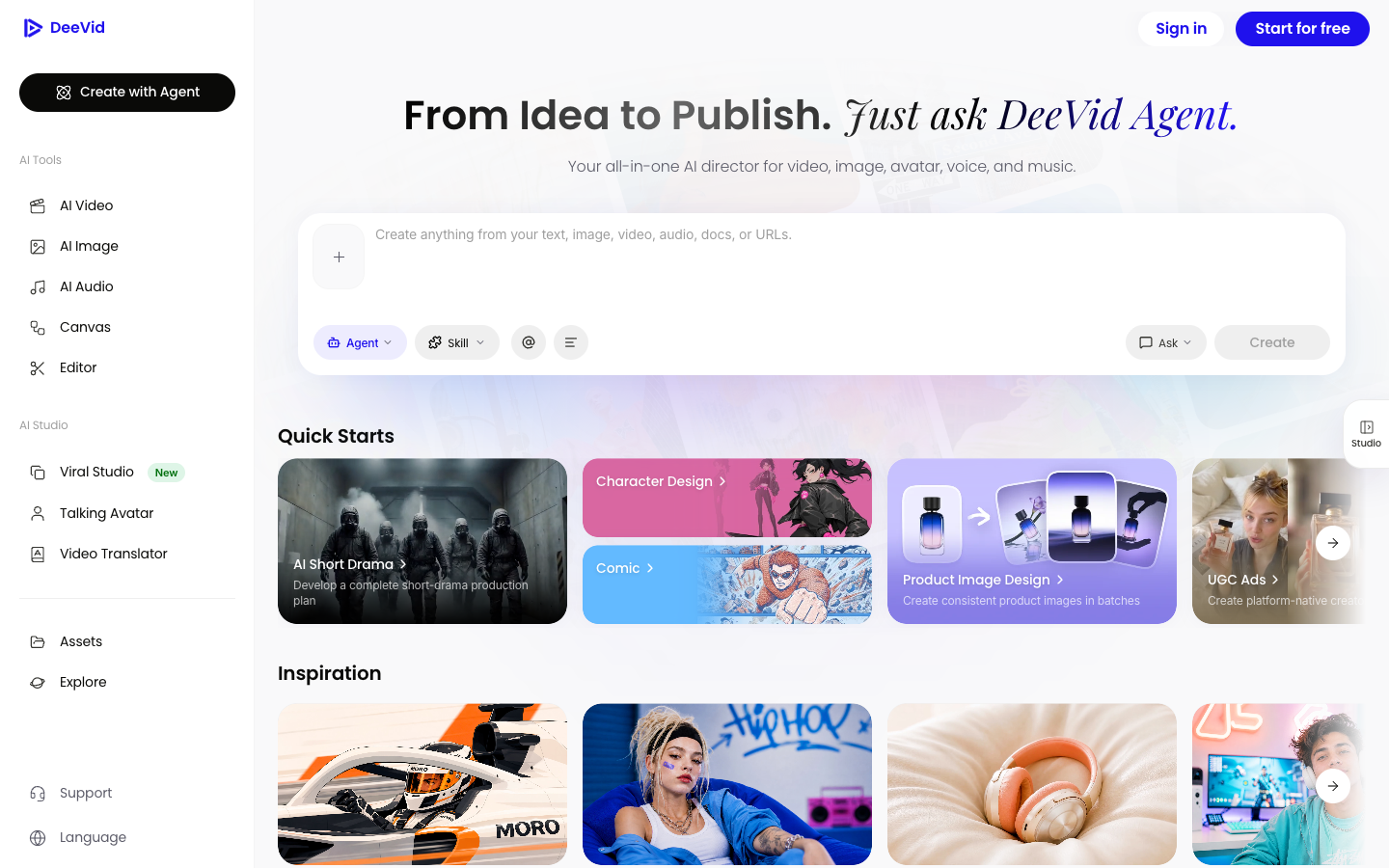
Deevid AI is a browser and mobile AI video tool that sends your prompt to video models and wraps an Agent, a Canvas, an Editor, avatars, voice, and music around them. For a store, the useful part is a short list of ad entry points inside a much bigger creative app.
Deevid AI pitches itself as "Your AI Creative & Production Team, From Idea to Publish." Its homepage describes AI Ads as a way to "Drop in a product and get ad videos ready for every platform."
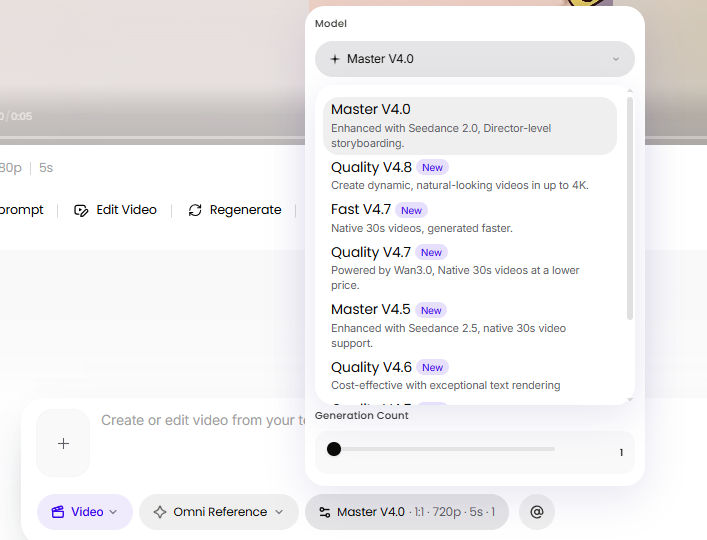
Inside the app, the video model picker uses Deevid's own labels. Master V4.0 is described as "Enhanced with Seedance 2.0", and Quality V4.7 as "Powered by Wan3.0". That means you choose by Deevid's label and its credit price, not by the model brand you read about elsewhere.
These are the 4 entry points worth your time as a seller:
AI Video, Start Image: your photo becomes the first frame and you write the motion.
AI Video, Omni Reference: the image steers the whole clip. My keychain test ran here.
UGC Ads quick start: upload product and presenter images, add selling points, and the Agent plans a creator-style ad.
URL to Video and Product Image Design: quick starts for a product link and for batches of product images.
Most templates on the Explore page are consumer trends, such as Pets, Anime, and Halloween. You'll skip most of that library for product ads.
My Deevid test: From a keychain packshot to a 5-second video ad
The product is an acrylic duck keychain with a "DUCK TAPE" pun, sold in a clear retail bag. It's a small gift item, so the ad has one job: make someone smile in the first second and tap through.
The starting packshot: the keychain in its retail bag. Brand logo and QR code blurred.
Here's the flow I ran, in 4 steps:
Packshot to static ad. I turned the photo into a square static ad on a soft pink background, with a headline, a brand badge, a subline, and 5 stars.
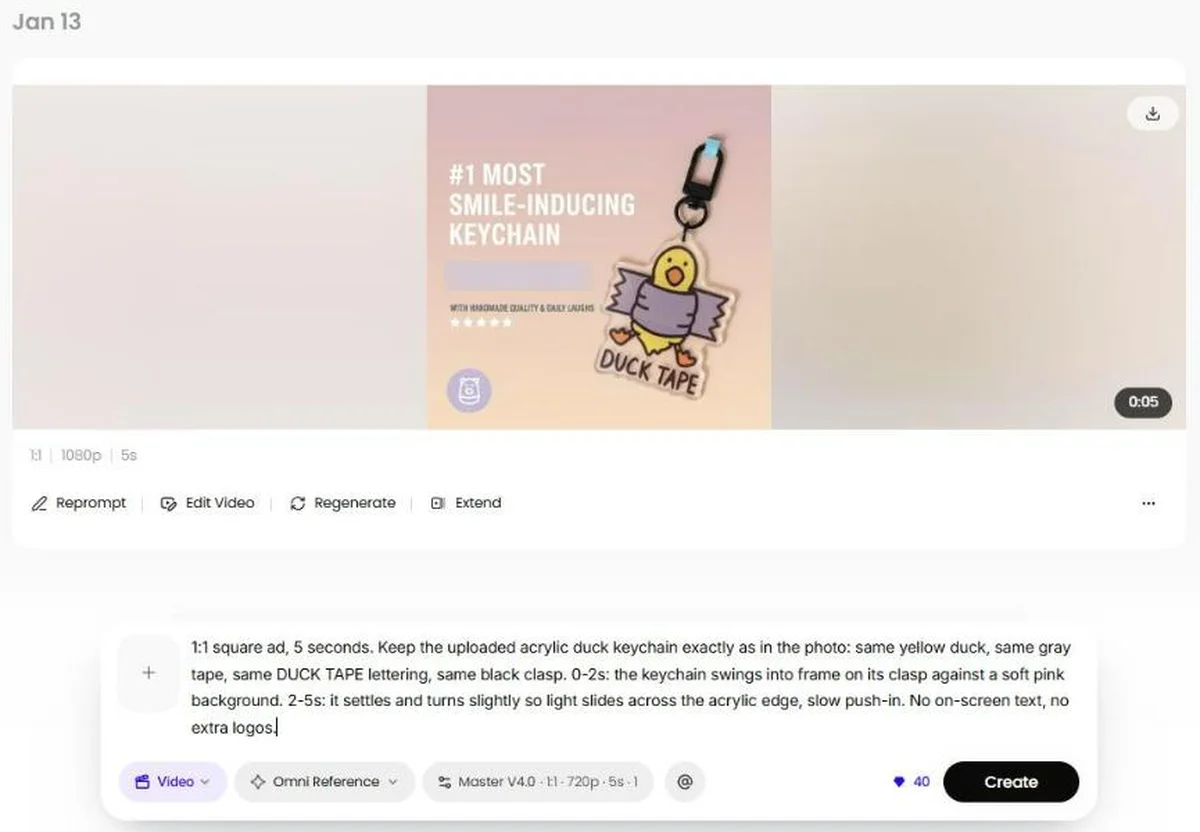
Static ad into Deevid. In AI Video, I added that ad as the reference in Omni Reference mode.
Settings. Master V4.0, 1:1, 5 seconds. That combination shows 40 credits at 720p today.
Output. Deevid labels the export 1080p, and the free credits added a "DeeVid AI" watermark in the top right corner.
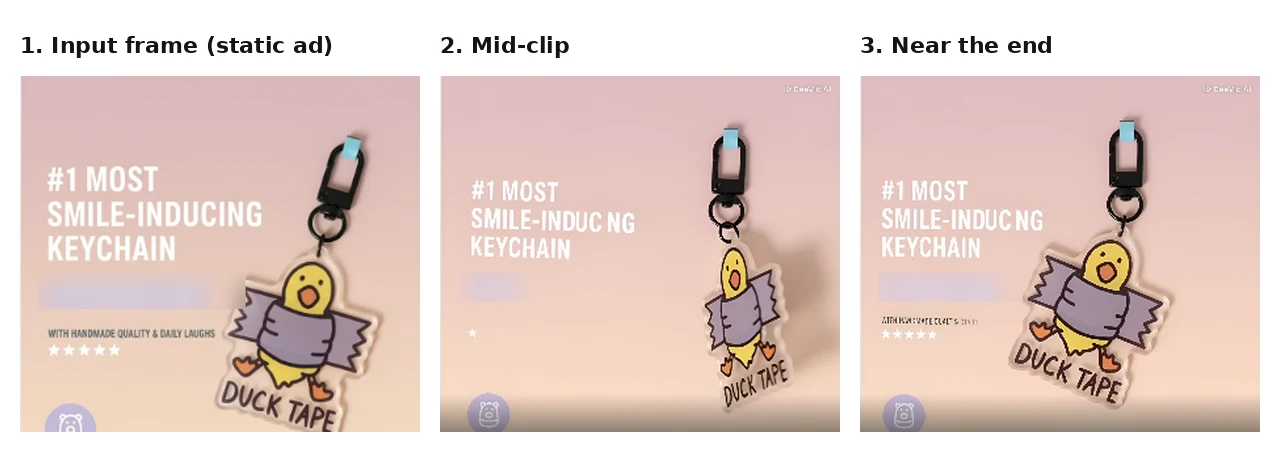
The keychain moved like a real object. The ad text didn't survive the trip.
What worked: the keychain swings on its ring with believable weight, light slides across the acrylic, and the duck changes expression. The "DUCK TAPE" lettering printed on the product stayed readable the whole time.
What broke: "SMILE-INDUCING" turned into "SMILE-INDUC NG" in every frame after the first. The brand badge faded in and out, the small subline became unreadable, and the row of 5 rating stars dropped to 1 in one frame.
So the product survived and the overlay copy didn't. A static ad with baked-in text is the riskiest input you can give Deevid. Next time I'd animate the clean packshot instead, then lay the headline, offer, and stars on top in an editor, where they stay sharp and can change without paying for a new clip.
One clip on one model is a small sample. Trustpilot reviewers describe the same pattern, which the reviews section below covers.
Deevid AI pricing: How much does one video ad cost in credits?
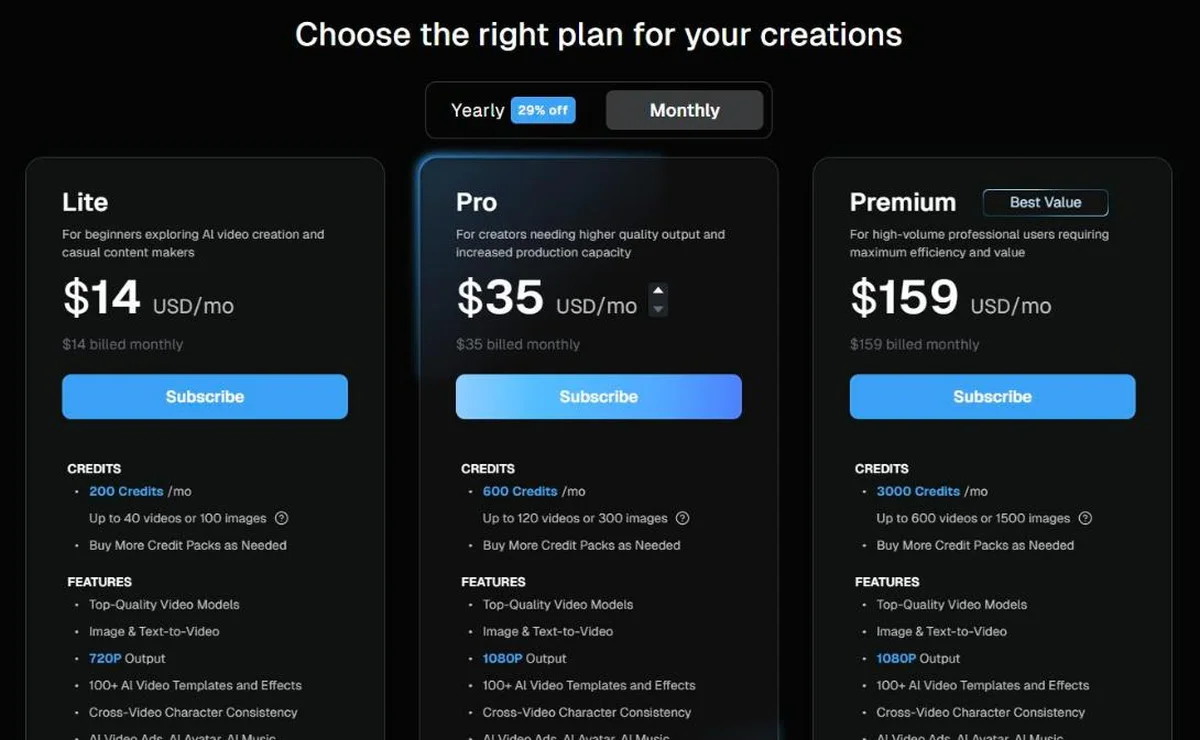
Deevid AI pricing is credit-based. Lite gives 200 credits for $14 a month, Pro 600 for $35, and Premium 3,000 for $159, with about 29% off on yearly billing. What a single clip costs depends on the model, resolution, and length, from 5 credits to 120 or more.
The Deevid plan prices
Here are the 3 paid plans as shown on October 5, 2026. Compare the credits row, not the video count:
Deevid plan
Lite
Pro
Premium
Monthly billing
$14 a month
$35 a month
$159 a month
Yearly billing
$10 a month ($120)
$25 a month ($300)
$119 a month ($1,428)
Credits per month
200
600
3,000
Pricing page says
Up to 40 videos or 100 images
Up to 120 videos or 300 images
Up to 600 videos or 1,500 images
Output
720P
1080P
1080P, Priority Support
Every paid plan lists "No Watermarks" and "Full Commercial Use". The plans differ in credits, resolution, and support, so you move up for 1080P and volume, not for extra features.
What the Deevid credit counter showed for each setting
I switched models and settings in AI Video and noted the number next to the Create button. Dollar figures use Lite's monthly rate of 7 cents a credit ($14 for 200):
Model and setting
Credits per clip
Cost on Lite monthly
Clips per Lite month
Quality V4.0, 480p, 5s
5
$0.35
40
Quality V4.7, 480p, 5s
10
$0.70
20
Master V4.0, 480p, 5s
20
$1.40
10
Master V4.0, 720p, 5s
40
$2.80
5
Master V4.5, 720p, 5s
60
$4.20
3
Master V4.0, 720p, 15s
120
$8.40
1
Lite's "up to 40 videos" is the first row of that table. Move to Master V4.0 at 720p and the same 200 credits buy 5 clips of 5 seconds each, or 1 clip of 15 seconds.
The 20 free credits work the same way. Deevid's FAQ calls them "approximately 4 videos", which matches 4 clips at the 5-credit setting.
On the free account, 1080p and 4K sit behind a paid-plan lock, and 1080P output starts at Pro.
What a 4-hook test costs, and the cheaper way to run it?
Scenario: you want 4 different openings for the keychain ad and expect 2 tries per hook before one looks right. Here's the same test priced 2 ways:
Route
How it runs
Credits
Fits on
All on Master
8 clips on Master V4.0, 720p, 5s
320
Pro
Draft, then render
8 drafts on Quality V4.0, 480p, 5s, then the winning hook on Master V4.0, 720p, 15s
160
Lite, with 40 credits left
The second route runs the same test for half the credits and keeps you on the $14 plan. Judge the drafts on the hook and the framing only, because a cheaper model won't match the final model's polish.
How to prompt Deevid AI for a product video ad?
A Deevid AI prompt works best as a shot list: lock the product, set the scene for one buyer, time the hook, and ban text. Deevid's own sample prompts are a single line, such as "Generate a high-energy ad for a new energy drink", which leaves the hook to the model.
Here's the rerun I'd do for the keychain, on the same settings as my clip but with the clean packshot as the reference. The buyer is someone shopping for a small, funny gift, and the offer goes on later as text.
A 6-part prompt structure for product ads
Each part answers one question the model would otherwise guess:
Part
What to write
Keychain example
1. Format
Ratio and length
1:1 square ad, 5 seconds.
2. Product lock
What must not change
Keep the uploaded acrylic duck keychain exactly as in the photo: same yellow duck, same gray tape, same DUCK TAPE lettering, same black clasp.
3. Hook, 0 to 2s
The first image a thumb stops on
The keychain swings into frame on its clasp against a soft pink background.
4. Story beat, 2 to 5s
What the product does next
It settles and turns slightly so light slides across the acrylic edge.
5. Camera
Movement and mood
Slow push-in.
6. Bans
What to keep out
No on-screen text, no extra logos.
4 hook concepts for the same keychain
Keep parts 1, 2, 5, and 6 identical and swap only the hook and story beat. That way, the only thing your ad test compares is the opening:
Concept
Who it speaks to
Hook, 0 to 2s
Story beat
Pun reveal
People who buy meme gifts
Extreme close-up on the DUCK TAPE lettering
Pull back to show the duck wrapped in tape, swinging on its clasp
Bag charm
Students who decorate their bags
Hands clip the keychain onto a tote strap
Walking shot, the duck bounces with each step
Unboxing
Gift buyers
Fingers peel open the retail bag
The keychain lifts out and spins once in the light
Keys by the door
Everyday carry fans
A hand grabs a key ring from a bowl by the door
The duck swings into frame as the door opens
Prompting rules that save credits
These 5 habits come straight from the numbers and the keychain clip above:
Lock the product in one sentence. Name its colors and marks, because every variant inherits what the first frame gets wrong.
Change one thing per variant. Keep light, camera, and length the same so the hooks are comparable.
Keep text, prices, and stars out. Add them in an editor after export.
Time-stamp the beats. Writing "0 to 3s" puts the hook where a scroller sees it.
Draft on 5 credits, render on Master. Only the winning hook earns the 120-credit version.
The UGC Ads quick start: selling points instead of a prompt
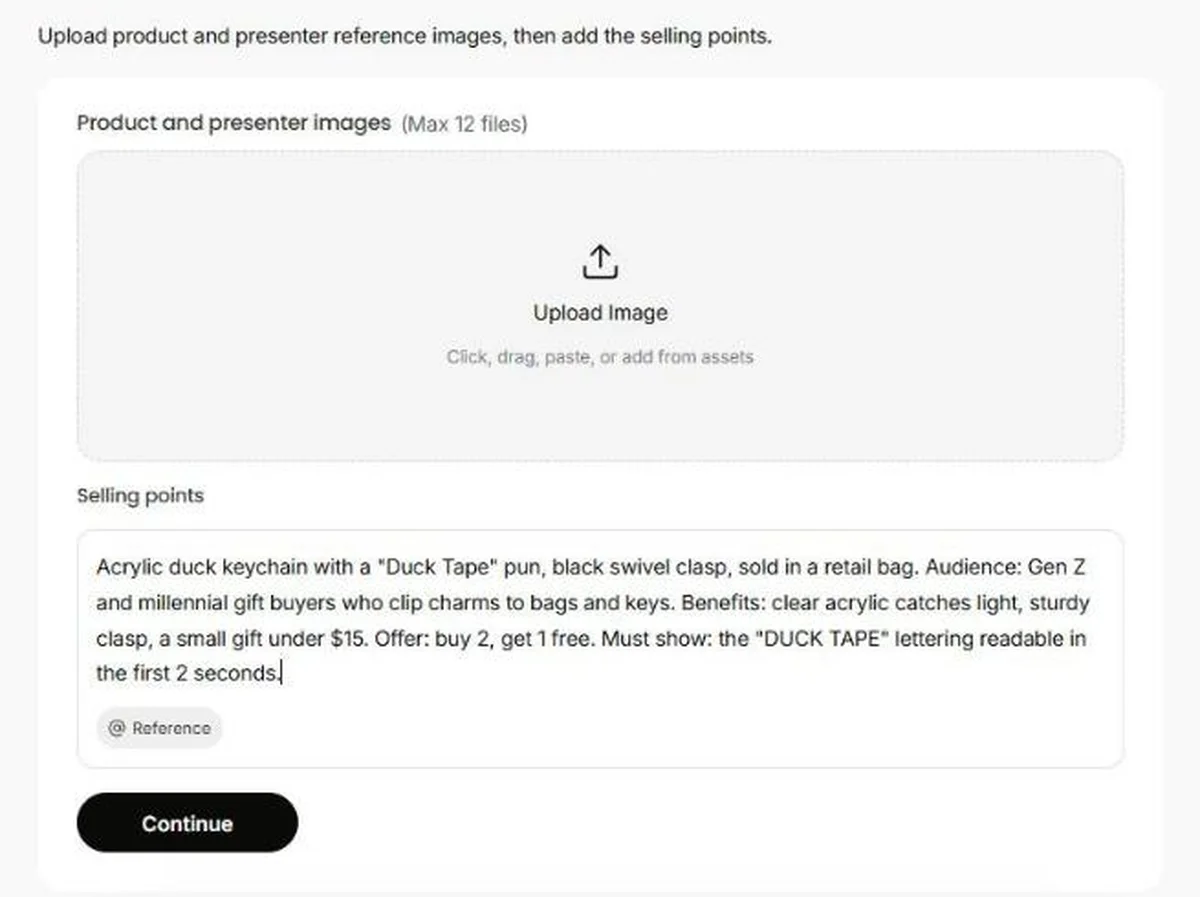
The UGC Ads quick start skips the prompt box. It asks for product and presenter images (up to 12 files) and a Selling points field: "Describe the product benefits, audience, offer, and must-show details."
For the keychain, I wrote an example brief: the product, the audience, 3 benefits, an offer, and one must-show detail, the "DUCK TAPE" lettering readable in the first 2 seconds.
You write a brief and the Agent writes the shots, which is faster for a creator-style ad but gives you less say over each frame. The form shows no credit counter before you press Continue.
What do Deevid AI reviews on Trustpilot say?
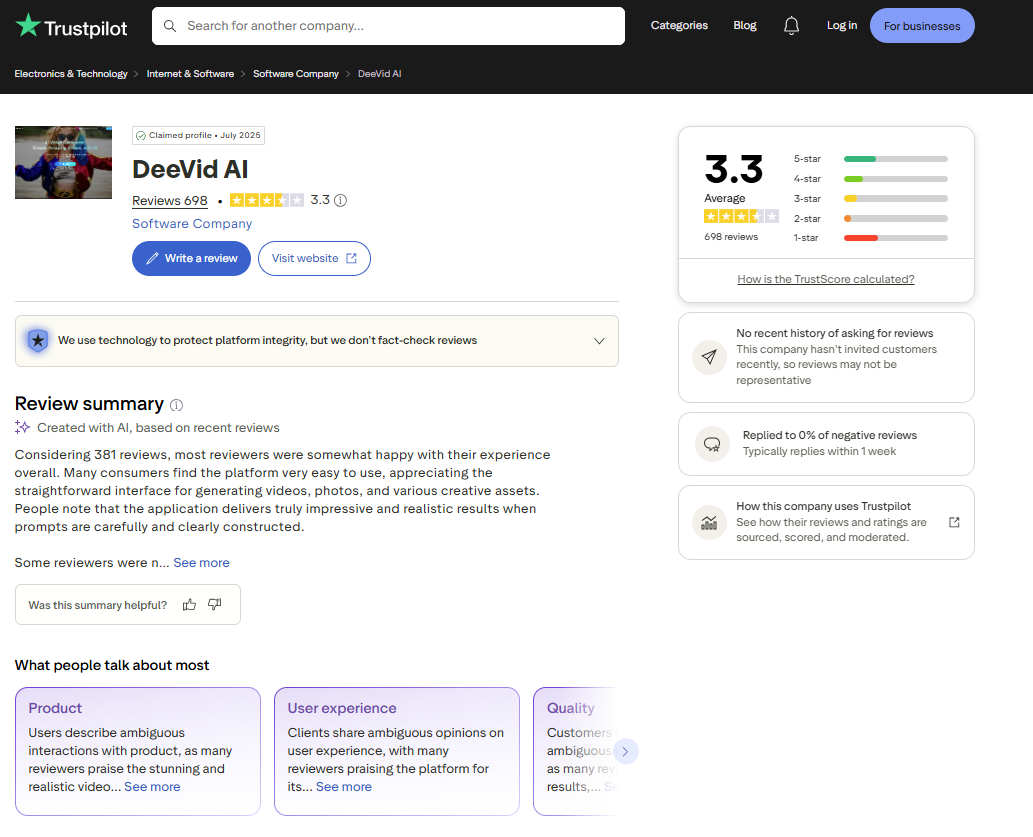
Deevid AI holds a 3.3 out of 5 TrustScore from 698 Trustpilot reviews as of October 5, 2026, split almost evenly: 31% five-star and 32% one-star. Praise centers on ease of use and realistic results from careful prompts. Complaints center on credit cost.
Two themes matter for product ads. The first is reference fidelity. Reviewer robert bradley (September 13, 2026) wrote: "The problem is getting it to not alter reference images too much." That's the same thing my keychain clip did to its text.
The second is paying for misses. Several reviews from late September and early October 2026 say regenerations drain the balance and that unused monthly credits don't roll over.
One reviewer, Slava Anosov (October 2, 2026), shared a tip worth stealing: design the scene as images first, because it's cheaper and the video comes out more predictable.
Trustpilot also notes that Deevid hasn't invited reviews recently and has replied to 0% of negative reviews. Deevid's own homepage quotes an e-commerce seller, Mia, who says it "Cut content cost by half". Read that as a vendor testimonial.
Deevid free plan and refund rules to read before you pay
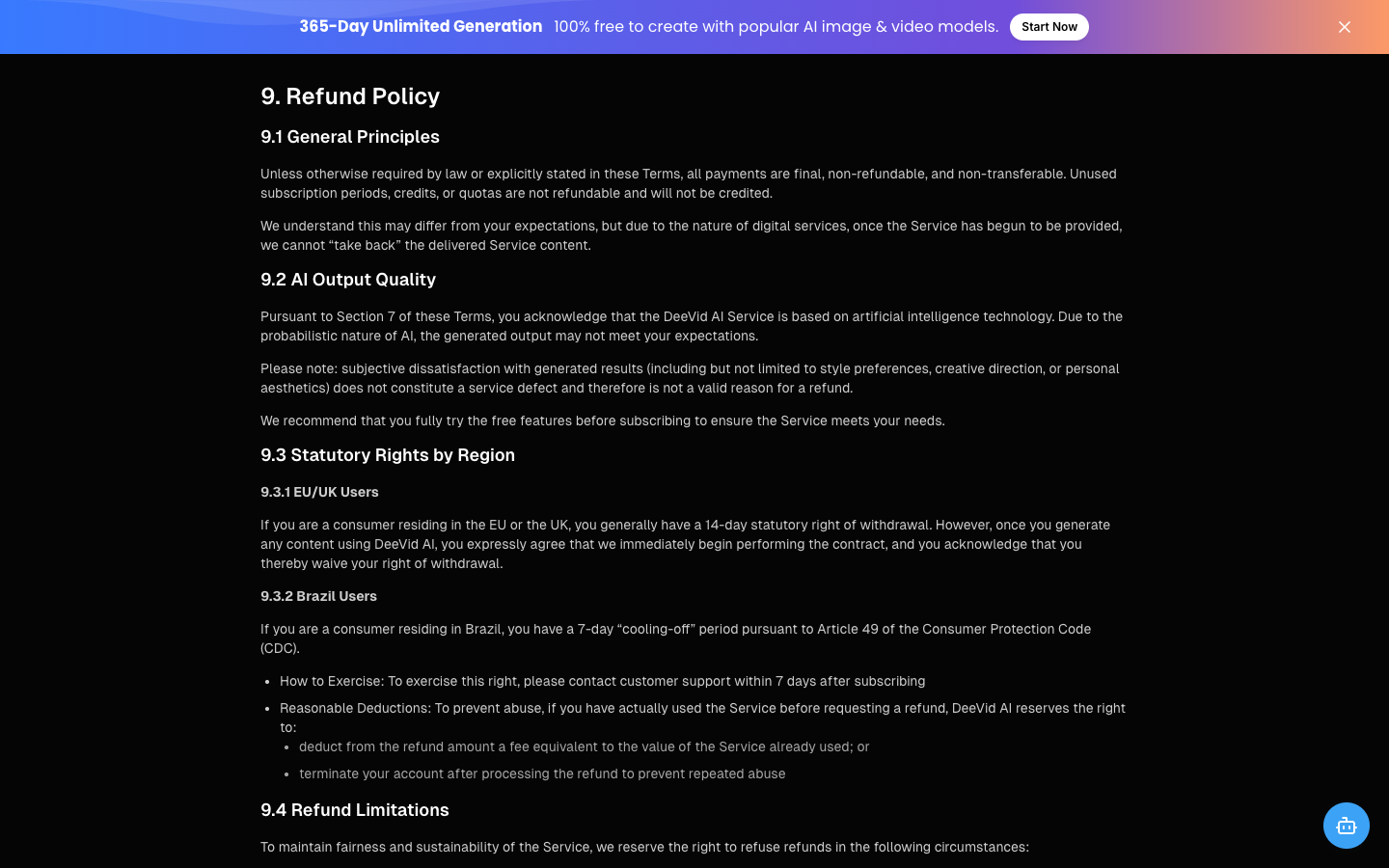
New Deevid accounts get 20 free credits, about 4 watermarked clips at the 5-credit setting. Once you pay and generate, Deevid's Terms of Service treat the payment as final, and dissatisfaction with how a clip looks isn't accepted as a refund reason.
These are the clauses that shape how you should trial it:
Section 8.1: payments are final "once you obtain access to the paid service or credits".
Section 8.3: annual plans can't be refunded, prorated, or switched to monthly. Deevid itself suggests starting monthly.
Section 9.2: dislike of style, creative direction, or aesthetics "does not constitute a service defect".
Section 9.3.1: EU and UK buyers waive the 14-day withdrawal right once they generate content.
Section 9.5: refunds are considered for outages over 72 consecutive hours or duplicate charges, via [email protected], answered within 14 business days.
Your 20 free Deevid credits are the whole trial. Spend them on 4 drafts of your best hook at the 5-credit setting, then decide whether the motion is worth a month of Lite.
All plans auto-renew. You cancel with a "Cancel" button on your Account page, and the plan runs to the end of the cycle. Upgrades take effect at once and carry unused credits across.
The pricing FAQ allows commercial use, including advertising, and section 6.3 of the terms gives you ownership of what you generate. Section 7 also says output may resemble existing works, so check each clip for logos or packaging you didn't supply before it runs.
Deevid AI pros and cons for product video ads
Each Deevid AI pro and con below comes from the app on October 5, 2026, my keychain clip, or a dated source in this review:
Pros
Cons
A 5-second draft costs 5 credits, about $0.35 on Lite
A 15-second 720p clip on Master V4.0 costs 120 credits, 24 times more
Product motion in my clip looked natural
Text baked into the input image distorted
8 video models in one picker, under one subscription
Models carry Deevid labels, and each costs a different number of credits
No watermark and full commercial use on every paid plan
No refunds after the first generation; yearly plans can't be refunded
UGC Ads quick start works from selling points
The quick start shows no credit cost before you continue
Cancel in 1 click; upgrades keep unused credits
Trustpilot reviewers report monthly credits don't roll over
Deevid AI alternatives for ecommerce video ads
The 4 options below run cheapest first, with prices checked on October 5, 2026. Each one fits a different job:
Tool
Starts at
Best for
Trade-off
CapCut
Free online editor, no card
Adding captions, offers, and resizes to clips you already have
You bring the footage
Deevid AI
$14 a month, 200 credits
Cheap motion drafts from your own prompt
5 to 120 credits per clip
Creatify
Free 10 credits; Starter $39 a month, 100 credits
Avatar-led ads from a product URL
About $2 a video on Starter, by its own free-plan rate
Promer AI
First ad free, no card
Ad ideas from product context, then UGC video
Fixed 15-second, 9:16 UGC format
Pair CapCut with any of them for the text layer. The real choice is whether you need cheap motion (Deevid), a talking spokesperson (Creatify), or help deciding what the ad should say.
Promer AI, when the hard part is the idea
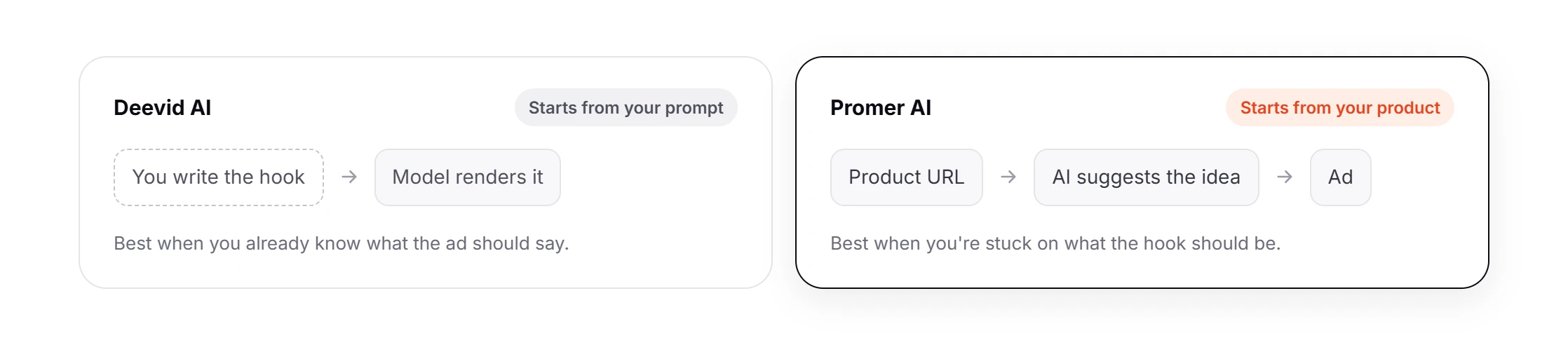
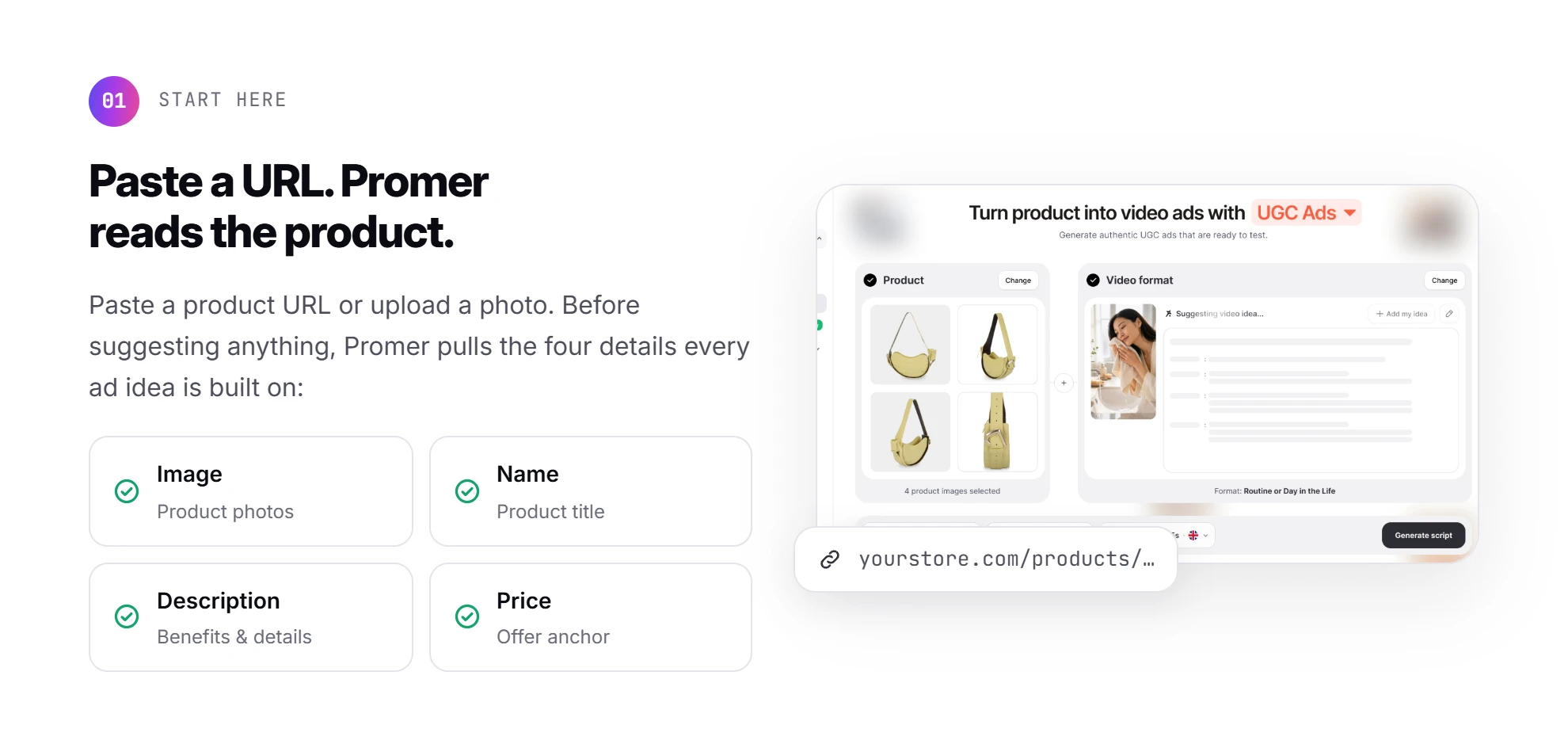
Deevid makes whatever you describe. Promer AI, an AI ad maker, starts a step earlier: you paste a product URL or upload a photo, and it pulls the image, name, description, and price before suggesting anything.
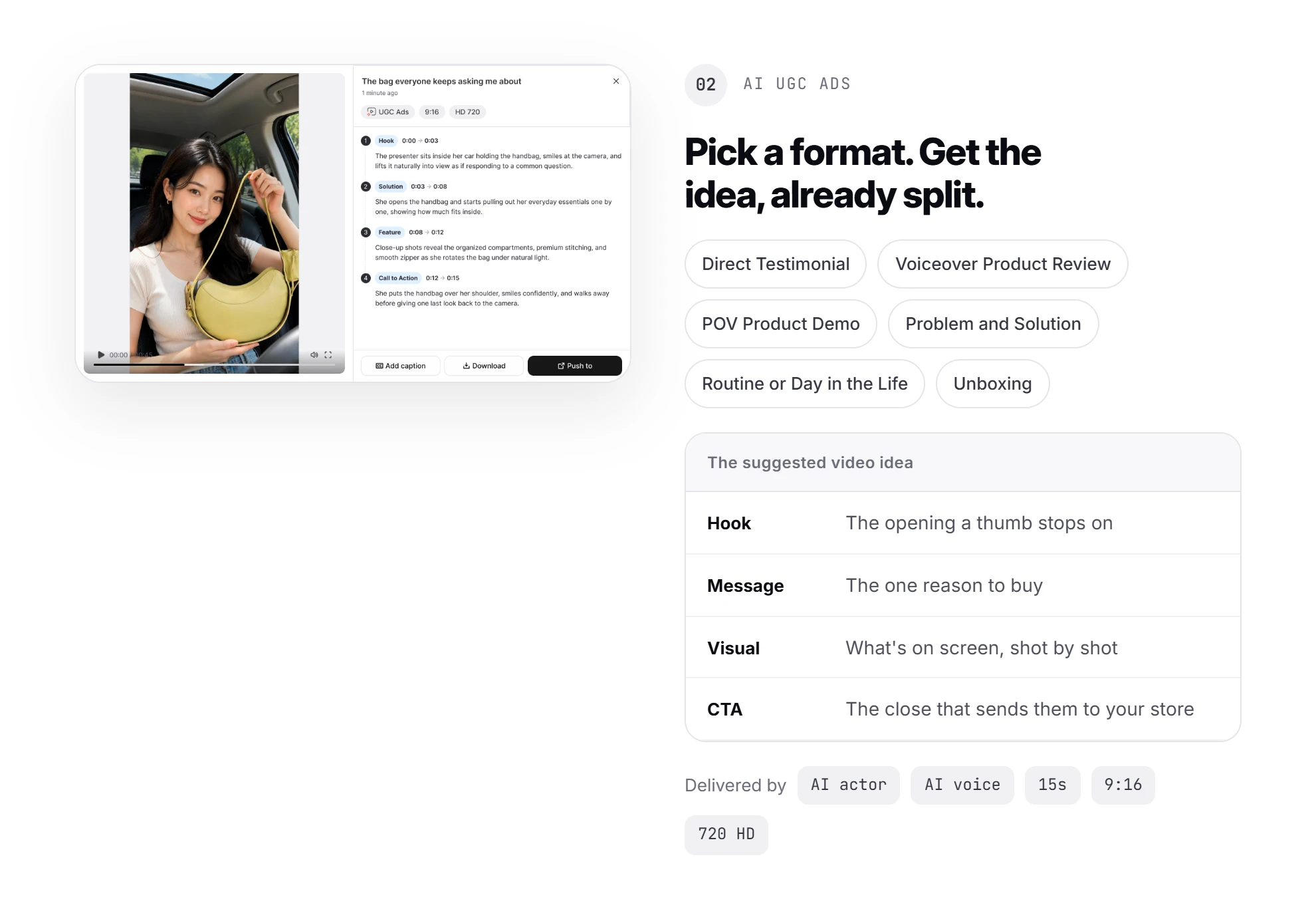
In AI UGC Ads, you pick a format (Direct Testimonial, Voiceover Product Review, POV Product Demo, Problem and Solution, Routine or Day in the Life, or Unboxing). The AI then suggests the video idea, split into Hook, Message, Visual, and CTA, before an AI actor and AI voice deliver it as a 15-second, 9:16 ad at 720 HD.
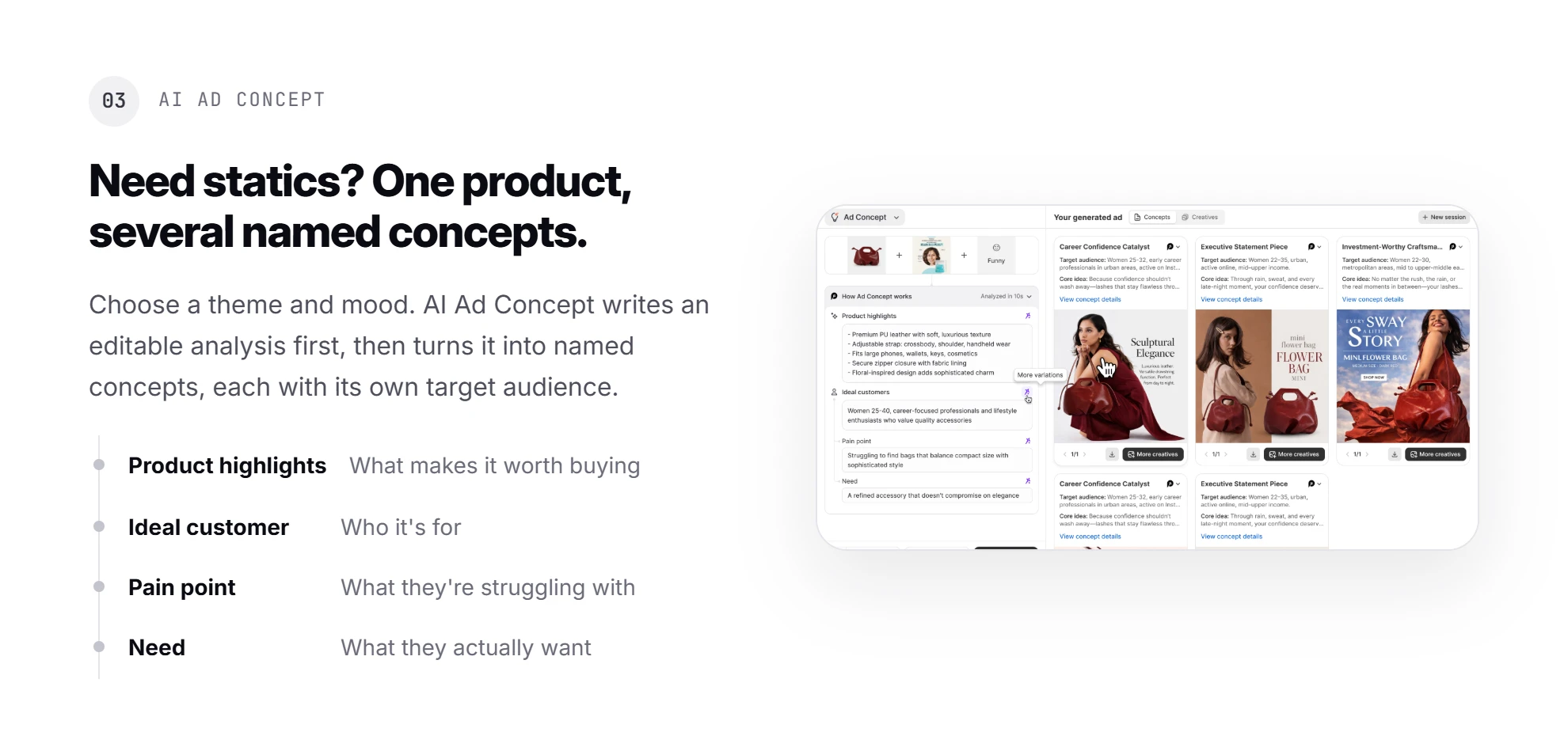
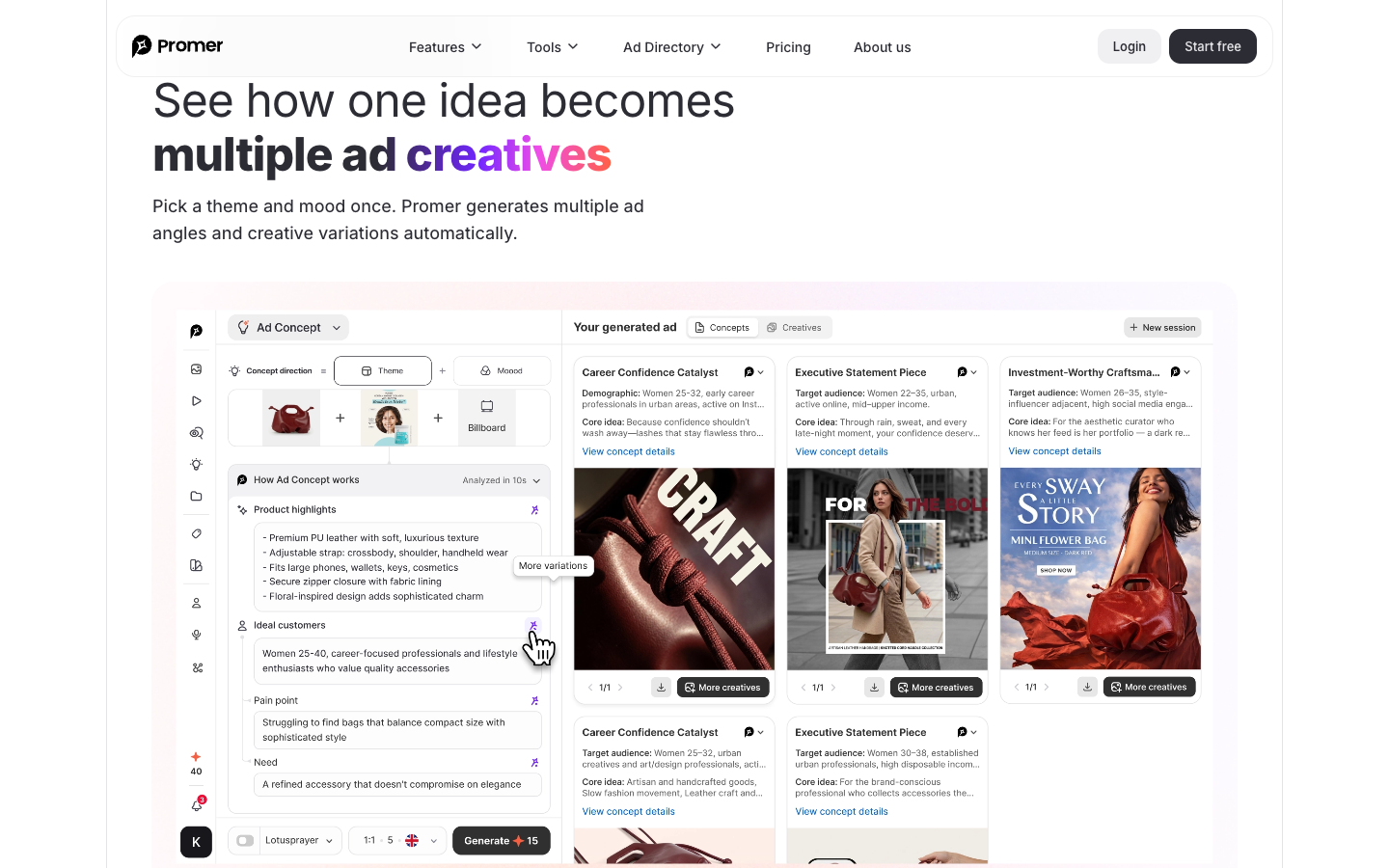
For static ads, AI Ad Concept turns a theme and mood into an editable analysis (Product highlights, Ideal customer, Pain point, Need), then several named concepts with a target audience each.
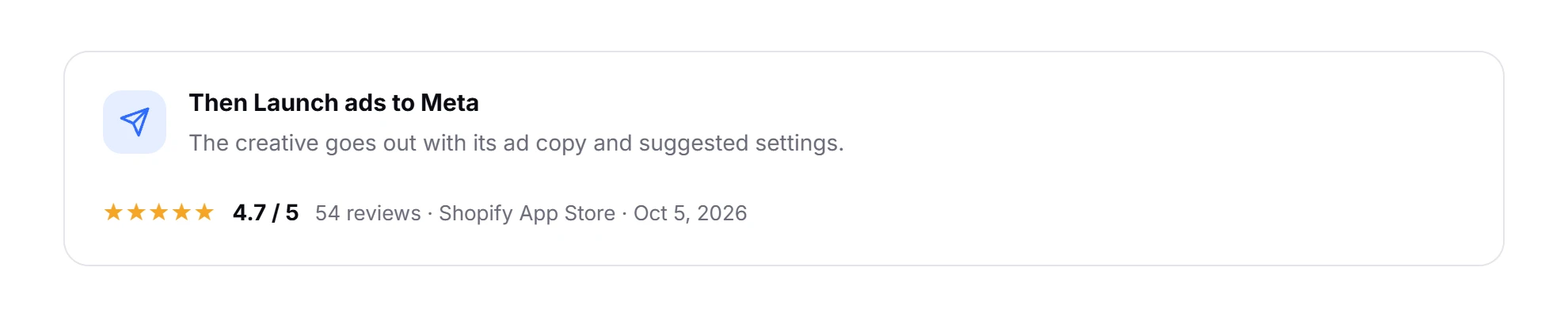
When a creative is ready, Launch ads lets you push it to Meta with its ad copy and suggested settings. Promer AI's Shopify app showed 4.7 out of 5 from 54 reviews on October 5, 2026.
Deevid still wins on model choice, clip length, music, and voice cloning. Like any AI output, Promer AI's creatives need a check before you put spend behind them.
Already know your 4 hooks? Deevid's 5-credit drafts are hard to beat on price. Stuck on what the hook should be? A tool that starts from your product page is the closer fit, and you can create your first Promer AI ad free, with no credit card required.
Is Deevid AI worth it for product video ads?
Deevid AI is worth it for product video ads when you already know your hook and need cheap motion takes on one product. Start on Lite at $14 a month, draft on the 5-credit setting, and render only the winning hook on Master V4.0. Skip it when your input is a static ad full of text.
Buy Deevid AI when you already know what your ad should say and need several motion takes on one product each month. Skip it when your input is a static ad full of text, or when you need 1080P on the smallest budget. Wait until you've spent the 20 free credits if you're unsure the motion suits your product.
Your next step: open AI Video, pick Start Image, set Quality V4.0 at 480p and 5 seconds, and spend the free credits on 4 drafts of your best hook.
In your first paid month, check your balance weekly. Reviewers say unused monthly credits don't carry over, so plan your renders before the cycle ends.
FAQ
Is Deevid AI free?
Deevid AI is free to start, with 20 credits for new accounts, about 4 watermarked clips. That count holds at the cheapest setting, Quality V4.0 at 480p and 5 seconds, which cost 5 credits a clip on October 5, 2026. On the free account, 1080p and 4K are locked, and paid plans remove the watermark.
How much does Deevid AI cost?
Deevid AI costs $14, $35, or $159 a month for Lite, Pro, and Premium on monthly billing. Yearly billing drops that to $10, $25, or $119 a month. Lite includes 200 credits, Pro 600, and Premium 3,000. A clip costs 5 to 120 credits depending on model, resolution, and length. Prices checked October 5, 2026.
How many credits does a Deevid AI video cost?
A Deevid AI video costs 5 to 120 credits, depending on the model and settings. On October 5, 2026, Quality V4.0 at 480p and 5 seconds cost 5 credits, Master V4.0 at 720p and 5 seconds cost 40, and Master V4.0 at 720p and 15 seconds cost 120. Check the counter next to Create before each clip.
Is Deevid AI legit?
Deevid AI is a working product run by ALWAYS RISING PTE. LTD., with public pricing, terms, and a privacy policy. It holds 3.3 out of 5 from 698 Trustpilot reviews as of October 5, 2026, with reviews split between praise for results and complaints about credit cost. Its terms make payments final once credits are obtained.
Can you use Deevid AI videos in ads?
Yes, Deevid AI's pricing FAQ allows commercial use of generated videos, including advertising. Paid plans remove the watermark, and section 6.3 of the terms gives you ownership of generated content. Deevid doesn't guarantee that output avoids third-party rights, so check each clip for logos or designs you didn't supply.
Can you get a refund from Deevid AI?
Usually not: Deevid AI's terms refuse refunds once you've used the service or consumed credits. Yearly plans can't be refunded, prorated, or switched to monthly, and dislike of a clip's style isn't a valid reason. Deevid considers refunds for outages over 72 consecutive hours or duplicate charges, requested at [email protected].
Is Deevid AI good for ecommerce video ads?
Deevid AI is good for cheap motion drafts of a product you already know how to sell. In a test on October 5, 2026, product motion looked natural but text inside the input image distorted, so add copy after export. For help choosing the hook itself, Promer AI's AI UGC Ads suggests a Hook, Message, Visual, and CTA from your product page.
Related reviews and ecommerce guides
Creatify AI Reviews: walks through Creatify's URL to Video flow and what the $39 and $99 plans include.
Huy Tran Quoc is the Head of Product Management at Promer AI, part of FireGroup Technology, where he leads product strategy and execution across a cross-functional team spanning product, engineering, design, QC, customer success, and prompt engineering.
Over the past decade, Huy has progressed from Product Manager to Senior Product Manager to product leadership, working at EngineThemes, Zalo, TIKI Corporation, and now FireGroup Technology, across ecommerce SaaS, social networking, marketplace, supply chain, and fintech.
At TIKI, Huy owned the strategic roadmap and P&L alignment for a multi-vertical portfolio and partnered directly with the C-suite to translate company vision into executable plans.