Pippit AI Review: I Turned One Product Photo Into a TikTok Ad Plan
Category
Blogs
Date
Authored by
Huy Tran Quoc
Summary
Pippit AI review from a free-plan test: the agent planned a 15-second TikTok ad from 1 photo, then asked for Starter. Real prices, credits, and verdict.
Got a product that sells on TikTok Shop or Shopify, a phone full of product photos, and no time to storyboard a video? Wondering whether a CapCut-made agent can write the ad for you?
That is the job I gave Pippit: one product photo, one back-to-office campaign, one 15-second vertical ad.
This Pippit AI review finds the agent good at planning a TikTok ad from thin product info, but the video itself needs Starter, so pay monthly and test before you buy a year. Skip to the pricing section if you only need the price.
Why you can trust this Pippit review?
I test ad tools the way a store owner would: one real product, one campaign idea, and the free plan before any card goes in. Pippit did not pay for this review or see it before publishing.
On October 7, 2026, I signed in to Pippit on a free account that showed 320 credits. I added a pair of white over-ear headphones as a product, wrote a full TikTok brief, and followed the agent until it asked me to pay. Prices come from pippit.ai/pricing, checked the same day from Vietnam, so they show in dong.
Key takeaways
Plan free, render paid. The agent wrote my brief, shot plan, and 2 reference images on Free; the final video asked for Starter.
Give it more angles. One photo was not enough: the agent stopped to ask before inventing a folded view or a cushion close-up.
Price per second. The model menu shows 7 credits per second on Seedance 2.0 Mini, so a 15-second ad costs 105 credits.
Pay monthly first. Starter is VND235,000 a month or about VND219,000 a month on yearly billing, a gap of about 7%.
Check the logo. Pippit spotted the brand mark on my photo and removed it, but free outputs carry a Pippit AI watermark.
What Pippit AI is in 2026: CapCut's creative agent for TikTok sellers
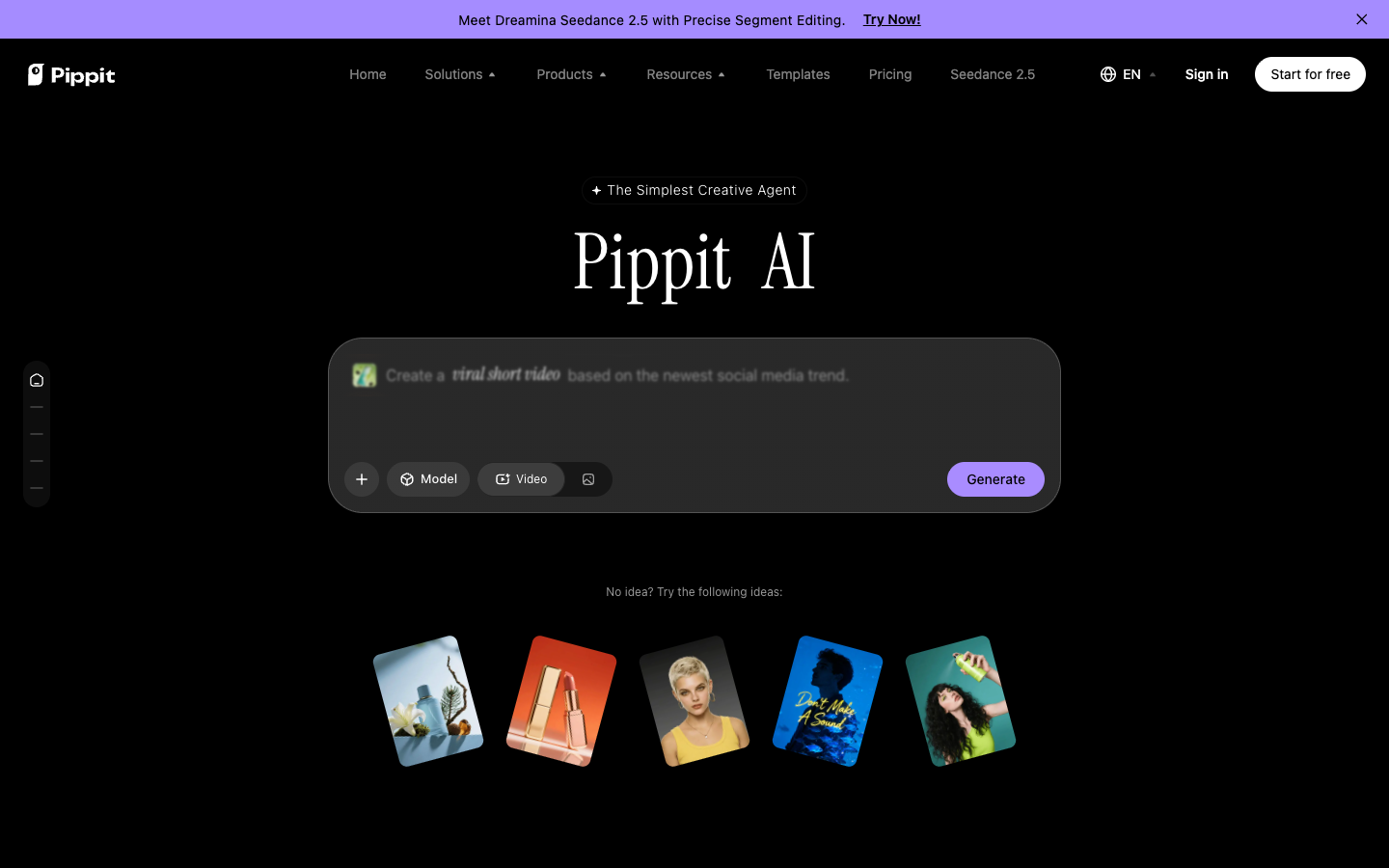
Pippit AI is a browser workspace where you type a prompt or paste a link, file, or photo, and an agent returns a marketing video or image. It sits inside the CapCut family, and its homepage groups starting ideas around TikTok, TikTok Shop, and TikTok Ads.
Pippit AI calls itself "The Simplest Creative Agent," and every page footer reads "Powered by CapCut." CapCut's homepage lists Pippit as its "Smart creative agent," next to Dreamina and Hypic.
Once you sign in, the left menu splits Pippit into 4 workspaces:
Creative: the general agent for "Agent, turn ideas into videos."
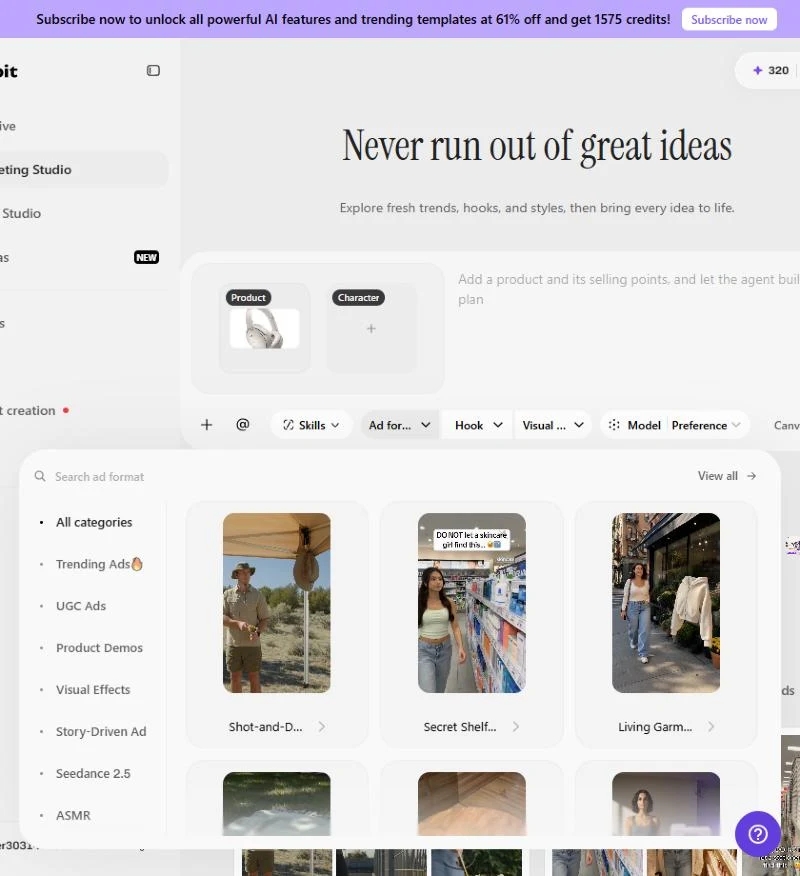
Marketing Studio: product and character slots plus Ad formats, Hook, and Visual style menus. This is the one for ads.
Story Studio: longer story-driven videos.
Canvas: a board where the agent lays out briefs, references, and shots.
Pippit.ai review test: a 15-second TikTok ad from one product photo
Pippit's Marketing Studio acts like a junior strategist: it reads your product, writes a brief, and checks what it is missing before it spends your credits on video. That check was the most useful thing I saw, and it is also where a thin product listing slows you down.
Scenario: you sell white noise cancelling headphones, run a back-to-office push for commuters, and offer 15% off in launch week.
Step 1: add the product the way a buyer would read it
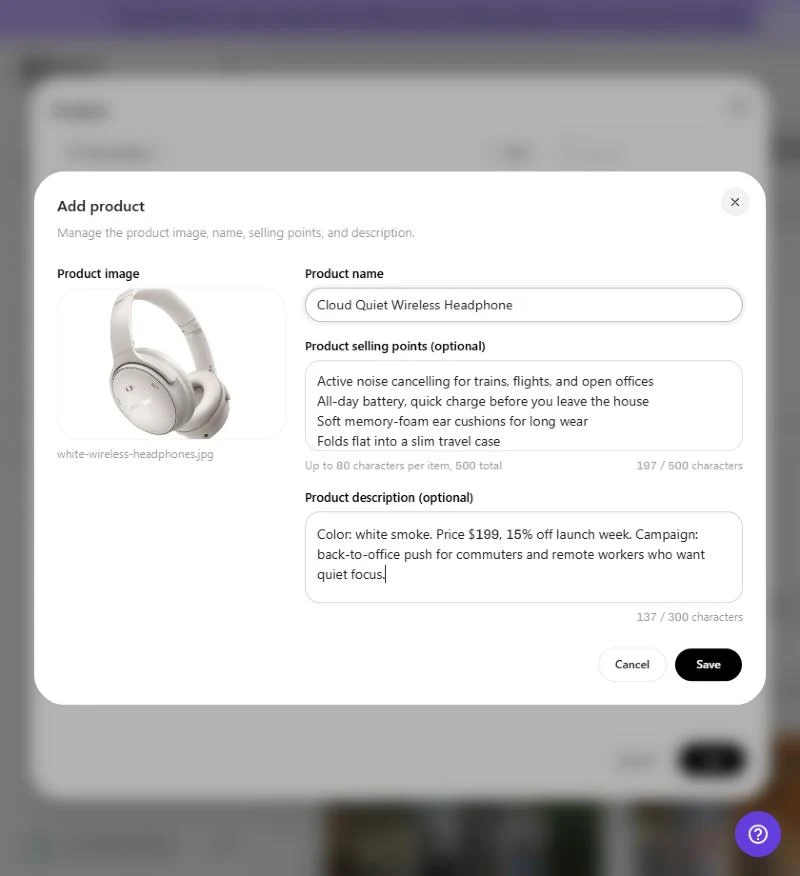
Click the Product slot, then Add. The form asks for a product image, a name, selling points (up to 80 characters each, 500 in total), and a 300-character description. You should see the photo and filename on the left once it uploads.
What I typed, and why each line matters later:
Field
What I typed
What the agent did with it
Name
Cloud Quiet Wireless Headphones
Used it in every shot and caption
Selling points
Active noise cancelling for trains, flights, and open offices / All-day battery / Soft memory-foam ear cushions / Folds flat into a slim travel case
Turned each into a "P00" point it must show on screen
Description
Color: white smoke. Price $199, 15% off launch week. Campaign: back-to-office push for commuters and remote workers
Set the offer, the audience, and the CTA
That means the selling points box is your ad's claim list. Write each line as the benefit a buyer would say out loud, because the agent treats them as locked facts.
Step 2: pick a format and check the price per second
The Ad formats menu opens a library sorted into Trending Ads, UGC Ads, Product Demos, Visual Effects, Story-Driven Ads, Seedance 2.5, and ASMR. Each card plays a sample you can remix with your own product.
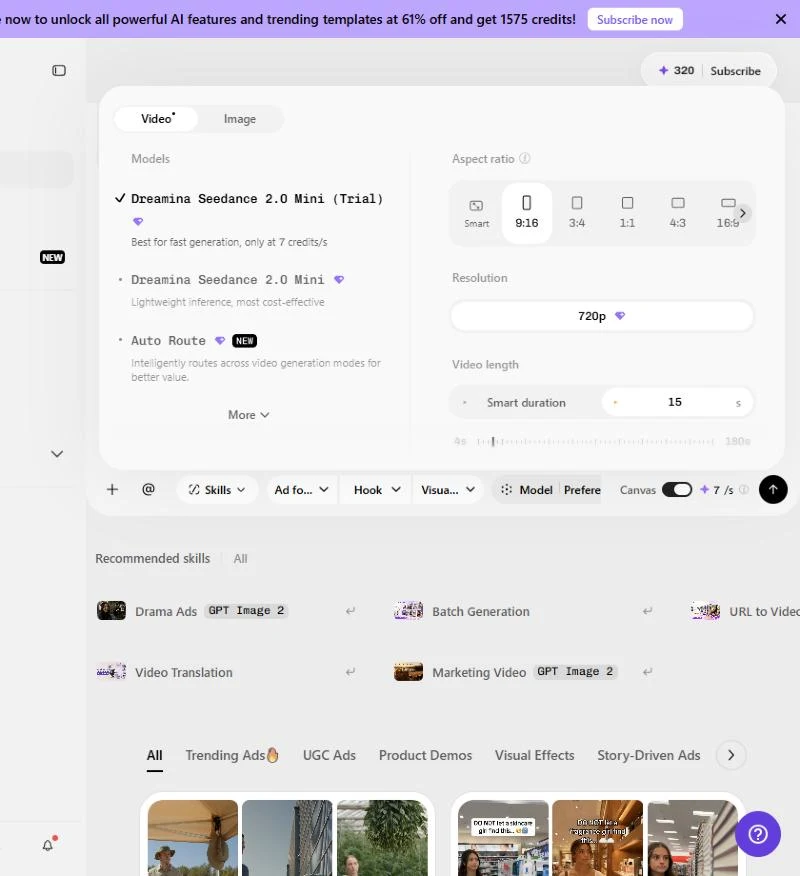
Then open Model and Preference. Here you set 9:16, resolution, and a custom duration from 4 to 180 seconds. I chose Seedance 2.0 Mini (Trial), which the menu prices at "7 credits/s," and set 15 seconds.
That means you can price an ad before you write it: 15 seconds at 7 credits a second is 105 credits per draft. Models marked with a gem icon are paid; in my test, the gem-marked Mini model needed Starter.
Step 3: write the brief like a shot list
The prompt box says "Add a product and its selling points, and let the agent build the plan." I gave it a timed brief instead of one line, so the agent had less to guess:
Part
What I typed
Format
15-second vertical 9:16 TikTok ad for a back-to-office campaign
Audience
Commuters and hybrid workers aged 25 to 40 who lose focus on noisy trains and in open offices
Hook, 0 to 3s
Close-up of a tired woman on a crowded morning train, wincing as the brakes screech. Text: "Your commute is louder than your alarm."
Turn, 3 to 8s
She slips on the white headphones, the noise drops to near silence, her shoulders relax. Show the earcup and cushion
Proof, 8 to 12s
Same headphones at a busy open-plan desk, then folding flat into a slim case inside a tote bag
Offer, 12 to 15s
Headphones on a clean desk in soft morning light. Text: "15% off launch week. Tap to shop."
Guard rails
Natural UGC look, handheld phone camera, warm daylight, captions on, keep shape and white color, no logo, only the 4 listed features
Step 4: answer the agent's questions
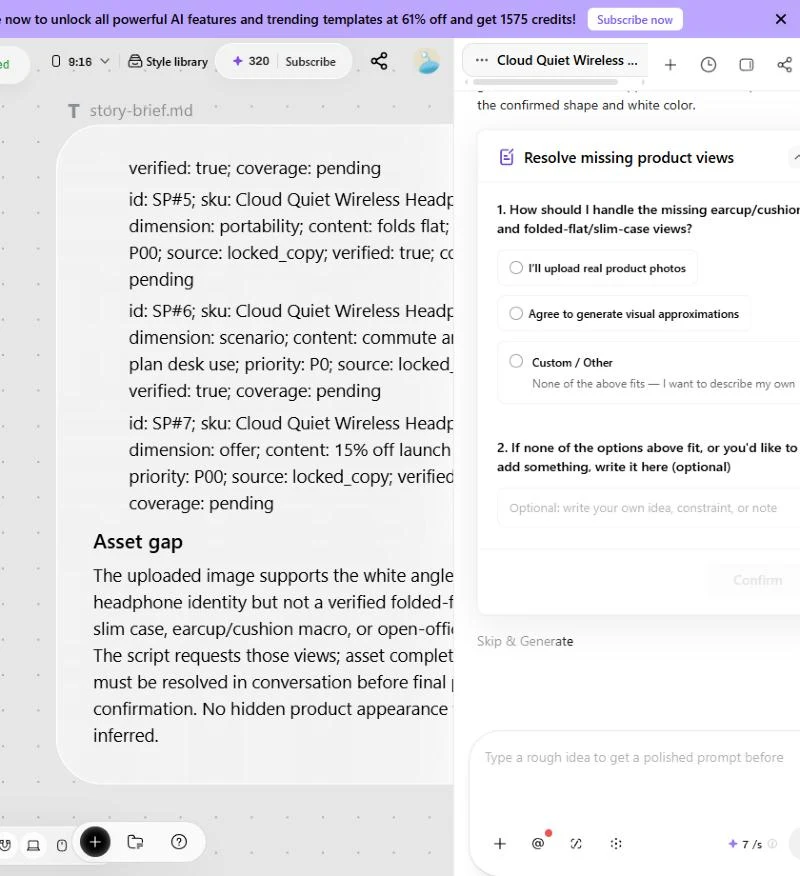
After it read the photo, the agent wrote an internal brief on the Canvas. It named a marketing direction, a "core memory line" ("Put on Cloud Quiet and get your workday back"), and a selling-point ledger with a priority for each claim.
Then it flagged an "Asset gap": my single photo did not show the folded state, the case, a cushion close-up, or an office scene. It asked me to choose between "I'll upload real product photos" and "Agree to generate visual approximations." It also noticed the brand mark on my photo and said it would remove it.
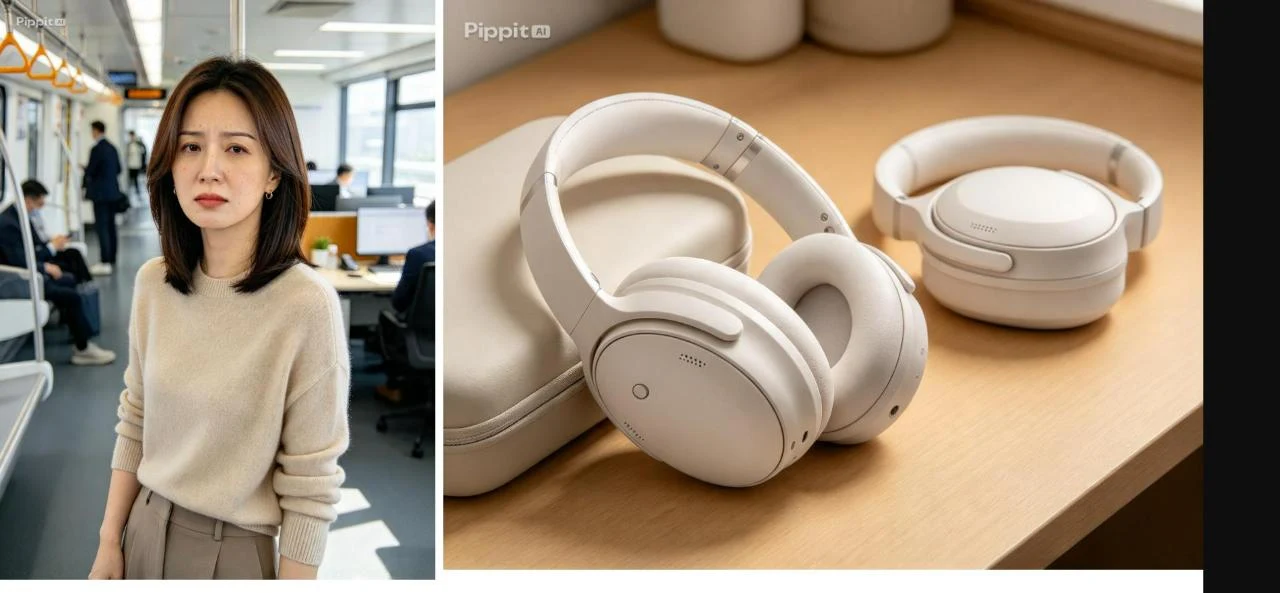
I agreed to approximations, then to a generated commuter and setting, then confirmed the final plan. Each answer took 2 clicks. The 2 reference images cost 4 credits, taking my balance from 320 to 316.
The headphone shape and color held up, and the logo was gone. The "folded flat" view came back as a second pair lying on the desk rather than a folded one, so check every product detail the agent had to invent. Both images carried a Pippit AI watermark.
Step 5: generate, and meet the Starter screen
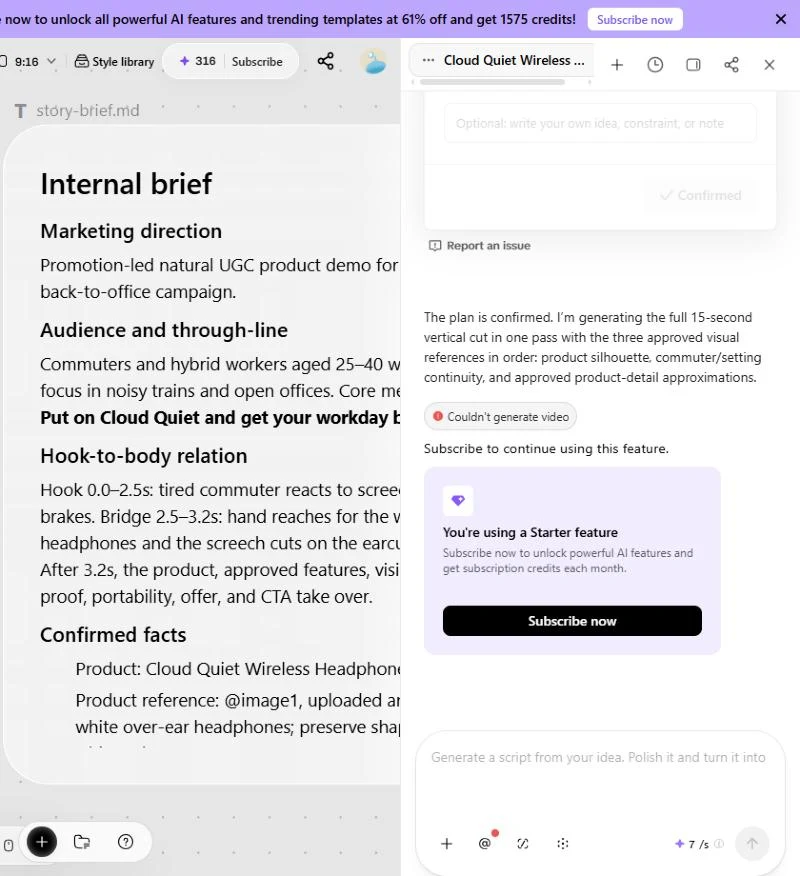
After I confirmed the plan, the agent started the 15-second cut and returned "Couldn't generate video" with "You're using a Starter feature." Video generation on this model needs a paid plan, even with credits left on the free account.
That means Free is worth an afternoon: you get a usable brief, a claim checklist, and reference frames you can hand to any editor. Budget Starter for the video itself.
Three more briefs you can paste into the same structure:
Angle
Hook, 0 to 3s
Proof
Offer
Objection
"I thought noise cancelling meant tight and sweaty." Text on screen
Thumb presses the memory-foam cushion, slow push-in
"Try them this week, 15% off."
Day in the life
Alarm, coffee, crowded platform in 3 fast cuts
Headphones on, the same platform with the sound cut
"Your quiet commute starts at the link."
Desk test
"Open office, 2 pm, 14 conversations around me."
Headphones on, timer overlay, focused typing
"Launch week only: 15% off."
What I would do differently on a paid plan:
Upload 3 to 4 real angles first: front, folded, in the case, cushion close-up. The agent will not have to approximate them.
Keep one claim per ad and change only the hook between drafts, so 2 drafts tell you which opening works.
Read the selling-point ledger before you confirm. It is the agent's promise of what will appear on screen.
Set a custom duration. "Smart duration" lets the agent decide how many seconds, and seconds are what you pay for.
Pippit product link to video: the URL flow in 6 steps
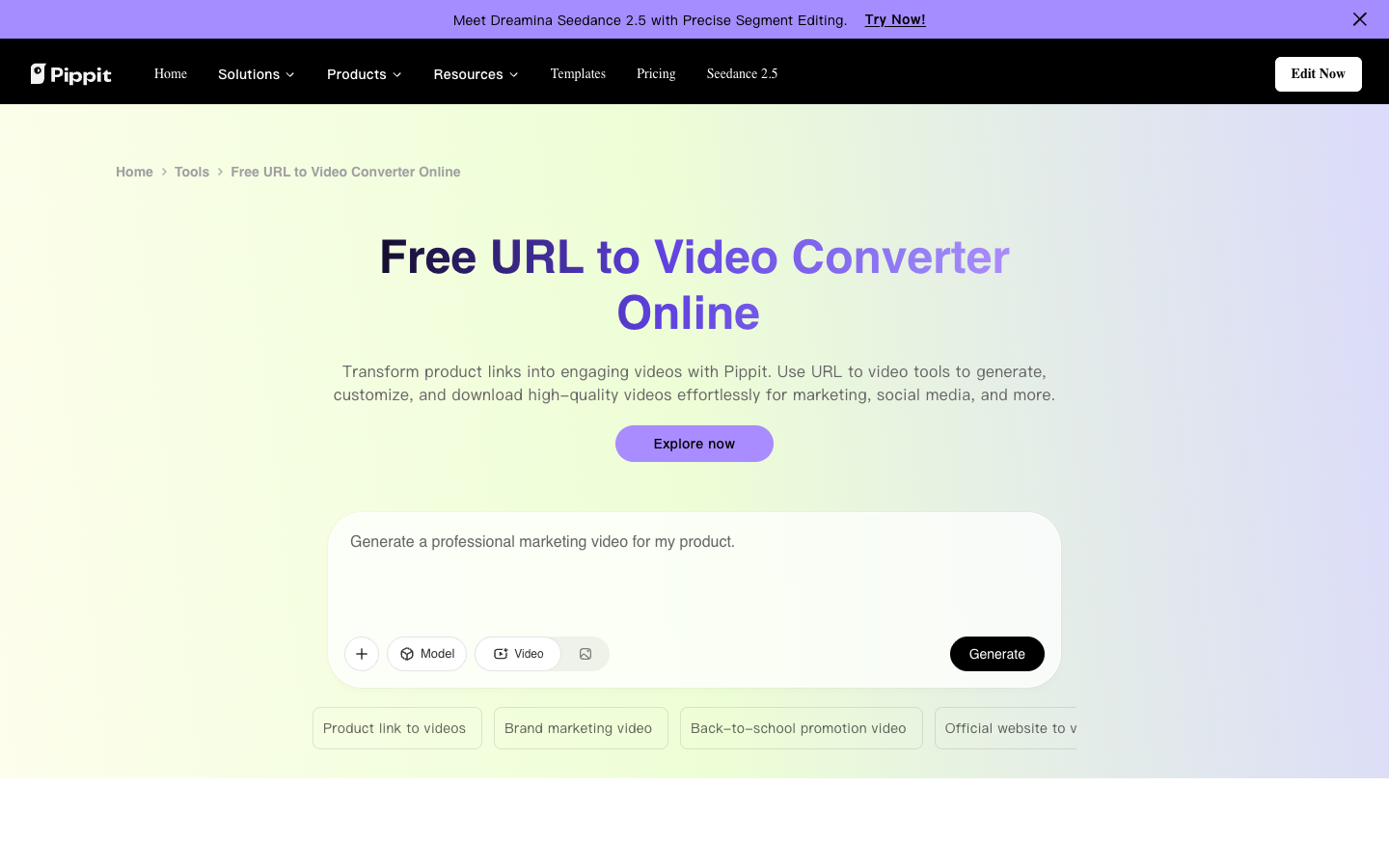
If your listing is rich, the link route skips the product form. Marketing Studio offers URL to Video as a recommended skill, and Pippit's URL to video page describes it in 3 steps. Split into the decisions you make, it becomes 6:
Open the video generator and pick a mode before you paste anything. Check the credits-per-second figure next to the send button.
Paste the URL, or click "+" and choose "Upload from Link." Pippit says it "instantly records your webpage," capturing layout, text, images, and product details.
Type the prompt that picks the angle: the problem to open on, one claim, and the offer. The product page cannot make this choice for you.
Set 9:16 for TikTok, a duration, and whether to add an avatar. On Free, stay under the 1-minute cap.
Click "Generate," then "Regenerate" for a new version or "Edit more" to fix text and captions. Budget at least 2 generations per usable draft.
Click "Download" for the file, or "Publish" to schedule an organic post. Build the paid ad in TikTok Ads Manager.
Limit: the agent reads only what the page shows. A listing with 1 photo leads to the same asset gap I hit, so add angles to the listing before you paste the link.
What the CapCut backing adds to Pippit: models, an editor, and Publish
The CapCut backing adds 3 things you can point to on Pippit's pages. Each one saves a step between "draft" and "posted."
Pippit models: Seedance 2.5 and the Dreamina family
The model menu lists Smart match, Dreamina Seedance 2.5, Seedance 2.0 Fast, Seedance 2.0, Seedance 2.0 Mini, and Auto Route. Smart match picks a model for you when the agent detects a video request.
A second model gives you a second try on a shiny label or fine print before you switch tools. Open the model menu before you pay for one.
The Pippit editor and the Publish button
After a draft renders, "Edit more" opens an editor with trim, crop, smart crop for 3 formats, auto captions, music, and background removal. Quick Cut, on the templates page, edits a video by editing its transcript.
The "Publish" button uploads video "directly to TikTok, Instagram, or Facebook without leaving Pippit" and schedules posts. The pricing table also lists "Add TikTok Shop links to videos" and a "Content-driven TikTok Shop sales" view under analytics. These are organic posts; paid campaigns still get built in TikTok Ads Manager.
Pippit avatars, translation, and templates for a second market
Around the ad flow, 3 Pippit tools matter for a store: avatars and talking photos, video translation, and templates.
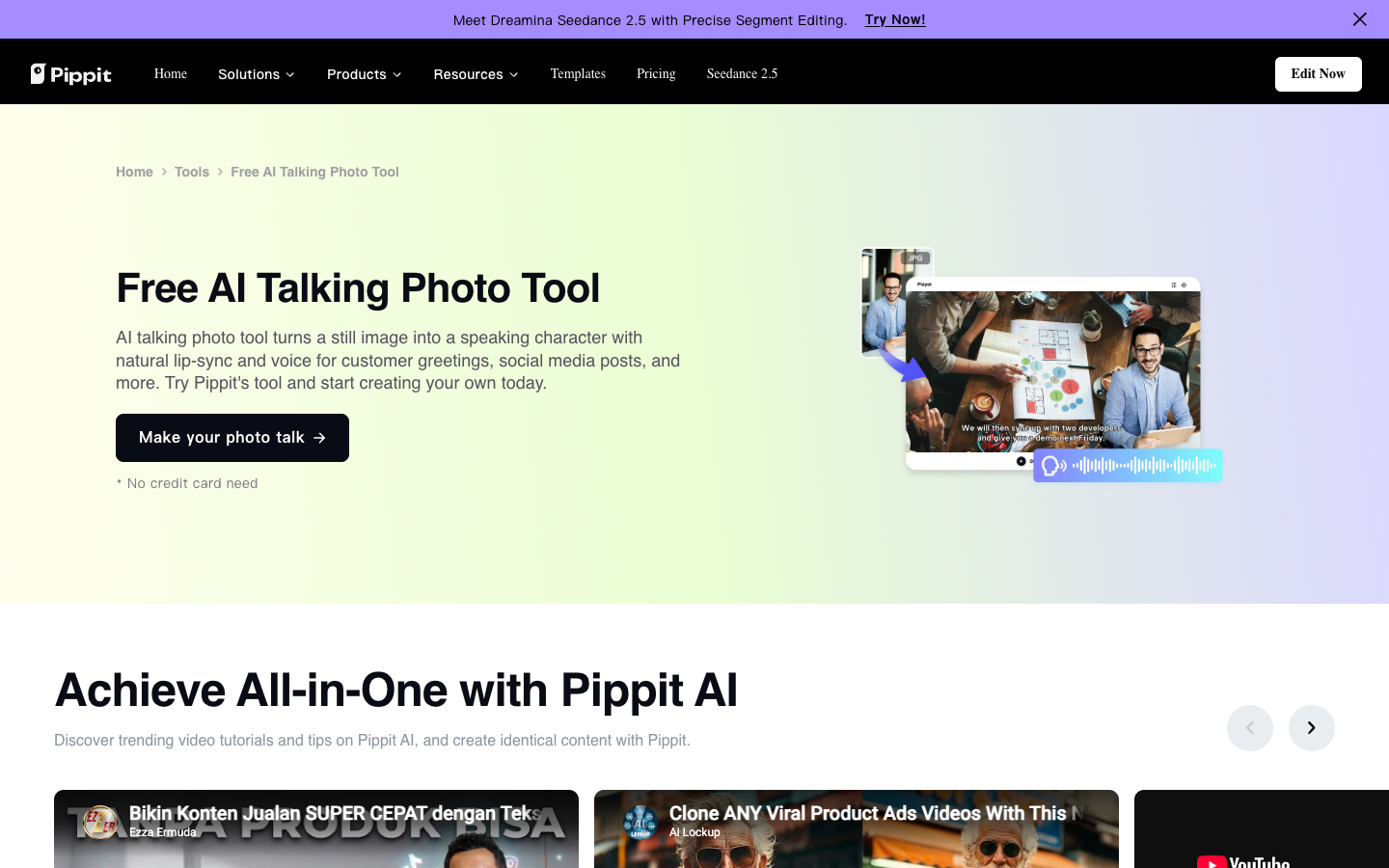
Every plan, Free included, gets 3 photo avatars in 30+ languages. Custom video avatars are paid: 1 on Starter, 3 on Plus, and 10 on Pro. AI talking photo turns a still of at least 256 x 256 px into a speaking clip from a typed script or uploaded audio.
The talking photo upload asks you to confirm you have the right to use the photo before "Next" appears. Use it only for a face you hold rights to, and follow your ad platform's AI disclosure settings.
The video translator says it covers "25+ languages," naming French, Spanish, German, and Hindi, with AI voices and restyled subtitles. If a TikTok already works in 1 market, this is the shortest route to a second. Test your language first, since only 4 are named.
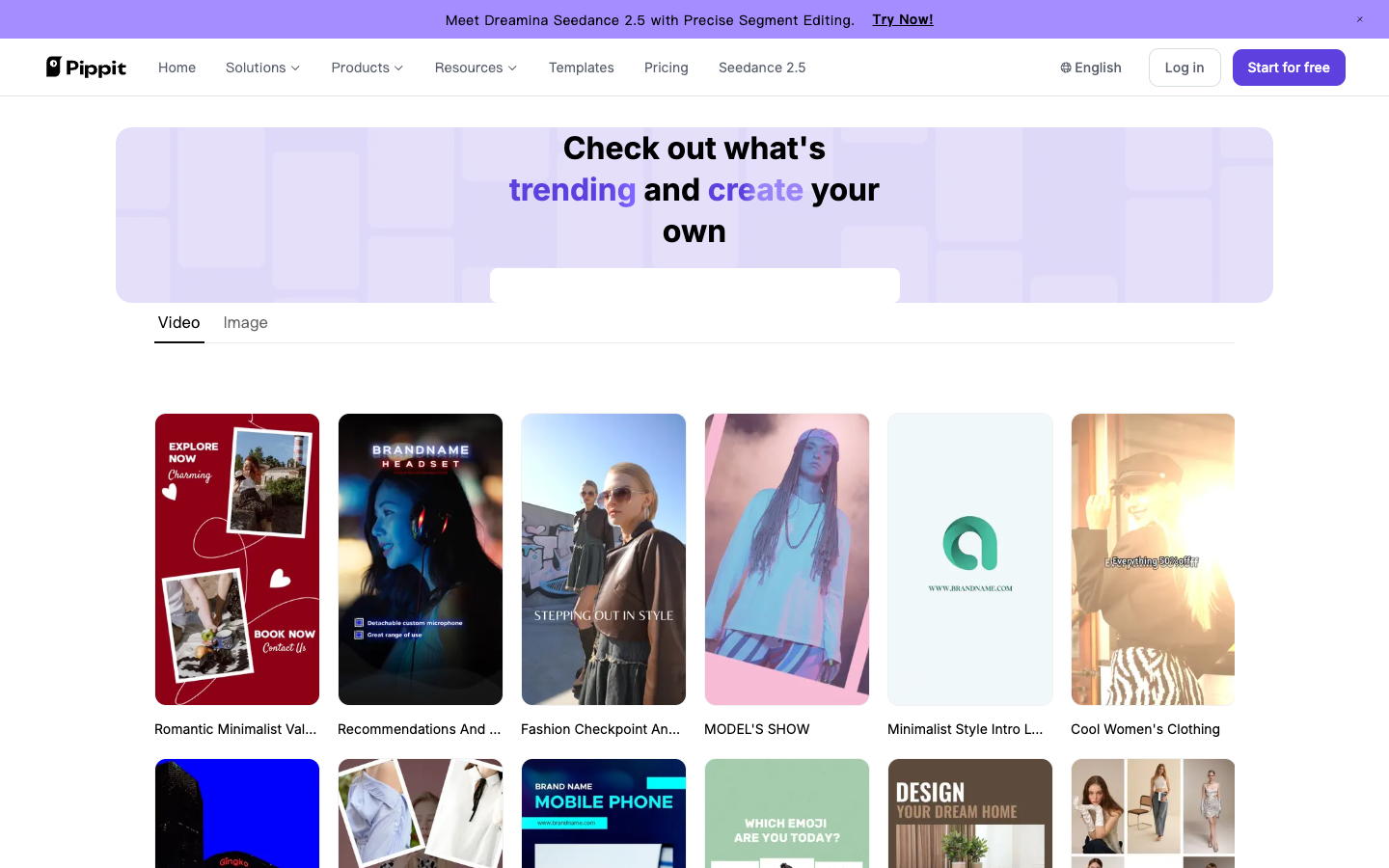
The templates page lists dozens of short templates by niche, such as a 0:09 headphone promo and a 0:12 wig display. Every seller who picks the same template shares its cuts, so use one as a first draft, not as a test variant.
Pippit AI pricing: the discount is on monthly too, so a year saves about 7%
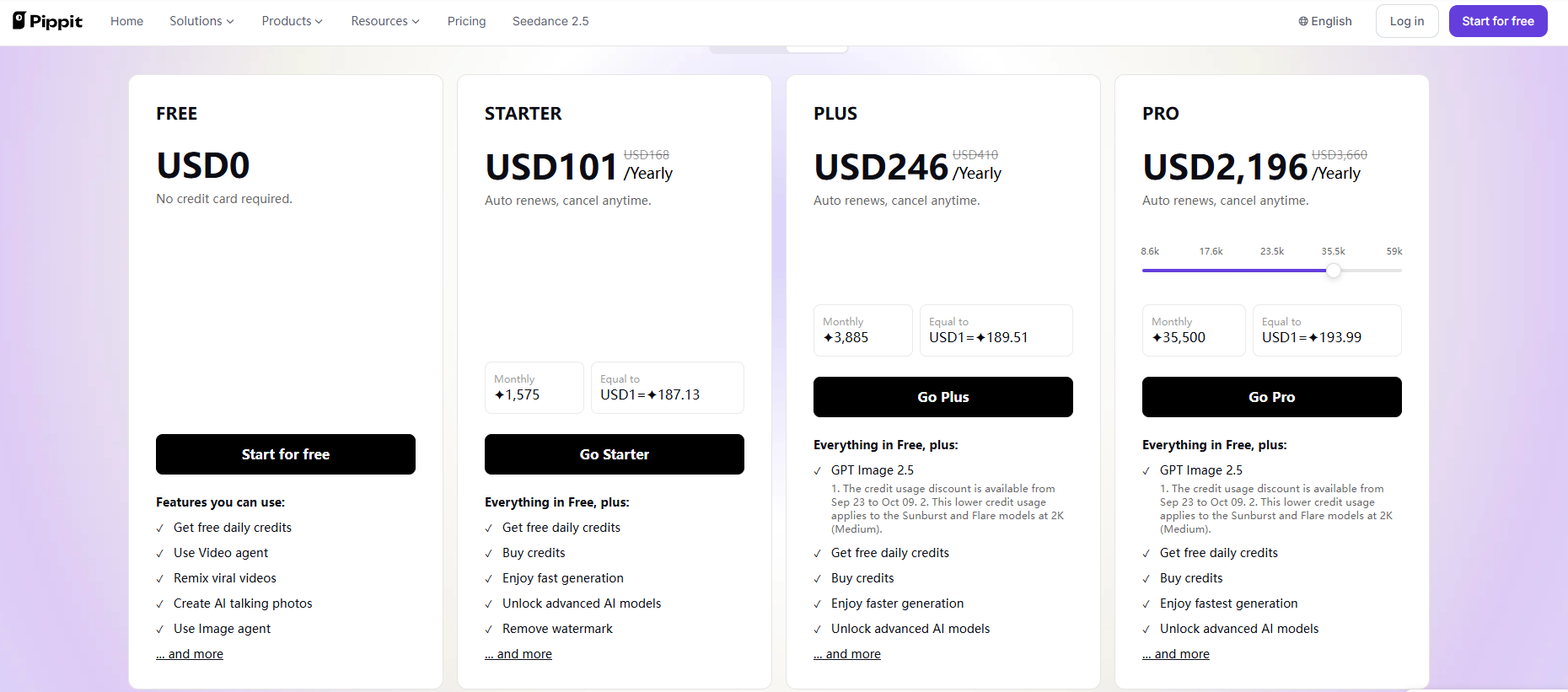
Pippit AI pricing is a subscription that buys a monthly credit allowance, and the page sets currency by location. On October 7, 2026, the English pricing page showed these yearly prices to US visitors, each next to a struck-through list price:
Plan
Yearly price
Per month
Credits a month
Extras
Free
$0
$0
Free daily credits
3 photo avatars, watermark
Starter
$101 (list $168)
about $8.42
1,575
Watermark removal, 4K upscale, 1 custom video avatar
Plus
$246 (list $410)
$20.50
3,885
GPT Image 2.5, 500 GB storage, 3 custom video avatars
Pro, 35.5k tier
$2,196 (list $3,660)
$183
35,500
10 custom video avatars, unlimited storage
That means Starter costs about $8.42 a month on yearly billing, or about $0.56 per 15-second draft. The 40% cut is not yearly-only: monthly billing showed a struck-through price too, and in my checkout, monthly Starter cost only about 7% more per month than yearly.
So pay monthly for the first 1 to 2 months, while you learn what a usable ad costs you. Before you switch to yearly, open the Terms of Use and note 3 answers: the refund window, what happens to unused credits at renewal, and who owns generated video.
The pricing FAQ says extra credits can be bought "whenever necessary" if you run out mid-month. Prices are localized, so your checkout may show a different currency and amount.
Pippit credits: what one 15-second ad costs
A 15-second draft on Seedance 2.0 Mini costs 105 credits at the 7 credits per second the model menu shows. Starter's 1,575 monthly credits buy about 15 such drafts.
In money, a Starter credit costs about VND149 on monthly billing and VND139 on yearly. One 15-second draft works out to about VND15,600 monthly or VND14,600 yearly, before regenerations. The arithmetic is ours.
That means 15 drafts is about 7 usable ads if you budget 2 drafts per keeper. Bigger plans buy volume and features; the cost per credit barely moves.
The Free plan needs no credit card and lists Video agent, Image agent, talking photos, and 3 photo avatars. In my test it covered the brief, the asset check, and reference images, and the free outputs carried a Pippit AI watermark.
Pippit AI reviews: customer quotes and my free-plan pros and cons
The Pippit AI reviews on its pricing page come from named customers. KraftGeek's creative director credits Pippit with 30% less production time, and Sleep Shop's marketing manager reports a 25% rise in TikTok engagement. These are testimonials Pippit chose, so treat them as what is possible, not what your store will get.
The pros and cons below come from my test and Pippit's own pages:
Pros
Cons
Agent writes a timed brief and claim checklist from your product info
Video generation on Free stops at a Starter screen
Asks before inventing product views, and removes brand marks
Approximated views can be wrong, like my "folded" pair
Credits per second shown before you generate
Free outputs carry a Pippit AI watermark
"Publish" schedules to TikTok, Instagram, Facebook
Paid campaigns still built in TikTok Ads Manager
Talking photos and 25+ language translation
Yearly saves only about 7% over monthly on Starter
The pros are about thinking: Pippit plans like a strategist. The cons are about what you pay to see the video.
Pippit AI alternatives: CapCut, Captions, Creatify, and Promer AI
Each route is built for a narrower job. None copies Pippit's mix of an agent brief, multi-model generation, and organic publishing in one free-to-start workspace. Cheapest first:
Tool
Starting price
Best for
Verdict
CapCut
Free, 160 sign-up credits
Editing footage you already have
Start here if you film your own ads
Promer AI
First ad free, no credit card
Ad ideas and UGC video from a product URL or photo
Pick it for suggested hooks over a blank brief
Pippit
VND235,000 a month (Starter)
TikTok videos planned by an agent
Worth it for TikTok-first sellers
Captions
$24.99 a month (Max)
Talking-head and avatar ads on iPhone
Pick it if you film on a phone
Creatify
$39 a month (Starter)
Avatar ads from a product URL
Pick it for a large avatar library
CapCut, the free editing baseline
CapCut's homepage offered online editing "for free" with "no credit card required" on October 5, 2026, plus auto captions, text to speech, and a 160-credit sign-up bonus. Pick CapCut if you already have footage. The product-link job lives in Pippit, not in CapCut's editor.
Creatify and Captions, the avatar routes
Creatify also turns a product URL into a video ad, built around an AI avatar library, with Starter at $39 for 100 credits. Our Creatify AI review covers its URL flow step by step.
Captions leans the other way: an iPhone editor with a teleprompter and AI actors, starting at $24.99 a month on Max. It suits a seller who films talking-head ads on a phone.
Promer AI, for ad creative built from product context
Promer AI is an AI ad creative performance platform for ecommerce advertisers, and it starts from the same input as Pippit: a product URL or image. It extracts the image, name, description, and price, then builds ads from that product context.
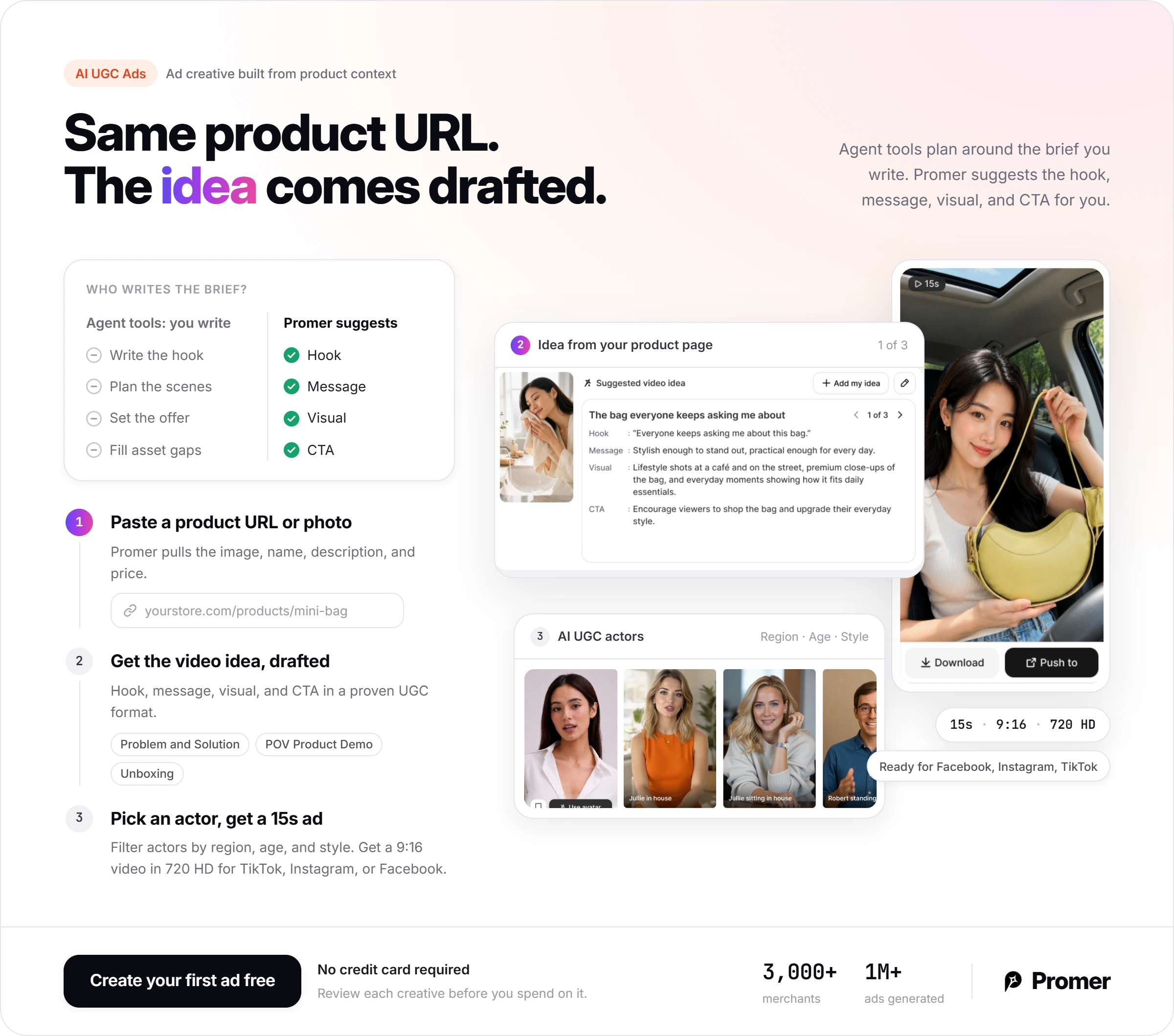
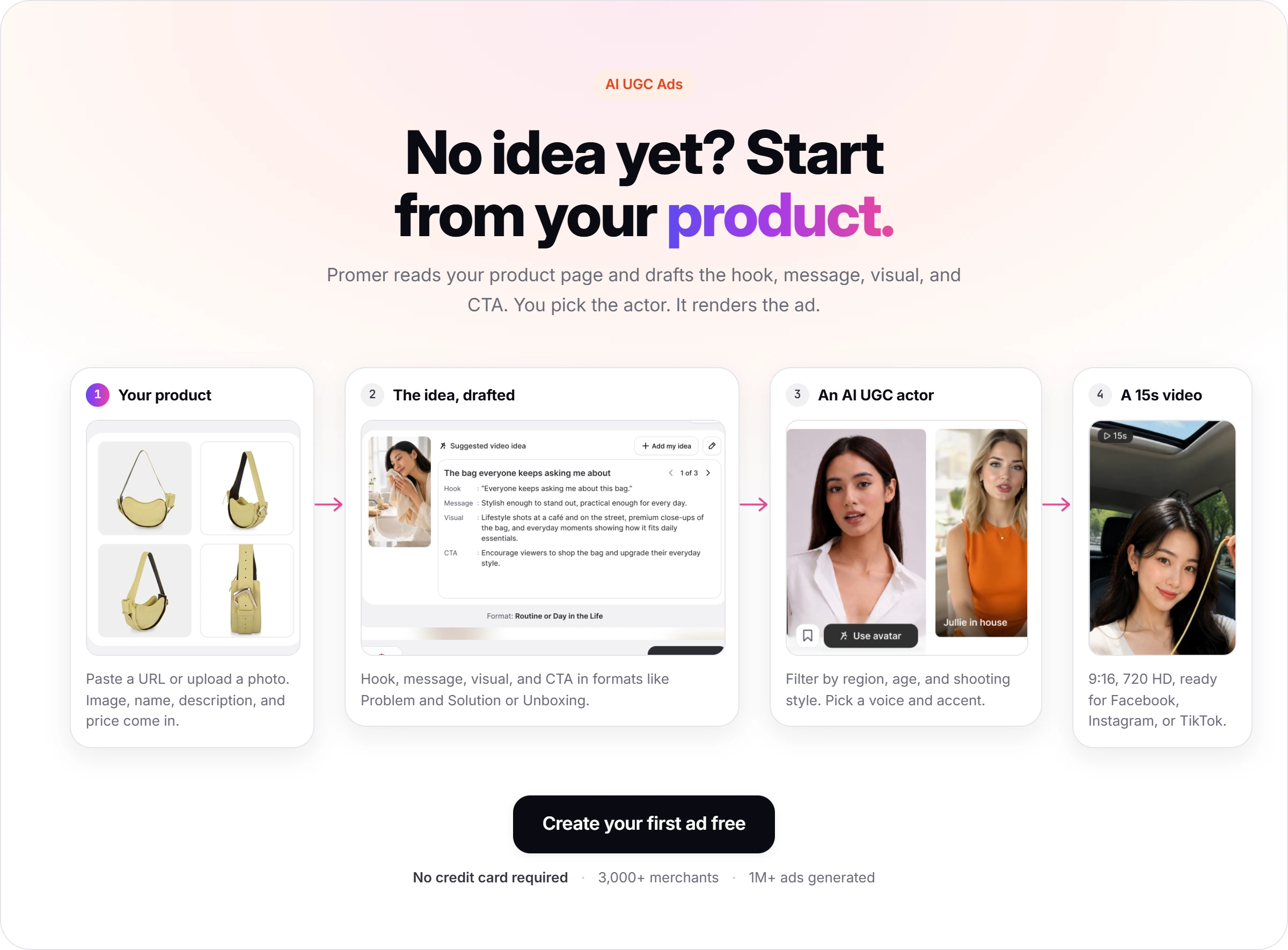
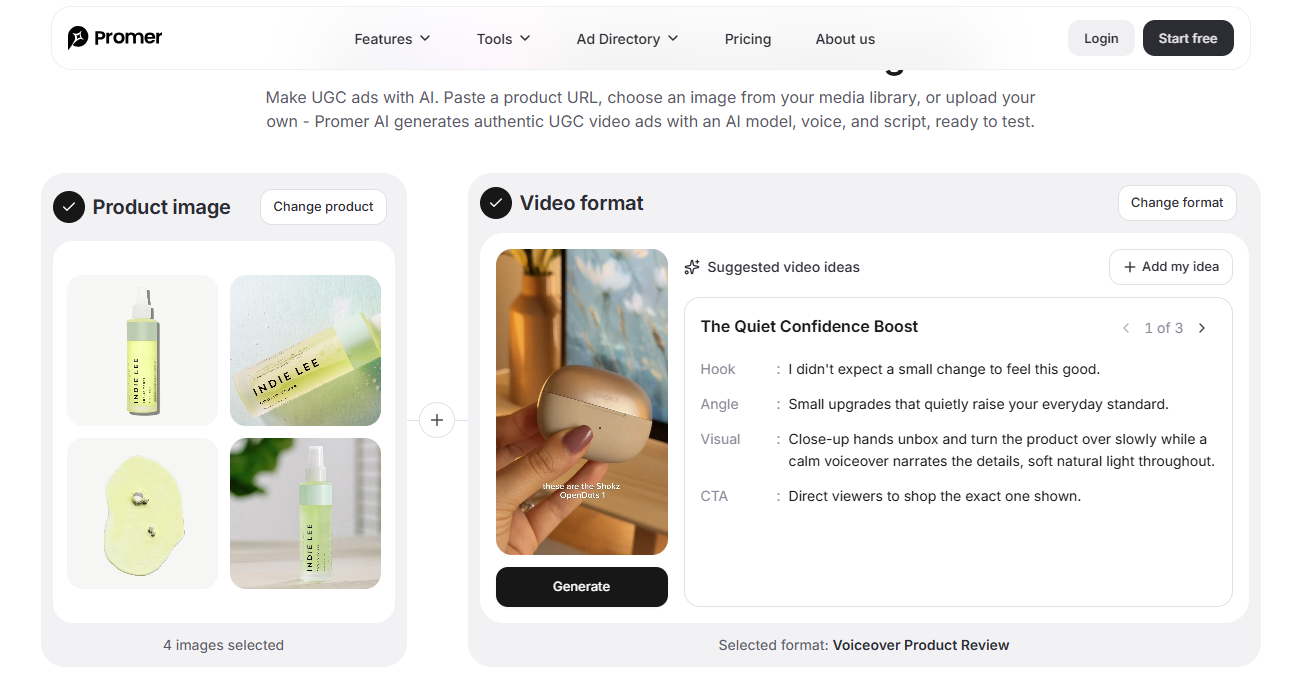
The difference is who writes the brief. In my Pippit test, I wrote the hook, scenes, and offer, and the agent planned around them. Promer AI's AI UGC Ads suggests the video idea for you, with a hook, message, visual, and CTA, in formats such as Problem and Solution or POV Product Demo.
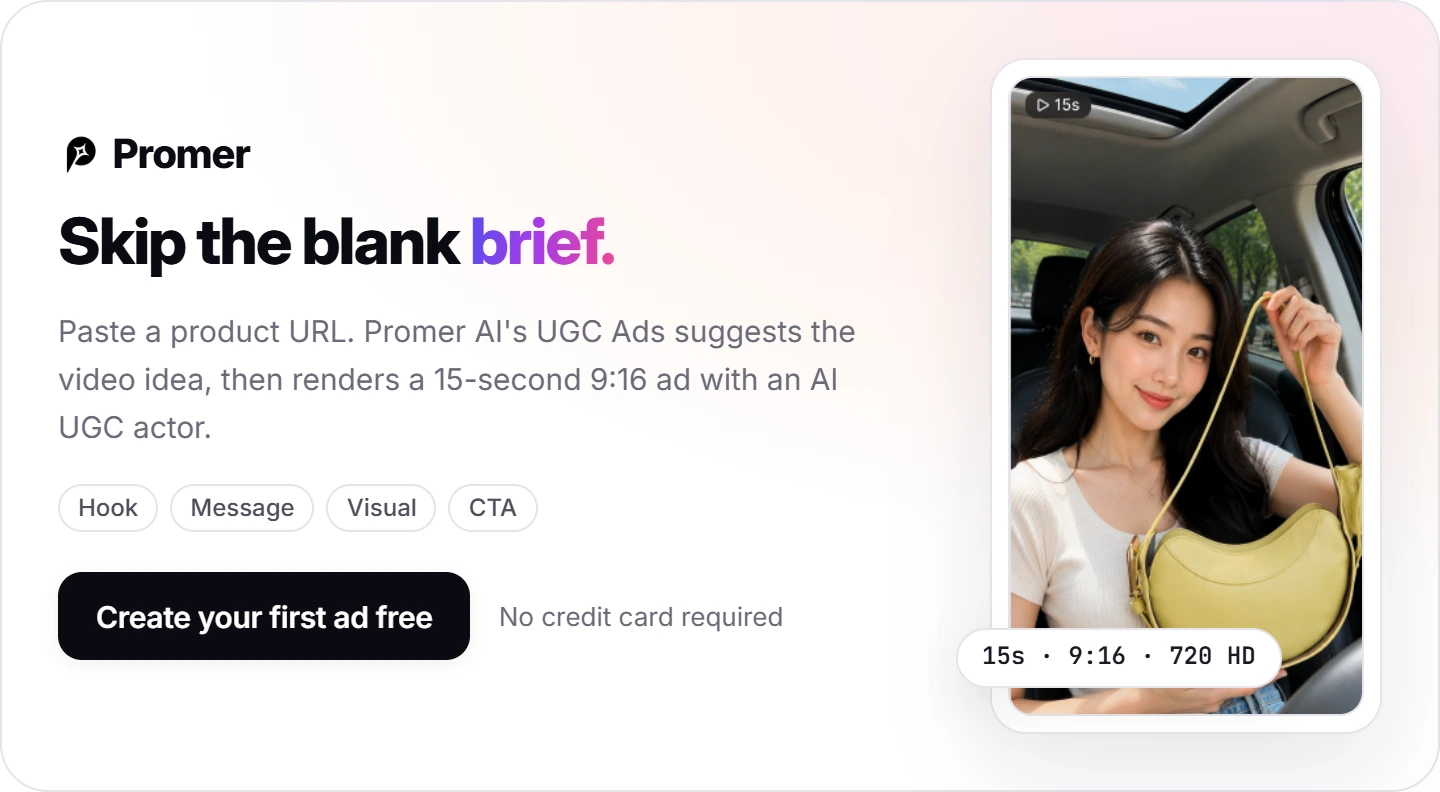
You pick an AI actor and a voice, and the output is a 15-second 9:16 video in 720 HD that publishes to Facebook, Instagram, or TikTok. For a TikTok-first store, the TikTok ad generator starts from the same product context.
Pippit does more outside ads, such as translation, talking photos, and templates. Promer AI reports 3,000+ merchants and 1M+ ads generated, and its AI creatives can contain mistakes, so review each one before you spend on it.
Pippit AI review verdict: plan free, render on monthly Starter
Buy Pippit AI on monthly Starter if TikTok is your main channel and you post product videos several times a week. Skip it if most of your budget goes to Meta static ads. Wait on yearly billing until you know your credits per usable ad.
Next action, about 30 minutes: add 1 real product with 3 to 4 angles on the Free plan, paste one of the briefs above, and read the agent's brief and asset check before you pay.
If the plan looks right, move to Starter monthly and log credits per usable ad for 2 weeks. Watch the product details the agent approximates, and switch to yearly only when the numbers hold.
FAQ
Is Pippit AI free?
Yes, Pippit AI has a free plan that needs no credit card, but video generation on most models needs Starter. Free lists daily credits, Video agent, Image agent, talking photos, and 3 photo avatars. In a test on October 7, 2026, Free covered the brief and reference images, while the final video returned "You're using a Starter feature." Free outputs carry a watermark.
How much does Pippit AI cost?
On October 7, 2026, Pippit AI showed Starter at VND235,000 a month or VND2,628,014 a year. Plus was VND560,000 a month or VND6,413,605 a year, and Pro started from VND14,078,645 a year. Starter includes 1,575 credits a month and Plus 3,885. Prices show in local currency, so yours may differ.
Can Pippit AI turn a product link into a TikTok video?
Yes, Pippit AI's URL to video tool turns a pasted product link into a video draft. You choose a model, write a prompt, set ratio and duration, then generate, edit, and download or publish. Pippit says it records the page's text, images, and product details, so the draft is only as strong as the listing.
How many credits does a Pippit AI video cost?
A Pippit AI video costs credits per second, shown in the model menu before you generate. Seedance 2.0 Mini showed 7 credits per second on October 7, 2026, so a 15-second ad costs 105 credits. Starter's 1,575 monthly credits cover about 15 drafts of that length. Premium models cost more, and regenerations count too.
Is Pippit AI part of CapCut?
Pippit AI is presented as part of the CapCut family. Its footer reads "Powered by CapCut," and CapCut's homepage lists Pippit AI next to Dreamina and Hypic. Pippit AI has its own plans and credits, separate from the CapCut editor.
What is a good Pippit AI alternative for ecommerce ads?
CapCut suits editing your own footage, Captions and Creatify suit avatar ads, and Promer AI suits ads built from product context. Captions starts at $24.99 a month and Creatify at $39. Promer AI's AI UGC Ads turns a product URL or photo into a 15-second UGC-style video with a suggested hook, and the first ad is free.
Reference Sources
CapCut. (n.d.). CapCut AI Video Editor: Smart online video editing with advanced AI tools. https://www.capcut.com/
Huy Tran Quoc is the Head of Product Management at Promer AI, part of FireGroup Technology, where he leads product strategy and execution across a cross-functional team spanning product, engineering, design, QC, customer success, and prompt engineering.
Over the past decade, Huy has progressed from Product Manager to Senior Product Manager to product leadership, working at EngineThemes, Zalo, TIKI Corporation, and now FireGroup Technology, across ecommerce SaaS, social networking, marketplace, supply chain, and fintech.
At TIKI, Huy owned the strategic roadmap and P&L alignment for a multi-vertical portfolio and partnered directly with the C-suite to translate company vision into executable plans.