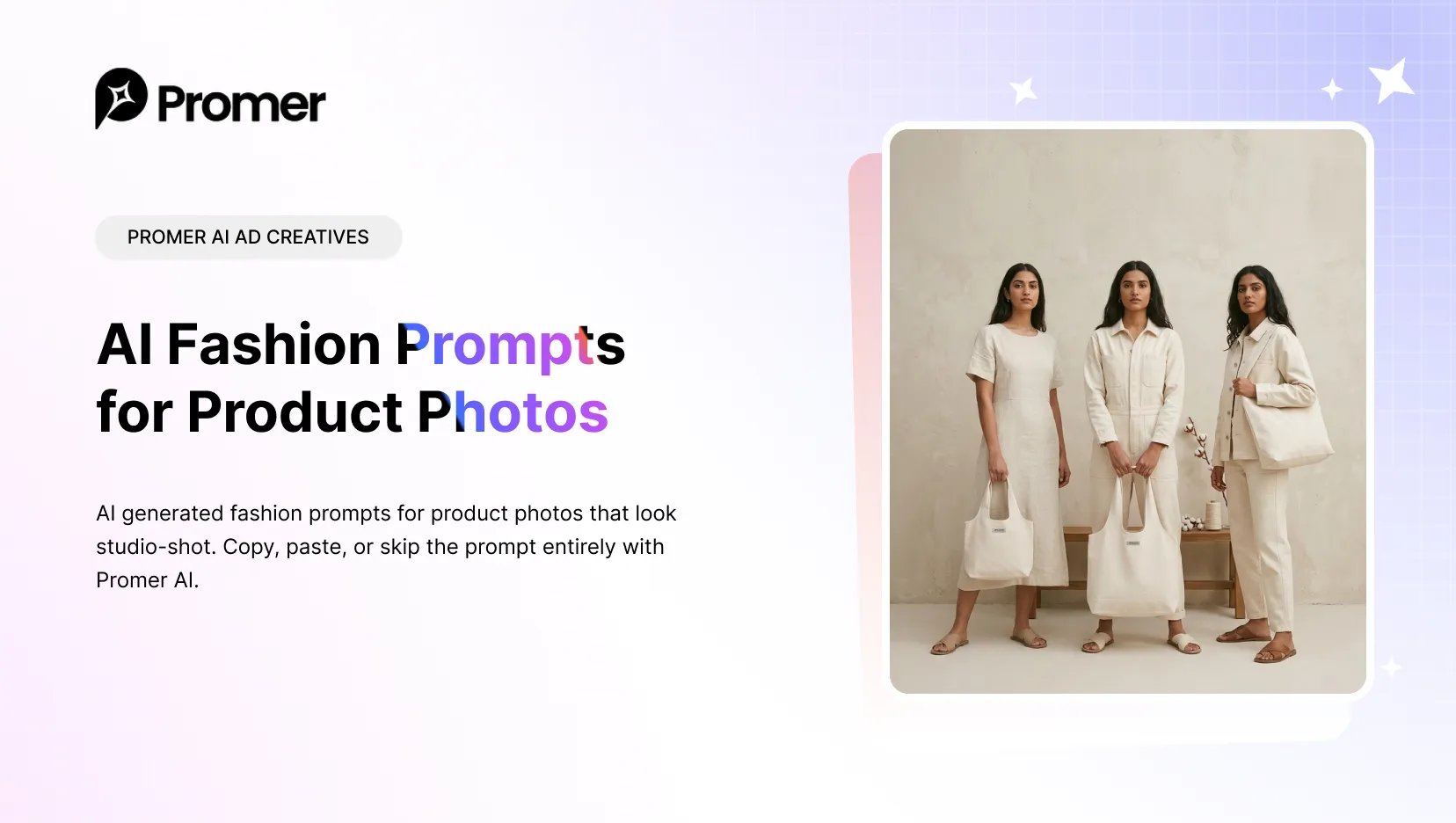
20 AI Generated Fashion Prompts for Product Photos That Actually Convert. Copy, paste, or skip the prompt entirely with Promer AI.
The right AI fashion prompt names the garment detail, the model, the lighting, the camera framing, and the aspect ratio - vague prompts like "fashion photo of a dress" produce generic, forgettable images.
Most people paste a one-line description into ChatGPT, Midjourney, or Nano Banana and get back a stock-photo-looking result that does not match their actual product.
The fix is a more specific prompt structure, and a way to keep the output tied to your real product image instead of letting the AI invent one.
This list gives you 20 ready-to-use AI generated fashion prompts, organized by the type of shot ecommerce sellers need most: on-model editorial, lookbook and campaign, streetwear, product flat-lay, and virtual try-on. Each prompt is written as a full, copy-paste-ready sentence with a suggested aspect ratio.
At the end, you will find two ways to skip the manual prompt-writing step - one using a prompt-based tool, one using a guided style picker.
Key Takeaways
- Specific prompts (fabric, lighting, camera framing, aspect ratio) outperform generic ones for fashion product photos.
- On-model shots need pose, camera lens, and setting details; flat-lay shots need surface, angle, and light quality details.
- AI tools without a reference image tend to invent a garment that does not match yours - always attach a real product photo when the tool supports it.
- Promer AI's AI Ad Prompt turns a rough idea into a ready-to-use prompt for advertisers who want prompt-level control.
- Promer AI's AI Photoshoot skips prompt-writing entirely - pick a style and composition, AI generates from your real product photo.
The Prompt Formula Behind Every Example Below
Every prompt in this list follows the same underlying structure. Once you see it, you can adapt any of the 20 examples or build new ones for a product that is not covered here.
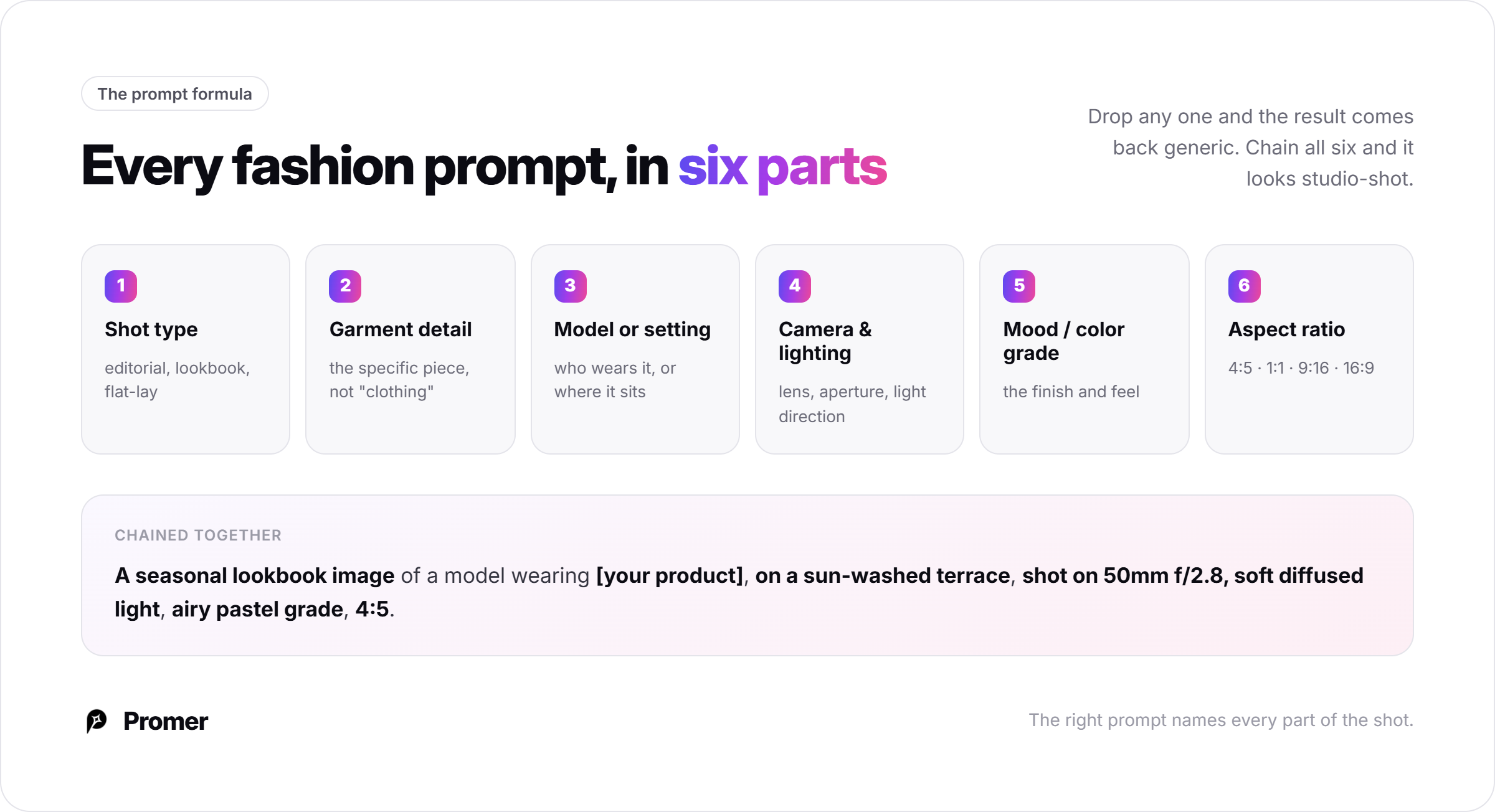
Shot type + Garment/product detail + Model or setting + Camera and lighting + Mood/color grade + Aspect ratio.
Start with what kind of shot this is (editorial, lookbook, flat-lay), name the specific garment rather than "clothing," describe the setting or who is wearing it, specify a lens and lighting direction, close with the color grade or mood, then end with an aspect ratio (4:5 for editorial and lookbook, 1:1 for flat-lay and beauty close-ups, 9:16 for vertical social/runway crops, 16:9 for wide campaign visuals with copy space). Skipping any one of these parts is usually why a prompt comes back generic.
A negative prompt helps keep results usable. Most AI image tools accept a separate negative prompt field, or let you add "avoid:" instructions inline. For fashion product photos, a reusable one is: "avoid: distorted hands, extra fingers, warped fabric patterns, mismatched garment color, blurry face, asymmetrical body proportions, low resolution, watermark or text overlay." Add this once per session rather than rewriting it for each prompt.
Attach a reference photo whenever the tool allows it. Replace [YOUR PRODUCT PHOTO] in any prompt below with an upload of your actual garment or product image. Without a reference, the AI has never seen your product and will invent a substitute that may not match its color, cut, or fabric.
💡 Have a product photo ready? Turn it into a fashion campaign image without building the prompt from scratch.Create a fashion product shot →Free to start. No credit card required.
Editorial Fashion Prompts
Best for hero images, campaign covers, and high-impact ad creatives. These lean into dramatic lighting and a clear photographic mood.
1. Paris Sidewalk Editorial
What it does: a moody street-editorial shot with cinematic weather and motion.
"A confident model wearing [YOUR PRODUCT PHOTO] walking on a rainy city sidewalk, wet pavement reflections, subtle motion in the fabric hem, cinematic overcast light, shot on 50mm lens at f/1.8, full-body street fashion framing, shallow depth of field, photorealistic fabric and skin texture, cool moody color grading, 4:5."
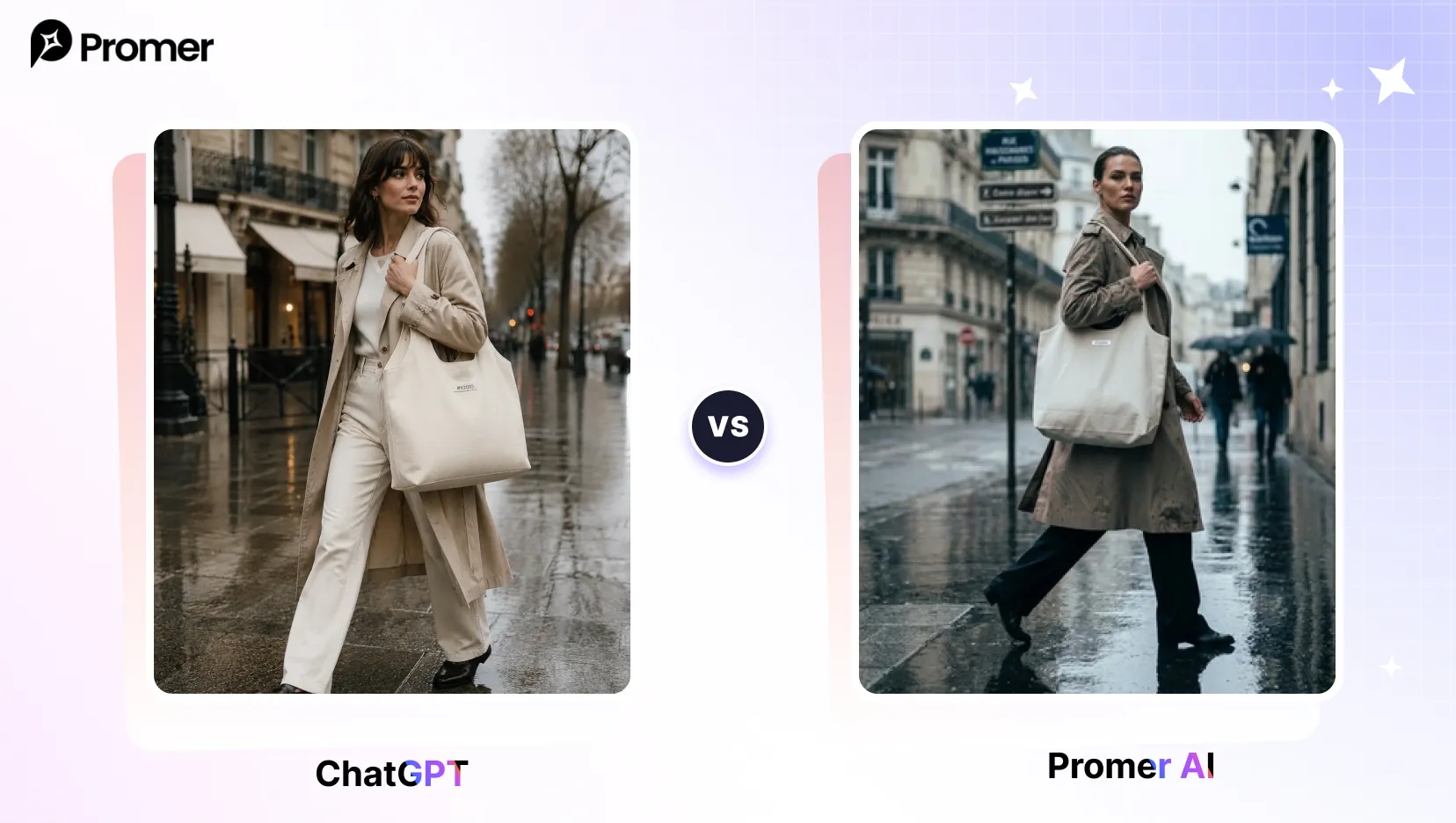
Pro tip: name a specific city or architecture style to lock in a consistent backdrop across variations.
2. High-Fashion Magazine Cover
What it does: a glossy cover-style portrait with room for a masthead.
"A high-fashion editorial cover portrait of a model wearing [YOUR PRODUCT PHOTO], standing against a seamless studio backdrop, shot on 85mm f/1.8, dramatic single softbox key light from camera-left, hard shadow falloff, confident pose, glossy magazine retouching, ultra-detailed fabric weave, vertical composition with negative space at top, warm-neutral color grade, 4:5."
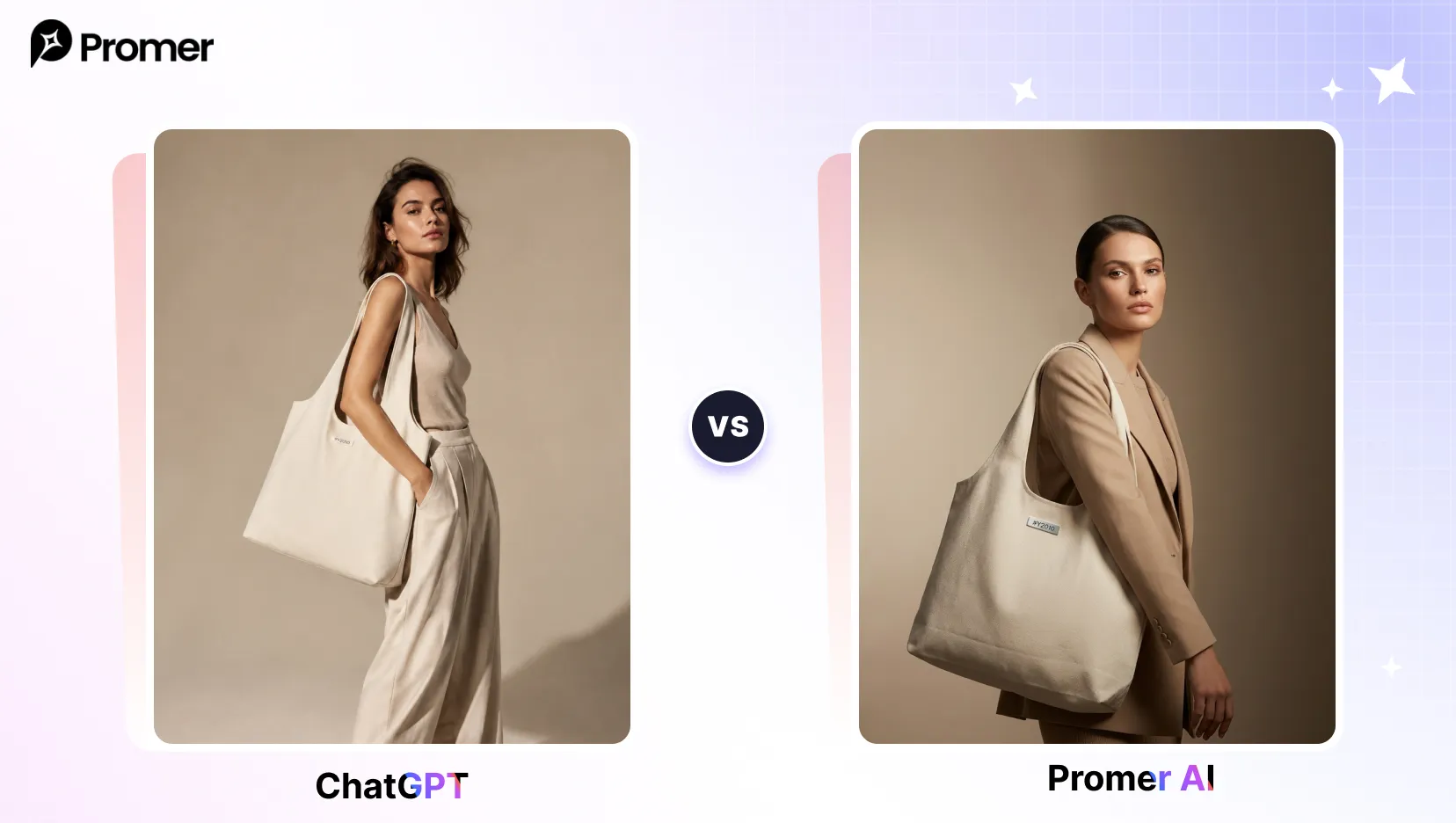
Pro tip: ask for negative space at the top so the frame works as an actual cover layout.
3. Beauty and Accessories Close-Up
What it does: a tight macro shot that puts jewelry or accessories front and center.
"A beauty editorial close-up featuring [YOUR PRODUCT PHOTO] worn as a statement accessory, dewy skin, controlled rim light on the metal or fabric detail, clean neutral background, shot on 100mm macro lens at f/4, tight crop on the product detail, ultra-realistic texture and reflections, high-end editorial retouch, 9:16."
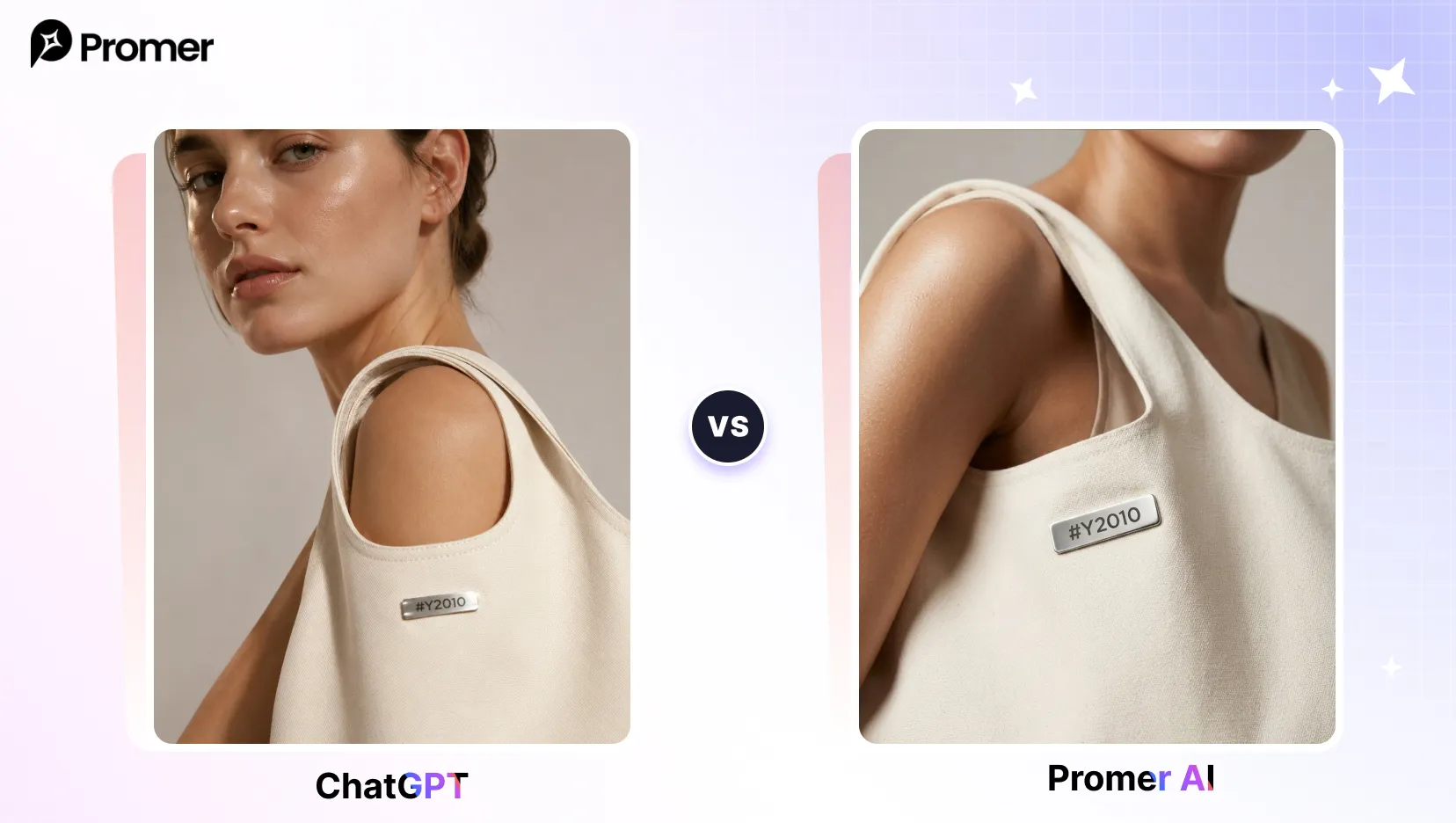
Pro tip: crop tight enough that the product, not the face, is the visual hero.
4. Monochrome Couture Series
What it does: a fine-art black-and-white shot emphasizing tailoring and structure.
"A stark black-and-white editorial of a model wearing [YOUR PRODUCT PHOTO], high-key studio lighting against a plain background, deep blacks in the fabric, dramatic contrast on the silhouette, shot on 85mm lens, fine art photographic grain, sculptural standing pose, museum-print quality, 4:5."
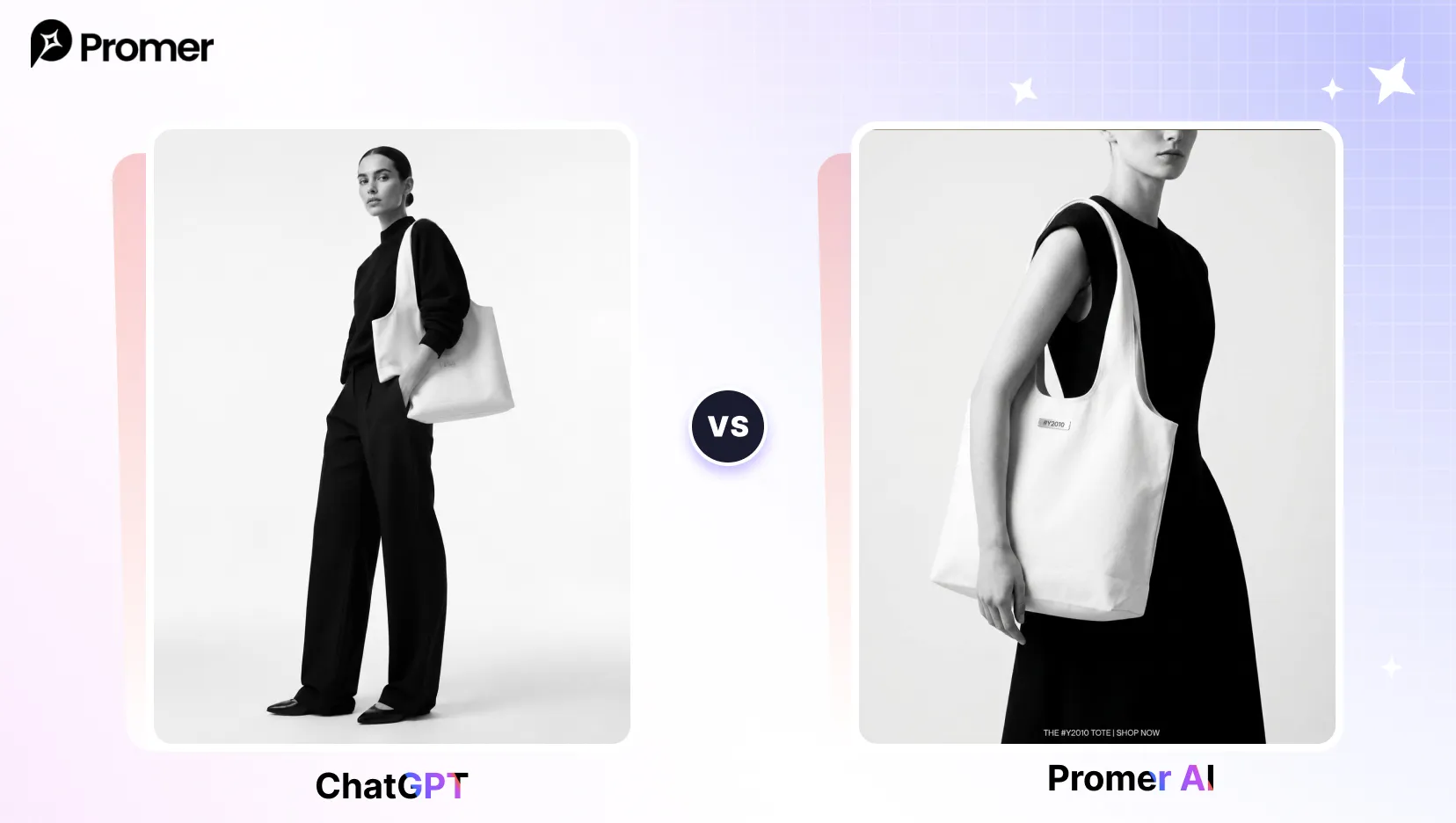
Pro tip: specify high-key or low-key explicitly to control whether the mood reads bright or moody.
5. Dark Academia Interior Mood
What it does: a moody indoor editorial with warm practical light and styled props.
"A model wearing [YOUR PRODUCT PHOTO] in a moody interior setting with warm tungsten lighting, styled with props like books or a wooden desk, rich shadows, shot on 50mm f/1.4, editorial three-quarter framing, photorealistic fabric detail, storytelling mood, 4:5."
Pro tip: naming specific props (leather chair, brass lamp) gives the AI more to anchor the scene on.
💡 Want one of these looks with your own product? Upload the item you sell and choose a visual direction. Promer builds the scene around your real product, so you do not have to start from a blank prompt.Try it with my product →Free to start. No credit card required.
Lookbook and Campaign Prompts
Best for seasonal drops, brand campaigns, and lifestyle-context shots that need to feel shoppable rather than purely artistic.
6. Seasonal Lookbook Spread
What it does: an airy lifestyle lookbook frame with soft natural light.
"A seasonal lookbook image of a model wearing [YOUR PRODUCT PHOTO], standing on a sun-washed minimalist terrace, soft diffused midday light with gentle shadows, shot on 50mm f/2.8, airy pastel color grade, relaxed candid stance, full-body framing with breathing room around the subject, lifestyle-campaign aesthetic, 4:5."
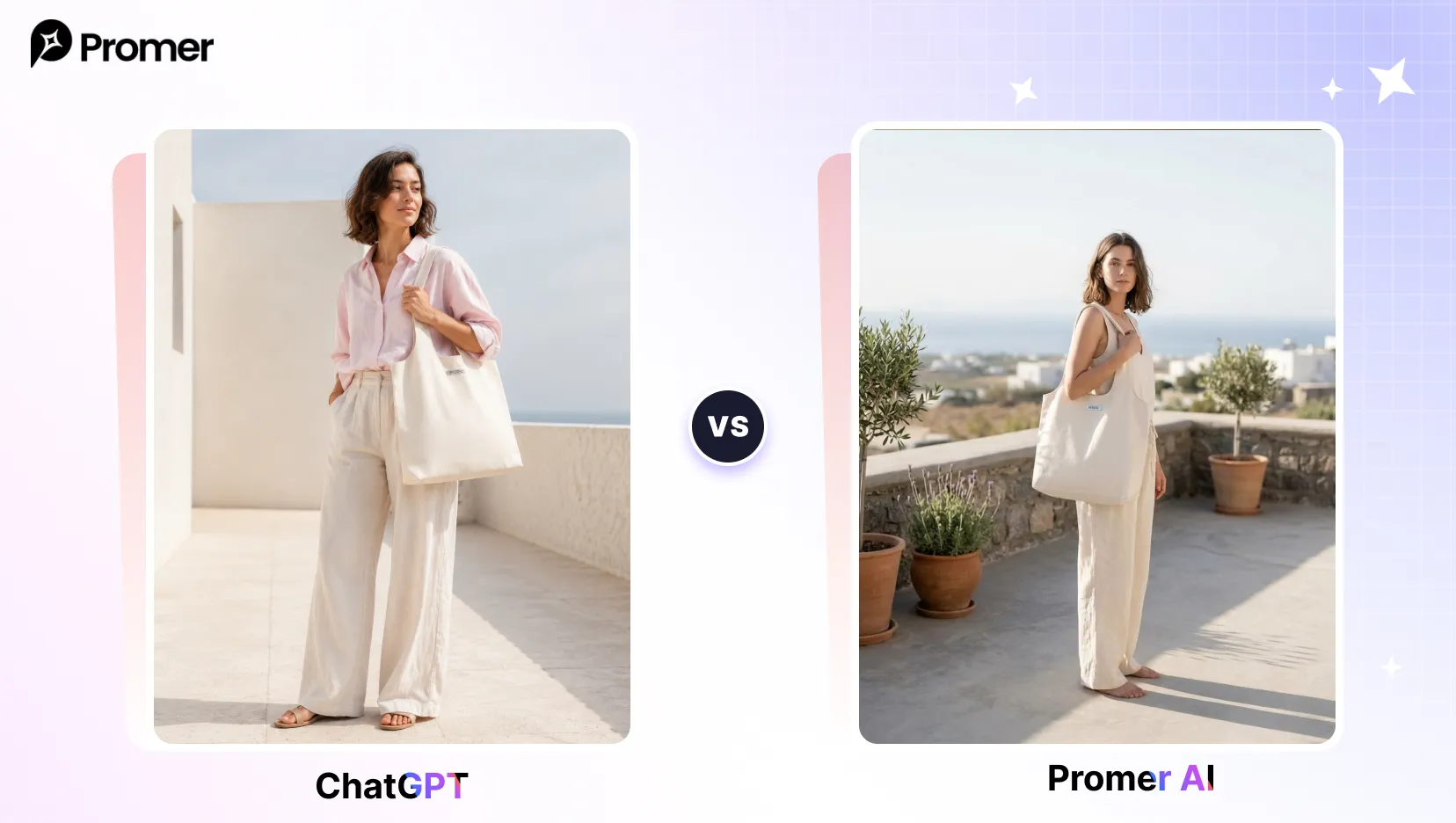
Pro tip: keep lighting and location consistent across a set of prompts to build a cohesive multi-look series.
7. Brand Campaign Key Visual
What it does: a cinematic hero shot with copy space for an actual ad layout.
"A hero campaign visual featuring a model wearing [YOUR PRODUCT PHOTO], walking toward camera on a city street at dusk, reflections on wet pavement, cinematic color grade, shot on 35mm f/2, slight motion blur in the background, confident stride, wide composition with copy space on one side, 16:9."
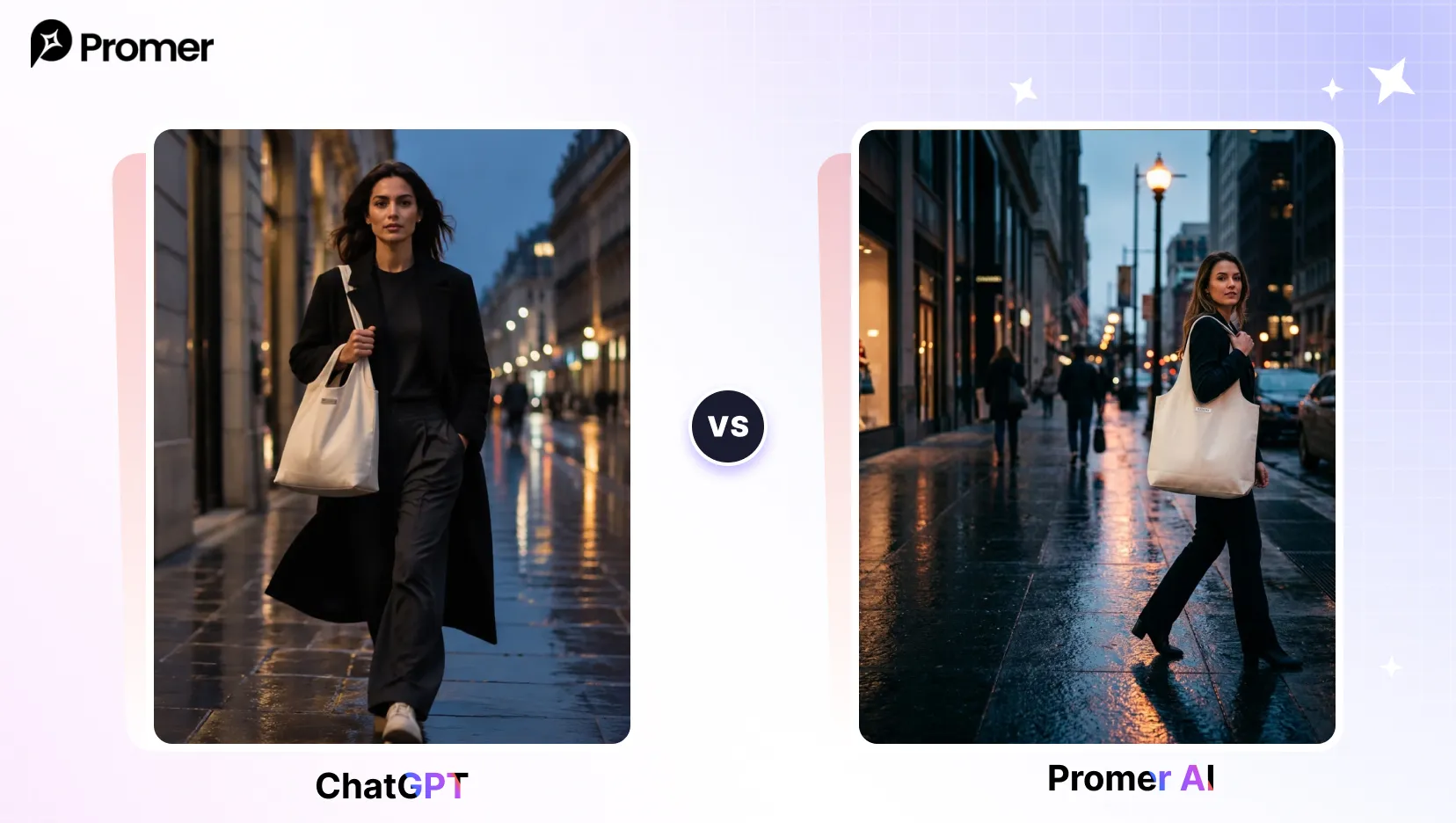
Pro tip: ask for empty space on one side so the image can double as a real ad creative.
8. Lifestyle Catalog Shot
What it does: an approachable, shoppable-feeling lifestyle image.
"A lifestyle catalog photo of a model wearing [YOUR PRODUCT PHOTO], sitting by a large window in a softly lit interior, warm natural daylight, soft shadows, shot on 50mm f/2, neutral cozy color palette, genuine relaxed expression, three-quarter framing, ecommerce catalog clarity, 4:5."
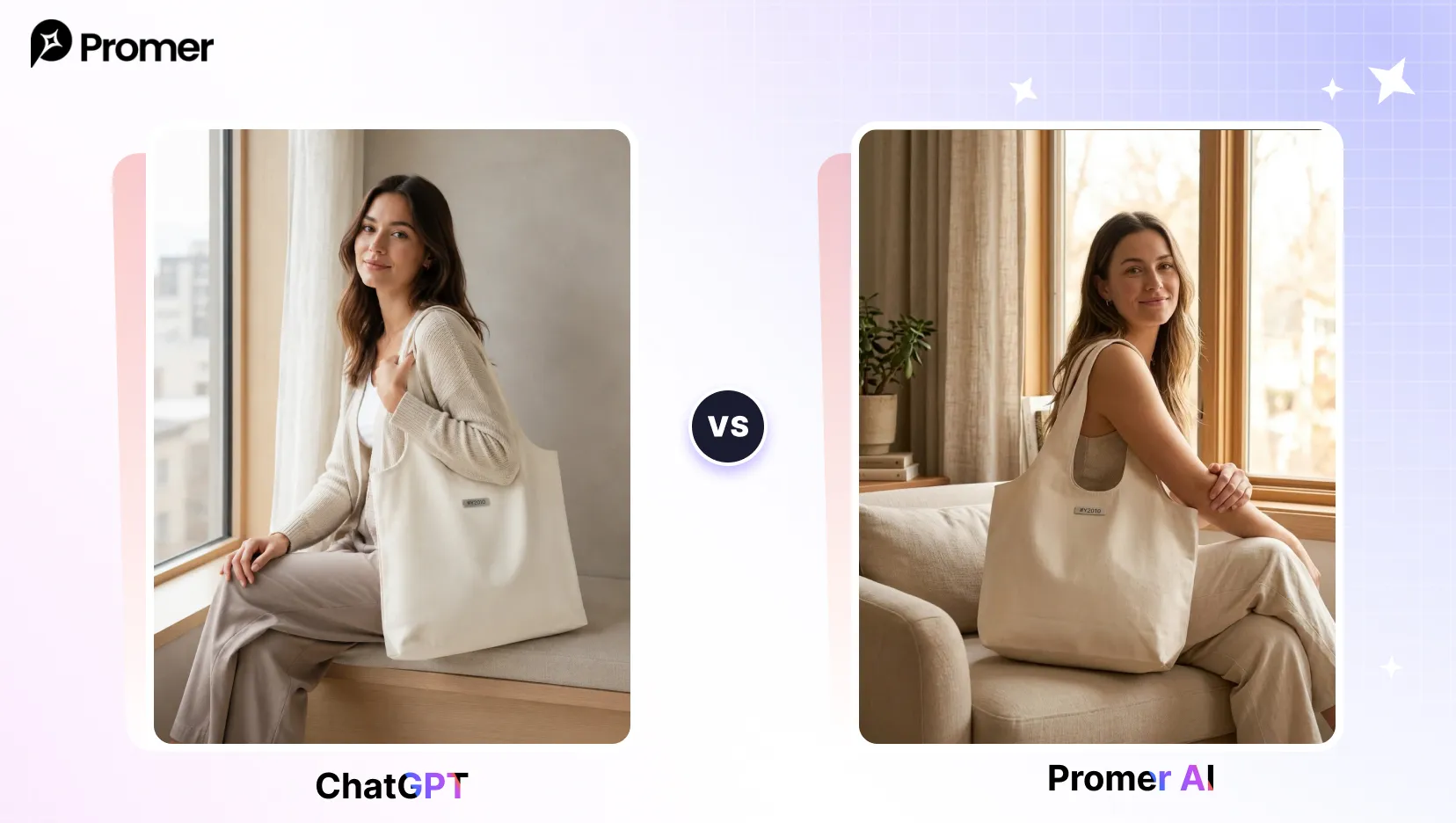
Pro tip: specify the room style so the product is grounded in a believable, shoppable setting.
9. Coordinated Group Lookbook
What it does: a multi-model frame with unified styling for a collection.
"A group lookbook image of two or three models wearing coordinated pieces from [YOUR PRODUCT PHOTO], standing in a row against a textured wall, even soft daylight, shot on 35mm f/4, muted warm grade, varied natural poses, full-body wide composition, cohesive brand styling, 16:9."
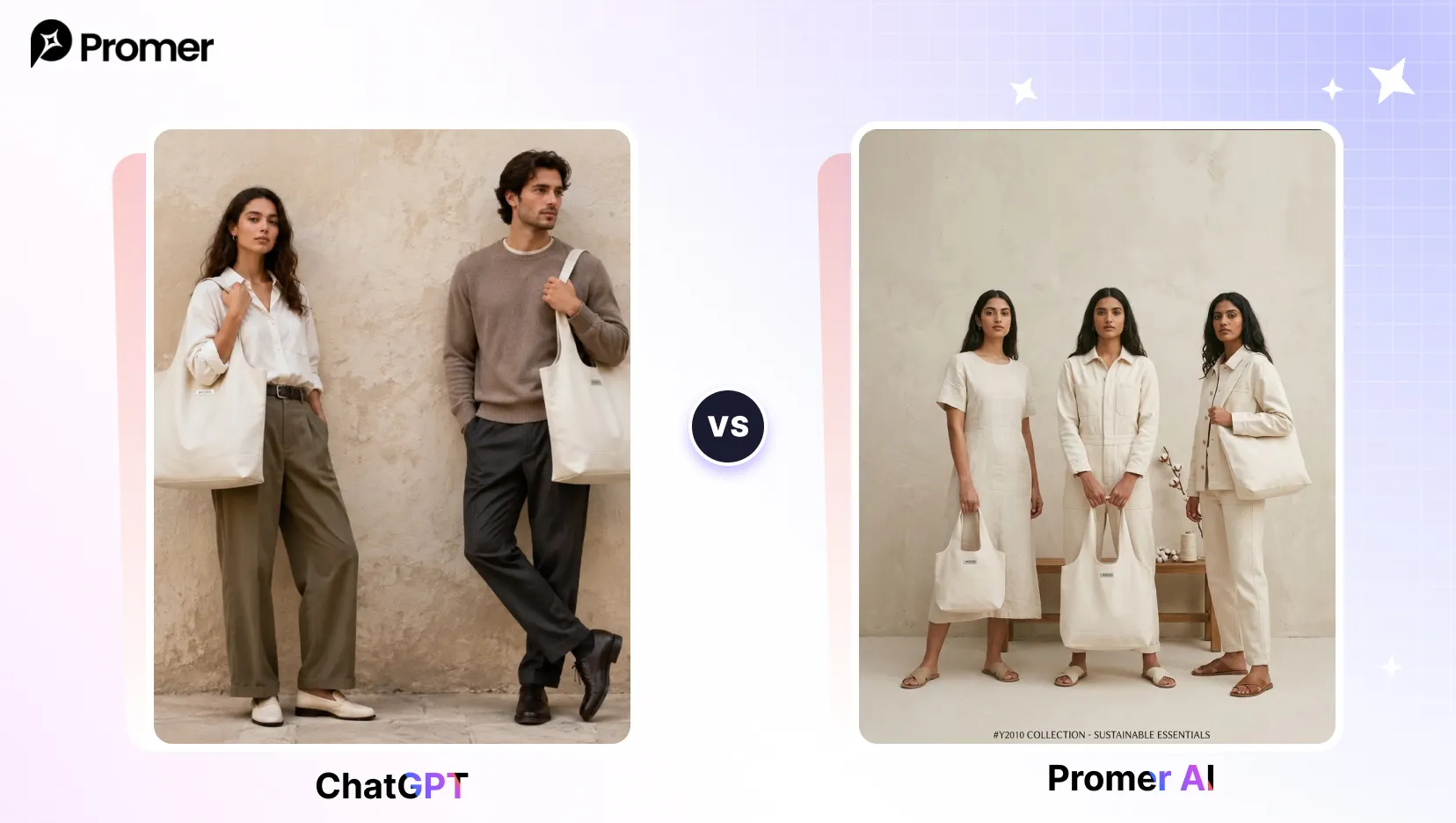
Pro tip: describe a shared color story so the group reads as one cohesive collection rather than separate shots.
10. Accessories Campaign Detail
What it does: a luxury-feeling accessories shot focused on material texture.
"A focused accessories campaign image showcasing [YOUR PRODUCT PHOTO], cropped to the hands or torso, warm directional light grazing the material, neutral background, shot on 90mm f/4, luxury-retouch finish, elegant placement, detail-rich composition, 1:1."
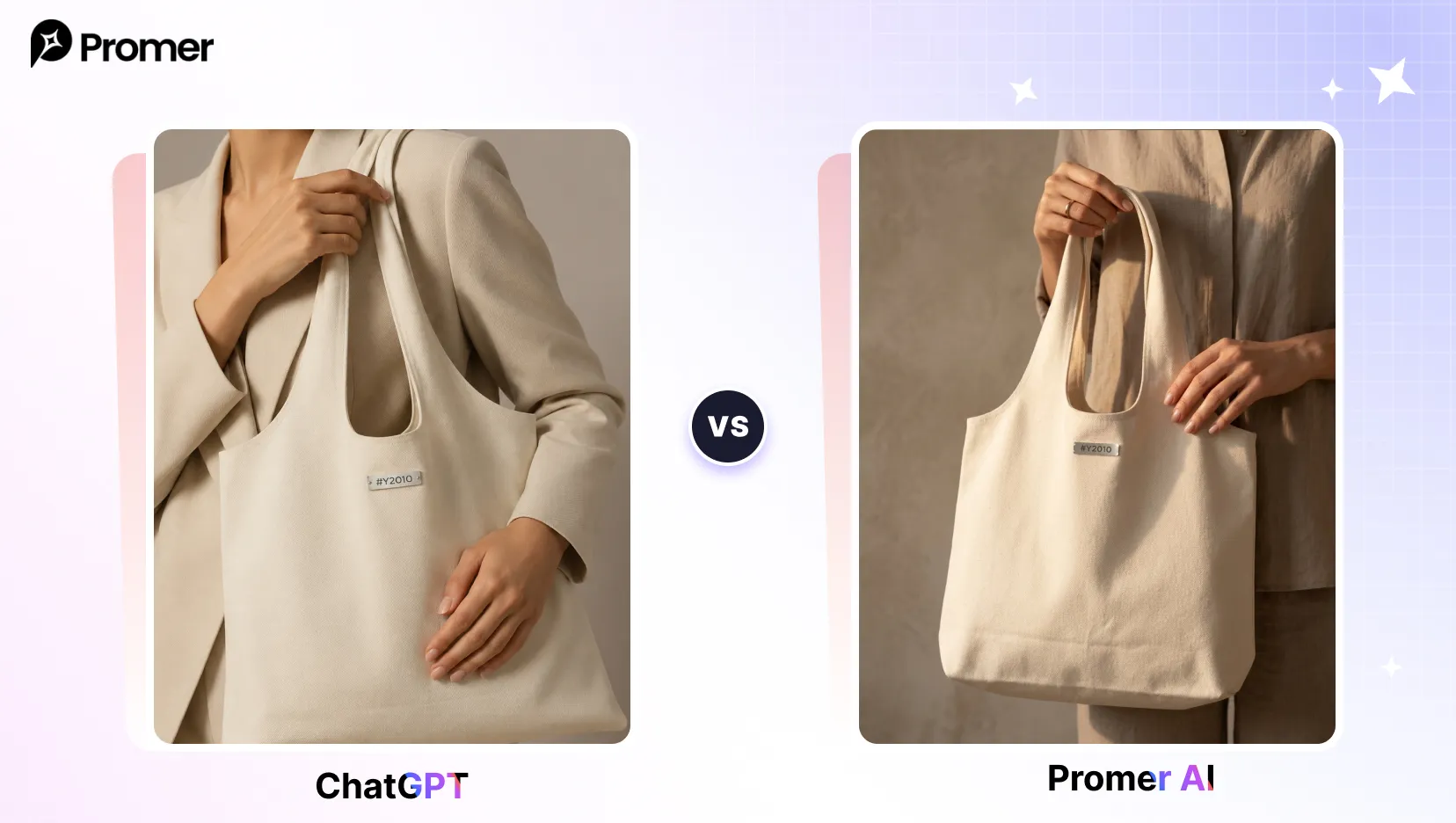
Pro tip: crop tight to the product so the accessory is unmistakably the hero of the frame.
Streetwear and Urban Prompts
Best for younger, casual, or hype-driven fashion categories where a gritty or energetic mood outperforms polished studio shots.
11. Streetwear Hype Drop
What it does: a gritty, on-trend streetwear shot against an urban backdrop.
"A streetwear shot of a model wearing [YOUR PRODUCT PHOTO], posed against a graffiti-covered alley wall, overcast diffused light, shot on 35mm f/2, desaturated urban color grade with crushed blacks, relaxed confident stance, full-body composition, gritty editorial street style, 4:5."
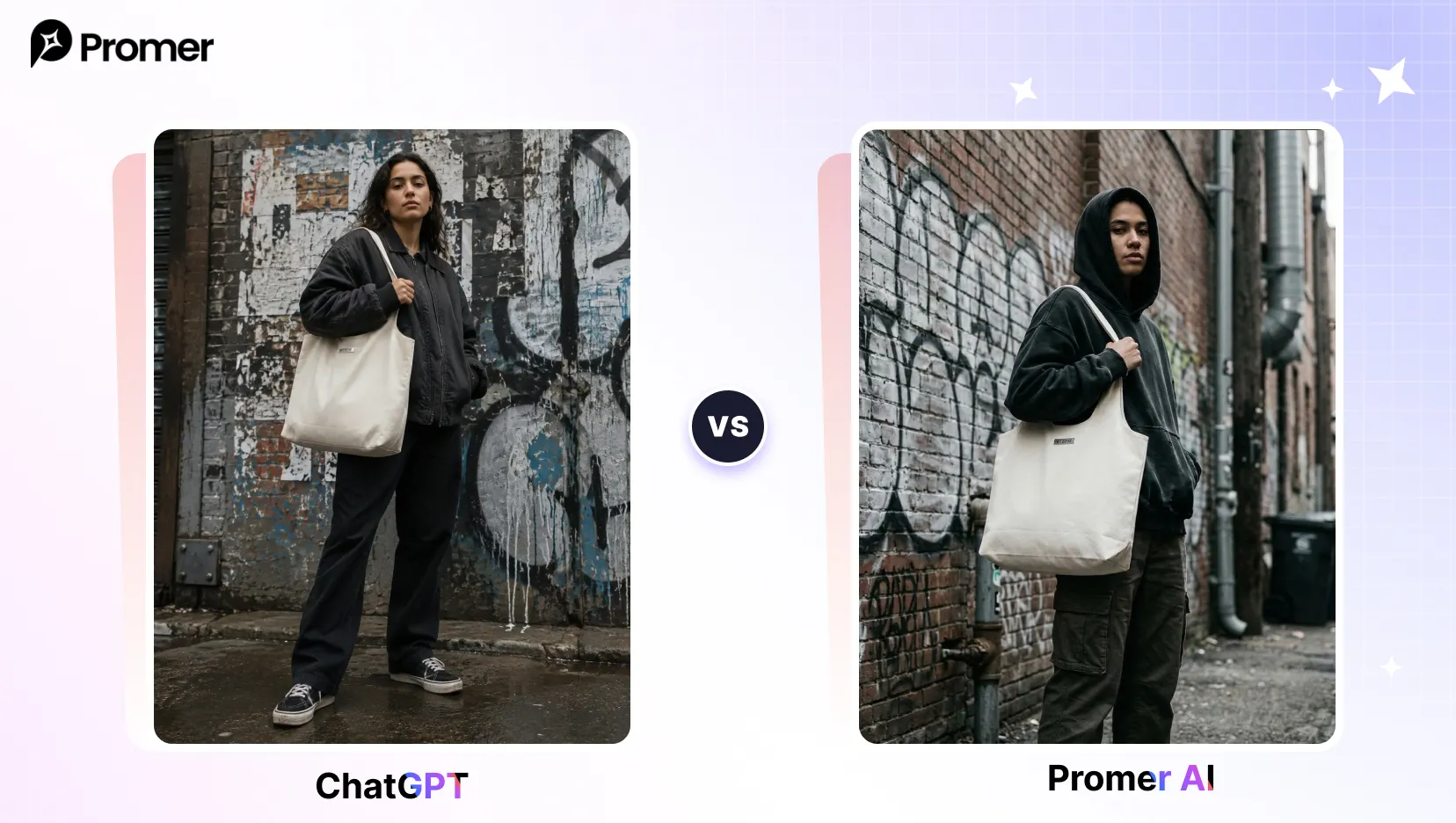
Pro tip: name specific silhouettes (oversized, baggy, cropped) to get proportions that match streetwear norms.
12. Neon City Night Look
What it does: a cinematic night shot with reflective neon lighting.
"A night street style shot of a model wearing [YOUR PRODUCT PHOTO], wet neon signs reflecting on asphalt, teal and magenta lighting, shot on 35mm f/1.4, dynamic close-to-mid framing, slight motion blur in the background, photorealistic texture, modern cyber street color grade, 9:16."
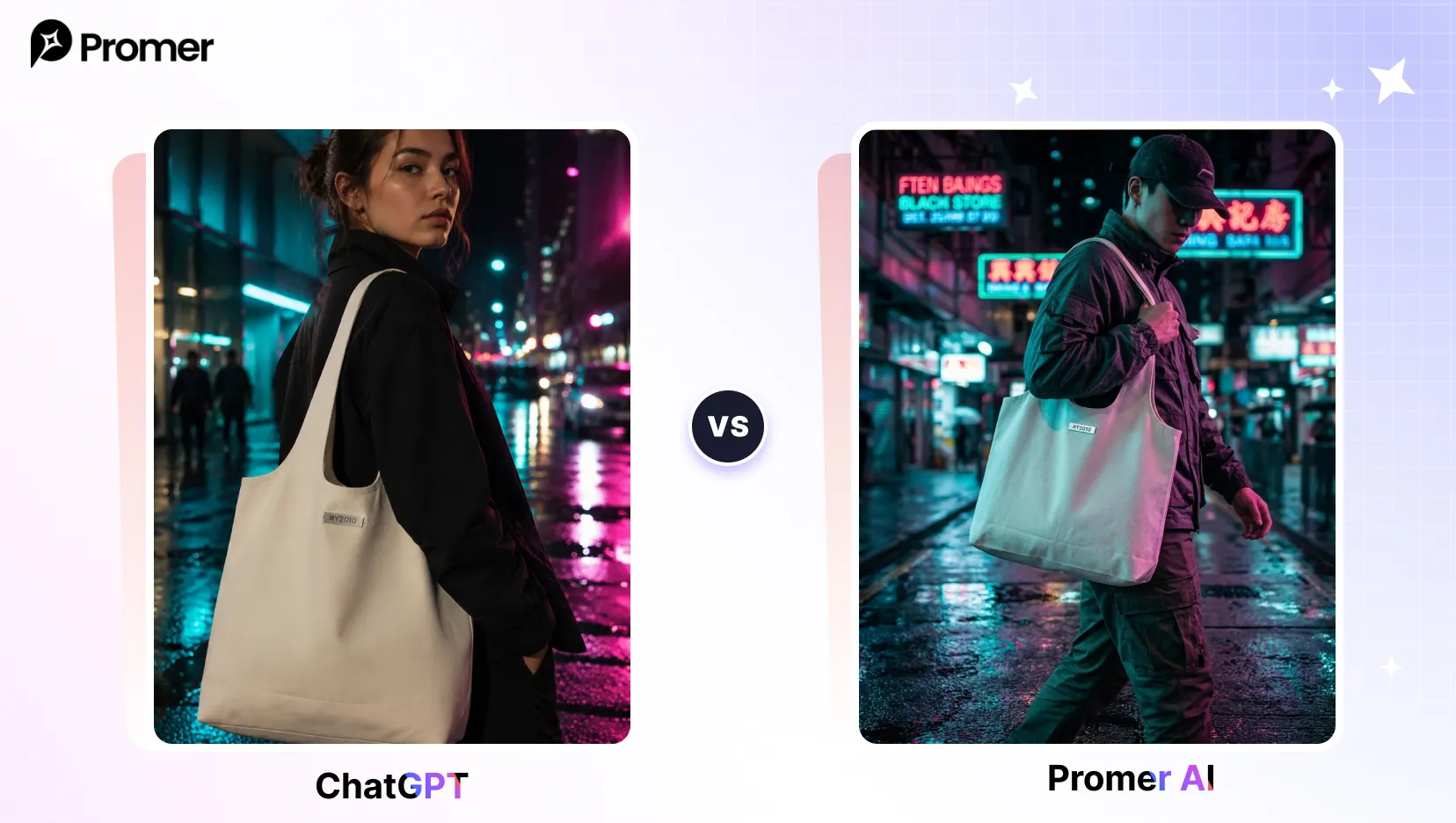
Pro tip: use a vertical 9:16 ratio so the shot doubles as a Stories or Reels-ready crop.
13. Skate Culture Candid
What it does: an authentic, unposed documentary-style street shot.
"A candid street photo of a model wearing [YOUR PRODUCT PHOTO], leaning on a skateboard at a sunlit concrete skatepark, harsh midday sun and strong shadows, shot on 28mm f/4, faded film color, unposed natural moment, wide environmental framing, authentic youth aesthetic, 3:2."
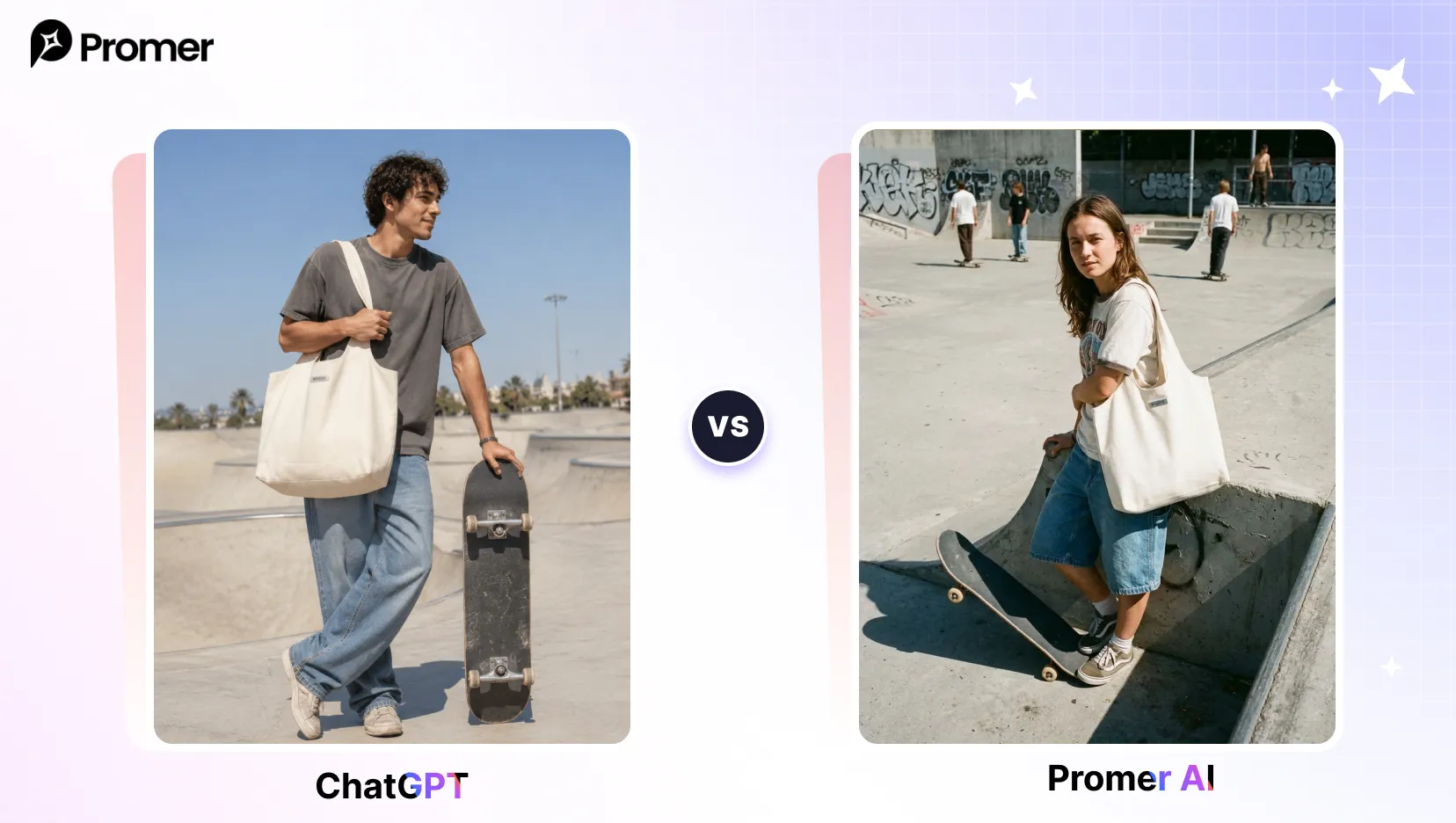
Pro tip: ask for harsh midday sun and visible film grain to get a genuinely candid, unstaged feel.
14. Athleisure Studio Motion
What it does: a polished activewear shot that shows stretch and movement.
"A clean athleisure studio shot of a model wearing [YOUR PRODUCT PHOTO], posed dynamically mid-movement, soft gradient backdrop, bright even lighting, shot on 70mm f/5.6, crisp fitness-brand color grade, sculpted athletic posture, full-body framing, photorealistic sweat sheen and fabric stretch detail, 4:5."
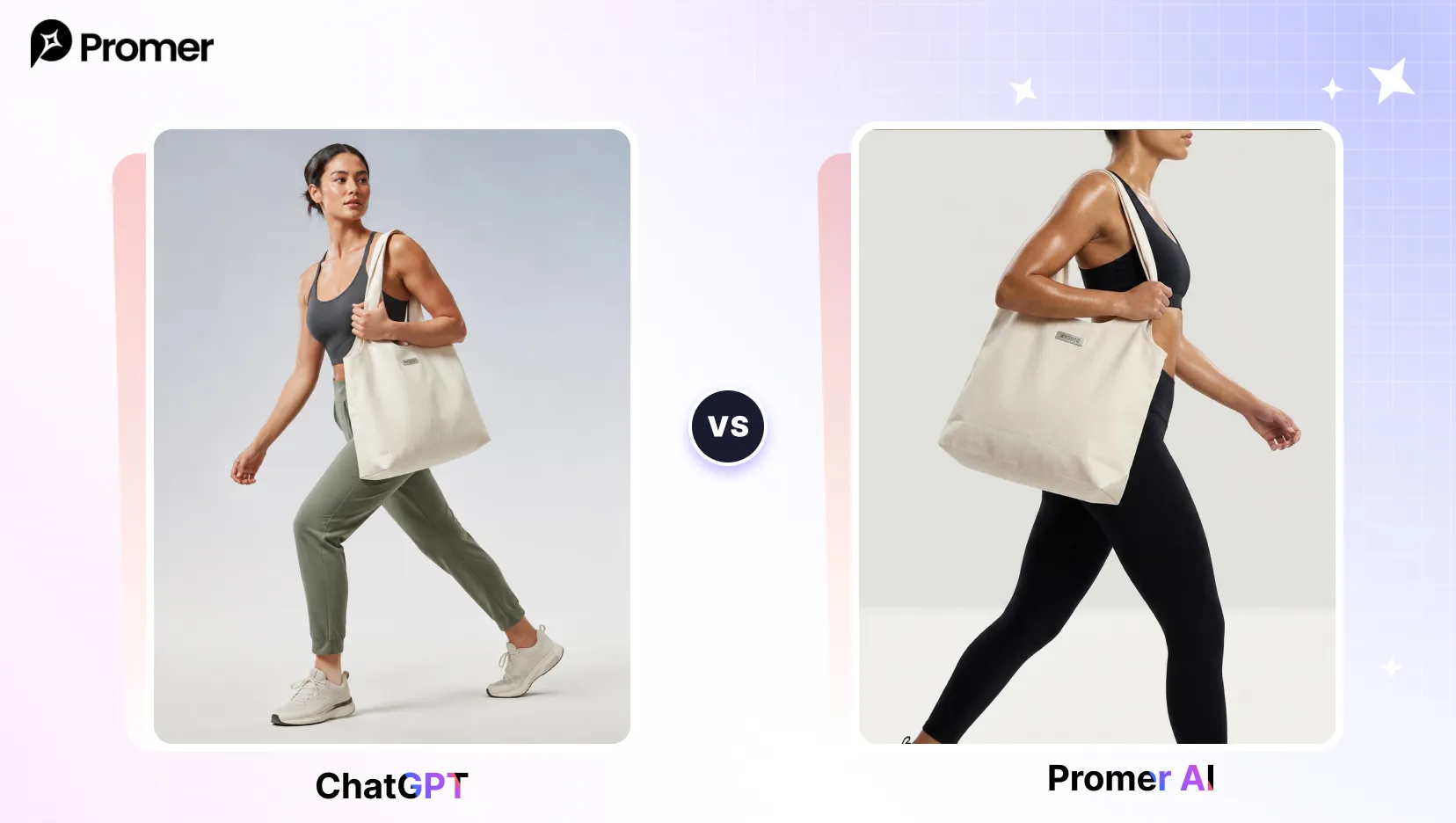
Pro tip: request a dynamic pose specifically so the garment shows stretch, not just a static hang.
15. Y2K Revival Flash Look
What it does: a nostalgic early-2000s look with on-camera flash aesthetics.
"A Y2K-revival shot of a model wearing [YOUR PRODUCT PHOTO], tinted sunglasses and butterfly clips, posed against a glossy chrome-and-pink set, flash-photography hard light, shot on 35mm with an on-camera flash look, saturated early-2000s color, playful pose, full-body framing, nostalgic mall-aesthetic, 4:5."
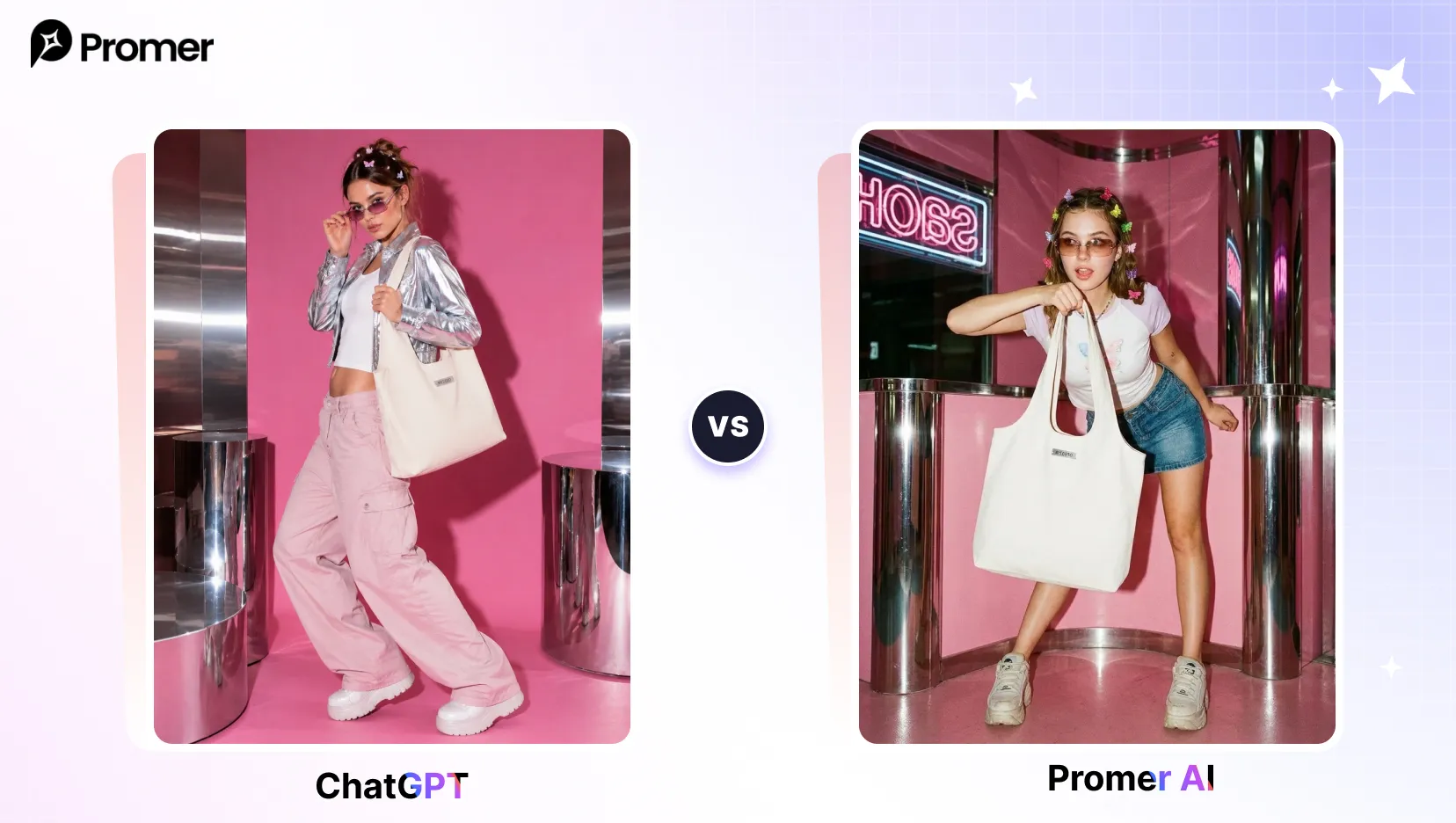
Pro tip: referencing on-camera flash specifically is what nails the harsh, slightly washed Y2K snapshot look.
Product Flat-Lay and No-Model Prompts
Best for listing images, minimal-aesthetic ad creatives, and any shot where the garment or product needs to stand alone.
16. Apparel Flat-Lay
What it does: a clean overhead flat-lay styled with complementary accessories.
"A top-down flat-lay product shot of [YOUR PRODUCT PHOTO] neatly arranged on a textured surface, accompanied by one or two complementary accessories, soft even overhead daylight, gentle natural shadows, shot on 50mm f/8 from directly above, clean minimal styling, neutral muted palette, crisp ecommerce detail, 1:1."
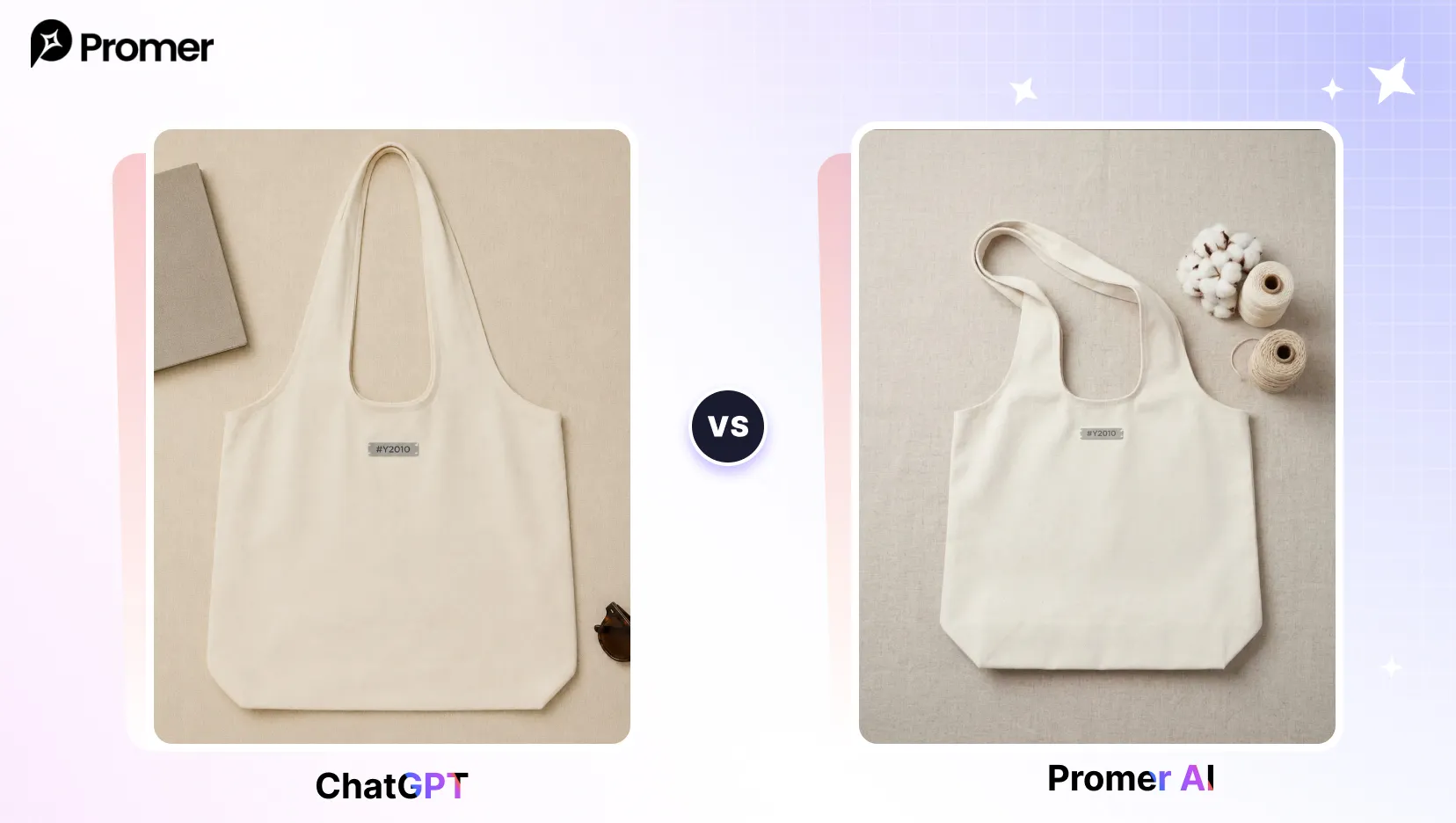
Pro tip: keep the surface and palette neutral so the product itself stays the visual focus.
17. Floating Product Hero Shot
What it does: a premium floating product shot that emphasizes silhouette.
"A studio product hero shot of [YOUR PRODUCT PHOTO] floating at a dynamic three-quarter angle, soft gradient background, dramatic rim lighting to define the silhouette, subtle reflection beneath, shot on 100mm macro lens at f/8, hyper-detailed material texture and stitching, premium ecommerce finish, crisp focus throughout, 4:5."
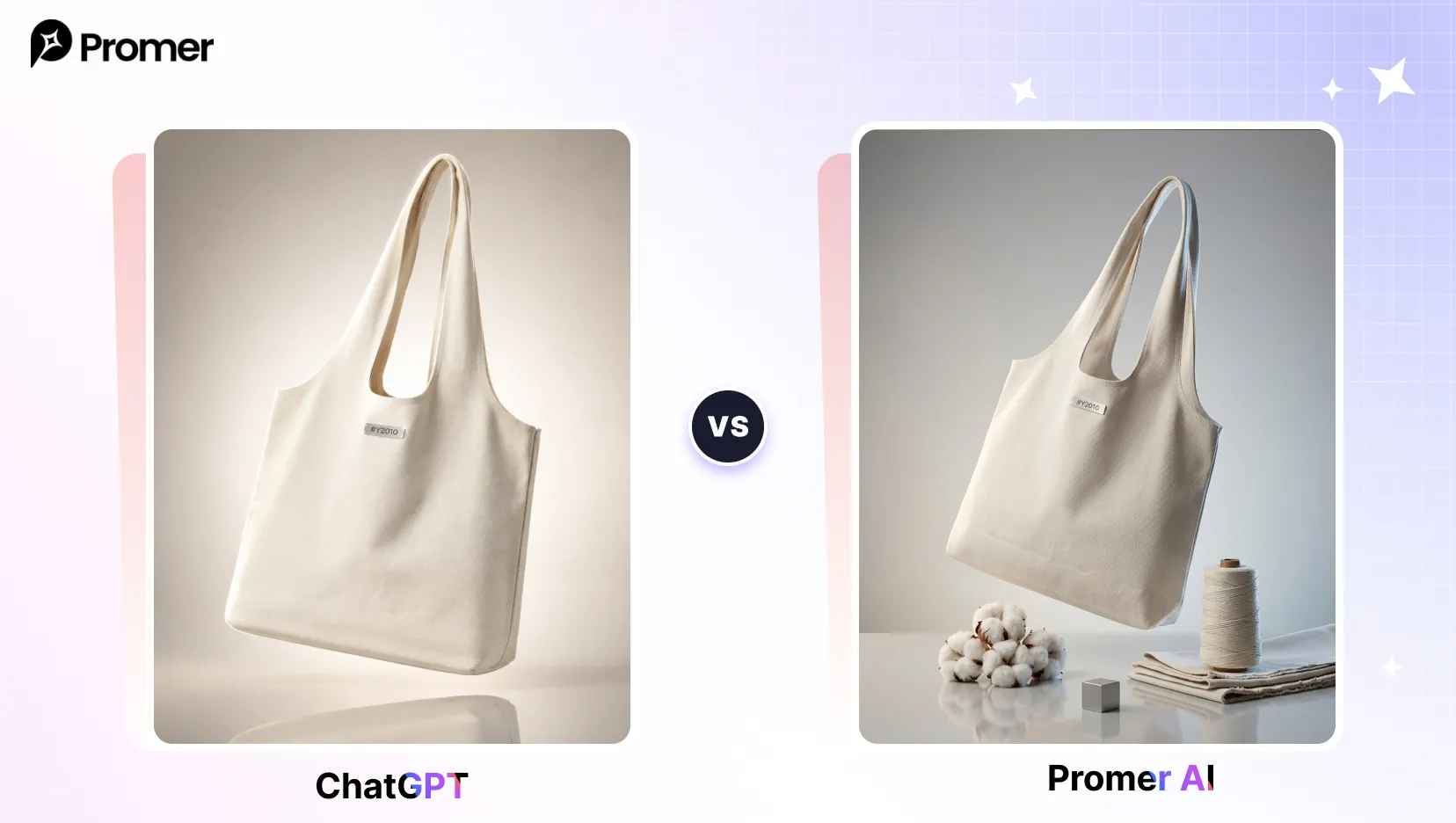
Pro tip: ask for a three-quarter angle plus a subtle reflection for a high-end product feel.
18. Textile Macro Detail
What it does: an extreme close-up that sells fabric quality rather than the full garment.
"A close-up macro shot of [YOUR PRODUCT PHOTO] fabric weave and stitching, soft raking light to reveal texture, shallow depth of field, shot on 100mm macro lens, no full garment shown, editorial detail photography, 1:1."
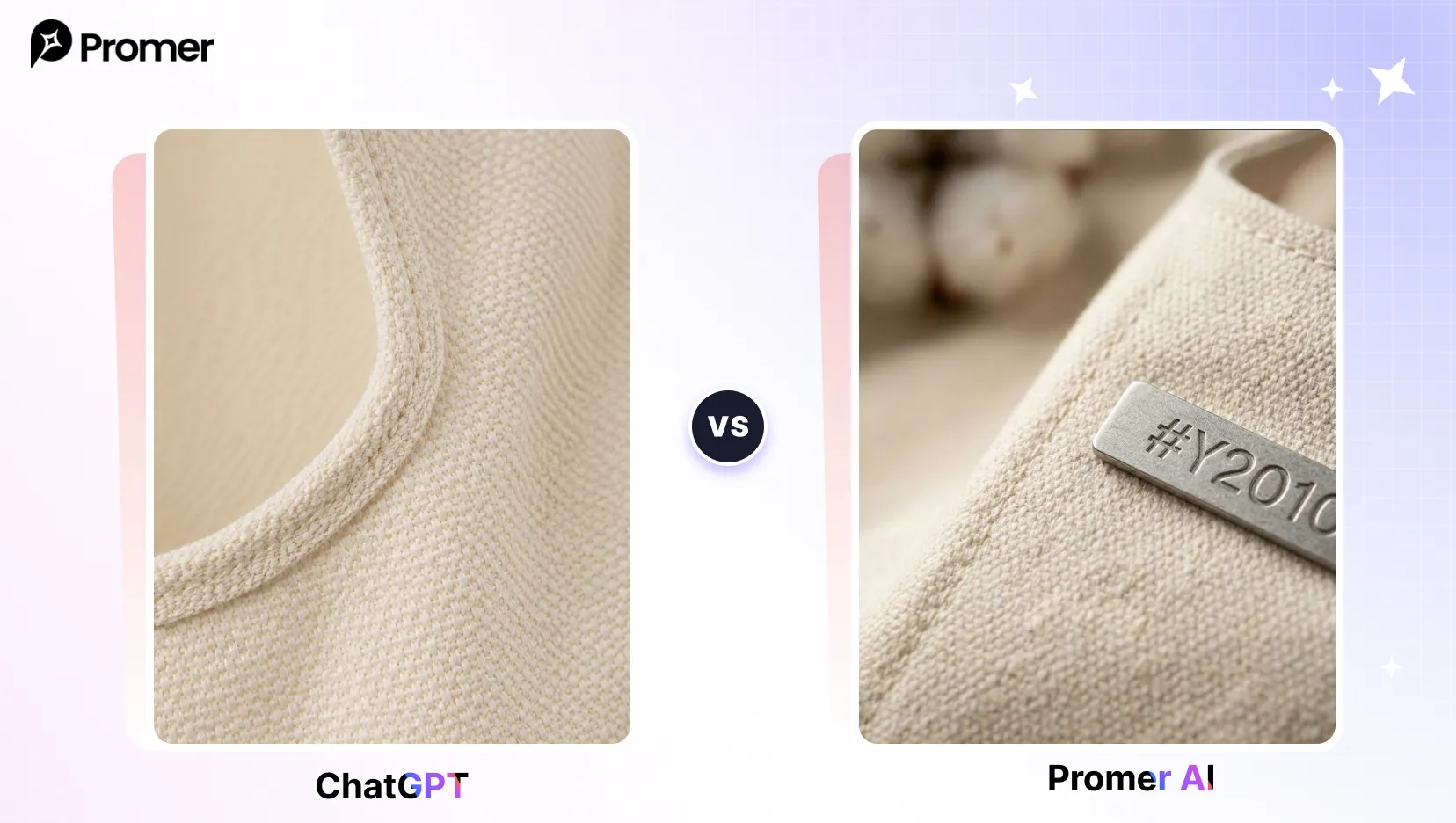
Pro tip: use this as a supporting image alongside a full-garment shot, not as the only product photo.
19. Draped Fabric Detail
What it does: a soft, editorial-style shot of the garment alone, draped naturally.
"[YOUR PRODUCT PHOTO] draped naturally over a simple stand, soft directional side light, close focus on fabric texture and stitching detail, neutral background, shot on 85mm f/2.8, editorial product photography, 4:5."
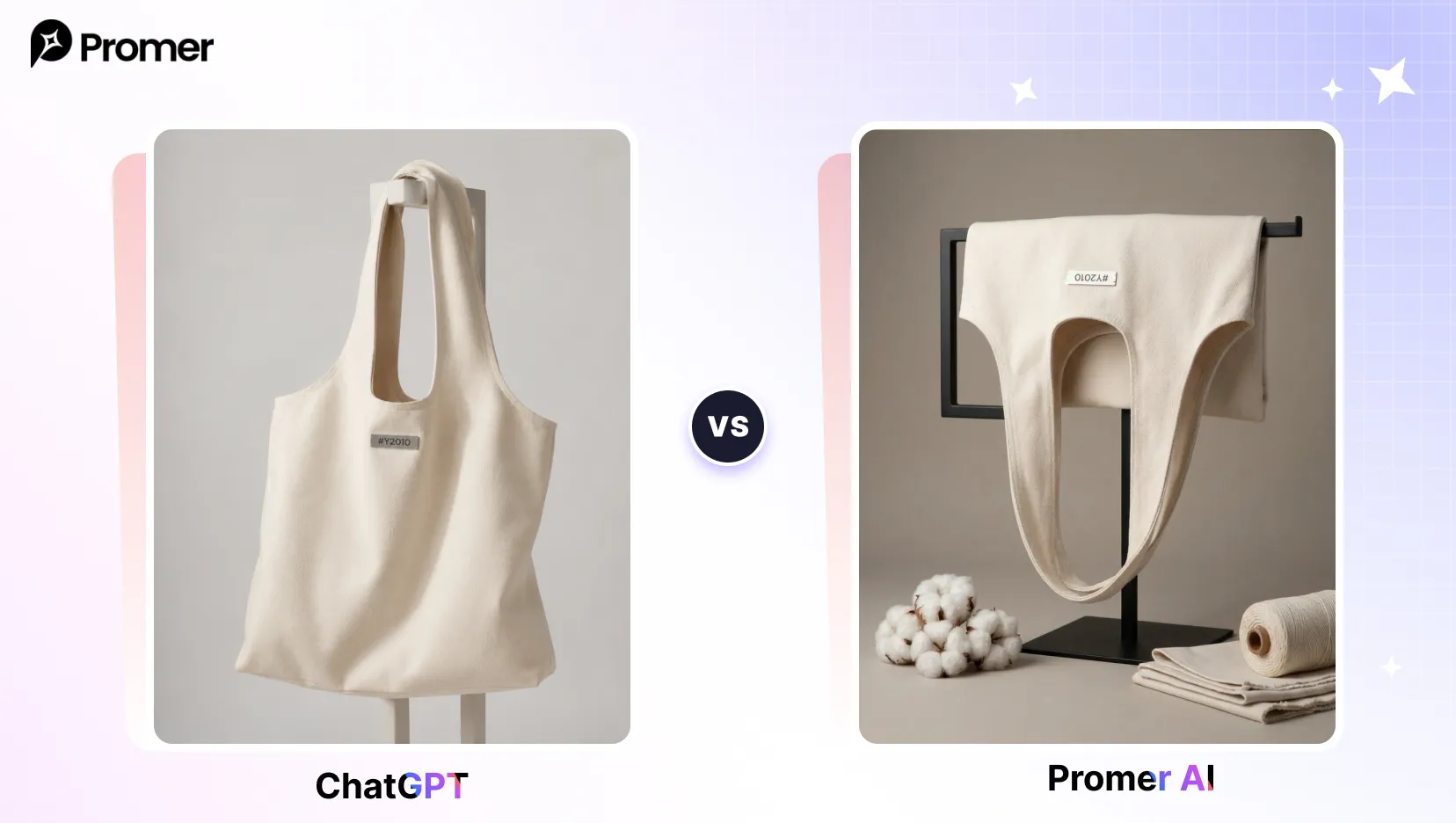
Pro tip: side lighting reveals texture and drape far better than flat overhead light for this shot type.
Virtual Try-On Prompts
Best when you want to show a garment worn without booking a model, by placing it onto an existing photo.
20. Virtual Garment Try-On
What it does: realistically places your product onto an uploaded photo of a person.
"Take the person in [YOUR REFERENCE PHOTO] and realistically dress them in [YOUR PRODUCT PHOTO], keeping their exact face, body proportions, pose, and the original background unchanged, render the garment with accurate fit, natural fabric drape, realistic shadows and contact wrinkles, matched lighting and color temperature to the original photo, photorealistic seamless composite, full-body, 4:5."
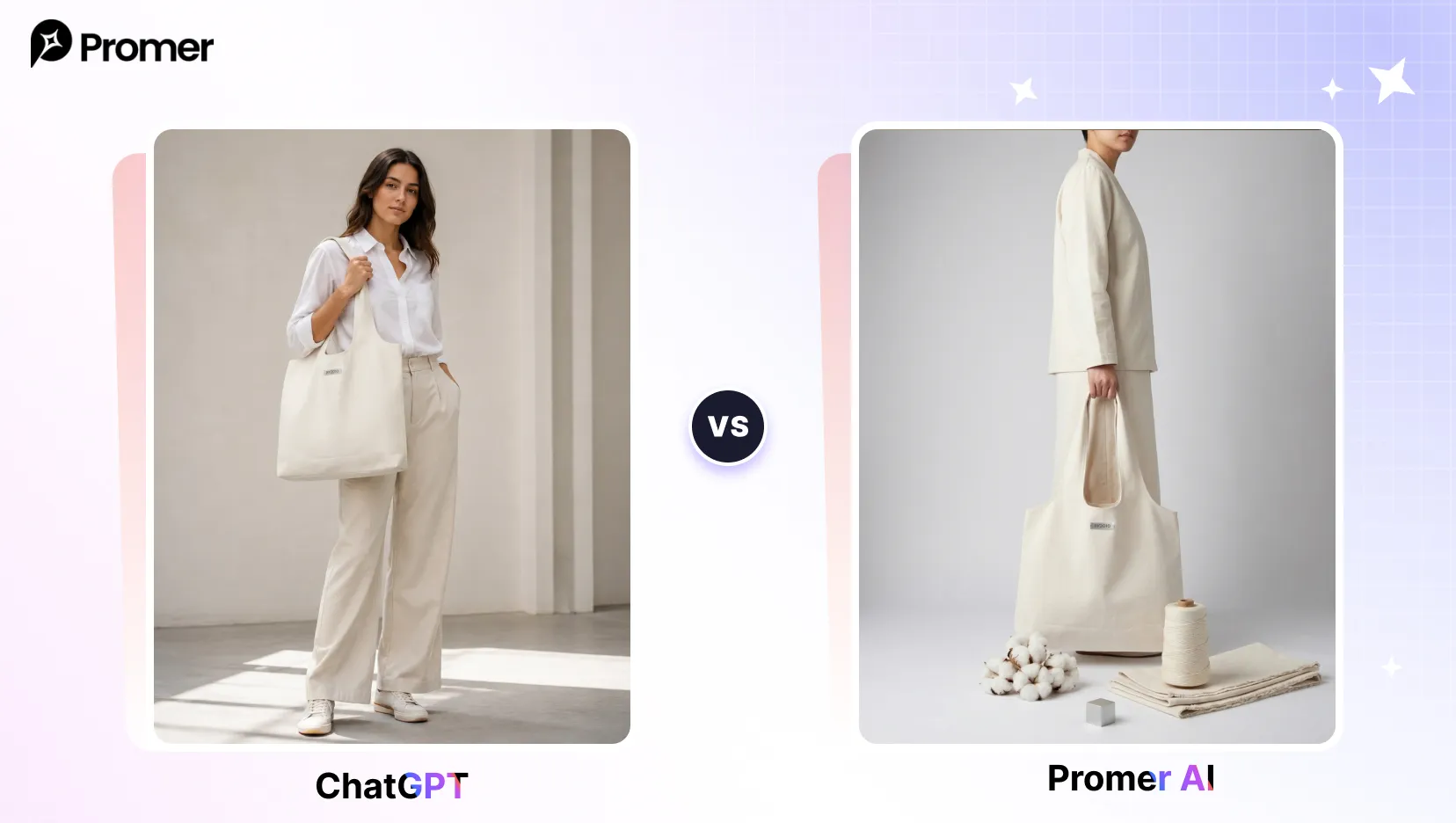
Pro tip: upload a clear, front-facing full-body reference photo so the fit and proportions map correctly.
Why Generic Prompts Fail for Fashion Products?
A prompt like "fashion photo of a jacket" gives the AI almost nothing to work with. It has never seen your actual jacket, so it invents a garment that may not match the color, cut, or fabric of what you sell. The fix is always the same: name the specific product detail, specify the camera and lighting, and attach a reference image whenever the tool allows it. Prompts that name fabric type, lens, lighting direction, and aspect ratio consistently produce more usable, on-brand results than short generic prompts.
Even with a well-written prompt, results can drift after a few regenerations - color shifts, proportions change, small details like logos or hardware disappear. This is a known limitation of prompt-based generation, not a sign the prompt was written badly, and it usually needs two or three rounds of small adjustments rather than a full rewrite.
Why Some AI Fashion Photos Look "Real" and Others Look Obviously AI-Generated?
Paste any prompt above into a general-purpose tool like ChatGPT with no reference image, and the result often has a recognizable "AI sheen" - skin that is too smooth, lighting that is slightly too even, a composition that reads as stock photography rather than a real photo. This happens because the tool is working from text alone. It has no actual product to reference, so it fills in every detail, including the garment itself, from its training data.
The difference gets smaller once the AI is grounded in a real product image and a real reference, not just a text prompt. A tool that analyzes the uploaded product photo, a reference ad or style image, and the written prompt together - rather than treating the prompt as the only input - tends to preserve the imperfect, photographic qualities of a real shot: natural skin texture, uneven outdoor light, slightly imperfect fabric folds. This is the practical reason a product-grounded generation and a prompt-only generation of the same scene can look meaningfully different, even when the wording behind them is similar.
This matters most for fashion, where buyers are quick to spot an obviously synthetic image and where garment accuracy (color, cut, texture) is the whole point of the photo.
Two Ways to Get These Results Without Starting From Scratch
Promer AI is an AI Ad Generator built around your real product image rather than a blank prompt. There are two ways to use it for fashion creatives, depending on how much control you want over the wording.
If you want to write and control the prompt yourself, Promer AI's AI Ad Prompt gives you a starting point instead of a blank box.
Add your product image, and "Get ad ideas" returns 5 AI-suggested directions, each with a tag, a message angle, and a visual description. "Create prompt" turns any of those into a ready-to-use prompt built around your actual product, which you can further refine with "Add my idea."
Rather than generating purely from the text you type, AI Ad Prompt reads the uploaded product image and any reference ad together with the prompt, which is why the output tends to keep the garment's real color and shape instead of drifting into a generic AI-styled substitute.
Build a prompt for my product →
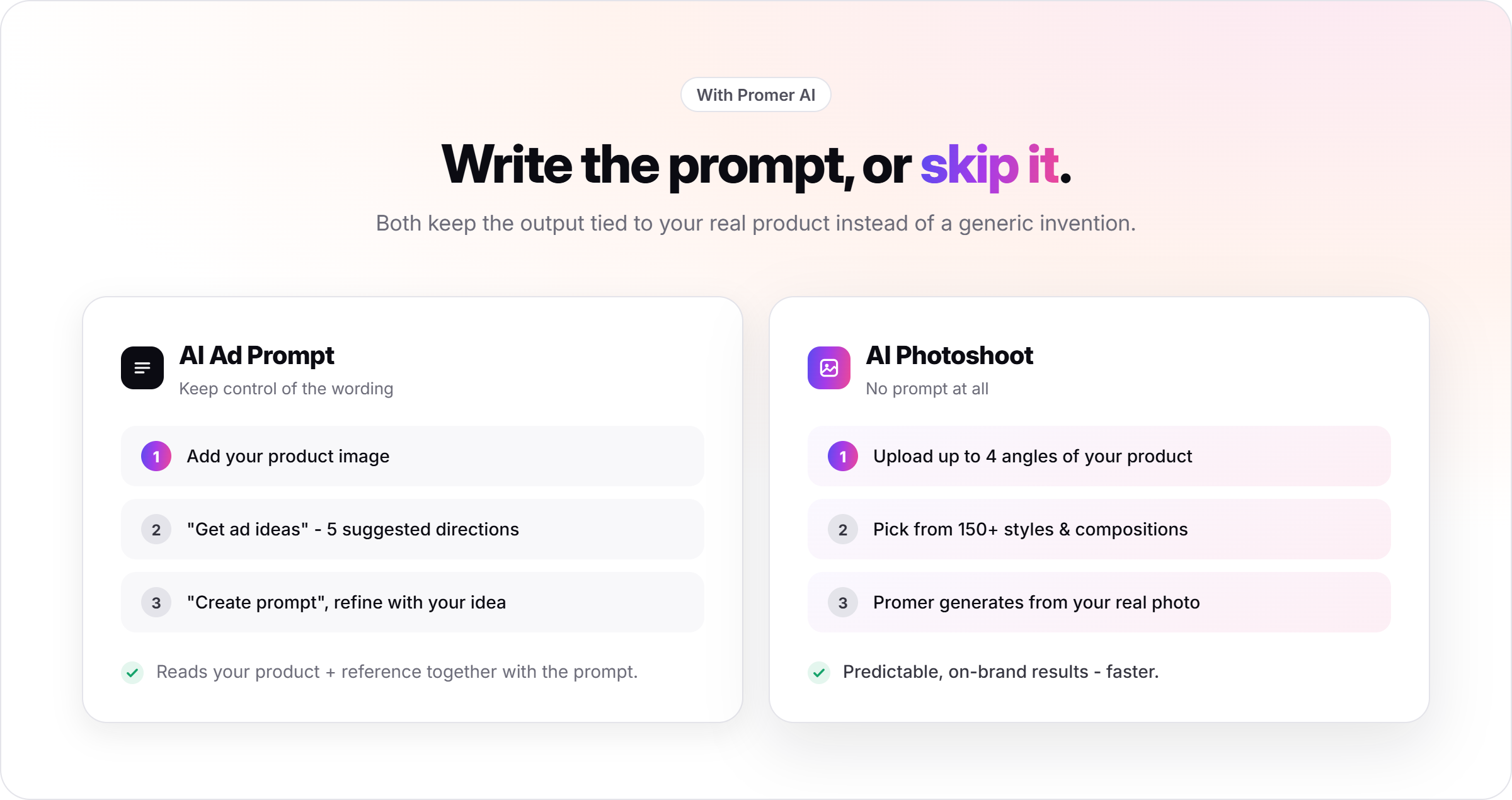
If you would rather skip prompt-writing entirely, Promer AI's AI Photoshoot works from a style and composition picker instead of a text prompt. Upload up to 4 angles of your product, pick from 150+ styles (including on-model options for fashion) and 150+ compositions, and Promer AI generates the shoot directly from your real product photo. There is no prompt to write - the AI reads your product image and applies the visual direction you selected.
Both paths solve the same underlying problem: keeping the AI output tied to your actual product instead of a generic invention. Which one fits depends on whether you want to write the creative direction yourself or hand that step to a guided picker.
FAQs about AI Generated Fashion Prompts
Do I need a reference image for these prompts to work?
Yes, in most cases. Without a reference image, the AI tool has no information about your actual garment and will generate a generic substitute that may not match your product's color, cut, or fabric. Tools that accept image references, including Promer AI's AI Ad Prompt and AI Photoshoot, produce far more accurate results when a real product photo is attached.
What aspect ratio should I use for fashion images?
Use 4:5 for editorial and lookbook shots, 1:1 for flat-lays and beauty close-ups, 9:16 for vertical social or streetwear crops, and 16:9 for wide campaign visuals that need copy space. Each prompt above suggests a ratio, but you can change the number at the end to match where the image will actually run.
Can ChatGPT or similar tools realistically put a garment on my photo?
Yes, tools like GPT-4o can do virtual try-ons when you upload a clear photo and a reference of the garment. Results are best with a front-facing, well-lit, full-body photo, and it helps to explicitly ask the tool to preserve the person's face, body, and pose. It is a realistic composite, not a tailoring simulation, so fit on unusual garments may need a couple of retries.
Why does my generated outfit look slightly off?
AI image models can struggle with exact fit, complex patterns, and small details like logos or hardware. Be specific about silhouette, fabric, and construction terms, and regenerate a few times to get the best frame. For virtual try-ons, explicitly naming that drape, shadows, and proportions should be preserved noticeably improves realism.
Do I need a negative prompt for every generation?
Not for every single one, but it helps consistency. A reusable negative prompt - avoiding distorted hands, warped fabric, mismatched color, and low resolution - can be added once per session in most tools rather than retyped for each prompt above. It reduces the number of regenerations needed to get a usable result.
Is an AI-generated fashion photo good enough for my main product listing?
Typically not for the primary listing image on marketplaces like Amazon or Etsy - buyers generally expect a real photograph there, and some platforms flag obvious AI imagery. AI-generated fashion images tend to work best for supporting content: ad creatives, social posts, lifestyle variations, and seasonal campaigns where volume matters more than a single perfect shot. For Etsy sellers specifically, see how to take good Etsy product photos with AI for guidance on where AI fits into a listing photo set and where it doesn't.
What's the difference between writing my own prompt and using a guided tool like AI Photoshoot?
Writing your own prompt gives you more granular control over specific wording; a guided picker trades some of that control for speed and consistency. Promer AI's AI Ad Prompt keeps you in the prompt-writing seat with AI-suggested starting points. AI Photoshoot removes the prompt step entirely, applying a chosen style and composition directly to your uploaded product image, which tends to produce more predictable, on-brand results faster.
Can I use these prompts to generate video ads, not just photos?
Not directly, but the still image can become a starting point for a video ad. Static fashion photos generated from these prompts, or from Promer AI's AI Photoshoot, can be turned into short video ads using Promer AI's AI Ad Animation, which applies motion to an existing static creative rather than generating video from a text prompt.
📸 Ready to use your own product?
Upload the item you sell. Choose a look, build the prompt, or let Promer AI create the scene for you.
Free to start. No credit card required.