Top 16 AI Prompts for Shoe Advertisement (Free Examples)
Category
Blogs
Date
Authored by
NaNa Phan
Summary
16 AI prompts for shoe advertisements, each with the exact angle, lighting, and mood that makes a product shot look like an ad, not a wallpaper.
Search "prompt for shoes advertisement" and most results hand you a single generic line: "a stunning sneaker on a dark background with neon lighting." That produces a wallpaper, not an ad. A shoe ad prompt has to control the angle, the sole visibility, the surface it's resting or landing on, and the light, or the output looks like stock art with your shoe pasted on top.
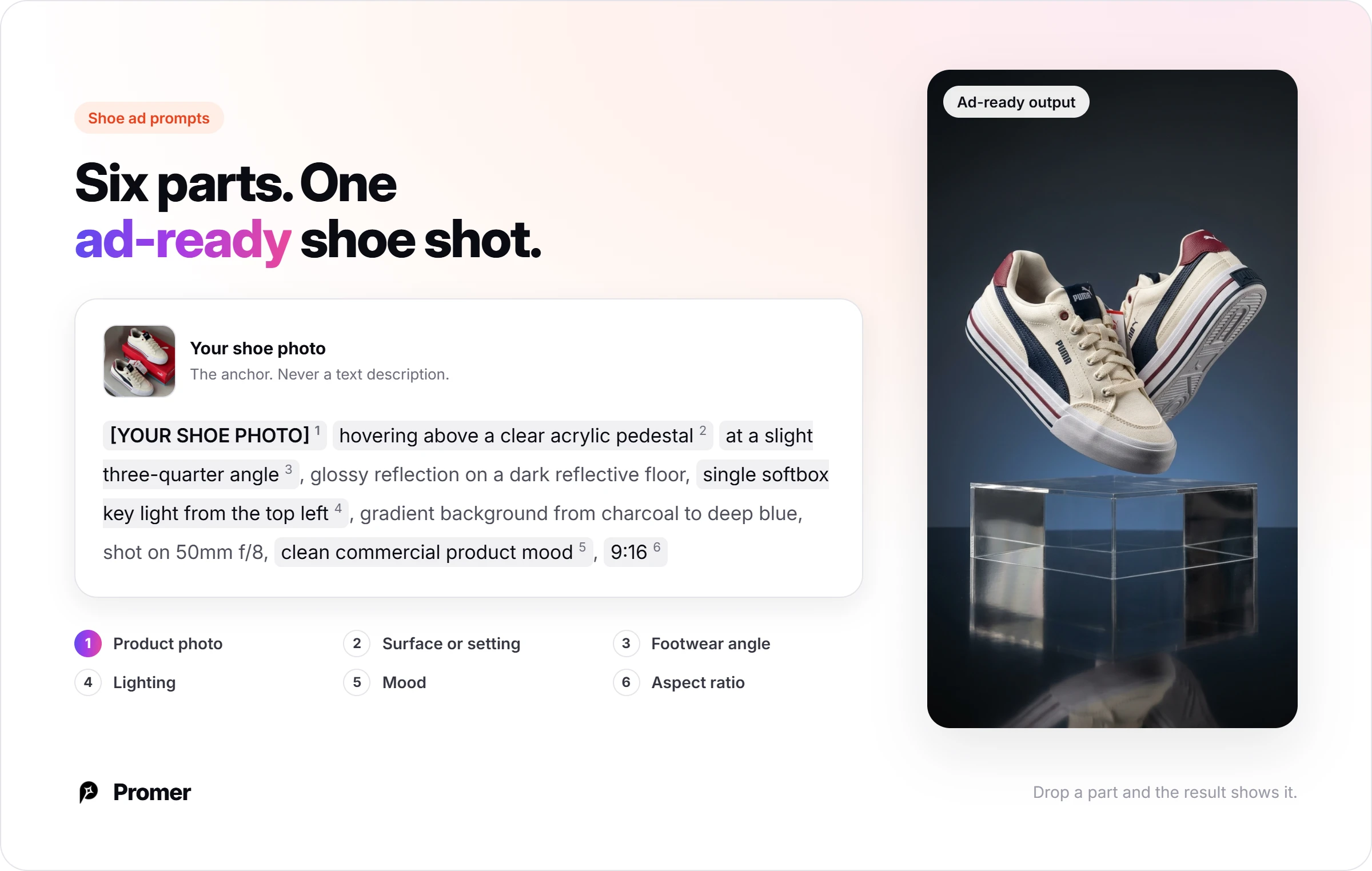
A prompt that produces an ad-ready shoe image needs six parts: your real product photo as the anchor, a surface or setting, a camera angle built for footwear specifically, lighting, a mood, and an aspect ratio matched to where the ad runs.Below are 16 prompts across the four shots a shoe brand needs most: studio hero, motion, on-foot lifestyle, and material detail.
Every prompt uses [YOUR SHOE PHOTO] as a placeholder. Swap it for your own product image before you run it; none of these are meant to invent a shoe from scratch. Each one can also be run directly in Promer AI's AI Ad Prompt: open it from the prompt card and it loads straight into the generator, with no copy-paste step in between.
Key takeaways
Most shoe ad prompt lists skip the angle, and that's the part that matters most for footwear. A side profile sells silhouette, a three-quarter angle sells the toe box and sole line together, and a low angle sells motion. Pick the angle for what you're trying to prove about the shoe.
Anchor the prompt to your real product photo, not a text description of the shoe. Describing "a white running shoe with red accents" in words lets the model invent its own silhouette. Referencing your actual photo keeps the exact shape, logo, and colorway intact.
Motion shots need a named moment, not just "shoe in motion." A heel strike, a jump landing, or a pivot gives the model a specific frame to render instead of a vague blur.
Sixteen prompts are organized into four groups: studio hero shots, motion and action shots, on-foot lifestyle shots, and material and sole detail shots.
The six-part formula behind every prompt below
Every prompt in this list follows the same structure. Drop a part and the result usually shows it: a shoe that doesn't match your real product, a sole that never appears in frame, or lighting that reads as flat stock photography.
Your actual product photo - written as [YOUR SHOE PHOTO], a placeholder for the real file you upload or reference, not a text description of the shoe.
Surface or setting - the pedestal, track, pavement, or floor the shoe sits on, lands on, or is worn across.
Angle built for footwear - side profile for silhouette, three-quarter for the toe box and sole line together, low angle for motion, or overhead for a pair laid flat. This is the part most generic prompt lists skip.
Lighting - where it comes from and how hard or soft it falls. This is what separates "photographed" from "rendered."
Mood or color grade - one or two words: clean, gritty, warm, editorial. Not a paragraph.
Aspect ratio - matched to where the ad runs (1:1 for a Meta feed ad, 9:16 for Stories or Reels, 4:5 for a sales page).
The prompts below are copy-paste ready. Swap the bracketed placeholder for your own shoe photo before you run them.
Studio hero shots
These isolate the shoe against a clean or controlled background, built for the first frame of an ad or a product listing image.
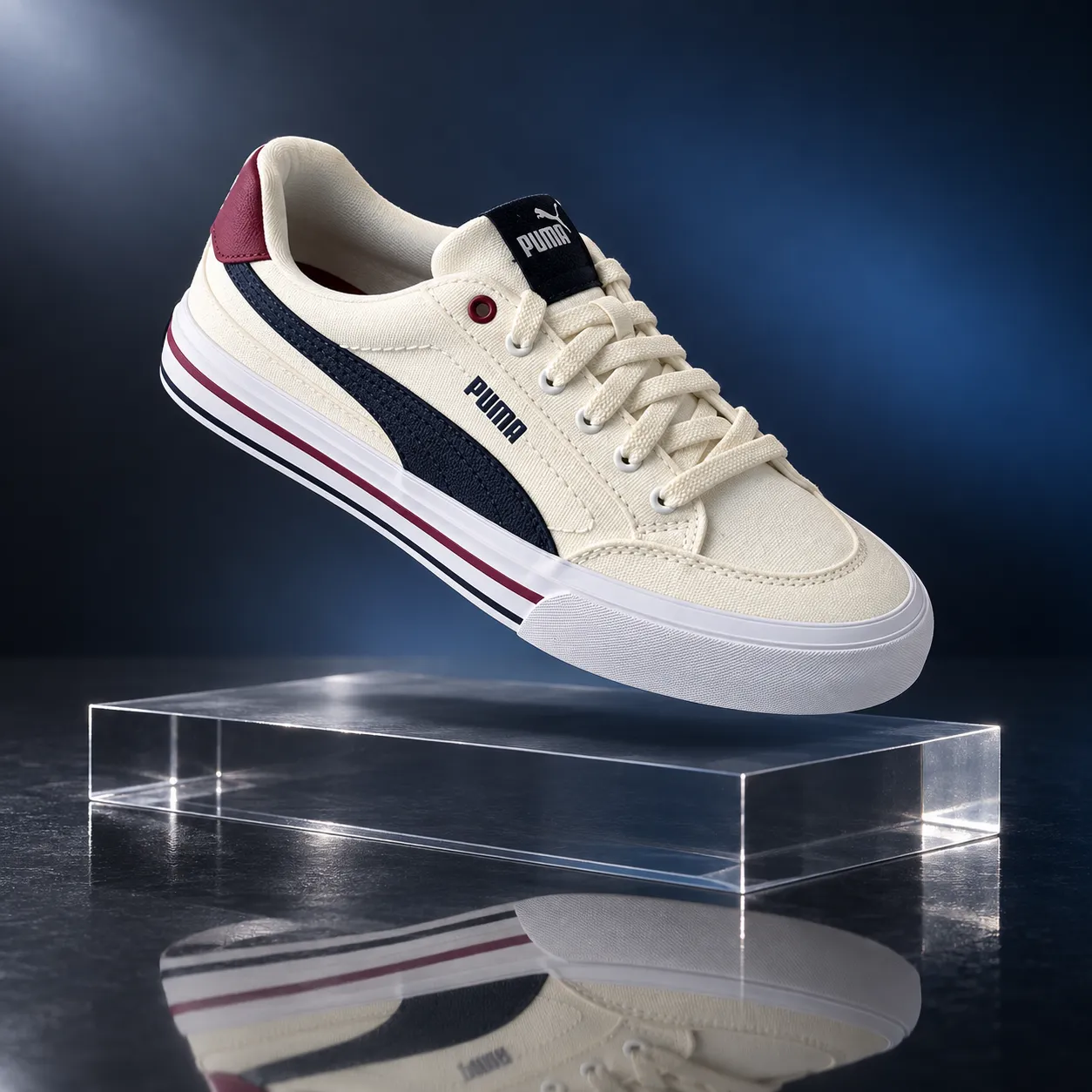
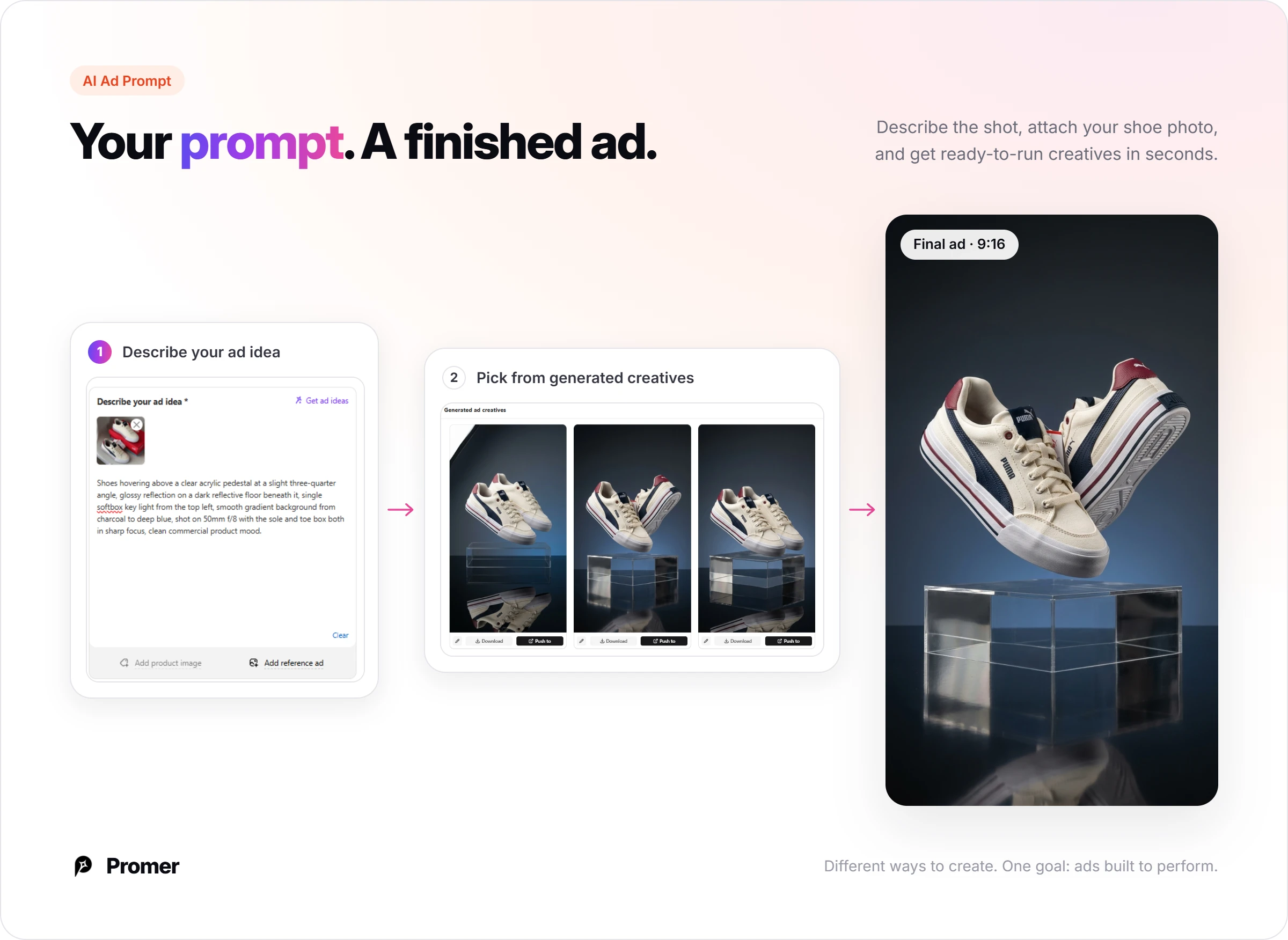
Floating sneaker pedestal hero
For a scroll-stopping first frame where the shoe itself is the entire story.
"[YOUR SHOE PHOTO] hovering above a clear acrylic pedestal at a slight three-quarter angle, glossy reflection on a dark reflective floor beneath it, single softbox key light from the top left, smooth gradient background from charcoal to deep blue, shot on 50mm f/8 with the sole and toe box both in sharp focus, clean commercial product mood, 1:1."
Pro tip: ask for "one shadow, one reflection" explicitly. Floating product shots are where models most often invent a second, physically inconsistent shadow.
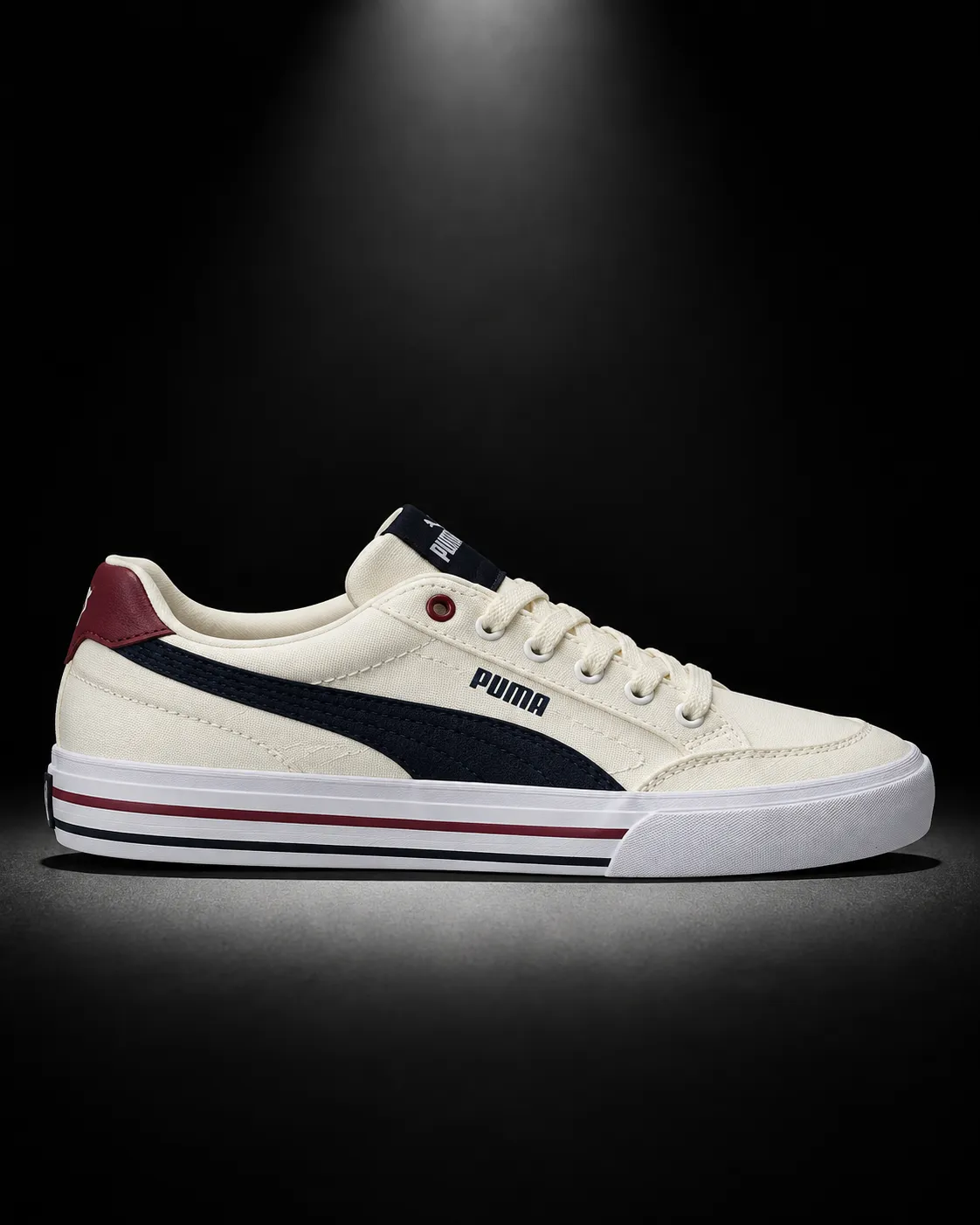
Side-profile spotlight hero
For selling silhouette, which matters most for a shoe with a distinctive outsole or heel shape.
"[YOUR SHOE PHOTO] shot in full side profile against a matte black background, a single hard spotlight from directly above creating a tight pool of light and a sharp shadow beneath the sole, shot on 85mm f/5.6 with the entire silhouette in crisp focus, dramatic editorial mood, 4:5."
Pro tip: specify "full side profile," not "angled view." A slight rotation is the fastest way a silhouette-focused shot loses the exact outline you're trying to sell.
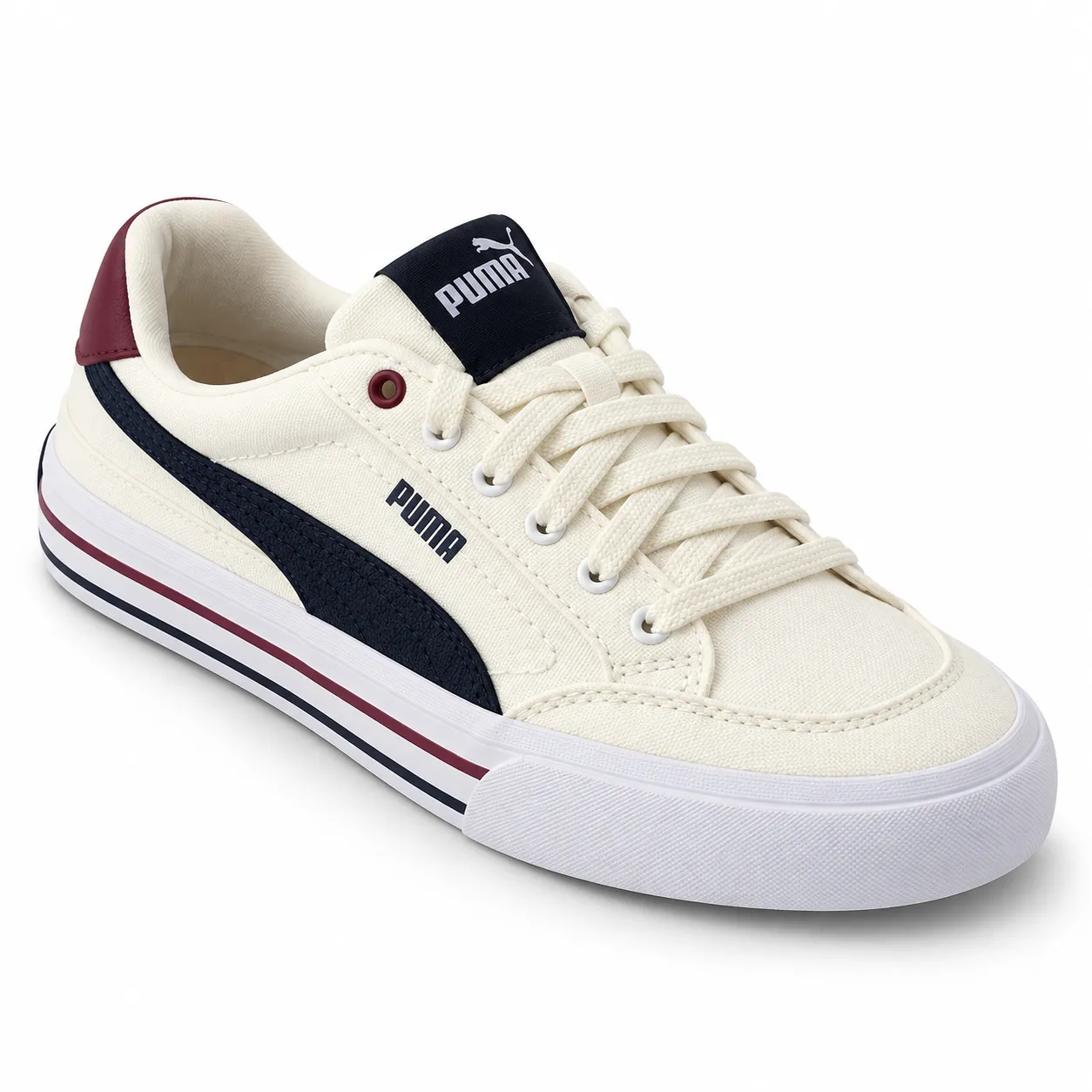
Three-quarter angle packshot
The workhorse angle: shows the toe box, the lacing, and the sole line in one frame.
"[YOUR SHOE PHOTO] photographed from a three-quarter front angle on a seamless white backdrop, soft even studio lighting from overhead with minimal shadow, shot on 50mm f/8 for edge to edge ecommerce sharpness, neutral clean mood, 1:1."
Pro tip: "minimal shadow" matters here specifically because this angle is usually meant for a marketplace listing, where a heavy shadow can get the image flagged by some platforms' photo guidelines.
Paired shoes symmetry shot
For a brand-awareness ad where the pair, not a single shoe, is the hero.
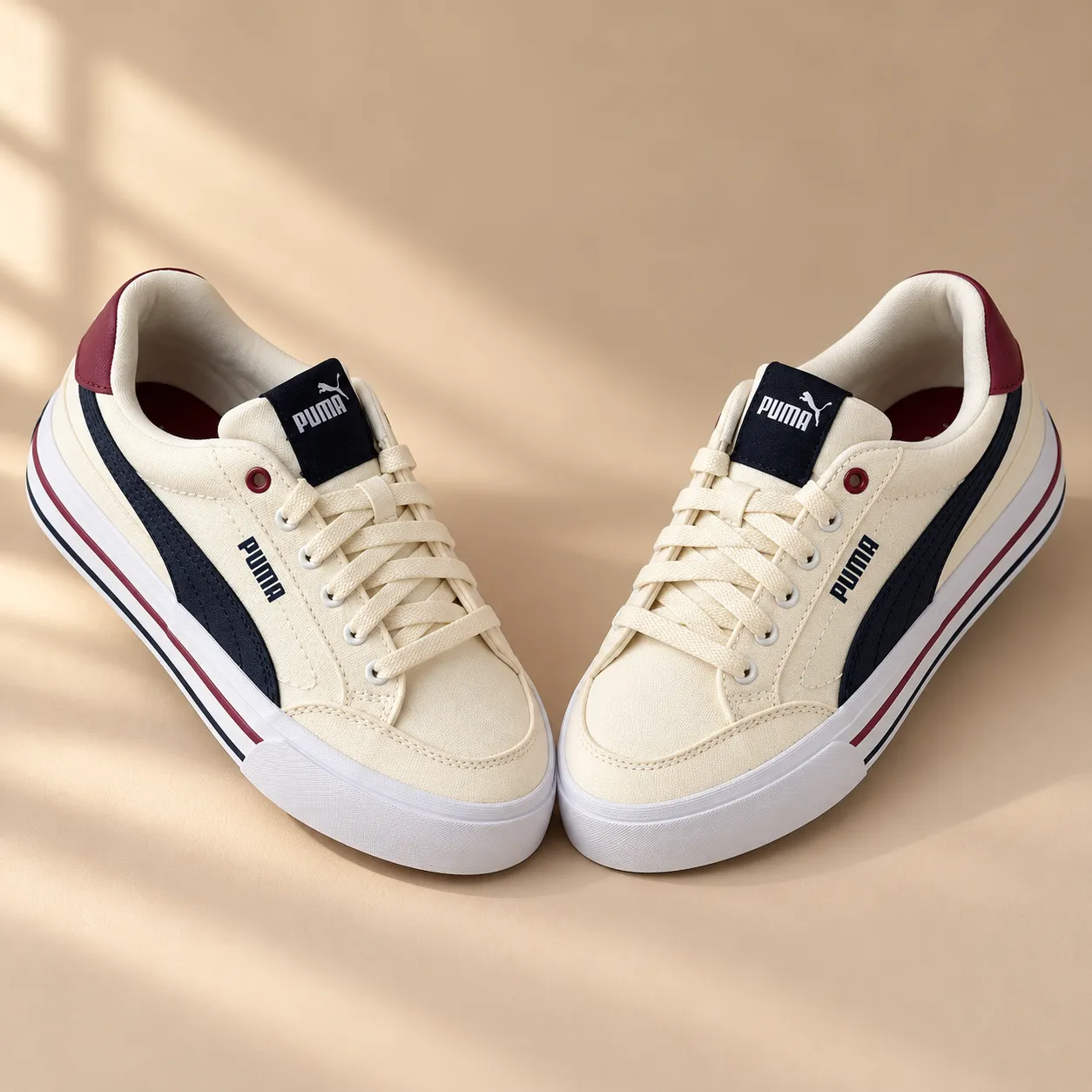
"[YOUR SHOE PHOTO] shown as a symmetrical pair angled toward each other on a warm beige studio surface, soft natural light from the side casting gentle shadows between them, shot on 50mm f/5.6 with both shoes in full focus, calm premium mood, 1:1."
Pro tip: "angled toward each other" is doing real work. Two shoes shot dead straight and parallel tends to read as a stock catalog photo instead of a styled ad.
Motion and action shots
A named moment, not a vague "shoe in motion," gives the model a specific frame to render. These work best for performance and sport-adjacent positioning.
Running track stride shot
For performance positioning on a running or training shoe.
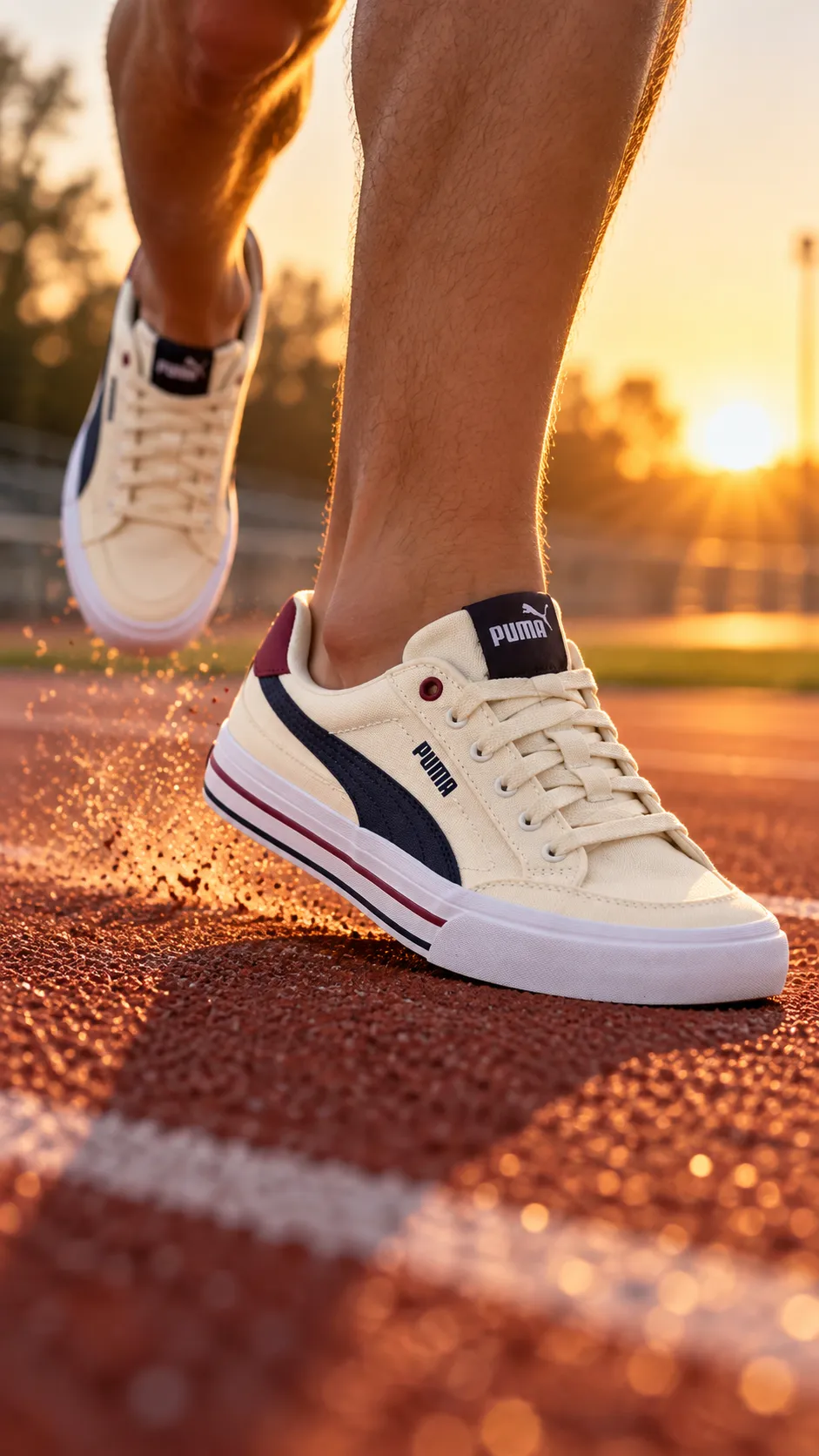
"[YOUR SHOE PHOTO] captured mid-stride on a textured red running track at sunrise, low angle close to the ground, soft golden backlight catching dust kicked up from the heel strike, shot on 35mm f/2.8 with the shoe sharp and the background softly blurred, energetic warm mood, 9:16."
Pro tip: name the exact moment, "heel strike," rather than "running." A named moment gives the model one frame to commit to instead of an ambiguous blur.
Skate trick impact shot
For a skate or street-style shoe, where the landing moment sells durability better than a static shot ever could.
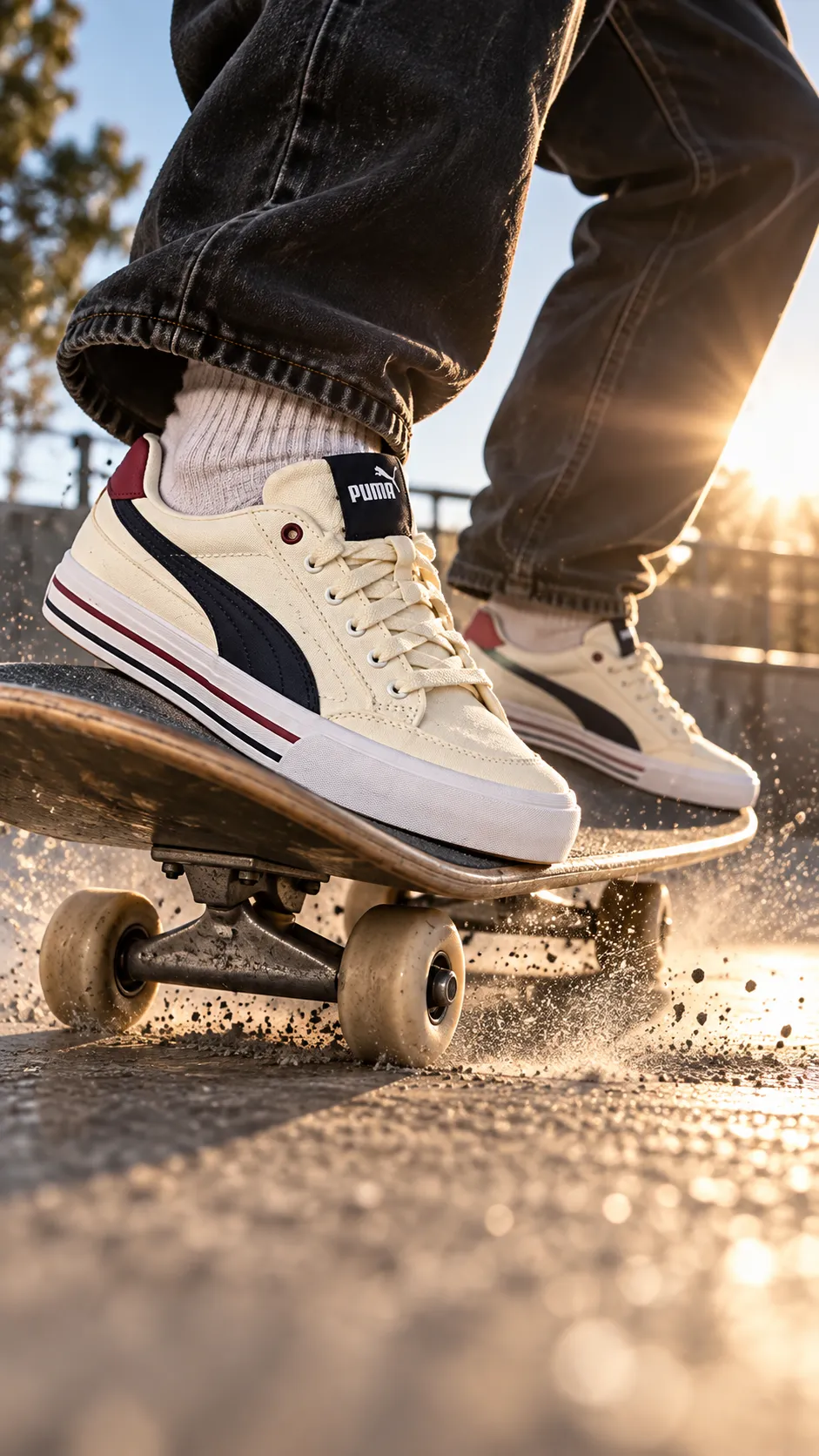
"[YOUR SHOE PHOTO] at the exact moment of a skateboard trick landing on concrete, low angle near the ground catching dust particles in the air, sharp backlight creating a flare rim around the shoe while the silhouette stays crisp, shot on 24mm f/4, gritty high-contrast mood, 9:16."
Pro tip: "silhouette stays crisp" is the key phrase. Without it, fast-motion prompts often blur the one part of the frame (the shoe) that needs to stay sharp.
Splash and puddle impact shot
For a waterproof or all-weather claim, where the water itself is the proof.
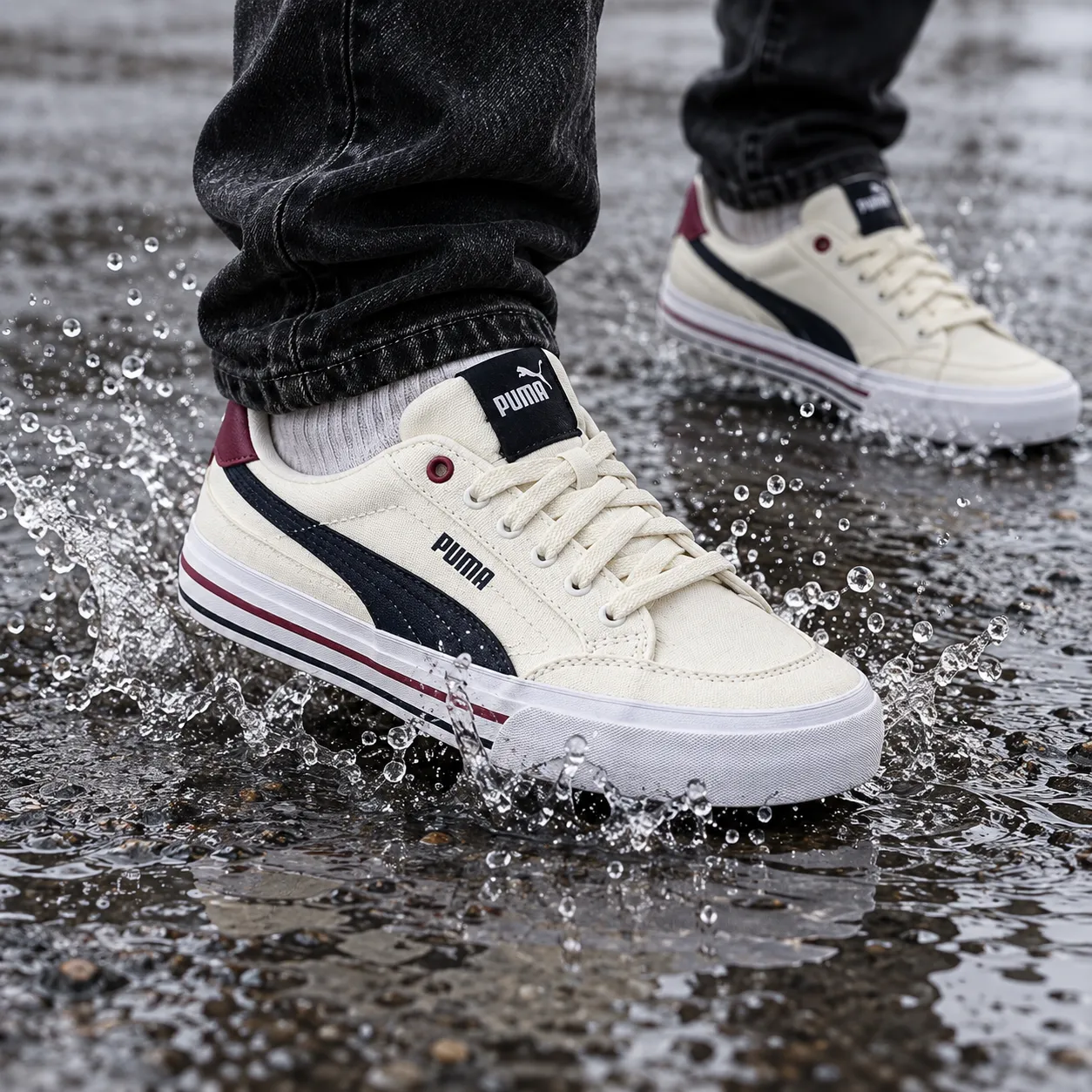
"[YOUR SHOE PHOTO] stepping into a shallow puddle on wet asphalt, water droplets frozen mid-splash around the sole, overcast soft daylight from above, shot on 50mm f/4 with the splash in sharp focus, cool moody tone, 1:1."
Pro tip: "frozen mid-splash" matters because without a frozen-motion cue, water in AI-generated images often renders as a flat, static puddle instead of an actual splash.
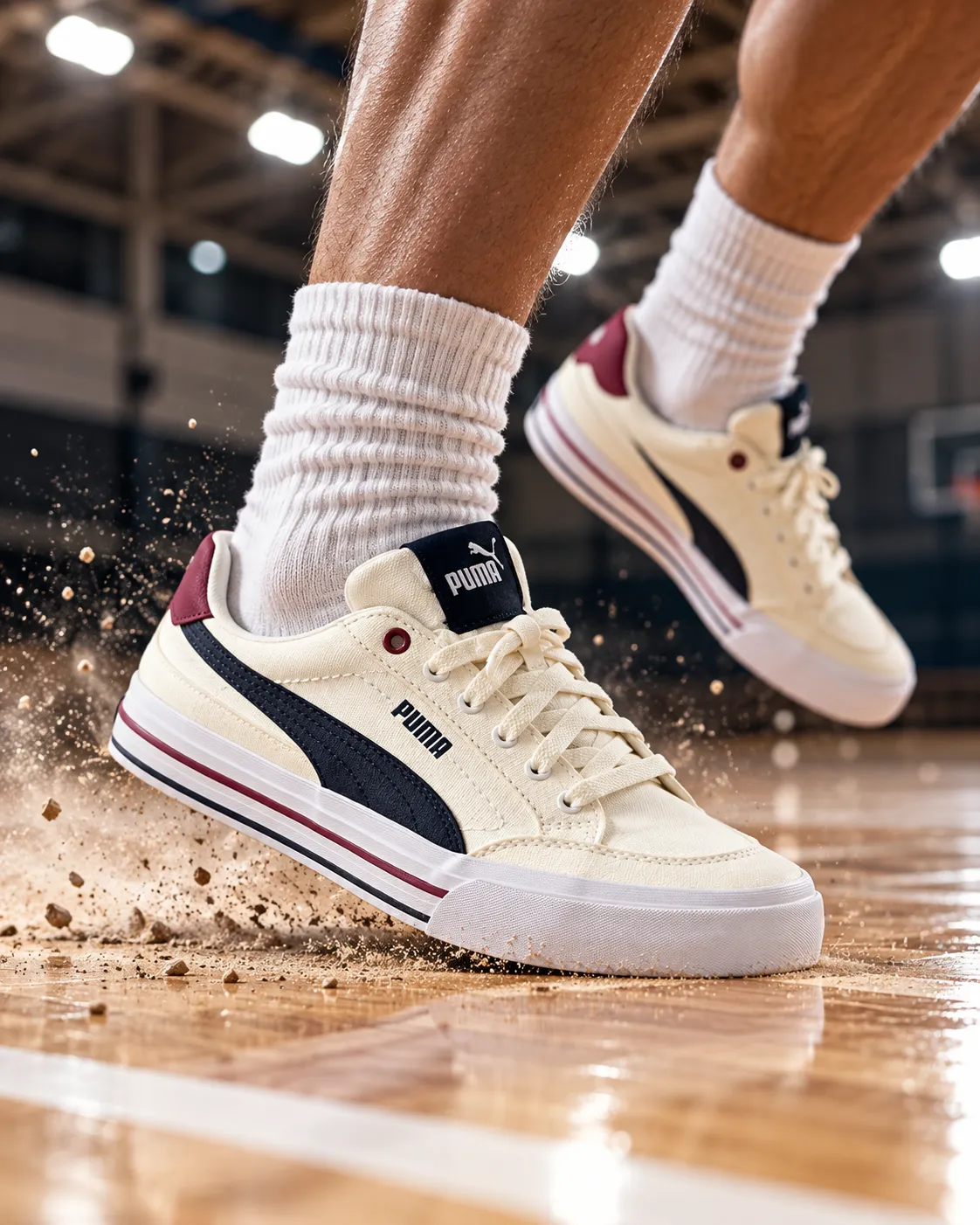
Jump landing dust shot
For a basketball or court shoe, where impact and grip are the selling point.
"[YOUR SHOE PHOTO] at the instant of landing on an indoor court floor after a jump, low wide angle, dust and light court debris scattering from the sole on impact, hard overhead gym lighting with a sharp shadow, shot on 35mm f/4, high-energy mood, 4:5."
Pro tip: specify "indoor court floor," not just "floor." The reflective sheen of a court surface is what reads as "sport" instead of "generic pavement."
On-foot lifestyle shots
These put the shoe into a real setting on a real pair of legs, which matters for ads where scale and everyday context sell harder than an isolated product shot.
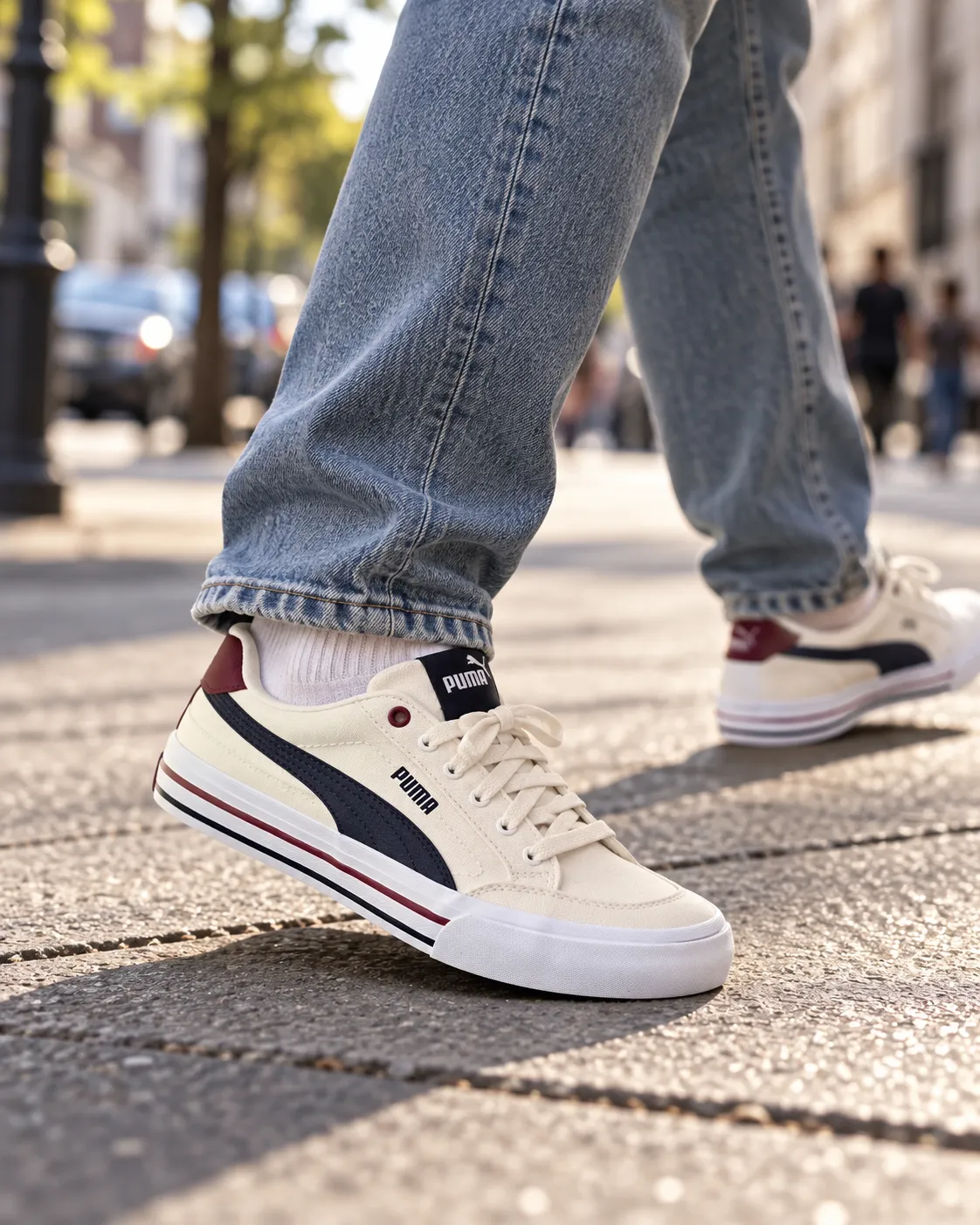
Urban sidewalk walking shot
For everyday streetwear positioning.
"A person's legs and feet wearing [YOUR SHOE PHOTO], mid-step on a city sidewalk with soft motion blur in the background, afternoon natural light from the side, shot on 50mm f/2.8 with the shoe in sharp focus and the street softly blurred behind, candid street-style mood, 4:5."
Pro tip: specify "legs and feet," not "a person." Full faces are where AI-generated lifestyle shots most often go wrong; legs and feet read as authentic and are far more reliable to generate.
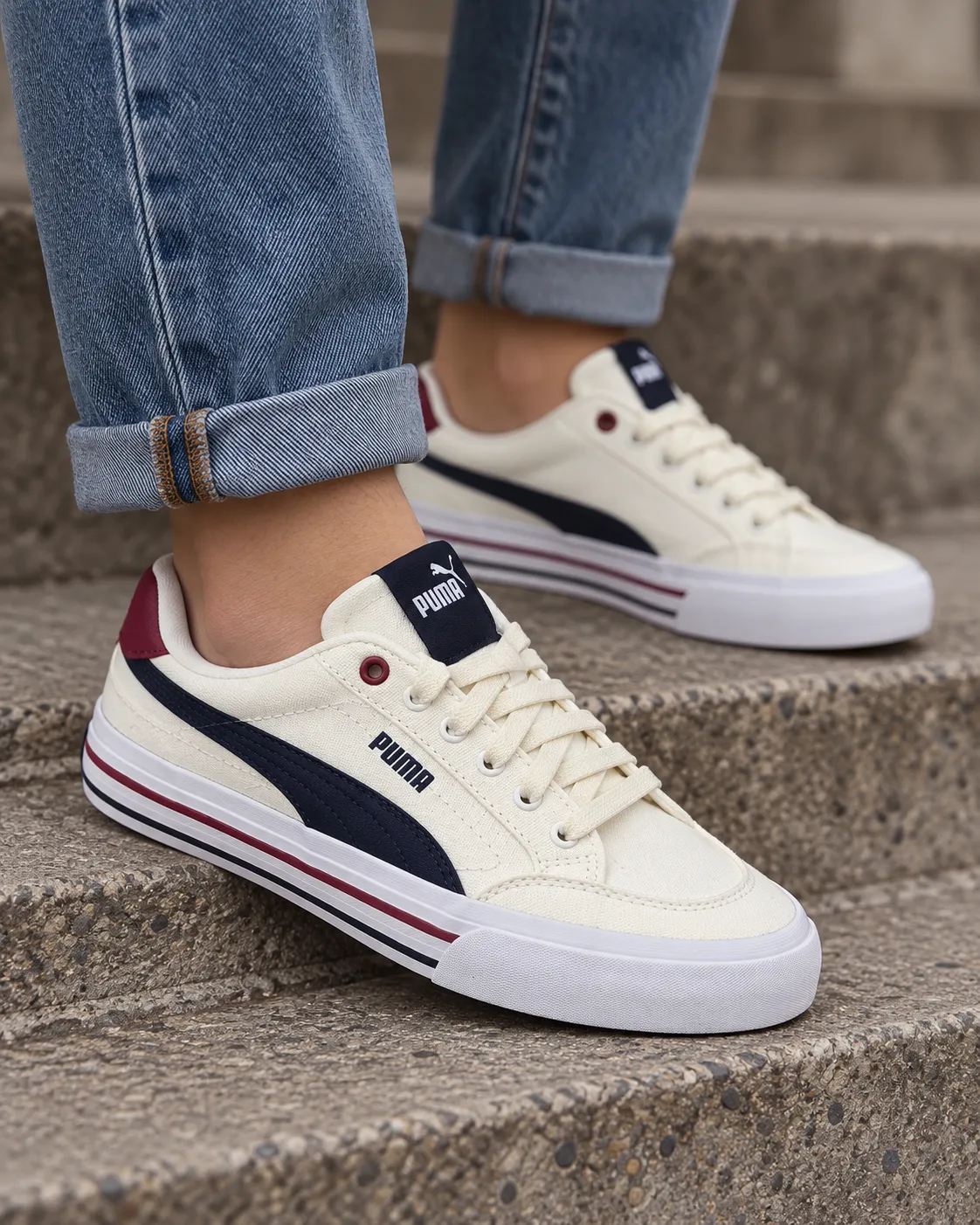
Denim and sneaker outfit shot
For showing the shoe styled, which helps a buyer picture it as part of an actual outfit rather than an isolated product.
"Cropped shot of legs in rolled denim wearing [YOUR SHOE PHOTO], standing on a concrete step in soft overcast daylight, shot on 85mm f/2 with a shallow depth of field blurring the background, minimal editorial mood, 4:5."
Pro tip: "rolled denim" is a small detail that does a lot of work. It gives the model a reason to show the full shoe silhouette instead of cropping it under a longer hemline.
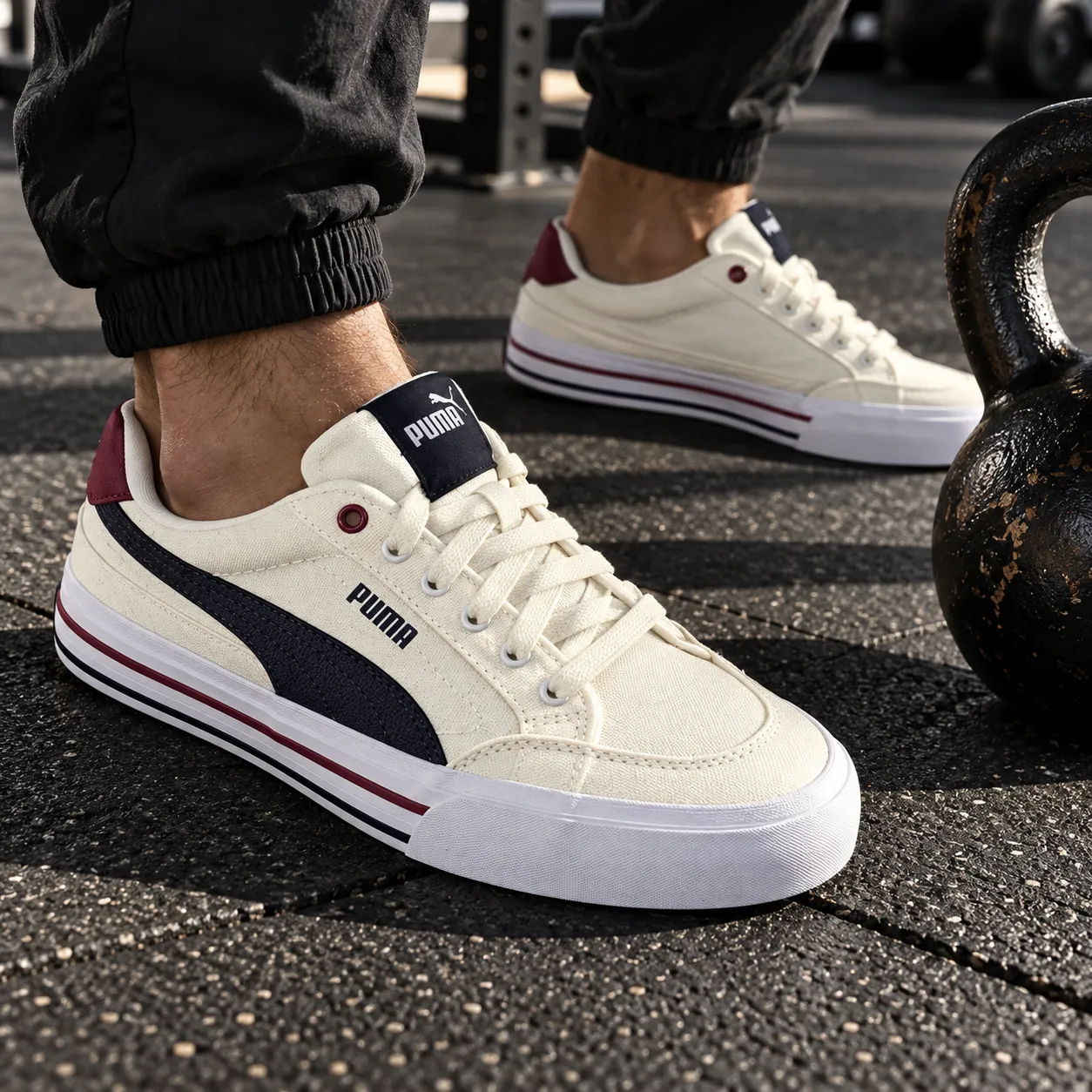
Gym floor workout shot
For training and cross-fit positioning.
"Close-up of feet wearing [YOUR SHOE PHOTO] planted on a black rubber gym floor beside a kettlebell, hard directional light from one side creating defined shadows, shot on 50mm f/4 with the shoe's grip and texture sharp, gritty functional mood, 1:1."
Pro tip: "planted," not "standing," signals a stable, grounded pose, which matters for a training shoe where stability is part of the pitch.
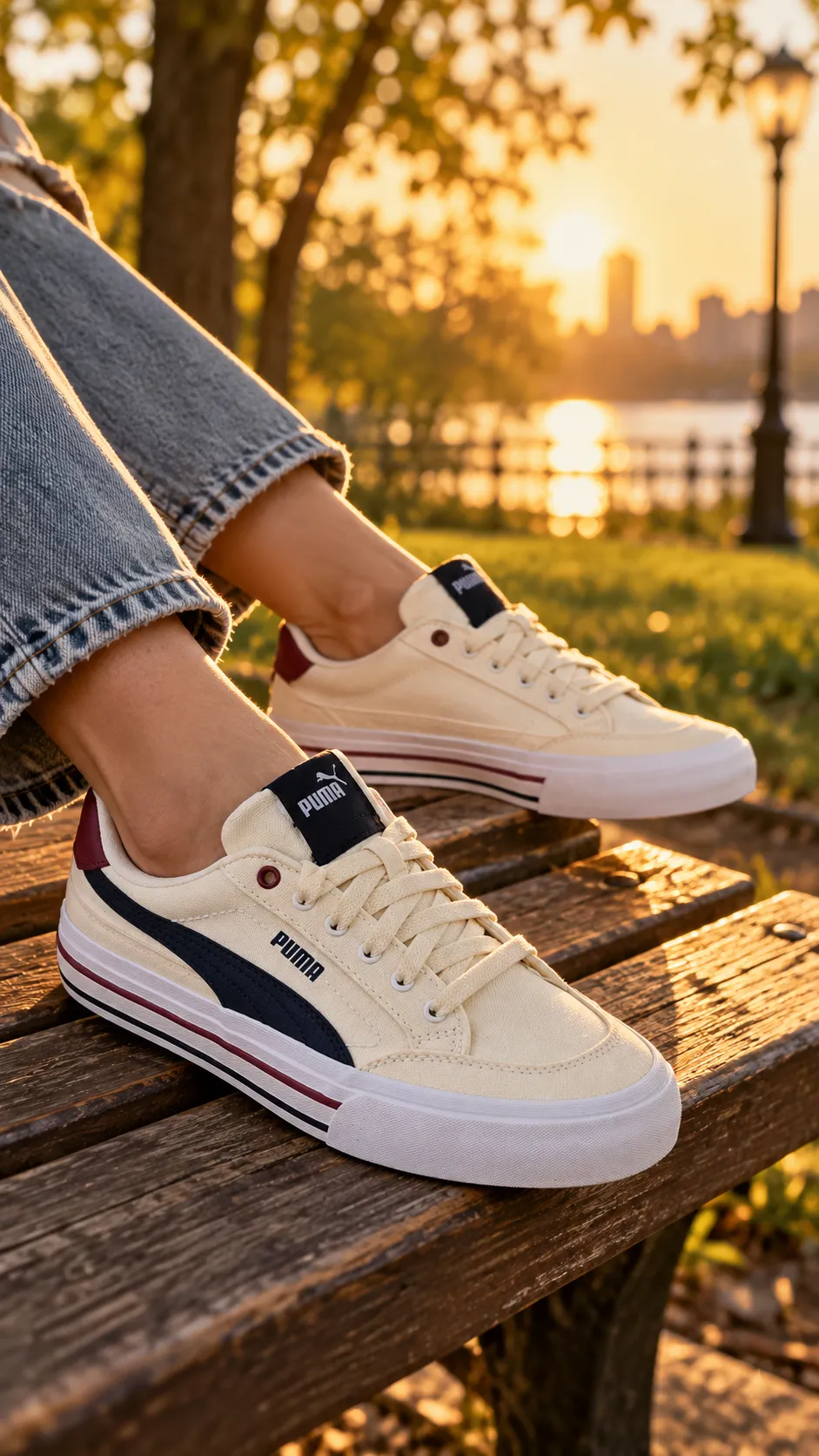
Golden hour park bench shot
Softer and more lifestyle-led, better suited to a casual or lounge-style shoe than a performance one.
"Legs and feet wearing [YOUR SHOE PHOTO], resting on a wooden park bench at golden hour, warm low sun from behind creating a soft rim light around the shoe, shot on 35mm f/2 with a gently blurred park background, relaxed warm mood, 9:16."
Pro tip: "rim light from behind" at golden hour is what gives this shot its warmth. Front-lit golden hour prompts tend to look flat compared to backlit ones.
Material and sole detail shots
These close-ups matter for a shoe where the material, construction, or tread is the actual claim, not just the silhouette.
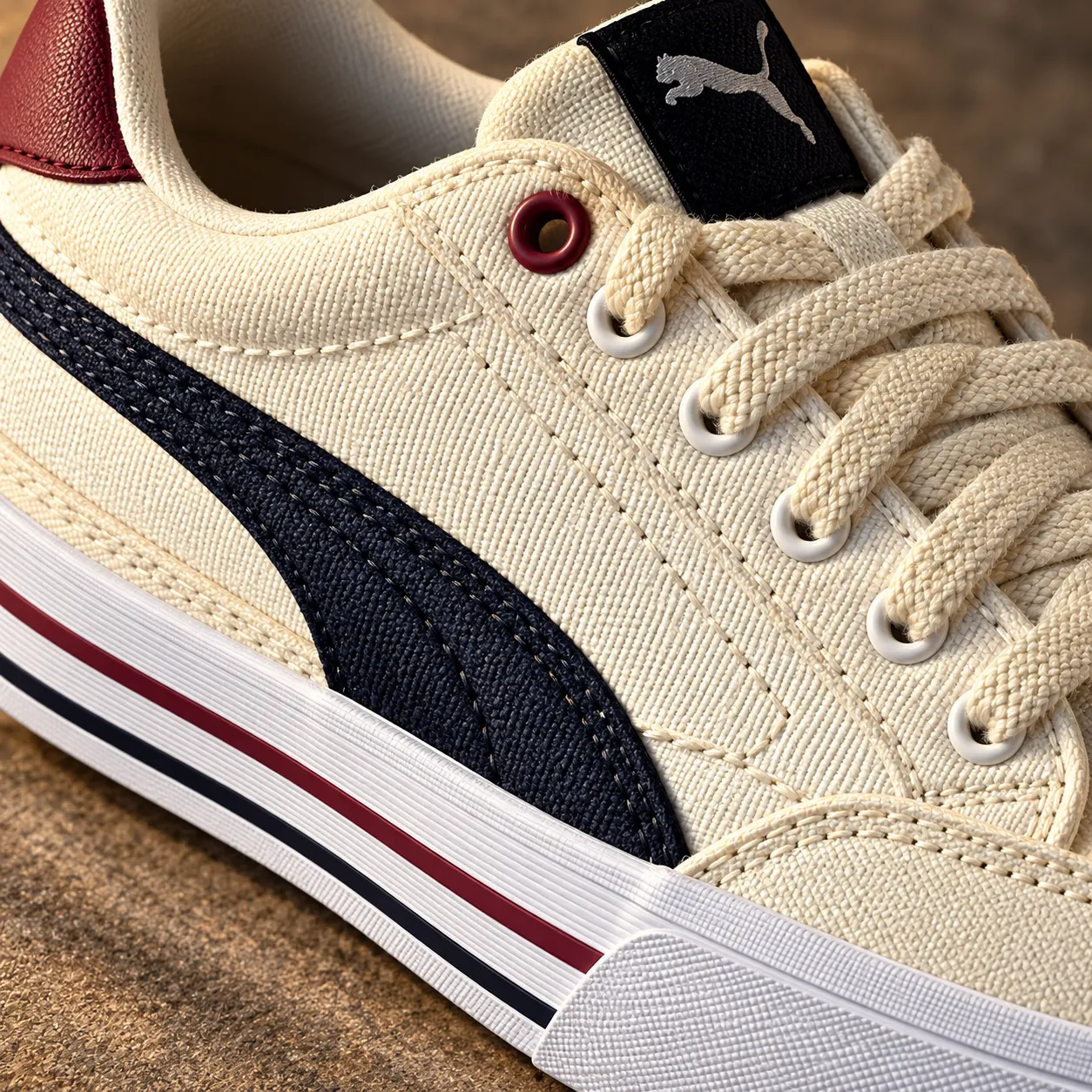
Macro stitching and texture shot
For a leather, suede, or premium-material shoe where craftsmanship is the pitch.
"Extreme close-up of the stitching and material texture on [YOUR SHOE PHOTO], raking side light revealing every grain and seam, shot on 100mm macro f/5.6 with the surface in full sharp focus, rich warm-toned mood, 1:1."
Pro tip: "raking side light," not overhead, is what reveals texture. Light from directly above flattens the exact detail this shot exists to show.
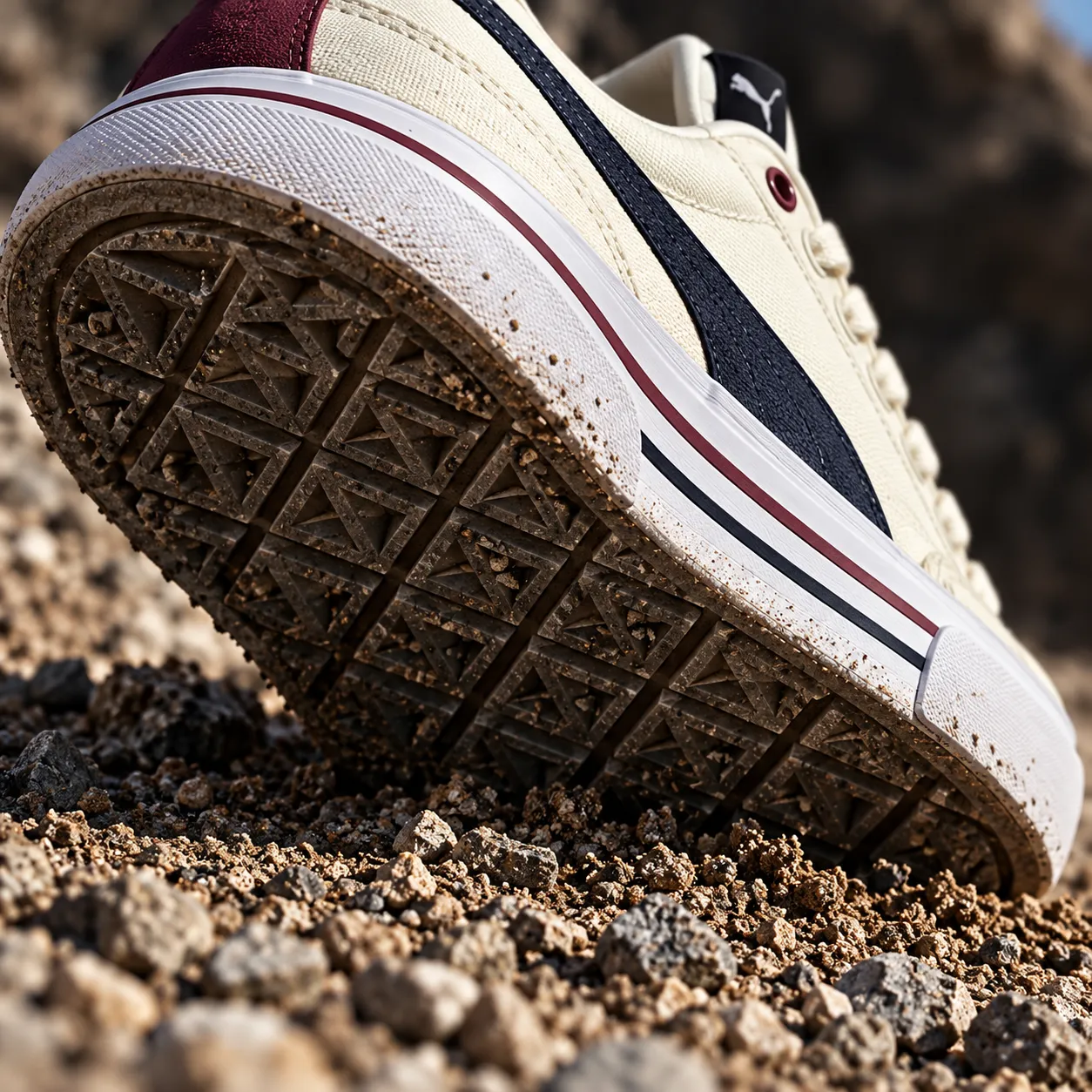
Sole tread close-up shot
For a grip or traction claim, common on trail, hiking, or basketball shoes.
"Low-angle extreme close-up of the outsole tread pattern on [YOUR SHOE PHOTO], pressed into loose dirt or gravel, hard directional light casting deep shadows inside the tread grooves, shot on 60mm macro f/8, rugged high-contrast mood, 1:1."
Pro tip: "pressed into loose dirt or gravel" gives the tread something to grip, which reads as proof of traction far better than the sole shown alone on a clean surface.
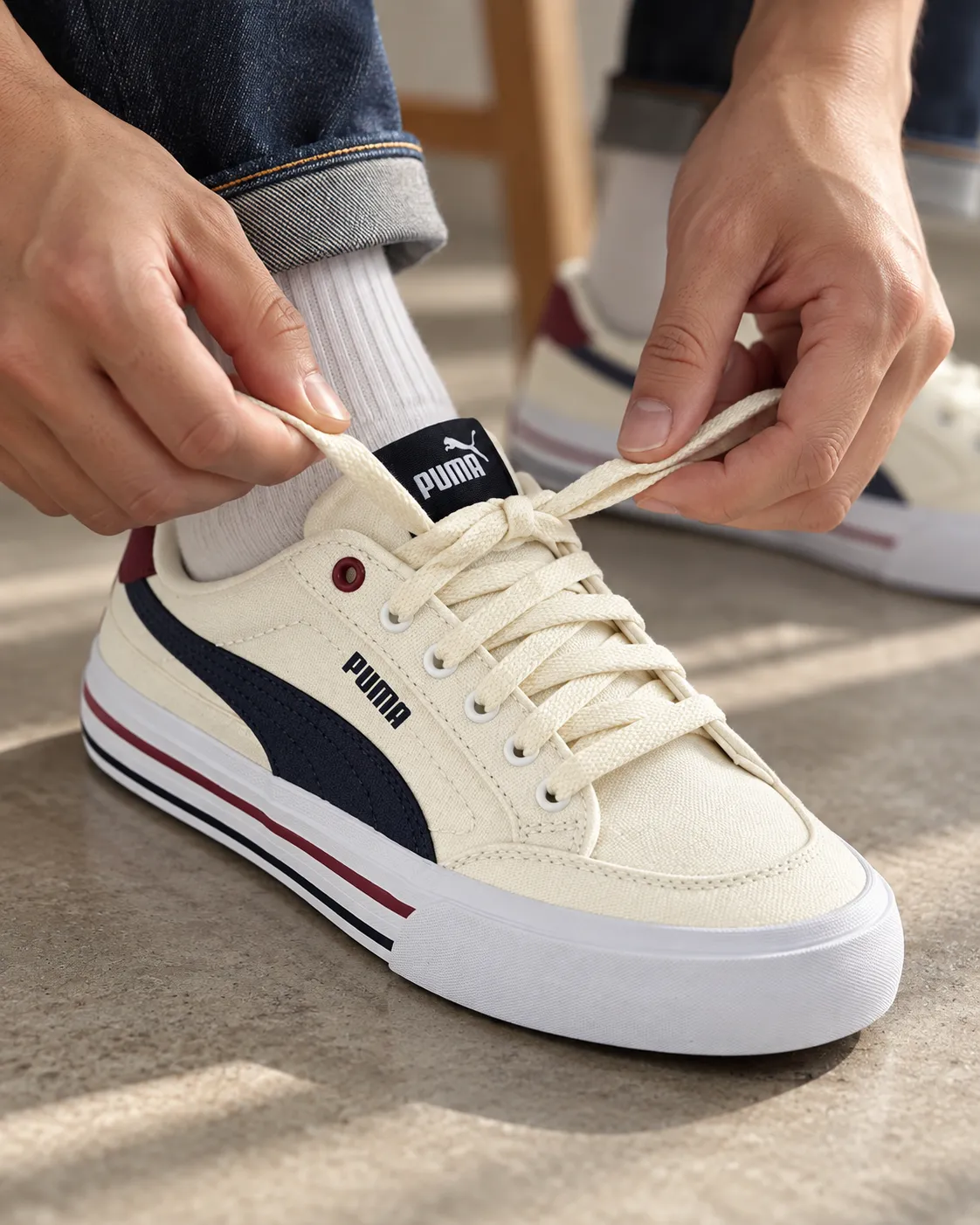
Lacing detail shot
For a shoe where the lacing system itself is a feature, such as a quick-lace or speed-lace design.
"Close-up of a hand lacing up [YOUR SHOE PHOTO], soft natural window light from the side, shot on 50mm f/2.5 with the laces and eyelets in sharp focus and the background softly blurred, clean functional mood, 4:5."
Pro tip: specify "a hand," not "fingers." A full hand in frame reads as a natural, unposed moment; isolated fingers tend to render with distorted proportions.
Cross-section cushioning shot
For a cushioning or foam-technology claim, where showing the midsole in cutaway matters more than the outside of the shoe.
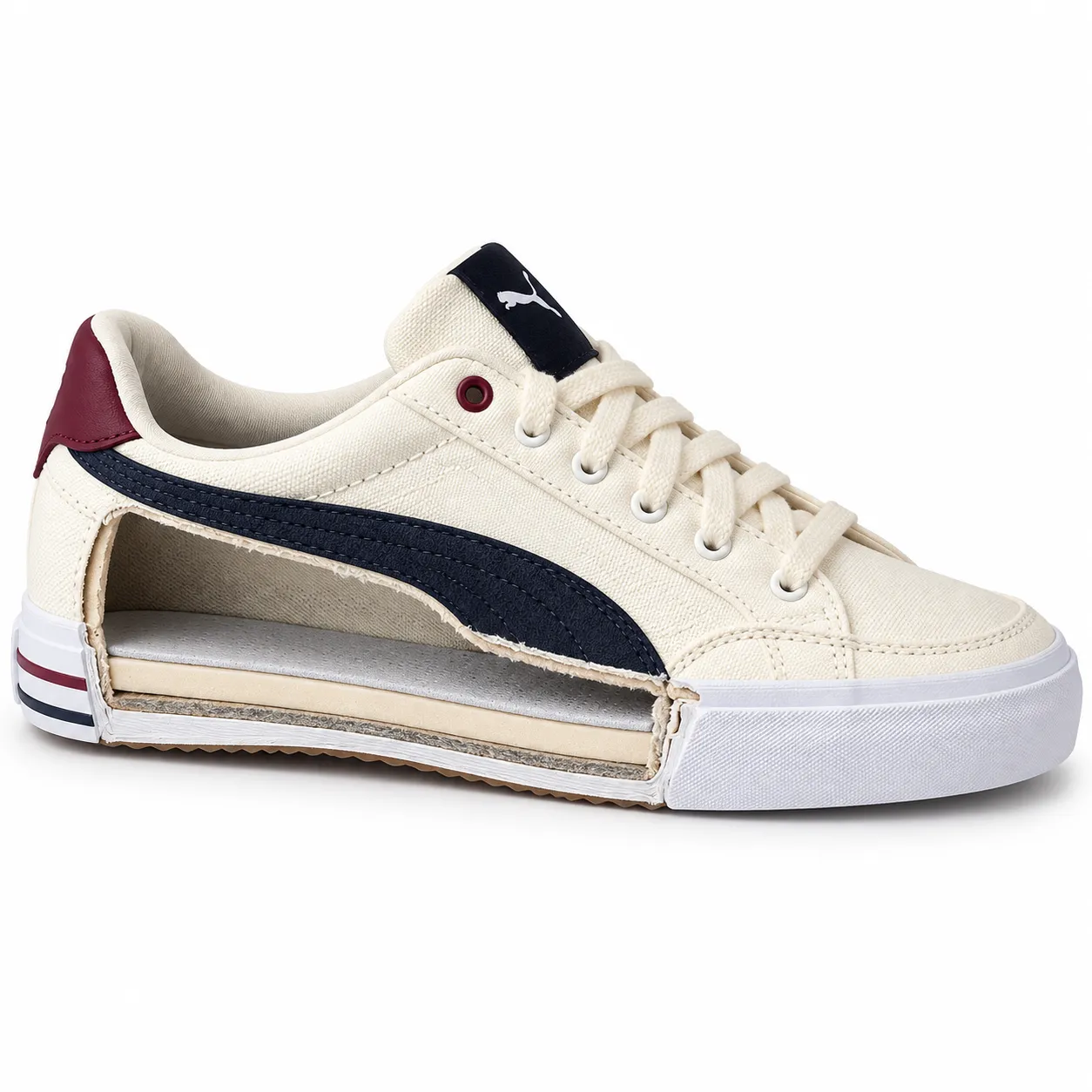
"A cutaway cross-section view of [YOUR SHOE PHOTO] revealing the midsole cushioning layer, clean studio lighting from the front with a subtle rim light outlining the cut edge, shot on 50mm f/8 against a seamless white background, technical precise mood, 1:1."
Pro tip: "subtle rim light outlining the cut edge" helps the model render a clean, deliberate-looking cross-section instead of a ragged or unrealistic cut.
Turning these prompts into finished shoe ads
A single generated image is a photo, not an ad. Running one of the prompts above in AI Ad Prompt gets you the shot; turning it into a finished creative with overlay text is one step further.
To run a prompt, open Promer AI's AI Ad Prompt, attach your shoe photo and paste the prompt into the idea box. You get a set of generated creatives to pick from, and the one you choose comes out in the ratio you wrote into the prompt, such as 9:16 for Stories and Reels. If you don't have a prompt yet, the Get ad ideas button suggests 5 ad ideas from your product image.
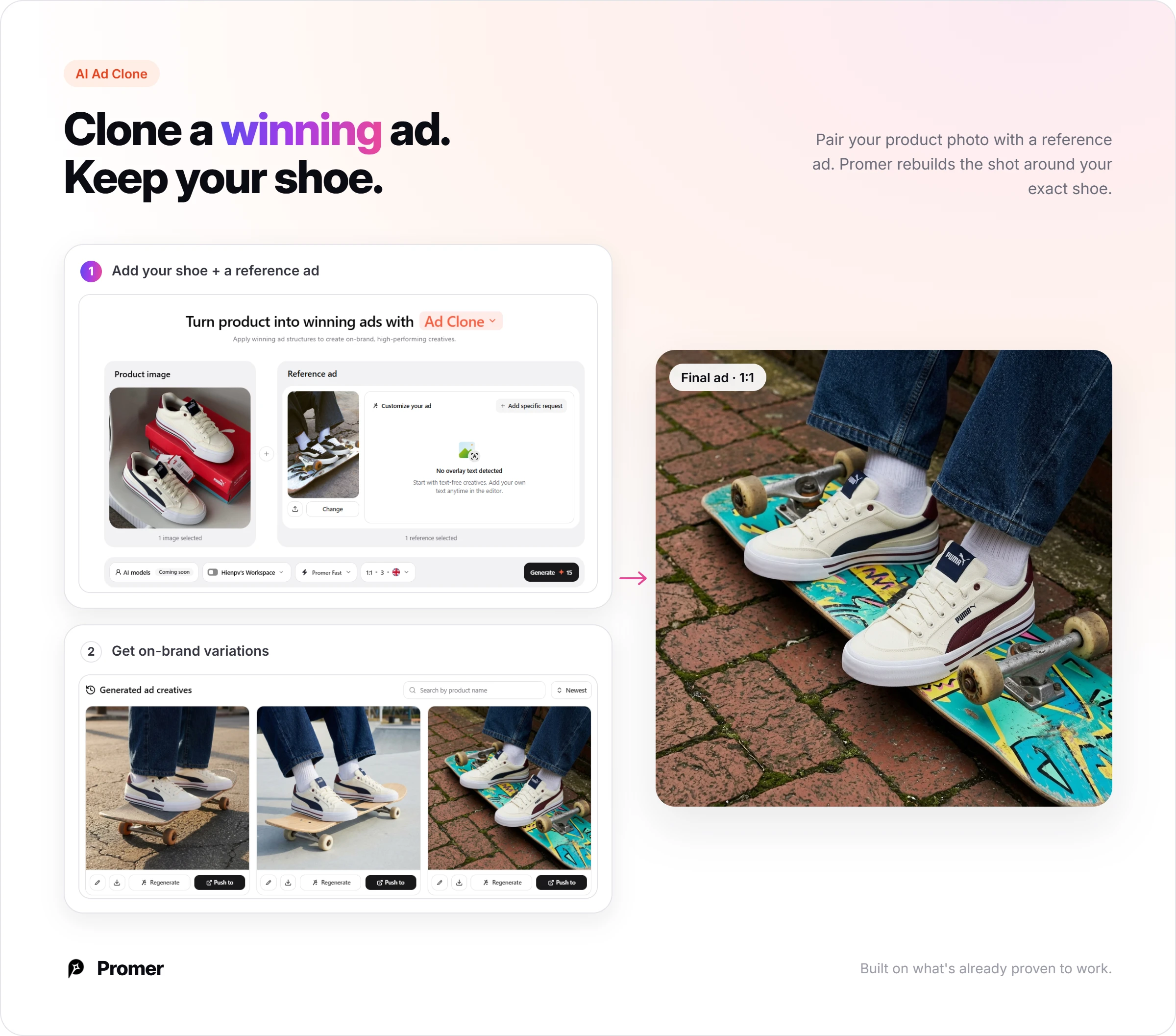
Any of the examples above can also work as a reference instead of a prompt. Promer AI's AI Ad Clone pairs your shoe photo with a reference ad and rebuilds the shot around your exact shoe, keeping the logo, colorway, and silhouette intact.
If you'd rather skip prompts and references entirely, AI Ad Concept reads your product and returns several ad concepts built around different audiences and angles in one pass, each with its own creative already generated.
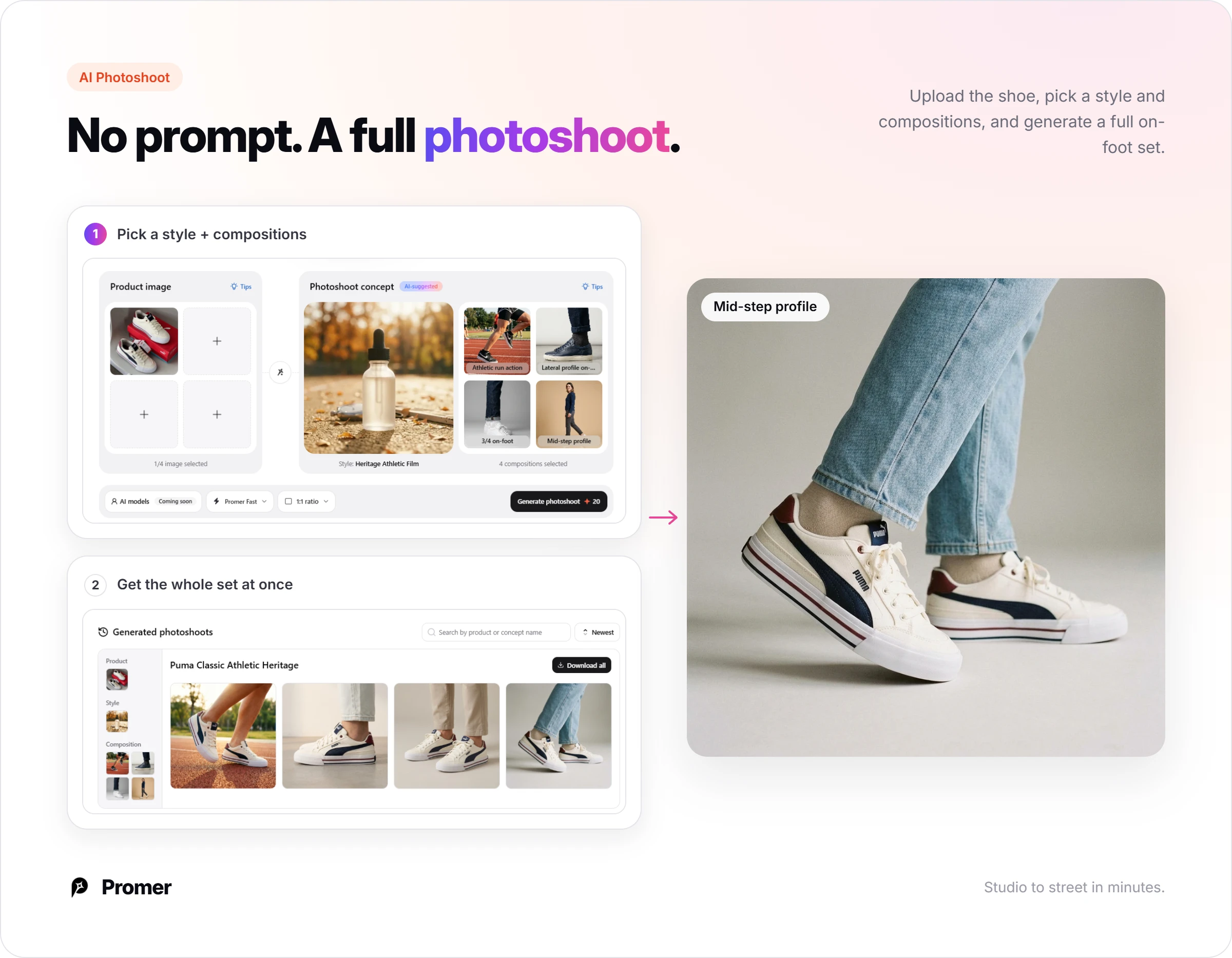
And if you'd rather not write a prompt at all, Promer AI's AI Photoshoot covers the studio and on-foot lifestyle shots above without a prompt: upload the shoe, pick a style and composition, and generate the full set at once.
For more reference before you run any of these, running shoe ad examples shows which of these shot types are currently running as live ads.
Once a shot works, Promer AI's AI ad generator can take the same product and turn it into variations without rewriting every prompt by hand.
FAQ
What should a good shoe ad prompt include?
A good shoe ad prompt names your actual product photo, a surface or setting, an angle built for footwear, lighting, a mood, and an aspect ratio. Skipping the angle is the most common mistake, since side profile, three-quarter, and low angle each sell a different thing about the shoe. A prompt with no angle specified usually defaults to a generic three-quarter view, whether or not that's the angle the ad needed.
How do I keep the shoe looking like my real product?
Reference your actual product photo instead of describing the shoe in words. A text description like "white running shoe with red accents" leaves the model to invent its own silhouette, logo placement, and proportions. Anchoring to the real image is what keeps the colorway, logo, and shape consistent across every generated shot.
Which angle sells a shoe best in an ad?
It depends on what you're proving: side profile for silhouette, three-quarter for toe box and sole line together, and low angle for motion or impact. A marketplace listing usually wants the three-quarter packshot; a performance or sport ad usually wants a low-angle motion shot.
Can I use these prompts for video ads too?
These are written for still images, but the same six-part structure (product anchor, surface, angle, lighting, mood, format) carries over to a video prompt. For motion, add a camera move and a named action, such as a slow push-in or a heel-strike landing, on top of the same base description.
What aspect ratio should I use for a shoe Facebook or Instagram ad?
Use 1:1 or 4:5 for a Meta feed ad, and 9:16 for Stories or Reels. Match the ratio to the placement before you generate, since cropping a square image into a vertical Reels slot after the fact usually cuts off part of the shoe.
Nana Phan has 16 years of experience across marketing, ecommerce, and SaaS, including running her own dropshipping business and nearly 8 years at FireGroup working on products for online merchants. Her experience spans both selling online and building software for the people behind those businesses.
As Head of Growth at Promer AI, she works across customer research, product, and marketing. She writes about ecommerce growth, ad creative, and practical applications of AI, informed by firsthand experience and conversations with merchants about the challenges they face.