FlexClip Review: Template vs AI on the Same Product Ad
Category
Blogs
Date
Authored by
Huy Tran Quoc
Summary
FlexClip review for store owners: Plus is $11.99 a month billed yearly, the AI reads Amazon and eBay links only, and the editor is what you're paying for.
Your best-selling product has 6 good photos and zero videos. Meanwhile every Reels slot you'd like to fill wants motion, captions and a reason to stop scrolling.
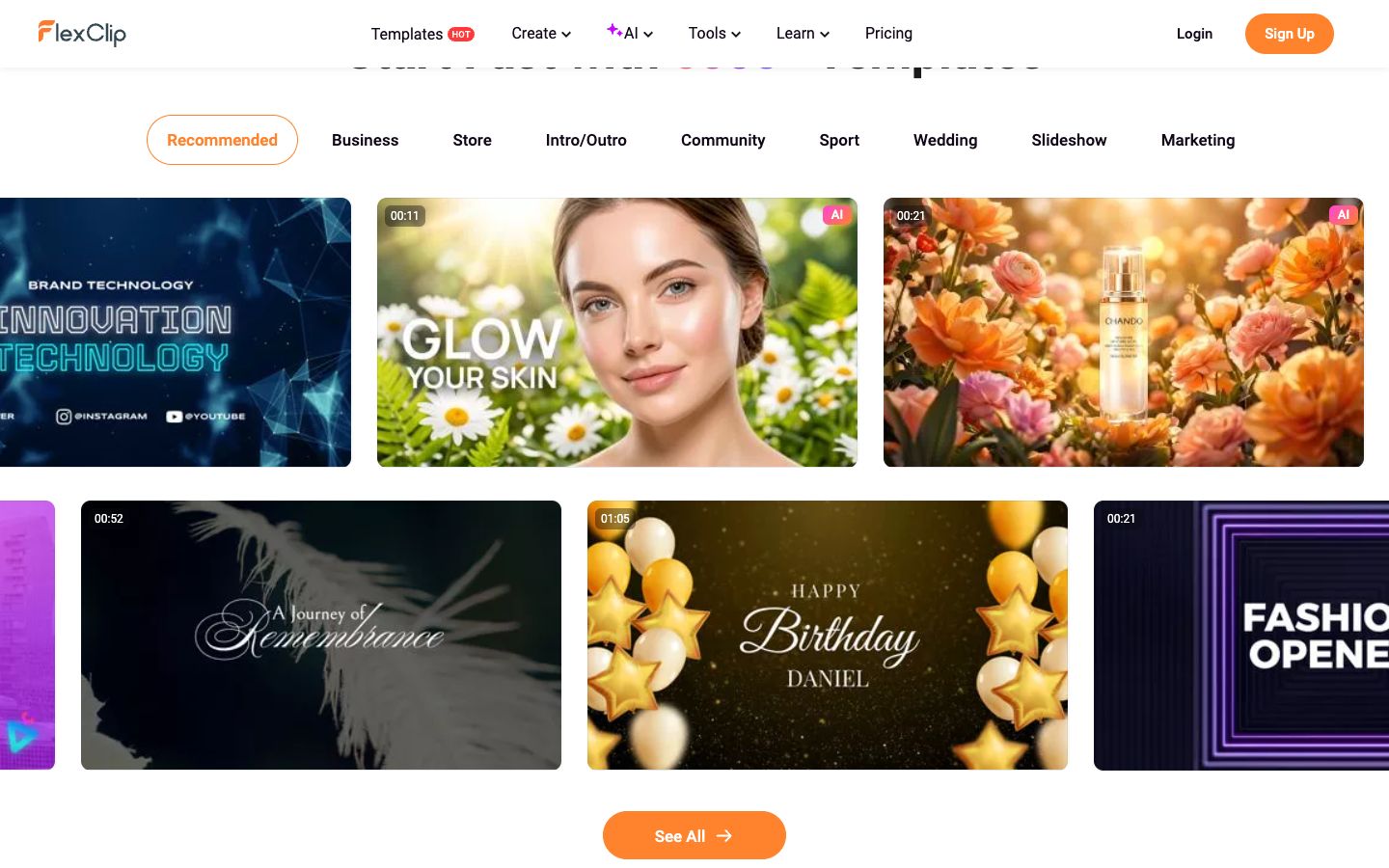
FlexClip offers you two ways out. Pick one of its 2,105 ad templates and swap your product in. Or paste a product link and let its AI draft the video for you.
Both routes land in the same editor, and that's the point of this FlexClip review: which route gets a store owner to a usable 15-second ad faster, and which plan you need.
FlexClip is worth paying for if you're happy to finish each ad yourself in a simple browser editor, because its AI gives you a first draft, not a finished ad.
Prices and limits come from FlexClip's own pricing page and help center, checked in October 2026.
Key takeaways
FlexClip Plus costs $11.99 a month billed yearly ($143.88) or $19.99 month to month, with 1080p export and 300 AI credits a month.
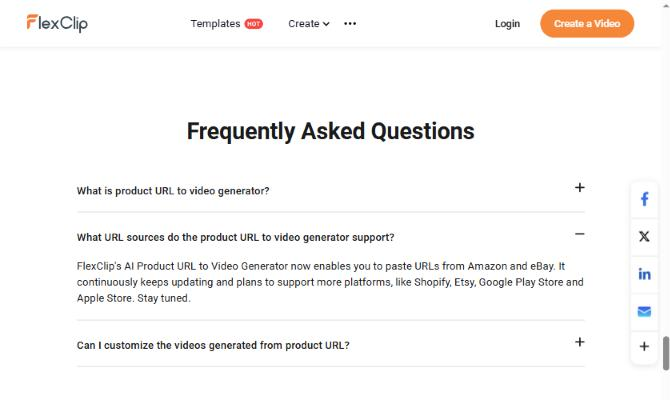
Product URL to Video reads Amazon and eBay links. Shopify is on FlexClip's "planned" list, not live.
Plus lets you use 5 stock videos per project. Add a 6th and your export gets a watermark.
Refunds cover your first payment only, within 7 days. Renewals and AI credits are non-refundable.
On Trustpilot, FlexClip scores 4.5 from 2,611 reviews. The complaints are about renewals and paid add-ons.
What FlexClip is for a store: Canva-style video editing with AI on top
One Trustpilot reviewer put it neatly in July 2026: FlexClip is like Canva, but for video. That's a fair summary. It's a browser editor built around templates, with a big stock library behind it: 4M+ videos and photos, 74,000+ music tracks and sound effects, and 200+ transitions.
For a store, that means you rarely need to hunt for footage or music outside the tool, and FlexClip labels the library for commercial use.
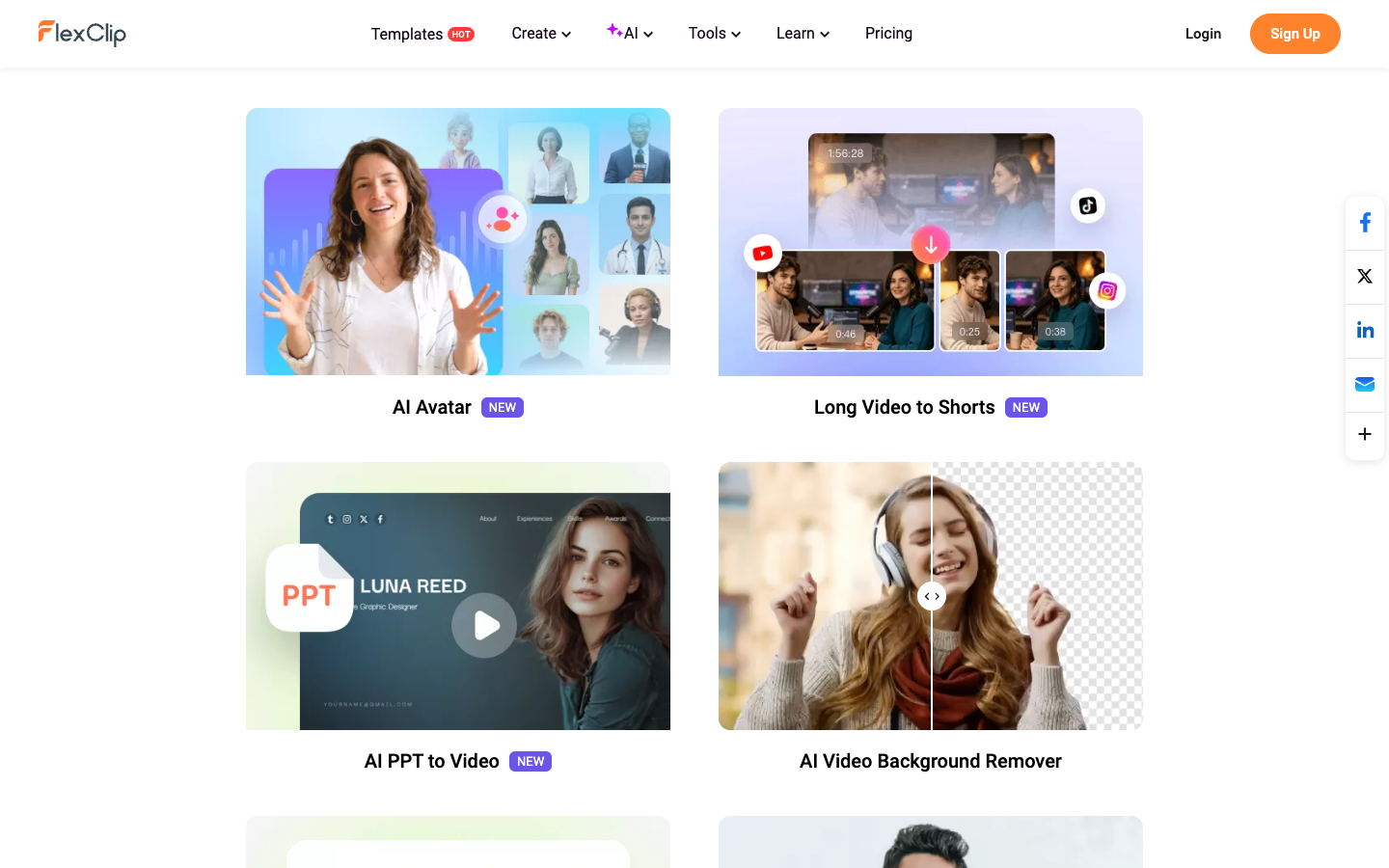
On top sits a set of AI tools. The ones a store owner will use:
Product URL to Video: paste an Amazon or eBay link and get a draft ad.
AI Recreate: drop your own photos into a template automatically.
AI Video Generator: a draft from a text prompt or an image.
Auto subtitles and text to speech: captions and a voiceover in 140+ languages.
Background and object removal: clean up a supplier photo.
Here's what matters: every AI tool hands its draft to the same editor the templates use. Whichever route you pick, the editor is what you're paying for. FlexClip doesn't push ads to Meta Ads Manager, so the ad test itself happens in your own ad account.
One product, two routes: the brief to run through FlexClip
To compare the two routes, picture one product and one brief. Say you sell a cordless milk frother on Amazon and on your Shopify store, and you need a 15-second vertical ad for Reels and TikTok.
Here's the brief. Copy it and swap in your own product:
Buyer: home coffee drinkers who stopped paying café prices
One claim: thick foam for a latte at home
Offer: 15% off the first order
Format: 15 seconds, 9:16, sound on, subtitles on
Hook: "Your oat milk deserves better than a fork."
CTA: "Shop the frother"
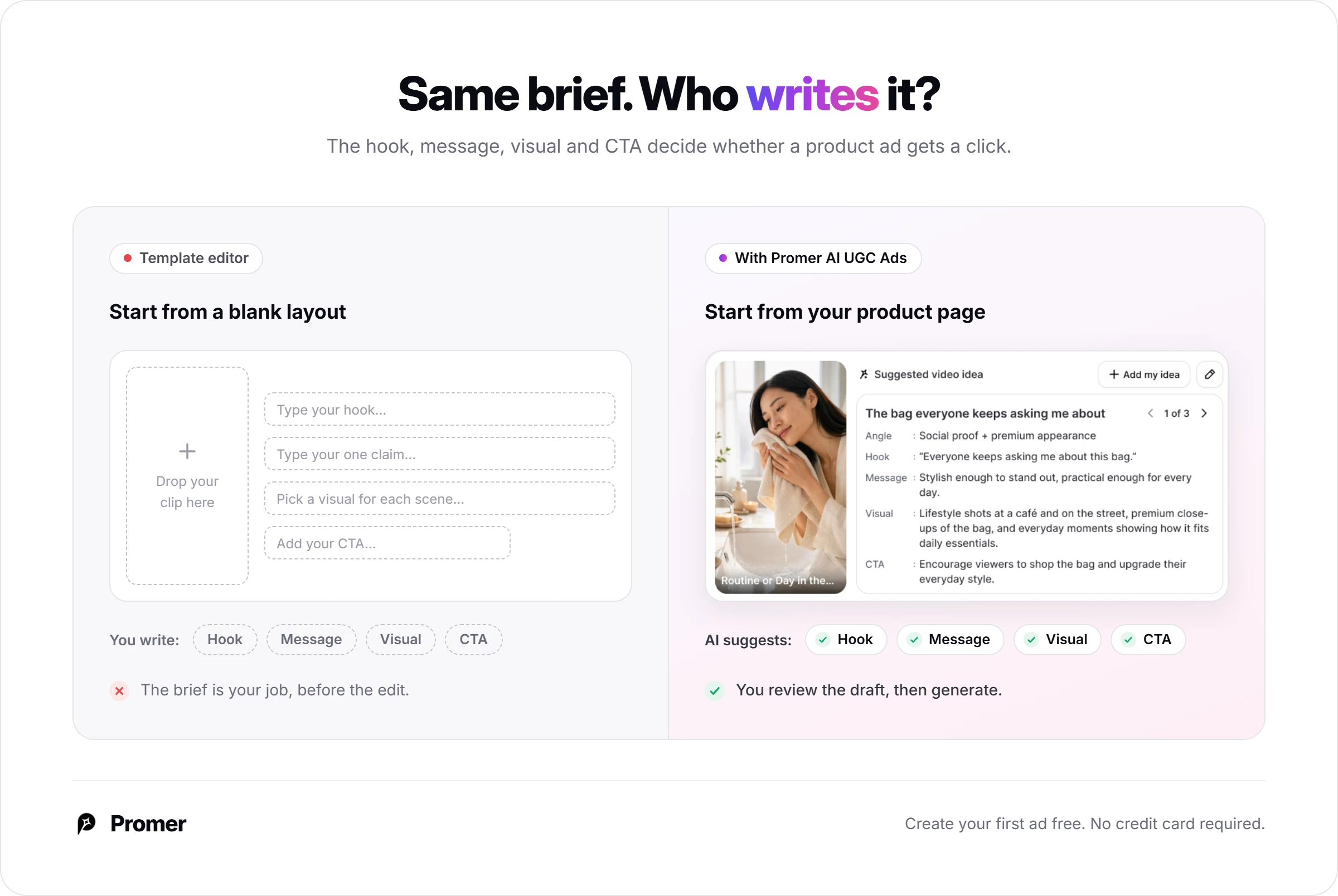
Every line on that list is a decision, and neither FlexClip route makes it for you. The template route asks you to type it into someone else's layout.
The AI route writes its own first guess from your product listing, and you correct it. Either way, the brief is your job.
Route A: FlexClip ad templates, step by step
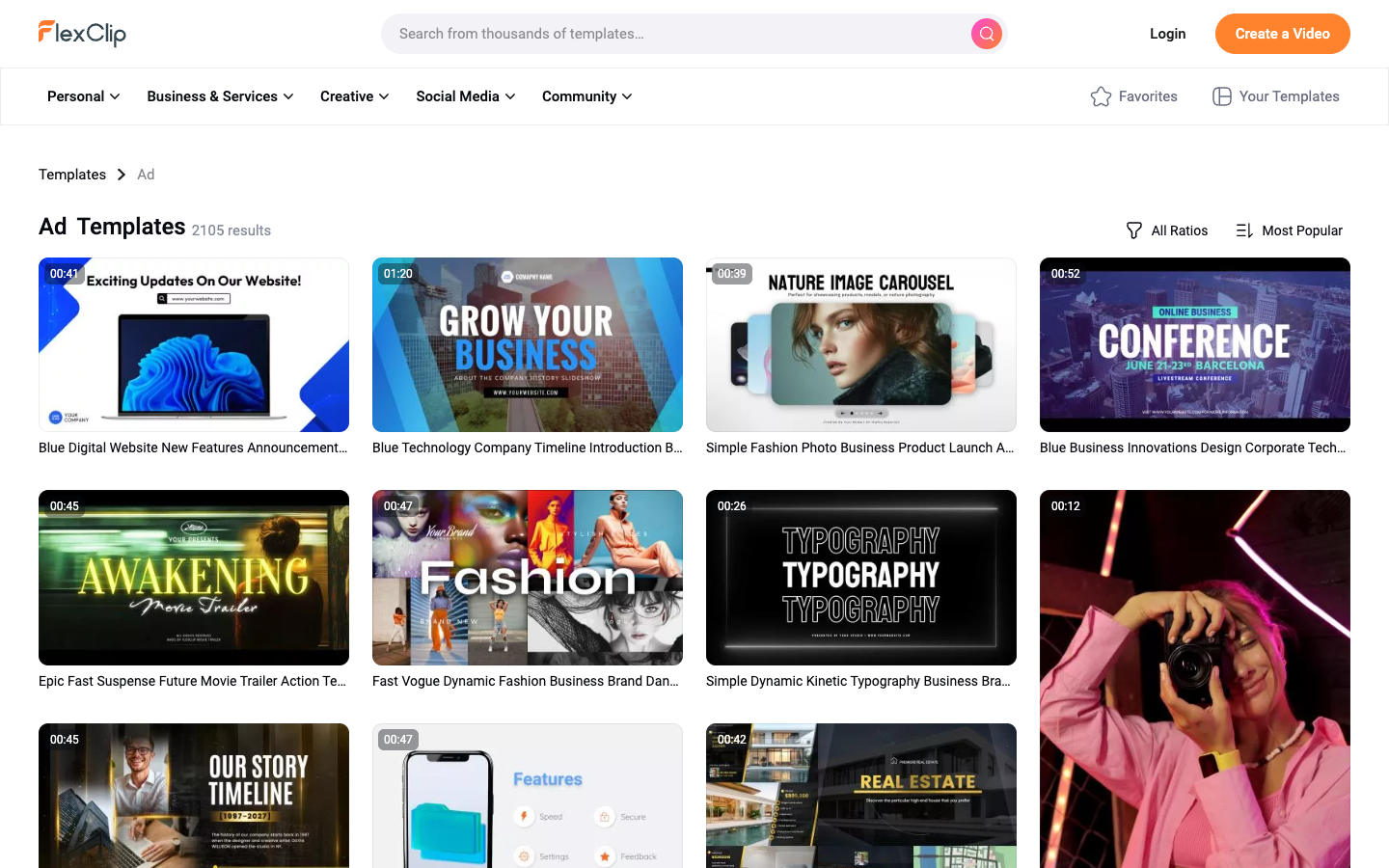
The template route starts from a finished layout and swaps your product in. FlexClip's Ad category had 2,105 templates in October 2026, plus a separate row called AI Product Ads.
Step 1: Pick a template that already runs 15 seconds or less
Filter by length before you fall for a style. The AI Product Ads row runs 5 to 26 seconds, like a 10-second skincare comparison ad built for TikTok. General ad templates can run much longer; some are over 40 seconds, and cutting one down to 15 means deleting and retiming scenes by hand.
Step 2: Set 9:16 before you touch a scene
Opening a template lets you pick 16:9, 9:16 or 1:1, and the layout reflows. Set 9:16 first, because text positions shift with the frame.
The upside: one template can give you Reels, feed and YouTube versions without rebuilding the layout 3 times. Check your text after each switch.
Step 3: Click Customize and swap in your product
Customize opens the editor. Replace the placeholder clips with your product footage or photos, type your hook, and add the 15% offer. On Plus and Business, the Brand Kit and custom fonts keep your logo and type the same across every variation, which matters once you start testing hooks.
One quirk worth knowing: stock clips carry their own audio that doesn't show as a separate track. Right-click the clip and detach the audio to control it.
Step 4: Check the stock counter before you export
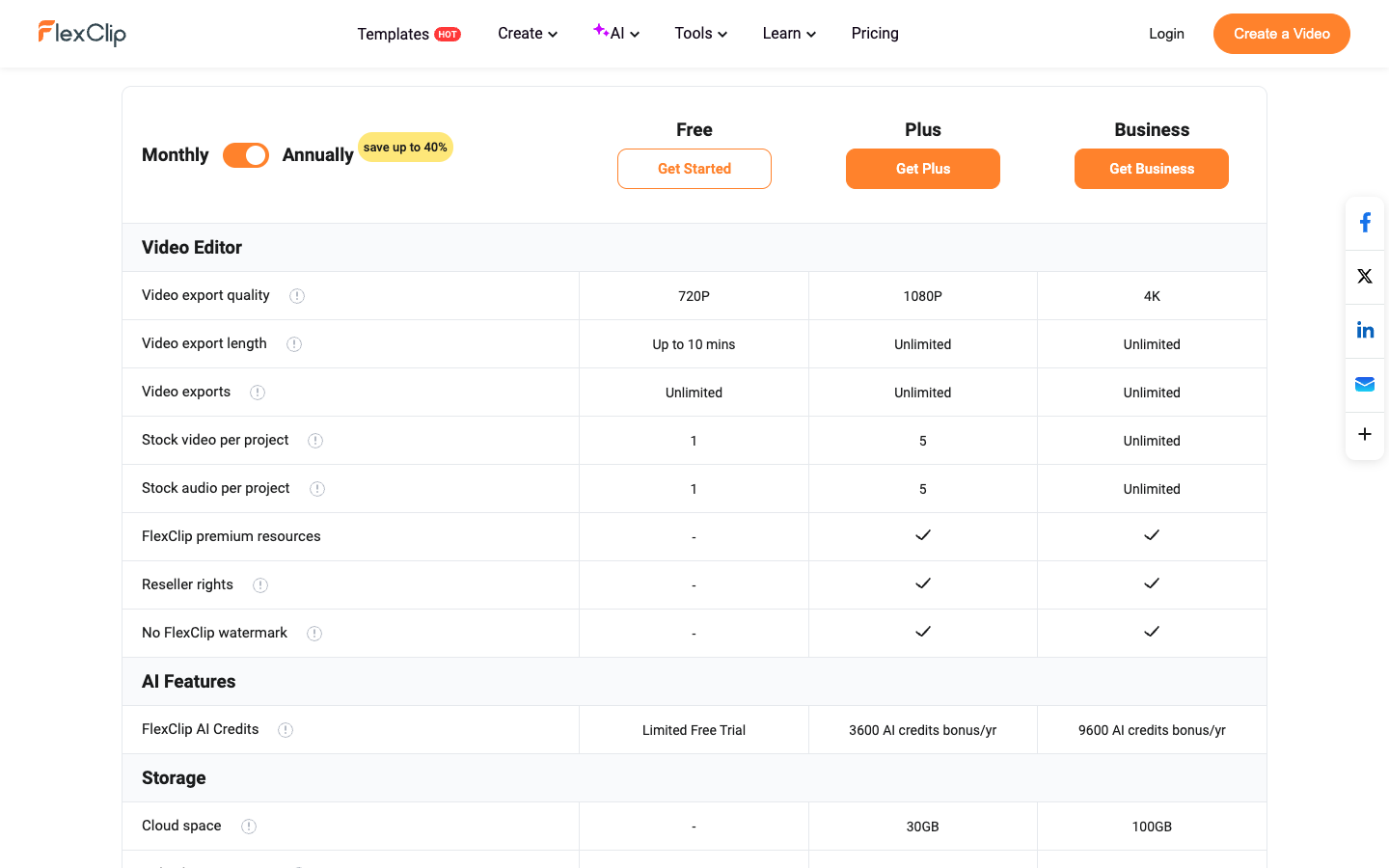
Template media counts against your plan. Plus allows 5 stock videos and 5 stock audio tracks per project, Free allows 1 of each, and going over adds the FlexClip watermark on export.
When you click Export, FlexClip tells you which limit you went over, so you can fix it. The easy fix is to use your own product footage first, since only stock media counts.
FlexClip AI review, Route B: Product URL to Video
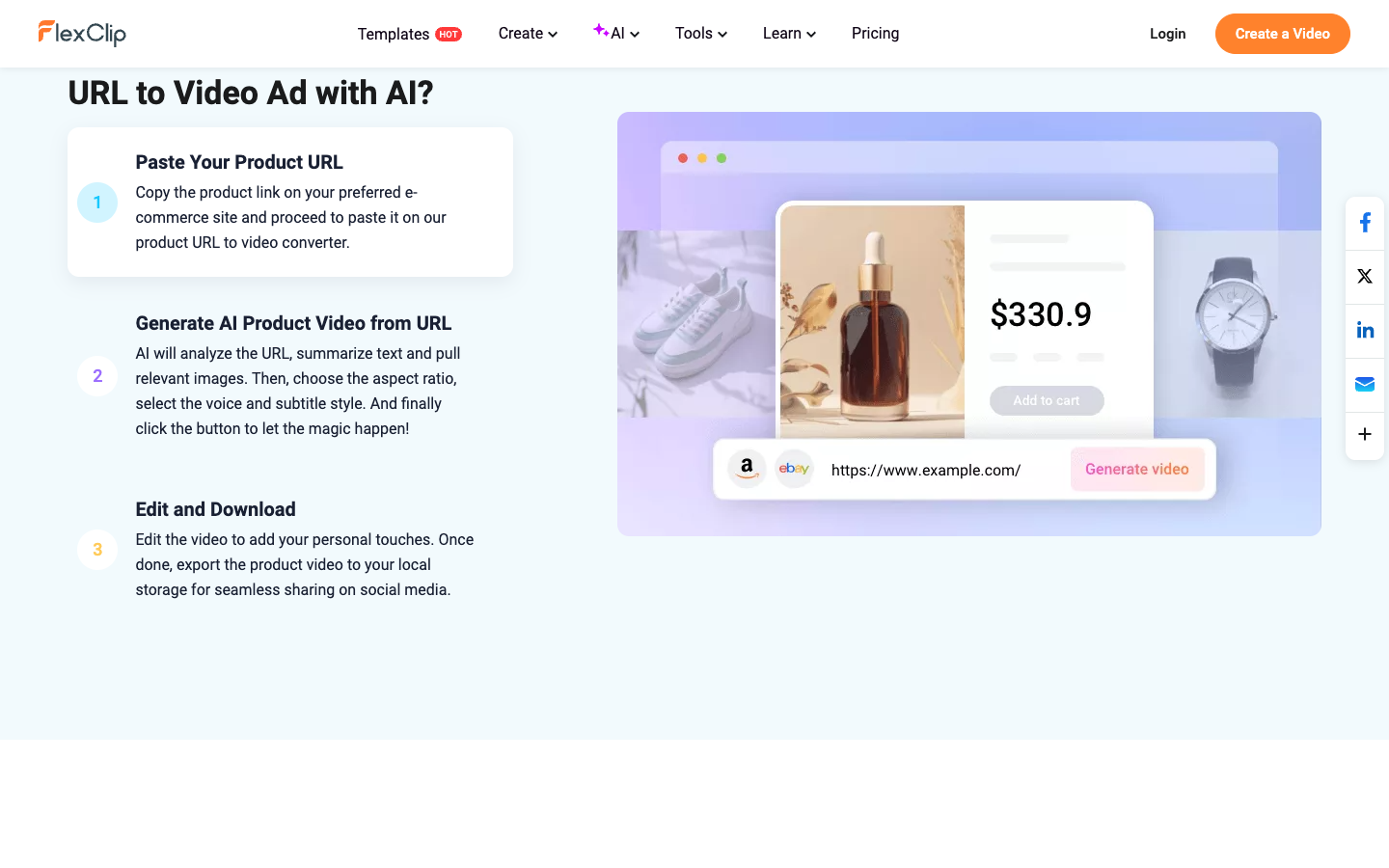
The AI route is 3 steps: paste the link, generate, then edit and download. The catch comes before step 1.
Step 1: Paste your product URL, if it lives on Amazon or eBay
FlexClip's Product URL to Video tool accepts Amazon and eBay links. Its FAQ says Shopify, Etsy, Google Play and the App Store are planned, with no date.
For our frother, the Amazon listing works and the Shopify page doesn't. If you only sell on Shopify, skip this route and use the AI Video Generator with a product photo instead (more on that below).
Step 2: Pick ratio, voice and subtitle style, then generate
The AI reads your listing, summarizes the text and pulls the images. You choose the aspect ratio, the voice and the subtitle style, then generate.
Notice what's missing: there's no field for your hook, your offer or your buyer. The AI writes the script from your listing text. So if your Amazon title is a keyword-stuffed 200 characters, that's the raw material your ad starts from.
Step 3: Edit the draft, then download
You get a draft with an AI script, voiceover and subtitles, and you can change the text, music and everything else. This is where your 7 brief decisions come back: replace the opening line with your hook, add the offer, and end on your CTA.
Fix the draft in the editor instead of regenerating it, since every generation uses AI credits.
FlexClip AI video generator review: the Shopify workaround
The AI Video Generator starts from a text prompt or an uploaded image. Pick the mode, ratio and length, then edit or download. For a Shopify-only store, it's the closest AI route to a product ad.
Creative Bloq's 2025 review found that the stock footage it picks for prompt-based videos can be "a bit random", so expect to swap a few clips by hand.
AI Recreate is the other shortcut. Pick a template, click AI Recreate, upload your photos or videos, and the AI places them into the layout. Not every template has it, so check the card first.
Template vs AI: the two FlexClip routes side by side
Route B saves you a step and the blank page. It doesn't save you the brief, and it only works if your product lives on Amazon or eBay.
Route A: templates
Route B: Product URL to Video
You start with
1 of 2,105 ad templates
An Amazon or eBay product link
Steps
4: pick, ratio, customize, export
3: paste, generate, edit
Who writes the hook and offer
You, typed into the layout
AI drafts from your listing, you fix it
AI credits
Not needed
Used per generation
Stock limit on Plus
5 stock videos per project
Same 5, same editor
Works with a Shopify product page
Yes, upload your own media
Not yet
My take: if you have a strong Amazon listing, Route B is the faster start. If you're Shopify-first, Route A or the AI Video Generator is your way in.
FlexClip pricing: what Plus and Business buy for ad work
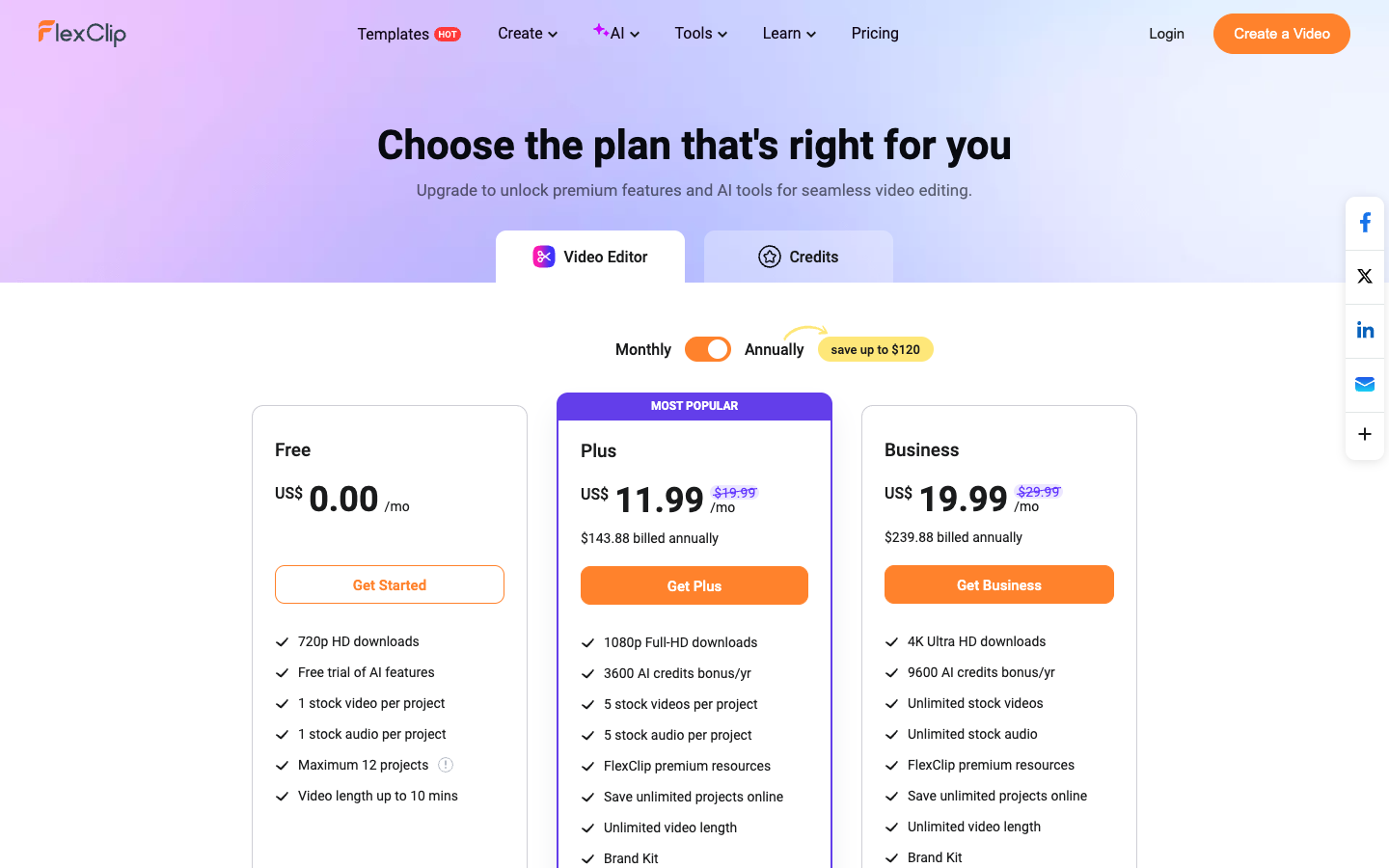
FlexClip Plus is $11.99 a month billed yearly or $19.99 month to month, and it's the cheapest plan with 1080p export. That's your real starting price, since Free exports at 720p with a watermark.
Plan
Billed yearly
Billed monthly
Export
AI credits
Stock per project
Free
$0
$0
720p, up to 10 min, watermark
Limited free trial
1 video, 1 audio
Plus
$11.99/mo ($143.88/yr)
$19.99/mo
1080p, any length
300 a month
5 videos, 5 audio
Business
$19.99/mo ($239.88/yr)
$29.99/mo
4K, any length
800 a month
Unlimited
Paying yearly saves 40% on Plus: $143.88 a year versus $239.88 at $19.99 a month. Spread over 8 product ads a month, yearly Plus is about $1.50 an ad. At 20 ads, about 60 cents.
Teams can buy the Team plan at $69.99 a month with 3 seats. And on Free, you can keep only 12 projects, so if you save one project per variation, the 13th means deleting one or upgrading.
The 3 rules that cost merchants money
1. The watermark comes back on Plus. Free exports always carry it.
On Plus, any project over the limits (like a 6th stock clip) gets it too. Read the Export dialog before anything goes into Ads Manager.
2. Refunds cover your first payment only. You have 7 days after your first payment.
Renewals don't qualify.
On yearly Plus, a forgotten renewal is $143.88 you won't get back, so set a reminder a few days before.
3. AI credits are final. Credit packs and AI credit subscriptions are non-refundable, can't be moved to another account, and one-time packs expire after 365 days.
Plus gives you 300 credits a month. Run one generation and check your balance before and after, so you know how many Route B drafts a month that buys.
FlexClip stock and AI rights: What you can run in a paid ad?
FlexClip labels its stock library for commercial use, and its terms include a Storyblocks license section for the stock media. Skim that section before a campaign that leans heavily on stock clips.
For AI output, FlexClip's AI policy says you own both what you upload and what the AI makes, and FlexClip claims no copyright over either. The same policy lets FlexClip host them for marketing and service improvement, so think twice before uploading an unreleased product.
Two more lines matter for ads. FlexClip asks you to disclose AI-generated content, and when you paste a product link, you confirm you own the rights to it. Paste only your own listings.
FlexClip reviews: What 2,611 Trustpilot users say?
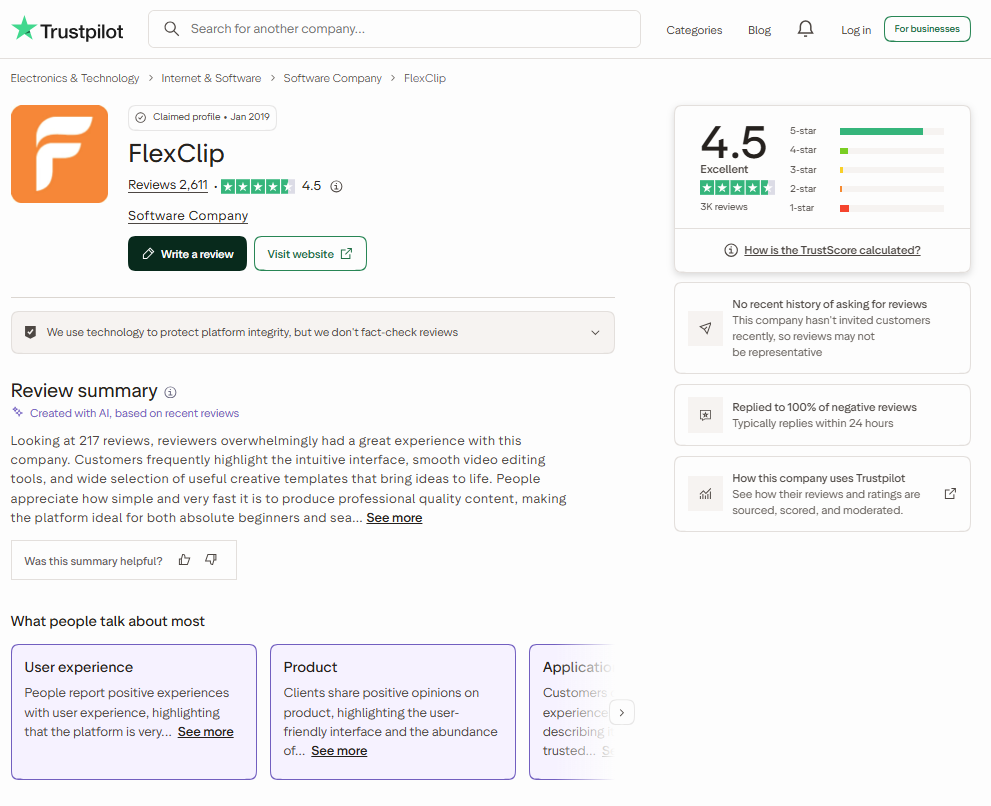
FlexClip has strong FlexClip reviews on Trustpilot: 4.5 out of 5 from 2,611 reviews, with 80% at 5 stars and 8% at 1 star. FlexClip replies to every negative review, usually within 24 hours. It hasn't invited reviews recently, so these are unprompted.
The praise is about exactly what this review points to: an easy interface, lots of templates and good auto captions. One July 2026 reviewer who was nervous about video editing says FlexClip made it simple and the auto captions impressed her.
The complaints are about money, not the editor:
A US user in July 2026 says his yearly plan renewed without a reminder, and his same-day refund request was refused.
An April 2026 reviewer likes the tool but finds too many effects, text styles and elements locked behind paid "crown" icons.
Both match the rules above: set your renewal reminder, and expect some assets to be paid-only.
Creative Bloq's 2025 review lands in the same place. It scored the user experience 4.5 out of 5, the AI tools and value 3.5, and found text to speech and auto subtitles worth using, while background and object removal were slower and less accurate than other tools.
FlexClip pros and cons for product ads
What you get:
1080p, any length, from $11.99 a month on yearly Plus.
2,105 ad templates and a row of 5 to 26 second AI product ad templates.
One editor for both routes, with a Brand Kit on Plus.
A big stock library labeled for commercial use.
4.5 out of 5 from 2,611 Trustpilot reviews.
What to watch:
Product URL to Video reads Amazon and eBay only.
A 6th stock clip on Plus brings the watermark back.
Renewals and AI credits are non-refundable.
Some effects and elements are paid add-ons.
Who FlexClip fits for ecommerce video ads, and who should skip it
FlexClip fits you if you're happy to edit your own ads and want templates to skip the layout work.
Buy it if:
You sell on Amazon or eBay and want AI drafts built from your listing.
You film your own product clips and need a clean template around them.
You make 8 or more short ads a month, so yearly Plus costs $1.50 an ad or less.
You need 9:16, 1:1 and 16:9 cuts of the same ad.
Skip it, or wait, if:
You sell only on Shopify and wanted the product-link route.
Your ads lean on stock footage and need more than 5 clips per project.
You want the tool to suggest the ad angle, not only help you edit yours.
The template lesson: The brief is the same work on any tool
Templates and AI drafts save layout time. Neither one writes the claim, the hook or the offer that decides whether a product ad gets a click.
In FlexClip, the AI moves your brief from before the edit to after it. You still make the same 7 decisions, only by correcting a draft instead of filling a blank layout.
So write the brief first, then pick the route that changes it least. And when you test, change one thing per variation, usually the hook. Keep the template, music and offer fixed, or you won't know what worked.
FlexClip alternatives for ecommerce video ads
Each of these fits a different job. None matches FlexClip's template library.
CapCut, the free editing baseline
CapCut has a free plan with templates and basic editing, and a Pro plan with 650 AI credits a month (prices show in your local currency). Choose it if you film your own clips and only need to cut, caption and resize.
Creatify, the URL-to-avatar specialist
Creatify turns a product link or photo into an ad fronted by an AI actor. Its free plan gives 10 credits a month, about 2 watermarked ads, and Starter is $39 a month.
Pick Creatify when you want a presenter talking about your product; stay with FlexClip when your ads are product footage, text and music.
Promer AI, for ad creative built from your Shopify product
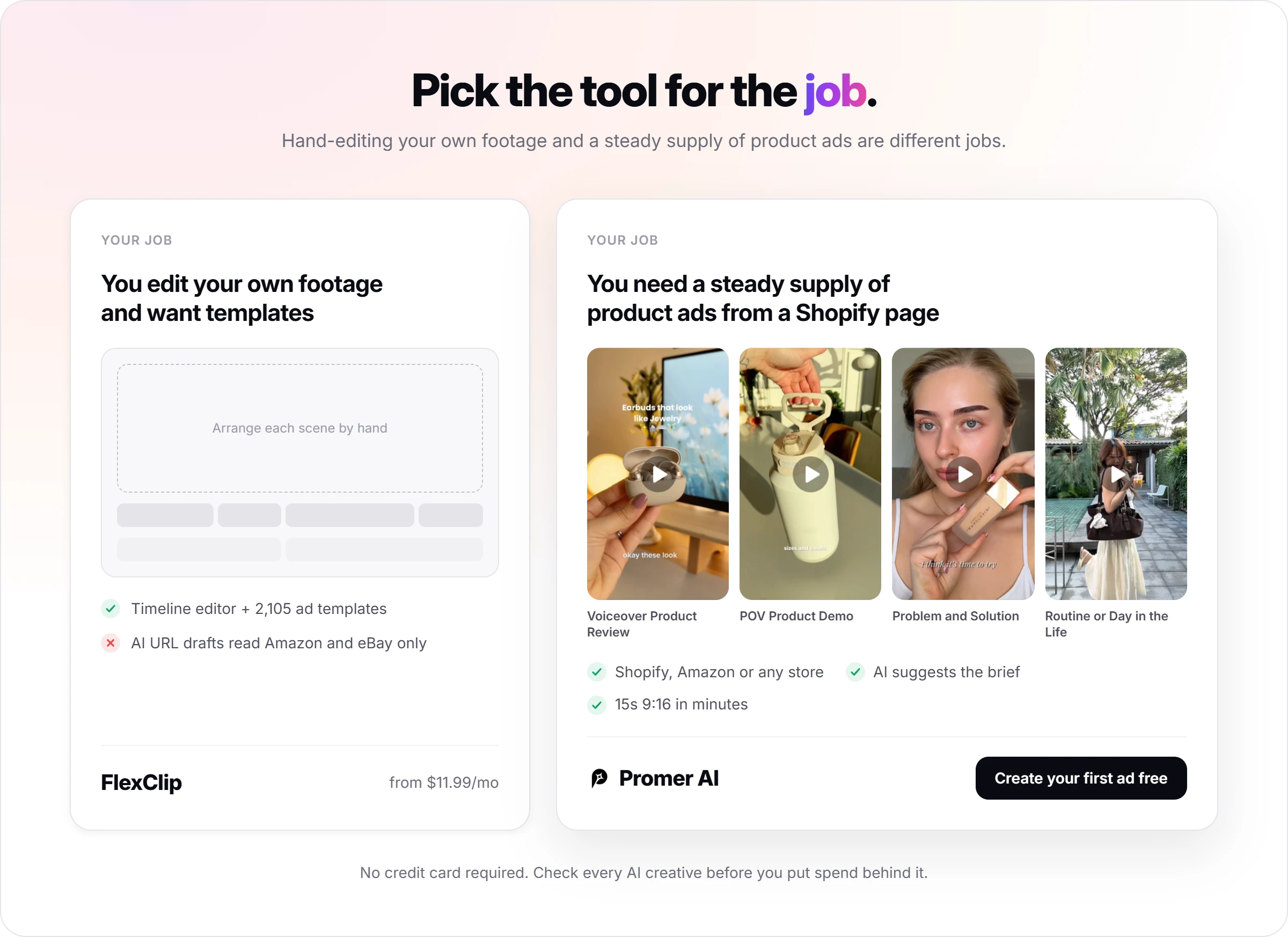
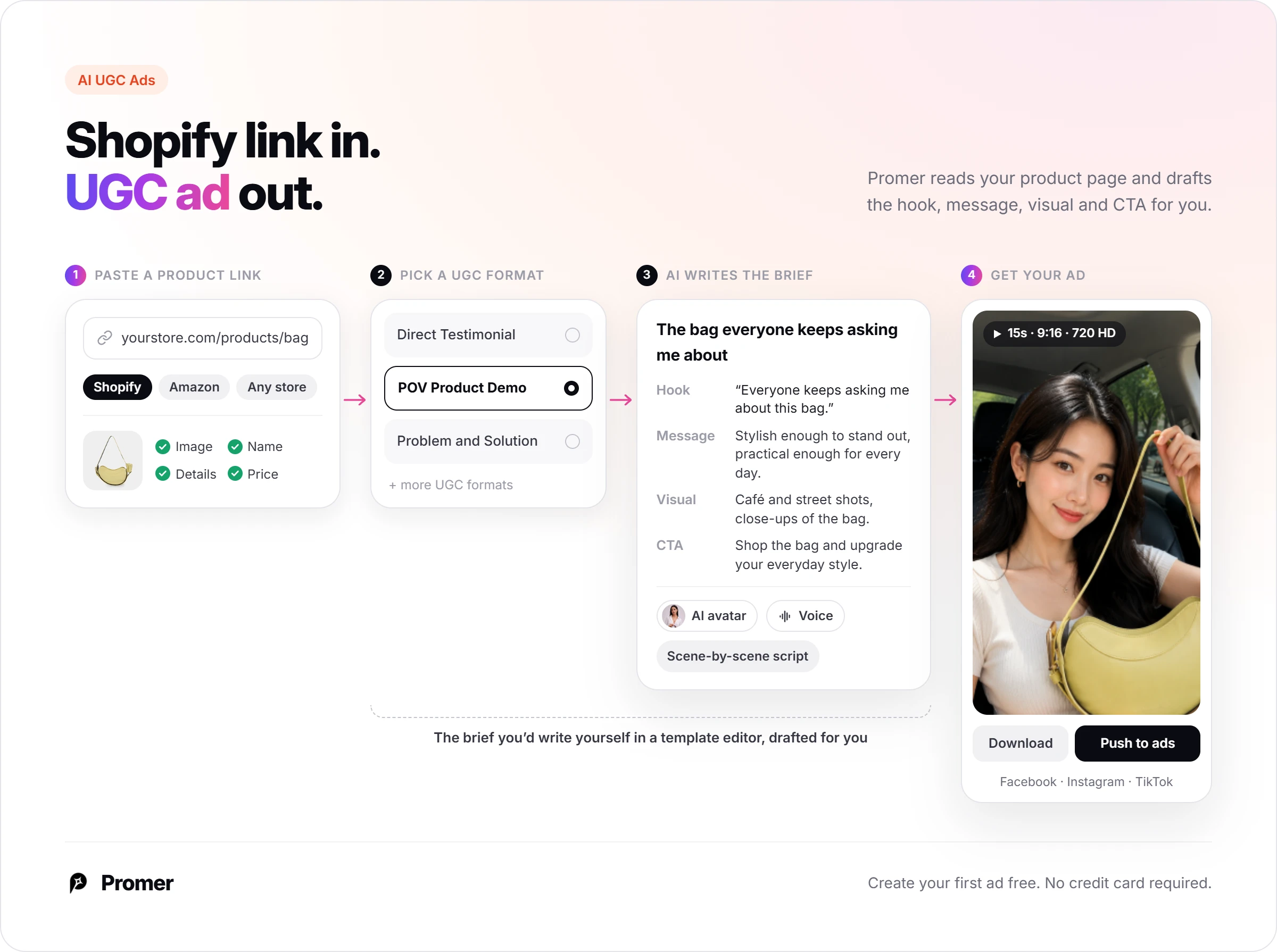
Promer AI is an AI ad creative performance platform for ecommerce advertisers, and it takes the Shopify link that FlexClip's AI doesn't. Paste a product URL from Shopify, Amazon or any store, or upload a product image, and Promer AI pulls in the image, name, description and price.
For video, AI UGC Ads asks you to pick a UGC format, such as Direct Testimonial, POV Product Demo or Problem and Solution. Then AI suggests the hook, message, visual and call to action. That's the brief FlexClip leaves to you.
You choose an AI avatar and voice, AI writes a scene-by-scene script, and you get a 15-second 9:16 ad in 720 HD in a few minutes, ready to download or push to Facebook, Instagram or TikTok.
The trade is real: FlexClip gives you a timeline editor and 2,105 templates to arrange by hand, and Promer AI doesn't try to. Check every Promer AI creative before spend goes behind it, since AI output can contain mistakes.
If you edit your own footage and want templates, FlexClip covers that from $11.99 a month. If the job is a steady supply of product ads from a Shopify page, an AI ad maker built around your product is the closer fit. You can create your first ad free, no credit card required.
FlexClip review verdict: Buy the editor, treat the AI as a draft
Buy FlexClip Plus if you edit your own product ads, make 8 or more a month, and sell on Amazon or eBay, where both routes work. Skip it if you're Shopify-only and wanted AI to start from your product page. Budget for Business if your ads depend on stock footage.
Your next 30 minutes: open a free account, pick one ad template under 20 seconds, and run the 7-line brief through it. Then try the same brief on Product URL to Video or the AI Video Generator, and note your credit balance before and after.
In month 1, watch two things: the Export dialog, and your renewal date.
FAQ
Is FlexClip good for making product video ads?
FlexClip is good for product video ads when you edit them yourself from templates and your own footage. It has 2,105 ad templates and a row of 5 to 26 second AI product ad templates, in 9:16, 1:1 and 16:9. Its AI tools give you drafts you finish in the editor.
What do FlexClip reviews say?
FlexClip reviews on Trustpilot average 4.5 out of 5 from 2,611 reviews, as of October 2026. Users praise the easy interface, templates and auto captions. The complaints are mostly about yearly renewals without a reminder, refused refunds, and effects locked behind paid add-ons.
How much does FlexClip cost per month?
FlexClip Plus costs $11.99 a month billed yearly or $19.99 billed monthly; Business costs $19.99 or $29.99. Plus includes 1080p export and 300 AI credits a month.
Business adds 4K, unlimited stock and 800 credits. The Team plan is $69.99 a month with 3 seats.
Does the FlexClip free plan add a watermark?
Yes, every FlexClip Free export carries a watermark. Free also limits you to 720p, 10-minute videos, 12 saved projects, and 1 stock video and 1 stock audio track per project. On Plus, the watermark returns if a project goes over the limits, like a 6th stock clip.
Can FlexClip make a video ad from a Shopify product URL?
Not yet: FlexClip's Product URL to Video accepts Amazon and eBay links, as of October 2026. FlexClip lists Shopify, Etsy, Google Play and the App Store as planned. A Shopify-only store can use the AI Video Generator with a product photo, or build the ad from a template.
Does FlexClip give refunds?
FlexClip refunds only your first subscription payment, and only within 7 days. Renewal payments aren't eligible, and AI credit purchases are non-refundable. Cancelling keeps your plan until the end of the billing period, then moves you to Free.
What is a good FlexClip alternative for product ads?
Promer AI is a closer fit if you want ads generated from a product URL or product image instead of built from templates. It reads your product link and builds UGC-style video ads with AI UGC Ads. CapCut suits free hand-editing, and Creatify suits avatar-led ads from a product link.
Huy Tran Quoc is the Head of Product Management at Promer AI, part of FireGroup Technology, where he leads product strategy and execution across a cross-functional team spanning product, engineering, design, QC, customer success, and prompt engineering.
Over the past decade, Huy has progressed from Product Manager to Senior Product Manager to product leadership, working at EngineThemes, Zalo, TIKI Corporation, and now FireGroup Technology, across ecommerce SaaS, social networking, marketplace, supply chain, and fintech.
At TIKI, Huy owned the strategic roadmap and P&L alignment for a multi-vertical portfolio and partnered directly with the C-suite to translate company vision into executable plans.