To spy on a competitor's Facebook ads, open the Meta Ad Library at facebook.com/ads/library, pick a country, search their brand name, and select their Page - you will see every ad they are currently running on Facebook and Instagram. It is free, public, and needs no account.
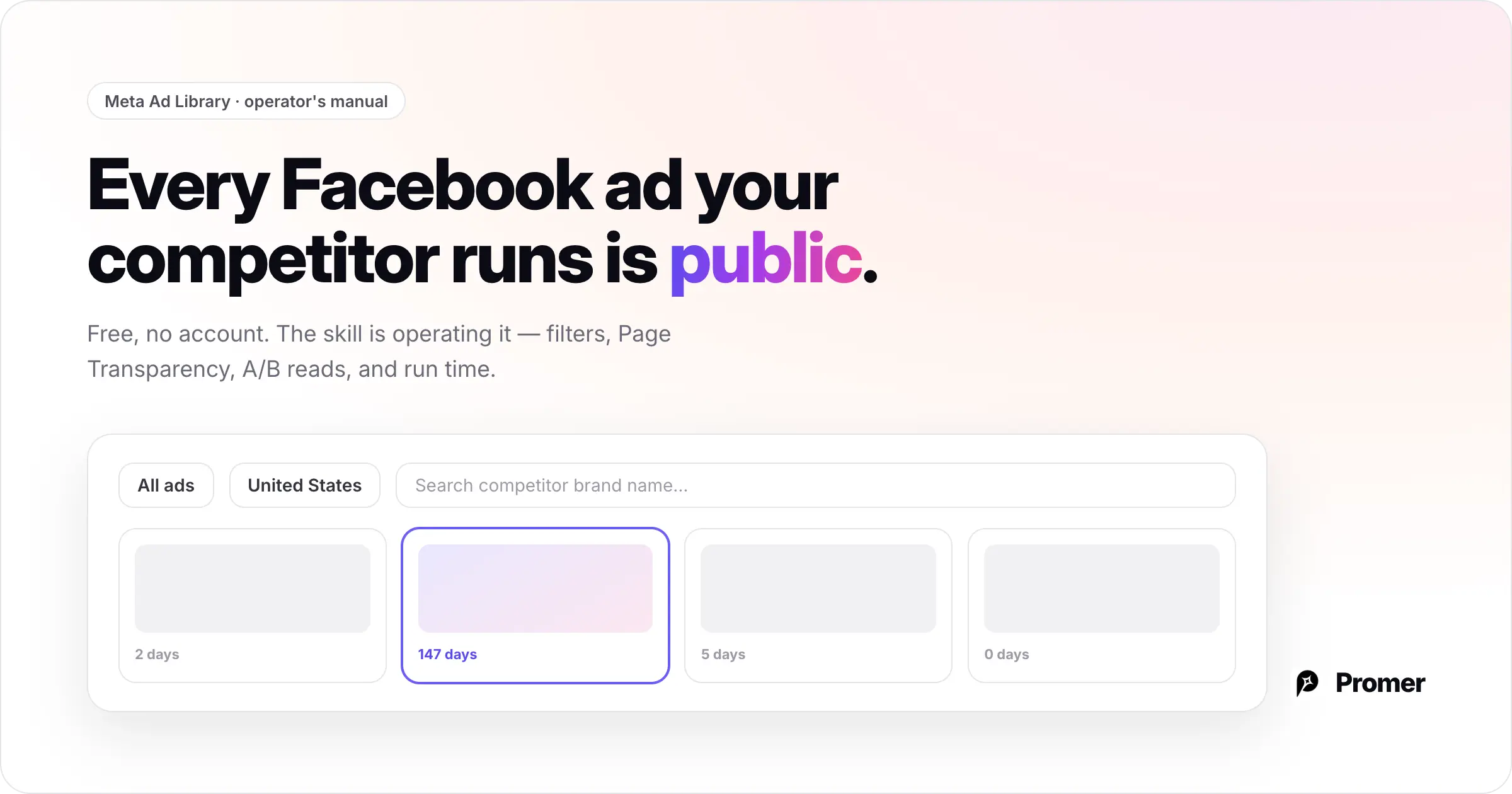
Most guides stop there. But the Ad Library is a deep tool, and knowing how to actually operate it - the filters, the Page Transparency route, how to read an A/B test, why an ad vanishes overnight - is the difference between casually browsing a competitor's ads and running real Facebook ad intelligence. This guide is the operator's manual.
This article focuses on the Facebook/Meta mechanics. For the cross-platform version - Google, TikTok, and LinkedIn ad libraries plus the full framework for reading what makes any ad win - see our guide on how to spy on competitor ads and spot the winners.
Key Takeaways
- The Meta Ad Library is the free official tool for viewing any brand's active Facebook and Instagram ads
- Use the filters (country, media type, active status, date) - most people ignore them and miss the winners
- Page Transparency is a second route to a competitor's ads and confirms you have the right Page
- Same creative, different caption = a live A/B copy test you can learn from
- Run time is the only performance signal the Library gives you - and paused ads disappear entirely
- Promer AI's Ad Spy matches Facebook ads to your product with run time on each card; Promer AI's Ad Clone turns a winner into a creative built around your product
Step 1: Search the Ad Library Properly
Go to facebook.com/ads/library. Before you type anything, set two things: the country (the Library shows ads by the region they target) and the ad category (keep it on "All ads" for standard ecommerce competitors).
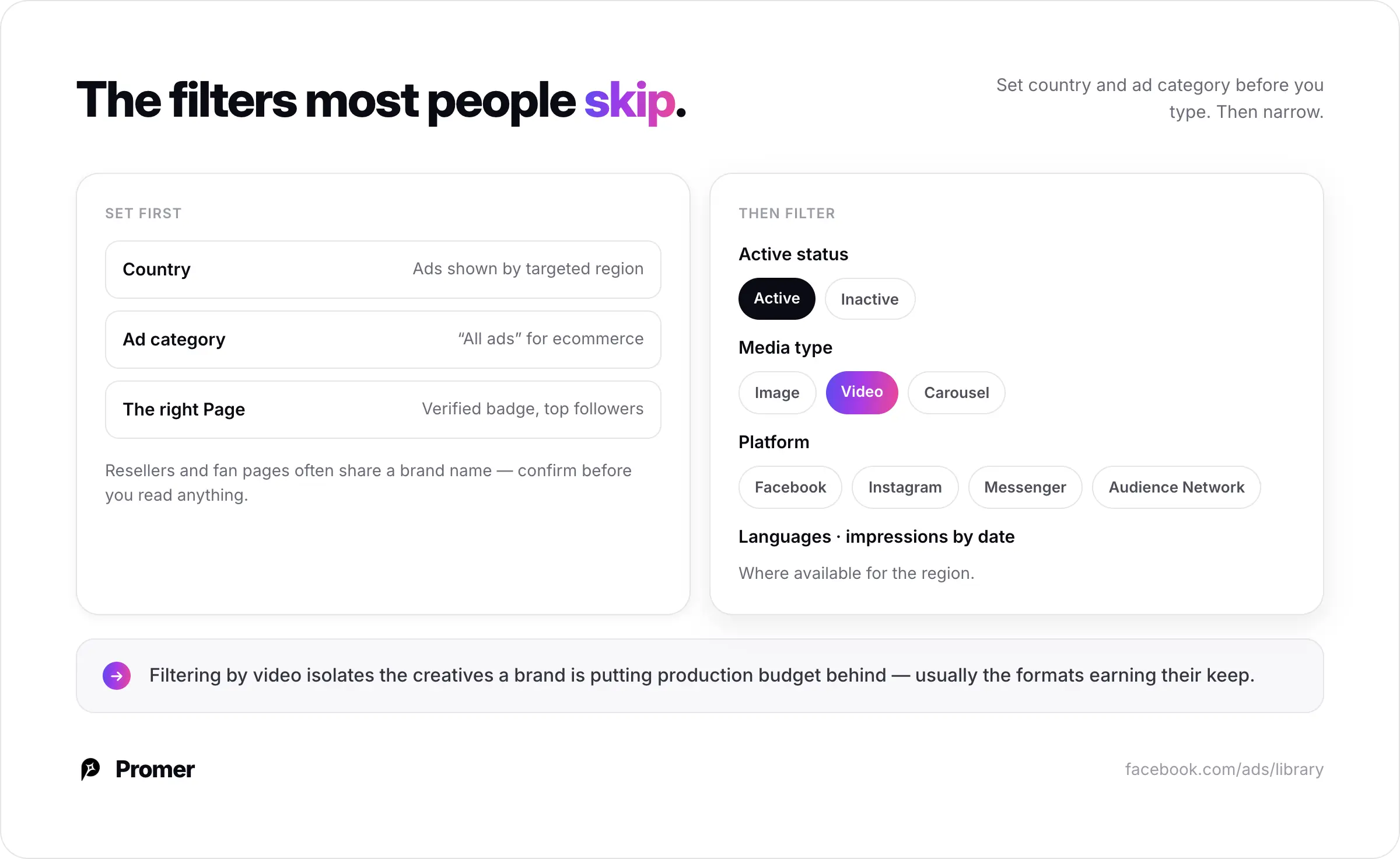
Then search the competitor's brand name and select their Page from the dropdown. If several similar Pages appear, pick the one with the verified badge or the highest follower count - resellers and fan pages often share a brand name.
Once you are on a competitor's ads, use the filters most people skip:
- Active status - active vs. inactive ads
- Media type - image, video, or carousel
- Platform - Facebook, Instagram, Messenger, Audience Network
- Languages and impressions by date where available
Filtering by video, for example, instantly isolates the creatives a brand is investing production budget in - usually a sign those formats are earning their keep.
Step 2: Use Page Transparency as a Back Door
If a brand does not surface cleanly by search, go to their Facebook Page directly, open the About tab, and find the Page Transparency panel. It shows when the Page was created, what it has been renamed, its admin locations, and a direct link to the ads that Page is running.
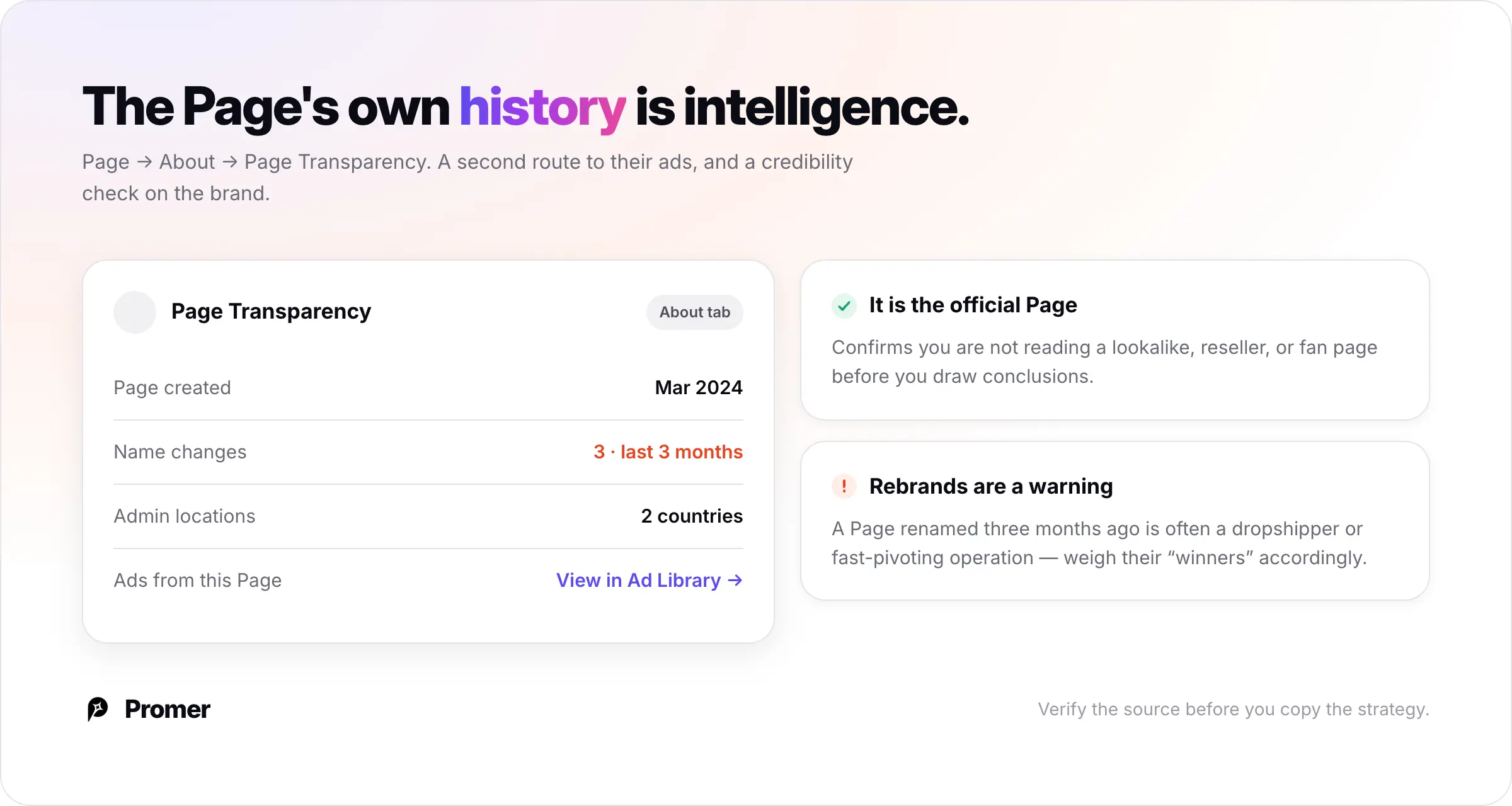
Two reasons this matters. First, it confirms you are looking at the official brand Page, not a lookalike. Second, the Page-creation and name-change history is its own intelligence - a brand that rebranded its Page three months ago is often a dropshipper or a fast-pivoting operation, which tells you something about how seriously to treat their "winning" ads.
Step 3: Read the A/B Tests
The Ad Library quietly reveals what competitors are still testing. When you see the same creative running with two or three different captions, that is almost always a live A/B copy test - the brand is spending money right now to find out which message converts.
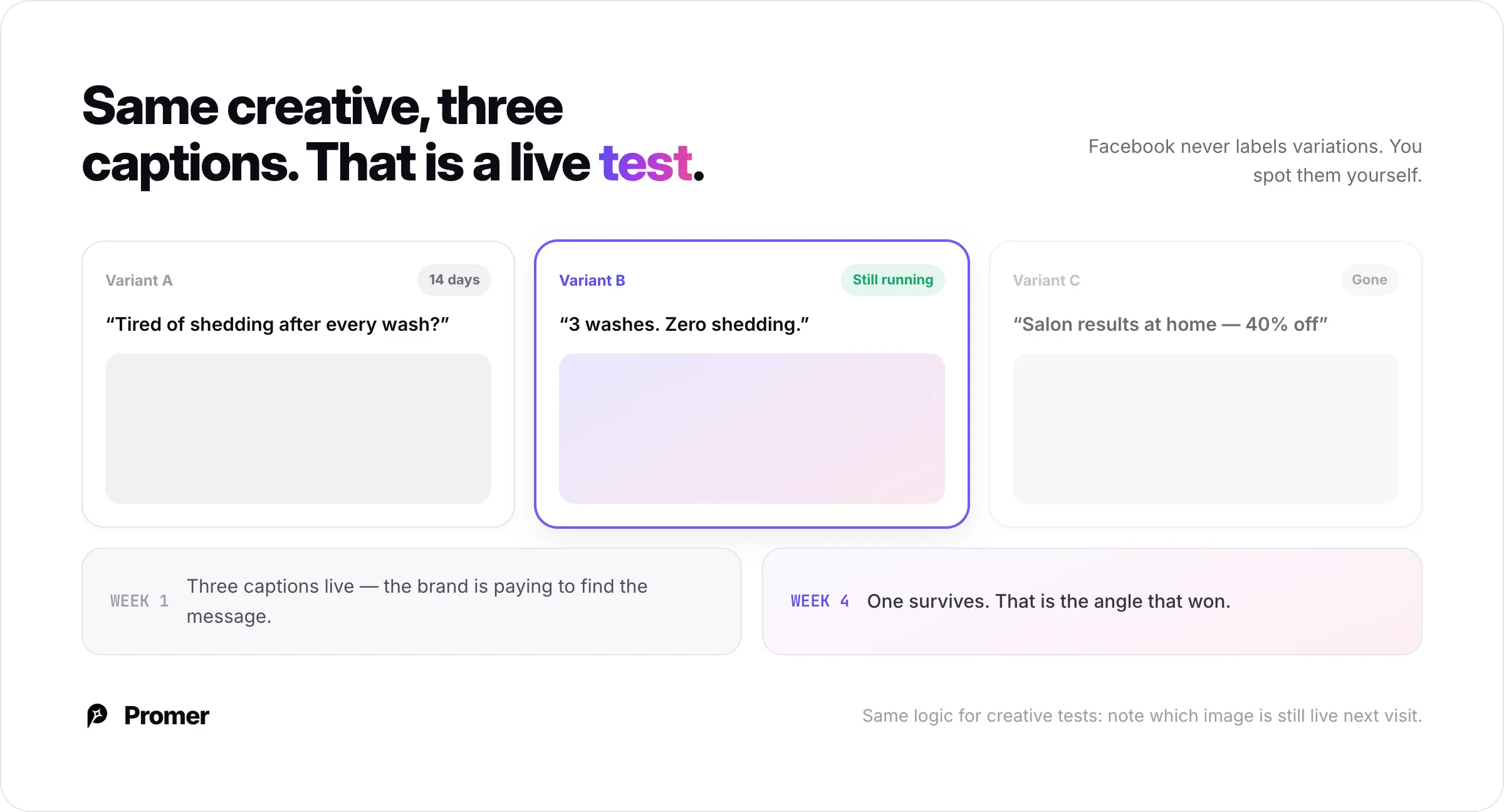
Facebook does not label these as variations, so you have to spot them yourself. When you do, you are watching a competitor's testing in real time: the copy angles they are unsure about, and - if you check back later - which version survived. The variant that is still running weeks later is the one that won.
The same logic applies to creative tests: multiple different images or videos pointing to the same product and offer means the brand is hunting for a creative winner. Note which one is still live on your next visit.
Step 4: Read Run Time - the Only Performance Signal
This is the limitation behind every free Facebook spying method: the Meta Ad Library shows no engagement, reach, or spend data for standard commercial ads. (Ads about social issues, elections, or politics show more in the EU, but that does not help with ecommerce competitors.) You cannot sort by performance. Every ad looks equally important.
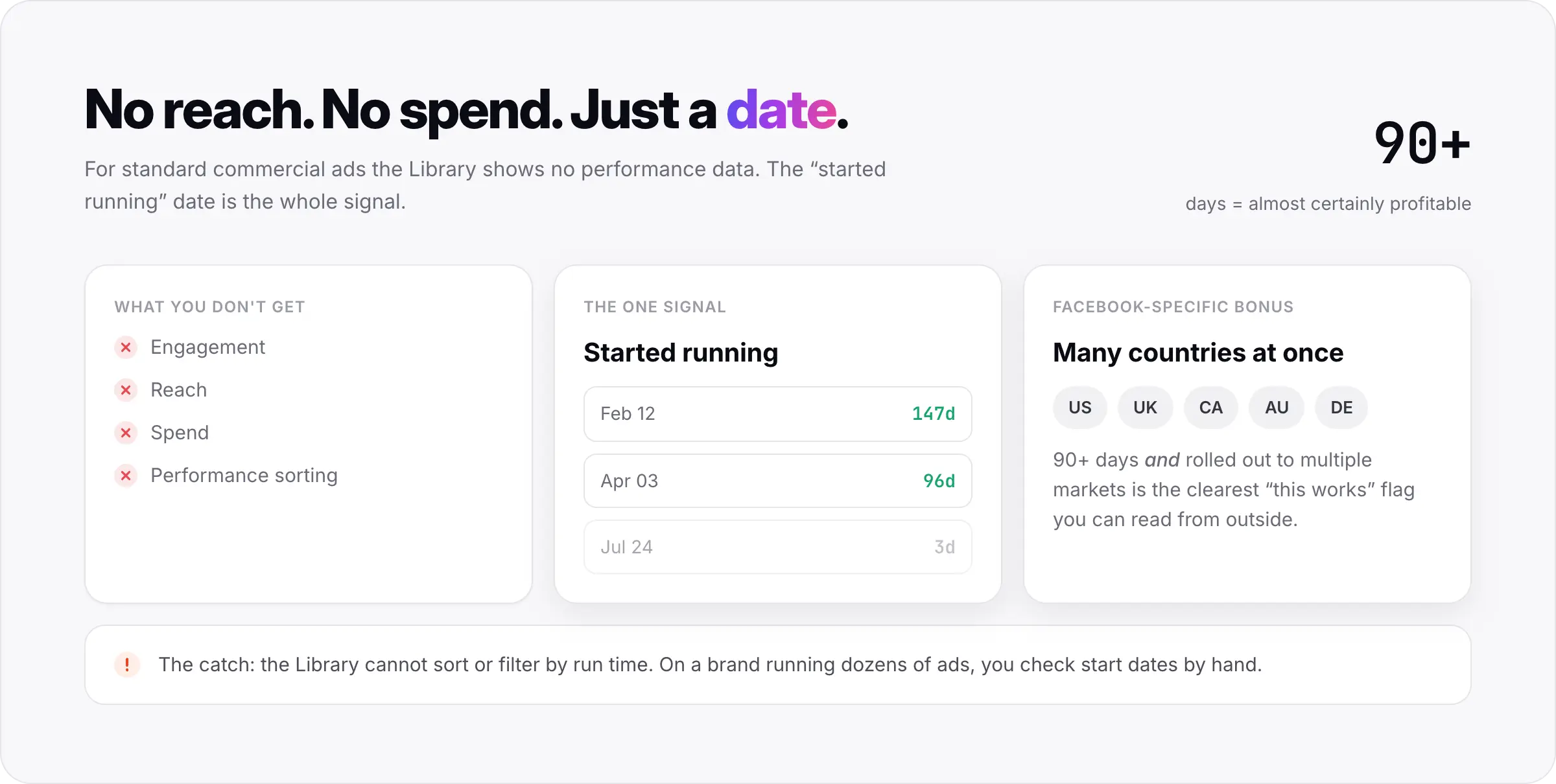
The one signal you get is run time. Check the "started running" date on each ad. An ad that has been continuously active for a long stretch is almost certainly profitable - nobody keeps paying to run a losing ad. A brand new ad is an unproven test.
A refinement specific to Facebook: an ad running across many countries at once is a scaling signal on top of longevity. A creative that a brand has both kept alive for 90+ days and rolled out to multiple markets is about as clear a "this works" flag as you can read from the outside.
The catch is that the Library gives you no way to sort or filter by run time. On a brand running dozens of ads, you are checking start dates by hand, one at a time. (Step 6 solves this.)
Step 5: Don't Skip the Landing Page
A Facebook ad is only half the funnel. Click through to the competitor's landing page and read the other half: the offer framing, the price and any bundle, the page layout, the guarantee, and the checkout flow.
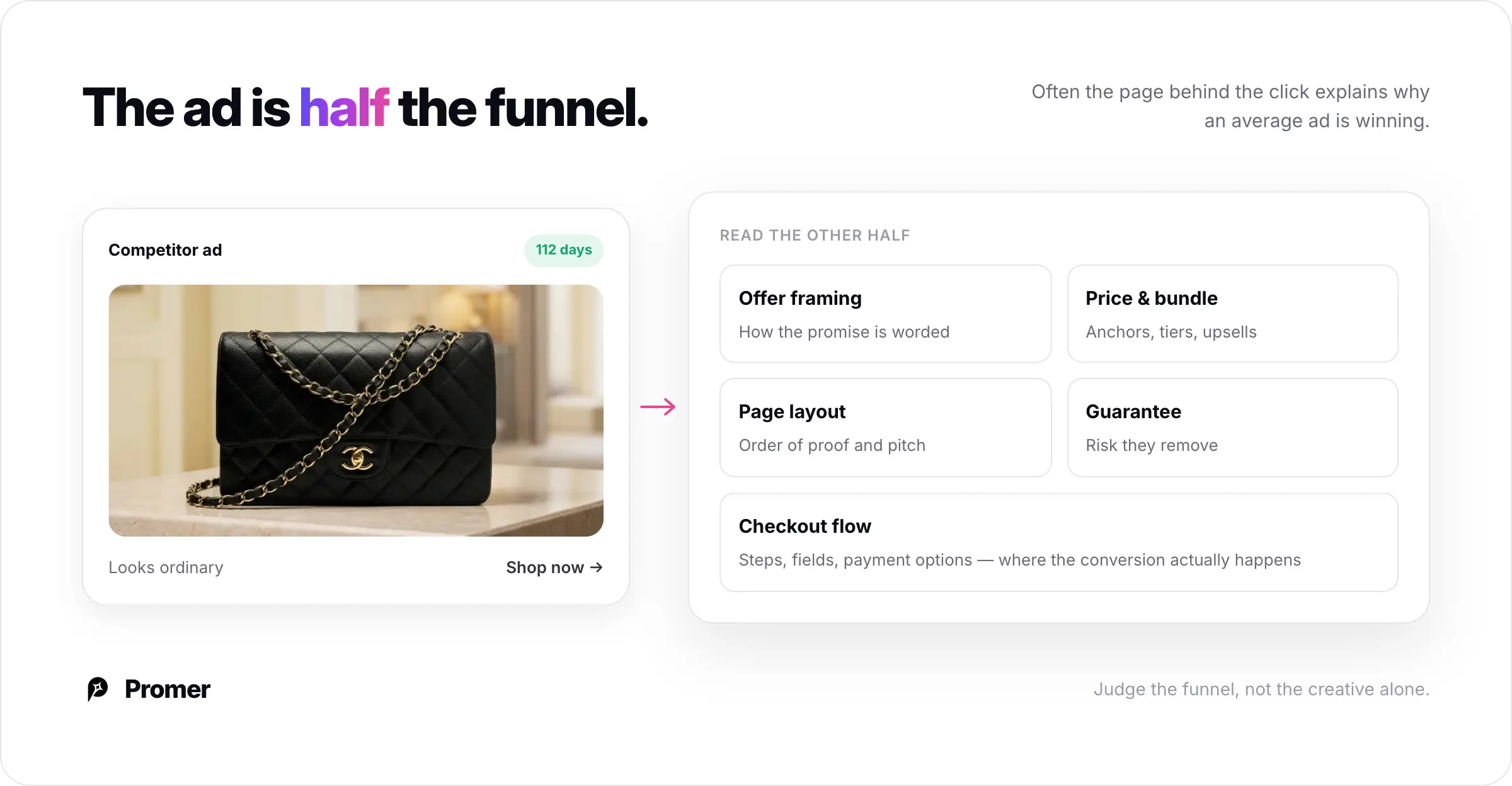
Often the landing page is doing more conversion work than the ad creative itself. An ad you thought was mediocre may be winning because the page behind it is excellent - and that is the part worth learning from.
Step 6: Match Facebook Ads to Your Product Automatically
The manual Ad Library workflow has two weak points. You have to already know which competitors to search, and you have to check run time by hand on every ad. Promer AI's Ad Spy removes both.
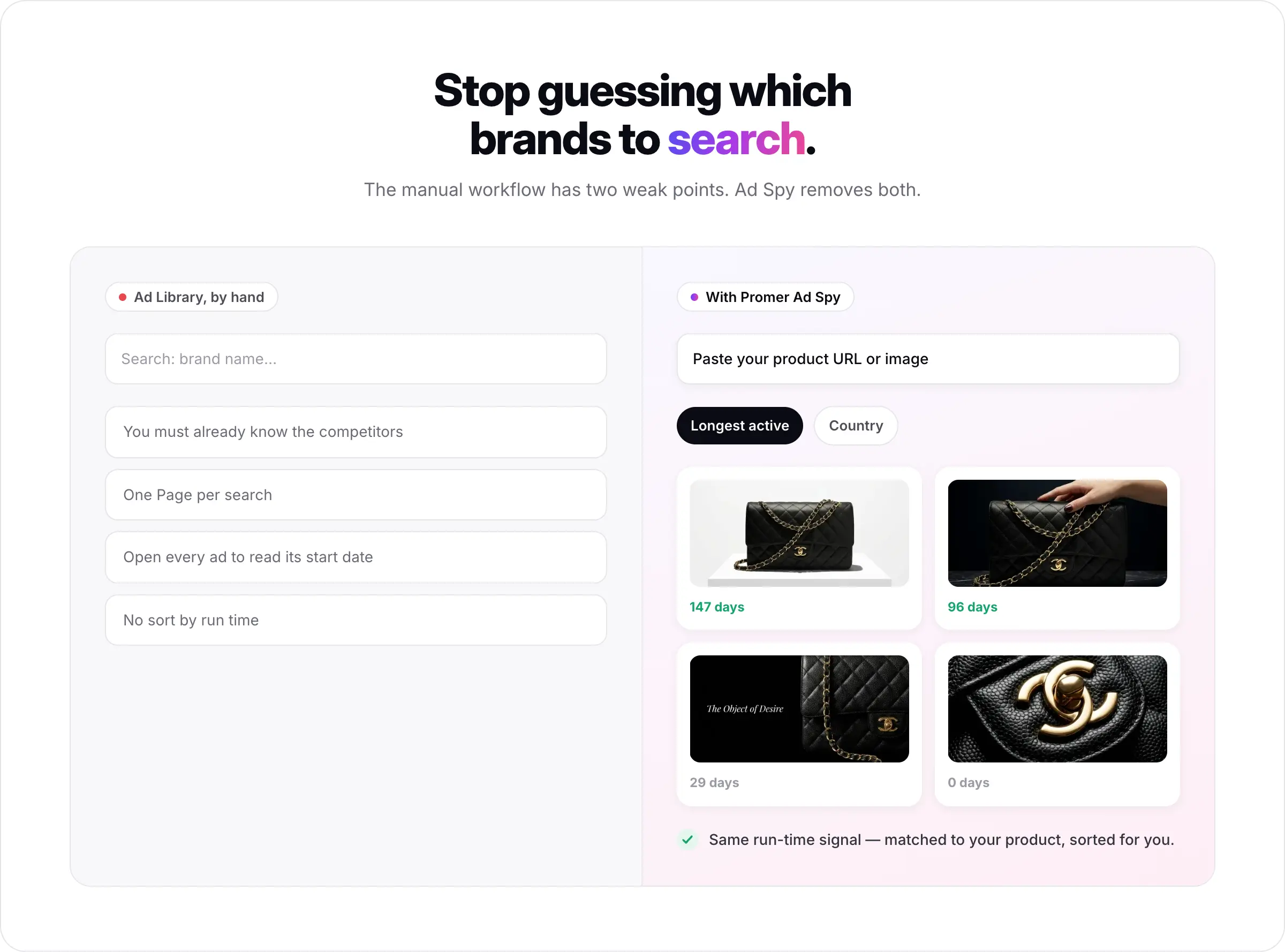
Instead of searching brand by brand, you add your product first - paste a product URL or upload a product image - and Promer AI's Ad Spy surfaces active Meta ads suggested for that specific product, pulled from thousands of stores and brands. You get shown the relevant competitors instead of guessing them.
Every ad card displays its run time - "29 days," "0 days," or "Inactive" - so long-running winners are obvious without opening each ad. Sort by "Longest active" and filter by country, and the proven, market-relevant ads rise to the top. It is the same run-time signal the Ad Library gives you, matched to your product and sorted for you.
Step 7: Turn a Winning Facebook Ad Into Your Own
There is a hard rule here: do not reproduce a competitor's ad directly. Lifting their exact creative or copy can get your ad account flagged and carries real legal risk. The safe and effective move is to adapt the structure - the layout and composition that made the ad work - to your own product.
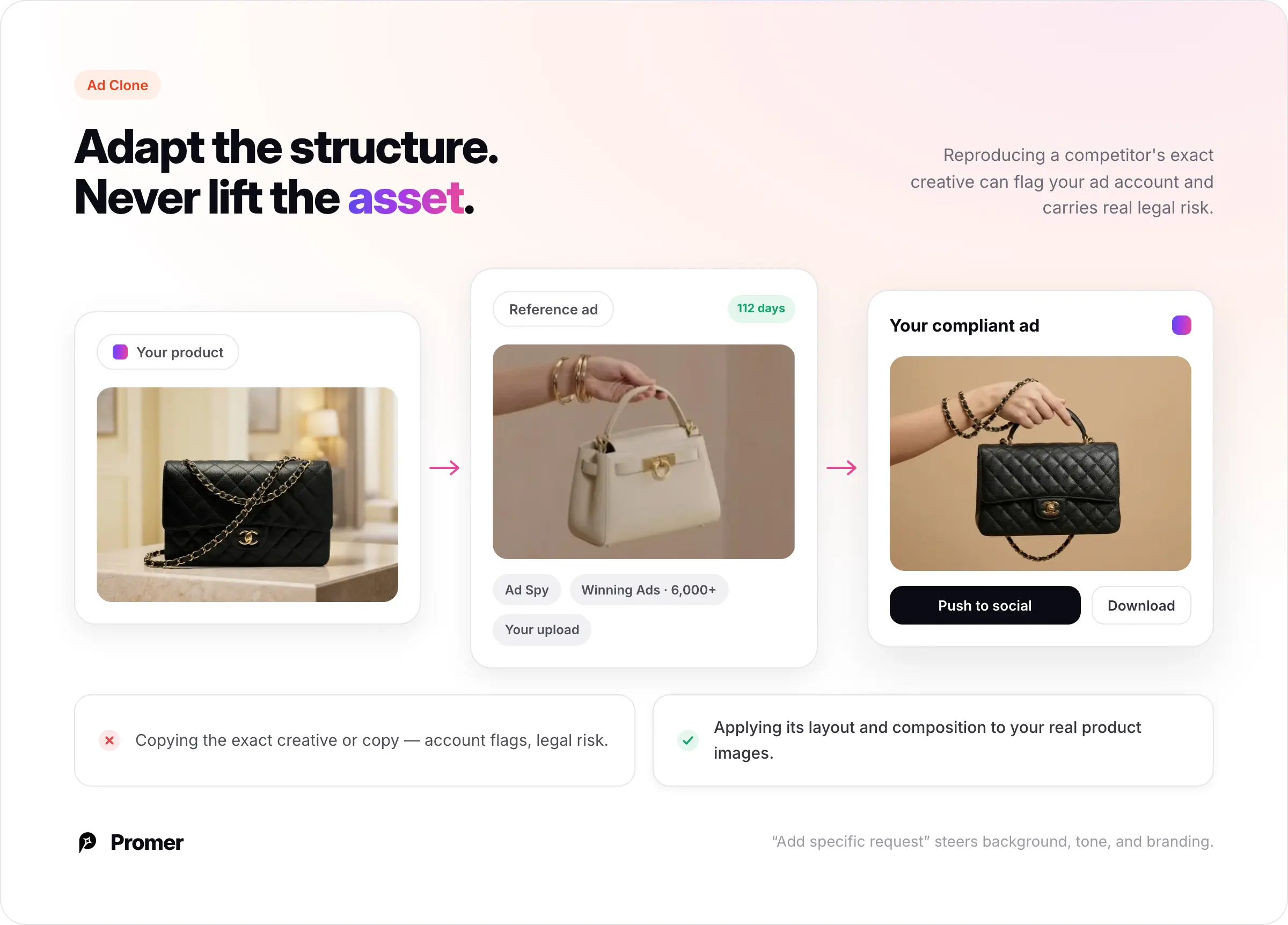
Promer AI's Ad Clone is built for that. You pair your product image with a reference ad - a winner from Ad Spy, one from Promer AI's Winning Ads library of 6,000+ curated top performers, or your own upload - and Promer AI applies the reference's structure to your product, generating a new creative with your real product images rather than a copy of the original. An "Add specific request" field lets you steer background, tone, and branding.
When it is ready, "Push to" sends the creative straight to TikTok, Facebook, or Instagram, or you can download it. The competitor ad you found in the Library becomes a compliant, on-brand ad of your own.
Build a Weekly Habit
Facebook ad strategies shift constantly, so a one-time audit goes stale fast. Consistency beats intensity - a short weekly check surfaces new tests and scaling signals far better than an occasional marathon session.
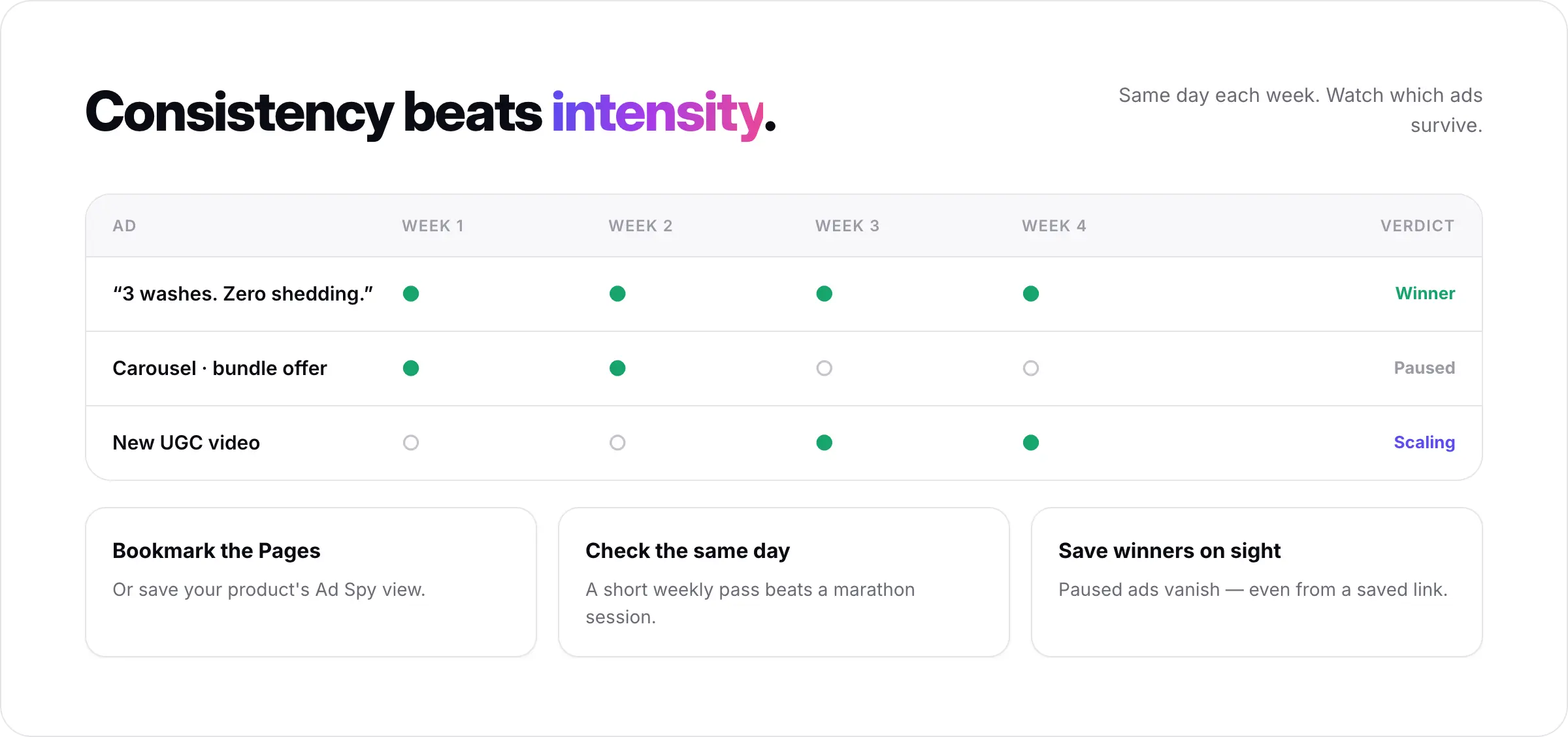
Bookmark your top competitors' Ad Library Pages, or save your product's Ad Spy view, and check on the same day each week. Watch which ads survive from one week to the next: sustained run time over two to three weeks is a far stronger winner signal than a single snapshot. And save the winners as you find them - because of the next point.
Common Mistakes
Treating every active ad as a winner. Most ads on a competitor's page are tests. Only run time separates the proven ones - always check the start date.
Forgetting that paused ads disappear. The Library only shows currently active ads. When a brand pauses one, it vanishes - even if you saved the link. If you find a winner, capture it (or save it in a tool) immediately; you may not be able to retrieve it later.
Copying the creative directly. Reproducing a competitor's exact ad can flag your account and invite legal trouble. Adapt the structure and angle; never lift the asset.
Ignoring the landing page. The ad is half the funnel. The page behind the click often explains why an average-looking ad is winning.
Auditing once and stopping. A single look is a snapshot. Facebook ad intelligence is a weekly habit, not a one-off.
FAQs about Spying on Competitors' Facebook Ads
Is it legal to spy on competitors' Facebook ads?
Yes. The Meta Ad Library is a public transparency tool and viewing a competitor's active ads is completely legitimate. The legal line is in execution: studying and adapting an ad's structure is standard research, but reproducing a competitor's exact creative or copy can flag your ad account and expose you to legal risk.
Can I see competitors' Facebook ads for free?
Yes. The Meta Ad Library at facebook.com/ads/library is free and needs no account. Search a brand name, or reach their ads through the Page Transparency section of their Facebook Page.
Why can't I see how well a competitor's Facebook ad is performing?
For standard commercial ads, the Library shows no reach, engagement, or spend data - only the date the ad started running. Run time is your one performance clue: an ad live for 90+ days, especially across several countries, is almost certainly profitable.
How do I know which of my competitor's Facebook ads are winning?
Check the "started running" date and look for the longest-running ads, ideally those active across multiple countries. Promer AI's Ad Spy shows run time on each card and sorts by longest active, so you skip checking dates by hand across dozens of ads.
Why did a competitor's ad disappear from the Ad Library?
The Library only displays currently active ads. When a brand pauses or ends an ad, it disappears - even from a saved link. This is why you should capture or save winning ads as soon as you find them.
What does it mean when a competitor runs the same ad with different text?
That is usually a live A/B copy test. The brand is spending to learn which message converts. Check back later - the version still running is the one that won, which tells you which angle beat the others.
How often should I check competitors' Facebook ads?
Weekly beats occasional. Ad strategies change fast, and a weekly rhythm lets you spot new tests and confirm which ads survive long enough to count as real winners. Watch for ads sustaining over two to three weeks before you act on them.