How to Spy on Competitor Ads and Spot the Winners?
Category
Blogs
Date
Authored by
Promer Team
Summary
How to spy on competitor ads using free ad libraries (Meta, Google, TikTok) - and how to tell which ads are actually winning, not just running.
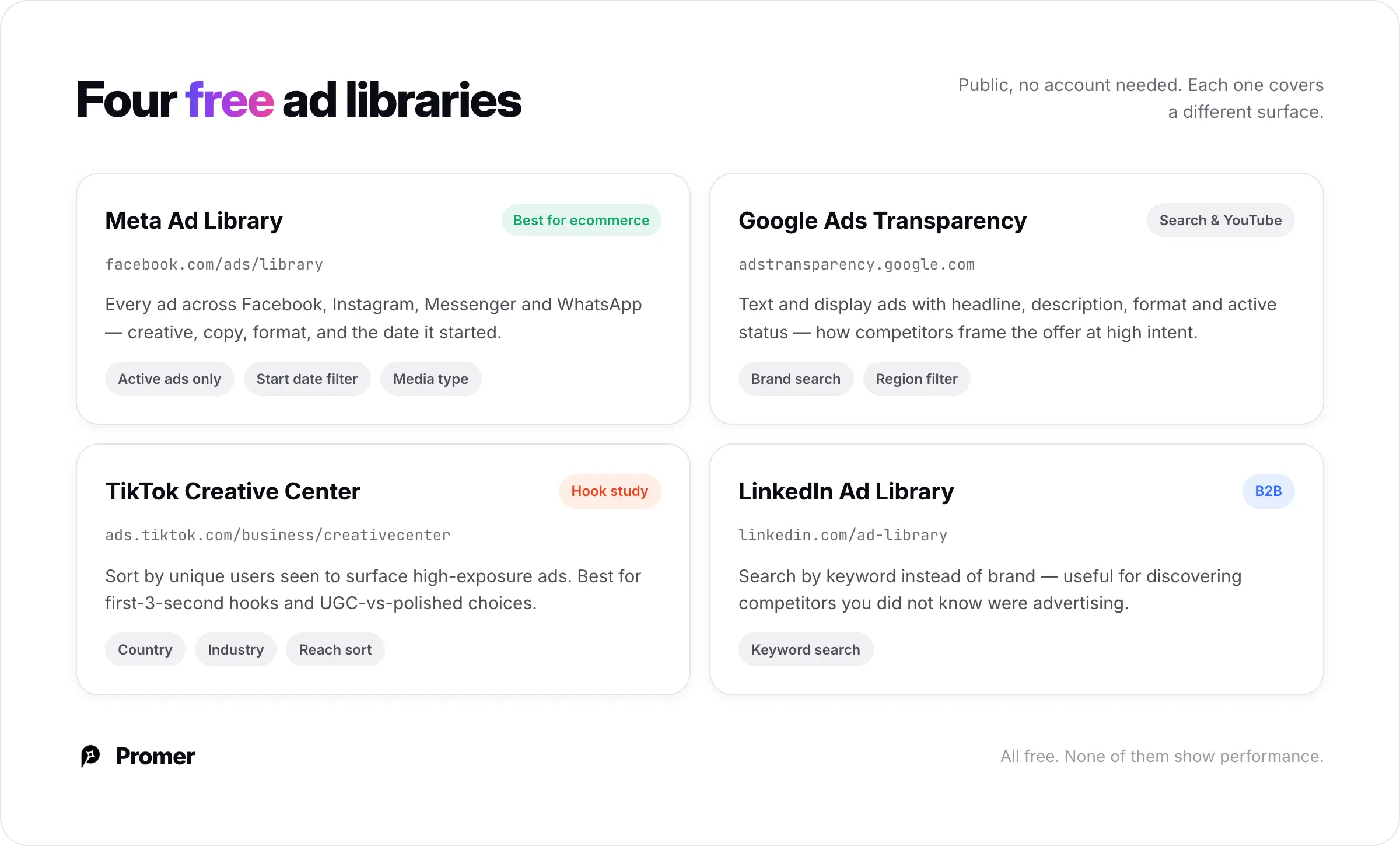
You can spy on competitor ads for free using the official ad libraries built into each platform: Meta Ad Library, Google Ads Transparency Center, TikTok Creative Center, and LinkedIn Ad Library.
Search a competitor by brand name or product keyword and you will see every ad they are running - the creative, the copy, the format, and the date each ad started.
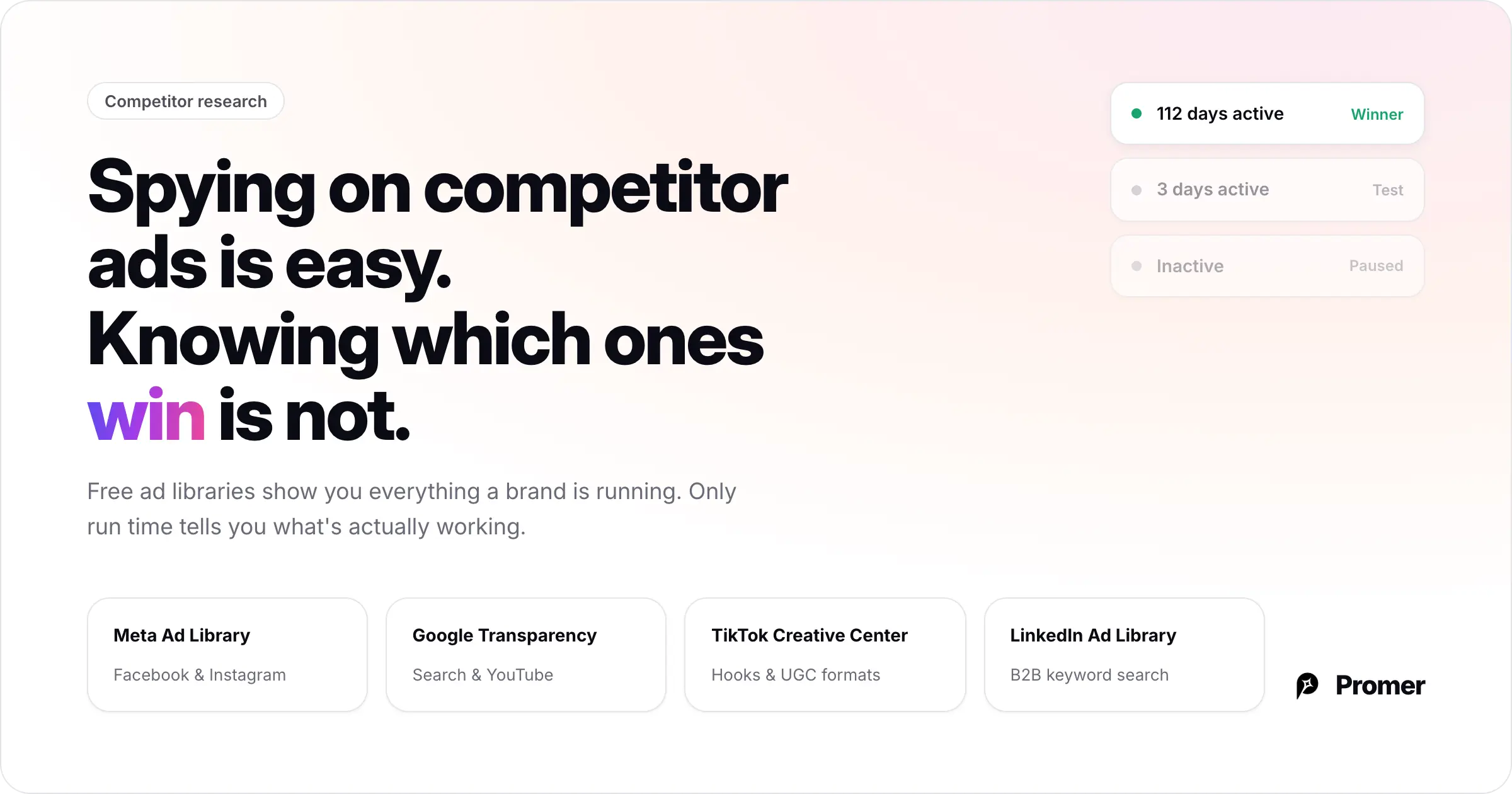
Here is the problem those libraries do not solve: they show you every ad a brand is running, but not which ones are actually working.
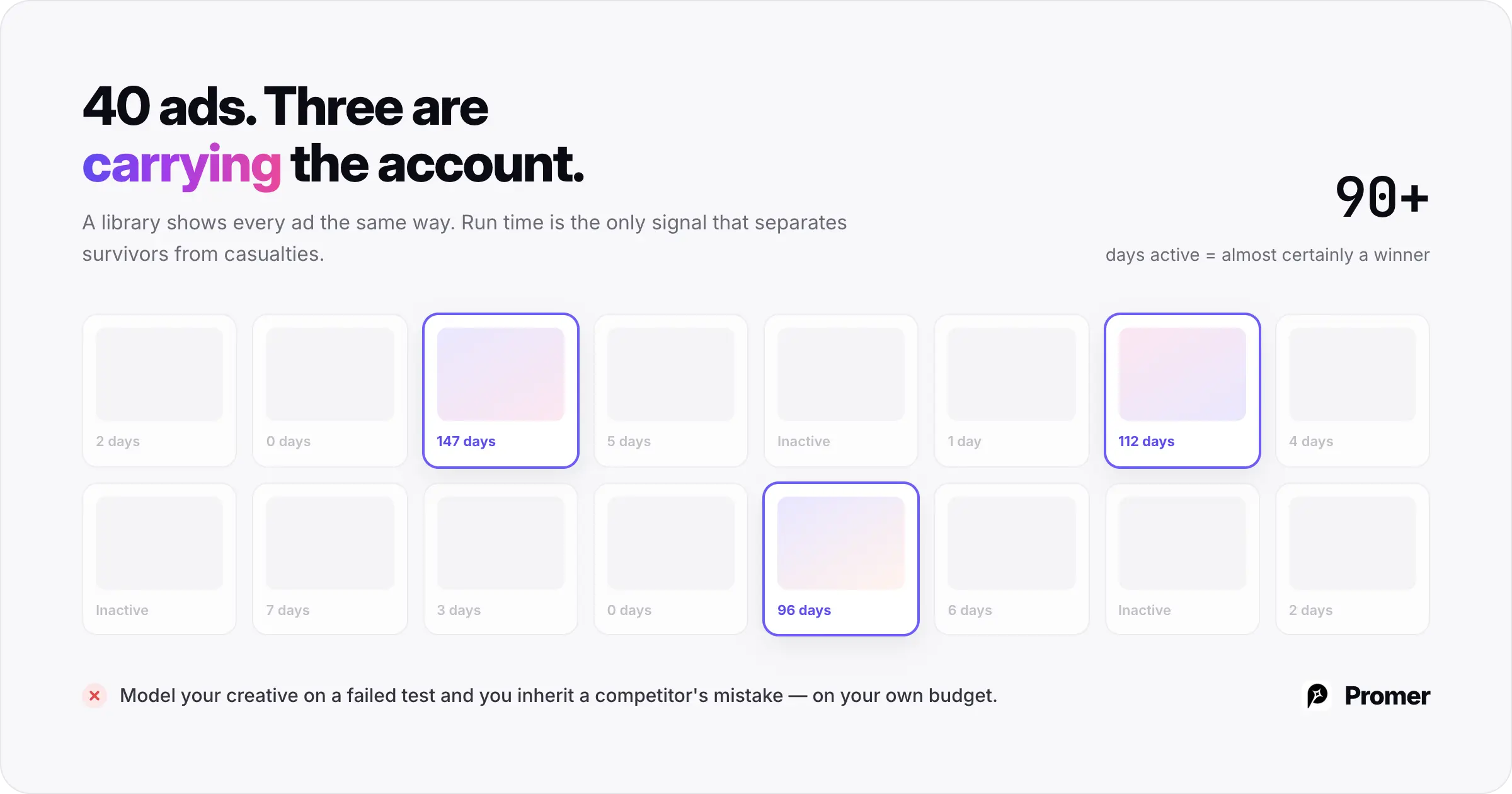
A brand testing 40 creatives shows you 40 ads. You have no idea which three are carrying the account and which 37 will be dead in a week. Spying on competitor ads is easy. Knowing which ads are winning - and why - is the part that actually improves your creative.
This guide covers both: where to find competitor ads on every major platform, and how to separate the likely winners from the noise so your research produces creative direction instead of a folder of screenshots.
Key Takeaways
Free ad libraries (Meta, Google, TikTok, LinkedIn) show you every active ad - but no performance data, so you cannot tell winners from tests
The one signal you can read from outside an ads manager is run time: ads active 90+ days are almost always winners
What actually improves your creative is the angle and hook behind a winning ad, not the visual
Promer AI's Ad Spy surfaces winning Meta ads matched to your product (with run time on every card), and Ad Clone turns any of them into a new creative built around your real product - which you can push straight to social
Where to Spy on Competitor Ads (Free Tools)?
Every major platform has a free, public ad library. No account needed to browse. Here is what each covers.
Meta Ad Library (Facebook & Instagram)
Go to facebook.com/ads/library. Search by competitor brand name or a keyword for your product category. You will see every ad running across Facebook, Instagram, Messenger, and WhatsApp - creative, copy, format, and the date it started.
Set "Active ads only" and push the start date as far back as possible to surface long-running ads. Filter by media type (image, video, carousel) to see which formats a competitor is scaling.
Google Ads Transparency Center (Search & YouTube)
Go to adstransparency.google.com. Search a brand name to see the text and display ads it runs across Google Search and YouTube, with headline, description, format, and active status. Useful for seeing how competitors frame their offer when someone is actively searching.
TikTok Creative Center
Go to ads.tiktok.com/business/creativecenter. Search a brand, filter by country and industry, and sort by "Unique users seen: High to low" to surface high-exposure ads. Best for studying hook structure in the first 3 seconds and UGC-versus-polished format choices.
LinkedIn Ad Library
Go to linkedin.com/ad-library. Most relevant for B2B ecommerce. You can search by keyword instead of brand name - useful for discovering competitors you did not already know were advertising in your space.
The Problem: You Can See the Ads, But Not the Winners
Every tool above has the same limitation. They show you what a brand is running - they do not show you what is working.
A single ecommerce brand might run 30 to 50 creatives at once. Most are tests that will be paused within days. A few are the winners quietly carrying the account. Free ad libraries show all of them the same way, with no engagement data, no spend data, no performance sorting. You are looking at a pile of ads with no way to tell the survivors from the casualties.
This matters because copying the wrong ad is worse than doing no research. If you model your creative on a competitor's ad that is actually a failed test, you have imported their mistake and spent your own budget confirming it.
There is exactly one performance signal you can read from the outside: run time. An ad that has been running continuously for 90 days or more has almost certainly been kept alive because it converts - advertisers do not pay to keep losing ads live. In Meta Ad Library, that means manually filtering by start date and looking for the oldest still-active ads. It is slow, it is manual, and run time is the only clue you get.
And even once you have found a long-running ad, the library does not tell you the second thing you actually need: why it works. What angle is it using? What is the hook doing? What customer pain is it speaking to? You have to reverse-engineer all of that by hand, ad by ad.
How Promer AI Ad Spy Fills the Gap?
Free libraries answer "what is this brand running?" Promer AI's Ad Spy answers a more useful question: "what is winning for a product like mine, and how do I turn it into my own ad?"
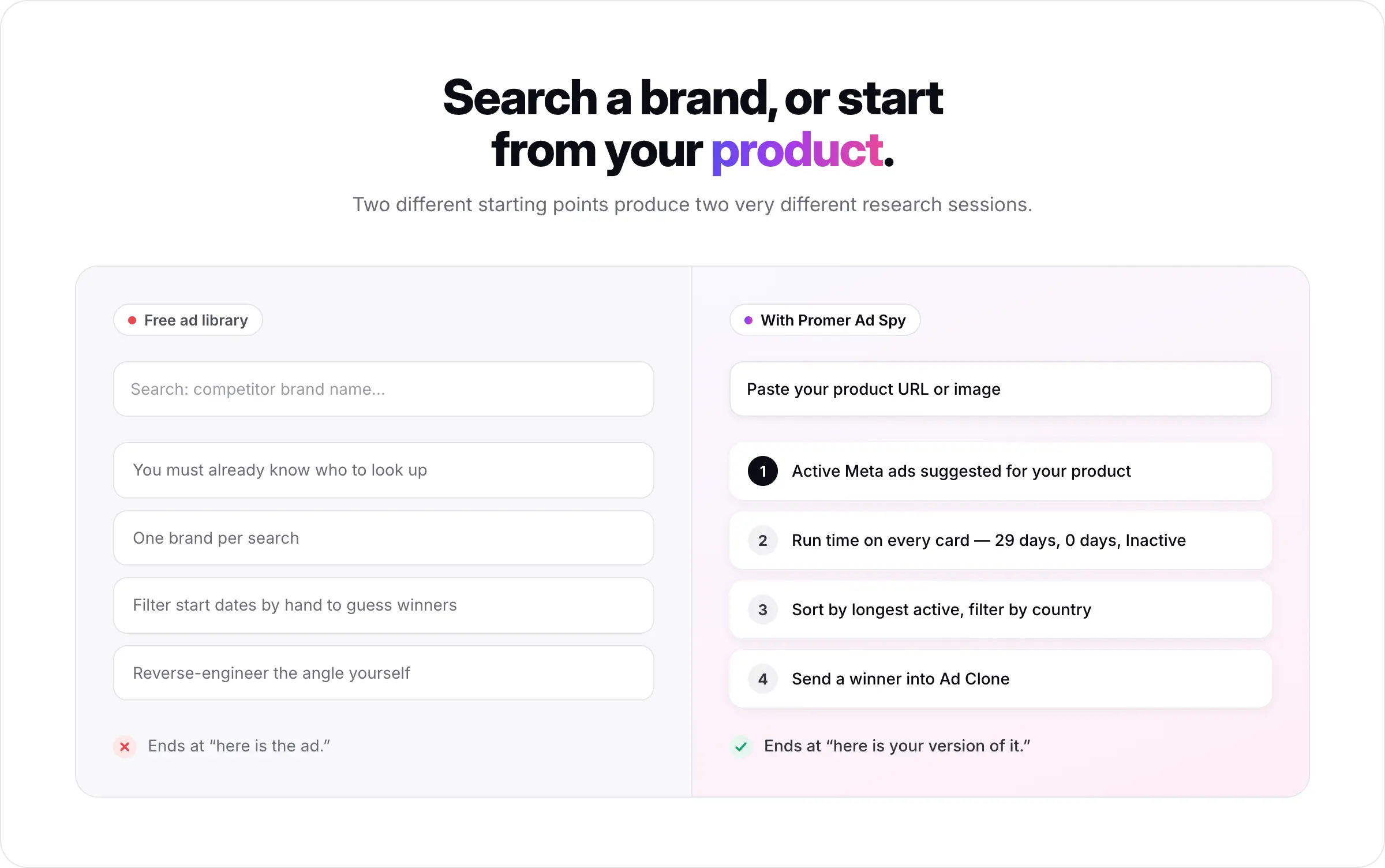
The starting point is different. Instead of searching one competitor name at a time, you add your product first - by pasting a product URL from Shopify, Amazon, or another store, or uploading a product image. Promer's Ad Spy then shows active Meta ads suggested for that specific product, pulled from thousands of stores and brands in your niche. You are not guessing which competitors to look up; the tool surfaces the relevant ones.
Each ad shows how long it has been running right in the card - "29 days," "0 days," or "Inactive" - so the long-running winners are visible at a glance. Sort by "Longest active" and filter by country to focus on proven, market-relevant ads instead of scrolling a raw feed.
The bigger difference is what happens next. Once you find a winning ad, you send it into Promer AI's Ad Clone - and this is where the reverse-engineering you would normally do by hand becomes automatic.
That is the gap between spying and using: free libraries stop at "here is the ad." Promer AI takes you from "here is a winning ad for your product" to "here is your version of it."
What to Look for in a Winning Ad?
Whether you extract this by hand or let Promer AI surface it, these are the things worth reading in a competitor's winning ad.
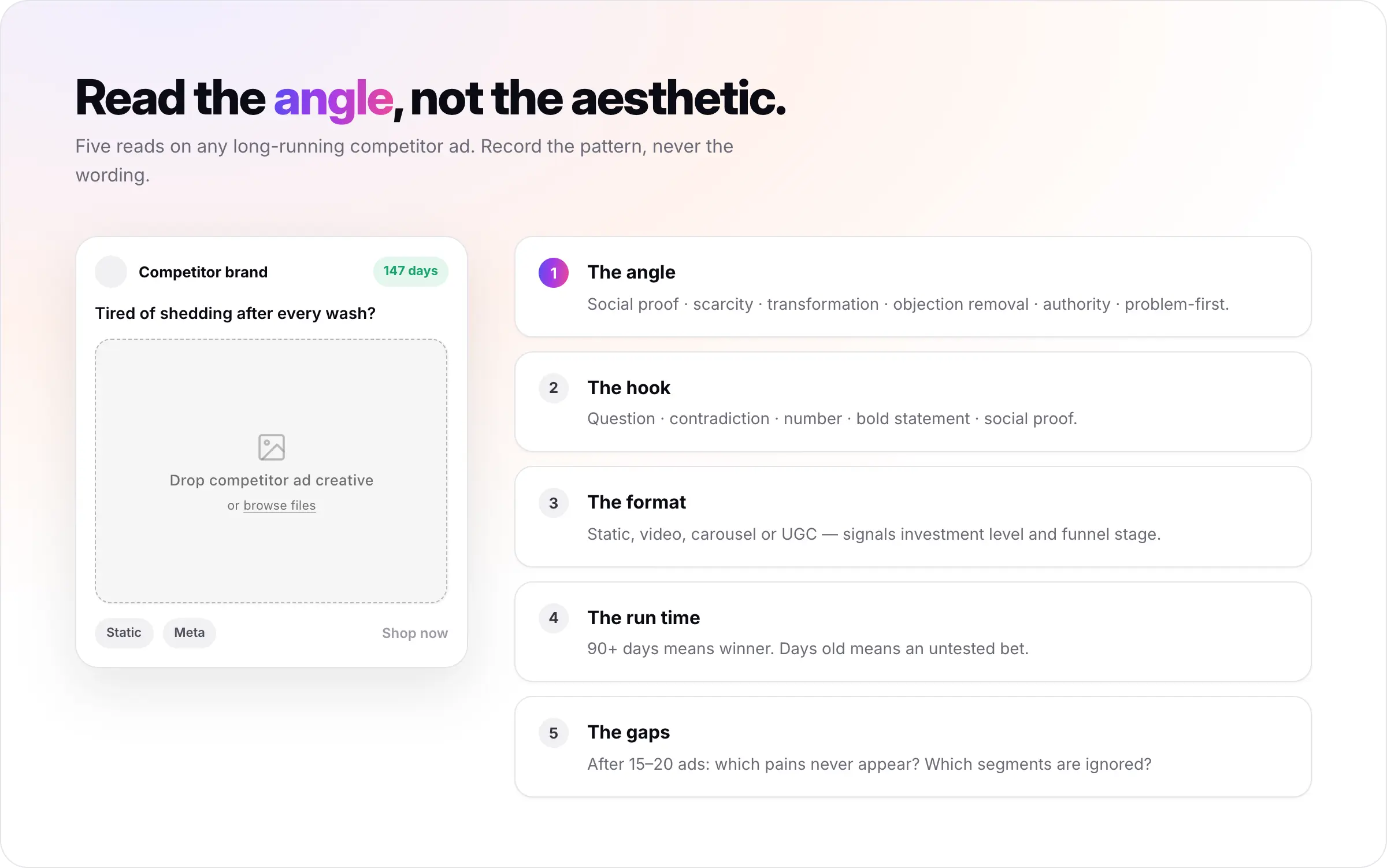
The angle - before reading the copy, ask what the ad is trying to make the viewer feel or think. Common ecommerce angles: social proof, scarcity or urgency, transformation (before vs. after), objection removal, authority ("featured in", "5-star"), and problem-first (open with the pain).
The hook - the first line of copy or headline overlay. Patterns: question ("Tired of [pain]?"), contradiction ("You don't need X to get Y"), number ("3 reasons your ads aren't converting"), bold statement, or social proof.
The format - static, video, carousel, or UGC. Signals investment level and funnel stage.
The run time - 90+ days means winner. Days old means an untested bet.
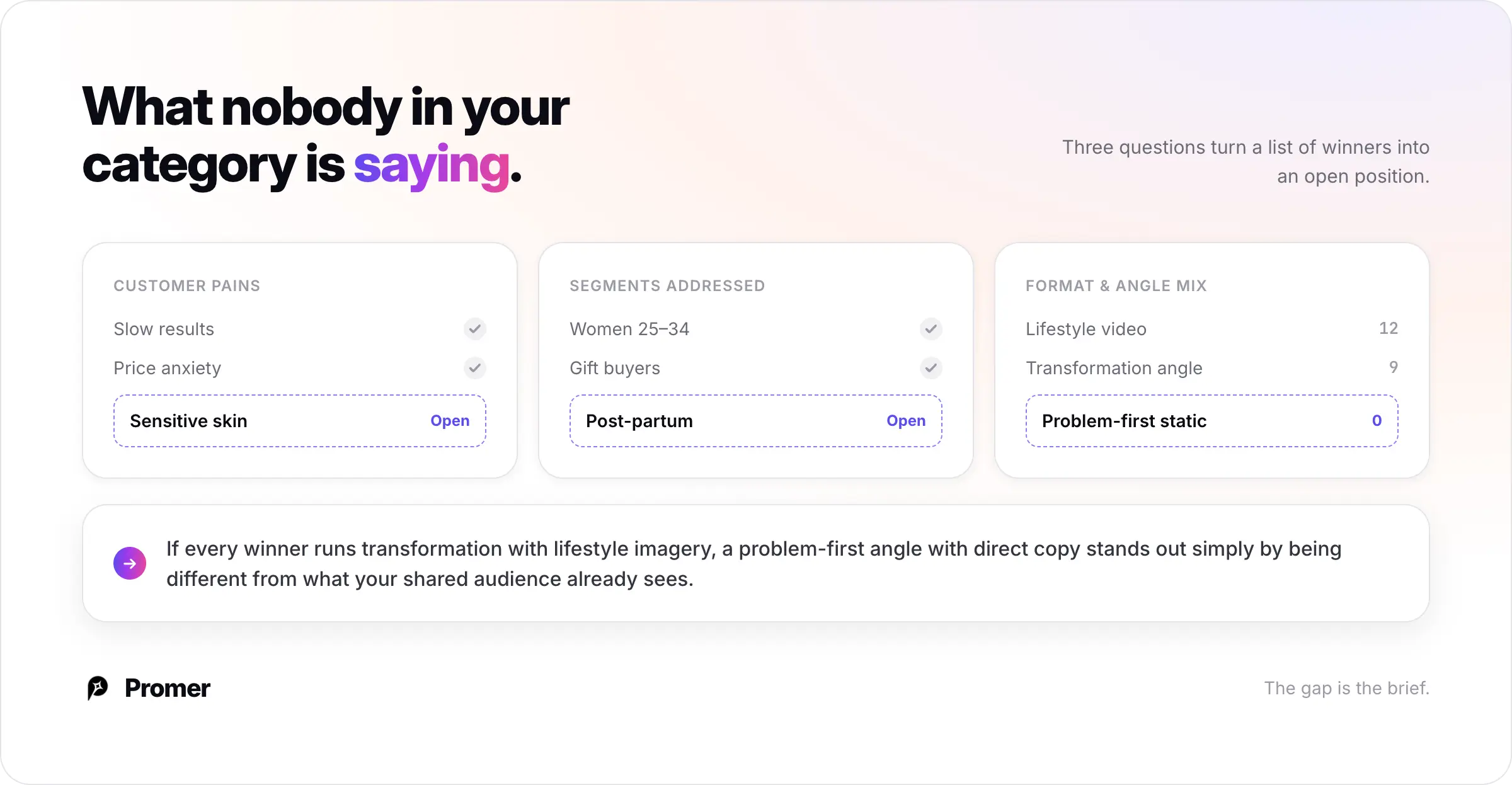
The gaps - after 15 to 20 ads, ask what is missing. Which pains never appear? Which segments are ignored? Those are your open angles.
What to read
Why it matters
Angle
The emotional logic the market has validated
Hook
What is stopping the scroll in your category
Format
Which creative investment is paying off
Run time
The only outside signal of whether it wins
Missing angles
Where positioning is still open
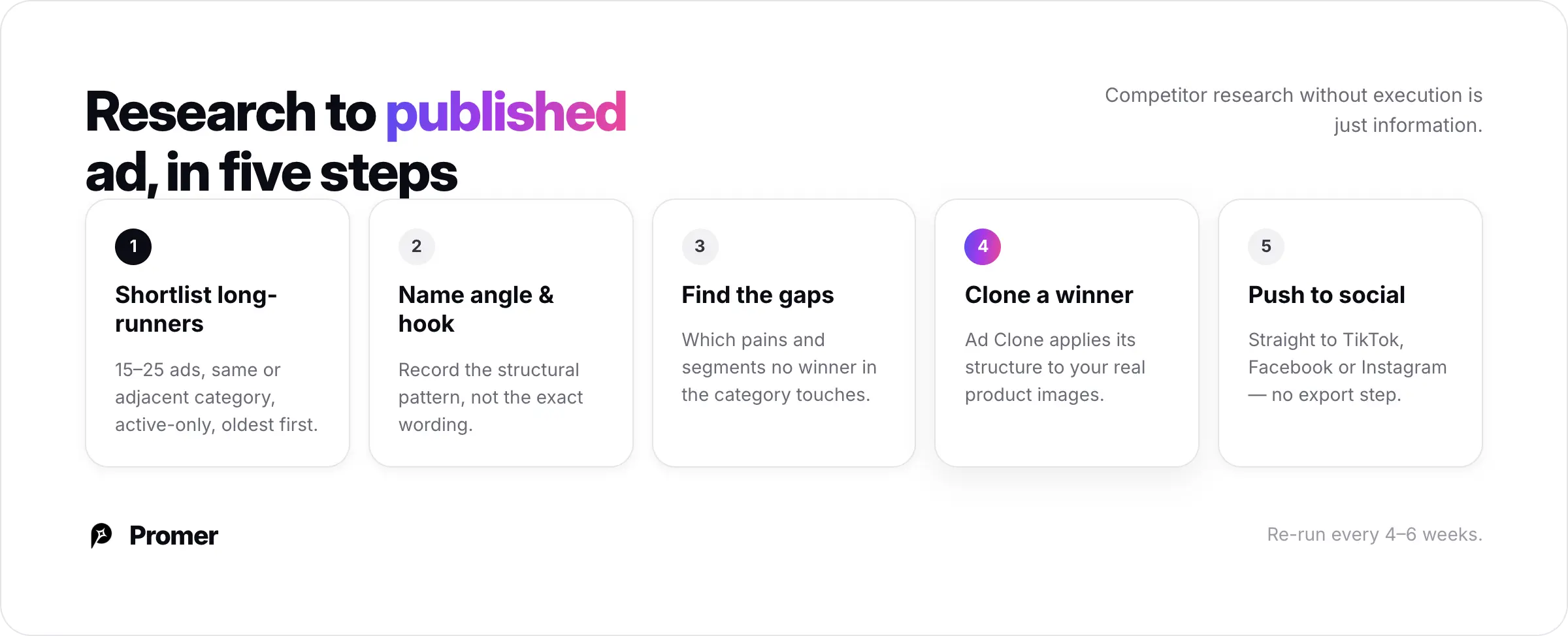
Step 1: Build a Shortlist of Long-Running Ads
Open Meta Ad Library or Promer AI Ad Spy. Filter to your product category, set active-only, and surface the oldest still-running ads (or let Ad Spy sort by longest active for you).
Build a shortlist of 15 to 25 ads that meet two criteria: same or adjacent category, and running for a meaningful period. Do not read closely yet - you are just separating likely winners from tests.
Step 2: Read the Angle and Hook of Each Winner
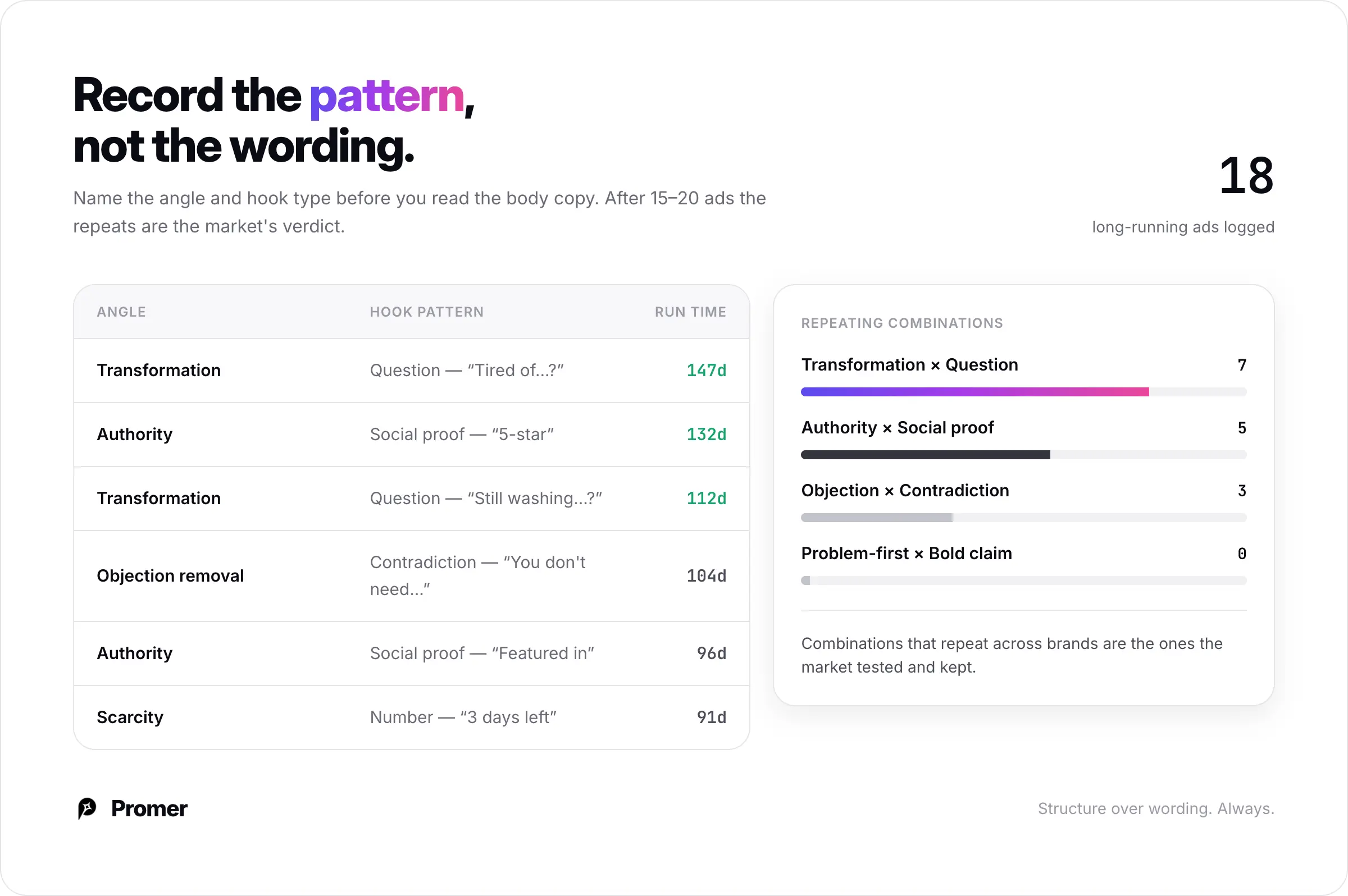
For each shortlisted ad, name the angle and hook pattern before reading the body copy. Record the structural pattern - the type of angle and the type of hook - not the exact wording.
After 15 to 20 ads, repeating angle-hook combinations will emerge. Patterns that show up across multiple long-running ads from multiple brands are the ones the market has tested and kept.
Step 3: Find the Gaps
Ask what no winning ad in your category is doing:
Which customer pains never appear?
Which segments are not being addressed?
Is everyone using the same format and angle?
If every winner runs transformation ads with lifestyle imagery, a problem-first angle with direct copy can stand out simply by being different from what your shared audience already sees.
Step 4: Turn a Winner Into Your Own Ad with Ad Clone
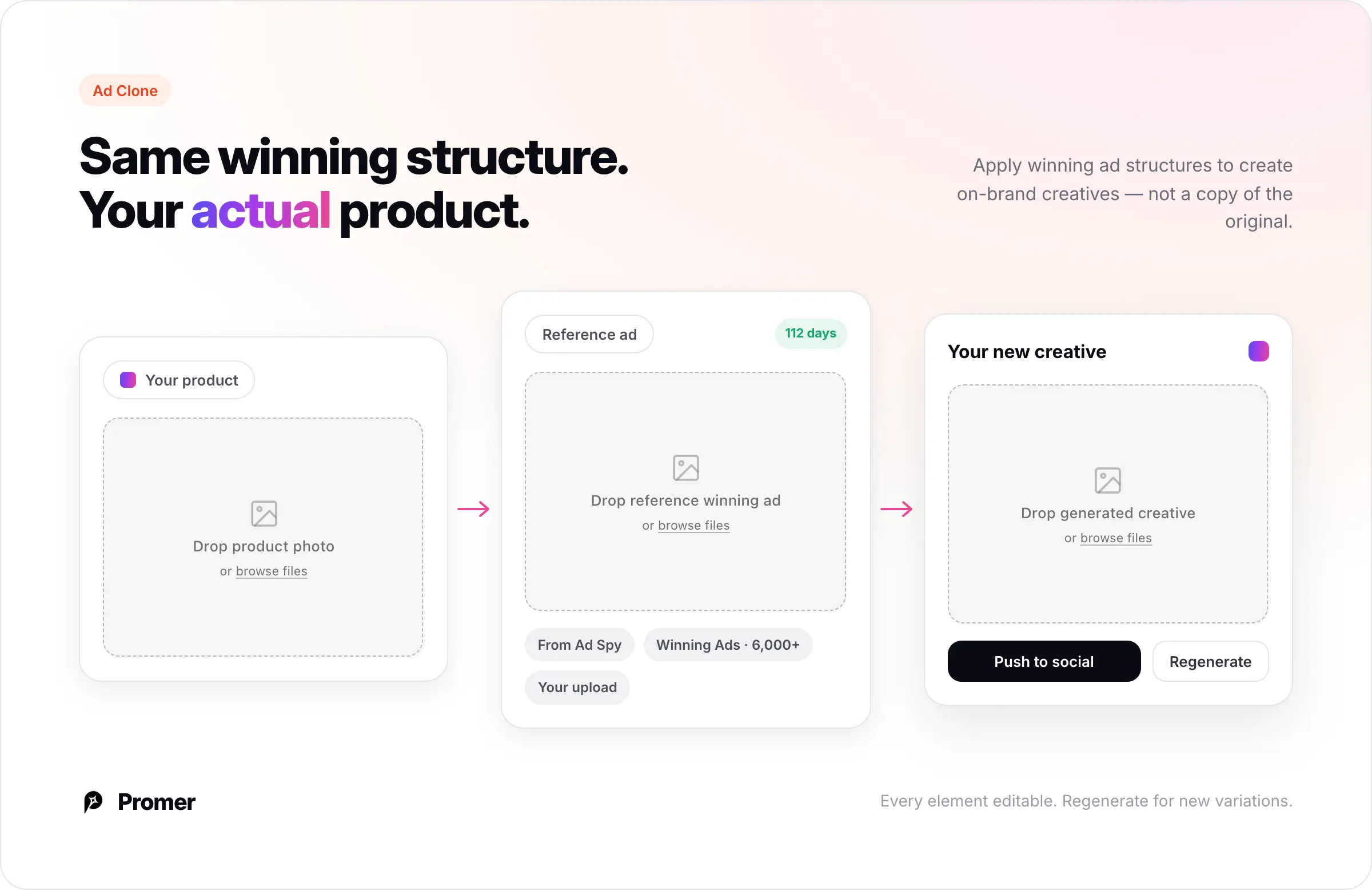
Once you have a winning ad and understand its angle, use Promer AI's Ad Clone to build your version. The tagline sums up the job: apply winning ad structures to create on-brand creatives.
The setup has two panels: your product image on one side, the reference ad on the other. You can pull the reference from three places - Ad Spy (the winning ad you just found), the Winning Ads library of 6,000+ curated top performers, or your own upload. Promer AI reads the reference together with your product and generates a new creative that applies the reference's structure, layout, and composition to your product.
The output is not a copy. In the Hair Folli example, cloning a reference where a model holds a competitor's bottle produces a new creative with the same pose and framing - but holding the Hair Folli jar, with its real label and packaging. Same winning structure, your actual product.
Two controls matter here. "Add specific request" is a free-text field to steer the background, tone, layout, or branding. And Promer AI auto-detects overlay text on the reference - if there is none, it starts you with a clean, text-free creative you can add copy to in the editor. Every element is editable, and "Regenerate" produces new variations from the same reference.
Step 5: Publish or Scale What You Made
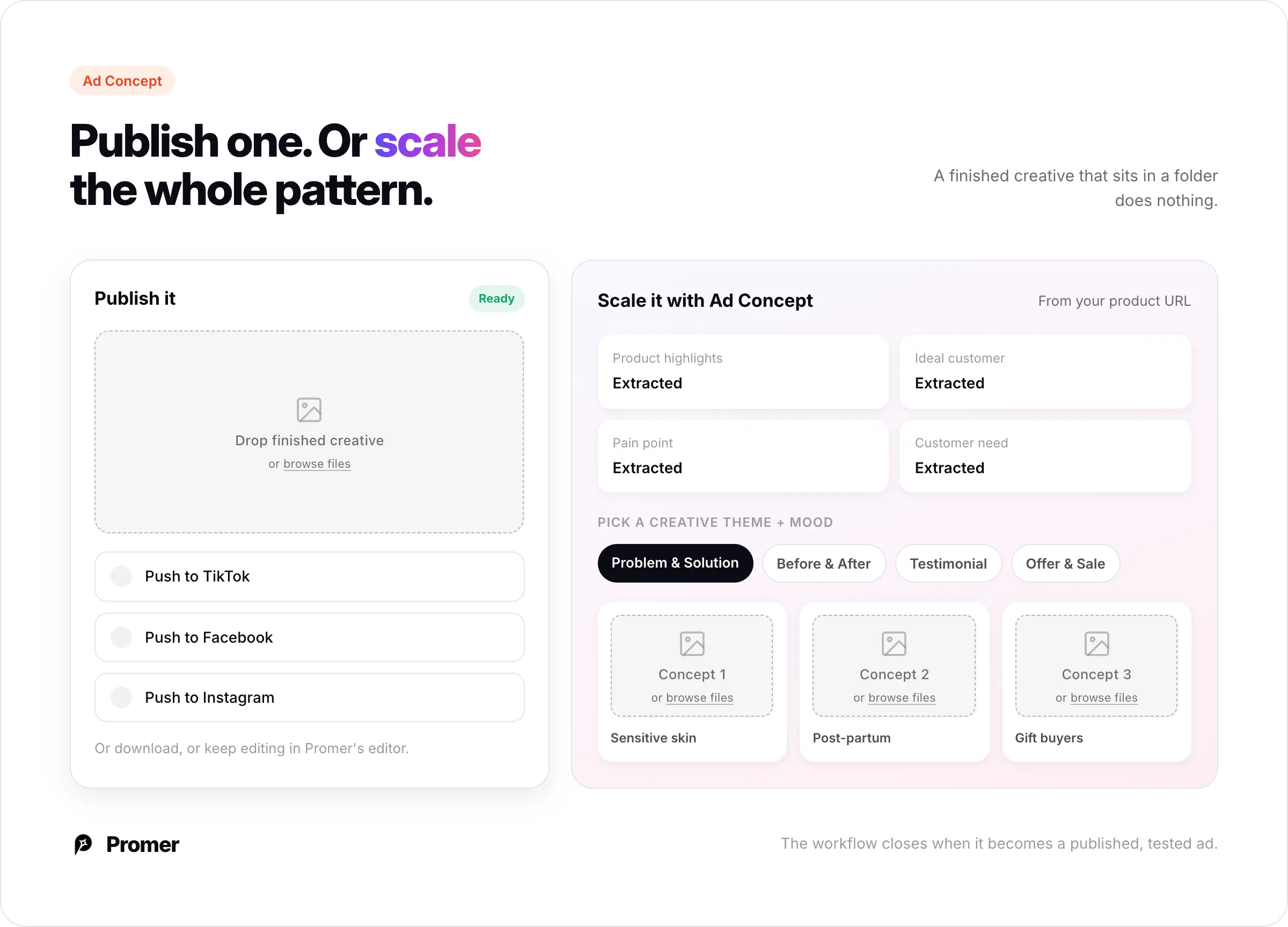
A finished creative that sits in a folder does nothing. From the generated ad, "Push to" sends it straight to social media - TikTok, Facebook, or Instagram - so the ad you built from competitor research goes live without a separate export-and-upload step. You can also download it for use anywhere, or edit it further in Promer's editor.
To go beyond adapting one competitor's ad, feed your wider research - the angle patterns, hooks, and gaps you documented - into Promer AI's Ad Concept workflow. There, after loading your product URL, Promer AI reads the page and extracts product highlights, ideal customer, pain point, and customer need. You then pick a creative theme (Before & After, Problem & Solution, Testimonial, Offer & Sale, and others) and a mood, and Promer AI generates multiple concepts - each with its own target audience, core idea, and finished creative.
This is where the research pays off: if authority-angle ads run longest in your category but no competitor uses a problem-first hook, you can build that combination on purpose - backed by market evidence, not a guess.
Competitor research without execution is just information. The workflow closes when it becomes a published, tested ad.
Common Mistakes
Treating every active ad as a winner. A pile of active ads is mostly tests. Only run time tells you which ones are proven - filter for it, or use a tool that sorts for it.
Copying the visual instead of the angle. A competitor's colors and composition tell you nothing about why the ad works. Extract the angle and hook, not the aesthetic.
Researching outside your category. A supplement brand's patterns are not benchmarks for a fashion store. Keep filters tight.
Modeling your ad on a failed test. Copy the wrong ad and you inherit a competitor's mistake on your own budget. This is the whole risk of not checking run time.
Skipping your own product context. Research tells you what the market has validated. It does not tell you what is true about your product. Load your product URL into Promer AI first, so you know your own value map before reading anyone else's ads.
FAQs about Spying on Competitor Ads
Is it legal to spy on competitor ads?
Yes, in most cases. Ads on Meta, Google, and TikTok are public campaigns, and platform ad libraries exist specifically for transparency.
You are viewing what anyone in the target audience could see. The line is in execution - adapting structural patterns is standard research; reproducing exact copy or creative assets verbatim is not.
What is the best free tool to spy on competitor ads?
Meta Ad Library is the most useful for ecommerce - it covers Facebook and Instagram and shows each ad's start date, which is the one signal that lets you filter for likely winners.
Google Ads Transparency Center covers Search and YouTube; TikTok Creative Center covers TikTok. All are free and need no account. The shared limitation: none of them tell you which ads are actually performing, only which are running.
How can I tell which competitor ads are actually winning?
From outside a competitor's ads manager, run time is the only reliable signal - an ad running 90+ days is almost certainly a winner, since advertisers pause losing ads quickly. Free libraries make you find these manually by filtering start dates.
Promer AI's Ad Spy shows run time on each ad card and sorts by longest active, so the likely winners surface first instead of being buried in a raw feed.
What is the difference between Meta Ad Library and Promer AI's Ad Spy?
Meta Ad Library shows everything one brand is running when you search by name - you have to already know which competitors to look up.
Promer AI's Ad Spy starts from your product instead: add your product URL or image, and it surfaces active Meta ads suggested for that product across thousands of brands, with each ad's run time shown on the card. From there you can send any ad into Ad Clone to build your own version.
Can I use a competitor ad as a reference in Promer AI?
Yes. In Ad Clone, pick a reference ad - from Ad Spy, from the Winning Ads library of 6,000+ curated top performers, or your own upload - alongside your product.
Promer AI generates a new creative that applies the reference's structure to your product, using your real product images. It does not copy the original. You can then push the result straight to TikTok, Facebook, or Instagram, or download it.
How many competitor ads should I review?
Reviewing 15 to 25 long-running ads in your category is usually enough to spot repeating angle and hook patterns. Beyond 50 you hit diminishing returns and risk over-indexing on what already exists instead of finding the gaps.
How often should I run competitor ad research?
Every 4 to 6 weeks is enough for most ecommerce advertisers. Run it more often before major campaigns, new launches, or when your current creative performance drops and you need fresh angles to test.