To make product ads with AI: paste your URL, run concept analysis, generate the creative, adjust overlay text, set ratio. Promer AI handles each step.
To make product ads with AI, paste your product URL, run a concept analysis to define your angle and audience, generate the creative, adjust the overlay text, and set the platform ratio before downloading. That is the full workflow - five steps from product page to ready creative.
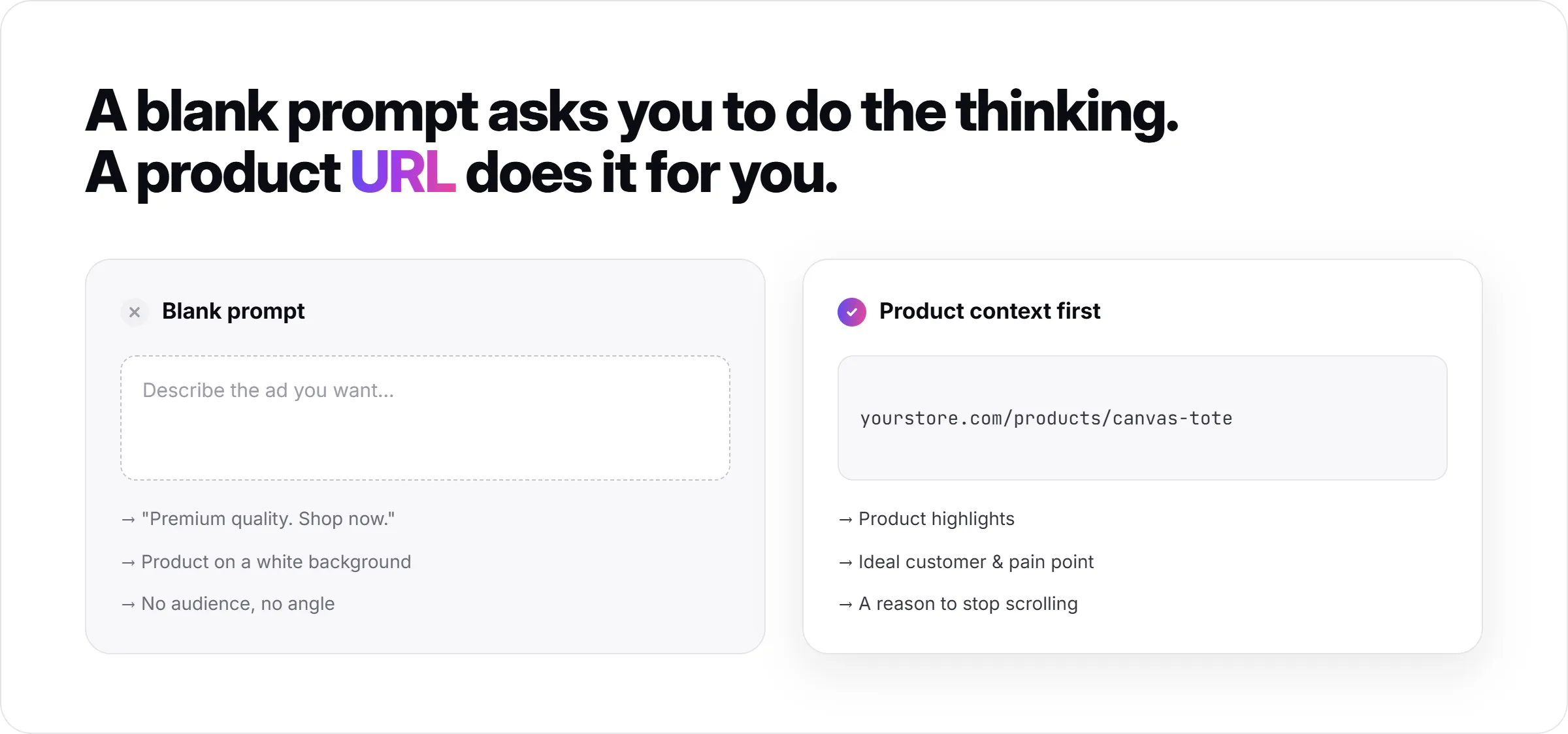
The reason most AI-generated ads come back generic is not the AI. It is the starting point. Most tools hand you a blank prompt and wait. The better approach extracts product context first - highlights, ideal customer, pain point - and builds the ad from that.
This article walks through each step using Promer AI, starting from the URL input and ending with a platform-ready creative. Each step uses a specific feature; nothing here is abstract.
Key Takeaways
Starting from a blank prompt produces generic ads. Starting from product context produces ads built around what actually makes your product worth buying.
The product URL is the most useful input you have. A good AI ad tool reads it and extracts product highlights, ideal customer, pain point, and need before touching design.
Concept comes before creative. Deciding your angle, hook, and theme before generating saves significant rework.
Static and video serve different jobs. For most ecommerce products, static ads test faster; video scales what is already working.
Review before publishing. AI-generated creatives can contain errors - a fast review step protects the ad before it goes live.
Why Blank Prompts Produce Weak Ads?
A blank prompt puts the burden entirely on you to describe the angle, the audience, the hook, and the visual - before the AI can do anything useful. Most people describe the product, not the customer's problem or the reason someone would stop scrolling. The output mirrors the input: product-centered, generic, not built around a clear buying reason.
The alternative is giving AI the product first and letting it extract the relevant context before generating anything. This is what separates ad creation tools that start from product URLs from tools that give you a blank text field. The output quality difference is significant.
For ecommerce specifically, the most important inputs are: what problem the product solves, who has that problem, and what the product does differently. These are not things most product pages state plainly - but they are what a good AI workflow can surface before the ad is ever designed.
What You Need Before Starting?
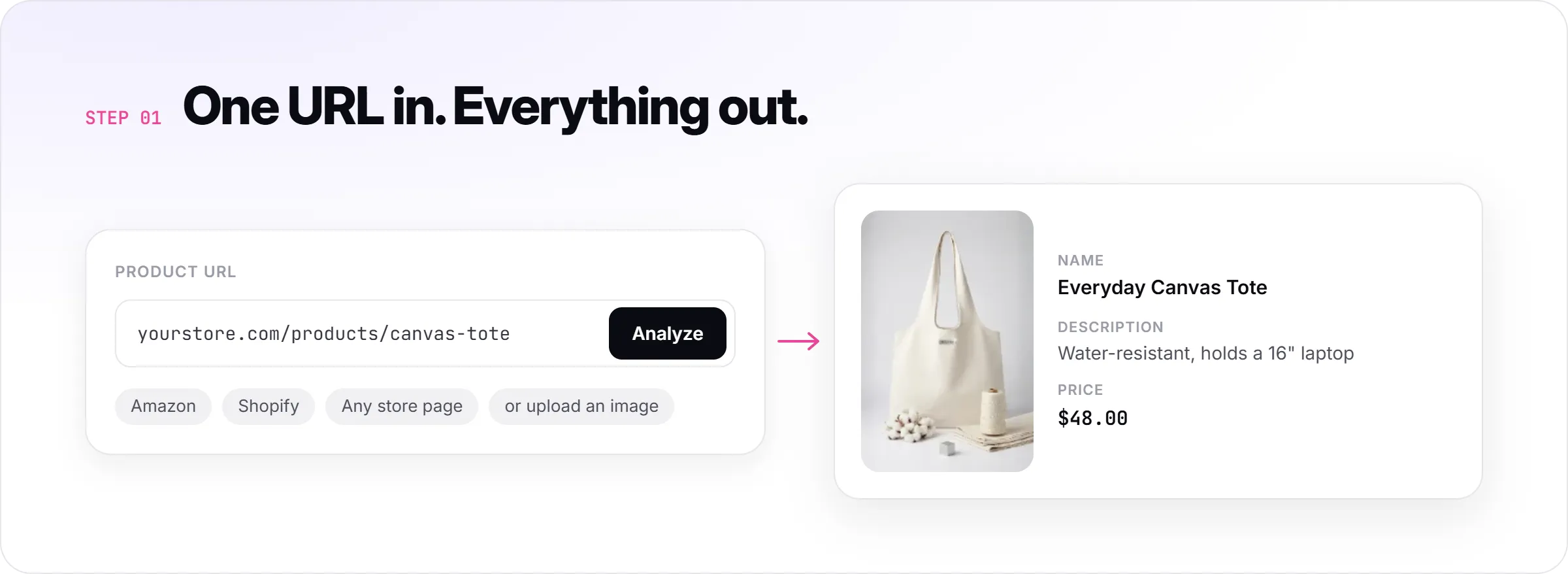
A product URL (Amazon, Shopify, or any store page) or a clear product image (JPG, PNG, or WEBP)
A basic understanding of your product's audience - who buys it and why
Access to Promer AI - the workflow below uses its Ad Concept and Ad Clone features
Optional: a reference ad you admire, to use as a structural starting point
You do not need a designer, a copywriter, or a detailed brief. The workflow extracts what it needs from your product.
Step 1: Start With Your Product URL, Not a Prompt
Paste your product URL into Promer AI. The platform reads the page and automatically extracts the product image, product name, description, and price. If your product is connected via Shopify, it appears directly under your products tab.
This extraction step matters because it gives the AI grounded, product-specific material to work from - not a description you wrote in a hurry. The difference shows in the output: instead of a generic "premium quality" hook, the AI can work from actual product details that mean something to a specific buyer.
If you do not have a URL available, upload a product image directly. Clear, high-resolution images with no background clutter give the AI the best material to work with. Avoid watermarked images or photos with overlaid text.
Step 2: Let AI Surface Your Ad Concept First
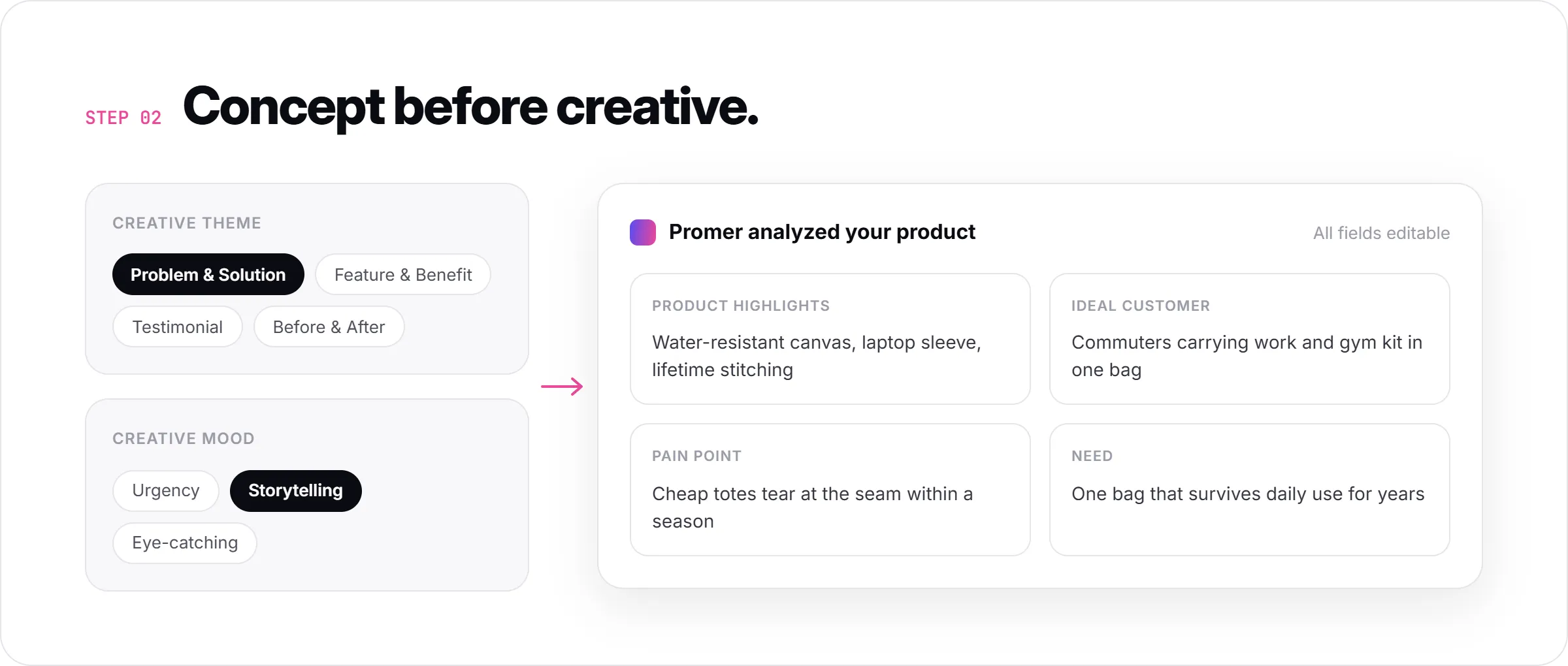
This is the step most tools skip - and the one that most affects output quality. Before generating a single visual, use Promer AI's Ad Concept feature to define what your ad is actually saying and who it is saying it to.
In Ad Concept, you choose a creative theme - for example, Problem & Solution, Feature & Benefit, Testimonial, or Before & After - and a creative mood (Urgency, Storytelling, Eye-catching, and others). The AI then runs an analysis of your product and surfaces four fields: Product highlights, Ideal customer, Pain point, and Need. All four are editable.
Review these fields before moving to the creative step. If the AI surfaced a pain point that is not quite right for your audience, fix it here. A few minutes adjusting concept-level details is significantly more efficient than reshooting creative five times because the angle is off.
Step 3: Review Your Concepts and Pick the Right Angle
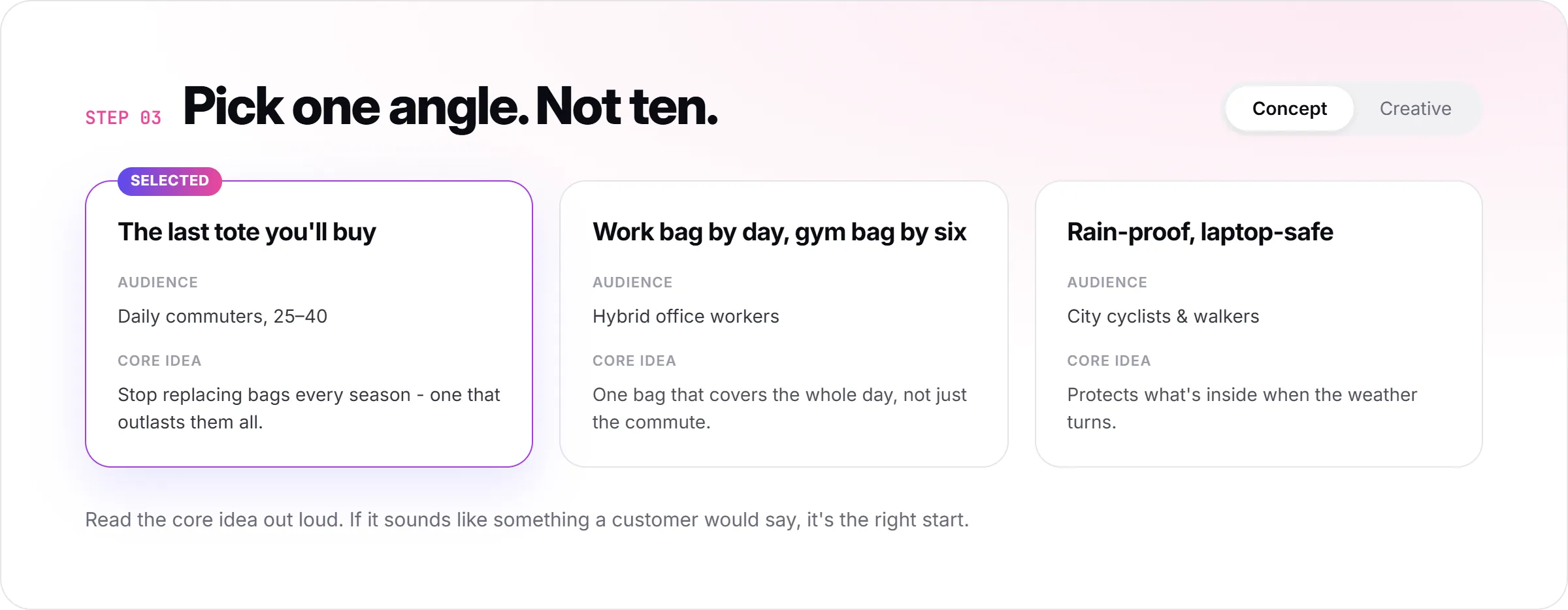
After the analysis, Ad Concept generates multiple concept directions - each with a name, a target audience, and a core idea. The Concept view shows the strategy; the Creative view shows the visual output.
Pick the concept that fits the product best. For a first run, choose the angle that maps most directly to the main reason someone buys your product - the primary pain point or the clearest benefit. Save variations and emotional angles for testing after you have a working baseline.
If you are unsure which angle to use, a useful test: read the concept's core idea out loud as if explaining the product to a friend. If it sounds like something a real customer would care about, it is the right starting point. If it sounds like marketing copy, revise the concept fields and regenerate.
Step 4: Generate the Creative and Adjust the Overlay Text
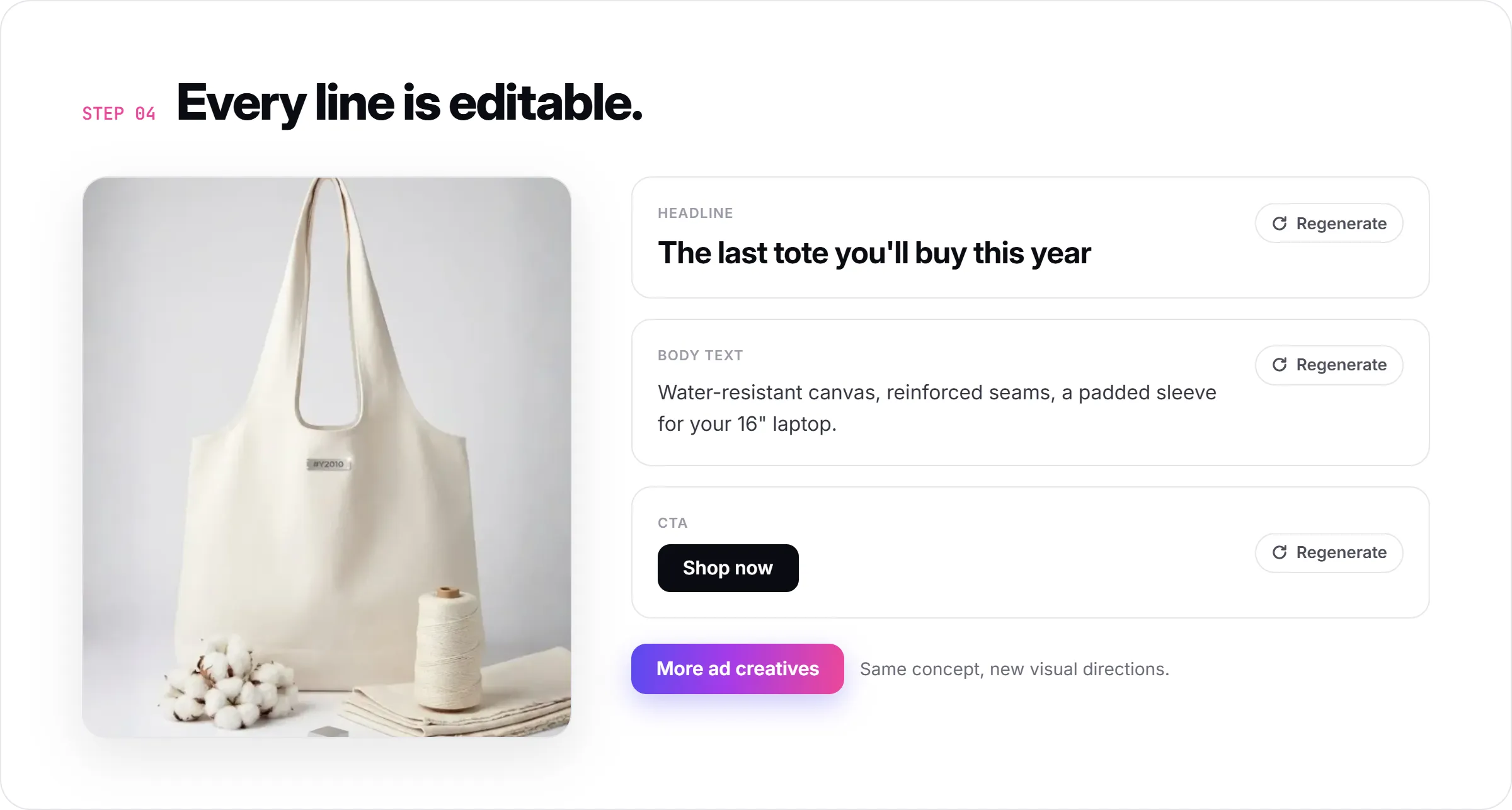
Once you have a concept direction, the AI generates the visual with auto-suggested overlay text: a Headline, Body Text, and CTA. Each element is editable and re-generatable individually, so you are not locked into the first output.
At this stage, adjust the overlay text before downloading. The headline should reflect the specific angle you chose in Step 2 - not a generic product description. The CTA should match what you want the viewer to do next: "Shop now", "See details", or a more specific action if you are promoting a deal or a specific product benefit.
If you want more variations from the same concept angle, the "More ad creatives" button generates additional visual directions without changing the underlying strategy. This is the right way to build a test set - multiple creatives sharing the same concept, not multiple concepts with no shared logic.
Step 5: Match Format to Platform Before Downloading
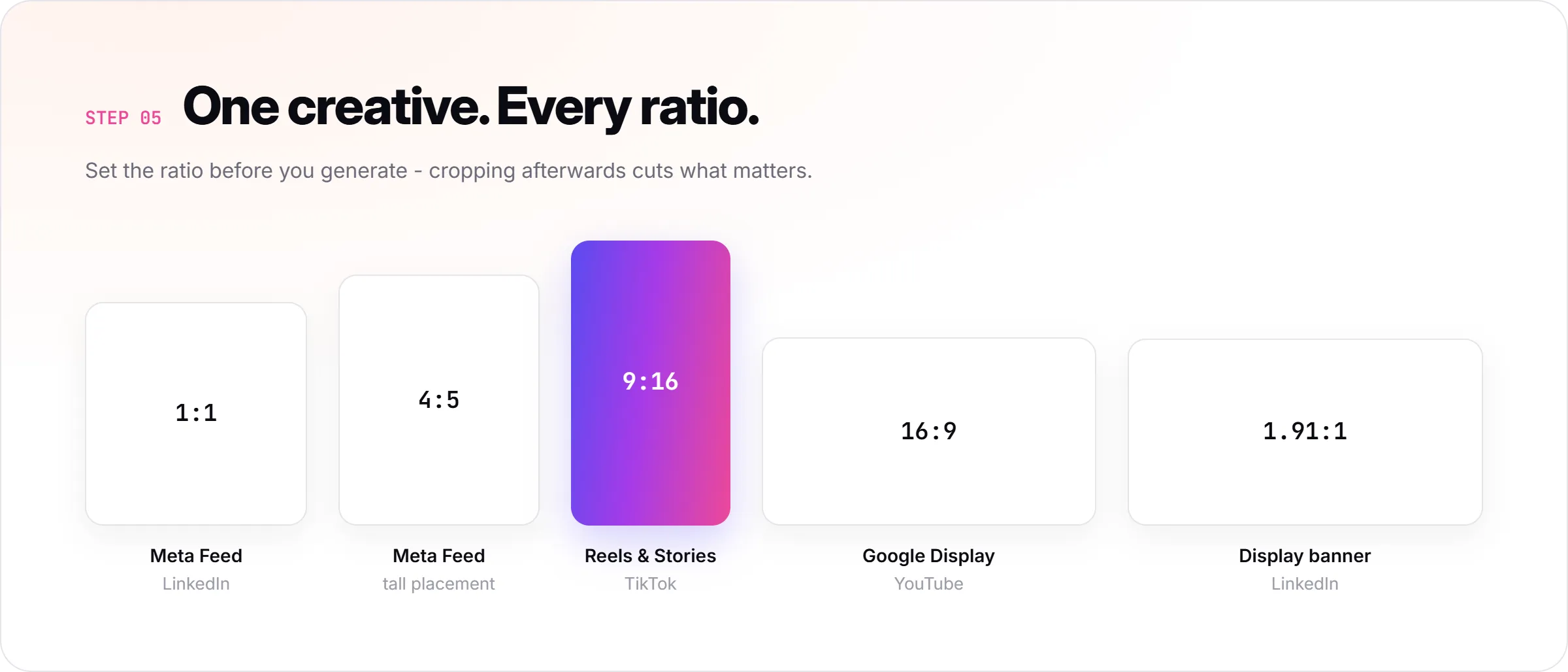
Different platforms need different ratios. Set this before downloading:
Meta Feed (Facebook/Instagram): 1:1 or 4:5
Stories and Reels: 9:16
TikTok: 9:16
Google Display: 16:9 or 1.91:1
LinkedIn: 1:1 or 1.91:1
Promer AI generates in all of these ratios from the same creative. Set the ratio in settings before generating, or regenerate in the correct ratio if you started with the wrong one. Downloading in the wrong ratio and cropping manually typically cuts important visual elements.
For most ecommerce products, start with 1:1 for Meta Feed and 9:16 for Reels/Stories. These two cover the highest-volume placements on the highest-spend platform for most ecommerce categories.
What Good Output Looks Like?
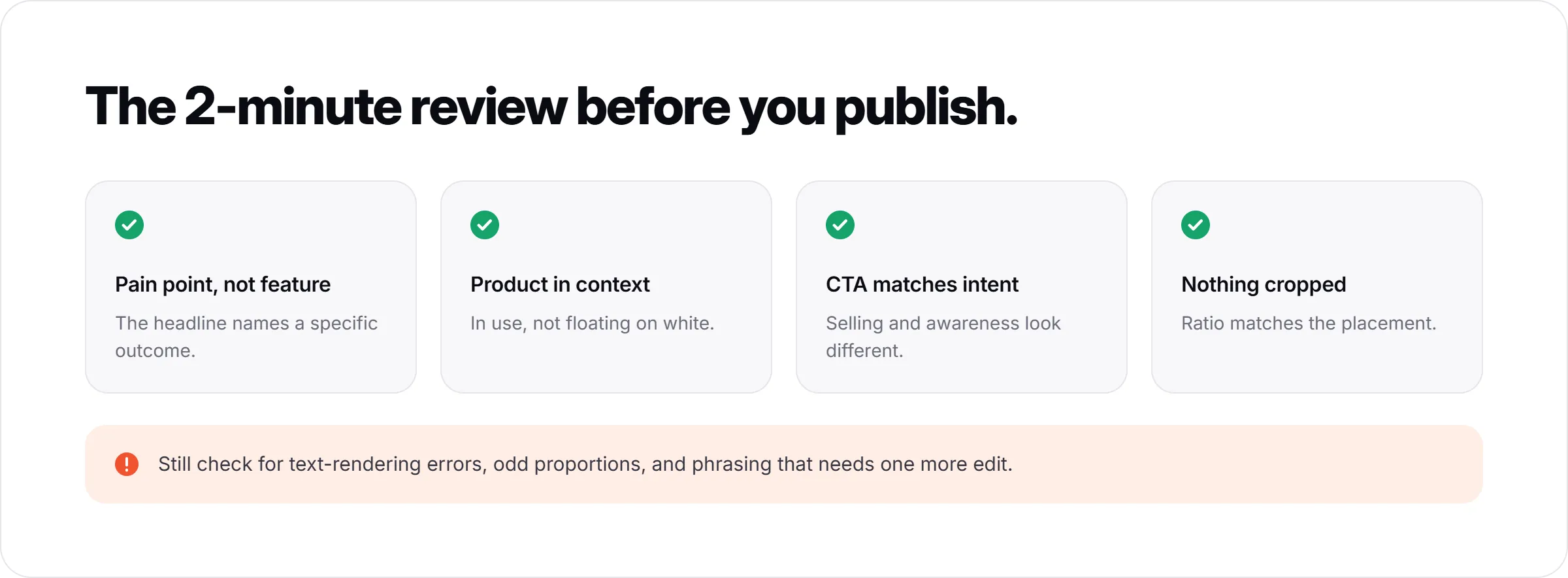
A well-executed product ad from this workflow will have:
A headline that addresses a specific customer pain point or outcome, not a generic product feature
A visual that clearly shows the product in use or in context, not isolated on a white background
A CTA that matches the intent of the ad - selling versus awareness look different
Platform-correct ratio with no important elements cropped or obscured
The AI-generated creative may still have errors - text rendering issues, product proportions that look slightly off, or headline phrasing that needs one more edit. Always review before publishing. A 2-minute review step prevents the most common issues from running live.
How To Build On a Winning Structure With Ad Clone?
Once you have a concept that performs - an ad combination that gets strong click-through or conversion data after a few days of testing - the next step is scaling it, not starting over.
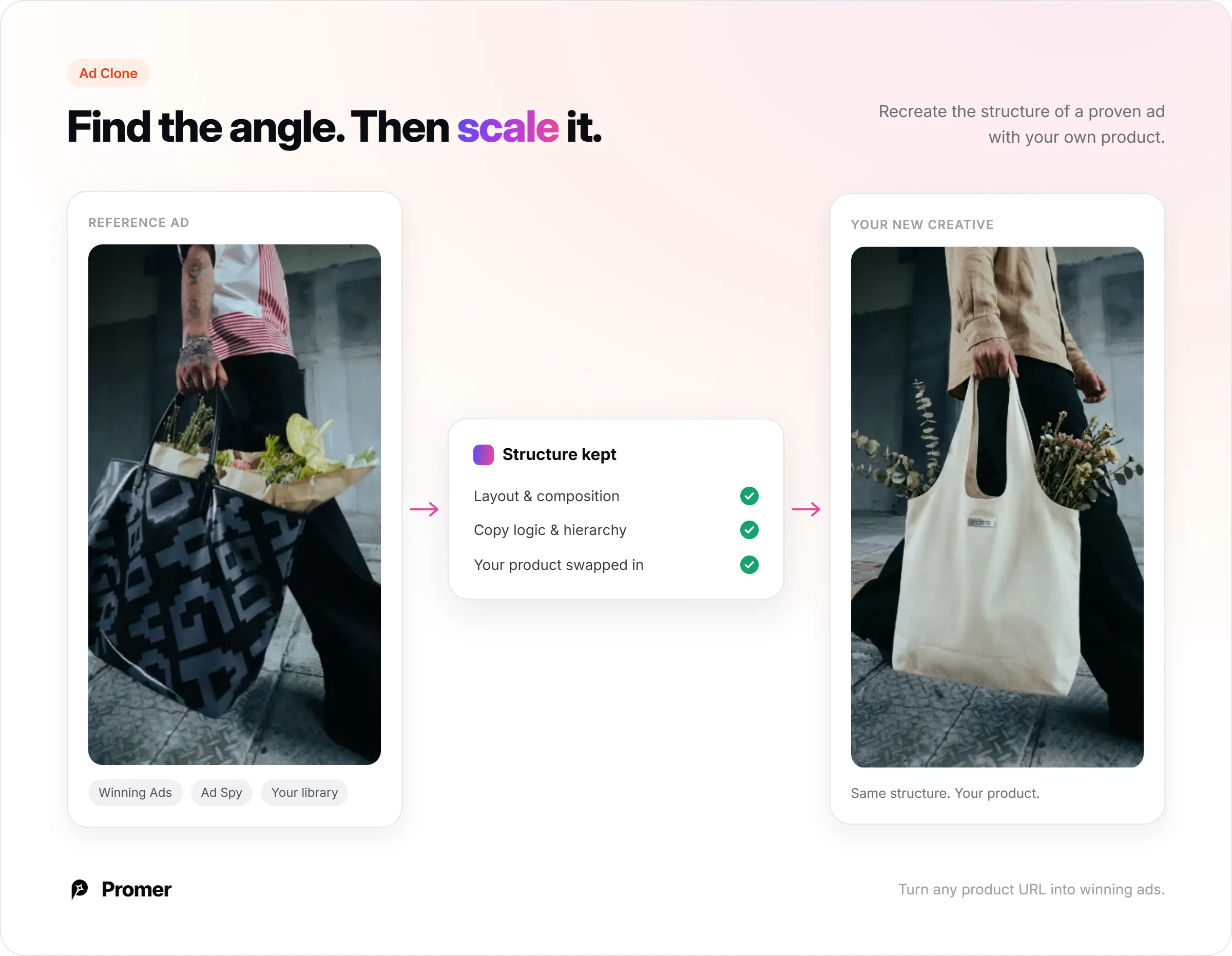
Promer AI's Ad Clone feature lets you recreate the structure of a high-performing ad with your own product. Select the ad you want to use as a reference - either from your own library, from Promer's curated Winning Ads collection of 6,000+ top-performing ads, or from Ad Spy (which shows live competitor ads in your niche). Promer AI applies that structure to your product and generates a new creative built on the same visual and copy logic.
Ad Clone is the right tool for scaling. Ad Concept is the right tool for finding an angle. Use them in sequence: find what works with Ad Concept, then scale it with Ad Clone.
Common Mistakes About Creating Product Ads with AI
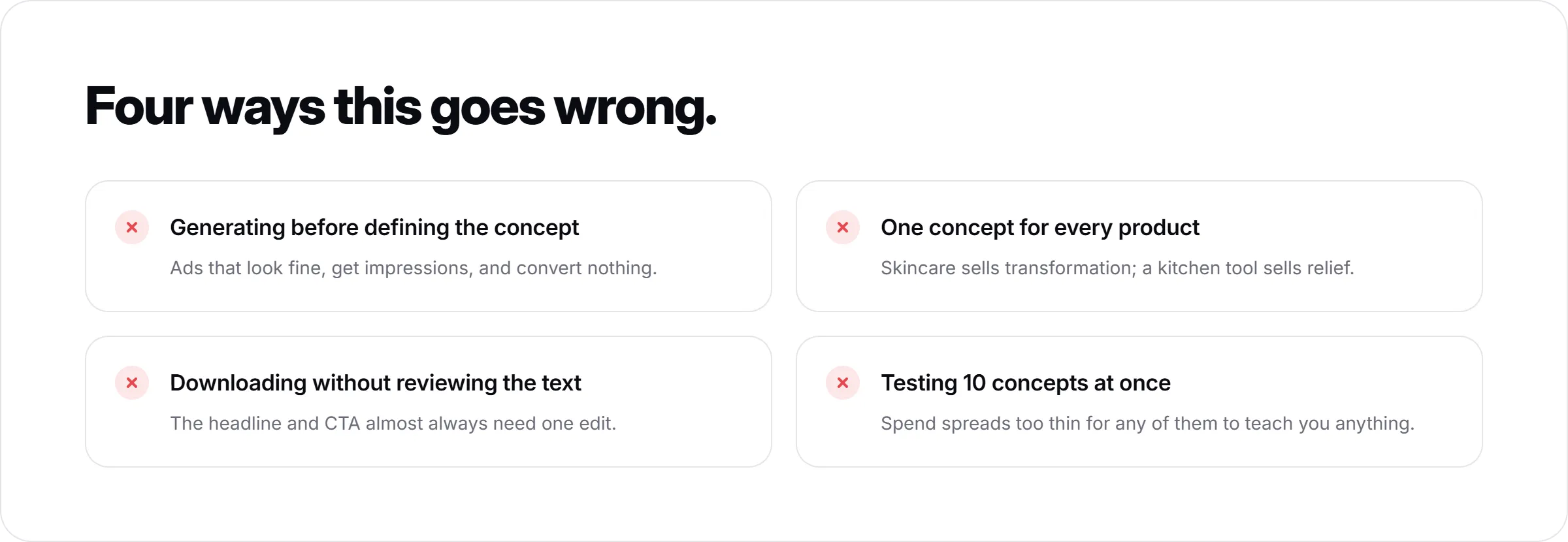
Generating before defining the concept. Jumping straight to visual output without running the Ad Concept analysis typically produces ads that look fine but have no clear audience or angle. They get impressions but not conversions.
Using the same concept for every product. Different products have different primary buying reasons. A skincare product sells on transformation; a kitchen tool sells on problem elimination. Running the same angle across a catalogue produces inconsistent results.
Downloading without reviewing overlay text. AI-suggested headlines are a starting point, not a finished output. The headline and CTA almost always need one edit before the creative is ready to run.
Testing too many concepts at once. A common mistake is generating 10 different creative directions and running them all simultaneously. It is better to start with 2-3 variations on one concept, learn what is working, and then test a second concept against the winner.
Summary
Making product ads with AI works best when the process starts with the product, not a prompt. Paste the product URL, let the AI extract context, define the concept and angle before generating creatives, review the overlay text, and set the right platform ratio before downloading. Use Ad Concept to find what works; use Ad Clone to scale it.
For most ecommerce teams, this workflow takes 15-30 minutes per product from URL to downloaded creative - significantly faster than briefing a designer or building from scratch in a design tool.
FAQs about Making Product Ads with AI
Do I need design skills to make product ads with AI?
No design skills are required for the core workflow. Promer AI handles layout, visual composition, and overlay text generation automatically from your product context. The main skill required is reviewing the AI's output and making targeted edits - adjusting a headline, changing a CTA, or selecting a different concept angle. This is copywriting judgment, not design skill.
What is the best starting point - a product URL or a product image?
A product URL is the stronger starting point when available. Pasting a URL lets Promer AI extract the product name, description, price, and image automatically, which feeds more specific context into the concept analysis. Uploading an image works well too, but typically requires more manual input to define the product's key selling details. For new products without a live page, upload the clearest product image you have.
How many ad concepts should I test before deciding what works?
Start with 2-3 variations on one concept, not 10 different directions at once. Testing requires data, and spreading spend too thin across too many concepts means none of them accumulate enough impressions to draw conclusions. Run one primary angle with a few creative variations first. Once you have a winner, test a second concept against it. This approach produces cleaner learning than running a large batch simultaneously.
Can AI replace the judgment call on which angle to use?
No - AI surfaces the options, but the angle selection still requires human judgment. The Ad Concept analysis gives you product highlights, ideal customer, pain point, and need - all generated from your product context. Reviewing and editing those fields before generating creatives is where your product knowledge matters most. A product team understands which pain point is most urgent for their customer segment; the AI generates a hypothesis, not a final answer.
Should I use static ads or video ads for a product I have never advertised before?
Start with static ads for a new product. Static ads generate results faster and are less resource-intensive to produce, making them the right format for finding a working angle before investing in video. Once you have a static concept that converts, use Promer AI's Ad Animation feature to turn that static creative into an 8-second video ad. This way, the video is built on a concept already validated by performance data, not guesswork.
What platforms can I run these AI-generated product ads on?
Any platform that accepts image uploads. Promer AI generates creatives in the standard ratios for Meta (Facebook and Instagram), TikTok, Google Display, YouTube, and LinkedIn. Download the creative in the correct ratio for your target platform and upload it directly to your ads manager. Promer AI generates in 10 languages - English, Spanish, Portuguese, German, French, Japanese, Korean, Chinese, Hindi, and Vietnamese - so the same workflow applies across different market campaigns.
How do I know if the AI-generated ad is ready to run?
Run through this check before publishing: the headline addresses a specific pain point or outcome (not a generic feature description); the product is clearly visible with no important elements cropped; the CTA tells the viewer exactly what to do next; the ratio matches the placement you are running. Also check for any text rendering errors that AI tools occasionally produce - misread product names, awkward phrasing, or placeholder text that was not replaced. A 2-minute review prevents the most common issues.