Searching "how to create animated ads" mostly surfaces two very different tools.
One group is motion-graphics software - timelines, keyframes, characters built from a script. The other is full AI video ad generators that build a video from a product link with avatars, voiceover, and multi-scene scripts. Neither matches what most ecommerce teams actually need on a Tuesday afternoon.
If you already have a static creative that performs, the fastest path to an animated ad is animating that creative, not rebuilding one from a script or a blank timeline. This is where Promer's AI Ad Adnimation feature fits: it takes a static creative you already generated or uploaded and turns it into a short video ad using motion frameworks - no timeline, no keyframes, and no avatar or voiceover to configure.
This article walks through that workflow step by step - what you need before starting, how to pick a motion treatment that actually directs attention, and how to set up the export so it's ready for the platform you're running it on.
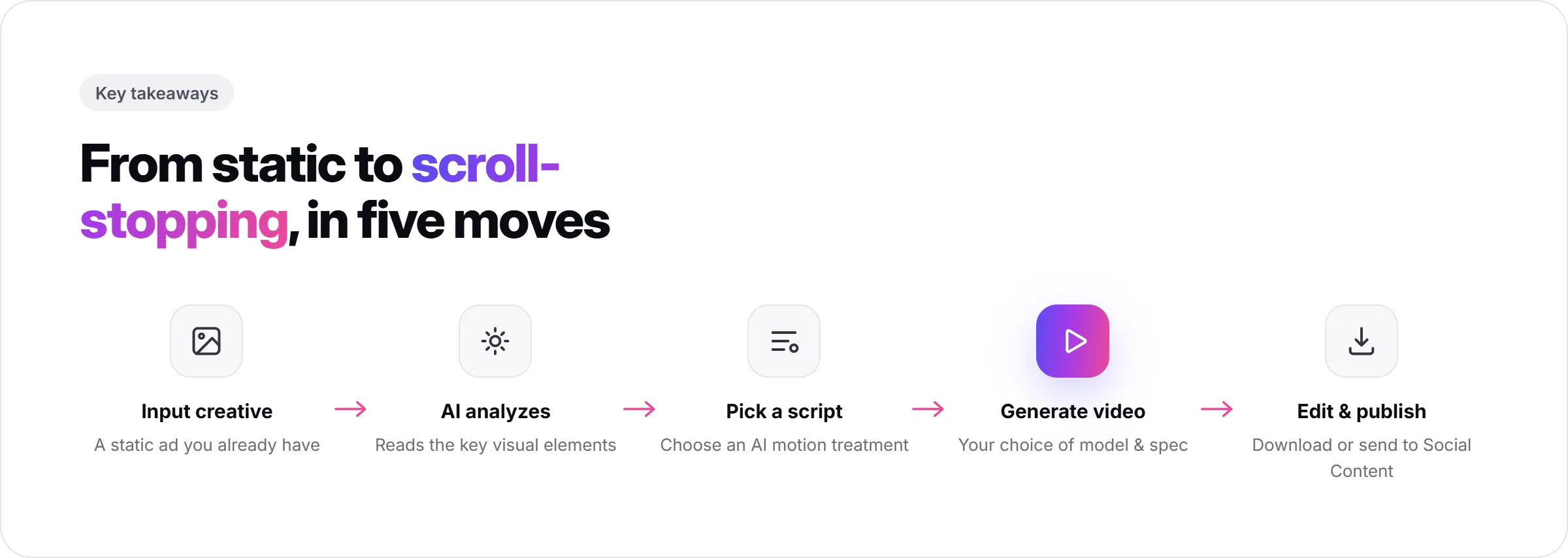
Key Takeaways
- Animated ads typically outperform static ones on scroll-stopping power, but only when the motion directs attention to the proof point instead of just decorating the frame.
- Promer AI's Ad Animation feature starts from a static creative you already have, not a blank timeline or a script.
- You choose the generation model (Seedance 2.0 Fast, Seedance 2.0, Veo 3.1, or Kling 3.0), each with a different motion style and duration range.
- AI suggests animation scripts with descriptive tags, a Brief, and an Effect for each - you pick, tweak, or regenerate.
- Aspect ratio (1:1, 16:9, 9:16, 3:4, 4:3, 21:9) and duration (6-15 seconds, depending on the model) are both set per export, not fixed.
- This workflow does not add an avatar or a scripted voiceover. If the goal is a talking-head video, that's a different feature category.
What You Need Before Starting?
You need one static ad creative to animate. This can be a creative you already generated inside Promer AI (from Ad Clone, Ad Concept, or Ad Prompt) and saved to My ads, or an image you upload directly.
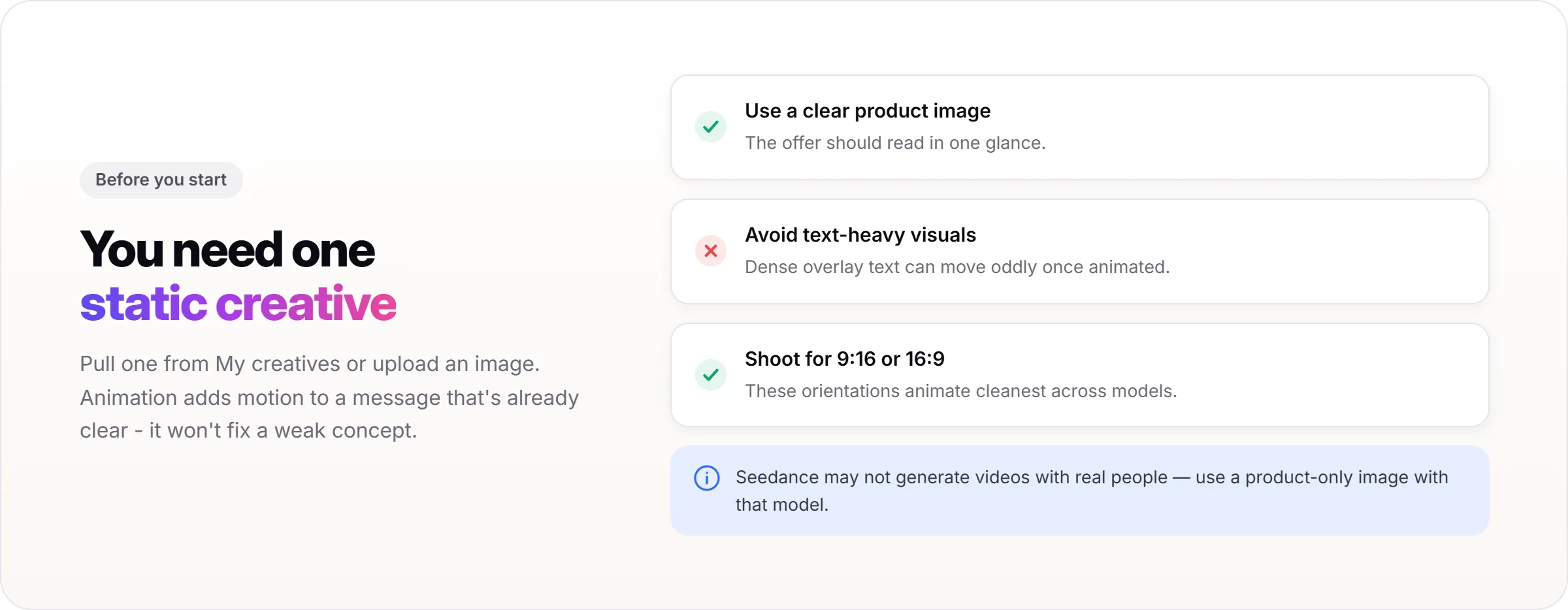
The creative should already do its job as a static ad. Animation adds motion to a message that's already clear - it doesn't fix a weak concept or a confusing layout. If the static version doesn't communicate the offer in one glance, animating it will not change that.
Image orientation matters more than most people expect. A creative shot or cropped for 9:16 or 16:9 tends to animate cleanly across models. Other ratios (1:1, 3:4, 4:3, 21:9) are supported too, but may show black bars depending on the model and source image, so plan the source image with the final platform in mind.
Step 1: Start From a Static Creative That Already Works
Open Ad Animation and choose the source image. You can pull directly from My ads if the creative was generated or saved inside Promer, or upload an image from your device.
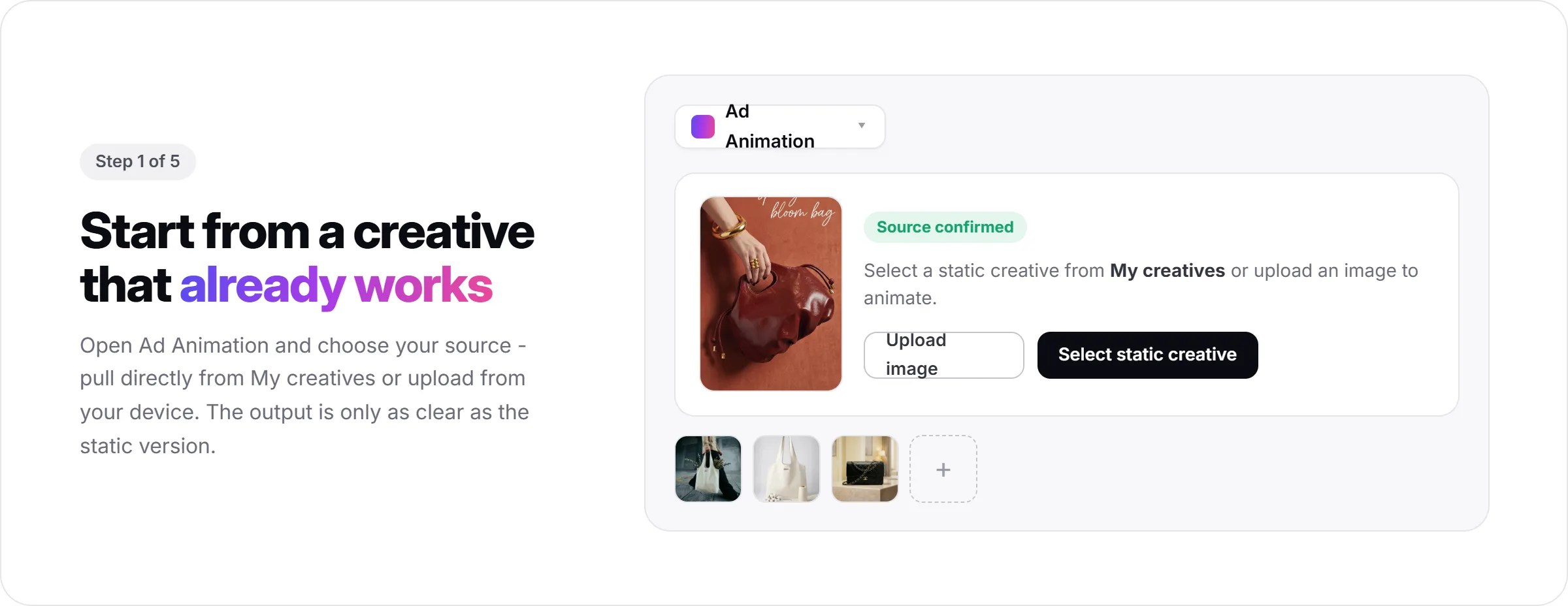
For most ecommerce advertisers, the strongest candidate is a static ad that's already been running with decent engagement, or a fresh creative built with Ad Concept around a specific angle. Either way, the output quality of the animated ad depends on how clear the static version already is.
At this stage, the output looks like a single confirmed source image, ready for a motion script to be applied to it.
Step 2: Choose Your Generation Model
Promer AI's Ad Animation gives you a choice of video generation models, each with a different motion style and duration range: Seedance 2.0 Fast (same core quality, faster generation, 6-15 seconds), Seedance 2.0 (cinematic motion with native lipsync, 6-15 seconds), Veo 3.1 (photorealistic quality and natural motion, 6 or 8 seconds), and Kling 3.0 (realistic human motion, 6-15 seconds).
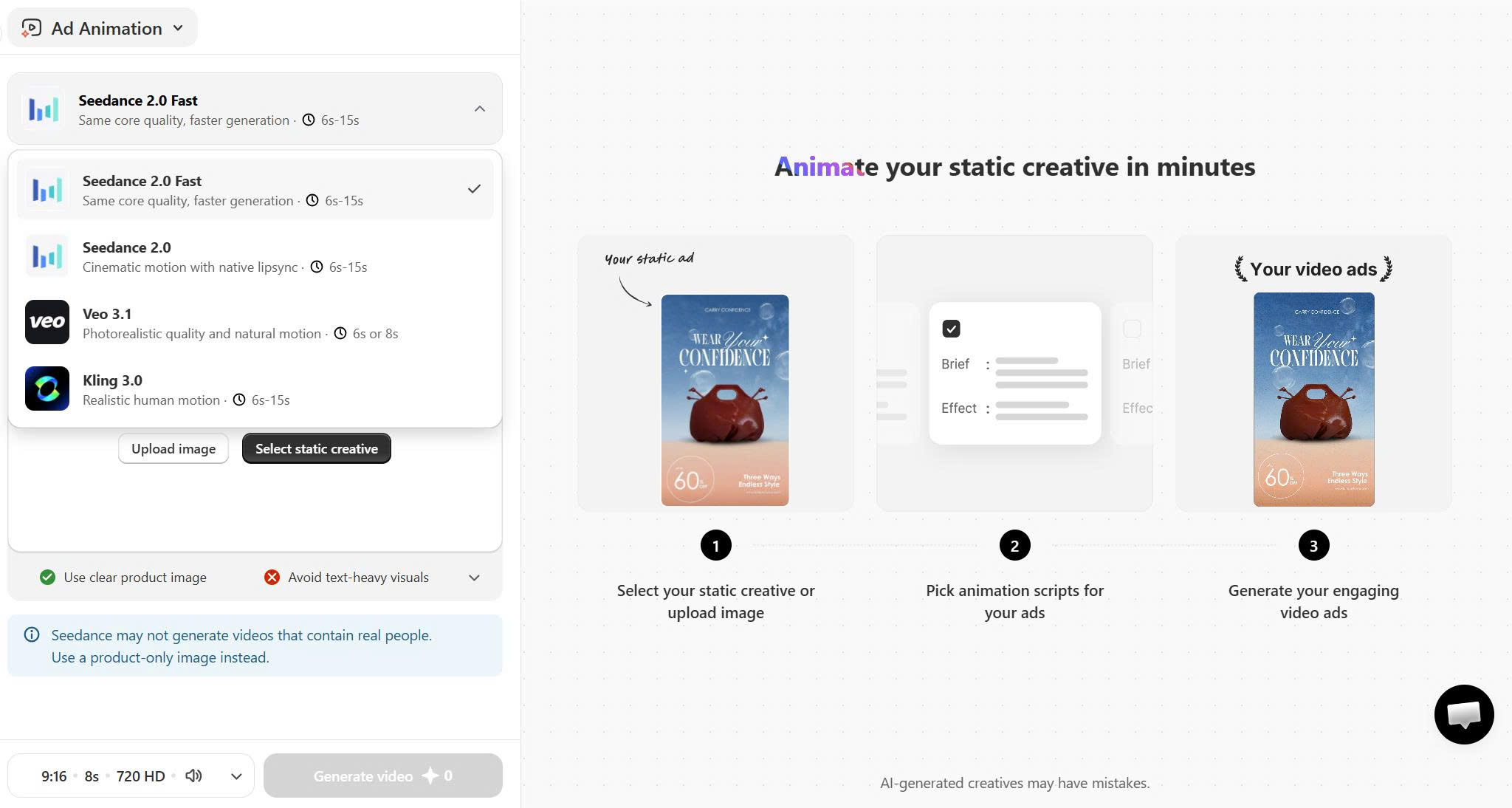
The in-app guidance flags that Seedance may not generate videos containing real people, and recommends a product-only image in that case. If your creative includes a model or a person, check that note before generating and pick the model that matches your source image.
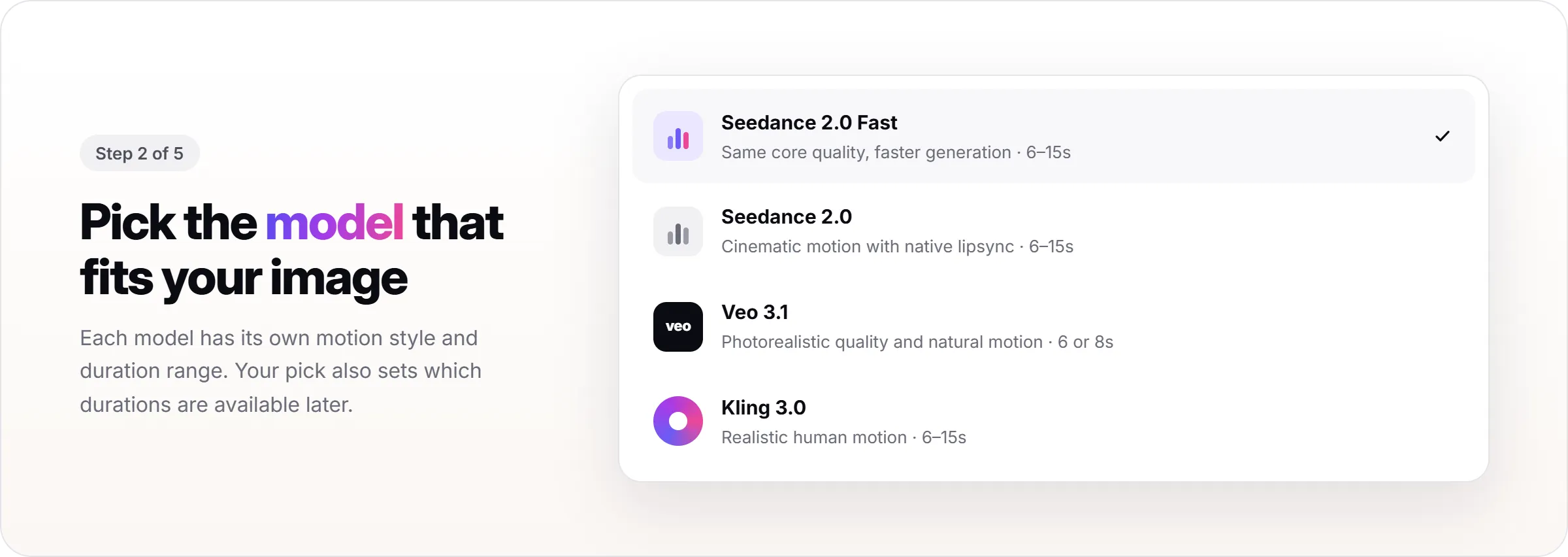
The output of this step is a locked-in model choice, which also determines which durations are available in a later step.
Step 3: Pick an Animation Script AI Suggests
Once the source image is set, AI suggests a set of animation scripts. Each script comes with a few descriptive tags, a Brief describing the motion concept, and an Effect describing what actually moves.
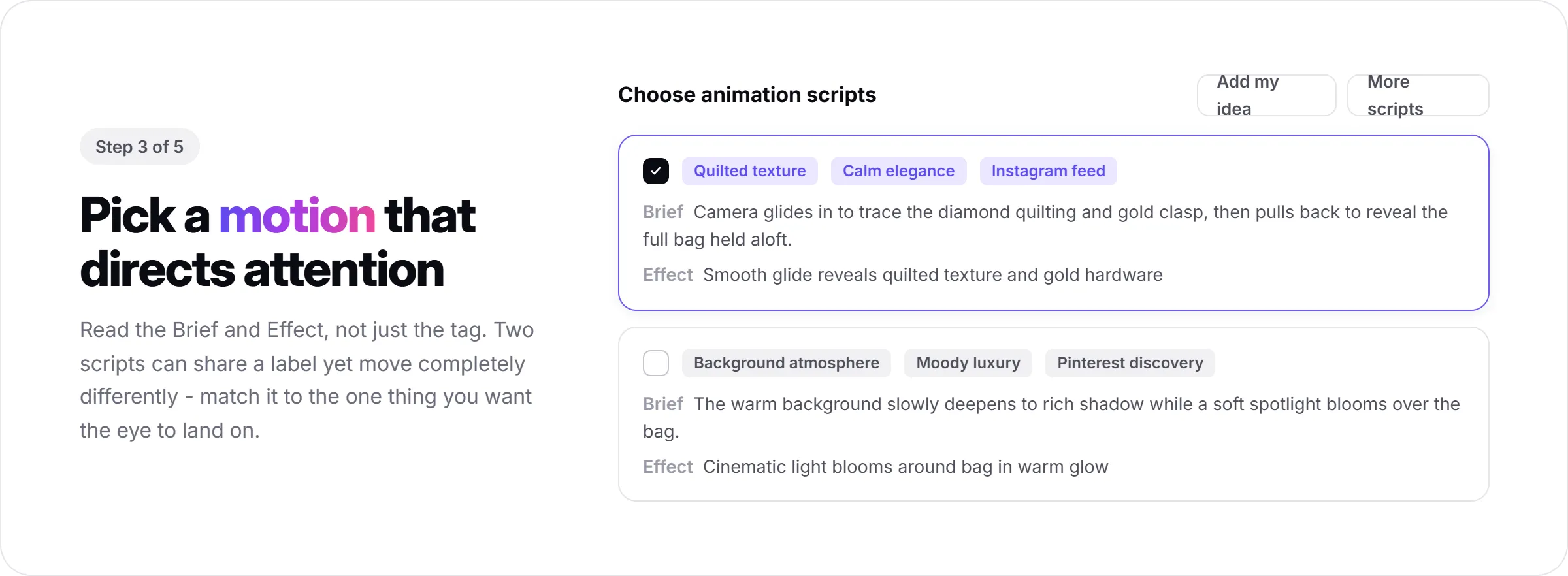
Read the Brief before picking based on the Tag alone. Two scripts can share a similar tag but move very differently - one might pan across the product to show more of it, another might zoom into a specific detail, and another might pull focus toward the headline or offer text. Match the script to the one thing you want the viewer's eye to land on first.
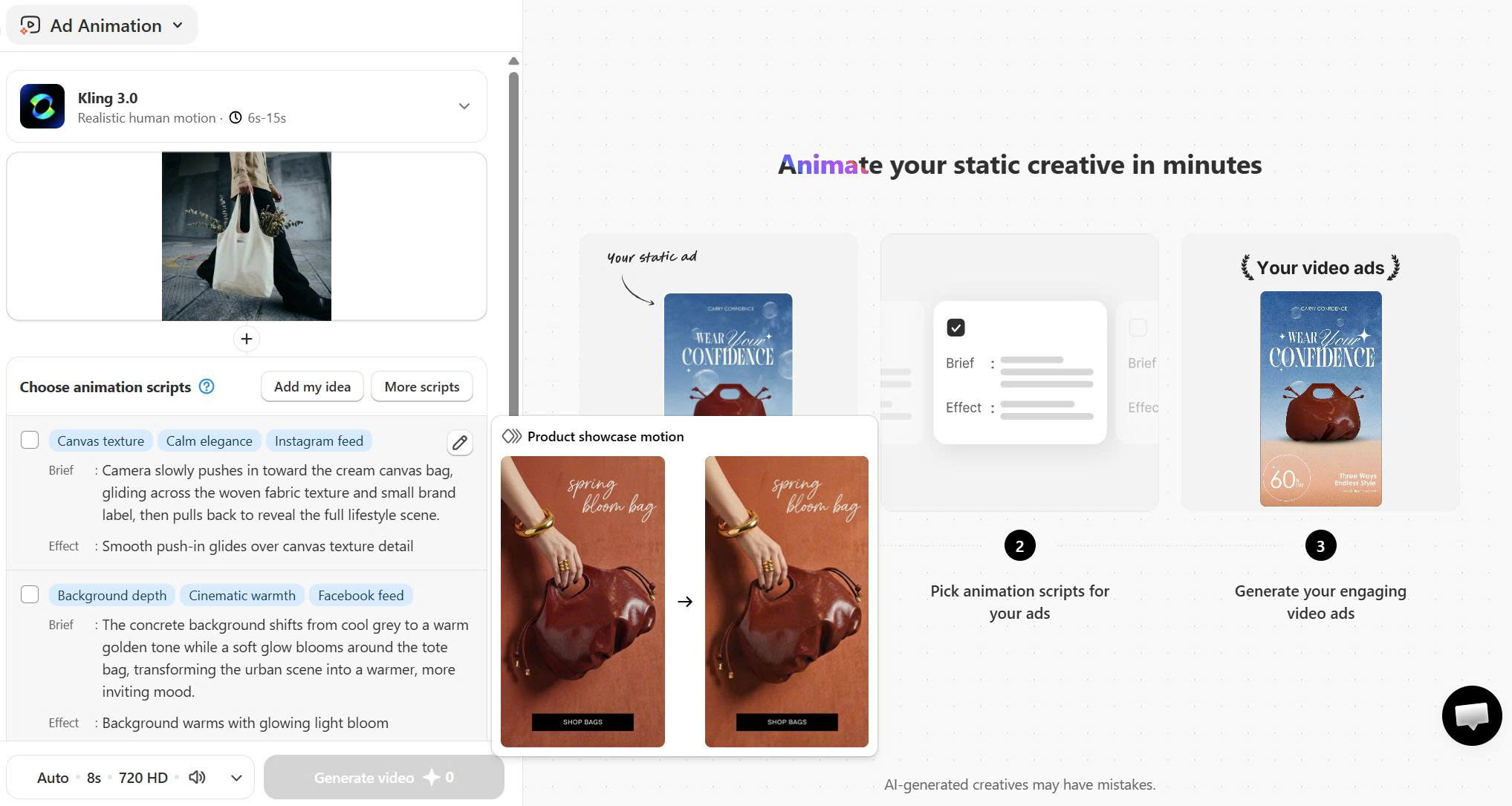
As a rule of thumb, motion works best when it proves something the static version could only imply - a pan that reveals the product's full shape, a zoom that highlights a texture or feature, or a subtle push toward the price or CTA. Motion that just adds movement for its own sake, like a background loop with nothing pointing anywhere, tends to add noise rather than clarity.
If none of the suggestions fit, use "Add my idea" to describe the motion you want, or "More scripts" to regenerate a new batch. The output of this step is a specific motion treatment selected for your static creative, previewable before you commit to export settings.
Step 4: Set Aspect Ratio, Duration, and Audio
Pick the aspect ratio that matches where the ad is running: 9:16 for Stories, Reels, and TikTok, 16:9 for YouTube and landscape placements, 1:1 or 4:3 for feed placements, 3:4 for some Meta formats, or 21:9 for wide display. This choice should come from the platform spec, not from what looks best in the editor.
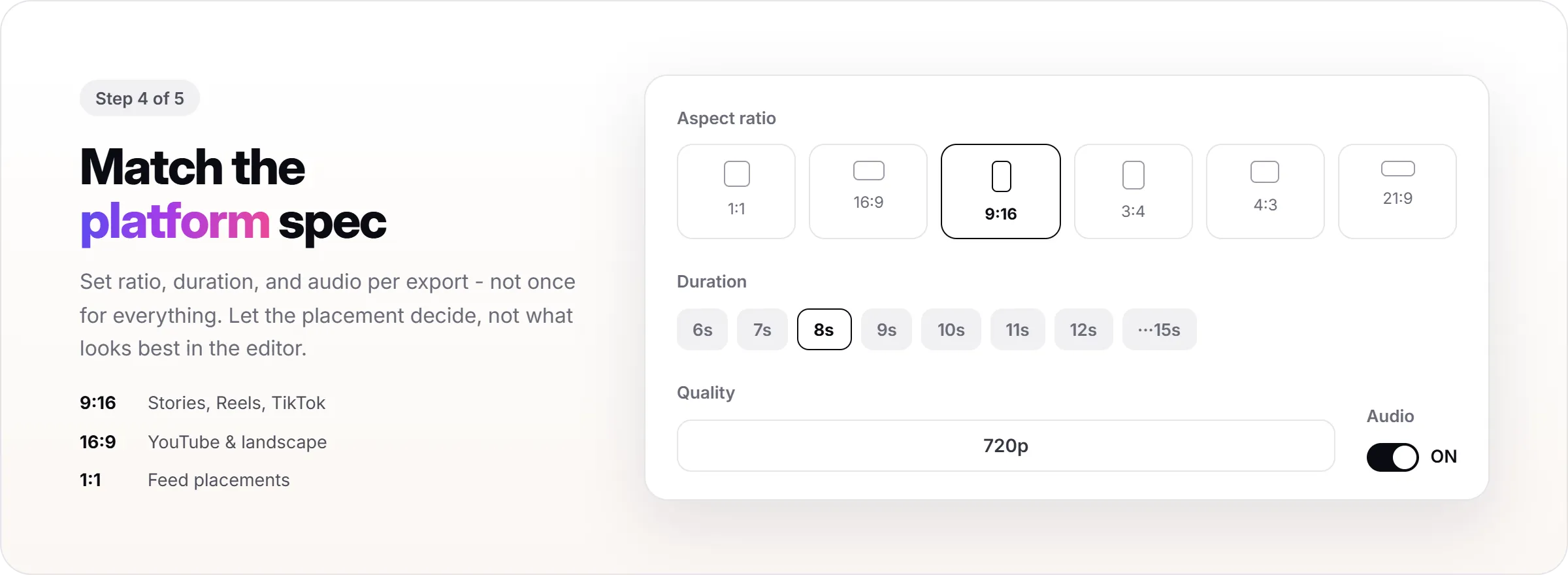
Duration is adjustable in one-second steps from 6 to 15 seconds, though the exact ceiling depends on the model chosen in Step 2 (Veo 3.1 tops out at 6 or 8 seconds; the others go up to 15). Short-form feed and Story ads generally work best somewhere between 5 and 15 seconds, since most viewers decide whether to keep watching within the first couple of seconds - so there's a wide safe range here rather than one fixed number.
Toggle audio on or off depending on whether the placement autoplays with sound (like in-feed video) or is typically watched muted (like most Stories). At the end of this step, the animated ad matches the exact spec of the platform it's going to run on.
Step 5: Generate, Edit, and Download
Generate the video and preview the full result once it's ready, not just the first few frames. If something looks off, the script and settings can be adjusted and regenerated before spending more credits on a final export.
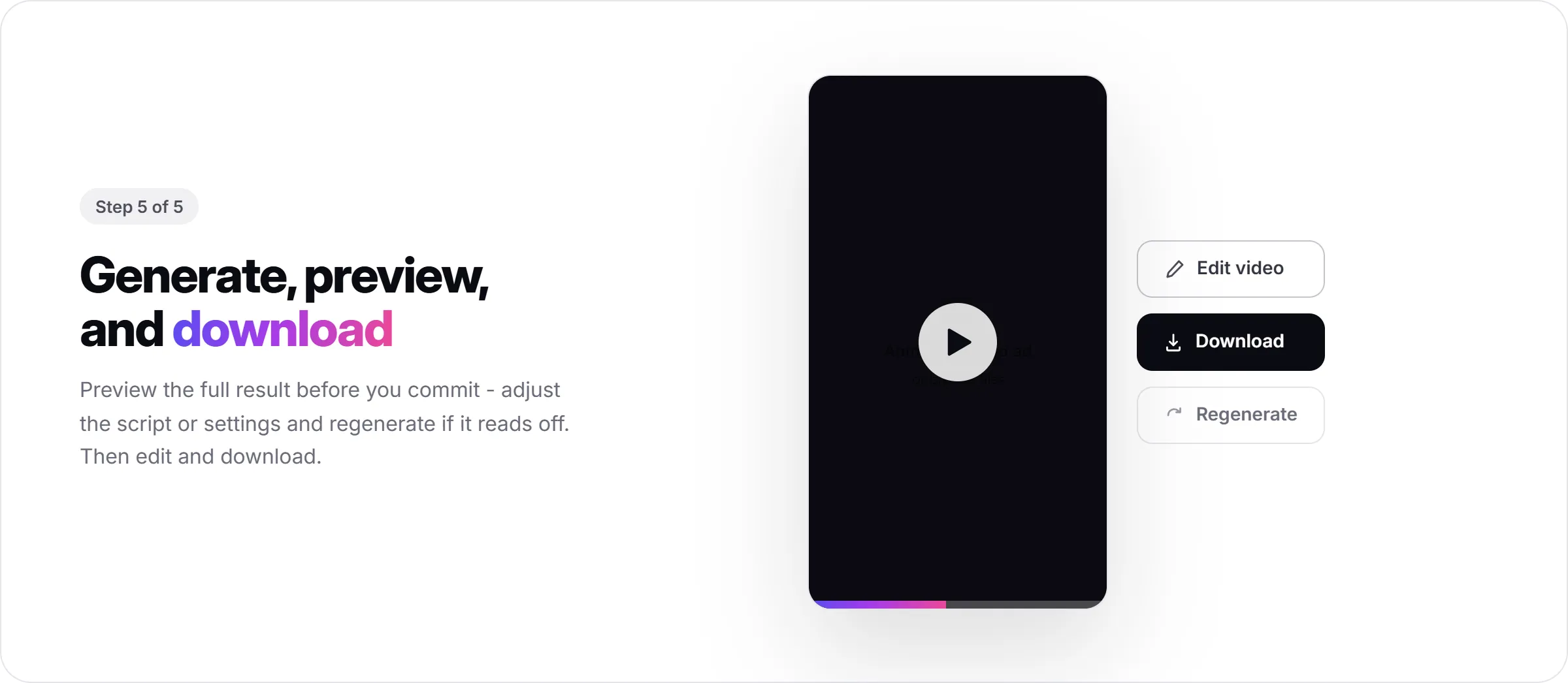
Once the video looks right, it can be edited further before download - check in-app for exactly which edit actions are available at this stage. Ad Animation exports as a downloadable file; publishing from inside Promer AI is handled separately through Social Content, not automatically from this feature.
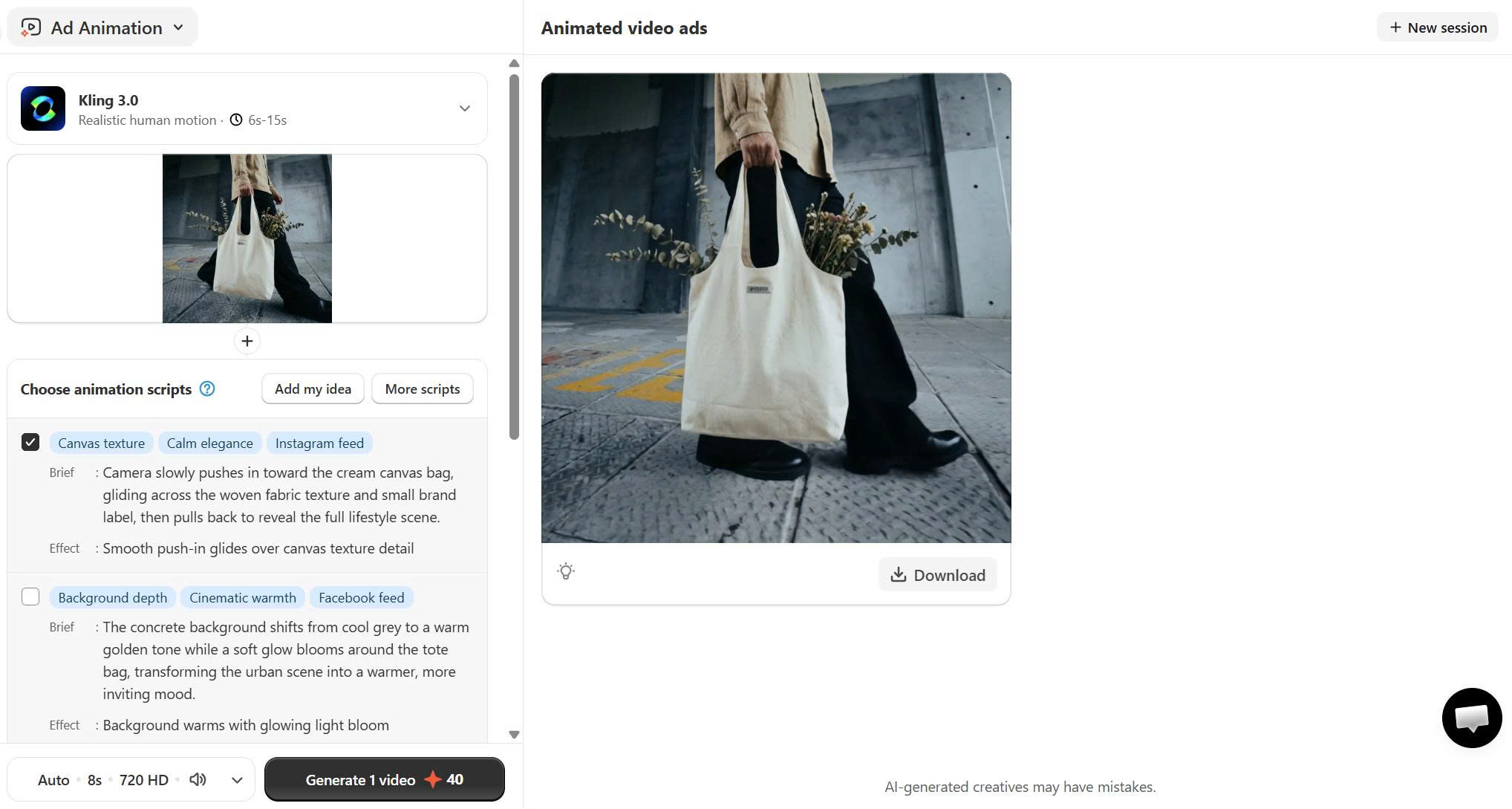
And here is the video:
Like any AI-generated creative, review the final video for small visual or text errors before it goes live. AI-generated animation can occasionally misplace overlay text or move an element in a way that reads slightly off, and it's easier to catch that in preview than after the ad has spent budget.
What Good Output Looks Like?
A good animated ad from this workflow keeps the same core message as the static version, just with motion proving or highlighting one specific thing - a pan that shows the product's full shape, a zoom into the detail that backs up the claim, or a push toward the offer. It is not motion for its own sake.
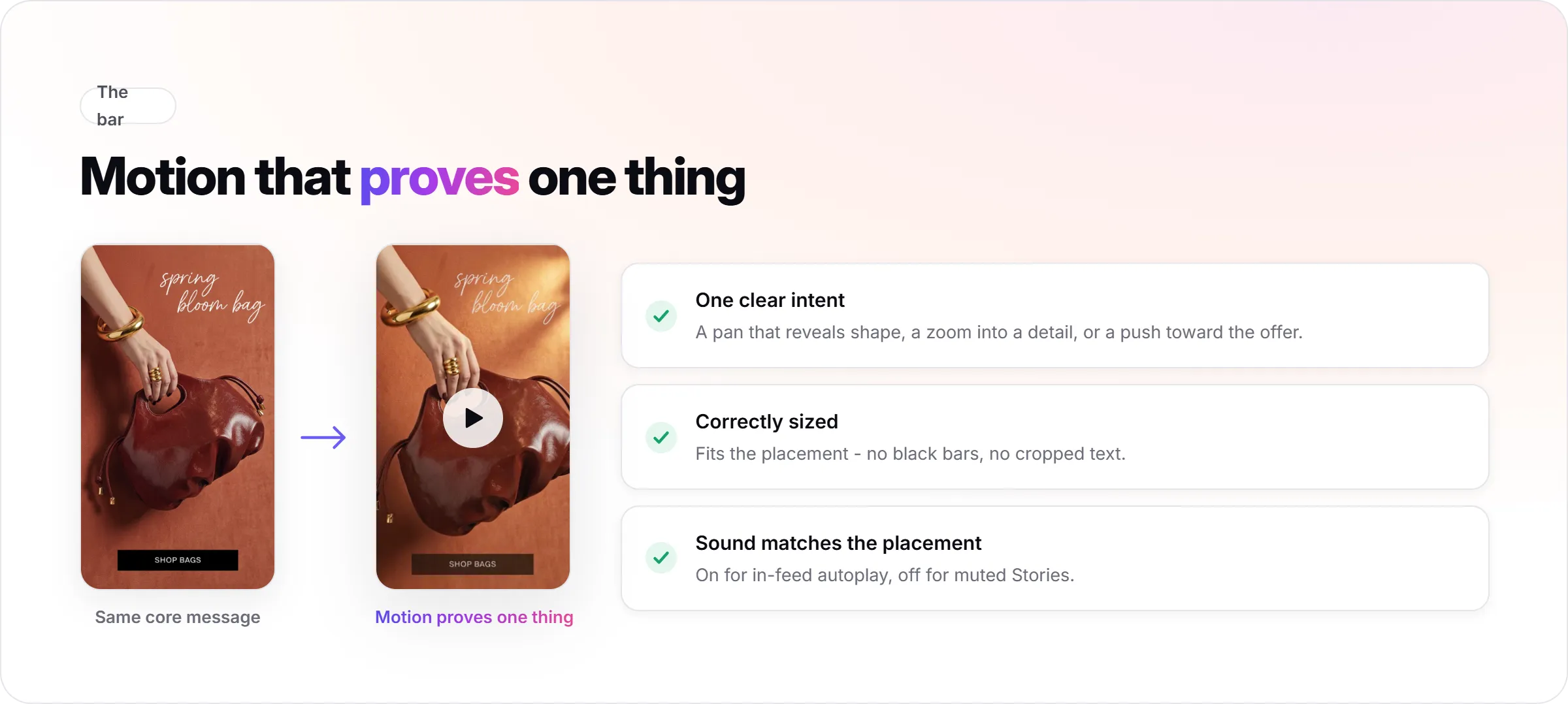
The motion should feel intentional rather than busy. If a viewer can't tell what moved or why after watching once, the script probably doesn't match the creative's actual message.
The file should be correctly sized for the platform with no black bars or cropped text, and the sound setting should match how that placement is typically consumed.
Common Mistakes When Creating Animated Ads From a Static Creative
- Animating a weak static creative. Motion won't rescue a confusing headline or an unclear offer - fix the static version first.
- Picking a script by tag alone. The Brief and Effect matter more than the label; two "eye-catching" scripts can move in completely different ways.
- Ignoring the source aspect ratio. An image shot in the wrong orientation can show black bars once exported to a different ratio - plan the source image for the platform you're targeting.
- Picking a model without checking the source image. Seedance flags that it may not handle real people well - if your creative includes a person, check the in-app guidance and pick the model built for that before generating.
- Skipping the preview. AI-generated creatives can contain small errors. A full preview before download catches most of them before they reach a live campaign.
- Treating this as a from-scratch animation tool. If the goal is a custom character-driven animation built from a script and storyboard, that's a different production process than animating an existing ecommerce ad creative.
- Expecting an avatar or voiceover. This workflow animates the creative itself - it doesn't add a presenter, a script-based voiceover, or a talking-head element. That's a separate category of tool.
FAQs about Creating Animated Ads
Do I need animation or design experience to create an animated ad?
No. Promer AI's Ad Animation feature works from a static creative and AI-suggested motion scripts, so there's no timeline or keyframe editing involved. You're choosing between suggested motion treatments, not building animation from zero.
Can I animate any static ad, or does it need to be made in Promer AI first?
You can animate a creative generated inside Promer AI or upload your own image. In most cases, an image shot or cropped for 9:16 or 16:9 will animate more cleanly than a square or portrait image.
How long can an animated ad be?
Duration is adjustable from 6 to 15 seconds in one-second steps, though the exact ceiling depends on the generation model you pick - Veo 3.1 currently caps at 6 or 8 seconds, while the other models go up to 15.
What if I need an avatar, a voiceover, or a longer scripted video?
This workflow adds motion to a creative you already have - it doesn't include avatars, voiceover, or multi-scene scripts. Some AI video ad generators build videos in that direction from a product link, typically running 15-60 seconds with a spokesperson or narration. That's a different product category built for a different use case than animating an existing static creative.
Will the animated ad guarantee better performance than the static version?
No. Motion can help a message land faster, but it doesn't guarantee a lift in CTR or conversion. Performance still depends on the offer, the audience, and the underlying creative concept, in most cases more than the motion itself.
Can I add a voiceover to the animated ad?
Audio can be toggled on or off for the generated video, but there's no scripted voiceover or narration in this workflow. Custom voice insertion is a separate, upcoming capability - not part of Ad Animation today.
Can I choose which AI model animates my ad?
Yes. Ad Animation offers a choice between Seedance 2.0 Fast, Seedance 2.0, Veo 3.1, and Kling 3.0, each with a different motion style and duration range. Picking the right one for your source image (especially if it includes a person) affects both quality and available duration.
Where can I try this if I don't have a static creative yet? If you don't have a static ad to start from, Promer AI's Ad Concept can generate one from your product page first, which then becomes the source creative for animation.